
2FA Authenticator App: Complete Guide to Setup, Use, Download, and Secure Your Accounts
Published August 11, 2026 · Updated September 7, 2026
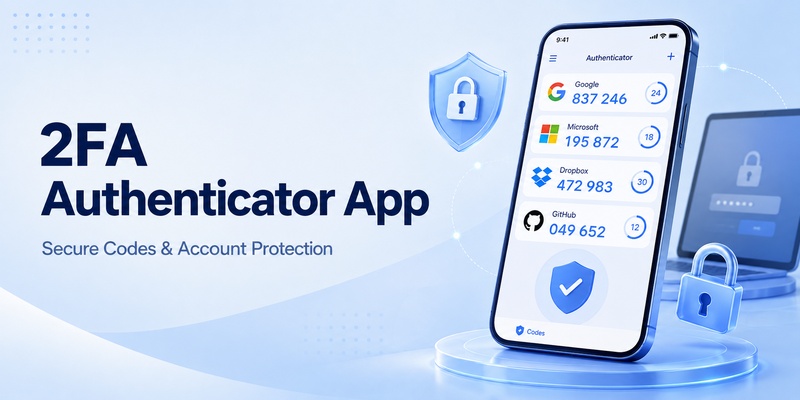
Passwords alone are no longer enough for many online accounts. Even a strong password can become exposed through phishing, malware, reused credentials, or a data breach. That is why more websites and applications now encourage users to activate two-factor authentication.
A 2fa authenticator app adds another verification step after your password. Instead of allowing access immediately, the service asks for a temporary code generated by your authentication application. In most cases, the code changes every 30 seconds, making stolen passwords significantly less useful to attackers.
A modern 2fa authenticator app can protect email accounts, social networks, cloud platforms, cryptocurrency exchanges, development services, shopping accounts, gaming accounts, and many other services.
However, setting up two-factor authentication correctly is important. Users need to know where to download an authentication application, how to scan a QR code, how to save recovery codes, what to do when changing phones, and how to recover access if something goes wrong.
This guide explains how a 2fa authenticator app works and provides practical instructions for managing two-factor authentication across different platforms.
1. What Is a 2FA Authenticator App?
Understanding two-factor authentication
Two-factor authentication, often called 2FA, requires two different forms of verification before an account can be accessed.
The first factor is usually something you know, such as your password.
The second factor is something you possess or control, such as your phone, security key, or authentication application.
A 2fa authenticator app belongs to the second category. It normally creates a short numeric code that is valid for only a limited period.
For example, after entering your username and password, a website may display a field asking for a six-digit verification code. You open your Authenticator App, find the matching account, enter the current code, and complete the login.
This additional step means that obtaining a password alone may not be enough to access the account.
TOTP and authentication codes
Most authentication applications use a system known as Time-Based One-Time Password, commonly shortened to TOTP.
When you enable authentication, the website generates a secret key. Your 2fa authenticator app stores this secret and combines it with the current time to calculate temporary login codes.
Both the server and your authentication application know the same secret. Because they calculate the code independently, your phone usually does not need an internet connection to generate TOTP codes.
That is one reason people looking for 2fa authenticator free options can choose from many applications. The underlying TOTP standard is widely supported.
A typical authentication code remains valid for approximately 30 seconds. When the timer expires, the application generates another code automatically.
💡 Discover Helpful Guides: 2FA Authenticator Chrome: How to Set Up Secure Two-Factor Authentication in Your Browser
2. How Does a 2FA Authenticator App Work?
The QR code setup process
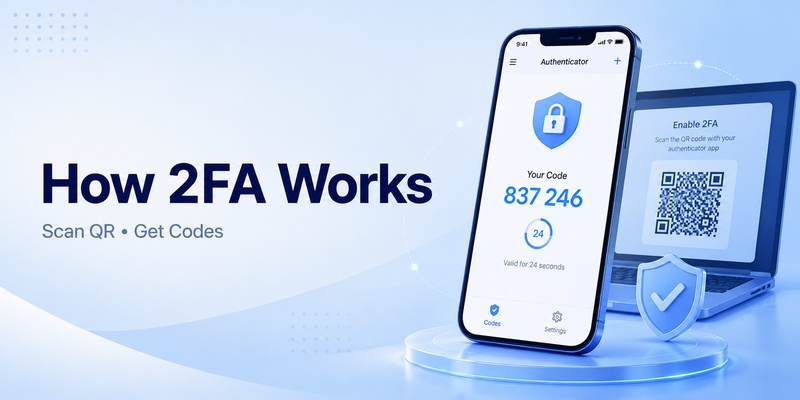
When you activate two-factor authentication on a website, the service normally displays a QR code.
That QR code contains configuration information that allows your 2fa authenticator app to create the correct verification codes.
The usual process is simple:
- Sign in to the account you want to protect.
- Open its security settings.
- Find Two-Factor Authentication, Two-Step Verification, or MFA.
- Select the authenticator application option.
- Open your 2fa authenticator app.
- Choose the option to add a new account.
- Scan the QR code.
- Enter the generated code on the website.
- Save any recovery codes provided by the service.
Once setup is complete, your 2fa authenticator app should display an entry for that account.
Why codes continue working offline
A common misconception is that the authentication application requests a new code from the website every 30 seconds.
Usually, it does not.
Instead, the 2fa authenticator app already has the secret key needed to calculate the code. As long as the device clock is reasonably accurate, the application can generate the correct result locally.
This is useful when traveling, when mobile data is unavailable, or when Wi-Fi is unreliable.
The secret stored during setup is therefore extremely important. Anyone who obtains that secret may be able to generate the same codes.
For this reason, users should avoid posting QR codes publicly, saving screenshots of setup QR codes in insecure locations, or sending authentication secrets through normal chat applications.
Download Authenticator App
Secure your accounts with fast, reliable two-factor authentication. Download now and protect your login in seconds.
🛠️ Learn with Step-by-Step Guides: 2FA Authenticator Free: How to Choose and Use a Free Authenticator App Safely
3. How to Use a 2FA Authenticator App Step by Step
Setting up your first account
People searching for how to use 2fa authenticator often expect the process to be complicated, but most services use almost the same workflow.
First, install a reputable 2fa authenticator app from an official application store.
Then log in to the account you want to secure.
Open the account’s security settings and look for an option such as:
Two-Factor Authentication
Two-Step Verification
Authenticator Application
MFA
Verification App
Choose the authenticator option instead of SMS if you want to use TOTP.
The website should display a QR code.
Open your 2fa authenticator app, tap the add button, and select the QR scanner. Point the camera at the QR code displayed on your computer or second device.
A new account should immediately appear inside the application.
Confirming the setup
Your authentication application will display a temporary numeric code.
Return to the website and type that code into the verification field.
If it is accepted, two-factor authentication is active.
Before leaving the setup screen, look for recovery or backup codes.
These codes can be extremely important if your phone is lost or your 2fa authenticator app becomes unavailable.
Store recovery codes somewhere separate from the device containing the authenticator.
For example, you could keep them in a reputable password manager or another secure offline location.
Understanding how to use 2fa authenticator properly is not only about scanning the QR code. Recovery planning should be considered part of the setup process.
Logging in afterward
Once authentication is enabled, future logins normally follow this sequence:
Enter your email or username.
Enter your password.
When prompted, open your 2fa authenticator app.
Find the corresponding service.
Enter the current temporary code before it expires.
If the code expires while you are typing, simply wait for the next one.
💡 Discover Helpful Guides: How to Use 2FA Authenticator: A Complete Step-by-Step Guide for Better Account Security
4. 2FA Authenticator App Download: Where Should You Get It?
Use official download sources
When searching for 2fa authenticator app download, users may encounter dozens of websites offering applications, installers, browser extensions, or APK packages.
Security applications deserve extra caution.
An authentication application potentially contains the secrets used to generate access codes for many of your accounts. Installing a malicious or modified version could therefore create serious security risks.
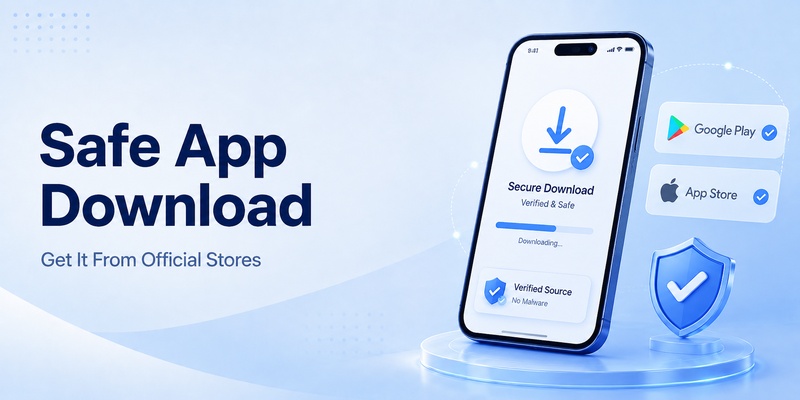
Whenever possible, obtain your 2fa authenticator app through an official source such as the Apple App Store, Google Play, Microsoft Store, or the developer’s verified website.
Check the developer name carefully before installation.
Fake applications occasionally use names and icons similar to legitimate security tools.
What about APK files?
Android users sometimes search for 2fa authenticator apk when they cannot access Google Play or need an installer for another device.
APK installation can be legitimate, but users should be cautious.
Download the 2fa authenticator apk only from a source you trust and verify that it comes from the actual developer.
Avoid modified packages promising premium functionality, unlimited features, or unlocked subscriptions.
Because an authentication application protects sensitive accounts, installing an unofficial modified version can defeat the purpose of using two-factor authentication.
For most users, an official application store remains the easiest and safest approach to 2fa authenticator app download.
📘 Find the Right Guide: 2FA Authenticator APK: Safe Download, Installation, and Setup Guide for Android
5. Using 2FA Authenticator on Chrome, Windows, and PC
Can you use an authenticator in Chrome?
Many people search for 2fa authenticator chrome because they want authentication codes available directly on a desktop computer.
Browser-based authentication tools do exist, but storing passwords and 2FA secrets inside the same browser may reduce separation between authentication factors.
For example, if malware compromises the browser profile containing both credentials and TOTP secrets, an attacker could potentially gain access to more information than if the authentication codes were stored on a separate device.
A 2fa authenticator app on your phone creates stronger separation between the computer used for login and the device generating the verification code.
However, convenience requirements differ. Some users prefer desktop authentication because they frequently work across multiple accounts.
Desktop authentication applications
There are authentication tools designed for Windows, macOS, Linux, and browsers.
Someone looking for ente auth 2fa authenticator pc, for example, may be interested in accessing authentication entries across mobile and desktop environments.
Desktop support can be convenient for developers and power users who manage numerous services.
When using a 2fa authenticator app on a computer, consider whether the application’s database is encrypted and how synchronization is protected.
Avoid leaving the application permanently unlocked on a shared computer.
Phone versus PC authentication
Keeping the 2fa authenticator app on a separate phone is often a straightforward approach because compromising the computer does not automatically reveal authentication secrets.
Desktop authentication can still be useful when combined with strong device security.
If you decide to use 2fa authenticator chrome or another desktop solution, protect your computer with a strong login password, disk encryption, regular security updates, and automatic screen locking.
📖 Explore Articles: Microsoft 2FA Authenticator: Complete Setup, Recovery, and Troubleshooting Guide
6. Popular 2FA Authenticator Apps Compared
Microsoft, Apple, and Proton options
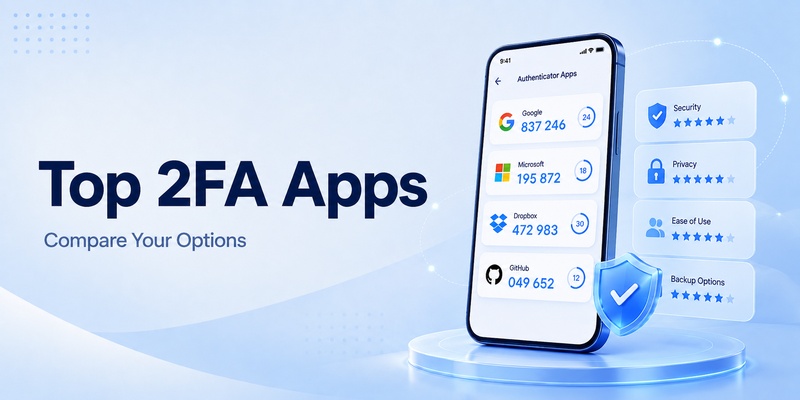
There is no single authentication application that is ideal for every user.
A microsoft 2fa authenticator solution may appeal to people heavily using Microsoft accounts or Microsoft services.
Microsoft Authenticator can also be used with many websites supporting standard TOTP authentication.
Users searching for an apple 2fa authenticator should understand that Apple provides its own verification ecosystem while iPhone users can also install third-party TOTP applications.
Some password-management features on Apple devices can also handle verification codes for supported workflows.
Another option people investigate is proton 2fa authenticator, particularly users who already use privacy-focused Proton products.
Regardless of the provider, check whether your chosen 2fa authenticator app supports the features that matter to you, such as encrypted backups, synchronization, import/export, biometric locking, and desktop access.
Authy and Ente Auth
For years, authy – 2fa authenticator has been one of the well-known names associated with authentication codes and multi-device workflows.
Another option is Ente Auth, which focuses on managing TOTP credentials and synchronization.
The ideal 2fa authenticator app depends on your requirements.
Some users want the simplest possible offline application.
Others want encrypted cloud synchronization so they can recover accounts after changing phones.
Some users prefer open-source software because they want greater transparency.
TypingDNA and other alternatives
You may also encounter products when searching for 2fa authenticator by typingdna or other authentication providers.
Before selecting an application, consider more than ratings or visual design.
Look at how the 2fa authenticator app stores authentication secrets, whether it supports backups, how account recovery works, and whether exported data can be encrypted.
Changing authenticator applications later is possible, but migrating dozens of accounts can require additional work.
Choosing carefully at the beginning can simplify long-term account management.
7. Using 2FA for Facebook, Instagram, Discord, Snapchat, and Roblox
Facebook and Instagram
Social media accounts are common targets for phishing and account takeover attempts.
Using facebook 2fa authenticator protection means Facebook can request a temporary authentication code after the password is entered.
To activate it, open Facebook’s account security settings, locate two-factor authentication, and select the authenticator application option when available.
Scan the displayed QR code using your 2fa authenticator app, then confirm setup with the generated code.
A similar process applies when configuring 2fa authenticator instagram protection.
Open Instagram’s security or authentication settings, select the authentication app method, and connect it to your preferred authenticator.
Do not delete the account entry from your 2fa authenticator app unless you have already disabled or replaced authentication on Instagram.
💡 Discover Helpful Guides: Facebook 2FA Authenticator: How to Set Up, Use, and Fix Two-Factor Authentication
Discord authentication codes
Discord users may be asked for a discord 2fa code when logging into a protected account or performing certain account actions.
The code is generated by the authentication application linked during the original setup.
If a discord 2fa code is rejected, first make sure you are using the entry associated with the correct Discord account.
Then wait for the current code to refresh and try the new code.
Also confirm that your phone’s date and time settings are automatic.
📘 Find the Right Guide: Discord 2FA Code: Setup, Backup Codes, Errors, and Account Recovery Guide
Snapchat and Roblox
The same concept applies to a snapchat 2fa code.
After authentication is configured, the application generates temporary codes that can be requested during login.
Users should also save any recovery options Snapchat provides.
For gaming accounts, roblox 2fa authenticator protection can help add another step between an attacker and your account.
Activate two-step verification from Roblox security settings and connect your chosen 2fa authenticator app if an authenticator option is available for your account.
A roblox 2fa authenticator setup is particularly useful for accounts containing valuable virtual items, purchased currency, or long-term progress.\
📖 Read More Guides: Snapchat 2FA Code: Meaning, SMS Texts, Setup, and Account Security Guide
8. Using 2FA for GitHub and Amazon
GitHub authentication
Developer accounts deserve strong protection because a compromised account may expose repositories, credentials, project information, or development infrastructure.
A github 2fa authenticator setup adds a temporary code requirement to the GitHub login process.
Once enabled, your 2fa authenticator app generates the verification codes required after your primary credentials.
Developers should pay particular attention to account recovery.
Store recovery codes securely and consider additional authentication methods supported by the platform.
Do not keep the only copy of recovery information inside the same device that contains your authenticator.
If that device becomes unavailable, both your normal authentication method and recovery method could disappear simultaneously.
💡 Discover Helpful Guides: GitHub 2FA Authenticator: Complete Setup, QR Code, Recovery, and Troubleshooting Guide
Amazon authentication
People searching for an amazon 2fa authenticator app generally want to protect an Amazon account with an authentication application instead of relying exclusively on a password.
Authentication options can typically be found in account login and security settings.
After selecting an authenticator application, scan the setup code with your 2fa authenticator app and verify the generated number.
Protecting shopping accounts is important because they may contain saved addresses, purchase history, payment methods, subscriptions, and digital purchases.
An amazon 2fa authenticator app setup provides another security layer if login credentials become exposed.
💡 Discover Helpful Guides: Amazon 2FA Authenticator App: Setup, QR Code, and Account Security Guide
9. Using Authenticator Apps for Binance and KuCoin
Binance two-factor authentication
Cryptocurrency accounts require particularly careful security practices because unauthorized transactions can be difficult or impossible to reverse.
Many users therefore configure binance 2fa authenticator protection.
The general process is similar to other services.
Open Binance security settings, choose the supported authentication option, connect your 2fa authenticator app, save the recovery information, and confirm the generated code.
When setting up binance 2fa authenticator, avoid taking casual screenshots of the secret key or QR code.
Anyone who obtains the authentication secret may be able to reproduce the temporary codes.
Your exchange password, email account, authentication application, and recovery codes should ideally be protected independently.
📘 Find the Right Guide: Binance 2FA Authenticator: Setup, Code Errors, Reset, and Security Guide
KuCoin authentication codes
Users may also encounter a request for a 2fa code kucoin when accessing or managing a protected KuCoin account.
Open your 2fa authenticator app, select the KuCoin entry, and use the active code.
If the 2fa code kucoin repeatedly fails, verify that you selected the correct account and that the device clock is synchronized.
For cryptocurrency exchanges, never send authentication codes to someone claiming to be customer support.
A legitimate verification code is designed for your own login session.
If someone asks you to send them the current code from your 2fa authenticator app, treat the request as suspicious.
10. Will 2FA Stop Hackers?
What 2FA can protect against
A frequently searched question is will 2fa stop hackers.
The answer requires some nuance.
Two-factor authentication can dramatically improve account security because a stolen password may no longer be sufficient for login.
For example, imagine that you reuse a password and another website suffers a data breach.
An attacker obtains your email address and password and tries those credentials on another service.
Without two-factor authentication, the attacker might immediately gain access.
With a 2fa authenticator app enabled, the attacker also needs the temporary code.
That additional requirement can block many automated account takeover attempts.
What 2FA cannot prevent
However, asking will 2fa stop hackers should not be interpreted as asking whether 2FA makes an account impossible to compromise.
It does not.
Sophisticated phishing pages may attempt to collect both passwords and current authentication codes in real time.
Malware on a compromised device may also steal sessions or sensitive information.
Users can additionally be tricked into approving malicious login attempts.
A 2fa authenticator app should therefore be considered one component of a broader security strategy.
Strong unique passwords are still important.
Software updates remain important.
Phishing awareness remains important.
Recovery email security remains important.
Authenticator apps versus SMS
Authentication applications are often preferred over SMS for TOTP because SMS can be affected by risks involving mobile accounts, message interception, or social-engineering attacks against carriers.
A 2fa authenticator app generates codes locally and does not depend on receiving a text message for every login.
For accounts supporting stronger phishing-resistant options such as hardware security keys or passkeys, those options may provide additional protection against certain phishing scenarios.
The important point is that any properly configured second factor is generally better than relying on a password alone.
💡 Discover Helpful Guides: Will 2FA Stop Hackers? What Two-Factor Authentication Can and Cannot Do
11. What to Do If Your 2FA Code Does Not Work
Wait for a fresh code
Sometimes a 2fa authenticator app displays a code that is almost expired.
You enter it, but by the time the website processes the login request, the next code has already become active.
If this happens, wait for a completely new code and enter it immediately.
Do not repeatedly enter the same expired code.
Check your device time
TOTP relies on time.
If your phone clock is significantly incorrect, the codes generated by your 2fa authenticator app may not match the codes expected by the server.
Open your device settings and enable automatic date and time synchronization.
After correcting the clock, reopen the authentication application and try the newest code.
Verify the account entry
Users with dozens of accounts may accidentally select the wrong entry.
For example, you may have two GitHub accounts, several email addresses, or separate work and personal profiles.
Check the label displayed inside your 2fa authenticator app.
Make sure both the service name and account identifier match the account you are currently trying to access.
Avoid repeatedly resetting authentication
If a code fails once, do not immediately disable 2FA or delete the authenticator entry.
First test the simple explanations:
Wait for a fresh code.
Check the clock.
Confirm the correct account.
Restart the app.
Check whether the website itself is experiencing issues.
Deleting an entry from your 2fa authenticator app can create a much larger problem if you do not have the original secret or recovery method.
🛠️ Learn with Step-by-Step Guides: 2FA Authenticator App Download: How to Choose, Install, and Use a Secure Authenticator
12. Moving a 2FA Authenticator App to a New Phone
Transfer authentication before replacing the old device
One of the most common problems with two-factor authentication happens when users upgrade their phones.
They install the same 2fa authenticator app on the new device and expect all accounts to appear automatically.
Whether that happens depends on the application.
Some authentication applications synchronize encrypted data across devices.
Others store everything locally.
If your app does not synchronize credentials, installing it again may produce an empty account list.
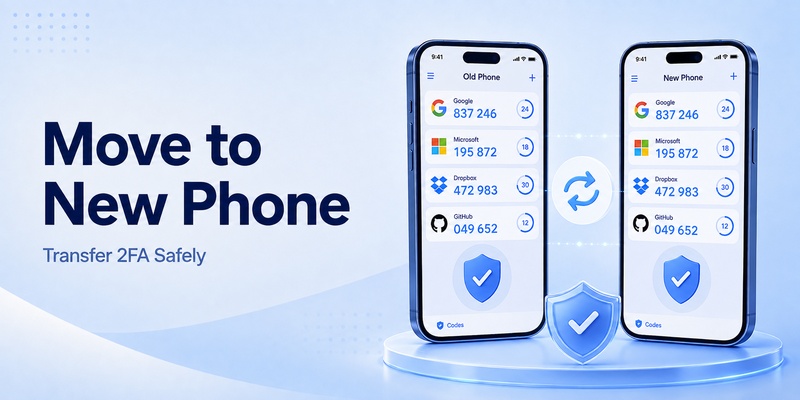
Whenever possible, transfer your authentication accounts before erasing or selling the old phone.
Use built-in export or synchronization
If your 2fa authenticator app provides an account export, backup, or device-transfer feature, follow that process carefully.
Confirm that the accounts appear on the new phone before removing anything from the old one.
Then test several important accounts.
Log in using the new device and verify that the codes work.
Prioritize accounts such as:
Your main email account.
Password manager.
Cloud storage.
Developer accounts.
Cryptocurrency services.
Social networks.
Financial accounts.
Once you confirm that your new 2fa authenticator app works correctly, you can securely remove authentication data from the old device.
What if the old phone is already gone?
If the previous phone has been lost, damaged, or erased, synchronization or backups may restore your authentication accounts if your application supports those features.
Otherwise, recovery codes become extremely important.
Open the affected website and select the account recovery or backup code option.
After regaining access, disable the old authenticator configuration and connect your new 2fa authenticator app.
If you have neither the old authenticator nor recovery codes, you may need to follow the service’s identity verification or account recovery process.
13. How to Choose the Best 2FA Authenticator App
Look for secure storage
The core responsibility of a 2fa authenticator app is protecting the secret keys used to calculate your verification codes.
Choose an application from a reputable developer and review how authentication data is protected.
Useful security features may include biometric locking, application PINs, encrypted storage, encrypted backups, and secure synchronization.
A free application can still provide excellent security, so searching for 2fa authenticator free does not necessarily mean compromising protection.
Focus on the application’s security model rather than price alone.
Decide whether you need synchronization
Offline-only applications can provide simplicity and reduce cloud dependence.
However, losing the phone may require manually restoring each account.
A synchronized 2fa authenticator app can make device replacement easier because encrypted credentials may be restored to a new phone.
The tradeoff is that users must trust the synchronization architecture and protect the account used for synchronization.
Consider how many authentication accounts you manage.
Someone with three accounts may be comfortable reconfiguring them manually.
Someone with fifty accounts may strongly prefer encrypted backups.
Consider multi-platform support
If you use Windows, macOS, Linux, Android, and iOS, multi-platform support may matter.
A desktop-compatible 2fa authenticator app can make frequent authentication faster.
However, convenience should be balanced with security.
Keeping authentication codes on a separate device provides additional isolation.
Users considering products such as microsoft 2fa authenticator, proton 2fa authenticator, Ente Auth, Authy, or other applications should compare backup options, platform support, export capabilities, and account recovery before making a decision.
Check import and export capabilities
Migration becomes much easier when a 2fa authenticator app offers secure import and export functionality.
Without it, switching applications can require visiting every website individually, disabling the old authenticator, and enabling a new one.
If you expect to use 2FA for many years, portability is worth considering before you begin adding dozens of accounts.
Download Authenticator App
Secure your accounts with fast, reliable two-factor authentication. Download now and protect your login in seconds.
14. Best Practices for Using 2FA Safely
Protect your authentication application
Adding two-factor authentication does not mean the phone containing your codes can be left unprotected.
Use a strong device passcode.
Enable biometric authentication where appropriate.
Keep the operating system updated.
If your 2fa authenticator app includes an application lock, consider enabling it.
This creates another barrier if someone temporarily gains physical access to your unlocked phone.
Save recovery codes
Recovery codes should be treated as emergency credentials.
When a service provides them, save them before closing the setup page.
Do not assume you will remember to do it later.
Your 2fa authenticator app can be lost when a phone is broken, stolen, accidentally erased, or replaced.
Recovery codes can allow you to regain account access without the original authentication device.
Store them separately from the phone.
Never share temporary codes
A legitimate support agent generally does not need the current code displayed in your 2fa authenticator app.
If someone contacts you through email, social media, phone, Telegram, Discord, or another channel and asks for a six-digit authentication code, do not provide it.
Attackers sometimes attempt to log in using a stolen password and then convince the real account owner to reveal the second factor.
The code exists to prove that you control the authentication device.
Sending it to another person defeats that protection.
Be careful with QR codes
The QR code shown during 2FA setup is not merely a convenient image.
It may contain the secret required to generate future authentication codes.
Do not post setup screenshots publicly.
Do not upload the QR image to random online tools.
Do not send it through unsecured communication channels.
If someone obtains the QR code used by your 2fa authenticator app, they may be able to create another authenticator that generates matching codes.
Secure your email first
Your primary email account is often the key to recovering other accounts.
If an attacker controls your email, they may be able to reset passwords for numerous services.
Therefore, one of the first accounts you should protect with a 2fa authenticator app is your main email account.
After email, consider protecting your password manager, financial services, cloud storage, social networks, developer accounts, shopping accounts, cryptocurrency accounts, and gaming services.
Avoid reusing passwords
A 2fa authenticator app should complement a strong password strategy rather than replace it.
Use unique passwords for important accounts.
A password manager can make this easier.
If one service suffers a breach, unique passwords prevent attackers from simply trying the same credentials everywhere else.
Combining unique passwords with two-factor authentication creates a stronger security model than either measure alone.
15. Final Thoughts
A 2fa authenticator app is one of the most practical upgrades you can make to everyday account security.
Instead of protecting an account with only a password, two-factor authentication introduces another requirement: a temporary verification code generated from a trusted device or authentication system.
