
2FA Authenticator Free: How to Choose and Use a Free Authenticator App Safely
A 2fa authenticator free solution is an application that helps secure online accounts by generating an additional verification code during login without requiring users to pay for the basic authentication function. Instead of relying only on a password, you provide a second piece of information that confirms you have access to a trusted device.
Most authenticator apps use time-based one-time passwords, commonly called TOTP codes. After an account is connected to the app, the authenticator generates a short numeric code that usually changes every 30 seconds. You enter this code after your password when signing in.
The important point is that a 2fa authenticator free app does not need to make account protection complicated. For many people, the basic workflow is simple: scan a QR code, save the account, and use the temporary verification code whenever a website requests it.
Authenticator apps are supported by many email providers, social networks, cloud services, productivity tools, cryptocurrency platforms, developer services, and other online accounts.
Unlike verification codes delivered by text message, TOTP codes can generally be generated locally on the device. Some authenticator applications can therefore continue generating codes even when the phone has no mobile signal or internet connection. Google, for example, confirms that Google Authenticator can generate verification codes without internet or mobile service.
For users searching for a 2fa authenticator app free, the goal should not simply be finding an app with a zero-dollar price tag. A useful authenticator should also offer trustworthy security, understandable controls, reliable account management, and practical recovery options.
Why Use a 2fa authenticator free App?
Passwords remain an important part of account security, but passwords alone create a single point of failure. A password can be reused, exposed in a data breach, guessed, stolen through phishing, or accidentally shared.
A 2fa authenticator free app adds another barrier. Even if someone discovers your password, they may still need access to the temporary authentication code generated on your device.
This makes a 2fa authenticator free tool useful for protecting important accounts such as personal email, cloud storage, social media, work platforms, online shopping accounts, and financial services that support authenticator-based authentication.
Cost is another advantage. Users do not necessarily need a subscription simply to generate TOTP codes. Many authenticator applications provide the core authentication function without charging users.
A free option can be particularly useful when you have many accounts. Instead of receiving SMS messages from different services or managing separate authentication methods, you can keep supported TOTP accounts inside one authenticator.
Convenience should not be confused with perfect security, however. One-time password authenticator codes can still be captured through sophisticated phishing attacks. NIST explicitly notes that OTP authentication is not phishing-resistant, while CISA recommends phishing-resistant options such as FIDO/WebAuthn where feasible.
That does not make authenticator apps useless. It simply means a 2fa authenticator free app should be viewed as one layer within a broader security strategy rather than an invincible defense.
Download Authenticator App
Secure your accounts with fast, reliable two-factor authentication. Download now and protect your login in seconds.
How Does a 2fa authenticator free Tool Work?
Understanding the basic technology makes choosing and using a 2fa authenticator free tool much easier.
When you enable authenticator-based two-factor authentication on a supported website, the service normally presents a QR code or setup key. That information contains a secret used to generate future verification codes.
You scan the QR code with your authenticator. The application stores the necessary account information and begins generating temporary codes based on that secret and the current time.
When you later log in:
- Enter your username or email.
- Enter your password.
- Open your authenticator.
- Find the corresponding account.
- Enter the current temporary code.
- Complete the login.
The code expires quickly and is replaced by another code. This is why a stolen old code normally cannot simply be saved and reused indefinitely.
A 2fa authenticator free app can often generate these codes locally rather than requesting a fresh code from the service every time you sign in. This is one major practical difference between app-generated codes and codes sent through SMS.
The approach is standardized enough that one authenticator can often work with many unrelated services. You do not necessarily need a separate authentication application for every account.
However, users should protect the device containing their authentication secrets. A strong device passcode, biometric lock, secure operating system, and careful backup strategy are still important.
A well-designed authenticator App should make this process nearly invisible during everyday use: open the app, identify the service, copy or read the code, and continue signing in.
💡 Discover Helpful Guides: 2FA Authenticator App: Complete Guide to Setup, Use, Download, and Secure Your Accounts
Benefits of Using a 2fa authenticator free App
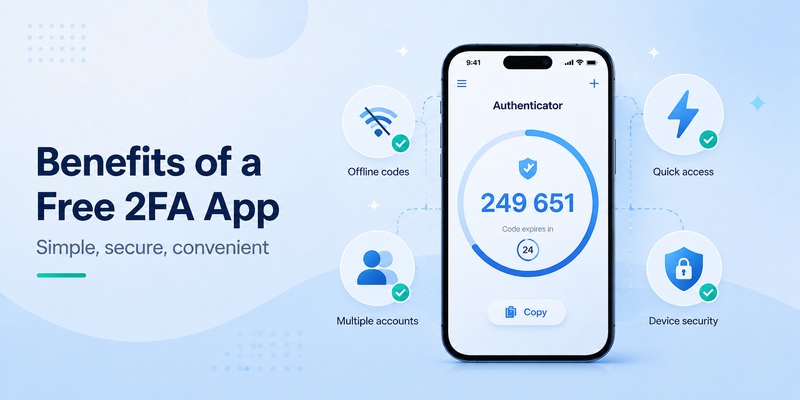
The biggest advantage of a 2fa authenticator free app is that it significantly improves account protection without introducing a mandatory subscription.
It also reduces your dependence on your mobile phone number. SMS authentication requires access to the telephone network and depends partly on the security of the mobile communications ecosystem. Authenticator-generated TOTP codes work differently.
CISA has specifically recommended moving away from SMS-based MFA for highly targeted users, noting problems such as interception and the fact that SMS is not phishing-resistant. The agency describes authenticator codes as better than SMS while also emphasizing that authenticator codes themselves are still vulnerable to phishing.
Another benefit is offline access. When authentication codes are generated locally, poor reception does not necessarily prevent you from logging in.
A 2fa authenticator free app can also help organize authentication across multiple accounts. Instead of searching through text messages, users can open a single app and locate the required account.
Other potential advantages include:
- Quick code generation
- Support for multiple accounts
- QR-code setup
- Offline TOTP generation
- Reduced dependence on phone numbers
- Account labels for easier organization
- Import or export options in some apps
- Cloud synchronization in some services
- Device-level biometric protection
- Backup and recovery features
Feature availability varies considerably, so users should not assume every free authenticator provides all of these functions.
The best approach is to determine which features you genuinely need and select a 2fa authenticator free option that provides them without unnecessarily complicating your authentication workflow.
💡 Discover Helpful Guides: 2FA Authenticator Chrome: How to Set Up Secure Two-Factor Authentication in Your Browser
What to Look for in a 2fa authenticator free App
Choosing a 2fa authenticator free tool based only on its appearance can be a mistake. An authenticator stores or handles information directly connected to your account security, so its design and security model matter.
First, check compatibility. A useful authenticator should support standard TOTP authentication so it can work with a broad range of websites and services.
Second, consider how account secrets are stored. Look for clear information about encryption, local storage, synchronization, and backup behavior.
Third, check whether the app itself can be locked. Device biometrics, a PIN, or another local protection mechanism can prevent someone who temporarily accesses your unlocked device from immediately seeing authentication codes.
Fourth, think about migration. People replace phones. Devices can break or disappear. An authenticator that is easy to use today but impossible to migrate safely tomorrow may create unnecessary account-recovery problems.
A good 2fa authenticator free solution may therefore include encrypted synchronization, protected exports, secure backups, or another documented migration method.
Other useful qualities include:
- Clear account naming
- Search for users with many tokens
- Easy QR-code scanning
- Manual secret-key entry
- Minimal unnecessary permissions
- Reliable updates
- Clear privacy information
- Simple deletion of old accounts
- Multiple-device support when required
If you find yourself searching which 2fa app is best, remember that there is no universal answer. Someone who prioritizes local-only storage may choose differently from someone who wants seamless synchronization across multiple phones.
The right choice is the one that balances security, recovery, privacy, and convenience for your own accounts.
2fa authenticator free vs Paid Authenticator Apps
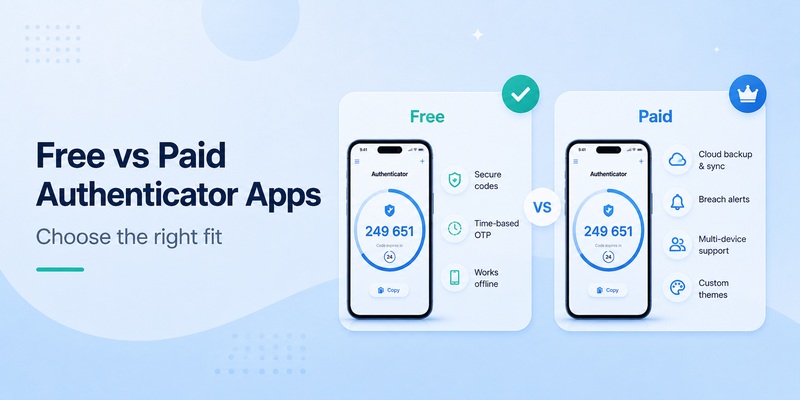
A paid app is not automatically more secure than a 2fa authenticator free app, and a free app is not automatically inferior.
For basic TOTP authentication, users primarily need the application to store authentication secrets responsibly and generate correct codes reliably. This functionality does not necessarily require an ongoing paid subscription.
Paid versions may instead charge for additional capabilities such as advanced synchronization, family sharing, enterprise administration, encrypted backups, multiple vaults, cross-platform access, customer support, or additional account-management tools.
For individual users with straightforward needs, a 2fa authenticator free solution may provide everything required.
Before paying, ask what the subscription actually changes. If the paid tier only adds features you will never use, paying may provide little practical benefit. Conversely, a carefully designed backup or multi-device feature may be valuable if you manage many important accounts.
Privacy is equally important. “Free” should not mean ignoring the app’s permissions, data practices, ownership, or security reputation.
When evaluating a 2fa authenticator app free, check whether the developer clearly explains what information is collected and whether your authentication data is synchronized with external servers.
A trustworthy 2fa authenticator free choice should make its security model understandable rather than forcing users to guess how sensitive account information is handled.
2FA SMS vs Authenticator Apps
The 2fa sms vs authenticator comparison is one of the most common questions users have when enabling account security.
Both methods can add another step after a password, but they deliver that second factor differently.
With SMS, a service sends a verification code to your registered phone number. With an authenticator, the code is typically generated by an application using a previously established secret.
Authenticator apps reduce exposure to certain telecommunications-related attacks, including threats involving SIM swapping or weaknesses in mobile networks. CISA ranks SMS or voice authentication below app-based OTP methods in its MFA guidance and recommends SMS only when stronger alternatives are unavailable.
That makes a 2fa authenticator free solution an attractive upgrade when a service lets you choose between SMS and an authenticator.
However, neither SMS OTP nor conventional TOTP should be treated as fully phishing-resistant. A convincing fake login page can potentially capture a password and temporary code and immediately relay them to the real service.
For especially sensitive accounts, consider whether the service supports passkeys, FIDO/WebAuthn, or hardware security keys. These methods can provide stronger phishing resistance than manually entered OTP codes.
For everyday users, the practical takeaway from the 2fa sms vs authenticator discussion is straightforward: use strong phishing-resistant authentication when available, otherwise an authenticator app is generally a valuable improvement over relying solely on SMS.
Is an open source 2fa authenticator a Good Choice?
An open source 2fa authenticator can appeal to users who want greater transparency into how authentication software works.
Open-source software makes source code available for inspection, which allows developers and security researchers to examine implementation choices. That can be valuable for a security-sensitive application.
However, “open source” is not a guarantee that an application is automatically secure.
A project still needs active maintenance, secure development practices, reliable releases, understandable backup methods, and a trustworthy distribution channel.
When comparing an open source 2fa authenticator with another 2fa authenticator free solution, look beyond the label.
Consider:
- How recently the project has been updated
- Whether security issues are addressed
- How secrets are stored
- Whether backups are encrypted
- Whether builds come from a trustworthy source
- Whether the app requests unnecessary permissions
- Whether the project has clear documentation
Some users prefer a local-only authenticator because they do not want authentication secrets synchronized through the cloud. Others prefer encrypted synchronization because losing a phone without a backup could lock them out of many services.
Neither preference is automatically correct for everyone.
The strongest 2fa authenticator free setup is one whose storage and recovery model you understand and can use consistently.
How to Choose the Best 2fa authenticator free Option
People frequently search phrases such as best 2fa app reddit because community discussions can reveal practical experiences that are difficult to understand from an app description alone.
Those discussions can be useful for discovering options, but they should not replace security evaluation.
When selecting a 2fa authenticator free app, start by identifying your requirements.
For example, ask yourself:
- Do I need Android, iPhone, desktop, or multiple platforms?
- Do I want cloud synchronization?
- Do I prefer local-only storage?
- Can I export accounts when changing phones?
- Can the app be protected with biometrics?
- How will I recover accounts if my device is lost?
- Does the app support standard TOTP?
- Does the developer have a clear privacy policy?
- Is the application actively maintained?
For someone managing only a few personal accounts, simplicity may be the priority. For someone managing dozens of logins, search, organization, synchronization, and reliable migration may matter much more.
Do not install the first application called “authenticator” without checking who developed it. Authentication apps occupy a sensitive position in your account-security workflow.
The best 2fa authenticator free option is therefore not necessarily the app with the longest feature list. It is the application that gives you the appropriate combination of security, usability, transparency, and recovery.
A secure authenticator that is too confusing to use correctly is not an ideal solution either. Sustainable security depends on choosing a method you can follow consistently.
How to Set Up a 2fa authenticator free App
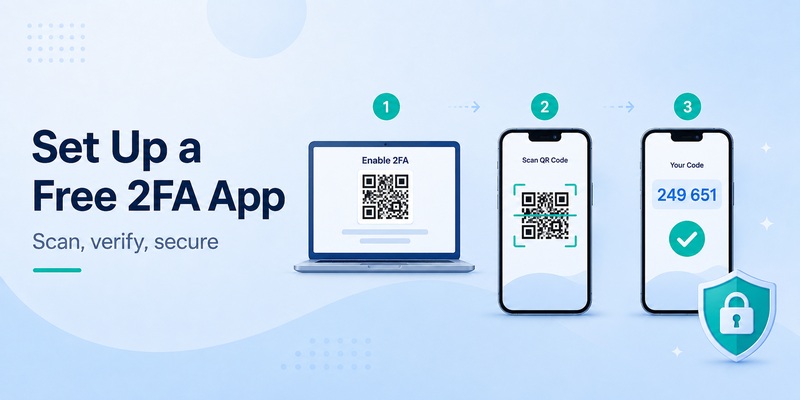
Setting up a 2fa authenticator free application usually takes only a few minutes.
The exact labels differ between services, but the general process is similar.
Step 1: Install your authenticator
Choose a reputable 2fa authenticator app free from an official app store or another verified distribution source.
Avoid unknown download sites or modified application packages.
Step 2: Open the account you want to protect
Go to the security settings of your email, social network, cloud service, or other account.
Look for options such as:
- Two-factor authentication
- Two-step verification
- Multi-factor authentication
- Authenticator app
- Verification codes
Step 3: Select authenticator-based authentication
The service will normally display a QR code.
Open your 2fa authenticator free application and select the option to add or scan an account.
Step 4: Scan the QR code
The new account should appear inside the authenticator with a temporary verification code.
Never casually share or screenshot the setup QR code. Someone who obtains the underlying authentication secret may be able to generate valid codes.
Step 5: Verify the setup
Enter the current code from your authenticator into the website.
Once accepted, authenticator-based two-factor authentication should be active.
Step 6: Save recovery information
Many services provide backup or recovery codes. Store these securely rather than leaving your entire recovery strategy dependent on the same phone.
After setup, test your 2fa authenticator free configuration by logging out and signing back in before assuming everything is complete.
Backup and Recovery for a 2fa authenticator free App
Backup planning is one of the most important parts of using a 2fa authenticator free application.
Imagine protecting twenty accounts with two-factor authentication and then losing your phone. Strong security becomes frustrating very quickly if you have no recovery method.
Before relying heavily on an authenticator, determine how the application handles device replacement.
Some apps synchronize tokens between devices. Others provide encrypted export functions. Some intentionally store everything only on one device.
There is no single backup model that fits everyone, but you should know which model your app uses.
For individual accounts, also save recovery codes when they are offered. Google, for example, allows users with 2-Step Verification to generate backup codes that can be stored securely and used when the normal second step is unavailable. Used backup codes become inactive, and generating a new set invalidates the old set.
A good recovery strategy for a 2fa authenticator free setup might include:
- Securely stored service recovery codes
- A second trusted authentication method
- An encrypted authenticator backup
- A second device when supported
- Up-to-date account recovery information
- A spare security key for important accounts
Do not store recovery codes in an obvious unprotected note next to passwords for the same accounts.
The purpose of recovery planning is to make sure you can regain access without making the authentication system so weak that an attacker can easily bypass it.
Before changing or wiping a phone, confirm that your 2fa authenticator free accounts have been transferred successfully.
Common Mistakes When Using a 2fa authenticator free Tool
Installing a 2fa authenticator free application does not automatically guarantee secure behavior.
One common mistake is assuming every code request is legitimate. If you unexpectedly arrive at a login page through an email or message, verify the website before entering your password or authenticator code.
OTP codes are temporary, but they can still be phished and relayed in real time.
Another mistake is ignoring recovery until the phone disappears. Set up backup methods before you need them.
Users should also avoid:
- Sharing screenshots containing authentication QR codes
- Sending active verification codes to another person
- Keeping unused accounts indefinitely
- Downloading unknown authenticator apps
- Ignoring phone security
- Reusing weak passwords because “2FA is enabled”
- Leaving insecure fallback methods enabled unnecessarily
- Storing recovery codes publicly
- Forgetting to remove authentication from an old device
Another mistake is choosing a 2fa authenticator free tool without understanding its synchronization settings. Cloud sync can improve recovery and multi-device convenience, but users should know whether sync exists and how it is protected.
Similarly, disabling synchronization does not automatically make you safer if it creates a single device with no backup and no recovery plan.
A strong 2fa authenticator free workflow balances security with practical resilience.
Privacy and Security with a 2fa authenticator free App
Because your authenticator is part of the login process, privacy deserves careful attention when choosing a 2fa authenticator free application.
Start by reviewing permissions. A basic TOTP authenticator normally needs camera access when scanning QR codes, but you should question permissions that appear unrelated to authentication.
Next, understand synchronization. Does your app keep authentication information only on the device, or can it synchronize accounts?
If synchronization exists, check how the developer describes encryption and account protection.
Google, for example, states that synchronized Google Authenticator codes are encrypted in transit and at rest. It also allows users to operate Authenticator without a Google Account, in which case codes remain stored on the device instead of being available across signed-in devices.
Different users may prefer different models.
Local storage can minimize dependence on an online account, while secure synchronization can make device replacement easier.
The safest 2fa authenticator free choice is one where those tradeoffs are clearly communicated rather than hidden.
Also protect the phone itself. Use an appropriate screen lock, keep the operating system updated, install applications from trusted sources, and remove authentication access from devices you no longer own.
A 2fa authenticator free application is only one component of your security environment. Device security, password hygiene, phishing awareness, account recovery, and stronger authentication technologies all continue to matter.
Frequently Asked Questions
Is a 2fa authenticator free app really free?
Many authenticator applications provide basic TOTP code generation without requiring payment. Some apps may offer optional subscriptions or paid upgrades for features such as synchronization, backups, business administration, or additional cross-device capabilities.
Always review the app’s current pricing before installing it.
Can I use one authenticator for multiple accounts?
Usually, yes.
A standard authenticator can often store codes for many different websites and services simultaneously. Each account receives its own entry and changing verification code.
This is one reason a 2fa authenticator free solution can be convenient for users with multiple online accounts.
Is an authenticator safer than SMS?
Authenticator-generated OTPs avoid some risks associated with SMS, including attacks involving mobile-number takeover and telecommunications infrastructure. CISA recommends stronger forms of MFA over SMS and identifies app-generated OTP as preferable when phishing-resistant authentication is not immediately available.
However, traditional authenticator codes remain vulnerable to phishing.
Can an authenticator work without internet?
Many TOTP authenticators can generate codes offline because the temporary code is calculated locally using a stored secret and time.
For example, Google states that Google Authenticator can generate verification codes without internet or mobile service.
This can make a 2fa authenticator free app useful while traveling or in locations with unreliable connectivity.
What happens if I lose my phone?
Your recovery options depend on the authenticator and the individual service.
Possible methods include synced authenticator data, exported backups, recovery codes, secondary authentication devices, security keys, or an account recovery process.
Set these options up before losing access to your phone.
Should I keep SMS as a backup?
This depends on the service and your threat model.
SMS can provide a recovery path, but retaining a weaker authentication method may also create an alternative path into the account. For highly sensitive accounts, review what stronger backup methods the service supports.
Can someone steal my authenticator code?
Yes.
A temporary OTP is harder to reuse after it expires, but an attacker operating a real-time phishing website may capture the code and immediately submit it to the legitimate service.
Never assume a 2fa authenticator free code is safe to enter simply because it expires quickly.
Are authenticator apps phishing-resistant?
Conventional manually entered TOTP codes are not phishing-resistant. NIST explicitly categorizes OTP authentication this way.
For accounts requiring stronger protection, look for passkeys, WebAuthn, or FIDO security keys when supported.
Do I need an authenticator if I already have a strong password?
A strong unique password remains essential, but two-factor authentication provides another layer if that password is ever compromised.
Using both is preferable to relying solely on the password for important accounts.
Can I move my accounts to a new authenticator?
Usually, but the process depends on the application.
Some authenticators provide export or transfer functions. Others synchronize accounts. In some cases, you need to disable and re-enable authenticator authentication individually on each website.
Before replacing a device, verify the migration method used by your 2fa authenticator free application.
Final Thoughts
Choosing a 2fa authenticator free solution is one of the simplest ways to strengthen the login security of accounts that support authenticator-based two-factor authentication.
The core experience should be straightforward: connect an account, generate temporary codes, protect access to the authenticator, and prepare secure recovery options.
You do not necessarily need the longest feature list or the most expensive product. Focus on reputable development, standard TOTP support, clear privacy practices, reliable account organization, secure storage, and a recovery process you understand.
Authenticator-generated OTP codes provide meaningful advantages over relying solely on passwords and can avoid several weaknesses associated with SMS authentication. At the same time, they are not completely resistant to phishing. For high-value accounts, phishing-resistant methods such as passkeys or FIDO/WebAuthn security keys can provide stronger protection when available.
For everyday account protection, however, a properly configured 2fa authenticator free app offers a practical balance between accessibility, convenience, and security—without requiring users to pay simply to add an important second layer to their online accounts.
Download Authenticator App
Secure your accounts with fast, reliable two-factor authentication. Download now and protect your login in seconds.
