
Authenticator ℠ App
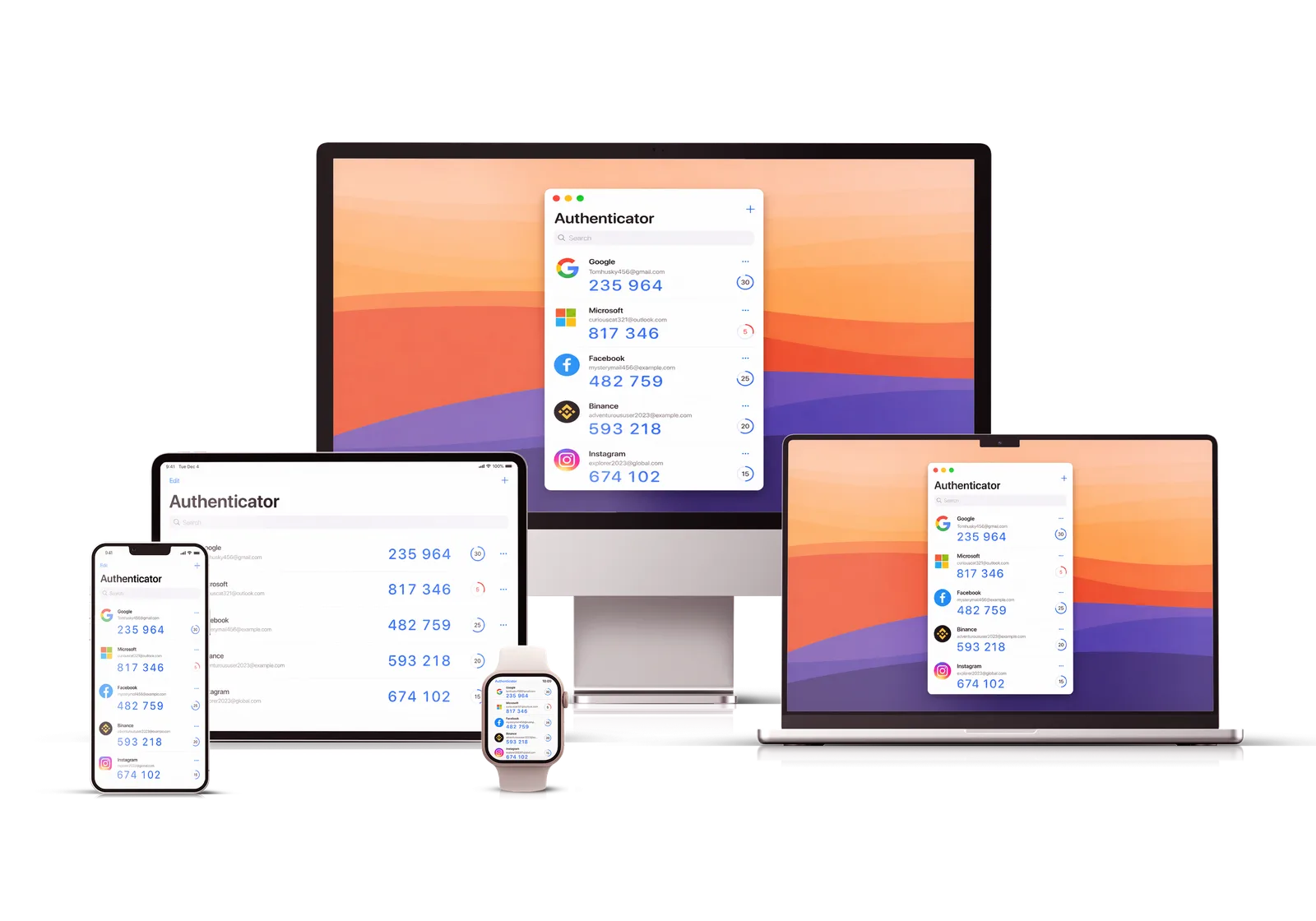
Authenticator App helps you generate secure OTP and 2FA codes for Google, Microsoft, Facebook, GitHub, and hundreds of other online services.

 Scan to download from the App Store
Trusted, loved, and used by over 10M users worldwide!
Press about Authenticator ℠ App
Discover what leading websites are saying about our product











Features Authenticator App
Everything you need to keep your accounts protected

No Account Required
Start in seconds — no sign-up and no email. Your codes never leave your device.

Biometric Authentication
Keep your codes behind Face ID or Touch ID so only you can open them.

Sync & Backup
Encrypted backup keeps your codes safe and available across your devices.

Secure & Private
Your secrets are encrypted on-device. We can't read them and we never store them.

Intuitive Design
A clean, fast interface that works beautifully across iPhone, iPad, and Mac.

Friendly Support
Have a question? Our team replies quickly with real, human answers.
What people say Authenticator App
Feedback from people who use Authenticator ℠ App every day
Switching phones used to be such a headache because I always worried about losing my codes. With the encrypted backup everything was just there the moment I signed in on the new device. Setup took barely a minute and I haven’t had a single issue since — it quietly does its job every day.
I’ve tried a few authenticator apps and this is the one that finally stuck. The layout is clean, finding the right code is instant, and I never feel lost in menus. The encrypted backup is the real selling point for me — it gives me genuine peace of mind knowing I can restore everything if something happens to my phone.
I moved over from another app expecting the usual painful migration, but importing my accounts was surprisingly smooth and nothing got lost along the way. Everything syncs across my iPhone and iPad automatically, so my codes are always where I need them. Honestly I haven’t looked back since.
I’m really not a technical person and I usually avoid security apps because they feel intimidating. This one was different — I had it set up and protecting my accounts within a few minutes. The steps are clear and easy to follow, and now I actually feel confident that my logins are safe.
What sold me is that everything stays on my device and locks behind Face ID, so only I can see my codes. It opens instantly and the codes are right there without any waiting or clutter. It’s exactly the balance of speed and privacy I was looking for in a 2FA app.
After using it daily for a few months I can say it’s rock solid — fast to open, reliable, and the interface stays out of my way. I especially like the widgets, which let me grab a code without even opening the app. It just works, and that’s exactly what you want from something this important.
Why Authenticator ℠ App by Begamob
| Feature |
Authenticator ℠
|
 Microsoft
|
 Google
|
|---|---|---|---|
|
Encrypted Backup
Your 2FA codes are stored encrypted, so you can safely restore them after losing or switching devices — and no one else can read them.
|
|||
|
Multi-device support
Keep your codes in sync across all your devices for easy access wherever you are.
|
|||
|
Mac support
Use and manage your codes right from your Mac, fully integrated with the rest of your Apple devices.
|
|||
|
Apple Watch support
Check and manage your codes straight from your wrist on Apple Watch.
|
|||
|
iPad support
Access your codes on iPad with a roomier layout that stays easy to use.
|
|||
|
iPhone support
Secure, convenient code access on your everyday iPhone.
|
|||
|
Android support
Manage your codes securely on Android phones and tablets.
|
|||
|
No account required
No sign-up or phone number needed — your data stays on your device.
|
|||
|
Widgets
Home screen widgets put your codes one glance away, without opening the app.
|
|||
|
Import by URL
Add accounts fast by scanning a QR code or pasting a setup URL.
|
|||
|
Import from Google Authenticator
Move your accounts over from Google Authenticator without re-adding each one by hand.
|
|||
|
Import from picture
Scan QR codes from saved images to add accounts in a tap.
|
|||
|
Unlock with Apple Watch
Unlock the app with your Apple Watch for quick, secure access.
|
|||
|
Friendly customer service
Responsive, helpful support whenever you have a question.
|
|||
|
Possibility to share accounts
Securely share selected accounts with people you trust.
|
|||
|
Lock Screen Widget
A lock screen widget gives you codes without even unlocking your phone.
|
|||
|
Browser Extension
Autofill your codes on websites with the companion browser extension.
|
Download Authenticator ℠ App by Begamob
A secure, easy-to-use solution for managing all your two-factor authentication (2FA) codes in one place.
Scan to download from the App Store