
Will 2FA Stop Hackers? What Two-Factor Authentication Can and Cannot Do
Published August 24, 2026
Will 2FA stop hackers? Two-factor authentication can make account takeovers much harder by adding a second verification step beyond your password, but it is not a guarantee against every type of attack. Understanding what 2FA protects against, where it can still be bypassed, and which authentication methods offer stronger security can help you choose the right protection for your accounts.
1. Quick Answer: Will 2FA Stop Hackers?
Will 2fa stop hackers? Not completely—but it can stop a large share of common account-takeover attempts.
Two-factor authentication adds another proof-of-identity step after your password. If an attacker steals, guesses, or buys your password from a data breach, they still need a second factor to sign in. That second factor may be a code from an app, an SMS message, a passkey, a security key, or an approval prompt on your device.
So, will 2fa stop hackers who only have your password? In many cases, yes. It creates an important barrier that prevents password-only attacks from becoming successful account takeovers.
However, will 2fa stop hackers who trick you into entering both your password and a current code on a fake website? Not always. Some attackers use phishing pages, fake support messages, malware, SIM swapping, or session-cookie theft to bypass weaker forms of 2FA.
The right conclusion is not “2FA is useless.” The right conclusion is that 2FA is essential, but the security level depends on the method you choose and how you use it.
NIST explains that multi-factor authentication adds protection beyond passwords, while also noting that some methods—such as SMS and one-time codes—can be more vulnerable to phishing than phishing-resistant options like FIDO security keys and passkeys. NIST’s MFA guidance supports this practical approach.
Download Authenticator App
Secure your accounts with fast, reliable two-factor authentication. Download now and protect your login in seconds.
2. How 2FA Blocks Common Account Attacks
To understand will 2fa stop hackers, start with the attacks it is best at blocking.
Stolen passwords
Password theft is extremely common. A password can leak through a company breach, password reuse, malware, a weak password, or a deceptive login page.
Without 2FA, a hacker who knows the password may simply sign in. With 2FA, the attacker also needs access to your authentication method.
This is why the answer to does 2fa prevent hacking is often yes for basic password-based attacks. It turns one stolen secret into an incomplete login attempt.
Credential stuffing
Credential stuffing occurs when attackers use large collections of leaked username-and-password combinations to try logging in to other websites. It works because many people reuse passwords.
A unique password plus 2FA is much stronger than either measure alone. Even if a leaked password matches your current password, the attacker should be blocked by the second factor.
Automated bots
Bots can test thousands of stolen credentials quickly. A code prompt, device approval, or security key makes this process much harder to automate.
This is one reason does 2fa stop hackers is a useful question. 2FA does not eliminate cybercrime, but it removes the easy path that many bots rely on.
Basic account recovery abuse
Some services require a second factor during password resets or high-risk account changes. That can help protect you when someone gains access to your email or knows personal information about you.
Still, recovery settings must be protected. If an attacker controls your recovery email, phone number, or device, 2FA alone may not be enough.
💡 Discover Helpful Guides: 2FA Authenticator App: Complete Guide to Setup, Use, Download, and Secure Your Accounts
3. Can Hackers Get Through 2FA?
Yes, can hackers get through 2fa is a valid concern. Two-factor authentication is not a magic shield. It is a security control that makes attacks harder, more expensive, and less likely to succeed.
Attackers can sometimes get around 2FA through:
- Real-time phishing.
- SIM swapping.
- Malware on your device.
- Stolen browser sessions or cookies.
- Compromised email accounts.
- Weak recovery procedures.
- Social engineering.
- Theft of backup codes.
- A lost or unlocked phone.
- Attacks against a service provider.
The question is not whether a determined attacker can ever succeed. The question is how much you reduce risk compared with using a password alone.
Will 2fa stop hackers in every scenario? No. But an attacker with only your password is far less dangerous when a second factor is required.
The phrase 2fa hacked can describe several different situations. Sometimes a person’s password was stolen but 2FA prevented the login. Sometimes the account was accessed through phishing or malware rather than by “breaking” the authentication method itself. Understanding the attack path helps you choose the right fix.
💡 Discover Helpful Guides: 2FA Authenticator App: Complete Guide to Setup, Use, Download, and Secure Your Accounts
4. Why Phishing Can Still Defeat Weak 2FA
Phishing is one of the biggest limitations of traditional one-time codes.
A phishing page can look nearly identical to a real login page. You enter your username and password, and the fake site immediately asks for your 2FA code. Behind the scenes, the attacker may be entering your details into the real website at the same time.
If you provide the current code, the attacker may use it before it expires.
This is why the answer to can you still get hacked with 2fa is yes. A one-time code is stronger than no second factor, but it can be stolen through real-time phishing.
Examples include:
- A fake Microsoft, Google, bank, or social-media login page.
- A text message saying your account will be suspended.
- A fake customer-support chat.
- A QR code that leads to a fraudulent sign-in page.
- A “security alert” email containing a malicious link.
- A fake browser extension or mobile app.
The safest habit is to avoid signing in through links from unexpected messages. Open the official app yourself, use a bookmark, or type the website address manually.
Will 2fa stop hackers who use phishing? It can still stop them if you notice the fake page and do not provide the code. But code-based 2FA is not designed to be fully phishing-resistant.
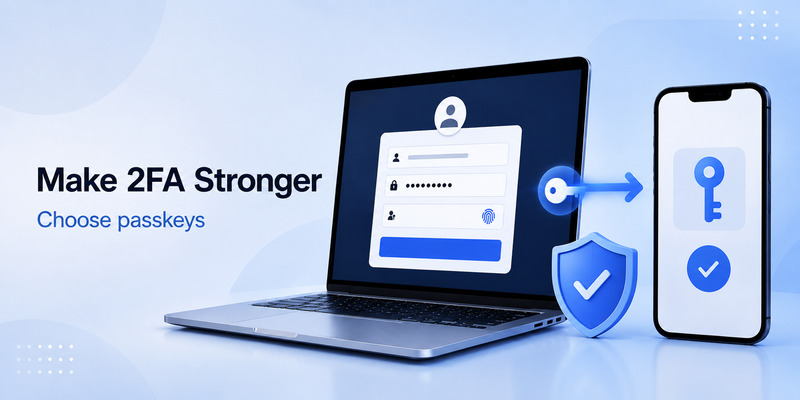
Passkeys and FIDO security keys are stronger because they are tied to the real website domain. A passkey created for a legitimate site should not authenticate you to a lookalike phishing domain.
📘 Explore More Useful Guides: Discord 2FA Code: Setup, Backup Codes, Errors, and Account Recovery Guide
5. Authenticator Apps, SMS, Prompts, and Passkeys Compared
Not all 2FA methods provide the same protection. If you are asking will 2fa stop hackers, the method matters.
| 2FA method | Protection level | Main weakness | Best use |
| SMS code | Better than password only | SIM swaps, phishing, phone-number loss | Basic fallback |
| Authenticator App code | Stronger than SMS for many users | Real-time phishing, lost device | Everyday account protection |
| Push approval | Convenient | Approval fatigue or phishing | Trusted-device workflow |
| Passkey | Very strong | Requires compatible service/device | High-value personal accounts |
| Hardware security key | Very strong | Loss without a backup key | Admin and high-risk accounts |
| Recovery code | Emergency access only | Theft or poor storage | Secure backup plan |
An authenticator App generates time-based one-time passwords locally on your device. It does not depend on cellular delivery, making it more resilient than SMS when you have poor signal, travel internationally, or change mobile carriers.
But an authenticator app code can still be phished if you type it into a fake site. Therefore, does 2fa prevent hackers more reliably when you choose phishing-resistant authentication such as passkeys or hardware security keys.
NIST recommends that people and organizations consider phishing-resistant authenticators for sensitive information, administrators, and high-value accounts. NIST’s MFA recommendations explain why FIDO-based methods are stronger against phishing.
💡 Discover Helpful Guides: 2FA Authenticator Chrome: How to Set Up Secure Two-Factor Authentication in Your Browser
6. Can You Still Get Hacked With 2FA?
Can you still get hacked with 2fa? Yes, but 2FA changes the attacker’s job. Instead of needing one secret, they may need to deceive you, compromise your device, control your phone number, access a recovery factor, or exploit a service vulnerability.
Here are common scenarios.
Your device has malware
Malware can steal passwords, browser cookies, session tokens, screenshots, or clipboard data. In some cases, it can access a logged-in session without asking for your 2FA code again.
Keep your operating system, browser, and apps updated. Avoid cracked software, unknown browser extensions, and untrusted downloads.
Your phone number is taken over
A SIM-swap attacker convinces or compromises a mobile carrier to move your phone number to a new SIM card. They may then receive SMS codes meant for you.
This is why SMS should be treated as a backup option rather than the strongest available security choice.
Your recovery method is weak
A protected account can still be vulnerable if its recovery email has a reused password, its recovery phone number is outdated, or its backup codes are stored in an open document.
Will 2fa stop hackers if they control your recovery email? Not necessarily. Secure the recovery chain as carefully as the main account.
You approve an unexpected request
Push-notification fatigue happens when attackers send many approval prompts hoping you will click “Approve” to make them stop. Never approve a sign-in request that you did not initiate.
Your session is stolen
If malware or a malicious browser extension steals an active browser session, an attacker may not need to complete 2FA again immediately. Logging out of unknown sessions and changing your password can help, but device cleanup is essential too.
📘 Explore More Useful Guides: 2FA Authenticator Instagram: Complete Setup, Login, Recovery, and Troubleshooting Guide
7. Does 2FA Prevent Hacking of Gmail and Other Email Accounts?
A gmail 2fa hacked search often means a person received suspicious login prompts, unexpected verification codes, or notices that their recovery settings changed.
Email is especially important because it can reset passwords for many other accounts. If your email account is compromised, your shopping, financial, social-media, work, and cloud accounts may be at risk too.
Will 2fa stop hackers from taking over Gmail or another email account? It can block many attacks, especially stolen-password and credential-stuffing attempts. But strong email security should also include:
- A unique password stored in a reputable password manager.
- Up-to-date recovery contact details.
- A review of logged-in devices and third-party app access.
- Passkeys or security keys where available.
- Alerts for new sign-ins and recovery changes.
- Secure backup codes.
- A clean, updated device.
Google’s research found that phone-based and on-device security challenges blocked a large share of automated and phishing-based account-hijacking attempts in its study, while exclusive use of security keys prevented targeted-phishing account takeovers observed in that research. Google’s account-hygiene research highlights why stronger authentication choices matter.
8. What to Do If You Think Your 2FA Account Was Hacked
If you suspect 2fa hacked activity, act quickly but carefully.
- Use a device you trust.
- Change the account password from the official website or app.
- Sign out of unknown sessions and devices.
- Review recovery email addresses and phone numbers.
- Remove unfamiliar third-party apps, browser extensions, and API connections.
- Change your email password if that email can reset the affected account.
- Generate new backup codes.
- Replace your 2FA setup if the secret, QR code, phone, or app may be compromised.
- Run security scans and update your device software.
- Contact the service through its official support channel if you cannot regain control.
If you entered a code on a phishing page, assume the attacker may have used it. Change the password immediately, end active sessions, and reset the second-factor setup from the official security page.
Will 2fa stop hackers after an account is already compromised? It may limit further access once you reset the password, remove the attacker’s sessions, and replace exposed recovery methods. But the response must cover the entire account chain, not only the 2FA code.
📘 Explore More Useful Guides: Snapchat 2FA Code: Meaning, SMS Texts, Setup, and Account Security Guide
9. How to Make 2FA Much Stronger
The best answer to will 2fa stop hackers is: it can stop most common attacks when you choose a strong method and protect your full account ecosystem.
Use these practices:
Prefer passkeys or security keys for high-value accounts
Passkeys and FIDO security keys are designed to resist phishing because they verify the legitimate website. Use them for email, password managers, financial accounts, cryptocurrency exchanges, work-admin accounts, and cloud storage whenever available.
Use unique passwords
2FA is not a reason to reuse passwords. Every important account should have its own long, unique password.
Secure your email first
Your email account often controls password resets. Make it one of your strongest-protected accounts.
Store backup codes securely
Keep backup codes in a password manager secure note, encrypted document, or protected physical location. Do not keep them in unprotected email drafts, public cloud folders, or screenshots.
Keep devices updated
Security updates reduce the chance that malware or known vulnerabilities can bypass your defenses.
Review security activity
Check active sessions, connected apps, recovery details, and login alerts periodically. Remove old devices and apps you no longer use.
Slow down during security prompts
Unexpected urgency is a phishing signal. Pause before entering a password, clicking a verification link, or approving a push prompt.
📘 Explore More Useful Guides: Authy 2FA Authenticator: Setup, Backup, Recovery, and Security Guide
10. Frequently Asked Questions
Will 2FA stop hackers completely?
Will 2fa stop hackers completely? No. It cannot eliminate phishing, malware, SIM swaps, stolen sessions, or insecure recovery methods. But it significantly reduces the risk of password-based account takeover.
Does 2FA prevent hacking?
Does 2fa prevent hacking in many common cases? Yes. It blocks a large number of attacks that rely only on stolen, guessed, or reused passwords.
Can hackers get through 2FA?
Can hackers get through 2fa? They can sometimes do so through phishing, malware, SIM swapping, stolen backup codes, or compromised recovery methods. Use passkeys or security keys for stronger protection.
Does 2FA stop hackers better than a strong password alone?
Yes. A strong password is important, but two factors are better than one. The attacker must defeat more than just password protection.
Is an authenticator app safer than SMS?
Usually, yes. An authenticator app avoids many phone-number and SIM-swap risks. However, both SMS and app-generated codes can be targeted by phishing.
What is the best type of 2FA?
For phishing resistance, passkeys and hardware security keys are generally the strongest widely available choices. Authenticator apps are still a strong, practical option for many accounts.
📘 Explore More Useful Guides: Ente Auth 2FA Authenticator PC: Download, Setup, and Secure Desktop Guide
Final Thoughts
Will 2fa stop hackers? It will not stop every attacker, but it is one of the most effective security improvements you can make. It blocks many stolen-password, credential-stuffing, and automated-bot attacks before they become account takeovers.
The strongest approach is to use 2FA everywhere, prefer passkeys or security keys for your most valuable accounts, protect your recovery methods, and stay alert to phishing. In that layered security model, the answer to will 2fa stop hackers becomes much more reassuring: it makes you a far harder target.
Download Authenticator App
Secure your accounts with fast, reliable two-factor authentication. Download now and protect your login in seconds.
