Authenticator ℠ App Authenticator ℠ App by Begamob

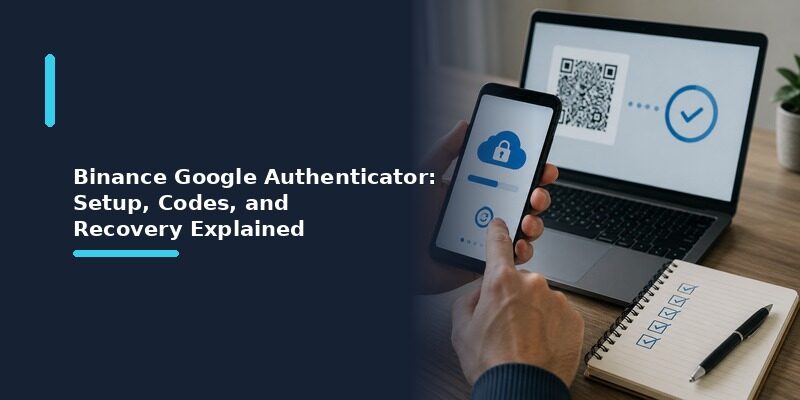
Binance Authenticator: Complete Setup, QR Code, Reset, and Security Guide

is especially important for accounts that contain financial information or digital assets. A compromised password may expose an account unless another authentication method prevents unauthorized access.

Binance authenticator provides an additional security layer through two-factor authentication, commonly called 2FA. After entering your normal account credentials, you may also need a temporary verification code generated by an authentication application.

Binance currently supports several security mechanisms, including authenticator-based verification, passkeys, SMS, email verification, and other account-security tools depending on the platform and account configuration. Binance’s support documentation specifically lists Binance Authenticator among its 2FA security options.

For someone setting up binance authenticator for the first time, however, several questions quickly appear.

Where should you download it?

How do you scan the QR code?

Should you choose Binance Authenticator or Google Authenticator?

What happens when you get a new phone?

How does a binance authenticator reset work if the original device disappears?

And how is binance biometric authentication different from the six-digit code generated by an authentication application?

This guide answers those questions step by step. It focuses on account security and authentication rather than trading activity, so you can understand how the security tools work and how to avoid common setup and recovery mistakes.

1. What Is Binance Authenticator?

Understanding the basic purpose

People searching for what is binance authenticator app are usually referring to the authenticator that Binance documents as BAuthenticator or Binance Authenticator.

Its purpose is to generate temporary verification codes that can be used as an additional factor when accessing or managing a Binance account.

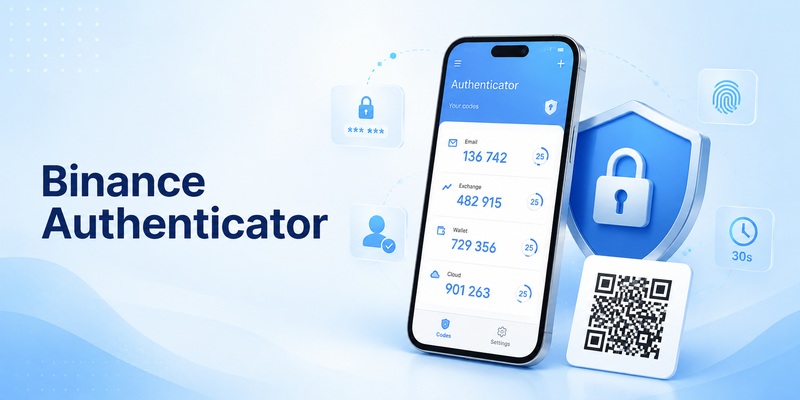
Binance’s current support documentation describes BAuthenticator as an app that can be installed on a mobile device and connected to a Binance account from the Security settings. During setup, Binance provides a QR code and setup key. After the account is added, the application generates a six-digit verification code.

This means binance authenticator is not simply another password.

It is part of a two-factor authentication process.

Your password represents one authentication factor. The temporary code from the Authenticator App provides another verification step.

Even if someone obtains your password, Binance explains that an additional authentication factor can make unauthorized account access more difficult.

Why authentication matters

Imagine that an account password becomes exposed through a phishing page or another compromised service.

Without an additional security check, a password may be enough to attempt a login.

When binance authenticator is enabled, the user may also need a current verification code from the connected authentication application.

Those codes continually change.

The application receives a secret during the original configuration and uses that information to generate the verification codes expected by the service.

Because the setup secret is extremely important, it should be protected carefully.

A screenshot of an authenticator setup QR code should not be treated like an ordinary image. Anyone obtaining the underlying secret may potentially be able to reproduce authentication codes.

2. How Binance Authenticator Works

Binance Authenticator: Complete Setup, QR Code, Reset, and Security Guide
How Binance Authenticator Works

The basic authentication flow

The normal binance authenticator workflow has two stages: initial setup and later verification.

During initial setup, you connect your Binance account to the authenticator.

Binance’s official app instructions currently direct users to open the Binance app, enter the Account area, go to Security, select Authenticator App, and enable it. Binance then displays a QR code and setup key that can be added to BAuthenticator.

Once the connection is complete, binance authenticator displays a temporary six-digit code.

You return to Binance and enter that code to confirm the setup.

Later, when Binance requires authenticator verification, you open the application again and enter the currently displayed code.

Why the code changes

Authentication applications typically use time-based one-time passwords.

The important idea is that a code is temporary.

You should therefore use the code currently shown by binance authenticator rather than saving an old six-digit number.

If one code expires while you are entering it, simply wait for the application to display another code and use the new one.

This rotating-code design reduces the usefulness of an old verification code.

QR code versus setup key

During configuration, Binance may display both a QR code and a setup key.

These represent two methods of connecting the authentication application.

Scanning the QR code is faster.

Entering the setup key manually can be useful when the camera cannot scan the screen correctly.

According to Binance’s current BAuthenticator instructions, users can either scan the displayed QR code or choose the option to enter a setup key manually.

Both methods ultimately allow binance authenticator to generate the correct verification codes for that account.

[tvr_cta text=”Download TV Remote APP” url=”https://remotetv.begamob.com/dowload-appstore/?utm_source=Post&utm_campaign=SEO&utm_content=https://remotetv.begamob.com/lg-universal-remote-tv-codes/” style=”solid”]

3. How to Download Binance Authenticator Safely

Use official sources

Anyone searching for download binance authenticator should treat the source of the application as an important security decision.

Authentication software stores information that is directly related to account verification.

For that reason, installing a fake or modified authentication application can create a serious security problem.

Binance’s setup documentation instructs users to install the official BAuthenticator application before beginning the setup process.

When downloading binance authenticator, use official Binance guidance or a verified official app-store listing rather than downloading installers from random websites.

Check the application name and developer information carefully.

Avoid unofficial APK files, modified versions, cracked applications, or downloads that promise extra security features not described by the developer.

Why unofficial downloads are risky

A malicious binance authenticator copy could theoretically capture the secret used to generate verification codes.

That would undermine the reason for using 2FA in the first place.

Security applications should therefore be held to a higher standard than ordinary entertainment apps.

Before installing, verify:

  • The application is obtained through a legitimate source.
  • The developer information matches the expected publisher.
  • The listing does not contain suspicious spelling changes.
  • You have not followed an unexpected link received through email or direct message.
  • Your phone operating system is up to date.

Do you need Binance Authenticator specifically?

Not always.

Binance also provides official instructions for using Google Authenticator for 2FA.

That means users comparing different authentication options should first decide whether they want Binance’s dedicated authenticator or another supported authenticator.

Later in this guide, we will examine binance authenticator vs google authenticator in more detail.

4. How to Add Binance Authenticator Step by Step

Binance Authenticator: Complete Setup, QR Code, Reset, and Security Guide
How to Add Binance Authenticator Step by Step

Setup from the Binance app

Users searching how to add binance authenticator can follow the general workflow documented by Binance.

Start by opening the official Binance app and signing into your own account.

Then navigate to:

Account → Security → Authenticator App.

Choose the option to enable an authenticator.

Binance should then display authentication setup information, including a QR code and setup key. Its current documentation warns users not to continue until configuration inside BAuthenticator has been completed.

Open binance authenticator.

Choose the option for adding an account.

Scan the QR code displayed by Binance.

If scanning does not work, use the setup-key option instead.

After the account has been added, binance authenticator should display an entry for Binance.com and generate a six-digit code.

Return to Binance.

Continue the setup and enter the current code from the authenticator.

Binance states that successful verification completes the process.

Setup from the Binance website

The web process is similar.

Binance’s current website instructions direct users to open the Profile area, enter Account, go to Security, select Manage beside Authenticator App, and then choose Enable Authenticator App.

The website then displays the setup details.

Open binance authenticator on your phone and scan the code.

Verify the connection by entering the generated six-digit number on the Binance website.

Verify before leaving the setup screen

One common mistake is closing the setup page before confirming that the application works.

Do not assume that scanning the QR code alone means binance authenticator has been activated successfully.

Complete the final verification step.

Only after Binance accepts the generated code should you consider the setup finished.

5. How to Use the Binance Authenticator QR Code

What the QR code does

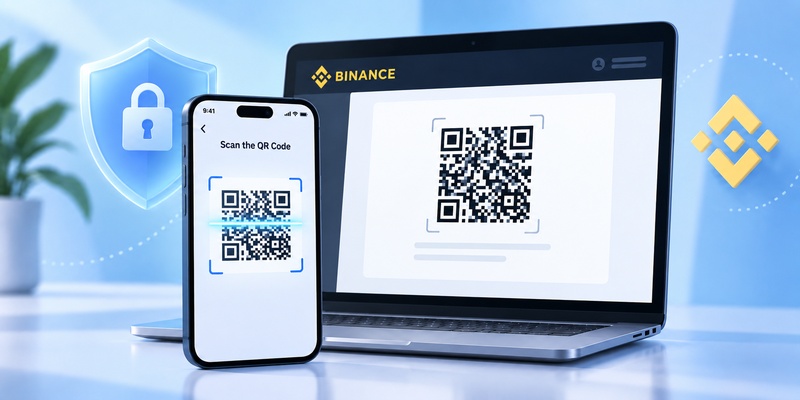
The binance authenticator qr code is used during the connection between the Binance account and the authentication application.

Instead of asking you to type a long setup secret manually, the application can scan the code with the phone camera.

Binance currently provides both the QR code and a setup key during authenticator configuration.

Open binance authenticator, select the QR scanner, and point your phone at the QR code displayed by Binance.

The application should recognize it and create the Binance authentication entry.

What if the QR code will not scan?

If the binance authenticator qr code cannot be recognized, check a few simple issues.

Increase screen brightness.

Make sure the entire QR code is visible.

Clean your phone camera lens.

Move the phone slightly farther from or closer to the screen.

Make sure the authenticator has permission to use the camera.

If scanning still fails, use the setup key.

Binance’s instructions explicitly provide manual setup-key entry as an alternative to QR scanning.

Never share the setup QR code

The setup QR code should be treated as sensitive security information.

Do not send it to another person.

Do not post it in a support forum.

Do not upload it to a random QR-reading website.

Do not keep unsecured screenshots unless there is a specific secure backup reason and you understand the risk.

A verification code changes frequently, but the setup secret behind binance authenticator is what allows the application to keep generating new codes.

Protecting that secret is therefore essential.

6. Binance Authenticator vs Google Authenticator

Binance Authenticator: Complete Setup, QR Code, Reset, and Security Guide
Binance Authenticator vs Google Authenticator

What they have in common

The question binance authenticator vs google authenticator appears frequently because Binance supports authenticator-based verification while also maintaining official instructions for Google Authenticator.

Both solutions can provide time-based verification codes for compatible Binance authentication workflows.

With either option, the core login concept is similar.

You connect an authenticator to the account.

The authenticator generates a temporary code.

When Binance requests verification, you provide the current code.

Why choose Binance Authenticator?

A user may prefer binance authenticator because it is documented directly by Binance and includes features specifically described in Binance’s current BAuthenticator help pages.

For example, Binance states that BAuthenticator allows users to pin, edit, export, or delete an authentication account and can add multiple accounts.

Its export feature can also help when moving an authentication entry to another device.

Why choose Google Authenticator?

Other users already have Google Authenticator installed for email, social media, development platforms, or other services.

Binance continues to publish separate instructions for connecting binance google authenticator.

Its current setup flow similarly uses a QR code or setup key and requires users to verify the connection with a six-digit code.

Which option is better?

There is no universal answer to binance authenticator vs google authenticator.

The better choice depends on your existing security workflow, backup preferences, device setup, and how many authentication applications you want to maintain.

The important requirement is that whichever authenticator you choose should come from a trusted official source and should be protected by your device security.

7. How to Set Up Binance Google Authenticator

Connecting Google Authenticator

The binance google authenticator setup process is similar to Binance’s own authenticator configuration.

According to Binance’s current website instructions, users can navigate to account security, enable Google Authenticator, and then receive a QR code and setup key.

Open Google Authenticator.

Tap the add button.

Select Scan a QR Code.

Scan the code displayed by Binance.

If the scanner does not work, choose manual setup and use the displayed setup key.

After the Binance.com entry appears, return to Binance.

Enter the current six-digit code.

Once Binance accepts the verification code, binance google authenticator is active for the account.

Avoid deleting the entry too early

Do not remove your Binance entry from Google Authenticator unless you have already changed or disabled that authenticator on Binance.

Deleting the local entry does not necessarily remove the 2FA requirement from the Binance account.

That mismatch can leave you unable to produce the requested verification code.

Keep your recovery options current

Authenticator security works best when the rest of the account recovery setup is also secure.

Make sure your account email is protected.

Keep your phone locked.

Review other enabled verification methods.

If you change phones, transfer or change your authenticator while you still control the old device whenever possible.

Planning the transition is much easier than performing an emergency binance authenticator reset after losing the original device.

8. Binance Authenticator Reset: What to Do If You Lose Access

Binance Authenticator: Complete Setup, QR Code, Reset, and Security Guide
Binance Authenticator Reset: What to Do If You Lose Access

When a reset may be necessary

A binance authenticator reset may become necessary when:

Your phone is lost.

Your phone is damaged.

The authenticator was accidentally deleted.

You changed devices without transferring the account.

You can no longer access an authentication method required for login.

Binance currently provides a dedicated security-verification reset process for users who cannot access their 2FA devices.

General reset process

Binance’s current instructions say that a user who cannot access a required 2FA method can begin from the login process, reach the Security Verification Requirements screen, identify the unavailable method, and use the security-verification-unavailable workflow.

The user then selects the 2FA device or devices that are no longer accessible.

Other available security methods may be required to verify the request.

Depending on the situation, additional identity verification can also be necessary.

Binance notes that some manual reset cases may require extra evidence, including identity-verification steps.

Security restrictions after resetting 2FA

This part is important.

For the global Binance platform, the current reset documentation states that withdrawals, P2P selling, internal transfers, and payment services may be disabled for up to 48 hours after resetting 2FA devices.

That security restriction is designed to reduce the risk of an attacker taking over an account and immediately moving assets.

A binance authenticator reset should therefore not be treated like changing an ordinary application preference.

It is a sensitive account-security operation.

Avoid fake reset services

Never give your password, setup key, or current authenticator code to someone offering to perform a binance authenticator reset for you through social media or private messaging.

Use Binance’s official account-recovery and support process.

9. How to Change Binance Authenticator to a New Phone

Move the authenticator before erasing the old phone

The easiest time to change your binance authenticator device is while you still have access to the old phone.

Do not factory-reset, sell, or trade in the old phone before confirming that your new authentication setup works.

Binance’s BAuthenticator documentation includes an export function for transferring an authentication account to another device. According to Binance, users can choose Export and scan the resulting QR code with the new device.

Changing the authenticator through Binance

Binance also documents a process for changing the connected authenticator.

In the current instructions, users open the authenticator management settings, choose the edit option, complete the required verification, and then receive a new QR code and a 16-digit code for the replacement authenticator.

After adding the new configuration, enter the generated six-digit code to complete the change.

Binance’s documentation currently notes that withdrawals and P2P transactions are disabled for 24 hours after changing the authenticator.

Test before removing the old setup

After the new binance authenticator has been connected, verify that it works.

Do not immediately delete every backup or old entry.

Confirm:

The Binance entry appears on the new phone.

A valid code is being generated.

Binance accepts authentication from the new setup.

Your other security methods remain available.

Only after you verify the new setup should you securely remove sensitive information from the old device.

10. Binance Biometric Authentication and Passkeys

Binance Authenticator: Complete Setup, QR Code, Reset, and Security Guide
Binance Biometric Authentication and Passkeys

Authenticator codes and biometrics are different

Users occasionally assume binance biometric authentication and binance authenticator are the same thing.

They are not.

An authenticator application normally generates temporary verification codes.

Biometric verification uses characteristics such as a fingerprint or face recognition through a supported device.

Binance also supports passkeys, which can use device-based authentication methods.

Its current passkey documentation lists options such as computer passwords, biometrics including Touch ID, USB security keys, Google Password Manager, or another device.

How passkeys fit into Binance security

A passkey can be added from Binance’s security settings when supported.

Binance currently places passkey management under Security and labels the section “Passkeys (Biometrics).”

Depending on the device, the passkey may be verified with biometric information, a PIN, a computer credential, or a security key.

This makes binance biometric authentication a different security mechanism from entering a six-digit authenticator code.

Can you use multiple security methods?

Binance supports multiple account-security mechanisms, and some security actions can allow verification using another available 2FA device when one method has a problem.

Using more than one secure recovery or verification method can be useful because losing one device does not automatically eliminate every path back into your account.

However, each method should be secured properly.

A weak recovery email, poorly protected phone, or shared device can undermine an otherwise strong binance authenticator configuration.

11. How to Fix Binance Authenticator Code Errors

Wait for a new code

If binance authenticator generates a code but Binance rejects it, first wait for the next code.

Entering a code near the end of its validity period can occasionally cause problems if it expires before verification completes.

Once a fresh code appears, enter it immediately.

Check device time

Time synchronization is particularly important for time-based authentication codes.

Binance’s troubleshooting documentation for Google Authenticator advises users experiencing 2FA code errors to synchronize the time on the phone with the device being used to log in.

Make sure automatic date and time are enabled on your phone.

Then reopen binance authenticator and try the newest code.

Confirm that you selected the correct account

If your authentication application contains several accounts, make sure you are reading the Binance entry.

Someone managing multiple Binance profiles or separate services can easily copy the wrong six-digit number.

Look at the account label before entering the code.

Try another supported verification method

Binance’s current 2FA error documentation says users may be able to verify with other configured methods such as a passkey, SMS, email, or authenticator depending on which method is experiencing the problem.

If the authenticator remains inaccessible, use the official reset workflow instead of repeatedly guessing codes.

Browser troubleshooting

For Google Authenticator errors, Binance also suggests options such as trying incognito mode, clearing browser cache and cookies, or attempting login through the Binance app.

These steps can help determine whether the problem is actually related to the authentication code or to the current browser session.

12. Binance.US Google Authenticator: What Is Different?

Binance Authenticator: Complete Setup, QR Code, Reset, and Security Guide
Binance.US Google Authenticator: What Is Different?

Binance and Binance.US are separate platforms

Users searching for binance us google authenticator should not automatically follow every Binance.com instruction.

Binance.US maintains its own help center and security procedures.

Its current 2FA FAQ states that users selecting a compatible TOTP authenticator should choose “Google Authenticator” as the authentication method in the Binance.US interface, even when using certain alternative applications that generate compatible six-digit TOTP codes.

Google Authenticator on Binance.US

Binance.US recommends Google Authenticator while also listing several compatible alternatives in its current FAQ.

This means the phrase binance us google authenticator refers to the Binance.US implementation rather than the BAuthenticator workflow described in Binance.com’s current help documentation.

Always confirm which platform you are using before following setup or reset instructions.

Reset rules also differ

Binance.US currently states that resetting 2FA triggers a 48-hour withdrawal hold and that a reset request may typically take 48–72 hours for review and approval.

The global Binance documentation uses a different reset workflow and states that certain account functions can be restricted for up to 48 hours after 2FA reset.

These differences are why users should not treat binance authenticator and binance us google authenticator documentation as interchangeable.

13. Security Best Practices for Binance Authenticator

Protect the phone itself

A secure binance authenticator setup begins with the device.

Use a strong screen-lock code.

Enable biometric unlocking where appropriate.

Keep your operating system updated.

Avoid leaving your phone unlocked and unattended.

If your authentication application provides an additional local lock, consider enabling it.

Never share your setup key

The setup key is far more sensitive than an ordinary verification code.

A current six-digit code eventually expires.

The setup secret can continue generating future codes.

Binance explicitly warns users not to disclose backup keys and recommends using multiple account-security protections.

Never send your binance authenticator secret to someone claiming to be technical support.

Watch for phishing

A fake login page may look similar to a real Binance page and ask for both your password and authentication code.

Binance recommends checking communications carefully and using additional features such as its anti-phishing code to help identify legitimate emails.

Always access account-security settings through the legitimate Binance application or official website rather than an unexpected link.

Secure your email account

Email is often involved in account verification and recovery.

Protect the email address associated with your Binance account using a strong unique password and its own appropriate authentication protections.

Using binance authenticator does not compensate for an insecure recovery email.

Review security settings periodically

Open your account Security page periodically and check:

Enabled authentication methods.

Recognized devices.

Passkeys.

Email and phone information.

Authenticator status.

Security settings can evolve over time, so reviewing the current Binance interface is better than assuming your original configuration remains ideal forever.

14. Common Binance Authenticator Mistakes to Avoid

Mistake 1: Deleting the authenticator entry first

Users sometimes remove the binance authenticator entry because they want to start again.

That can create a lockout if Binance still expects codes from the original configuration.

Change or reset authentication from the Binance Security interface before deleting the only working authenticator entry.

Mistake 2: Losing the setup during a phone upgrade

Do not erase your old device until the new binance authenticator configuration has been tested.

Whenever possible, transfer or change the authenticator while both devices remain available.

Mistake 3: Sharing QR codes

A binance authenticator qr code is security configuration data.

Do not post it online to ask whether it looks correct.

If you need help, describe the problem without exposing the QR code or setup key.

Mistake 4: Installing an unofficial application

Users searching for download binance authenticator may encounter third-party download pages.

Avoid modified or unofficial versions.

An authenticator should come from a trusted official source.

Mistake 5: Confusing Binance.com with Binance.US

Instructions for binance google authenticator on Binance.com and binance us google authenticator are not necessarily identical.

Check the domain and product you are using before making changes.

Mistake 6: Ignoring security restrictions after changes

Changing or resetting authentication can trigger temporary restrictions.

Binance currently states that changing BAuthenticator can disable withdrawals and P2P transactions for 24 hours, while resetting inaccessible 2FA devices can restrict several functions for up to 48 hours.

Do not begin a security reset without reading the notices shown by Binance.

Mistake 7: Assuming 2FA makes phishing impossible

A binance authenticator is an additional security layer, not permission to ignore phishing risks.

Never enter authentication information on a page reached through an unexpected message without verifying that the page is legitimate.

[tvr_cta text=”Download TV Remote APP” url=”https://remotetv.begamob.com/dowload-appstore/?utm_source=Post&utm_campaign=SEO&utm_content=https://remotetv.begamob.com/lg-universal-remote-tv-codes/” style=”solid”]