
Binance Authenticator vs Google Authenticator: Which Is Better in 2026?
Published September 15, 2026
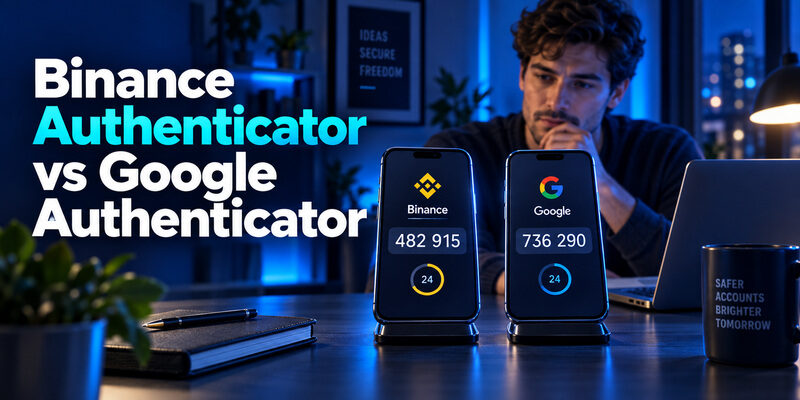
Google Authenticator is the better default for users who want optional account sync and a documented phone-transfer workflow.
remains a reasonable choice if you prefer its account-management interface and can maintain your own recovery plan. The important distinction in binance authenticator vs google authenticator is how you manage access over time, not which logo appears above the code. Both can support Binance authenticator verification after enrollment.
Binance’s support guide now calls its app BAuthenticator, while its download page still uses Binance Authenticator. This comparison uses the familiar search name and explains the current documentation. It covers initial setup, everyday use, backups, changing phones, phishing limits, and recovery. Recommendations refer to Binance.com; regional services can have different procedures. Choose an app you can reliably restore before you move any existing registration.
| Factor | Binance Authenticator | Google Authenticator | Winner |
|---|---|---|---|
| Binance compatibility | Yes | Yes | Tie |
| Offline codes | Yes | Yes | Tie |
| Cloud sync | Limited/not equivalent | Optional Google Account sync | |
| Manual transfer | Export available | Export/import | Tie |
| Multi-service use | Yes | Yes | Tie |
| Interface | Binance-focused | General-purpose | Depends |
| Local/device protection | Check version | Privacy Screen | |
| Phishing resistance | No | No | Tie |
| Best for | Binance-oriented users | Multi-account users | Depends |
Binance Authenticator vs Google Authenticator at a Glance
The main reason to favor Google Authenticator is its documented choice between account synchronization and local use. Our recommendation is a judgment about convenience and recoverability, not a claim that Google’s code-generation algorithm makes your Binance account inherently safer. If you already have a working setup and a tested recovery route, switching solely for a different brand offers little practical benefit.
| Decision factor | Binance Authenticator | Google Authenticator |
|---|---|---|
| Binance enrollment | Supported in Binance’s BAuthenticator guide | Supported in Binance’s Google setup guide |
| Adding an account | QR scan or setup key | QR scan or setup key |
| Moving codes | Account export documented | Manual transfer and optional Google Account sync |
| Main convenience | Pinning and account editing documented | One app for supported services and optional sync |
| Backup consideration | Verify your installed version’s recovery options | Decide whether to enable sync or stay local |
When Google Authenticator makes more sense
Choose Google if you want a clearly documented way to carry accounts between phones and are comfortable deciding how cloud synchronization fits your security habits. For someone comparing binance authenticator vs google authenticator before a phone upgrade, that documented recovery choice matters more than a slightly faster route to the code list.
Do not treat synchronization as something you can ignore after setup. Decide which account owns your synced entries and how you would recover access to that account without your primary phone.
When Binance Authenticator is a reasonable choice
Stay with Binance’s app if its interface suits you and you can demonstrate that your backup or export process works. Binance’s official BAuthenticator website guide documents adding multiple entries and account-level controls. Those are useful conveniences, but they do not establish exclusive compatibility with Binance or prove superior protection.
A useful binance authenticator vs google authenticator decision starts with your next likely problem: finding the correct entry, replacing the phone, or recovering a missing registration. Pick the workflow you can explain and perform without guesswork.
📖 Read More Guides: Binance Authenticator: Complete Setup, QR Code, Reset, and Security Guide
Quick Verdict: Which Authenticator Should You Choose?
If you want the fastest answer, Google Authenticator is the better default for most users, mainly because it offers a well-documented transfer workflow and optional Google Account synchronization. However, the best choice depends on how you use Binance and how you plan to recover your codes if your phone is lost or replaced.
- Best for most users: Google Authenticator
A strong default if you want a widely supported authenticator with straightforward account transfer options and optional synchronization across supported devices. - Best if you prefer Binance’s interface: Binance Authenticator
A reasonable choice for users who prefer Binance’s account-management experience and are comfortable managing their own export, transfer, and recovery process. - Best for optional account sync: Google Authenticator
Google Authenticator allows users to choose between local-only use and synchronization through a Google Account. This can make moving to a new phone easier, provided the Google Account itself is properly secured. - Best for Binance-only use: Either
Both can generate authentication codes for Binance after proper enrollment. For everyday Binance verification, the more important question is which app you can use, transfer, and recover reliably. - Best for phishing resistance: Neither
Standard authenticator codes are not inherently phishing-resistant because a user can still enter a valid one-time code into a fake login page. Where Binance supports them, passkeys or hardware security keys may provide stronger phishing resistance. - Best alternative interface: Authenticator App by Begamob
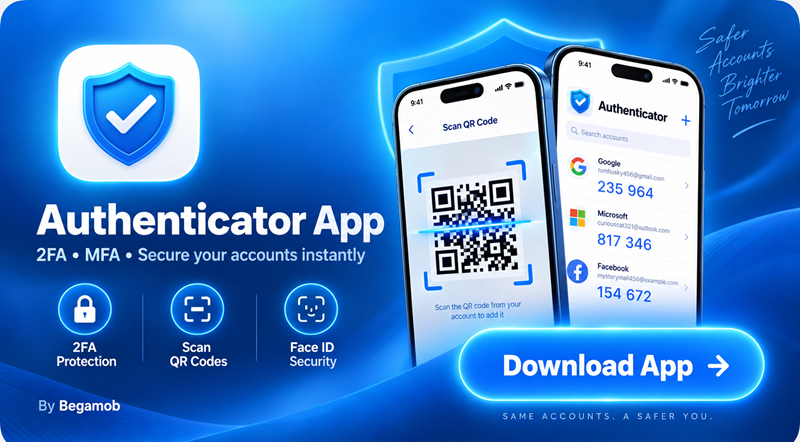
If neither Binance Authenticator nor Google Authenticator fits the way you prefer to organize and access your codes, Authenticator App by Begamob is another option to consider for compatible OTP and 2FA accounts. As with any authenticator, verify its setup and recovery workflow before moving an existing Binance registration.
Bottom line: Choose Google Authenticator for the strongest all-around balance of convenience and documented transfer options. Choose Binance Authenticator if you prefer its interface and already have a reliable recovery plan. Consider Begamob if you want a different way to manage your authentication codes.
Set Up the Correct Binance Account
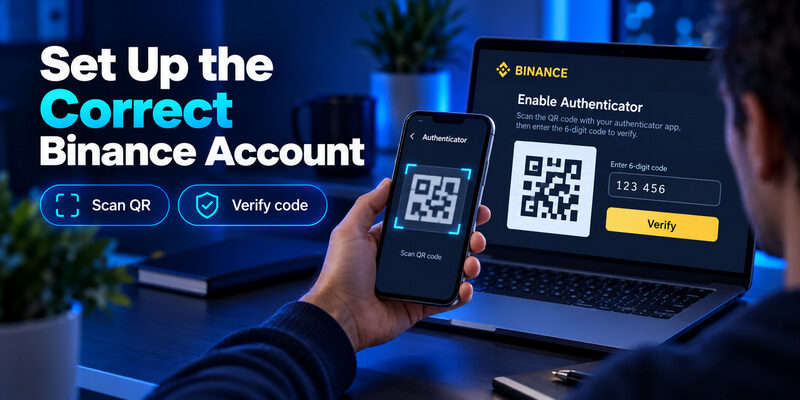
Setup quality matters more than which app you install. Downloading an authenticator does not connect it to Binance, and naming an entry Binance does not register a security factor. The app needs the specific secret issued through your account’s authenticated setup process, and Binance must accept a generated verification code to complete enrollment.
Scan the QR Code or Enter the Setup Key
Binance’s official Google Authenticator app guide places enrollment under Account, Security, then Authenticator App. Start from your own signed-in session. Follow the enable flow and add the displayed QR code or setup key to the authenticator you selected. Menu wording can differ between the website, mobile app, and regional service.
When the QR code appears on the same phone you are using, manual key entry may be easier than trying to point the camera at that screen. Work privately and avoid screenshots that could be uploaded automatically. Never use a setup QR sent by a stranger offering account assistance.
Finish Verification Before Leaving Setup
Return to Binance and submit the fresh code from the new entry. Wait for the confirmation that enrollment succeeded. A moving countdown in the authenticator only shows that the app is generating codes; it does not prove Binance accepts that entry.
Keep Account Labels Distinct
For binance authenticator vs google authenticator, this is a practical tie: correct enrollment determines whether the code works. Record which account you linked and secure its recovery information. If multiple accounts look similar, use distinct labels without exposing unnecessary personal details on the lock screen or in shared screenshots.
Read the Right Code During Everyday Use
An authenticator can display several valid-looking entries while only one corresponds to the account asking you to verify. Before copying digits, check the service and account label. A Google Account code and a Binance account code are different registrations even when both are shown inside Google Authenticator.
Google’s official app listing confirms that verification codes can be generated without an internet connection. Binance Academy likewise describes authenticator codes as being generated on the device. You still need a connection to use Binance and submit its verification form. The authenticator’s offline capability does not make trading or account changes available offline.
That distinction helps when comparing binance authenticator vs google authenticator for travel. A phone without mobile service can still be useful for codes, but it is not a substitute for a working connection on the device accessing the account.
If the countdown is nearly finished, wait for the next code instead of rushing through the form. This avoids an easily preventable rejection while you switch between apps. Enter the digits exactly, including a leading zero when present, and keep the phone’s clock accurate.
For everyday binance authenticator vs google authenticator use, choose the interface in which you make fewer selection mistakes. Think about legibility, account naming, and whether you can find the right entry quickly. Neither choice removes the need to read what Binance is asking you to verify before entering a code.
📘 Find the Right Guide: Binance Google Authenticator: Setup, Codes, and Recovery Explained
Understand Backup and Sync Before You Need Them
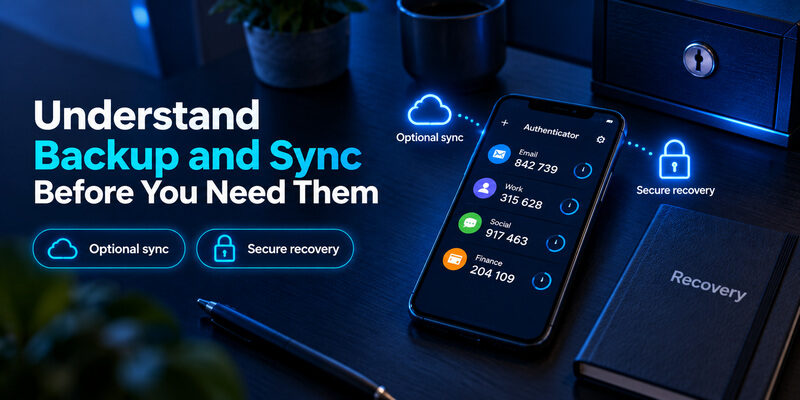
Backup behavior is the most consequential binance authenticator vs google authenticator distinction to investigate before committing. A working code today says nothing about whether you can recreate that entry after a lost phone. Decide how recovery will work while the original device is still available.
Google Sync Is Optional
Google Account Help documents optional synchronization through a Google Account and use without an account. It also warns that deleting a synced entry deletes it from other synced devices. Sync therefore helps with continuity, but it should not be mistaken for a separate historical archive that preserves every accidental deletion.
Google describes encryption in transit and at rest. That wording is not, by itself, a claim of end-to-end encryption. When reviewing security claims, keep the provider’s actual wording rather than upgrading it into a stronger promise.
Verify Binance Recovery in Your Installed Version
Binance’s BAuthenticator guide documents exporting an account with a QR code. It does not establish a cloud-recovery feature equivalent to Google’s synchronization. Check the settings and official help for your installed version rather than assuming that a phone backup contains every authenticator secret.
| Recovery preparation | What to check | Mistake to avoid |
|---|---|---|
| Optional account sync | Correct account and independent access route | Assuming deletion cannot propagate |
| Local setup key | Secure, legible, recoverable storage | Saving it only on the same phone |
| Device export | Successful import and accepted code | Erasing the original device first |
In binance authenticator vs google authenticator, local control and easy recovery can point in different directions. If you choose local-only use, accept the responsibility of maintaining a separate recovery method. If you choose sync, protect the account that makes that convenience possible.
Move to a New Phone Without Losing Access
Plan the move before wiping, trading in, or repairing the old phone. Reserve time to check each important service individually. A transfer that succeeds for one account does not prove that every entry reached the new device, especially if you selected only part of the list.
Google documents manual transfer through export on the old device and import on the new one. With sync enabled, the appropriate signed-in account can restore synchronized entries instead. Binance documents account export in BAuthenticator. Follow the instructions belonging to your app; do not assume that every exported QR format is interchangeable between competing products.
This is where binance authenticator vs google authenticator becomes a workflow question. Stay within the documented transfer route when retaining the same app. For a cross-app move, re-enrollment through Binance may be clearer than experimenting with an unsupported import.
Check that the new phone has the intended account label and produces a code Binance accepts. Keep recovery material accessible until the move is verified. Review whether any other services remain only on the old device before erasing it.
Treat an export QR like a secret, not a harmless screenshot. Display it only where another person cannot capture it. A second phone can reduce dependence on a single device, but it also creates another device you must secure. The better binance authenticator vs google authenticator arrangement is the one whose extra copies you can account for, not the one that creates the most copies.
💡 Discover Helpful Guides: Binance Authenticator QR Code: How to Find, Scan, and Set Up 2FA
Protect Against Phishing as Well as Phone Loss
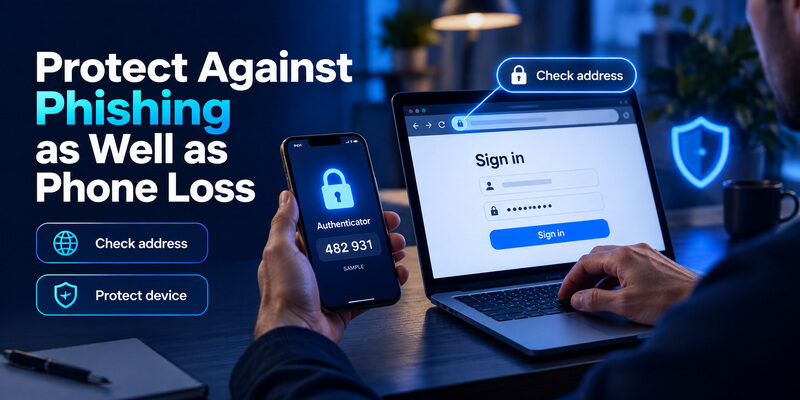
Neither app turns a manually entered code into phishing-resistant authentication. NIST’s Digital Identity Guidelines distinguish one-time-password authenticators from phishing-resistant methods. A fake sign-in page can request a current code and relay it to the real service while that code remains usable.
Check the Destination Before Entering a Code
Open Binance through your own bookmark or installed app. Do not start a sensitive session from an unexpected message claiming an urgent account problem. If a page asks for more information than the task requires, stop and verify the destination independently.
The security question behind binance authenticator vs google authenticator cannot be answered by comparing icons or six-digit displays. A code is evidence used during authentication, not permission to trust the person asking for it. Never disclose your setup key or export QR to someone claiming to be support.
Protect Access to the Device and Recovery Account
Google Account Help documents Privacy Screen, which requests device verification before the app can be used. Turn on available local protection and a strong phone lock. For Binance’s app, check the controls available in your installed version rather than assuming biometric-lock parity from a comparison chart.
Consider a passkey where Binance offers one for your account and intended action. It addresses a different weakness from code storage, so choosing an authenticator and assessing passkeys are separate decisions. Our binance authenticator vs google authenticator recommendation does not mean either app guarantees account safety. Device security, recovery access, and careful verification remain part of the setup you actually rely on.
Switch Apps Through Binance Security Settings
Changing authenticators should be a planned account-security change, not an experiment performed while you urgently need a withdrawal. Keep the existing app and recovery material available until the new registration has been accepted. If you cannot complete current verification, use the recovery process instead of deleting the factor locally.
Rebind the Account Instead of Renaming an Entry
Binance’s official change-authenticator guide describes managing the authenticator under Security, completing the required verification, and enrolling a new QR code or setup key. Enter the new app’s generated code to confirm the change. Follow the warning shown for your account before proceeding.
Think of binance authenticator vs google authenticator switching as replacing the account’s registered secret. Renaming a token, installing another app, or deleting a list entry does not perform that change on Binance. If you intentionally copy the same secret between devices, you have duplicated a factor rather than established two independent factors.
Allow Time for Temporary Restrictions
Binance’s March 2026 website guide warns that changing the authenticator can restrict withdrawals, internal transfers, and P2P transactions for up to 48 hours. Other Binance help pages show different periods. The current notice in your account is the one to read, and you should not assume every regional service uses the same timing.
Retire Only the Obsolete Registration
For binance authenticator vs google authenticator, switching is worth doing only when it solves a concrete problem such as an unsupported recovery preference or an interface you regularly misread. Write down that reason first. After successful enrollment, verify your recovery arrangement and remove obsolete copies carefully, without disturbing entries that still protect other accounts.
📘 Find the Right Guide: Binance Authenticator Reset: How to Recover 2FA Access Safely
Recover Access When Codes Are Missing or Rejected
Separate a code-entry problem from a missing-secret problem. If the authenticator still shows the intended account, troubleshoot the attempted verification first. If the entry is gone and no backup exists, installing another app cannot reconstruct the secret that was never transferred or saved.
If the Account Entry Is Still Visible
Check that you selected the right service, wait for a fresh code, and confirm the phone’s date and time. Google’s help notes that recent Google Authenticator versions use the operating system’s time settings rather than an in-app time-correction option. Avoid outdated instructions that send you looking for a menu no longer present.
A rejected code is not enough evidence to settle binance authenticator vs google authenticator in favor of the other app. First determine whether the entry belongs to the current Binance registration. An old token can keep generating plausible digits after the service has been rebound to a different secret.
If the Phone or Secret Is Unavailable
Use an existing recovery route or the official Binance account-recovery process. A saved setup key may help recreate the enrolled token; without it, a usable transferred copy, or an applicable synced entry, recovery must be handled with the service. Binance documents that a 2FA reset may require identity verification, including a video in some cases.
Do not pay an unknown person who promises to recover codes remotely. In a lost-phone binance authenticator vs google authenticator scenario, the deciding factor is what you prepared beforehand. If the device was stolen, also consider the risk of an existing signed-in Binance session and use Binance’s official security assistance promptly.
Choose an Authenticator for Your Actual Routine
Use a short list of requirements rather than a feature checklist copied from an app store. Ask whether you want cloud synchronization, whether your recovery account is independently accessible, and whether you can keep local recovery material secure. Those answers should drive the binance authenticator vs google authenticator choice. If someone else will help you replace a device, agree on a private process: comparing binance authenticator vs google authenticator should never require sharing live codes or secrets with that person.
Start With the Two Main Options
Our default remains Google Authenticator for users who want its documented sync and transfer choices. Binance Authenticator is a reasonable fit when you prefer its interface and have confirmed how your particular installation handles export and recovery. Neither choice should require abandoning a working setup without a specific benefit.
| Your priority | Practical starting point | Trade-off to consider |
|---|---|---|
| Optional Google Account sync | Google Authenticator | Protect independent account recovery |
| Familiar Binance app workflow | Binance Authenticator | Verify recovery controls yourself |
| Another interface for OTP management | Authenticator App | Check platform and backup fit before moving |
Consider Authenticator App for a Different Interface
If managing entries in either app feels awkward, is another option to evaluate for OTP and 2FA code management. Its official homepage describes code generation and biometric protection. Review the version for your device and verify the enrollment and recovery workflow before moving a live Binance registration.
The benefit is a different way to organize and access your codes, not a way around Binance verification. No third-party app can replace a missing secret or waive account restrictions. If binance authenticator vs google authenticator has not resolved your interface needs, review Authenticator App and test its suitability without removing your existing working factor first.
💡 Discover Helpful Guides: Binance Biometric Authentication: How It Works and How to Secure Your Account
Binance Authenticator vs Google Authenticator vs Begamob
| Feature | Binance Authenticator | Google Authenticator | Authenticator App by Begamob |
|---|---|---|---|
| Binance TOTP | Yes | Yes | Compatible when supported |
| General OTP use | Yes | Yes | Yes |
| Account organization | Binance UI | Google UI | Begamob UI |
| Backup/sync | Check current version | Optional Google sync | State only verified features |
| Biometric protection | Check version | Privacy Screen | Add if verified |
| Best for | Binance-centric setup | General multi-service use | Users wanting alternative UX |
Quan trọng: chỉ điền feature nào Begamob thực sự có. Không nên tự thêm cloud backup/sync nếu chưa verify.
Questions Before You Choose
Is Binance Authenticator Required for Binance
No. Binance publishes an official setup guide for Google Authenticator, so its own authenticator is not mandatory for that documented flow. Choose a supported method available in your account, and complete enrollment before relying on the app for verification.
Does Google Authenticator Work Only With Google
No. Google’s official listing describes support for multiple providers and accounts. Adding a Google Account to the app for synchronization is separate from enrolling Binance as a protected service. Your Binance entry still needs the secret issued by Binance.
Can Both Apps Show the Same Code
Yes, compatible time-based authenticators using the same secret, parameters, and time can generate the same code. That duplicates one factor rather than creating independent protection. Avoid making extra copies casually, because each usable copy needs its own security controls.
Does Cloud Sync Automatically Win the Comparison
No. For binance authenticator vs google authenticator, sync is a convenience choice with recovery and account-security implications. It suits users who can protect the syncing account. Local-only use can suit others, provided their independent recovery plan is real and tested before the original phone becomes unavailable.
Will Changing Authenticators Remove a Binance Restriction
No. Replacing the app does not waive Binance account checks or transaction restrictions, and changing the registered factor can itself trigger a temporary restriction. Read the current account notice and resolve any service-side limitation through Binance’s official process.
📘 Find the Right Guide: Binance US Google Authenticator: How to Set Up and Use 2FA Safely
Final Thoughts
Choose Google Authenticator if its optional sync and documented transfer workflow match how you manage devices. Keep Binance Authenticator if it works well for you and you have confirmed a recovery method you can actually use. The useful outcome of binance authenticator vs google authenticator is a deliberate setup decision, not a winner based on branding.
Before doing anything to an existing registration, identify the problem you want to solve. If it is phone replacement, plan a transfer. If it is a missing entry, investigate recovery. If it is phishing exposure, changing the logo on the code generator will not address the whole problem. Matching the action to the problem avoids unnecessary account changes and the restrictions they may trigger.
After choosing, complete enrollment, verify an accepted code, and secure a recovery route separate from the phone you use daily. Be clear about whether your codes are synchronized or stored locally. Revisit that decision when you replace the device, change the recovery account, or alter the account’s security settings.
Use this binance authenticator vs google authenticator comparison as a basis for checking your own setup, not as a guarantee about either product. A familiar app with verified recovery is more useful than a new installation whose backup behavior you have never checked. If you need a different interface, evaluate alternatives before moving your live account.
Download Authenticator App
Secure your accounts with fast, reliable two-factor authentication. Download now and protect your login in seconds.
