
Binance US Google Authenticator: How to Set Up and Use 2FA Safely
Published September 11, 2026
Binance US Google Authenticator is a two-factor authentication method that generates temporary six-digit codes for your Binance.US account.
After linking Google Authenticator to Binance.US, the app generates a new verification code that you can enter when Binance.US requests 2FA. This means your password alone is not enough to complete certain authentication steps.
Binance.US currently requires every customer to have at least one form of two-factor authentication enabled. Although its interface specifically lists Google Authenticator, Binance.US says most applications that support standard six-digit TOTP codes and a 16-digit binding key can also work.
For most beginners, however, Google Authenticator is the simplest option because it is directly recommended by Binance.US.
What Is Binance US Google Authenticator?
The term binance us google authenticator describes the connection between your Binance.US account and Google’s Google Authenticator application.
Google Authenticator is not a trading app, wallet, or Binance product.
It is an authenticator app that creates temporary one-time passwords.
After it is connected to your Binance.US account, it displays a six-digit code associated with that account.
When Binance.US needs additional proof that it is really you, it can request that temporary number.
For example, the process may look like:
Email + password → Binance.US asks for 2FA → Open Google Authenticator → Enter six-digit code → Continue
This extra verification layer makes an account harder to access using a stolen password alone.
Binance.US says 2FA helps protect both customer funds and sensitive account information by requiring an additional authentication factor.
💡 Discover Helpful Guides: Binance Authenticator: Complete Setup, QR Code, Reset, and Security Guide
Why Binance.US Requires Two-Factor Authentication
Unlike websites where MFA is optional, Binance.US currently requires customers to implement at least one 2FA method.
The reason is simple.
Passwords can be compromised through phishing, password reuse, malware, credential leaks, or social engineering.
If somebody discovers your password, a second authentication factor creates another obstacle.
With binance us google authenticator, an attacker would generally also need access to the authenticator secret or a valid temporary code.
That does not make an account impossible to compromise, but it significantly improves security compared with relying exclusively on a password.
Binance.US explains the principle similarly: a person attempting unauthorized access would need both account credentials and access to the temporary second-factor code before it expires.
The authenticator therefore complements your password rather than replacing it.
🗺️ Browse How-To Guides: Binance Google Authenticator: Setup, Codes, and Recovery Explained
How Binance US Google Authenticator Works
Behind binance us google authenticator is a technology known as TOTP, or Time-Based One-Time Password.
During setup, Binance.US and your authenticator establish a shared secret.
Your phone then combines that secret with the current time to calculate a temporary verification number.
Binance.US can independently calculate what the correct number should be.
If the code you submit matches, authentication succeeds.
The TOTP specification is defined in RFC 6238. The standard recommends a default 30-second time step, chosen as a balance between security and usability.
That explains why the number displayed in Google Authenticator continuously changes.
Importantly, Binance.US says compatible authentication applications must support six-digit TOTP codes and use a 16-digit key to bind accounts.
You normally do not need to understand this technology to use it.
For everyday use:
Open the app → find Binance.US → copy the six-digit code → enter it when requested.
💡 Discover Helpful Guides: Binance Authenticator QR Code: How to Find, Scan, and Set Up 2FA
How to Set Up Google Authenticator on Binance.US
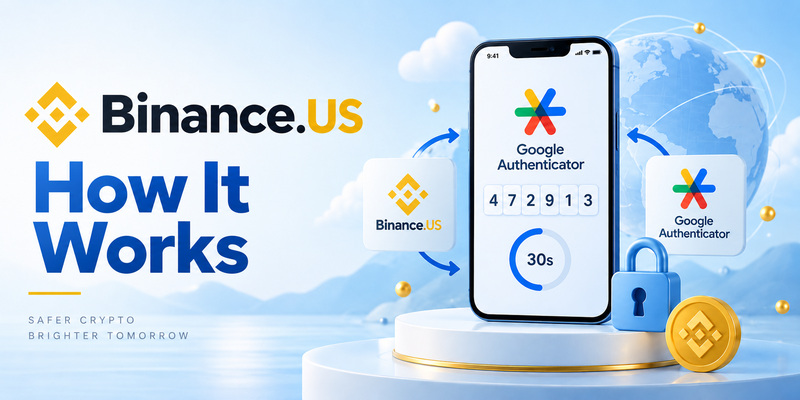
Setting up binance us google authenticator begins from your Binance.US security settings.
First, install Google Authenticator from the official application store for your device.
Next, sign in to Binance.US and open your account’s security and two-factor authentication settings.
Choose Google Authenticator when Binance.US asks which authenticator method you want to use.
Binance.US notes that even when users choose another compatible TOTP application, they should still select Google Authenticator in its interface because this is the authenticator option Binance.US currently lists.
Binance.US then provides the information needed to bind the authenticator to your account.
Add the Binance.US account inside Google Authenticator by following the setup instructions displayed by Binance.US.
Once connected, Google Authenticator begins generating a six-digit verification code.
Enter the current code into Binance.US to confirm that the authenticator has been linked successfully.
Do not share the QR code, setup secret, binding key, or six-digit code with another person.
The underlying TOTP specification explicitly recommends protecting authentication keys against unauthorized access and use.
📘 Find the Right Guide: Binance Authenticator Reset: How to Recover 2FA Access Safely
How to Use Google Authenticator When Logging In
Once binance us google authenticator has been enabled, daily use is straightforward.
Begin by logging into Binance.US normally.
Enter your email address and password.
If Binance.US requests authenticator verification, open Google Authenticator on your phone.
Locate the Binance.US entry and read the current six-digit code.
Enter that code into Binance.US before it expires.
If accepted, authentication continues.
The code is not sent by Binance.US through SMS or email. Google Authenticator calculates it locally.
Google confirms that Authenticator can generate one-time verification codes even without an internet connection or mobile service.
This makes authenticator-based verification particularly useful when cellular reception is unavailable.
You still need internet access to connect to Binance.US itself, but Google Authenticator does not need to contact Binance.US every time it creates a code.
🧭 Explore Guides
How to Add Binance Authenticator: Complete 2FA Setup Guide
Why Binance Authenticator Codes Change
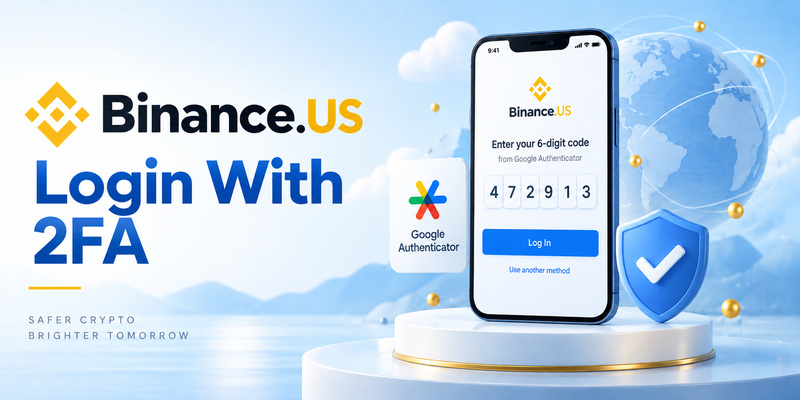
A changing number can initially confuse users who are new to binance us authenticator security.
It is supposed to change.
TOTP codes are intentionally short-lived.
RFC 6238 recommends a default validity interval of approximately 30 seconds. A shorter lifespan reduces the amount of time in which an exposed code can potentially be used.
Imagine your authenticator displays:
482193
Thirty seconds later it might display:
715804
The previous code is then no longer the code you should enter.
This also explains why you should avoid copying a code when its timer is almost finished.
If only a second or two remains, wait for the next code and enter the fresh one instead.
📘 Find the Right Guide: What Is Binance Authenticator App? A Beginner’s Guide to Binance 2FA
What to Do If Your Binance.US Authenticator Code Does Not Work
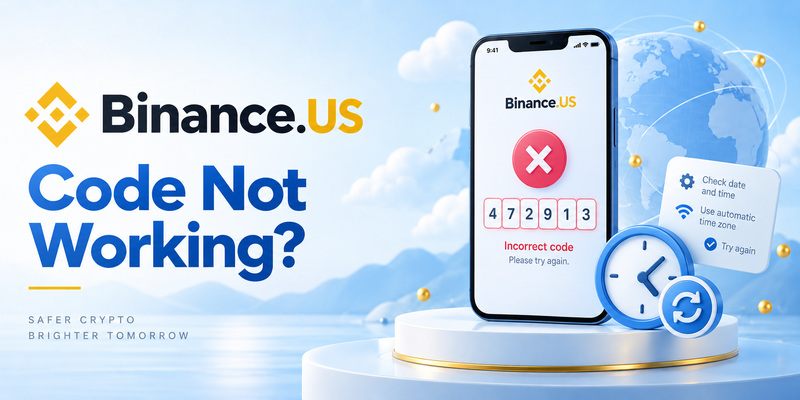
A rejected binance us google authenticator code does not automatically mean your account has been compromised.
One of the most common problems is incorrect device time.
Because TOTP relies on time, your phone and the service must remain sufficiently synchronized.
Binance.US specifically recommends enabling automatic date and time settings when authenticator codes fail. On iOS, it directs users to Settings → General → Date & Time → Set Automatically. On Android, it recommends automatic date, time, and time-zone settings.
Also check that:
- You are entering the code for the correct Binance.US entry.
- The code has not just expired.
- Your phone’s clock is automatic.
- You are using your Binance.US account rather than Binance.com.
- Your authenticator supports six-digit TOTP codes.
If the problem continues, Binance.US recommends restarting the phone and, when necessary, resetting the 2FA method.
What Happens If You Lose Your Phone?
Losing the phone containing binance us google authenticator can prevent normal login, but it does not necessarily mean that your Binance.US account is permanently lost.
Binance.US provides a formal 2FA recovery process.
From the login flow, users who cannot access their authenticator can choose Authenticator Issues and then indicate that they can no longer access the authenticator application.
Binance.US then requires verification through the registered email address and an identity-confirmation process using the identification associated with the account.
There are two important numbers to know.
Binance.US says a 2FA reset request typically takes 48–72 hours for review and approval.
After a 2FA reset, it also imposes a 48-hour withdrawal hold for security reasons. Trading, deposits, and other available functions can remain accessible while withdrawals are temporarily restricted.
That delay is intended to make it harder for an attacker to compromise an account, replace its 2FA, and immediately remove assets.
Is Google Authenticator Safe for Binance.US?
Using binance us google authenticator is substantially better than protecting a valuable account with only a password.
However, no authenticator should be treated as magic protection.
TOTP protects you when an attacker knows only your password, but temporary verification codes can still be stolen through real-time phishing.
For example, a fake Binance.US login page could ask for your password and then request your current authenticator code.
If you submit both to the attacker, they may attempt to use the temporary code before it expires.
This is why users should always verify that they are accessing the genuine Binance.US website.
Binance.US specifically warns customers to inspect the login URL before entering sensitive information and notes that phishing pages can closely imitate legitimate login screens.
Never send an authenticator code to someone claiming to be support.
Does Binance.US Require Identity Verification?
Another common question is does binance need verification.
For Binance.US, identity verification and authenticator verification are different processes.
2FA proves that you control an authentication method associated with the account.
Identity verification establishes information about who owns the account.
Binance.US currently offers Basic Verification and Advanced Verification. Basic Verification provides access to a more limited feature set, while Advanced Verification can provide increased limits and additional features and requires identity documents such as a photo ID plus facial verification.
Binance.US lists accepted documents including U.S. passports, state-issued driver’s licenses or ID cards, passport cards, Employment Authorization Cards, and Permanent Resident Cards, subject to its requirements.
So binance us google authenticator does not replace KYC verification.
They solve two different security and compliance problems.
Binance.com vs Binance.US: An Important Difference
Users researching binance us google authenticator should not assume that every Binance.com guide applies to Binance.US.
They are separate platforms.
Binance.US specifically reminds users troubleshooting 2FA to verify that they are using Binance.US rather than Binance.com and to contact the appropriate support team for each platform.
This also helps clarify searches for why binance is banned in us.
Calling Binance simply “banned” is an oversimplification. Binance.com is not available to U.S.-based customers, while Binance.US is a separate U.S.-focused platform operating in supported states and territories. A 2026 SEC filing describing crypto trading venues similarly notes that Binance’s global platform is not available to U.S.-based customers.
Always check whether an article is discussing Binance.com or Binance.US before following security instructions.
FAQ About Binance US Google Authenticator
Does Binance.US require Google Authenticator?
Binance.US requires all customers to enable at least one form of 2FA. Google Authenticator is the authentication application specifically presented in its interface, but Binance.US says other applications supporting six-digit TOTP codes and a compatible 16-digit binding key can also work.
Can I use Microsoft Authenticator instead?
Potentially, yes. Binance.US specifically lists Microsoft Authenticator, Authy, Okta Verify, Duo and several other TOTP applications as compatible alternatives. You should still select Google Authenticator in the Binance.US interface when using another supported application.
Does Google Authenticator need internet?
No. Google states that its authenticator app can generate verification codes without an internet connection or cellular service.
Why does my Binance.US code keep changing?
Because it is a time-based one-time password. RFC 6238 recommends a 30-second default interval for TOTP generation.
What happens if I delete Google Authenticator?
If you lose access to your authentication codes and cannot log in, use Binance.US’s official 2FA recovery process. A reset can require identity confirmation, typically takes 48–72 hours for review, and results in a 48-hour withdrawal hold.
Was Binance hacked?
For users searching was binance hacked, Binance.com reported a major security breach on May 7, 2019, in which attackers withdrew 7,000 BTC from its hot wallet. Binance stated that the affected hot wallet represented about 2% of its BTC holdings at the time. This historical incident involved Binance’s global platform and should not be confused with the current Binance.US Google Authenticator setup process.
Can I have more than one authenticator app?
Binance.US says most standard six-digit TOTP applications can work with its authenticator system. However, do not copy or expose your 2FA secret casually just to place the same account on many devices, because anyone with the underlying secret may be able to generate valid codes.
What if my authenticator code is always incorrect?
Turn on automatic date and time, confirm that you are using the correct Binance.US entry, restart your phone, and try a fresh code. Binance.US specifically recommends time synchronization when authentication codes fail.
Final Thoughts
Binance us google authenticator is one of the most important security features for a Binance.US account.
Its purpose is simple: add a second authentication layer beyond your password by generating temporary six-digit verification codes.
Binance.US currently requires every customer to maintain at least one 2FA method and recommends Google Authenticator, although other compatible six-digit TOTP applications can also work.
For everyday use, the process is easy:
Log in → open Google Authenticator → find Binance.US → enter the current six-digit code.
Behind that simple process, TOTP uses a shared secret and time-based calculation, with the underlying standard recommending approximately 30-second code intervals.
The most important security rules are equally simple: never share your QR/setup secret, never give anyone a current authentication code, verify that you are on the real Binance.US website, keep your phone protected, and understand the recovery process before you lose access to your device.
If access is lost, Binance.US provides a formal 2FA reset procedure, but users should expect identity confirmation, a potential 48–72-hour review period, and a 48-hour withdrawal restriction after reset.
Used correctly, binance us google authenticator makes stolen passwords considerably less useful to an attacker and gives Binance.US users a practical additional layer of protection for their accounts.
