
Binance Biometric Authentication: How It Works and How to Secure Your Account
Published September 11, 2026
Short answer: Binance biometric authentication allows users to verify access using supported biometric methods such as Face ID or fingerprints, often through a passkey stored on the user’s device. It can provide a faster and more phishing-resistant alternative to manually entered passwords or SMS codes. However, users should distinguish biometric passkeys from Binance Face Verification, which may be used separately to confirm identity against KYC information.
Binance currently supports passkeys for many account verification functions. According to Binance, supported mobile configurations include Binance App version 2.60 or later, iOS 16 or later, and Android 9 or later.
For users protecting cryptocurrency or other valuable digital assets, binance biometric authentication can therefore be an important part of a broader account-security strategy rather than simply a convenient way to unlock an app.
What Is Binance Biometric Authentication?
Binance biometric authentication refers to security methods that allow a user to confirm access using a biological characteristic, typically a fingerprint or facial recognition supported by their device.
On modern smartphones, this may mean using Face ID on an iPhone or fingerprint/face unlock on an Android device. Binance can combine these device-level authentication methods with passkeys, enabling users to authorize Binance account access without manually entering a traditional verification code each time.
Binance describes biometric authentication as a method that can use face or fingerprint information as part of two-factor authentication. Its current passkey system can also use a phone’s screen lock, PIN, biometric authentication, a hardware security key, or another device.
This is why searches for binance biometric authentication 2fa often overlap with searches about Binance passkeys.
A passkey is not simply a stored password. It relies on cryptographic credentials associated with a website or service. The user’s phone or computer can require a local biometric check before allowing that credential to authenticate.
This makes binance biometric authentication useful for users who want both convenience and stronger protection against common credential-based attacks.
How Binance Biometric Authentication Works
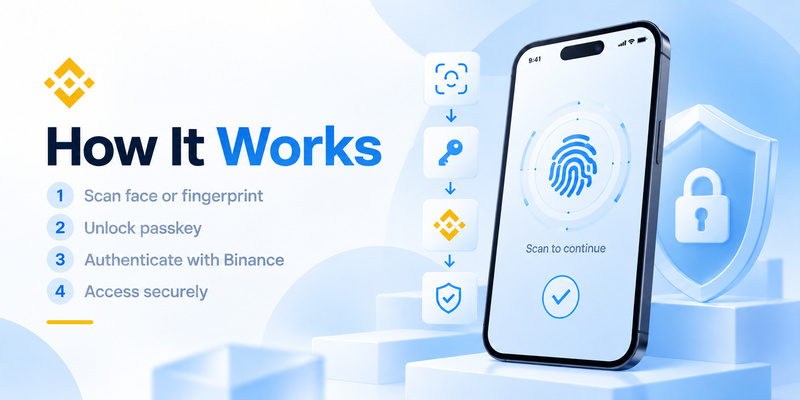
When a compatible passkey is created, the device generates cryptographic credentials that can be used to authenticate with Binance.
Instead of receiving a code and typing it into a Binance page, the user may authenticate through Face ID, a fingerprint, device PIN, or another supported mechanism.
The important security difference is that your fingerprint or face is generally being used to unlock the credential on your device rather than becoming the password sent to Binance.
Binance states that biometric information used for this form of authentication is stored locally on the user’s device and that Binance receives the result of whether biometric authentication succeeds or fails rather than the raw fingerprint or facial biometric used by the device.
This architecture helps explain why binance biometric authentication can offer stronger protection against phishing than manually entered verification codes.
NIST’s current digital identity guidance notes that authentication methods requiring users to manually enter authenticator outputs, including OTP codes, are not considered phishing-resistant, because attackers may potentially relay those codes to the legitimate service. Cryptographic authentication can instead bind authentication to the intended service or session.
💡 Discover Helpful Guides: Binance Authenticator: Complete Setup, QR Code, Reset, and Security Guide
Binance Biometric Authentication vs. Binance Face Verification
There is an important distinction between binance biometric authentication and binance face authentication used for identity verification.
They may both involve your face, but they serve different purposes.
With device biometrics or passkeys, your phone might use Face ID or fingerprint recognition to authorize a cryptographic credential.
Binance Face Verification, however, can be an identity-verification process. Binance explains that a real-time image of your face may be compared with the image from the identification documents submitted during Identity Verification. Face Verification can be requested when accessing certain account functions, including trading, withdrawals, rewards or changes to deposit limits.
Binance also states that when Face Verification is required, the check cannot simply be bypassed.
Therefore:
Biometric passkey authentication
→ primarily proves that the person using the device is authorized to use its authentication credential.
Face Verification
→ may verify that the person is the same identity associated with the verified Binance account.
Understanding this difference prevents users from assuming that every facial scan within Binance is simply a local Face ID login.
🗺️ Browse How-To Guides: Binance Google Authenticator: Setup, Codes, and Recovery Explained
Why Use Biometric Authentication on Binance?
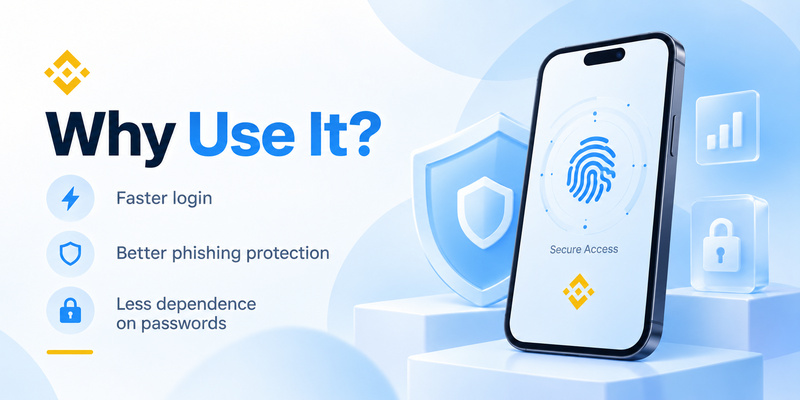
The main advantages of binance biometric authentication are security, speed and resistance to several common credential attacks.
1. Less dependence on passwords
Passwords can be stolen through phishing pages, credential stuffing, malware or data breaches.
FIDO Alliance’s 2026 State of Passkeys research surveyed 11,000 consumers across ten countries and reported that 5 billion passkeys were in active use globally, while 75% of respondents had enabled a passkey on at least some accounts.
That growth reflects a broader transition away from password-only authentication.
2. Better protection against phishing
Passkeys use cryptographic authentication rather than asking users to copy a reusable password or one-time code into a login form.
As a result, a convincing fake Binance page cannot simply ask you for the private passkey credential in the same way it can steal a password.
This is one of the biggest security reasons to consider binance biometric authentication.
3. Faster verification
Unlocking an account using a fingerprint or face recognition can take only a moment.
Users do not need to switch between applications, wait for an SMS or manually copy a six-digit code.
4. Protection if your password is exposed
A stolen password should not automatically equal complete account access when additional authentication controls are correctly enabled.
For cryptocurrency accounts where unauthorized withdrawals can have serious consequences, layered authentication is particularly valuable.
💡 Discover Helpful Guides: Binance Authenticator QR Code: How to Find, Scan, and Set Up 2FA
How to Set Up Binance Biometric Authentication
Binance currently provides passkey options through its security settings, although menu labels can change between app versions, devices and regions.
Before starting binance biometric authentication, make sure biometrics are already configured on your phone.
For iOS, Binance instructs users to configure Face ID through Settings → Face ID & Passcode.
For Android, users can enable supported fingerprint or face-unlock options in their device security settings.
Set up a passkey in the Binance app
According to Binance’s current support documentation:
- Open the Binance app and log in.
- Go to Account Center.
- Open your profile.
- Select Security.
- Choose Passkeys (Biometrics).
- Tap Add Passkey.
- Complete any required existing 2FA verification.
- Select the available passkey method.
- Follow your device instructions to finish authentication.
Binance says passkeys can currently be created using options including iCloud Keychain, a phone’s screen lock or PIN, USB security keys and supported cross-device authentication.
For desktop users, Binance also supports passkey creation through compatible browsers. Depending on the device, authentication may use options such as Touch ID, the computer password, a hardware security key or another device.
Once configured, binance biometric authentication can be used for supported Binance verification scenarios.
📘 Find the Right Guide: Binance Authenticator Reset: How to Recover 2FA Access Safely
Is Binance Biometric Authentication Safe?
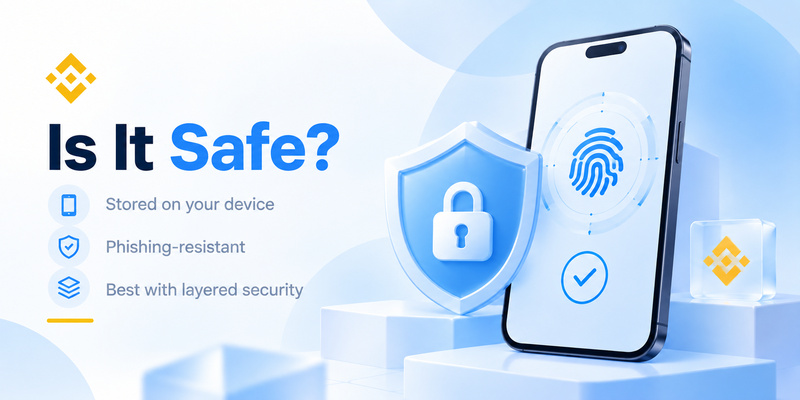
No authentication method can provide absolute security, but binance biometric authentication based on properly implemented passkeys offers significant security advantages over password-only access and manually entered codes.
The strongest advantage comes from the cryptographic architecture.
NIST states that phishing resistance requires cryptographic authentication techniques that prevent authentication secrets or valid authenticator outputs from being disclosed to a fraudulent verifier.
However, biometrics should not create a false sense of invulnerability.
Binance has specifically warned about emerging “face attack” techniques involving AI-generated or manipulated facial imagery. Attackers may obtain photos from social media, stolen identity documents or compromised devices and attempt to defeat facial verification systems.
That risk is particularly relevant to Binance Face Verification and should not be confused with simply extracting a passkey’s private cryptographic key.
Users should therefore:
- Keep their phone operating system updated.
- Use a strong device PIN or passcode.
- Never approve authentication requests they did not initiate.
- Protect their primary email account.
- Avoid exposing unnecessary identity documents online.
- Review recognized devices and unusual account activity.
- Use additional Binance security controls for withdrawals.
Binance biometric authentication is strongest when it is one layer in a broader security system.
🧭 Explore Guides
How to Add Binance Authenticator: Complete 2FA Setup Guide
Binance Biometric Authentication vs. SMS Verification
Users frequently choose between biometrics and binance sms authentication when configuring account security.
SMS is familiar and easy to understand. Binance sends a verification code to the registered phone number, and the user enters it to confirm an action.
However, SMS introduces dependencies that biometric passkeys do not.
A user must have access to the phone number, cellular network and incoming messages. Binance’s own troubleshooting documentation recommends passkeys, BAuthenticator or Google Authenticator as primary 2FA alternatives when SMS authentication is unavailable in a user’s region.
There is also the threat of SIM swapping.
The U.S. Federal Trade Commission warns that text-message verification may not stop a SIM-swap attack, because an attacker who takes control of the victim’s phone number may receive authentication messages intended for the victim.
That does not make binance sms verification useless. SMS can still add protection compared with relying solely on a password.
But for users with access to passkeys, binance biometric authentication can remove the need to transmit a manually entered OTP through the cellular network for many supported authentication scenarios.
Binance Biometric Authentication vs. Authenticator Apps
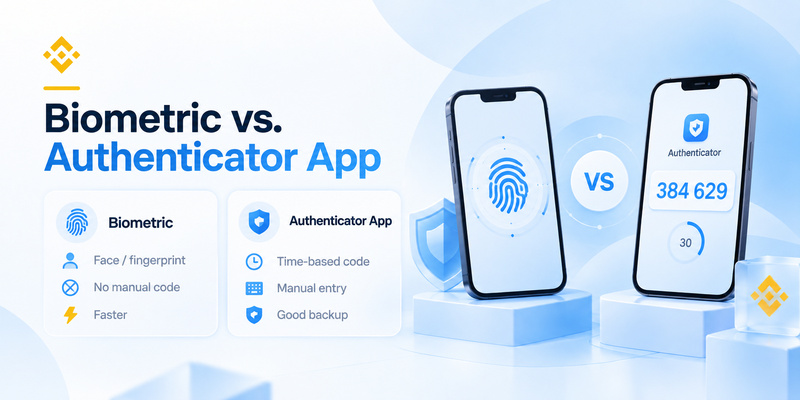
Another common Binance security method is an authenticator app.
Authenticator applications typically generate time-based one-time passwords. Binance’s Google Authenticator setup, for example, requires users to connect the account using a QR/setup key and then enter a six-digit code generated by the application.
Authenticator-generated codes avoid several problems associated with SMS because the code generation does not depend on cellular delivery.
However, the user still manually enters the OTP.
That distinction matters because NIST does not classify manually entered OTP authentication as phishing-resistant. A sophisticated fake login page could potentially capture a valid OTP and relay it during its short validity period.
A passkey-based binance biometric authentication flow can therefore provide an advantage against credential phishing.
That does not mean you should immediately remove every other authentication method.
Recovery options matter. Losing access to the only device containing your authentication credentials can create a different problem.
A practical strategy is to configure secure recovery options while making phishing-resistant authentication the preferred method wherever Binance and your devices support it.
📘 Find the Right Guide: What Is Binance Authenticator App? A Beginner’s Guide to Binance 2FA
What to Do If Binance Biometric Authentication Is Not Working
If binance biometric authentication suddenly stops working, first determine whether the problem is with Binance, the passkey or your phone’s biometric system.
Try the following checks:
Check device biometrics. Confirm that Face ID, fingerprint unlock or your device screen lock still works outside Binance.
Update the Binance app. Binance currently specifies App version 2.60 or later for its passkey feature, together with supported operating systems.
Check your operating system. Binance currently lists iOS 16+ and Android 9+ as supported minimum versions for its mobile passkey functionality.
Review the saved passkey. Go to Binance’s Security section and check whether your passkey remains registered.
Try another registered authentication method. Depending on your security configuration, you may have another passkey or 2FA method available.
If the problem involves Binance Face Verification rather than your device’s biometric passkey, check the camera and environment. Binance lists poor lighting, low camera quality, masks, hats, glasses and substantial differences between the current appearance and ID image among potential causes of unsuccessful Face Verification.
Do not attempt to bypass identity verification using another person’s face or identity.
💡 Discover Helpful Guides: Binance US Google Authenticator: How to Set Up and Use 2FA Safely
Best Security Setup for a Binance Account
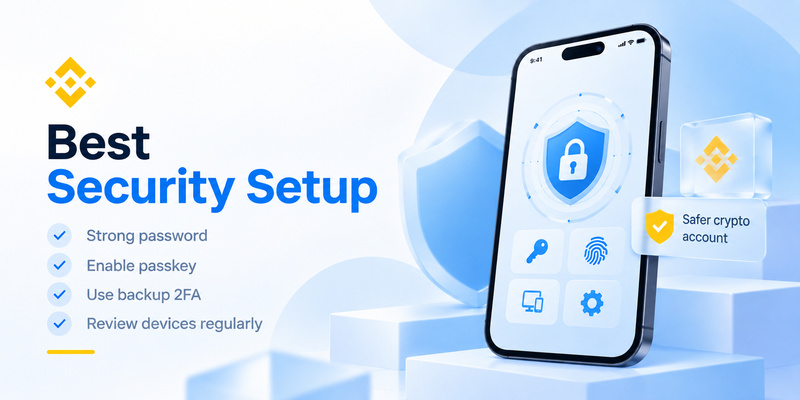
For most users, binance biometric authentication should not be viewed as a standalone security feature.
A stronger setup combines several protections.
Start with a unique password that is not reused on other websites. Add a passkey protected by your device biometrics whenever supported. Secure the email account connected to Binance with strong MFA as well.
Consider maintaining a secure backup authentication method so losing one device does not permanently lock you out.
Also review Binance’s security settings periodically and pay attention to unfamiliar login attempts, devices or withdrawal activity.
Passkeys are becoming increasingly mainstream. FIDO Alliance reported in May 2026 that 90% of surveyed consumers were familiar with passkeys and 75% had enabled one on at least some accounts, based on its international survey of 11,000 adults.
The shift matters because financial accounts are particularly attractive targets for phishing.
For Binance users, binance biometric authentication offers a practical combination of usability and stronger authentication. A fingerprint or face scan can unlock a cryptographic passkey without forcing the user to repeatedly type credentials into websites or wait for verification messages.
The key is understanding what the technology does—and what it does not do.
Biometric passkeys can help reduce password and OTP-based phishing risks. Binance Face Verification may separately verify your identity against KYC information. SMS and authenticator codes remain available security methods, but cryptographic passkeys provide stronger phishing-resistance characteristics.
For users who already have a supported smartphone, enabling binance biometric authentication is therefore a sensible step toward building a more resilient Binance account security setup.
Download Authenticator App
Secure your accounts with fast, reliable two-factor authentication. Download now and protect your login in seconds.
