
What Is Facebook Authenticator App? A Clear Guide
Published September 15, 2026
By the Authenticator App Team
Last updated: September 2026
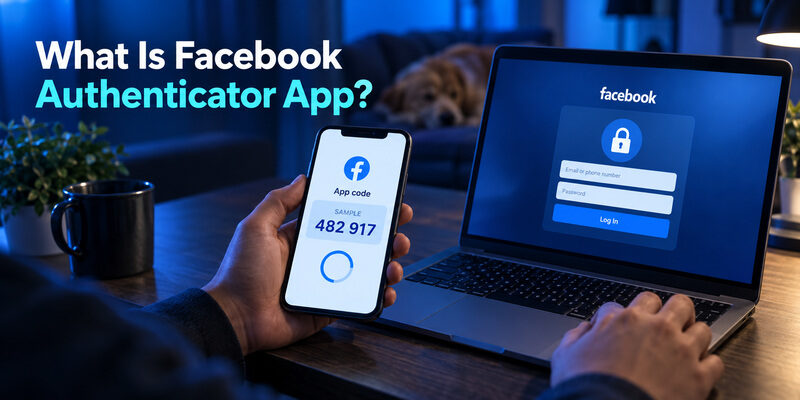
A is a separate app that generates verification codes after you connect it to your Facebook account. If you are asking “what is facebook authenticator app,” the useful distinction is between the app on your phone and the two-factor authentication setting inside Facebook.
Installing an app does not activate that setting or recover an existing account automatically. You first enroll the account, confirm a generated code, and prepare a backup way to sign in. This guide explains the relationship in everyday terms, including what the code proves, what happens without internet access, and why a replacement phone may initially show an empty account list.
What Is Facebook Authenticator App in Everyday Use?
Facebook supplies the enrollment information
Facebook controls whether your account requires an additional verification step. During authenticator enrollment, it supplies information that a compatible app uses to produce the right codes. The app does not choose your Facebook password, change your profile, or decide whether Facebook accepts a login.
This is the starting point for answering “what is facebook authenticator app” accurately. The phrase usually describes an app used with Facebook, rather than a special Facebook-only product. Microsoft’s own Authenticator documentation includes Facebook as an example of an account you can add through its other-account workflow. A compatible third-party app can therefore serve this purpose.
The app keeps an account entry
After enrollment, the app normally displays a Facebook entry with a changing numeric code. You open that entry when Facebook requests the authentication-app method. An entry label helps you find the account, but its name alone does not establish a valid connection.
| Item | Who controls it? | What it does |
|---|---|---|
| Facebook security setting | Requires and verifies an additional sign-in step | |
| Authenticator entry | Your selected app | Generates codes from enrolled account information |
| Recovery code | Provides an alternative when the usual method is unavailable |
Think of the app as a secure code generator associated with your account. When someone asks “what is facebook authenticator app,” describing those two separate responsibilities is more useful than pointing to the first download result.
For a household with several Facebook profiles, use clear labels and check the active profile in the browser before copying anything. Similar names on two entries can lead to a simple mismatch. The app cannot infer which profile you intended to open from the appearance of the login page.
What the Changing Code Actually Proves
A shared secret produces a short-lived answer
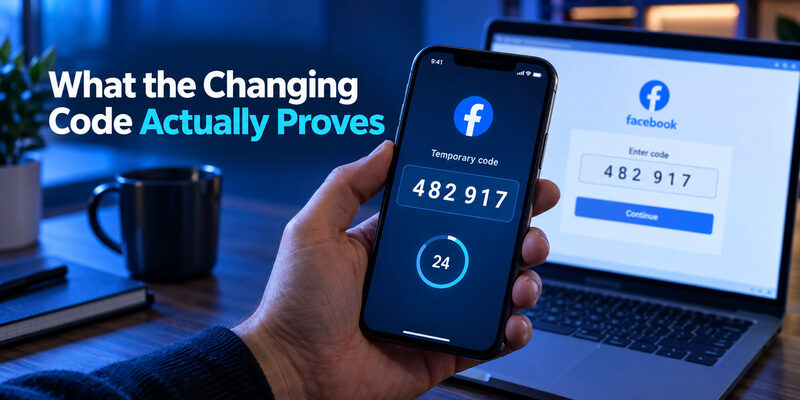
In a time-based authenticator setup, the service and your app use shared enrollment information and the current time to calculate a matching value. Facebook checks the code you submit against what it expects. The short code is temporary, while the underlying enrollment secret remains important until that enrollment changes.
The answer to “what is facebook authenticator app” therefore involves possession of enrolled information, not a message that Facebook sends to your phone every time. Your phone can calculate a code without receiving a text message. That is why the app can keep displaying codes when cellular reception disappears.
Passwords and codes have different jobs
A password is something you know. An enrolled authenticator provides an additional proof based on something you control. Requiring both makes a stolen password less useful on its own, although the exact challenge can depend on Facebook’s security decisions and recognized devices.
A code that changes is not proof that the entry belongs to the right account. An old enrollment, a duplicate entry, or a clock problem can all produce a visible number that Facebook rejects. When explaining “what is facebook authenticator app,” include this limitation: a working display is only one part of a successful sign-in. The receiving account must recognize the enrollment behind that display.
The QR Code Is Enrollment Material
Scanning connects the generator
The QR code shown during Facebook’s authentication-app setup is a convenient way to transfer enrollment information to your chosen app. It is not the short verification code you type during ordinary sign-in. The setup key, when offered, provides another way to enter the same kind of sensitive information.
That distinction resolves a common follow-up to “what is facebook authenticator app.” You scan during enrollment; you read and enter the changing code during later verification. Repeatedly scanning unrelated QR codes does not reconnect a missing account. Use the code displayed by Facebook’s own setup process for the intended profile.
Treat the original image like a credential
Someone who obtains usable enrollment information may be able to generate matching codes. Avoid uploading the QR image to an online decoder, sharing it in a support conversation, or saving it casually beside a password screenshot. A cropped image can still contain the entire secret.
If the enrollment image was exposed, use an authenticated Facebook session to replace that authenticator setup when the account allows it. Confirm the new entry before discarding the old one. The practical answer to “what is facebook authenticator app” includes protecting the information that creates the codes, not merely hiding the six digits currently on the screen.
Download Authenticator App
Secure your accounts with fast, reliable two-factor authentication. Download now and protect your login in seconds.
Installing, Enrolling, and Signing In Are Separate Events
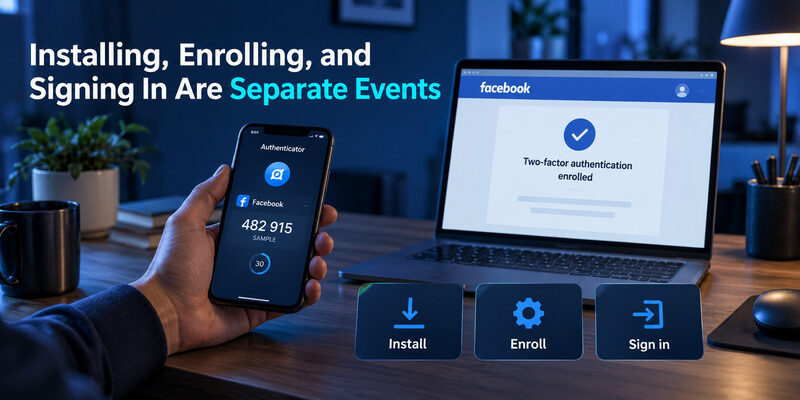
Downloading software is the first event. At that point, the app might be empty, contain a demonstration, or ask whether you want an account for its own backup features. None of those screens establishes that Facebook two-factor authentication has been enabled.
Enrollment is the second event. You open Facebook’s security settings, select the intended account, choose an authentication app where available, and add the information to your app. You then return to Facebook and confirm the requested code. If you leave before confirmation, you should not assume the process finished.
Signing in is the third event. Facebook may request an additional method after the password step or during another security check. Choose the matching authenticator entry and enter a current code. A recognized session may behave differently from a new browser, so the absence of a challenge on one visit does not by itself show that protection is off.
This sequence gives “what is facebook authenticator app” a concrete meaning without confusing installation with activation. It also explains why reinstalling software cannot automatically bypass an existing challenge. The new installation must regain the original enrolled information through a supported restoration or transfer process, or you need an account-authorized alternative. For the enrollment sequence itself, the guide to covers the handoff between the two apps.
App Codes, Text Messages, and Security Keys
Delivery methods are not interchangeable
An authentication-app code comes from the app. A text-message code arrives through the phone number registered with the service. A recovery code was previously issued for backup use. If Facebook asks for one method, do not assume a number from another method belongs in that field.
When comparing these options, “what is facebook authenticator app” becomes a question about how the second proof is obtained. The app avoids dependence on receiving a mobile message for each code, but it creates a responsibility to protect and recover the enrolled entry.
| Method | Normal source | Main planning question |
|---|---|---|
| App code | An enrolled authenticator | Can you recover the entry if the phone is unavailable? |
| Text code | The registered mobile number | Can you still receive messages on that number? |
| Security key | A previously registered key | Is a spare registered and stored safely? |
| Recovery code | Facebook’s saved backup set | Can you access an unused code privately? |
Stronger phishing protection is a separate property
Authenticator codes improve password-only protection, but manually entered codes can be stolen through convincing phishing pages and relayed while valid. NIST distinguishes this from phishing-resistant authentication. A compatible security key can provide a different kind of protection when the service and device support its use.
The right response to “what is facebook authenticator app” should therefore avoid calling the app impossible to phish. Its value is real, but safe navigation, account recovery preparation, and device security still matter.
Choose among the methods actually offered on your account. A method described in a general article may need prior registration, compatible hardware, or another setup step. Review recovery alongside convenience before removing an existing option. Replacing a familiar method is safest when the replacement has already completed a successful verification.
What Changes When the Phone Has No Internet?
Code generation can continue offline
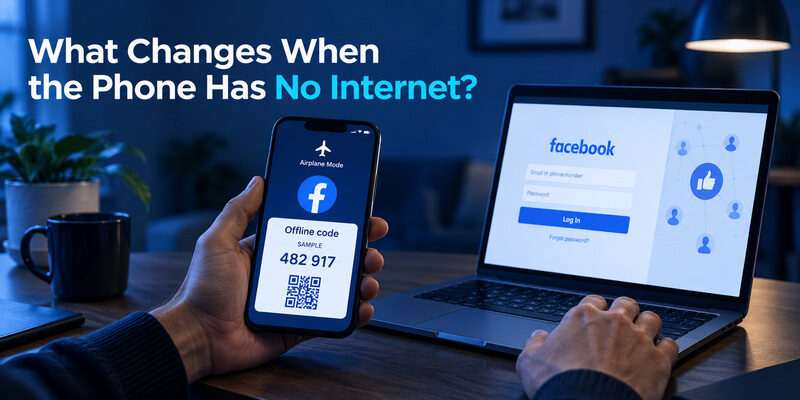
Once the account is properly enrolled, a time-based authenticator generally computes codes locally. Losing Wi-Fi does not necessarily prevent the code list from updating. The phone still needs reasonably accurate time, and the entry must still match the account’s active enrollment.
This often surprises people researching “what is facebook authenticator app.” The app is not waiting for a new message from Facebook every time the digits change. Background backup or account synchronization is a different feature and can have its own connectivity requirements.
Facebook still needs a connection
The browser or Facebook app that submits your sign-in needs a network connection to reach Facebook. An offline authenticator phone can supply a code to a connected computer, but neither device can complete an online sign-in if there is no usable connection to the service.
Do not use repeated login attempts to diagnose a missing internet connection. First establish which device cannot connect and whether Facebook’s page can load normally. Then check the selected entry and use a fresh code. This practical separation is part of “what is facebook authenticator app”: local generation may work while online verification cannot. It also prevents unnecessary reinstalls that could remove access to the very entry you are trying to use.
Why a New Phone Can Show an Empty List
Installation does not recreate secrets
A new phone can run the same authenticator app without possessing the same account entries. Installing the same brand of app is not equivalent to restoring its protected data. Whether entries return depends on that app’s actual backup, synchronization, or transfer design and on what you enabled previously.
When “what is facebook authenticator app” leads to a phone replacement question, start with the old device and the app’s own recovery instructions. Keep the old phone available until the new phone has successfully completed a Facebook verification. An icon on the new home screen is not a sufficient migration test.
Facebook recovery is a separate route
If the old device is unavailable and no supported app restoration works, Facebook’s alternative verification or account recovery process becomes relevant. An unused recovery code, an already enrolled alternative method, or an existing authenticated session may help, depending on what the account offers.
The app developer cannot manufacture a valid Facebook enrollment secret from your email address. Be cautious of anyone offering instant code recovery in exchange for your password, payment, or remote access. Understanding “what is facebook authenticator app” includes recognizing that the code generator and the account provider have different recovery powers. Preserve any legitimate access you still have while checking the available route.
What the App Does Not Protect by Itself
Existing sessions need their own review
An authenticator challenge primarily helps at authentication checkpoints. It does not automatically close every existing Facebook session or remove every connected device. If an account appears compromised, reviewing sessions and account changes remains relevant even when two-factor authentication is enabled.
This limitation belongs in a complete answer to “what is facebook authenticator app.” A person with access to an unlocked, signed-in device might not encounter the same challenge as someone entering a password in a new browser. Protect the device’s screen lock and avoid leaving sensitive sessions open on shared computers.
Device security and recovery email still matter
Malicious software, an exposed enrollment image, or access to a poorly protected recovery mailbox can undermine the broader account security plan. The authenticator should sit alongside current software, careful navigation, and a recovery address you actually control.
For a straightforward code-management option, can be considered for compatible accounts. Review the current product information and its available recovery features before relying on it. The relevant decision is whether you can enroll, recognize, protect, and recover your entries on the devices you use. That is more practical than treating “what is facebook authenticator app” as a search for an app that guarantees account safety under every circumstance.
A shared computer deserves particular care. Close sensitive sessions when finished and avoid saving account credentials in a browser profile used by other people. A phone-based code does not reverse exposure caused by leaving the account open on a device that somebody else can freely use.
Questions Readers Often Ask
The questions below address the remaining conceptual gaps after enrollment, sign-in, and recovery have been separated. They are useful when “what is facebook authenticator app” first appears in a login prompt rather than in a planned security setup.
If a family member is helping with setup, keep control of the phone and confirm each step yourself. Assistance can involve explaining the screen without handing over the enrollment secret. The answer to “what is facebook authenticator app” should leave you able to manage the method independently, including when the helper is unavailable. Keep written recovery instructions about the process, while storing actual recovery credentials privately in an appropriate protected location.
Is it a separate Facebook account?
No. The authenticator entry represents a verification method for an existing Facebook account. Some authenticator products also offer their own account for synchronization or backup, but that optional product account is separate from your Facebook profile and does not replace it.
Does Facebook send the app a code each time?
A time-based authenticator calculates its code from enrolled information and time. It does not need a fresh text message for each value. Facebook receives and verifies the value when you submit it through the relevant authentication step.
Can I delete the app after turning protection on?
Deleting it can remove your convenient way to generate required codes. First make sure you have another working, account-authorized method or have safely transferred the enrollment. Uninstalling the app does not by itself switch off the Facebook setting that requires it.
Can a friend’s authenticator recover my account?
An unrelated authenticator cannot calculate your valid codes simply by knowing your profile name. Your account’s enrolled information or an authorized recovery method is required. Giving a friend your setup secret also gives them sensitive authentication capability, so it is not a casual troubleshooting step.
Why does Facebook sometimes skip the code?
Challenge behavior can differ across recognized sessions, devices, and security events. Check the account’s configured security methods to confirm enrollment. One sign-in without a prompt does not prove that the setting has been removed, and one prompt does not explain every future login.
Final Thoughts

The useful answer to “what is facebook authenticator app” is a relationship: Facebook verifies an additional sign-in proof, and your enrolled app generates that proof. The app is separate from Facebook’s security setting, and the enrollment information is separate from the temporary digits displayed each time.
Keep those distinctions in mind when choosing your next action. If the app is empty, determine whether enrollment or restoration is needed. If a code is rejected, check the active account, entry, time, and available alternatives. If the phone is lost, preserve existing access and follow supported restoration or Facebook recovery routes instead of expecting a new download to recreate the secret.
A dependable setup should survive an ordinary device change. Confirm one successful verification, save the account’s recovery material privately, and understand the app’s actual transfer process before replacing a phone. Review the security of the email address and devices that support the account, too.
With those habits, “what is facebook authenticator app” stops being an unfamiliar label on a login screen. It becomes a clear, manageable part of account protection: enroll deliberately, use the right code for the right account, and maintain an independent way to recover access when the everyday device is unavailable.
Download Authenticator App
Secure your accounts with fast, reliable two-factor authentication. Download now and protect your login in seconds.
