Binance Authenticator Reset: How to Recover 2FA Access Safely
Published September 11, 2026
If you have lost your phone, changed devices, deleted your Authenticator app, or your six-digit codes are repeatedly rejected, a binance authenticator reset allows you to replace the old authenticator connection with a new one.
If you can still access your Binance account, go to Account → Security → Authenticator App → Manage, select the authenticator you want to change, complete the required security verification, and connect your new authenticator using the QR code or setup key displayed by Binance.
If you cannot access the old authenticator at all, use Binance’s 2FA recovery/reset process instead of repeatedly entering random codes. Binance may require additional identity verification before allowing the security method to be changed.
According to Binance’s current Google Authenticator guidance, changing an authenticator may temporarily disable withdrawals, internal transfers, and P2P transactions for up to 48 hours as an account-protection measure.
Do not give anyone your password, QR code, authenticator setup key, or current 2FA code.
When Do You Need a Binance Authenticator Reset?
A binance authenticator reset is usually necessary when Binance can no longer verify the TOTP codes generated by the authenticator connected to your account.
Common situations include:
- You lost or replaced your phone.
- Your old phone was damaged or factory-reset.
- Google Authenticator was deleted without transferring the account.
- You cannot locate the Binance entry in your authenticator app.
- You are moving Binance 2FA to another device.
- Binance continuously reports an incorrect verification code.
- You no longer have access to the original authenticator installation.
For example, a binance google authenticator lost phone situation does not necessarily mean your Binance account itself has been lost. The problem is usually that the device containing the secret used to generate your temporary codes is no longer available.
Likewise, a binance 2fa new phone problem is often a migration issue rather than an account-recovery problem.
Understanding the difference matters because you should not reset 2FA unnecessarily. If your authenticator can simply be restored or transferred, that route is usually easier.
Try These Fixes Before Resetting Binance Authenticator
Before starting a full binance authenticator reset, check whether your existing authenticator is actually broken.
1. Check Your Phone’s Date and Time
Authenticator codes are time-based. The TOTP standard defined in RFC 6238 recommends a default 30-second time step, meaning the generated code changes according to the current time.
If your phone clock is significantly incorrect, Binance and your authenticator may calculate different codes.
On iPhone, enable:
Settings → General → Date & Time → Set Automatically
On Android, enable automatic date, time, and time zone settings.
Google also recommends checking that your device time is synchronized when an Authenticator code is rejected.
This is one of the first things to check when facing a binance incorrect 2fa verification code.
2. Make Sure You Are Using the Correct Binance Entry
People who use an authenticator for several exchanges, emails, social networks, or multiple Binance accounts can accidentally copy the wrong six-digit code.
If your binance authenticator code not working issue appears suddenly, check:
Is this code actually labeled Binance.com and associated with the correct account?
3. Enter a Fresh Code
Avoid submitting a code when only a second or two remains before it expires.
Wait until the authenticator generates a new six-digit code, then enter it immediately.
4. Try Binance’s Recommended Login Troubleshooting
Binance also recommends synchronizing device time, trying an incognito browser session, clearing browser cache/cookies, or attempting login through the Binance app when Google Authenticator verification fails.
If these steps solve the binance google authenticator not working issue, you do not need to reset the authenticator.
How to Reset Binance Authenticator When You Can Still Log In
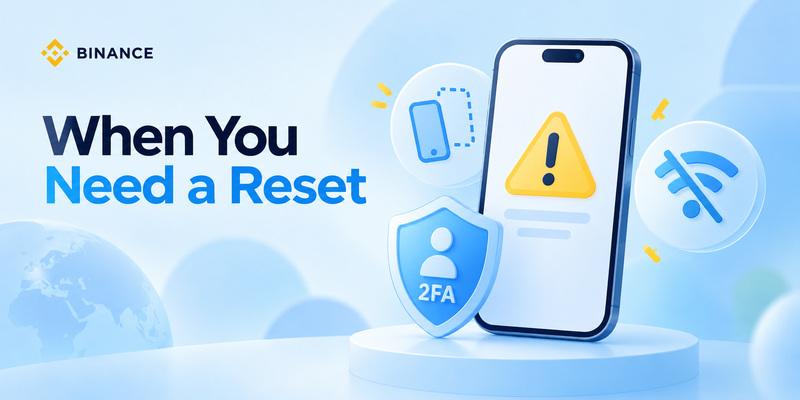
If you still have enough verification methods to access the account, this is generally the simplest binance authenticator reset scenario.
Binance’s current website instructions are:
Step 1: Sign In to Binance
Log in through the official Binance website.
Go to:
Profile → Account → Security
Step 2: Open Authenticator Settings
Find Authenticator App and select Manage.
Choose the edit option beside the Google Authenticator currently connected to your account.
Step 3: Read the Security Warning
Binance displays a warning before changing the authenticator.
As of Binance’s March 2026 update, withdrawals, internal transfers, and P2P transactions may be disabled for up to 48 hours following an authenticator change.
This restriction is designed to reduce the chance that an attacker who has compromised an account can immediately change its authentication method and withdraw funds.
Step 4: Complete Security Verification
Binance will request available verification methods before allowing the change.
Complete the checks shown on your account.
Step 5: Connect Your New Authenticator
Binance displays both a QR code and a setup key.
Open your new authenticator and either:
Scan the QR code
or
Enter the setup key manually.
Binance’s current Google Authenticator guide shows a 16-digit setup code during the change process.
Step 6: Verify the New Code
Your new authenticator should now generate a six-digit Binance code.
Enter that code in Binance and submit the change.
Once accepted, your binance authenticator reset is complete.
Important: Save recovery/setup information securely where appropriate, but never publish the QR code or send it through chat, email, or social media.
Binance Authenticator Reset When You Lost Your Phone
A binance authenticator lost situation is more complicated when you cannot produce the old verification code.
However, losing the physical phone does not automatically mean losing the Binance account.
First, Check Whether Google Authenticator Was Synced
Modern Google Authenticator versions can synchronize authenticator codes through a signed-in Google Account.
Google states that when code synchronization is enabled, signing into the same Google Account inside Google Authenticator on another device can restore synchronized codes.
Therefore, if you are dealing with binance google authenticator lost, install Google Authenticator on the replacement phone and check whether your Binance entry returns after signing into the correct Google Account.
If it does, test a fresh Binance code before initiating a reset.
If the Codes Were Not Synced
If the authenticator existed only on the missing device and you have no accessible copy, use Binance’s official Reset 2FA recovery functionality.
Binance’s Support Center includes a dedicated Reset 2FA self-service option.
Depending on your account and available security methods, Binance may require extra identity verification.
In some manual 2FA recovery cases, Binance states that Customer Service may request identity documentation and a verification video in which the account holder displays the identity document used for KYC.
This is the correct route for a serious binance authenticator reset when the original second factor is completely inaccessible.
How to Move Binance Authenticator to a New Phone
A binance authenticator new phone migration is different from recovering a lost device.
If you still have your old phone, transfer the authenticator before wiping or selling it.
Google Authenticator Transfer
Google Authenticator supports account transfer between devices.
Google’s current process allows users to:
- Install Google Authenticator on the new phone.
- On the old device, open Transfer accounts → Export accounts.
- Select the accounts to transfer.
- Generate the transfer QR code.
- On the new device, choose Transfer accounts → Import accounts.
- Scan the QR code.
If your codes are synced through your Google Account, Google says they can also become available when you sign into Authenticator on the new device.
For someone searching how to transfer binance authenticator to new phone, this may eliminate the need for a full Binance reset.
However, do not erase your old phone until you have successfully tested the Binance code on the new device.
If you prefer to establish an entirely new Binance authenticator secret, use Binance’s Security settings and perform a formal binance authenticator reset.
Download Authenticator App
Secure your accounts with fast, reliable two-factor authentication. Download now and protect your login in seconds.
How to Recover Binance Without Google Authenticator
People searching how to recover binance account without google authenticator are usually worried that 2FA makes recovery impossible.
It does not.
However, Binance should not simply bypass authentication because someone knows the account password. That would defeat the purpose of 2FA.
If you are researching how to login to binance without google authenticator, the legitimate solution is to use another security method offered on your account or complete Binance’s official 2FA reset and identity-verification workflow.
Binance explicitly directs users who cannot access their 2FA devices toward its 2FA reset process.
Depending on the account configuration, this can involve verification through available security methods and potentially additional identity checks.
Avoid websites, Telegram accounts, Discord users, or individuals claiming they can bypass Binance 2FA.
There is no legitimate third-party shortcut for a binance authenticator reset.
Only use Binance’s official website, app, and Support Center.
Binance Authenticator Code Not Working: Common Causes
Not every binance authenticator problem requires recovery.
When binance authenticator doesn’t work, check these causes first.
Incorrect Device Time
TOTP codes depend on time synchronization.
RFC 6238 recommends 30-second TOTP windows and specifically discusses clock drift between the authenticator and verification server.
Enable automatic date and time settings.
Wrong Authenticator Account
If you have several similar entries, verify that you are copying the Binance.com code for the correct account.
Expired Code
A six-digit code near the end of its cycle may expire before Binance processes it.
Wait for a fresh code.
Incorrect Setup Secret
If you manually configured your authenticator using the wrong secret, every generated code will be incorrect.
In this case, completing another binance authenticator reset and binding the new setup key may be necessary.
Browser or Session Problems
Binance recommends trying incognito mode, clearing cookies/cache, or using its mobile app when verification-code errors continue.
Only after these checks fail should a normal binance authenticator not working issue escalate into a full reset.
What Happens After a Binance Authenticator Reset?
Completing a binance authenticator reset does more than replace six-digit codes.
Binance treats changes to authentication as sensitive security events.
Its latest Google Authenticator change documentation states that withdrawals, internal transfers, and P2P transactions can be disabled for up to 48 hours after the authenticator is changed.
So do not schedule an authenticator reset immediately before you need to make an urgent withdrawal.
After resetting:
- Test login again.
Sign out and confirm that the new authenticator works.
- Check account security.
Review your security settings, recognized devices, password, email account, and other authentication methods.
- Remove access from a lost phone.
If the old phone was stolen, Google recommends remotely erasing the device where possible. If Authenticator codes were synchronized, Google also advises removing access to the lost device from the relevant Google Account.
- Never reuse an exposed setup secret.
If somebody has seen your authenticator QR code or setup key, perform a fresh binance authenticator reset so the compromised secret is replaced.
How to Prevent Binance 2FA Lockouts in the Future
The best binance authenticator reset is the one you do not unexpectedly need.
Keep More Than One Secure Recovery Path
Do not depend on a single phone as the only way to regain control of a financially important account.
Review the security methods available in your Binance account and keep your associated email account well protected.
Secure Your Authenticator
An authenticator app is stronger against certain phone-number attacks than SMS because the OTP is generated from a secret stored by the authenticator rather than delivered over the cellular network.
CISA’s MFA guidance ranks authenticator-app OTP methods above SMS/email codes, although CISA recommends phishing-resistant FIDO/WebAuthn authentication where available because TOTP codes can still be phished.
Consider Passkeys Where Appropriate
Binance also supports passkey-based security features.
However, recovery planning remains important. Binance warns users to consider passkey accessibility before switching devices or changing related device settings.
Protect Your Email
Your email account can become part of an account-recovery flow.
Use a unique password and strong MFA for your email as well.
Never Screenshot and Share Your Setup QR
An authenticator QR code contains the secret required to reproduce your OTPs.
Treat it like a password.
Never upload your Binance authentication QR code to cloud notes, social media, support forums, or AI chats.
Binance.com vs Binance.US Authenticator Reset
Do not mix Binance.com instructions with Binance.US instructions.
A binance authenticator reset on Binance.US currently has its own recovery workflow.
Binance.US states that users who cannot access their authenticator can select Authenticator Issues → I can’t access my Authenticator app anymore, verify their registered email, choose the authentication method to reset, and complete identity confirmation.
Binance.US also says a 2FA reset request typically takes 48–72 hours for review and approval and triggers a 48-hour withdrawal hold.
This differs from the Binance.com workflow discussed throughout this guide.
Always confirm whether your account belongs to:
Binance.com
or
Binance.US
before following recovery instructions.
FAQ About Binance Authenticator Reset
How to reset Binance Authenticator?
For how to reset binance authenticator, first try to log in and go to Account → Security → Authenticator App → Manage. If you can complete existing security verification, replace the authenticator and bind your new app using the QR code or setup key. If you cannot access your existing 2FA methods, use Binance’s official Reset 2FA recovery flow.
What should I do if Binance Google Authenticator is lost?
For binance google authenticator lost, first check whether Google Authenticator codes were synchronized with your Google Account. If they were, signing into the same Google Account on the new phone may restore them. Otherwise, begin Binance’s official 2FA recovery process.
Can I recover Binance after losing my phone?
Yes. A lost phone does not automatically mean a lost Binance account. You may be able to restore synchronized authenticator codes or complete a binance authenticator reset after Binance verifies your identity.
What if I forgot my Binance Authenticator?
If by binance authenticator forgot you mean you no longer have the old device or authentication secret, use Binance’s 2FA reset system instead of attempting to recreate the old code.
Why does Binance say my 2FA code is incorrect?
Check your phone’s time settings, confirm that you are using the correct Binance entry, and wait for a fresh code. Binance also suggests synchronizing time, testing incognito mode, clearing cache/cookies, or trying the Binance app.
How do I use Binance Google Authenticator on a new phone?
For binance google authenticator new phone, transfer the Authenticator account while you still have the previous device, restore synchronized Google Authenticator codes, or change the authenticator through Binance Security settings.
Can I reset Binance Authenticator without the old phone?
Yes. If the old authenticator cannot be accessed, Binance provides 2FA recovery options. Additional security or identity verification may be required. In some manual cases, Binance says a KYC document and verification video may be requested.
Will resetting Binance Authenticator stop withdrawals?
Temporarily, it can. Binance.com’s current Google Authenticator documentation states that withdrawals, internal transfers, and P2P transactions may be disabled for up to 48 hours after changing the authenticator.
Final Thoughts
A binance authenticator reset is designed to restore secure access when your old authenticator is lost, unavailable, transferred incorrectly, or repeatedly producing invalid codes.
First, check the simple causes: synchronize your device time, select the correct Binance account in your authenticator, wait for a fresh code, and test Binance’s recommended browser/app troubleshooting.
If you still have the old phone, transferring Google Authenticator may solve the problem without a complete reset. Google now supports both account synchronization and manual QR-based account transfer between devices.
If the original device is completely unavailable, use Binance’s official Reset 2FA process. Be prepared for extra identity verification and a temporary restriction on sensitive account actions.
Most importantly, never attempt to bypass 2FA through a third party and never share your password, setup key, QR code, recovery information, or one-time verification code.
A properly completed binance authenticator reset should restore access while preserving the security protections that 2FA is intended to provide.