
Google Authenticator Lost: How to Recover Codes and Account Access
Published August 9, 2026 · Updated August 20, 2026
Seeing an empty Authenticator screen after changing phones can be alarming. The same is true when a phone is lost, damaged, factory-reset, or no longer accessible. Searches such as i lost google authenticator, google authenticator lost phone, or lost access to google authenticator usually come from the same urgent question: “Can I get my accounts back?”
In many cases, yes.
However, a google authenticator lost situation does not always have one universal recovery method. The correct solution depends on how Google Authenticator was configured before the phone disappeared.
Google Authenticator can currently synchronize verification codes with a Google Account. When synchronization was enabled, signing into the same Google Account inside Google Authenticator on a new device can restore synchronized codes automatically. Google also continues to support using Authenticator without a Google Account, but codes stored only on the device do not receive the same cloud synchronization protection.
This distinction is the key to solving most google authenticator lost cases.
If synchronization was not enabled and the old phone is unavailable, reinstalling Google Authenticator normally does not magically recreate every third-party 2FA token. Instead, you generally need another recovery method provided by the account you are trying to access: backup codes, another verification method, an already trusted device, or the service’s official account-recovery process.
This guide explains each situation from the easiest recovery path to the more difficult cases.
Download Authenticator App
Secure your accounts with fast, reliable two-factor authentication. Download now and protect your login in seconds.
1. Google Authenticator Lost: What Actually Happens to Your Codes?
The first thing to understand about a google authenticator lost problem is that Google Authenticator is not the account itself. It is a tool that generates time-based verification codes for accounts that have been connected to it.
Your password and your Authenticator code are different
When a website uses two-factor authentication, your normal password acts as one factor and the temporary Authenticator code acts as another.
That means google authenticator lost codes does not necessarily mean your Facebook, Google, Discord, email, or another account has disappeared. Your account usually still exists; you have simply lost one of the methods used to prove that you are the legitimate account owner.
Google describes Authenticator as an app that generates one-time verification codes for websites and applications supporting authenticator-based 2-Step Verification. Those codes can be generated without cellular service or an internet connection.
This explains why searches such as google authenticator code lost, lost 2fa google authenticator, and google authenticator lost my codes should be treated as authentication-recovery problems rather than password-reset problems.
Synced codes and device-only codes behave differently
The most important question is:
Were your Authenticator codes synchronized with your Google Account?
If they were, the google authenticator lost problem may be much easier to resolve. Google states that when you sign into your Google Account within Authenticator on a new device, synchronized codes are automatically synced to that device.
If you intentionally chose “Use without an account,” your codes may have existed only on the device.
For someone searching google authenticator if phone lost or google authenticator when phone lost, this distinction should be checked before trying complicated recovery procedures.
📖 Explore Articles: Google Authenticator App Store: Download, Setup & Best App
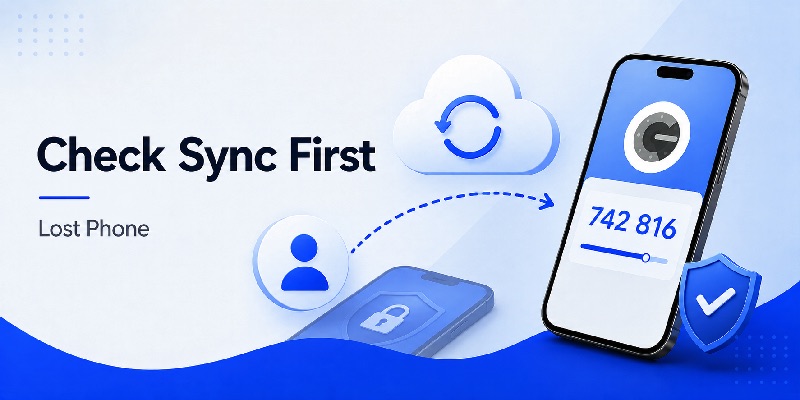
2. Google Authenticator Lost Phone: Check Sync Before Doing Anything Else

When dealing with a google authenticator lost phone situation, avoid immediately resetting every account. First install Google Authenticator on your replacement device and check whether your codes were synchronized.
Sign into the same Google Account
Install the official Authenticator App on the replacement device and sign in using the Google Account you previously used inside Authenticator.
If synchronization had been active, your previously synchronized entries should appear automatically. Google specifically states that signing into the Google Account in Authenticator on a new device syncs the stored codes to that device.
This is the easiest solution for queries such as:
new phone lost google authenticator,
got a new phone and lost google authenticator, or
google authenticator new phone lost old phone.
Also check whether Authenticator is displaying the correct Google Account. Google notes that codes can appear missing when a user has been signed out or when the codes are associated with another Google Account.
Do not confuse synchronization with manual transfer
Manual transfer is different.
Google’s manual transfer process requires access to the old device. The old phone exports the selected Authenticator accounts as QR codes, and the new phone imports them. Google lists the old device containing the codes as a requirement for manual transfer.
Therefore, if your situation is google authenticator lost old phone or lost my old phone google authenticator, you cannot rely on the old-device QR export process.
Instead, check Google Account synchronization first.
If the codes were not synchronized, continue with account-specific recovery methods.
Download Authenticator App
Secure your accounts with fast, reliable two-factor authentication. Download now and protect your login in seconds.
3. How to Recover Google Authenticator When Your Phone Is Lost
A google authenticator lost incident becomes more serious when the physical phone itself has disappeared.
Your priorities are both recovery and security.
Try another verification method
If the missing Authenticator was protecting your Google Account, Google’s current 2-Step Verification guidance provides several alternative methods that may be available depending on what you configured previously.
These can include another phone already signed into the Google Account, another registered phone number, a previously saved backup code, a hardware security key, a passkey on another device, or a trusted device.
Therefore, when someone asks google authenticator what if i lost my phone, the best first response is not “reset Authenticator.” It is “check every recovery method already attached to the account.”
The same principle applies to lost my phone with google authenticator, i lost my phone with google authenticator, and google authenticator i lost my phone.
Recover each service separately when necessary
Google Authenticator can contain tokens for many independent services.
Imagine the lost phone contained codes for Google, Facebook, Discord, an email provider, and several other websites. Recovering your Google Account does not automatically reset the authentication configuration of every unrelated service.
If your Authenticator codes were not synchronized, Google recommends visiting each site where Google Authenticator was configured, removing the old authenticator association through that site’s available recovery process, and then linking the new device.
This is particularly important for 2fa google authenticator lost phone, google 2fa lost phone, and google auth lost phone searches.
Think of recovery as a list of individual accounts rather than one global Authenticator reset.
📖 Explore Articles: FIDO Google: Complete Guide to Secure Login and FIDO2
4. Google Authenticator Lost Codes Without the Old Phone
The difficult version of google authenticator lost is:
- the old phone is unavailable;
- codes were not synchronized;
- no manual transfer was completed;
- and the login screen still demands a 2FA code.
Even in this situation, several legitimate recovery routes may remain.
Look for backup or recovery codes
Many services generate emergency codes when 2FA is enabled.
These codes are specifically intended for situations such as losing an authenticator device.
For Google Accounts, Google says backup codes can be used when you cannot complete the normal second verification step, including situations where your phone is unavailable.
Search secure places where you may previously have stored them, such as your password manager or personal recovery records.
Do not share a backup code with another person. A valid unused recovery code may provide access to the protected account.
Check devices where you are still signed in
A surprisingly useful recovery path after lost google authenticator app is an existing authenticated session.
You might still be logged in on:
- a home computer;
- a tablet;
- another phone;
- a browser profile;
- or an official desktop application.
For Google Accounts, Google notes that a previously trusted device may allow access without the usual second verification step, after which verification methods can be managed.
If your search is i lost my google authenticator, lost my google authenticator, or i lost my google authenticator app, check existing sessions before logging out of anything.
A currently authenticated device may be your easiest route back into the account.
5. New Phone but Google Authenticator Lost on the Old Device
Changing phones creates one of the most common google authenticator lost scenarios.
Everything else may transfer correctly—photos, contacts, apps, messages—but 2FA codes appear missing.
If the old phone still works
If your previous device is still available, manual Authenticator transfer is straightforward.
Google’s official process allows the old device to export Authenticator accounts as QR codes and the replacement device to import them. The old device must be unlocked and contain the Authenticator codes being transferred.
This situation is different from google authenticator new phone lost old phone, because here you still possess both devices.
You can also avoid manual transfer when your codes are already synchronized through your Google Account.
If the old phone has already disappeared
For new phone lost google authenticator with no accessible old device, first sign into Authenticator with the same Google Account to test synchronization.
If nothing appears, verify that you selected the correct Google Account. Google notes that disappeared codes can sometimes be explained by being signed out or by the codes being stored under another Google Account.
If the codes truly existed only locally, manual export is no longer available.
At that stage, treat every third-party login independently.
Use recovery codes, another approved authentication method, an existing session, or the service’s official account-recovery system.
This is also the appropriate approach for queries such as google authenticator on lost phone and google authenticator app lost phone.
📖 Read More Guides:
Google Account Two Step Verification: Complete Setup Guide
6. Recovering a Google Account After Losing Google Authenticator

When the protected account is the Google Account itself, a google authenticator lost issue has a defined recovery hierarchy.
Use “Try another way”
After entering your password, Google may make other previously configured verification methods available.
Google currently lists possible alternatives including another signed-in phone, a backup phone number, backup codes, a registered security key, a passkey, or a trusted computer.
That makes google authenticator login lost phone different from simply forgetting a password.
Resetting your password does not automatically prove ownership for the second authentication factor.
Use the legitimate verification options presented by Google.
Use Google Account Recovery when no second step works
If none of your registered second steps are available, Google directs users to its account-recovery process.
Google explains that the recovery flow may ask questions intended to confirm ownership of the account. For some 2-Step Verification recovery situations, verification can take several business days because of the additional security involved.
Avoid repeatedly creating new Authenticator entries or entering random codes. A new Authenticator installation cannot independently reproduce a secret that was stored only on a missing device.
For searches like google authenticator lost my phone, google authenticator lost, or google authenticator lost my codes, successful recovery depends on proving account ownership—not finding a universal replacement 2FA code.
Once access has been restored, remove outdated verification methods and configure the replacement device.
7. Google Authenticator Lost for Facebook, Discord, and Other Services
A major mistake during a google authenticator lost incident is assuming Google controls recovery for every token displayed inside its Authenticator app.
It does not.
The service that created the 2FA relationship controls the account-recovery policy.
Facebook and Discord recovery
For facebook google authenticator lost phone or facebook google authenticator lost, Facebook’s Help Center says users with two-factor authentication can use recovery login codes when they cannot use their phone. Facebook also supports other login-verification options depending on what was previously configured.
For discord google authenticator lost, Discord recommends first locating saved backup codes. If SMS MFA had previously been configured, that may also be available as an alternative verification method. Discord states that its support team cannot generate new backup codes for users who no longer have them.
The important lesson is consistent: prepare alternative authentication methods before a device disappears.
Financial and discontinued services require special care
Queries such as bybit google authenticator lost, degiro lost google authenticator, and olymp trade google authenticator lost involve account providers with their own identity and security requirements.
Do not use unofficial “2FA bypass” services or give authentication credentials to people claiming they can unlock an account. For regulated or age-restricted financial platforms, use only the provider’s official account-support process if you are eligible to use the service.
There is another unusual search term: hotbit google authenticator lost. Hotbit announced the shutdown of its centralized exchange operations in May 2023, with the historical withdrawal period ending in June 2023, so old Hotbit recovery articles should not be treated as instructions for an active exchange today.
The broader rule remains simple: Google Authenticator generates the code, but the protected service decides how access can be recovered.
💡 Discover Helpful Guides: Google Authenticator MacBook: How to Use 2FA Safely on Mac
8. What to Do If the Google Authenticator App or Codes Disappeared

Not every google authenticator lost report involves a physically lost phone.
Sometimes the application is still installed, but the expected entries have vanished.
Check whether you are signed into the correct account
Google specifically recommends checking the profile icon if your Authenticator codes appear to have disappeared.
You may have been signed out of your Google Account or previously saved the codes under another Google Account. Switching between Google Accounts can reveal synchronized entries that initially appeared missing.
This is an important diagnostic step for someone thinking, i lost google authenticator even though the phone itself is sitting in front of them.
Before deleting or reinstalling anything, inspect the account state.
Reinstalling does not guarantee recovery
If codes were synchronized, reinstalling and signing into the correct Google Account can restore synchronized entries.
If codes existed only locally, uninstalling the Authenticator App can create a much more complicated recovery situation because the device-only information may no longer be available.
This distinction explains why searches for google authenticator lost codes and google authenticator code lost can have completely different outcomes for two people using apparently identical phones.
One person may have enabled synchronization.
The other may have used Google Authenticator without an account.
If nothing returns after confirming the correct Google Account, move to the recovery options offered by each affected website.
Do not repeatedly remove 2FA settings from accounts you can still access until you have established a working replacement verification method.
9. Secure Your Accounts After a Lost or Stolen Authenticator Phone
Solving a google authenticator lost problem is not only about getting back into accounts.
A missing device may also create a security risk.
Protect the lost device first
Google advises users whose device has been lost or stolen to ensure that Authenticator codes on the device cannot be accessed by another person.
Its current Authenticator guidance recommends using remote device-erasure options where available. If synchronized Authenticator codes are involved, Google also provides options for dealing with the device through the Google Account.
Google’s 2-Step Verification troubleshooting guidance additionally recommends signing out of a lost or stolen phone and changing the Google Account password.
Therefore, someone searching google authenticator lost my phone should think about both recovery and containment.
Replace the old authentication relationship
After you successfully recover each important account, review its security settings.
Remove the authenticator configuration associated with the missing phone if necessary and configure the new device through the service’s official security settings.
Also review logged-in sessions and remove devices you no longer recognize or control.
For people searching google authenticator if phone lost, the safest order is:
secure the missing device, regain access through legitimate recovery methods, replace the old 2FA configuration, and create backup methods for the future.
Avoid posting screenshots of QR setup codes or recovery codes online. Those values are security credentials and should remain private.
10. How to Prevent Another Google Authenticator Lost Problem
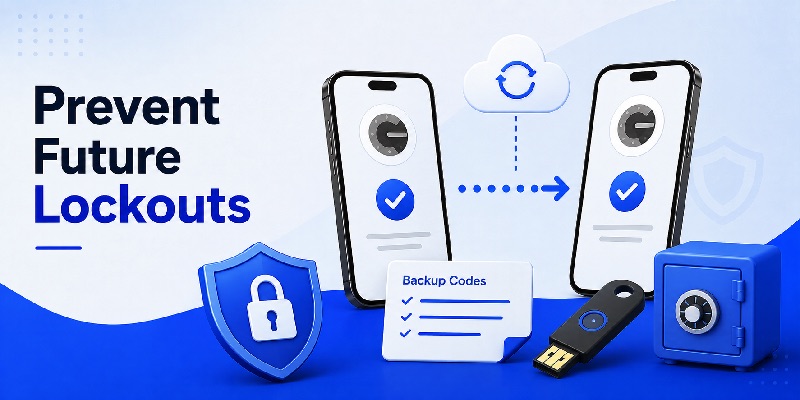
The best solution to a future google authenticator lost emergency is preparation before anything goes wrong.
Google itself recommends synchronizing Authenticator codes to a Google Account, enabling Privacy Screen, and registering additional forms of 2-Step Verification to reduce the risk of being locked out.
Keep more than one recovery method
A strong setup does not depend on one phone.
Where supported, maintain an appropriate combination of:
- synchronized Authenticator codes;
- securely stored recovery codes;
- another approved second-verification method;
- a trusted device;
- passkeys or security keys;
- updated recovery contact information.
For Google Accounts specifically, backup codes are designed for occasions when normal 2-Step Verification is unavailable.
Store recovery information somewhere secure rather than only on the same phone that contains Authenticator.
Check your recovery setup before replacing a phone
Before selling, resetting, trading in, or factory-resetting your old phone, verify that Authenticator works on the replacement device.
A large percentage of searches framed as google authenticator lost old phone, got a new phone and lost google authenticator, or lost my phone with google authenticator can be avoided by completing this check before the old device is erased.
If you use device-only Authenticator storage, transfer the accounts while both devices are available.
If you use synchronized codes, confirm that the correct Google Account is signed in and that the expected codes appear on the new phone.
Then test several important accounts before wiping the old device.
Final Recovery Checklist for Google Authenticator Lost
When facing a google authenticator lost problem, the most important rule is not to panic and start changing random security settings.
First determine whether the codes were synchronized with your Google Account. If they were, install Google Authenticator on the replacement device, sign into the same Google Account, and check whether the entries return automatically. Google confirms that synchronized Authenticator codes can sync to a new device after sign-in.
If the codes were stored only on the old device and that phone is gone, manual transfer is not available because Google’s transfer process requires the old device. Instead, recover each protected account through its legitimate alternatives: backup codes, another registered verification method, a trusted session, or the service’s official recovery process.
If the phone was stolen rather than simply replaced, secure the device and account sessions as quickly as possible.
So whether your search was google authenticator lost my codes, google authenticator when phone lost, google authenticator lost phone reddit, or simply i lost my google authenticator, the recovery strategy comes down to three questions:
- Were your codes synchronized?
- Do you still have another legitimate verification method?
- What recovery options does the protected service provide?
A google authenticator lost event can be inconvenient, but losing the Authenticator app does not automatically mean losing every account protected by it. With synchronization, backup codes, alternate verification methods, and a properly secured recovery setup, you can significantly reduce the chance of being permanently locked out.
Download Authenticator App
Secure your accounts with fast, reliable two-factor authentication. Download now and protect your login in seconds.
