
Roblox 2FA Authenticator: Setup, Login, Recovery, and Security Guide
Published August 24, 2026
A Roblox 2FA authenticator adds an extra layer of protection to your account by requiring a verification code in addition to your password. Whether you’re setting up an authenticator for the first time, troubleshooting login codes, or trying to recover access after losing your authentication device, understanding the available 2FA and recovery options can help keep your Roblox account secure.
1. What Is a Roblox 2FA Authenticator?
A roblox 2fa authenticator is a security setup that adds a second proof of identity to your Roblox password. Instead of allowing access with only a username and password, Roblox asks for a temporary verification code from an authenticator app. This extra step helps prevent unauthorized access if someone discovers, guesses, or steals your password.
A typical roblox 2fa authenticator uses time-based one-time passwords, often called TOTP codes. Your chosen app generates a fresh short code at regular intervals. When you sign in, Roblox checks whether the code you enter matches the code expected for your account at that moment. The code quickly expires, so an old code is useless after its short validity window ends.
The key benefit is simple: a password alone is no longer enough. A scammer may obtain your password from a data breach, a fake login page, malware, or password reuse on another website. However, they should still be blocked if they do not have your authenticator code or another approved sign-in method.
Roblox offers several account-protection options, including email verification, authenticator apps, security keys, passkeys, backup codes, and in some situations approval from another signed-in device. A roblox 2fa authenticator is a practical choice because it works independently of SMS delivery and can be used on most modern phones.
Roblox currently requires a verified email address before you can turn on two-step verification. It also allows one primary two-step verification method at a time, so review your Security settings carefully before changing your preferred method. For the latest available methods, follow the official Roblox two-step verification guide.
Download Authenticator App
Secure your accounts with fast, reliable two-factor authentication. Download now and protect your login in seconds.
2. Why Roblox Two-Step Verification Matters
Using a roblox 2fa authenticator helps protect more than a game login. A Roblox account can contain Robux, limited items, saved payment information, account history, groups, game projects, and personal social connections. Losing access can be frustrating, expensive, and difficult to resolve.
With 2 step verification on roblox, an attacker who knows only your password faces an additional challenge. They need access to the one-time code generated on your device, a valid backup code, or another available verification method. This creates an important barrier against common password-based attacks.
Two-step verification is especially valuable if you:
- Reuse passwords across websites.
- Have valuable limited items or Robux.
- Create experiences, manage groups, or make purchases.
- Sign in from shared or public devices.
- Receive suspicious login prompts or password-reset emails.
- Share a device with family members.
A roblox 2fa authenticator does not make an account invincible. Someone could still trick you into entering a current code on a phishing website, steal an unlocked device, or convince you to share a recovery code. Still, it greatly reduces the risk from basic password theft.
For even stronger protection, Roblox offers Enhanced Protection, which relies on phishing-resistant passkeys or hardware security keys rather than ordinary six-digit app codes. It requires a passkey, verified email, and a separate recovery option such as a phone number or backup codes. This option may be ideal for accounts with high-value inventory or creator assets. Read the requirements in Roblox’s official Enhanced Protection overview.
💡 Discover Helpful Guides: 2FA Authenticator App: Complete Guide to Setup, Use, Download, and Secure Your Accounts
3. What You Need Before You Start
Before enabling a roblox 2fa authenticator, prepare the account and device you will use. A few minutes of preparation can prevent a lockout later.
First, verify the email address attached to your Roblox account. Roblox requires a verified email to enable two-step verification. Use an inbox that you control, check regularly, and can recover if you change phones or computers.
Second, install a trusted authenticator App on your phone. Roblox lists options such as Google Authenticator, Microsoft Authenticator, Duo, and Twilio Authy. Choose an app you understand and protect the phone with a screen lock, fingerprint, Face ID, or another device-level security measure.
Third, make sure your phone’s date and time are set automatically. TOTP codes depend on accurate time. If the device clock is noticeably wrong, the code from your roblox 2fa authenticator may appear valid in the app but fail on Roblox.
Finally, plan your recovery method. Add a passkey if available, keep your verified email active, and generate backup codes after setup. Do not wait until your phone is lost or broken. The safest account is one that has both strong sign-in protection and a realistic path back in.
4. How to Enable Roblox 2FA With an Authenticator App
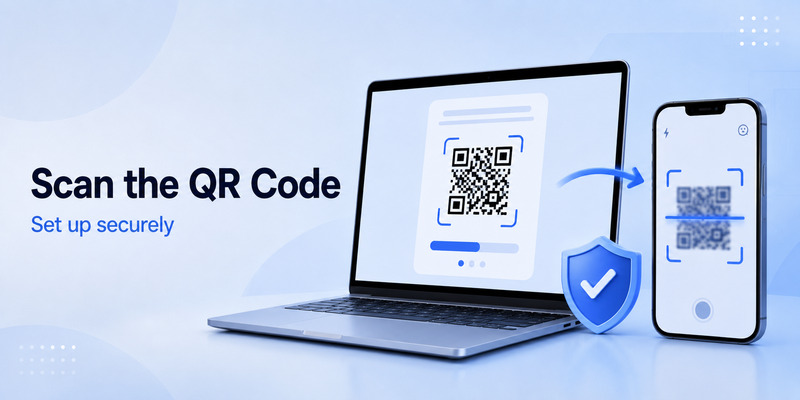
To enable 2fa roblox with an authenticator, sign in to your account through the Roblox website or mobile app. The exact layout can vary slightly by platform, but the general process is straightforward.
- Log in to your Roblox account.
- Open Settings.
- Go to the Security tab.
- Find the two-step verification options.
- Turn on verification by authenticator app.
- Follow the on-screen instructions to link your app.
- Enter the temporary code from the app to confirm setup.
- Generate and save backup codes.
This creates your roblox 2fa authenticator connection. From that point, Roblox may ask for a new code when you sign in with your password. Treat this code as private. Roblox employees, moderators, friends, traders, or support agents should never ask you to provide a live authenticator code.
The phrase roblox 2fa authenticator app usually refers to this connection between your Roblox account and a third-party code generator. Roblox does not need to store the changing number inside the game app. Instead, the authenticator app produces codes on your device using the secret established during setup.
If Roblox asks you to confirm settings changes, complete the verification only on the official Roblox website or mobile app. Be wary of links in direct messages, Discord messages, YouTube descriptions, giveaways, browser pop-ups, or “free Robux” pages. A real security step protects you only when it happens on the legitimate service.
💡 Discover Helpful Guides: 2FA Authenticator App: Complete Guide to Setup, Use, Download, and Secure Your Accounts
5. How to Scan the Roblox 2FA QR Code
During setup, Roblox normally shows a QR code. The roblox 2fa qr code contains the secret information that lets your authenticator app start generating codes for your Roblox account.
Open your authenticator app and choose the option to add a new account. Look for an action such as “Scan a QR code,” “Add account,” or a plus icon. Allow camera permission if prompted, then point your phone at the QR code shown in Roblox’s Security settings.
Once scanned, your app should add an entry labeled for Roblox. It will display a rotating code. Enter the current code into Roblox to finish linking the account.
Keep the QR code private. Anyone who scans it while it is active could generate the same verification codes as you. Do not screenshot it for convenience, send it to a friend, upload it to cloud storage, or show it during screen sharing. If you suspect the QR code was exposed, disable and re-enable the roblox 2fa authenticator to create a new secret.
If scanning fails, check whether your phone camera can focus on the screen and increase screen brightness. Some authenticator apps also let you enter a setup key manually. Use that only if Roblox shows an official manual key and only type it into the authenticator app you trust.
6. How Roblox Authenticator Codes Work at Login
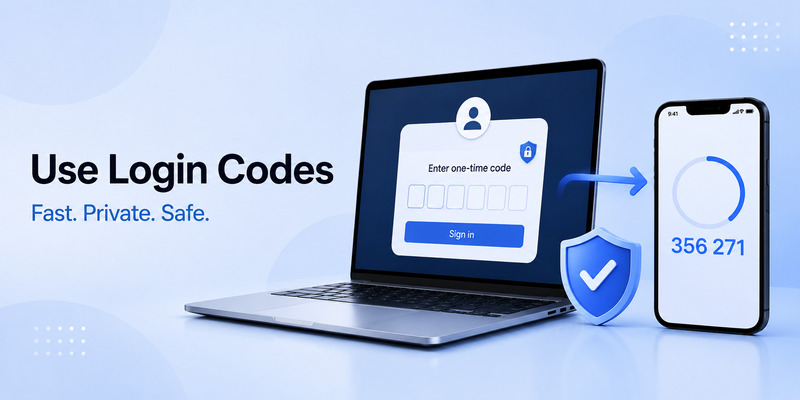
After setup, the roblox 2fa authenticator adds a short verification stage to sign-in. You enter your Roblox username and password, then retrieve the current code from your app. The app’s code changes frequently, so enter it promptly.
An authenticator 2fa code is not a password and should not be reused. It is a temporary answer to a specific verification challenge. If you wait too long and the code changes, use the new code currently shown in the app.
For example, a user searching 2fa code google authenticator is usually looking for the temporary code displayed beneath the Roblox entry in Google Authenticator. Open the app, find the correct Roblox account, and enter the code currently visible. Never use a code from an old screenshot, a prior text message, or a different account entry.
A roblox 2fa authenticator may be requested when you log in on a new browser, a new device, after clearing cookies, or during sensitive security actions. This is normal. It means Roblox is asking for additional confirmation that the person signing in controls your approved verification method.
If you did not attempt to sign in and receive a request to approve a login or enter a code, do not approve it. Change your password immediately from the official Roblox website, review recent sessions, and check your email account for unauthorized activity. An unexpected request can mean someone already knows or is testing your password.
📘 Explore More Useful Guides: Discord 2FA Code: Setup, Backup Codes, Errors, and Account Recovery Guide
7. Save Roblox Backup Codes Before You Need Them
Backup codes are one-time recovery codes that can help when your phone, authenticator app, or primary verification method is unavailable. They are one of the most important parts of a roblox 2fa authenticator setup.
To generate them, sign in to Roblox, open Settings, select Security, and find the recovery or backup-code section. Roblox will ask for your password before displaying the codes. Save them immediately because you may only see each newly generated set once.
Store backup codes in a secure place, such as:
- A reputable password manager’s secure notes section.
- An encrypted document stored safely.
- A printed copy kept in a private physical location.
- A secure personal vault that other people cannot access.
Do not store backup codes in a public cloud note, Discord chat, social-media draft, school document, shared family folder, or plain text file on an unlocked device. Each code can be used only once. When you generate a new set, earlier backup codes become inactive.
A strong roblox 2fa authenticator plan includes at least two independent recovery options. In addition to backup codes, keep your email verified. Eligible users can also add a phone number or a passkey. Roblox explains that recovery after losing a primary two-step method may require two different forms of verification, so preparing these methods in advance matters.
8. Fix Roblox 2FA Authenticator Problems
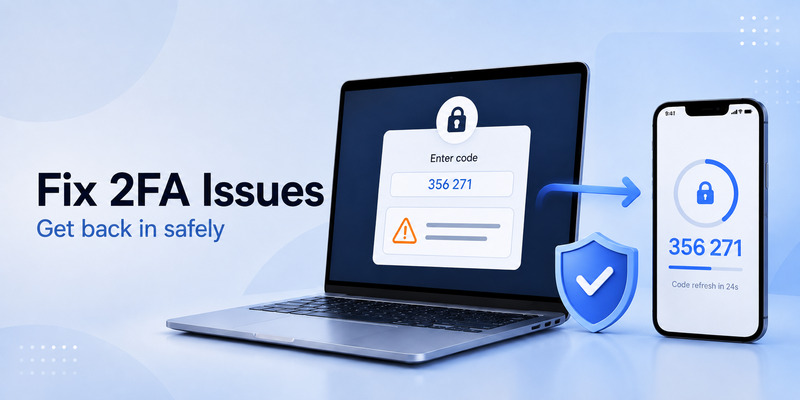
If your roblox 2fa authenticator code does not work, avoid entering random codes repeatedly. Start with a short checklist.
First, confirm that you selected the right Roblox entry in the app. Many people have multiple accounts or have accidentally scanned a QR code twice. The code must come from the account entry currently linked to the Roblox profile you are trying to access.
Second, wait for a new code and enter it before it expires. A one-time code near the end of its countdown may expire during the login process.
Third, enable automatic time and date on your phone. Incorrect time synchronization is a common reason a valid-looking roblox 2fa authenticator code is rejected. Restarting the phone after updating time settings may help.
Fourth, ensure you are logging in through the official Roblox site or app. A fake page may claim that every valid code is incorrect, then ask you to try again. This is a classic phishing tactic designed to capture your password and a live code.
If you changed phones, do not assume authenticator codes moved automatically. Some apps offer secure backup or transfer features; others keep code secrets only on the original device. Use your existing backup codes, email option, passkey, or official account recovery process rather than trying unsafe “2FA bypass” tools.
9. How to Turn Off Roblox Two-Step Verification
There are legitimate situations where users need to change their security method, replace an old phone, or temporarily disable app-based verification. To turn off 2 step verification roblox, first make sure you can still sign in and have a safer replacement method ready.
In Roblox, go to Settings, open Security, locate your enabled verification method, and use the relevant toggle or removal option. Roblox may ask you to complete a security challenge before applying the change. This protects the account from someone who has only your password.
If you are searching how do i turn off 2 step verification on roblox, do not disable it simply because the process feels inconvenient. A better option is often to move the roblox 2fa authenticator to a new device, generate new backup codes, or switch to a passkey. Removing two-step verification reduces the protection around your account and your in-game assets.
Before turning it off, ask these questions:
- Do I have a verified email address?
- Have I stored backup codes safely?
- Am I replacing the app with a passkey or security key?
- Is my problem actually an incorrect device time or app-transfer issue?
- Could the request be caused by someone else attempting to access my account?
Change security settings only when you are signed in directly on Roblox. Never follow “disable 2FA” links sent by another player or a supposed support account.
💡 Discover Helpful Guides: 2FA Authenticator Chrome: How to Set Up Secure Two-Factor Authentication in Your Browser
10. How to Recover a Roblox Account Without an Authenticator
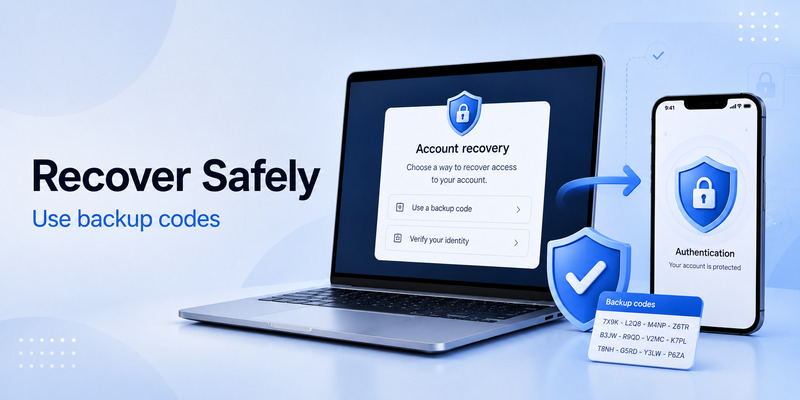
The search phrase how to disable 2fa on roblox without authenticator often comes from users who no longer have their phone. In that situation, do not rely on third-party recovery services, YouTube tricks, browser extensions, or people claiming they can remove 2FA. These methods can lead to a stolen account.
Instead, try official recovery options in this order:
- Use a saved Roblox backup code.
- Choose an available verified-email verification option.
- Sign in with a passkey if you previously added one.
- Use another device that is already signed in, when Roblox offers that path.
- Contact Roblox Support through the official support channel if no approved option is available.
A roblox 2fa authenticator is intentionally difficult to bypass. That protects you from attackers, but it also means recovery can require strong proof that you own the account. Roblox advises users with two-step verification to maintain separate recovery methods, including a verified email, backup codes, passkey, or eligible phone number.
When contacting support, provide accurate ownership details only through official channels. Avoid sharing passwords, full backup-code lists, current authenticator codes, or personal information in public posts and direct messages. Support should not need your password or a live security code to begin helping you.
📘 Explore More Useful Guides: 2FA Authenticator Instagram: Complete Setup, Login, Recovery, and Troubleshooting Guide
11. Make Your Roblox Account Harder to Steal
A roblox 2fa authenticator is strongest when combined with good overall account habits. Use a long, unique password that you do not use for email, gaming forums, Discord, or any other service. A password manager can create and remember unique passwords more safely than reusing a memorable phrase.
Also protect the email account linked to Roblox. If someone gains access to your email, they may attempt password resets or interfere with recovery. Enable two-step verification on the email account, use a unique password, and review recovery email addresses and phone numbers.
Avoid common scams:
- “Free Robux” websites asking you to log in.
- Fake creator-program, trade, or giveaway forms.
- Browser extensions that promise account tools or free items.
- Direct messages asking for screenshots of codes.
- QR codes from untrusted sources.
- “Verification” bots that request a Roblox login.
The safest 2fa in roblox setup pairs an authenticator app with backup codes and a protected email address. For higher-value accounts, consider a passkey or security key and review whether Enhanced Protection is available and suitable for your devices.
Finally, review your account security periodically. Check that your email is still verified, remove old device access where possible, regenerate backup codes if they may have been exposed, and update your password after any suspicious activity.
📘 Explore More Useful Guides: Snapchat 2FA Code: Meaning, SMS Texts, Setup, and Account Security Guide
12. Frequently Asked Questions
Is a Roblox authenticator app required?
No. Roblox may offer more than one two-step verification method, such as email, an authenticator app, security keys, passkeys, or approval from a second device. However, a roblox 2fa authenticator is a convenient and widely used option for people who want app-generated login codes.
Can I use Google Authenticator for Roblox?
Yes. Roblox lists Google Authenticator among the apps that can be used for authenticator-based verification. Install the app, scan the Roblox setup QR code, and enter the rotating code to confirm setup.
Why is my Roblox code not working?
Check that you are using the correct Roblox account entry, wait for a fresh code, and set your phone date and time automatically. If the problem continues, use an approved recovery method or contact official Roblox Support.
Can I have a Roblox authenticator on two phones?
This depends on whether your authenticator app supports secure transfer, backup, or multi-device access. Do not scan or copy the setup secret to a second device casually. If you need to replace a phone, use the app’s official migration process and confirm that your backup codes remain available.
Should I share a Roblox 2FA code with support?
No. Never share a current code, QR code, password, or backup code with another person. Real support workflows should not require you to send those secrets through chat, email, or social media.
13. Final Thoughts
A roblox 2fa authenticator is one of the most effective ways to add meaningful protection to a Roblox account. It makes a stolen password much less useful, gives you more control over sign-ins, and helps protect your Robux, inventory, creator work, and account history.
Set it up from the official Security settings, protect the app on your phone, save backup codes immediately, and maintain a verified email address. Most importantly, do not give anyone your password, QR code, recovery codes, or current login code. With those habits in place, your roblox 2fa authenticator becomes a reliable part of a stronger Roblox security routine.
Download Authenticator App
Secure your accounts with fast, reliable two-factor authentication. Download now and protect your login in seconds.
