
2FA Authenticator APK: Safe Download, Installation, and Setup Guide for Android
Protecting an online account with only a password is becoming increasingly risky. Passwords can be reused, leaked in data breaches, exposed through phishing, or stolen by malware. Two-factor authentication adds another verification step, making it much harder for someone to access an account with a stolen password alone.
For Android users, one common search is 2fa authenticator apk. An APK file allows an Android application to be installed directly on a device rather than downloaded through the normal Google Play installation process.
There are legitimate reasons to look for a 2fa authenticator apk. An app may not be available in a particular region, a device might not have access to Google Play, or a user may need an official version distributed directly by a developer.
However, authenticator applications are unusually sensitive. They can contain the secret keys used to generate the temporary codes protecting your email, social media, cloud storage, work accounts, and other services.
That means downloading an unknown 2fa authenticator apk is very different from sideloading an ordinary calculator or wallpaper application.
Security should always come first.
This guide explains what a 2fa authenticator apk is, when downloading one makes sense, how to identify safer sources, how to install and configure an authenticator on Android, and how to protect your accounts if you change devices or lose access to the app.
1. What Is a 2FA Authenticator APK?
An APK, or Android Package Kit, is a package format used to distribute and install Android applications.
When you install an app from Google Play, the installation process is normally handled automatically. When you obtain an APK directly, you are manually installing the application package.
A 2fa authenticator apk is therefore an Android installation package for an application designed to generate or manage two-factor authentication codes.
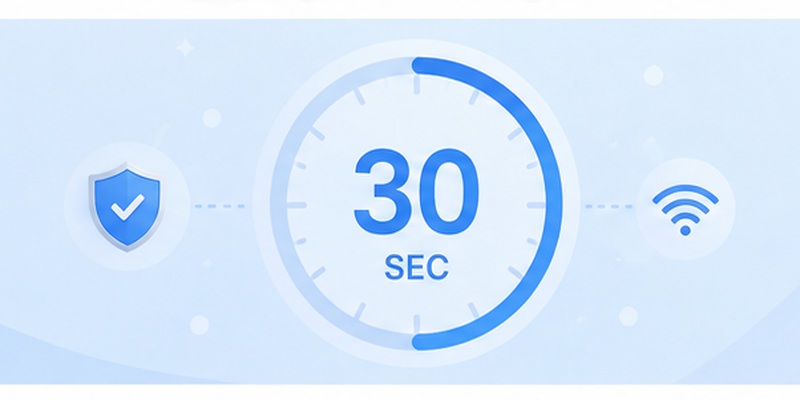
Most traditional authenticator apps use Time-Based One-Time Passwords, commonly known as TOTP.
When you enable authentication on a website, that service provides a secret key, usually represented by a QR code. Your authenticator stores the secret and combines it with the current time to generate a temporary code.
A typical six-digit code might look like:
418 729
After approximately 30 seconds, it is replaced by another code.
When you log in, you normally provide:
- Your username or email.
- Your password.
- A temporary authenticator code.
An attacker who steals your password would therefore still need access to your second factor.
A 2fa authenticator apk performs this code-generation process on an Android phone or tablet.
Some apps also provide features such as encrypted backups, biometric locking, account organization, synchronization, importing and exporting accounts, and browser integration.
Because the app may hold authentication secrets for many services, choosing a trusted authenticator App is extremely important.
Download Authenticator App
Secure your accounts with fast, reliable two-factor authentication. Download now and protect your login in seconds.
2. Why People Download 2FA Authenticator APK Files

For most Android users, installing an authenticator through Google Play is the simplest approach. However, searches for 2fa authenticator apk remain common because not every Android device or situation is the same.
One common reason is the absence of Google Play services.
Some Android devices may use alternative app stores, manufacturer-specific software ecosystems, or customized Android environments. In these cases, users may search for an official APK directly from an application’s developer.
Another reason is regional availability.
An authenticator may be available in one country but unavailable in another. Users may consequently search for a 2fa authentication apk when the normal store listing cannot be accessed.
Compatibility can also matter.
Some users need a particular version because their Android device is running an older operating system. However, installing outdated security applications should be approached carefully because older versions may lack important security patches.
Another common search is 2fa authenticator download, which may refer to either a Play Store installation or a standalone APK.
The distinction matters.
Downloading from an official app store normally provides automated updates and additional security checks. Manually downloading a 2fa authenticator apk places more responsibility on the user to verify where the file came from and whether it is genuine.
Google recommends obtaining Android apps from Google Play where possible and warns that applications from unknown sources can put devices and personal information at risk.
Therefore, downloading an APK should generally be an alternative when a trusted store installation is unavailable, rather than the automatic first choice.
💡 Discover Helpful Guides: 2FA Authenticator App: Complete Guide to Setup, Use, Download, and Secure Your Accounts
3. APK Download vs Google Play Installation
When comparing an APK installation with a normal 2fa app download, convenience is only one consideration.
Google Play manages much of the installation process automatically. Apps can receive updates through the store, and Google Play Protect checks apps for potentially harmful behavior.
Google says Play Protect scans applications from Google Play and also checks potentially harmful applications installed from other sources. It can warn users, disable harmful applications, or remove them in certain circumstances.
A manually installed 2fa authenticator apk, on the other hand, requires more user involvement.
You must identify the file source, confirm that it is the application you intended to install, grant installation permission to the application that opened the APK, and potentially handle future updates manually.
Google Play installation advantages
A normal store-based 2fa authentication app download generally provides:
- Easier installation
- Automatic or managed updates
- Developer identity information
- User ratings and reviews
- Compatibility checking
- Google Play Protect integration
- Easier uninstalling and updating
APK installation advantages
An official 2fa authenticator apk may be useful when:
- Google Play is unavailable
- The developer officially offers direct APK distribution
- A managed device uses another trusted distribution method
- A specific legitimate deployment requires manual installation
The word “official” is important.
A file carrying the correct app name or icon is not automatically genuine. Attackers can rename malicious Android packages so that they look like popular security tools.
Since an authenticator may eventually hold access secrets for many accounts, installing a modified APK can create serious security risks.
Whenever both methods are available, the official app store or the developer’s verified distribution channel should normally be preferred.
💡 Discover Helpful Guides: 2FA Authenticator Chrome: How to Set Up Secure Two-Factor Authentication in Your Browser
4. How to Download a 2FA Authenticator APK Safely
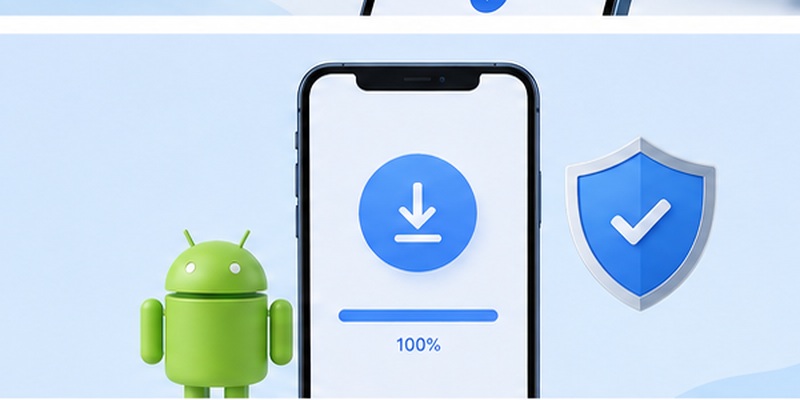
Before searching the web for a random 2fa authenticator apk, identify the application you actually want to use.
Go to the developer’s official website first.
Look for a clearly labeled Android download page or a link to the developer’s verified Google Play listing. If direct APK distribution is supported, the developer should make that information reasonably clear.
Avoid download pages that use misleading buttons, excessive redirects, forced browser notifications, or multiple files with unclear version information.
A secure download process should focus on several checks.
Check the developer
Confirm that the developer named on the website matches the organization behind the authenticator.
Do not assume that the first search result is official.
Check the download source
The safest 2fa authenticator apk source is typically the authenticator developer itself when it officially distributes APK files.
Third-party APK repositories introduce another party into the distribution chain.
Check the requested permissions
After installation, review what the authenticator requests.
An authenticator may legitimately require camera access to scan QR codes. Depending on its features, it may also use biometric authentication, notifications, or storage-related capabilities.
But excessive permissions should raise questions.
For example, a simple TOTP authenticator should not need unrelated access without a clear explanation.
Keep Play Protect enabled
Google recommends keeping Play Protect enabled. The service can check installed apps for potentially harmful behavior, including applications obtained outside Google Play.
Do not disable security protection simply because a website tells you it is required to install a 2fa authenticator apk.
Avoid modified versions
Terms such as “mod APK,” “premium unlocked,” or “patched authenticator” should be treated as major warning signs.
Authentication software does not need unofficial modifications to perform its core function.
The safest 2fa authentication download is one whose origin you can verify.
📘 Explore More Useful Guides: 2FA Authenticator Free: How to Choose and Use a Free Authenticator App Safely
5. How to Install and Set Up a 2FA Authenticator APK
Once you have obtained a trusted 2fa authenticator apk, Android can install it manually.
The exact menus vary by Android version and device manufacturer, but the basic process is similar.
First, open the downloaded APK from your browser or file manager.
Android may ask whether that application is allowed to install apps from that source. If required, temporarily grant permission for the specific source you are using.
Proceed with installation only if you recognize the file and trust its origin.
Once installation finishes, open the 2fa authenticator apk.
Most authenticator applications begin with an empty account list and an option such as:
- Add Account
- Scan QR Code
- Enter Setup Key
- Import Accounts
Now open the website or service you want to protect.
Navigate to its security settings and look for options such as Two-Factor Authentication, Two-Step Verification, Authenticator App, MFA, or Login Verification.
Choose the authenticator option.
The website will normally display a QR code.
Open your 2fa authenticator apk, select the QR scanner, and point your phone at the code.
Your authenticator should immediately create a new account entry containing a six-digit rotating code.
Enter that code on the website.
If the verification succeeds, two-factor authentication is active.
Before closing the setup page, look for recovery codes.
Save them somewhere secure.
Recovery codes can be extremely important if your phone is lost, damaged, reset, or stolen.
Do not rely exclusively on the 2fa authenticator apk itself as your only recovery option.
For several accounts, rename entries clearly so that you can distinguish between similar usernames.
For example:
Personal Email
Work Email
Cloud Admin
Social Account
Developer Account
A well-organized authenticator reduces mistakes when you need a code quickly.
6. How Authenticator Codes Work Without Internet
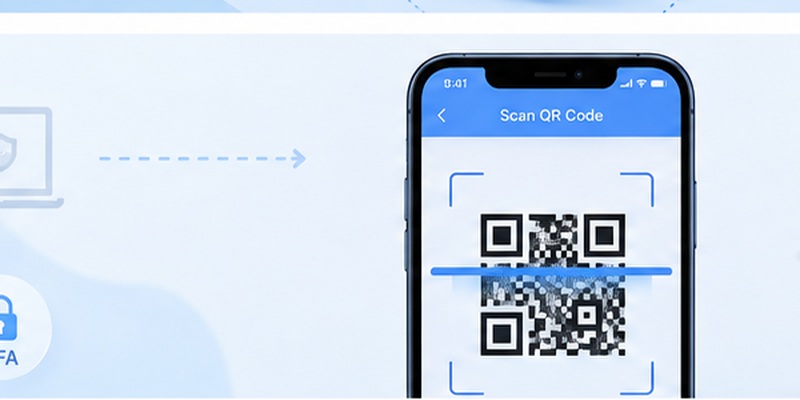
One useful characteristic of TOTP authentication is that code generation normally does not require an active internet connection.
Your 2fa authenticator apk stores a secret established during setup. It combines that secret with the current time using a standardized calculation.
The website independently performs the same calculation.
If both sides have the same secret and accurate time, they generate matching codes.
This explains why your 2fa authenticator apk can often continue working when:
- Mobile data is unavailable
- Wi-Fi is disconnected
- You are traveling
- Your SIM card has no signal
- The website cannot send an SMS
Google confirms that Google Authenticator can generate verification codes without internet connectivity or mobile service.
People searching download google 2fa often expect a separate Google 2FA program, but the relevant Google product is Google Authenticator. Google’s support documentation states that Google Authenticator generates one-time verification codes for websites and applications supporting authenticator-based 2-Step Verification.
If you want Google Authenticator specifically, use Google’s official installation path rather than assuming that any file labeled “Google Authenticator APK” is legitimate.
The ability to work offline also means the app’s local data is highly valuable.
Someone who obtains your authentication secrets could potentially generate valid codes without needing your phone’s internet connection.
Protect the device accordingly.
📘 Explore More Useful Guides: How to Use 2FA Authenticator: A Complete Step-by-Step Guide for Better Account Security
7. Choosing the Right Authenticator App for Android
A good 2fa authenticator apk should do more than generate six-digit numbers.
Security, usability, backup options, transparency, and long-term support all matter.
TOTP compatibility
Most users should choose an authenticator compatible with standard TOTP accounts. This allows the app to work with a wide range of websites and services.
Backup options
Losing a phone without a backup plan can create serious problems.
Check whether the authenticator supports encrypted backups, account transfers, secure synchronization, or manual export.
App locking
A PIN or biometric lock provides an extra barrier if someone gains physical access to your unlocked device.
Clear account organization
If you protect many accounts, icons, labels, folders, or search features can make the application much easier to use.
Active maintenance
A security application should continue receiving updates.
An abandoned 2fa authenticator apk may still generate codes, but missing security updates can make it a poor long-term choice.
Users sometimes search for 2fas apk or 2fas authenticator apk when looking specifically for the 2FAS Authenticator application. The 2FAS project’s official download page currently provides an Android installation route and should be preferred over unrelated download pages if you choose that product.
The same rule applies to any authenticator app 2fa download: start with the actual developer.
Do not choose an authenticator solely because an unofficial download page appears first in search results.
8. Backups, Transfers, and Account Recovery
Installing a 2fa authenticator apk is only the beginning.
You should also decide what happens if the device disappears tomorrow.
Imagine that your phone breaks unexpectedly. Your passwords still work, but every important account requests a verification code that existed only on the lost phone.
Without recovery methods, regaining access can become complicated.
Whenever you activate a new account in your 2fa authenticator apk, save any recovery codes supplied by the service.
Store them separately from your phone.
You might use a secure password manager, encrypted backup, printed emergency copy stored safely, or another recovery method recommended by the service.
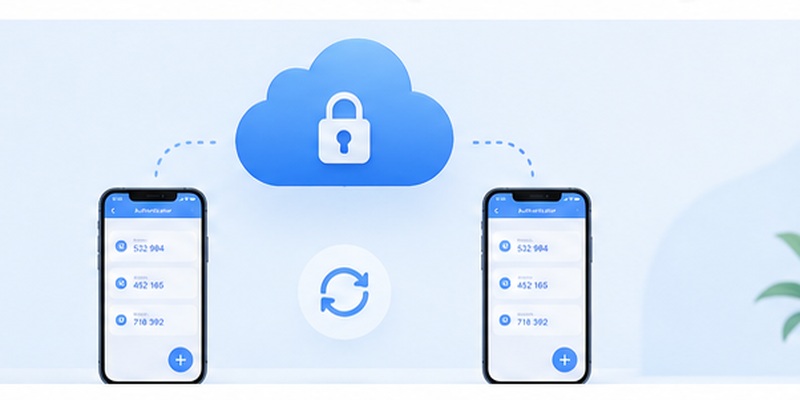
If your authenticator supports synchronization, understand exactly how it works before enabling it.
Google Authenticator, for example, can synchronize verification codes across devices when the user signs into a Google Account. Google says those codes are encrypted in transit and at rest within its systems.
Other applications may use different backup models.
Before moving from one 2fa authenticator apk to another:
- Back up your existing accounts.
- Verify that you have recovery codes.
- Import or configure accounts on the new authenticator.
- Test several important accounts.
- Only then remove the old authenticator.
Never delete your old setup first and assume the new 2fa authenticator apk will automatically restore everything.
For critical accounts, keeping more than one approved recovery method can prevent unnecessary lockouts.
9. Troubleshooting 2FA Authenticator APK Problems
Most installation and verification problems fall into a few categories.
The APK will not install
First, check whether your Android version is compatible with the application.
A 2fa authenticator apk built for a newer Android release may not install on an older device.
Also check whether Android is blocking installation from the browser or file manager you used.
If an app is available on Google Play but your device cannot install it, incompatibility may be the reason. Google notes that developers determine device compatibility for Play Store apps.
Android displays a security warning
Do not automatically ignore it.
Verify the source again.
If Play Protect identifies the file as potentially harmful, investigate before continuing. A security application should not require you to casually bypass device protection.
Authentication codes are rejected
A 2fa authenticator apk usually generates time-based codes, so inaccurate device time can create mismatches.
Enable automatic date and time on Android and try a newly generated code.
Also confirm that you selected the correct account in the authenticator.
Codes worked before but suddenly stopped
The website’s 2FA secret may have been reset.
If you disabled and re-enabled authentication, your old 2fa authenticator apk entry may no longer be valid.
Delete the outdated entry only after confirming you can access the account and configure the new secret.
You changed phones
Install your chosen authenticator on the new device and use its supported transfer or recovery process.
Do not factory-reset the old phone until important accounts have been tested successfully.
You deleted the authenticator
Reinstalling the same 2fa authenticator apk does not necessarily restore the previous codes.
Whether accounts return depends on the application’s backup or synchronization system.
If no backup exists, use the recovery methods provided by each individual service.
10. Security Best Practices and FAQs
Using a 2fa authenticator apk improves security only when the authenticator itself is protected.
Keep Android updated, use a strong screen lock, enable biometric protection where appropriate, and avoid rooting a device that holds sensitive authentication credentials unless you fully understand the security consequences.
Keep the authenticator updated as well.
If you manually install APK versions, you may not receive updates automatically. Periodically check the developer’s official release channel.
Never share authentication QR codes.
The QR code displayed during setup contains information needed to recreate your authentication codes. Treat it as sensitive.
The same applies to exported authenticator databases and recovery files.
Is downloading a 2FA authenticator APK safe?
A 2fa authenticator apk can be safe when it comes directly from a legitimate developer or another distribution channel that the developer officially supports.
The risk increases significantly when downloading modified or repackaged files from unknown websites.
Whenever possible, prefer Google Play or the developer’s official distribution channel.
Should I choose an APK or Google Play?
For most users, Google Play is easier and provides better automatic update management.
Use a 2fa authenticator apk when there is a legitimate reason for manual installation and you can verify the source.
What does 2FA authentication APK mean?
The phrase 2fa authentication apk generally refers to an Android package containing a two-factor authentication application.
It is not a separate authentication technology. APK describes the Android installation package.
Where should I perform a 2FA authentication app download?
For a 2fa authentication app download, begin with the developer’s official website or verified Google Play page.
Avoid websites that redistribute authentication applications without clearly proving where the file originated.
Can a 2FA app work without internet?
Yes, TOTP-based authentication generally generates codes locally.
Once an account has been configured, your 2fa authenticator apk can often create codes without Wi-Fi, cellular data, or SMS access.
Can I install the same authenticator on multiple devices?
That depends on the authenticator and the website.
Some applications support secure synchronization or account transfers. Others store authentication secrets only locally.
Check the application’s backup and synchronization documentation before depending on multiple devices.
What is the safest way to perform a 2FA app download?
For a 2fa app download, use the official Google Play listing whenever available.
If you specifically need an APK, obtain it from a distribution channel explicitly provided or endorsed by the application’s developer.
Should I keep recovery codes?
Absolutely.
Your 2fa authenticator apk can be lost along with the phone containing it. Recovery codes provide another route into an account when your normal authentication method is unavailable.
Keep recovery information somewhere secure and separate from your primary device.
Is an authenticator better than SMS?
Authenticator-generated TOTP codes avoid some weaknesses associated with SMS delivery, such as dependence on a mobile network and certain SIM-related attacks.
However, authentication methods continue to evolve, and many services now support passkeys and hardware security keys as additional options.
The best method depends on the account and your threat model.
Final Thoughts
Searching for a 2fa authenticator apk often begins with a simple goal: get an authenticator onto an Android device.
But because authentication apps hold access secrets for valuable accounts, the source of the installation file matters just as much as the app’s features.
Whenever possible, install your authenticator from Google Play or another official developer channel. If manual installation is necessary, verify the developer, avoid modified packages, keep Play Protect enabled, review permissions, and maintain a reliable recovery plan.
After installation, protect your 2fa authenticator apk with the same care you give your passwords. Keep your Android device updated, secure it with a strong lock, protect backup files, save recovery codes, and test account transfers before replacing a phone.
A carefully selected and securely installed 2fa authenticator apk can provide convenient offline verification and significantly strengthen account protection without making everyday logins unnecessarily complicated.
Download Authenticator App
Secure your accounts with fast, reliable two-factor authentication. Download now and protect your login in seconds.
