
Authenticator App Download: The Complete Guide to Getting Set Up Safely (2026)
Quick answer: The fastest way to get an authenticator app download is straight from your phone’s official app store — the Apple App Store on iPhone or the Google Play Store on Android. Search for a trusted name like Google Authenticator, Microsoft Authenticator, or Authy, confirm the developer name matches the real company, and tap install. The rest of this guide covers exactly how to do that for your device, which app to pick, and how the process works for specific services like Binance, Facebook, Roblox, and more.
What Is an Authenticator App and Why You Need One
An authenticator app is a small app that generates a temporary, constantly changing login code — usually a 6-digit number that refreshes every 30 seconds — which you enter alongside your password when logging into an account. This extra step is called two-factor authentication (2FA), and it’s become one of the most effective, low-cost ways to prevent unauthorized account access, since a stolen password alone is no longer enough to get in.
More services are requiring this step every year, from social media platforms to banks, crypto exchanges, and workplace tools, which is why so many people find themselves needing an authenticator app free download for the first time when a service suddenly asks for it during login setup.
Download Authenticator App
Secure your accounts with fast, reliable two-factor authentication. Download now and protect your login in seconds.
How to Download an Authenticator App (Step-by-Step)
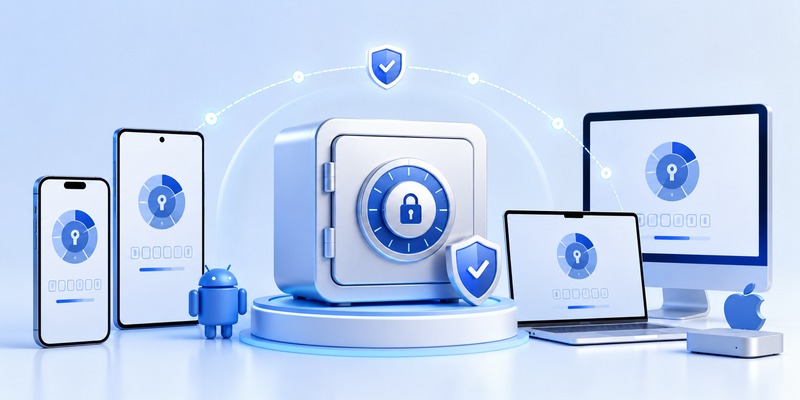
On iPhone or Android
If you’re wondering how do i download authenticator app onto your phone, the process is nearly identical across both major platforms:
- Open the App Store (iPhone) or Google Play Store (Android).
- Search for the specific app name you need — for example, “Google Authenticator” or “Microsoft Authenticator.”
- Confirm the developer listed matches the official company (this avoids downloading a fake look-alike app).
- Tap Get or Install.
- Open the app once installed and follow the on-screen setup, which usually involves scanning a QR code shown by the service you’re securing.
This same process applies whether you’re looking for a general download the authenticator app solution or a specific one tied to a particular service.
Can You Download an Authenticator App on PC or Mac?
Can you download authenticator app on pc or as a download authenticator app for mac option? Yes, to an extent. While most authenticator apps are designed primarily as mobile apps (since they’re meant to be a separate device from the one you’re logging into), several options do offer desktop versions or browser extensions:
- Authy offers a full desktop app for both Windows and Mac, syncing your codes across devices.
- Microsoft Authenticator can be used alongside Windows Hello integration in some Microsoft 365 business environments.
- Browser-based password managers like 1Password and Bitwarden include built-in code generators accessible from a desktop browser extension.
Keep in mind that using an authenticator on the same computer you’re logging into slightly reduces the security benefit, since the two-factor principle relies on requiring something from a separate device. For most personal accounts, a phone-based app remains the recommended setup.
🗺️ Browse How-To Guides: TOTP Authenticator App Guide 2026: How to Use & Compare the Best Options
Best Authenticator Apps to Download
Google Authenticator
A google verification app download through Google Authenticator remains one of the simplest, most widely compatible options. It supports any service using the standard TOTP protocol, works completely offline once set up, and now includes an optional Google Account backup feature so you don’t lose access if you switch phones.
Microsoft Authenticator
For a microsoft app authenticator download, Microsoft’s app supports both standard time-based codes and convenient push notifications for Microsoft accounts, letting you approve a login with a single tap instead of typing a number. It’s a strong choice for anyone in the Microsoft 365 or Outlook ecosystem.
Authy
An authy authenticator app download is popular with people managing several accounts across devices, since Authy supports encrypted cloud backup and multi-device sync — meaning you can access your codes from your phone, tablet, and desktop app all at once.
Duo Mobile
A duo mobile app download is common in workplace and university environments, since Duo is frequently used for corporate single sign-on systems. It supports both standard codes and push-based approval, and IT departments often require it as part of company-managed device security.
Okta Verify
An okta verify app download, or simply searching download okta verify app, is typically prompted by an employer using Okta as their identity management platform. Like Duo, it’s usually mandated rather than optional, since it ties directly into a company’s internal login system.
💡 Discover Helpful Guides: Authenticator App Code: How to Get Verification Codes and Fix Common Problems
How to Download an Authenticator App for Specific Platforms

Different services often prompt you toward a specific authenticator app, or simply require any TOTP-compatible app of your choice. Here’s how that plays out for some of the most commonly searched platforms.
Facebook and Instagram Authentication App Download
If you’re looking for a facebook authentication app download or wondering how to complete an instagram authentication app download, note that neither platform has its own dedicated authenticator app. Instead, both let you use any standard authenticator app (Google Authenticator, Microsoft Authenticator, Authy, etc.) by scanning a QR code shown in the account’s security settings under “Two-Factor Authentication.” The same applies if you search download facebook authentication app specifically — you’re really just linking an existing app to your account.
Crypto and Trading Platforms (Binance, Crypto.com, Bet365)
Crypto exchanges take 2FA seriously due to the irreversible nature of transactions, which is why searches like how to download binance authenticator app and download binance authenticator app are common. Binance recommends Google Authenticator specifically, and its own app includes a built-in authenticator feature as well for convenience.
For a crypto com authenticator app download, Crypto.com similarly supports both its own in-app 2FA and third-party TOTP apps, giving users flexibility depending on preference.
Betting platforms have also started tightening account security. A download bet365 authenticator app request typically means linking a standard authenticator app to protect withdrawals and account changes, rather than installing something bet365-specific.
Gaming Platforms (Roblox, PlayStation, Ubisoft, Guild Wars 2)
Gaming accounts are increasingly targeted for theft, so several platforms now support or require 2FA:
- A roblox authenticator app download, or working out how to download authenticator app roblox, involves enabling 2FA in Roblox account settings and linking any standard authenticator app via QR code.
- A playstation authenticator app download works the same way — PlayStation Network doesn’t have its own dedicated app but supports linking a third-party authenticator for extra account protection.
- An ubisoft authenticator app download connects to Ubisoft Connect’s security settings, again using a standard TOTP app.
- For guild wars 2 authenticator app download, ArenaNet supports both SMS and app-based authentication, with an authenticator app offering stronger protection against SIM-based attacks.
Business and Retail Tools (Shopify, Norton, Outlook)
A shopify authenticator app download is typically required for store owners securing admin access, since a compromised Shopify account can expose customer data and payment settings. Any standard authenticator app works here as well.
A download norton authenticator app search usually relates to Norton’s account security tools rather than a separate standalone product — Norton’s own account portal supports linking third-party authenticator apps for login protection.
Finally, many people ask why is outlook making me download an authenticator app, especially in workplace settings. This is typically a decision made by an organization’s IT administrator through Microsoft 365 security policies, not a requirement from Microsoft itself for personal use — businesses increasingly mandate 2FA to reduce the risk of compromised employee accounts, since email is one of the most common entry points for wider breaches.
💡 Discover Helpful Guides: Facebook Authentication App: Setup, Login Codes, and Recovery Guide
Free vs. Paid Authenticator Apps
The good news for most users: a genuine authenticator app free download is the norm, not the exception. Google Authenticator, Microsoft Authenticator, Authy, and Duo Mobile are all free to download and use for personal accounts. Paid tiers occasionally exist for advanced business features (like Okta’s enterprise dashboard), but the core function — generating login codes — almost never requires payment. If a listing during your authenticator app 2fa download search asks for payment just to generate basic codes, treat that as a red flag and look for an established, free alternative instead.
Why Some Services Are Requiring an Authenticator App Now
If you’ve never needed one before and suddenly find yourself prompted to complete an authenticator app install, it’s part of a broader industry shift. Passwords alone are increasingly easy to steal through data breaches, phishing, and credential-stuffing attacks, so more platforms — from social networks to banks to workplace tools — are mandating a second layer of protection. Regulatory pressure in finance and healthcare has accelerated this too, pushing many services toward requiring stronger login protection than a password alone.
📘 Find the Right Guide: Is Authenticator App Safe? A Complete Security Breakdown for 2026
Common Problems When Downloading or Installing an Authenticator App
A few issues come up repeatedly for people going through the how to download authenticator app process for the first time:
- Downloading a fake app: Always check the developer name in the app store listing before installing, since fraudulent look-alike apps do exist.
- Losing access after a phone upgrade: Apps without backup enabled will lose your codes if you switch devices without transferring them first.
- QR code scanning issues: Make sure your phone’s camera has proper permissions enabled within the authenticator app.
- Multiple accounts with the same app: Most authenticator apps support unlimited accounts under one install — you don’t need a separate app for every service.
- App store restrictions: In rare cases, region or device restrictions may limit which authenticator apps are available; a well-known alternative like Authy or Microsoft Authenticator is usually still accessible.
Frequently Asked Questions
Is there one universal authenticator app I can use for everything? Yes. As long as an app supports the standard TOTP protocol — which Google Authenticator, Microsoft Authenticator, and Authy all do — it can be used across nearly any service that requests app-based 2FA, regardless of which specific app the service mentions.
Do I need to download a different authenticator app for each service? No. A single app can manage codes for dozens of different accounts at once. You simply add each new account within the same app.
What happens if I lose my phone after completing an authenticator app download? If you enabled backup (available in Authy, Microsoft Authenticator, and optionally Google Authenticator), you can restore your codes on a new device. Without backup, you’ll need to use each service’s account recovery process individually.
Is a free otp app download safe to use? Yes, as long as you download it from the official app store and confirm the developer name matches a recognized, established provider. Avoid unfamiliar third-party apps with vague branding or excessive permission requests.
📘 Find the Right Guide: Which Authenticator App Is Best? The Best 2FA Apps Compared for 2026
Conclusion
Getting an authenticator app download set up takes only a few minutes, and it’s one of the most effective ways to protect accounts across social media, banking, gaming, and workplace platforms. Whether you’re linking a standard app like Google Authenticator or Authy to Facebook, Roblox, Binance, or a company Outlook account, the underlying process is largely the same: install a trusted app, scan a QR code, and keep a backup method available in case you switch devices. With so many services now requiring this extra layer of protection, taking a few minutes to set it up properly is one of the simplest security upgrades you can make.
Download Authenticator App
Secure your accounts with fast, reliable two-factor authentication. Download now and protect your login in seconds.
