
Facebook Authentication App: Setup, Login Codes, and Recovery Guide
A Facebook authentication app helps protect your account by generating time-based security codes when Facebook asks for a two-factor authentication code. Whether you’re setting up 2FA for the first time, trying to use an authenticator app at login, or recovering access after losing your phone, the right setup can make the process much easier. This guide explains how Facebook authentication apps work, how to set up and use login codes, and what to do if you lose access to your authenticator or backup methods.
1. What Is a Facebook Authentication App?
A facebook authentication app is a two-factor authentication method that adds a temporary security code to your Facebook login process. After entering your password, you open an authenticator app on your phone and enter the current code shown for Facebook. This extra step helps prove that the person signing in is really you.
A standard facebook authenticator app uses time-based one-time passwords, often called TOTP codes. The app creates a new six-digit code at regular intervals, typically every 30 seconds. Because the code changes quickly, an old code cannot usually be reused by someone who sees it later.
The main benefit of a facebook authentication app is that it is separate from your password. If a password is exposed in a data breach, guessed, reused from another site, or entered into a phishing page, the attacker should still need the temporary code to finish the login.
Facebook allows users to add two-factor authentication through its account security settings. The specific labels and screen layout can change over time, but the goal is consistent: add a second verification method that protects your account when Facebook detects a login attempt. Facebook’s Help Center describes two-factor authentication as an additional security step for account access.
A facebook authentication app is not a separate Facebook social-media app. It is an app such as Google Authenticator, Microsoft Authenticator, 1Password, or another reputable TOTP-compatible authenticator. You connect it to Facebook once during setup, then use the app whenever Facebook asks for verification.
For most people, this is more secure and reliable than depending only on text-message codes. It can also work without mobile signal, which is helpful when you travel, change carriers, or cannot receive SMS messages.
Download Authenticator App
Secure your accounts with fast, reliable two-factor authentication. Download now and protect your login in seconds.
2. Why Use an Authentication App for Facebook?
A password alone is not enough protection for an account that contains private messages, photos, business assets, Pages, advertising access, or personal contacts. A facebook authentication app gives your password a second line of defense.
Text-message verification is useful, but app-based authentication has advantages. SMS codes depend on your phone number and mobile provider. If a criminal successfully performs a SIM-swap attack, they may receive your text messages. A facebook authentication app stores the code-generation secret on your device instead of relying on your phone number.
An authentication app for facebook can also create codes offline. You do not need Wi-Fi, roaming data, or a working SIM card to view the six-digit code. This makes it a practical option for international travel, weak-signal areas, and users who keep a spare phone without an active mobile plan.
Another reason to use a facebook authentication app is consistency. The same app can protect Facebook alongside email, cloud storage, financial services, work tools, gaming accounts, and password managers. Instead of tracking multiple security methods, you can keep your verification codes in one protected location.
However, app-based two-factor authentication does not remove every risk. A scammer may build a fake Facebook login page and ask for your password plus a live code. Never enter a code on a site unless you have checked the web address carefully. Facebook will not need you to share a current code in an unexpected message, phone call, or chat.
A strong setup combines a unique Facebook password, a facebook authentication app, saved recovery codes, updated account-recovery details, and careful review of unfamiliar sign-in alerts. The authenticator is powerful, but it works best as part of an overall security routine.
3. How to Set Up Facebook on an Authenticator App
If you are searching for how to set up facebook on authenticator app, begin with a trusted phone and a browser or Facebook app where you are already signed in. Do not start the process from a suspicious email link or an unfamiliar device.
First, install a reputable authenticator App from the official Apple App Store, Google Play Store, or the provider’s official website. Open the app and protect it with a PIN, fingerprint, Face ID, or another available screen-lock option.
Then follow these general steps:
- Open Facebook and go to Settings & privacy.
- Open Settings, then find Password and security or Security and login.
- Locate Two-factor authentication.
- Choose the option to use an authentication app.
- Facebook will display a QR code or a manual setup key.
- In your authenticator, select Add account and scan the QR code.
- Enter the six-digit code generated by the app to confirm setup.
- Save Facebook’s recovery codes in a secure place.
This process connects Facebook and your facebook authentication app through a unique setup secret. From that point onward, both Facebook and the authenticator can calculate the same short-lived code.
Do not share the QR code or manual setup key with anyone. Anyone who scans or copies that information could generate valid codes for your Facebook account. Treat it with the same care you would give to a password.
During setup, Facebook may offer additional security options, such as login alerts or a backup sign-in method. Enable a backup method if it is one you can secure and access reliably. Recovery codes are especially valuable because they can help if your phone is lost or reset.
Once setup is complete, test it immediately. Sign out on a trusted device, then sign back in. Confirm that your facebook authentication app shows a code and that Facebook accepts it. Testing before an emergency is far easier than trying to recover an account after losing access.
4. How Facebook Authentication App Codes Work
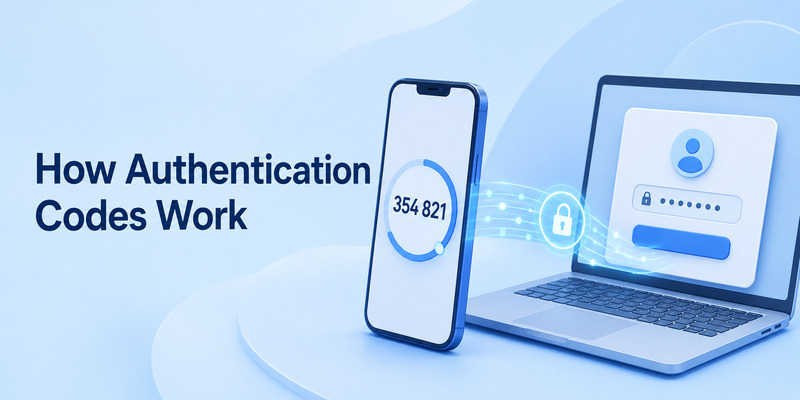
A facebook authentication app code is a short, time-limited number that acts as your second factor during sign-in. Most users see a six-digit code that refreshes automatically. You do not request the code from Facebook each time; your authenticator generates it locally.
When you set up the account, Facebook gives your app a secret key through the QR code or manual key. Your facebook authentication app combines that secret with the current time to create a temporary code. Facebook performs the same calculation. If the code matches within the valid time window, the login is approved.
This is why a 6 digit code authenticator app facebook prompt is normal when you use app-based verification. The code is meant to be entered only when you are actively signing in to Facebook or confirming a security action you initiated.
A facebook code authentication app is different from a password reset code sent by email or SMS. Authentication-app codes refresh constantly and are tied to the configured authenticator. Password-reset codes are normally sent by Facebook to a recovery channel and are used for a separate recovery process.
If Facebook rejects a code, do not keep entering random numbers. First, wait for the next code to appear. Then check that your phone’s date and time are set automatically. An incorrect device clock can make otherwise valid codes fail because the app and Facebook are no longer using the same time window.
Also verify that you are reading the code next to the correct Facebook account entry. If you have more than one profile, business account, or old setup entry in the authenticator, labels can look similar. Enter only the code connected to the account you are trying to access.
5. How to Log In With an Authenticator Code
A facebook log in authentication app flow usually begins with your normal email address, phone number, or username and password. After Facebook recognizes the login, it asks for a verification code from your authenticator.
Open your facebook authentication app, locate the entry labeled Facebook, and enter the currently displayed code. Type it carefully before the countdown expires. If the timer is nearly finished, wait for the next code rather than rushing and risking a typo.
A facebook authentication code app should only be used when you personally started the login. If a code prompt appears unexpectedly, it could mean someone else knows or is trying to guess your password. Do not approve, share, or enter any code for an unfamiliar request.
Some people worry when they see a facebook login code required authentication app screen after using the same device for years. Facebook may request verification because you cleared browser cookies, used a new browser, changed locations, traveled, updated a device, or triggered a security check. A code request is not automatically a sign that your account has been hacked.
If you are logging in on a private computer you trust, Facebook may offer an option to remember the device. Use that option only on a personal device with a strong login password. Never choose it on a public computer, shared workplace machine, hotel device, or someone else’s phone.
A facebook authentication app can make sign-in slightly slower, but that small extra step is worthwhile. It means a stolen password is less likely to be enough for someone to access your messages, contacts, ad accounts, Pages, or personal information.
6. Save Recovery Codes Before You Need Them

Recovery codes are your backup plan when a facebook authentication app is unavailable. Facebook may provide a set of one-time codes after you enable two-factor authentication. Each code can be used in place of the normal authenticator code during an emergency.
Save these codes as soon as Facebook displays them. Store them somewhere separate from your phone, such as a secure note in a trusted password manager, an encrypted document, or a locked physical location. Do not leave a screenshot in your camera roll, because photos may sync to cloud services or become visible to anyone with access to your unlocked device.
Your authentication app for facebook code should not be your only recovery method. If your phone is stolen, damaged, or wiped, the authenticator may be unavailable at the same moment you need to sign in. Recovery codes can give you a safe path back into the account.
Review your Facebook recovery email address and phone number too. Remove old contact methods you no longer control. If an old phone number belongs to someone else now, it should not remain attached to your account.
If you use a password manager, consider saving a note that explains where your recovery codes are stored. Do not put the codes in an unsecured file or message thread. The goal is to make recovery possible for you without making the information easy for an attacker to find.
A well-prepared facebook authentication app setup includes at least two safe ways to regain access. Recovery codes, a secure backup authenticator, an updated recovery email, and a trusted device can provide that redundancy.
7. What to Do When You Get a New or Lost Phone
Before replacing your phone, transfer your facebook authentication app entries while the old device still works. Many authenticators offer device-to-device transfer, encrypted backup, or account sync. Follow the app’s official migration process, then test the Facebook code on the new phone before erasing the old one.
Do not assume that installing the same authenticator on a new phone will automatically restore your entries. Some apps keep codes only on the original device unless you export, transfer, or restore them. Check your app’s recovery instructions before you reset or trade in a phone.
If you lose a phone that holds your facebook authentication app, use a recovery code, another configured authenticator device, or Facebook’s official account-recovery route. Once you regain access, change your Facebook password, review current login sessions, and remove the lost device from your account where possible.
You should also remotely lock or erase the lost phone if that feature was enabled. Contact your mobile provider if the phone included an active SIM card. Although the authenticator itself may not depend on SMS, your phone number can still be used in other recovery flows.
After you restore access, create fresh recovery codes if Facebook allows it. Old codes may have been exposed along with the lost device or emergency records. Check all security settings again to confirm the facebook authentication app is still connected correctly.
For business owners and Page administrators, this step is especially important. A compromised personal Facebook profile can affect business Pages, ad accounts, Marketplace activity, creator tools, and shared management permissions. Prepare recovery options before an urgent situation happens.
8. Fix Common Facebook Authentication App Problems
The most common facebook authentication app problem is an invalid code. Start by waiting for a fresh code, then enter it again carefully. If it still fails, enable automatic date and time on your phone. A small clock mismatch can cause TOTP codes to be rejected.
Another issue is having multiple Facebook entries in the app. This can happen after you repeat setup, migrate devices, or forget which account was originally connected. Do not delete entries immediately. Use a trusted signed-in Facebook session or recovery code to confirm which entry works first.
If the app authenticator facebook option is missing in your settings, update the Facebook app or try the browser version of Facebook on a trusted device. Account settings can appear differently across devices, operating systems, and app versions. Look under the security or password area rather than relying only on an old screenshot.
A facebook code generator authentication app entry may also fail after you changed your Facebook password, removed two-factor authentication, or reset account security. In that case, you may need to remove the old authenticator entry and set it up again through Facebook’s current security settings.
Never use a third-party “code generator” website that promises to create Facebook access codes. A legitimate facebook authentication app generates codes only after you connect it to your own Facebook account. Websites that claim to generate login codes without access to your device or official account settings are unsafe and may be designed to steal credentials.
If a code problem continues, use only Facebook’s official recovery and Help Center pathways. Avoid paying someone on social media who claims they can “unlock” your account. These offers are commonly scams.
9. What If You Never Set Up an Authenticator App for Facebook?
The message i never set up an authenticator app for facebook can indicate several situations. You may have forgotten a past setup, another person may have changed your security settings, the account may have been compromised, or Facebook may be asking for a method connected to an old device.
First, do not provide any current code to another person. Then try to access Facebook from a device and browser you have used before. A familiar device may be recognized and give you more recovery options.
Check whether you still have access to your primary email address and mobile number. Use Facebook’s official account-recovery process and follow the on-screen prompts. If you can access another active session, review Password and security, check the two-factor authentication methods, and look for unfamiliar devices or recent login activity.
If an unknown facebook authentication app was added to your account, change your password immediately from a trusted device. Use a new, unique password that you have not used on any other website. Then remove unfamiliar authentication methods, sign out of unrecognized sessions, and add your own secure verification method.
It is possible that a family member, former partner, colleague, or old device setup still has access to your codes. Treat this as a security issue rather than an inconvenience. Update your password, recovery details, and two-factor settings so only you control the account.
Facebook’s official security help pages are the correct source for current recovery options, because steps can vary based on account status and available recovery methods.
10. Authenticator Apps, Facebook Code Generator, and Security Keys
A facebook in app authenticator phrase can refer to Facebook’s own in-app code-generation features or to a third-party authenticator connected to Facebook. Both approaches aim to provide a second sign-in factor, but they are not identical.
A dedicated facebook authentication app usually follows the standard TOTP method. It can hold codes for many services and may work offline. This is useful if you prefer one central place for Facebook, email, work accounts, and other protected services.
Facebook may also provide code-generation or login-approval features inside its own account environment. These can be convenient when you have access to the Facebook app, but they may not help if you cannot access that device or app. This is one reason recovery codes remain important.
An authenticator app facebook security key setup refers to a stronger option for some users: a physical security key. Security keys can offer better phishing resistance because they help verify that you are signing in to the real website. They are particularly useful for business owners, public-facing creators, administrators, journalists, and anyone at elevated risk of targeted attacks.
For everyday users, a facebook authentication app is usually a practical balance of security and convenience. For high-value accounts, consider adding a hardware security key as a backup or primary method if Facebook supports it for your account.
Do not depend on only one device, one phone number, or one recovery path. The strongest approach is layered: unique password, authenticator, recovery codes, and a secure backup method.
11. Best Practices to Keep Your Facebook Account Secure
Use a facebook authentication app on the accounts that matter most, beginning with your primary email address and Facebook profile. Your email account is critical because it can often reset your Facebook password.
Create a long, unique Facebook password and store it in a reputable password manager. Do not reuse the password from Instagram, online shopping, work tools, or other social-media accounts. A reused password can make a breach elsewhere become a Facebook problem.
Review your login activity periodically. Remove devices you no longer use and investigate unfamiliar locations or browsers. Set up login alerts so you know when Facebook detects a new sign-in.
Keep your phone’s operating system and your authenticator App updated. Updates can fix security issues, improve device-transfer tools, and reduce compatibility problems. Use a lock screen on your phone and do not let other people register their fingerprint or face on your device.
Be skeptical of urgent messages claiming that your Facebook account will be deleted, verified, suspended, or monetized only if you provide a code. Scammers often use fake support messages to persuade users to hand over credentials. Facebook security codes should never be shared with anyone.
Finally, protect business assets separately. If you manage a Page or ad account, give each team member their own access rather than sharing one Facebook profile. Remove former employees and contractors promptly. A facebook authentication app protects your personal login, but sensible permission management protects the business resources connected to it.
12. Frequently Asked Questions
Is a Facebook authentication app free?
Most standard authenticator apps are free to download and use for code generation. Some products charge for premium backup, cross-device sync, password management, or business features. A basic facebook authentication app is often enough for personal Facebook security.
What app should I use for Facebook authentication?
Choose a reputable app that supports standard TOTP codes, offers a recovery method you understand, and can be protected with a PIN or biometric lock. The best option is one you can safely recover if your phone is lost.
Why does Facebook reject my authenticator code?
Check that the code is current, your phone time is set automatically, and you selected the correct Facebook account entry. If it still fails, use recovery codes or official account recovery rather than repeatedly guessing.
Can I use one authenticator app for multiple Facebook accounts?
Yes, many apps can store multiple account entries. Label each account clearly. Be especially careful when managing personal, business, and client accounts so you enter the correct code.
Can someone hack my Facebook account if I use an authenticator app?
A facebook authentication app significantly reduces the risk from stolen passwords, but it cannot fully protect against phishing, malware, device theft, or shared recovery codes. Keep your password unique, verify URLs, and never share your current authentication code.
13. Final Thoughts
A facebook authentication app is one of the most effective ways to make Facebook account theft more difficult. It adds a short verification step, but that step can stop many attacks that begin with a stolen or reused password.
Set it up from Facebook’s official security settings, protect the authenticator with a phone lock, save recovery codes, and test the login process while you still have access to all your devices. If you ever see an authentication method you did not add, act quickly: change your password, review login activity, and secure recovery options.
With a reliable facebook authentication app, a unique password, and a clear recovery plan, you can protect both your personal profile and the valuable Pages, messages, and business tools connected to it.
Download Authenticator App
Secure your accounts with fast, reliable two-factor authentication. Download now and protect your login in seconds.
