
Which Authenticator App Is Best? The Best 2FA Apps Compared for 2026
If you are wondering which authenticator app is best, there is no single answer for every user. For most people, 2FAS is an excellent mobile-first choice, Ente Auth is particularly strong for cross-platform and desktop use, Google Authenticator is simple and familiar, Microsoft Authenticator works well for Microsoft-heavy accounts, and 1Password is convenient for people already using its password manager.
The right choice depends on three things: how securely the app protects your authentication secrets, whether it can recover or sync your codes, and which devices you use.
For users at higher risk of phishing, however, a passkey or physical security key can provide stronger protection than a traditional TOTP authenticator app. Google and Stripe both specifically note the phishing-resistance advantages of passkeys or hardware security keys.
1. Which Authenticator App Is Best in 2026?
So, which authenticator app is best right now?
A practical ranking is:
| App | Best for | Major advantage |
| 2FAS | Most mobile users | Free, open-source, browser integration |
| Ente Auth | Multi-device users | Desktop, web, mobile, encrypted sync |
| Google Authenticator | Beginners | Simple setup and Google Account sync |
| Microsoft Authenticator | Microsoft users | Microsoft MFA and passwordless sign-in |
| 1Password | Password-manager users | Passwords and TOTP codes in one ecosystem |
If your priority is simplicity, Google Authenticator is hard to misunderstand. It generates verification codes offline and can synchronize codes between devices when you sign in with a Google Account. Google says synced Authenticator codes are encrypted in transit and at rest.
If your question is which authenticator app is the best for someone who regularly switches between Windows, Mac, Android, and iPhone, Ente Auth deserves particular attention because it offers mobile, web, Windows, macOS, and Linux apps with end-to-end encrypted synchronization.
For a mobile-focused setup, 2FAS is another strong answer to which authenticator app is best. It is open-source, available on iOS and Android, and offers a browser extension that communicates with the mobile app using end-to-end encryption.
🗺️ Browse How-To Guides:App Authenticator: Complete Guide to 2FA, OTP Codes, Setup & Recovery
2. What Makes an Authenticator App the Best?
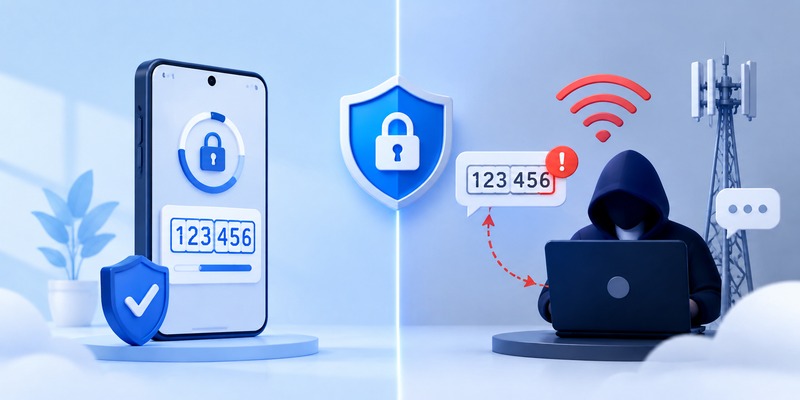
Before asking what is the best authenticator app, define what “best” means for your accounts.
Security architecture
A good authenticator app should protect the secret keys that generate your time-based one-time passwords. Look for biometric or device-lock protection, secure storage, and preferably transparent security documentation.
Open-source software can also be attractive because its code can be inspected independently, although open source alone does not automatically make an app secure.
Backup and recovery
One of the biggest differences between authenticator apps is what happens when your phone is lost.
An app with encrypted backup or synchronized codes can make recovery easier. An offline-only app may reduce cloud exposure but places more responsibility on you to preserve exports or backup codes.
Google Authenticator, for example, can sync verification codes to a Google Account or operate without an account.
Microsoft Authenticator also supports backups, although Microsoft currently notes platform-specific restrictions for restoring backups between iOS and Android.
Therefore, when deciding which authenticator app is best, do not evaluate only the login screen. Think about what happens when you replace, lose, or damage your phone.
Cross-platform support
If you need a desktop authenticator app, mobile-only products may become inconvenient.
Ente Auth is especially useful here because its current official offering includes apps for iOS, Android, Windows, macOS, Linux, and the web.
Users who mainly authenticate websites from a computer can also consider 2FAS’s browser integration, although its Auth extension works together with the mobile app rather than functioning as a completely independent desktop vault.
Download Authenticator App
Secure your accounts with fast, reliable two-factor authentication. Download now and protect your login in seconds.
3. Best Authenticator Apps Compared
2FAS: Best free mobile-first choice
For many users asking which authenticator app is best, 2FAS offers an appealing balance of security, usability, and transparency.
It is an open-source project with iOS and Android apps. Its browser extension can send an authentication request to your phone, where you approve the action before the token is returned to the browser through an encrypted connection.
2FAS also supports Apple Watch, making it a notable option for people searching for the best authenticator app for apple watch.
Choose 2FAS if you want a straightforward TOTP app and primarily work from a phone plus browser.
Ente Auth: Best cross-platform option
If what authenticator app should i use really means “I need my codes on several operating systems,” Ente Auth may be the strongest fit.
Ente describes Auth as open-source and provides end-to-end encrypted backups and synchronization. It is available on mobile, desktop, and web, and it also supports importing and exporting authentication data.
For someone asking which authenticator app is best for Windows and mobile together, Ente Auth has a major usability advantage over purely mobile-first tools.
Google Authenticator: Best for simplicity
Google Authenticator remains one of the easiest choices for beginners.
It generates codes without cellular service or internet access and can synchronize verification codes across devices when you use a Google Account. Users who prefer local storage can also use it without signing in.
For someone asking what is the best authenticator app for android, Google Authenticator is a sensible default when simplicity matters more than advanced organization or desktop access.
Microsoft Authenticator: Best for Microsoft accounts
Microsoft Authenticator is particularly useful when your workplace or personal accounts already rely on Microsoft services.
Microsoft says the app can handle one-time passwords, sign-in approvals, and passwordless Microsoft authentication. It also supports third-party accounts that use standard verification codes.
That makes Microsoft Authenticator a strong answer to which authenticator app should i use if Microsoft 365, Entra, Outlook, or other Microsoft accounts dominate your workflow.
1Password: Best if you already use 1Password
1Password can save one-time passwords alongside account credentials. It also has apps for major desktop and mobile platforms.
Apple users receive an additional advantage: 1Password supports viewing one-time passwords on Apple Watch, including displaying selected codes through watch complications.
For users looking for the best authenticator app for apple devices, this integration is convenient, especially when they already pay for and trust the 1Password ecosystem.
💡 Discover Helpful Guides: Facebook Authentication App: Setup, Login Codes, and Recovery Guide
4. Which Authenticator App Is Best for iPhone, Android, and Desktop?
Platform matters almost as much as security.
Best authenticator app for iPhone
The best authenticator app for iphone depends on whether you prioritize simplicity or ecosystem integration.
2FAS is a strong free option for an iPhone-centered setup, especially because Apple Watch support is available. 1Password is attractive if you want authentication codes integrated with an existing password vault.
This also answers users searching for the best authenticator app for apple, best authenticator app for apple devices, or what is the best authenticator app for apple: choose based on whether you want a dedicated TOTP app or a broader credential manager.
Best authenticator app for Android
For what is the best authenticator app for android, Google Authenticator is an easy recommendation for basic use, while 2FAS offers more browser-focused convenience and Ente Auth is better suited to people who also need desktop access.
If you change platforms regularly, Ente’s broader device support may matter more than having the simplest interface.
Best authenticator app for desktop users
A true desktop authenticator app can be useful when you frequently sign in from Windows, macOS, or Linux.
Ente Auth is one of the clearest choices because it officially supports those desktop platforms as well as mobile and web access.
However, consider whether storing both your password and second factor on the same computer fits your threat model. Separating factors across devices can add protection in some situations.
💡 Discover Helpful Guides: Authenticator App Code: How to Get Verification Codes and Fix Common Problems
5. Which Authenticator App Should You Use for Facebook, Discord, and Stripe?
Users often search which authenticator app to use because a specific service asks them to “set up an authentication app” without naming one.
Which authenticator app is best for Facebook?
For which authenticator app is best for facebook, a standard TOTP app such as 2FAS, Google Authenticator, Microsoft Authenticator, or Ente Auth is usually the practical choice when the account setup presents a QR code for an authentication app.
Rather than choosing an app only because it has “Facebook” in its name, prioritize recovery options, device security, and whether you already use that app for other accounts.
Which authenticator app does Discord use?
If you are asking which authenticator app does discord use, Discord describes its authentication-app method as TOTP-based rather than requiring one exclusive authenticator brand. Its current MFA documentation also supports security keys/passkeys and SMS alongside authenticator apps.
Therefore, a standards-compatible TOTP app is the important requirement.
Which authenticator app does Stripe use?
The same principle applies to which authenticator app does stripe use. Stripe supports authenticator apps as one of several two-step authentication methods rather than requiring one universal Stripe-branded authenticator.
Stripe currently supports passkeys, security keys, authenticator apps, and SMS, and recommends passkeys or security keys for stronger phishing resistance.
For a financial account such as Stripe, consider registering more than one secure authentication method and storing recovery information safely.
🗺️ Browse How-To Guides: Authenticator App New Phone: How to Transfer It the Right Way
6. Authenticator App vs SMS: Which Is Safer?
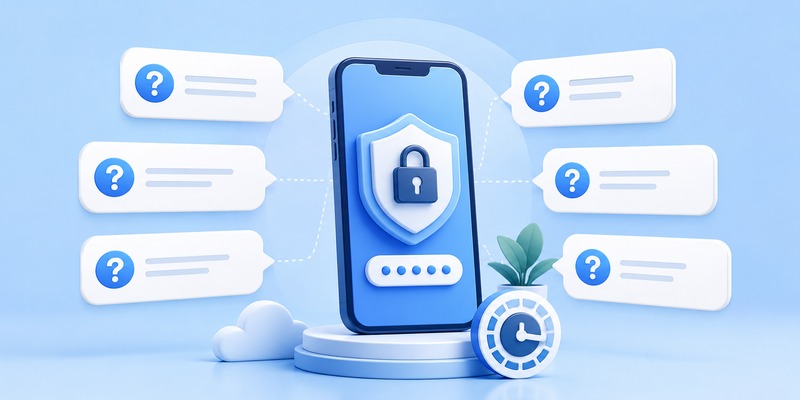
The authenticator app vs sms comparison is one of the strongest reasons to move away from text-message verification.
SMS depends on your phone number and mobile carrier. That creates risks such as SIM swapping, number porting attacks, and intercepted messages.
A TOTP authenticator generates codes directly from a secret stored in the application. It does not need a cellular signal to create the next code.
Google explicitly warns that verification codes sent through text messages or calls can be vulnerable to phone-number-based attacks.
Stripe similarly describes SMS-based 2FA as vulnerable to SIM swapping and interception.
Therefore, in an authenticator app vs text message comparison, the authenticator app is generally preferable when those are the only two choices.
This is another reason why someone asking which authenticator app is best should not focus only on brand recognition. Almost any well-designed TOTP application can provide an important improvement over SMS-based authentication.
7. Authenticator App vs Passkey vs Security Key
An authenticator app is better than SMS in many situations, but it is not necessarily the strongest authentication technology available.
Authenticator app vs passkey
In an authenticator app vs passkey comparison, passkeys have an important phishing-resistance advantage.
Traditional authenticator codes can still be entered into a fake login page. An attacker conducting a real-time phishing attack may capture the password and current TOTP code and immediately relay them to the legitimate service.
Passkeys use cryptographic authentication tied to the legitimate website or application, which makes this type of credential phishing substantially harder.
That means the answer to which authenticator app is best may sometimes be: use a passkey instead, if the service provides a well-implemented passkey option.
Authenticator app vs security key
The authenticator app vs security key decision follows similar logic.
Hardware security keys can provide phishing-resistant authentication while physically separating your authentication credential from the computer.
Google identifies passkeys and hardware security keys as methods that protect against phishing attacks, and Stripe recommends passkeys or security keys over SMS for its accounts.
An authenticator app remains valuable because TOTP support is extremely common. For important accounts, however, you can use a security key or passkey as your primary method and keep another secure method for recovery when the service allows it.
🗺️ Browse How-To Guides: TOTP Authenticator App Guide 2026: How to Use & Compare the Best Options
8. Should You Use an Authenticator App?
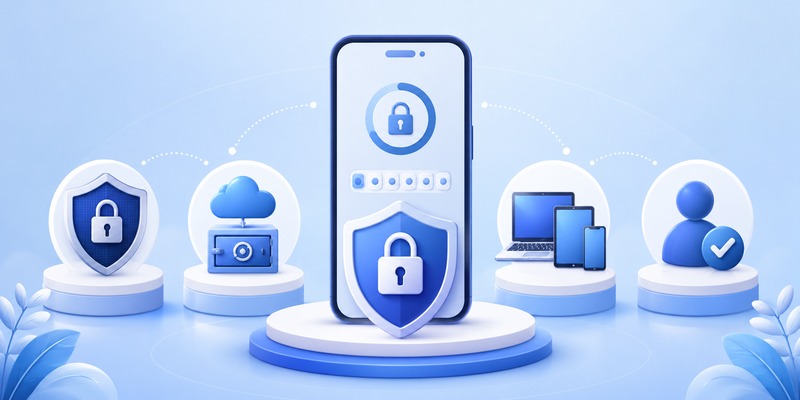
If you are asking should i use an authenticator app, the answer is usually yes when the alternative is password-only authentication or SMS-based verification.
A compromised password should not automatically give an attacker access to your account.
People searching should i use authenticator app often worry about the inconvenience. In practice, modern apps make generating a six-digit code quick, and many services remember trusted devices so you do not authenticate on every visit.
Before enabling one, however, prepare for recovery.
Save the service’s backup codes. Add a second authentication method if permitted. Understand the authenticator app’s backup process. Never assume you can recover your tokens simply by reinstalling the app.
When deciding which authenticator app is best, recovery should be treated as a security feature, not just a convenience feature.
9. How to Choose and Switch Authenticator Apps Safely
If you keep searching what authenticator app should i use, use a simple decision process.
Choose an app that supports your devices, has a recovery model you understand, lets you protect access with your phone or biometrics, and comes from a developer whose security practices you trust.
For mobile-first users, 2FAS is compelling. For multiple desktop and mobile operating systems, Ente Auth is particularly flexible. For a simple mainstream option, Google Authenticator works well. Microsoft-focused organizations may prefer Microsoft Authenticator. Existing 1Password customers may appreciate integrated OTP management.
If you switch apps, do not immediately delete your old authenticator app.
First add or transfer the accounts. Test the new app by signing in. Confirm recovery codes. Only remove the old authenticator after you know every important account works correctly.
This matters because choosing which authenticator app is best is only half of the security problem. Migrating incorrectly can lock you out of the accounts you were trying to protect.
📘 Find the Right Guide: Why Is My Authenticator App Not Opening? 7 Fixes That Actually Work
10. FAQs About Choosing an Authenticator App
What is the best authenticator app?
If you ask what is the best authenticator app, 2FAS is one of the strongest mobile-first choices, while Ente Auth stands out for users who need desktop and mobile synchronization. Google Authenticator is ideal for simplicity, Microsoft Authenticator suits Microsoft-heavy environments, and 1Password is convenient for existing 1Password users.
There is no universal winner because which authenticator app is best depends on your devices and recovery requirements.
What is best authenticator app for beginners?
For what is best authenticator app for a beginner, Google Authenticator is straightforward. 2FAS is also easy to use while offering additional open-source and browser-integration advantages.
What are the best authenticator apps today?
For users asking what are the best authenticator apps, a practical shortlist includes 2FAS, Ente Auth, Google Authenticator, Microsoft Authenticator, and 1Password.
Your final decision about which authenticator app to install should depend on platform support, encrypted backup or export options, usability, and your preferred account ecosystem.
Which authenticator app should I use?
If your search is simply which authenticator app should i use, choose 2FAS for a dedicated mobile-first solution, Ente Auth for broad cross-platform support, Google Authenticator for simplicity, Microsoft Authenticator for Microsoft services, or 1Password if you already use its credential manager.
What if I see best authenticator app Reddit recommendations?
A search for best authenticator app reddit can reveal useful real-world experiences, but community recommendations should not replace checking official documentation, update history, backup behavior, security architecture, and platform support.
Security software should be evaluated on verifiable features, not popularity alone.
Is there an authenticator app alternative?
Yes. A passkey or physical security key can be an excellent authenticator app alternative, especially for accounts that support phishing-resistant authentication.
SMS is another alternative, but it is generally weaker than app-generated TOTP because of phone-number-based attacks.
Which authenticator app is best if I use many devices?
For people using Android, iPhone, Windows, Mac, or Linux together, Ente Auth is particularly attractive because of its broad cross-platform support and encrypted synchronization.
For primarily mobile users, 2FAS is another strong answer to which authenticator app is best.
11. Final Verdict
So, which authenticator app is best in 2026?
For a free, dedicated, mobile-first authenticator, 2FAS is one of the strongest options. If desktop access and synchronization across many platforms are essential, Ente Auth is a better fit. Google Authenticator remains an excellent simple choice, while Microsoft Authenticator makes sense for Microsoft-centered users. If you already rely on 1Password, its integrated OTP support can be highly convenient.
The best authenticator app is ultimately the one that combines strong security with a recovery system and device ecosystem you can actually manage.
More importantly, do not treat TOTP as the final level of account security. When a sensitive service supports passkeys or hardware security keys, consider using them for better phishing resistance and retaining an authenticator or recovery code as an additional backup.
If the question is still which authenticator app is best, choose based on this order: security, recovery, device compatibility, and convenience. A recognizable name is useful, but those four factors are what determine whether an authenticator will protect you when you really need it.
Download Authenticator App
Secure your accounts with fast, reliable two-factor authentication. Download now and protect your login in seconds.
