
TOTP Authenticator App Guide 2026: How to Use & Compare the Best Options
Two-factor authentication has become a baseline requirement for protecting online accounts, and at the center of this system is the totp authenticator app. If you’ve ever been asked to scan a QR code after enabling 2FA on Gmail, GitHub, or your bank’s website, you’ve already interacted with this technology. This guide explains exactly how a totp authenticator app works, walks you through daily usage, and compares the top tools available today so you can pick the right one with confidence.
What Is a TOTP Authenticator App and How It Protects You
TOTP stands for “Time-based One-Time Password,” and a totp authenticator app is any application that generates these temporary codes to verify your identity during login. Instead of trusting a password alone — which can be leaked, guessed, or phished — services ask for a second proof: a six-digit code refreshed every 30 seconds by your authenticator app.
The strength of a totp authenticator app lies in the fact that codes are generated locally, without needing to send anything over a network. This makes it far more resistant to interception compared to SMS-based codes, which criminals can steal through SIM-swapping schemes. Every major platform — from social media to cryptocurrency exchanges — now recommends pairing your password with a reliable authenticator totp app for meaningfully stronger protection.
Download Authenticator App
Secure your accounts with fast, reliable two-factor authentication. Download now and protect your login in seconds.
How a TOTP Authenticator App Generates Codes
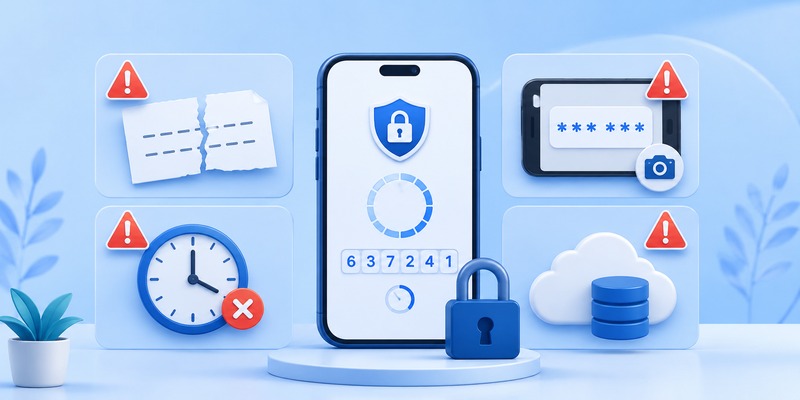
Understanding the mechanics helps you trust the process. When you first link an account to your totp authenticator app, the service transmits a secret key, usually embedded inside a QR code. Both your phone and the server store this same secret permanently.
From that moment forward, your totp app authenticator combines the secret key with the current Unix timestamp, running it through a cryptographic hash function to produce a six-digit number. Since both sides perform the identical calculation at the identical moment, the codes match — without ever needing to communicate over the internet. This is why your totp authenticator app keeps functioning perfectly even in airplane mode.
Codes typically refresh every 30 seconds, and most apps display a small countdown ring or progress bar so you know exactly when a new code is about to appear.
🗺️ Browse How-To Guides:App Authenticator: Complete Guide to 2FA, OTP Codes, Setup & Recovery
How to Use a TOTP Authenticator App: A Practical Walkthrough
Using a totp authenticator app day-to-day is simple once it’s configured. Here’s the typical workflow:
- Open your authenticator app whenever a website asks for a verification code.
- Locate the matching account entry, usually labeled with the service name and your username.
- Read the current six-digit code displayed on screen.
- Type the code into the login field before it expires.
- Repeat as needed — most people check their totp authenticator app several times a day across multiple accounts.
Many modern apps also support search functionality, favorites, and folders, which becomes essential once you’re managing more than a dozen accounts inside a single authenticator app. Some tools even offer a “tap to copy” feature so you don’t need to manually type each digit.
Comparing the Best TOTP Authenticator App Options in 2026
We evaluated the leading tools on the market to help you choose the right totp authenticator app for your workflow.
Google Authenticator
As the most recognizable google totp app, this tool remains popular for its simplicity and reliability. It recently gained cloud backup support, addressing a long-standing weakness where losing a phone meant losing every linked account. It’s ideal for casual users who want a minimal, no-frills experience.
Microsoft Authenticator
This authenticator app blends traditional TOTP codes with one-tap push approvals, making it especially convenient for Microsoft 365 and enterprise accounts. Its cloud backup ties directly into your Microsoft account, offering a smooth recovery process if you switch devices.
Authy
Authy is a favorite among people juggling many accounts because it supports encrypted cloud backups and multi-device access, including a desktop client. It’s one of the more feature-complete choices in the totp authenticator app category, though its backup system is closed-source.
2FAS
2FAS has earned a strong reputation as a free totp authenticator app with a fully open-source codebase. It offers browser extension pairing and encrypted backups without requiring account registration, appealing to users who value transparency.
Aegis Authenticator
For Android users seeking maximum privacy, Aegis is a leading totp app android option. It’s open-source, works entirely offline, and supports encrypted local backups without ever requiring an internet connection.
Duo Mobile
Built with enterprise deployment in mind, Duo Mobile is a dependable authenticator totp app frequently adopted by universities and corporations that need centralized authentication management across large teams.
💡 Discover Helpful Guides: Facebook Authentication App: Setup, Login Codes, and Recovery Guide
Best TOTP App Android Picks for Mobile Users
Android users have some of the richest choices available when it comes to a dependable totp app android solution:
- Aegis Authenticator – fully open-source, offline-first, and encrypted local backups
- 2FAS – open-source with cloud backup and browser extension support
- Google Authenticator – simple, lightweight, now with cloud sync
- Authy – strong multi-device support with desktop companion app
Each of these apps demonstrates that a totp app android doesn’t need to be complicated to be effective — the best options balance simplicity with strong underlying security.
Google TOTP App vs Independent Authenticator Tools
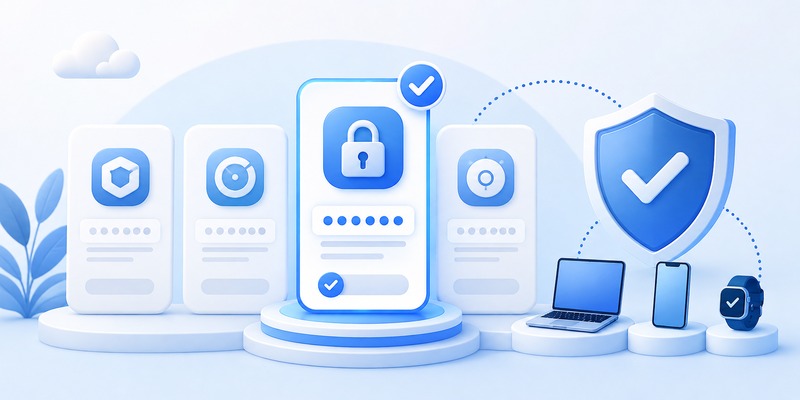
Many people default to the google totp app simply because it appears first when enabling 2FA on a Google account. It’s dependable and now supports backup and restore, closing one of its biggest historical gaps.
However, independent tools like Authy, 2FAS, and Aegis often outperform the google totp app in areas like organization, biometric locking, and cross-platform desktop support. If you only need to protect a couple of accounts, sticking with the google totp app is a reasonable choice. But if you’re managing dozens of logins across work and personal life, a more robust totp authenticator app built specifically around convenience features may serve you better.
Best Free TOTP Authenticator App for Budget-Conscious Users
The good news is that cost rarely limits quality in this category. If you’re specifically searching for a free totp authenticator app, these are worth prioritizing:
- 2FAS – free, open-source, with optional donation support
- Aegis Authenticator – completely free and ad-free
- Google Authenticator – free with no premium tier
- Microsoft Authenticator – free for personal accounts
Selecting a free totp authenticator app doesn’t mean settling for weaker security. In fact, several free options rank among the most trustworthy tools available today, thanks to open-source transparency and active community auditing.
Common Mistakes People Make When Using a TOTP Authenticator App

Even experienced users occasionally misuse their totp authenticator app in ways that weaken security:
- Skipping backup codes — without them, losing your phone can permanently lock you out of accounts.
- Screenshotting QR codes — screenshots can be accessed by other apps or synced to insecure cloud photo libraries.
- Not locking the app itself — always enable biometric or PIN protection on your authenticator app.
- Reusing one account across multiple TOTP tools — this can create sync conflicts and confusion.
- Ignoring software updates — outdated apps may contain unpatched vulnerabilities.
- Sharing codes with anyone — legitimate services never ask you to read your code aloud to a support agent.
Avoiding these mistakes ensures your totp authenticator app provides the protection it’s designed for, rather than becoming a false sense of security.
💡 Discover Helpful Guides: Authenticator App Code: How to Get Verification Codes and Fix Common Problems
Frequently Asked Questions
Is a TOTP authenticator app better than SMS codes?
Yes. A totp authenticator app generates codes locally, making it immune to SIM-swap interception, unlike text-message-based verification.
Can I use the same TOTP authenticator app across multiple devices?
It depends on the app. Authy and Microsoft Authenticator support multi-device sync, while apps like Aegis are designed for single-device use with manual backup and restore.
What happens if I lose my phone?
If you saved backup codes or enabled cloud sync, you can restore your totp app authenticator setup on a new device without losing access to your accounts.
Do I need internet access for a TOTP authenticator app to work?
No. Since codes are generated using local time and a stored secret key, your authenticator totp app works completely offline.
Which is the best free option?
2FAS and Aegis are widely considered the strongest choices when searching for a free totp authenticator app, thanks to their open-source design and zero cost.
🗺️ Browse How-To Guides: Authenticator App New Phone: How to Transfer It the Right Way
Which TOTP Authenticator App Should You Choose?

The right totp authenticator app ultimately depends on your priorities. Casual users who want simplicity will find the google totp app perfectly sufficient. People managing many accounts across devices should consider Authy or Microsoft Authenticator for their sync capabilities. Privacy-focused Android users will appreciate Aegis as a top totp app android pick, while 2FAS remains an excellent all-around free totp authenticator app.
Whichever totp authenticator app you settle on, the most important step is simply enabling it wherever two-factor authentication is offered. A few extra seconds at login is a small trade-off for dramatically stronger protection of your digital accounts in 2026 and beyond.
Download Authenticator App
Secure your accounts with fast, reliable two-factor authentication. Download now and protect your login in seconds.
