
Download Microsoft Authenticator for Laptop: Safe Setup Guide
Published August 17, 2026
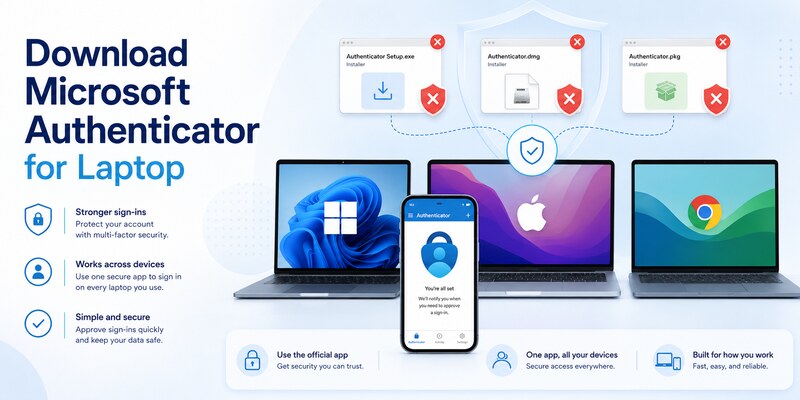
If you want to download microsoft authenticator for laptop, the supported answer is to install Microsoft Authenticator on an iOS or Android phone and use it with the laptop’s browser. Microsoft’s current guidance says Authenticator is not available for PC or Mac. The laptop displays setup or sign-in information; the phone stores and uses the authenticator credential.
This model works with Windows laptops, MacBooks, and most ChromeOS browser sign-ins, subject to the account provider and organization policy. Laptop-native passkeys, Windows Hello, Touch ID, and FIDO2 security keys may provide secure alternatives where supported.
This guide covers official installation, browser pairing, personal and managed accounts, safe alternatives, fake-installer warnings, and recovery when the phone is unavailable.
1. Understand the Official Laptop Availability
Distinguish a setup page from an installed app
When instructions say to download microsoft authenticator for laptop, they often mean “open the download or enrollment page on your laptop, then install the app on your phone.” The wording can be imprecise, especially in workplace onboarding material.
| Laptop activity | What it does | Where the credential resides |
|---|---|---|
| Open account Security settings | Add or remove authentication methods | Phone, platform, or hardware key |
| Display an enrollment QR | Transfer a fresh secret to Authenticator | Supported mobile device |
| Show a number during sign-in | Match the laptop request to phone approval | Registered phone |
| Prompt for a passkey | Use a platform or hardware credential | Laptop secure hardware, synced store, or key |
| Run Windows Hello or Touch ID | Unlock a device-bound credential | Laptop platform security |
Follow the official mobile-only guidance
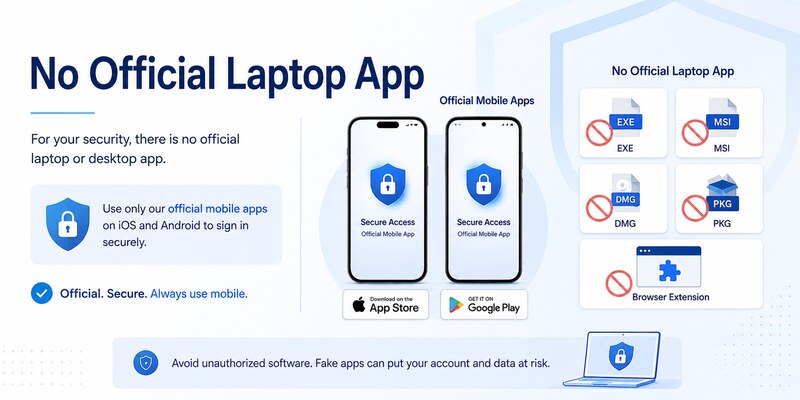
Microsoft lists Apple App Store and Google Play as Authenticator download routes and says no PC or Mac application is available. Microsoft also states that versions more than one year old are unsupported, so use the latest mobile store version.
There is no official microsoft authenticator app download for laptop as an EXE, MSI, DMG, PKG, Chrome extension, or emulator image. A file using Microsoft branding does not become legitimate because it appears in a sponsored search result.
Managed users and users in China may need organization-specific or regional distribution instructions. Use the official Microsoft page, Apple App Store, Google Play, or an authorized enterprise catalog.
This platform distinction defines download microsoft authenticator for laptop before any unknown software or credential is involved.
Bookmark the official Microsoft guidance and store listing so every future download microsoft authenticator for laptop check begins from a verified source instead of a search advertisement.
Download Authenticator App
Secure your accounts with fast, reliable two-factor authentication. Download now and protect your login in seconds.
2. Identify Your Laptop and Sign-In Goal
Choose the correct authentication job
Different requests need different tools. A user may want to approve a web sign-in, generate a TOTP code, unlock the laptop, replace a phone, or satisfy employer MFA. Do not install software until the exact goal is clear.
| Goal | Best supported path | Common mistake |
|---|---|---|
| Approve a website login | Mobile Authenticator push | Install fake desktop clone |
| Generate TOTP | Supported mobile or approved hardware authenticator | Save QR secret on laptop |
| Unlock Windows | Windows Hello | Expect mobile app to replace local login |
| Unlock Mac or use web passkey | Touch ID or platform passkey | Force-sideload iPhone app |
| Strong portable MFA | FIDO2 security key | Rely on one phone only |
| Meet company policy | Administrator-approved method | Bypass management profile |
Preserve independent factors
The supported two-device design keeps the browser session and password on the laptop while the approval credential remains on a separate phone. An unofficial emulator or clone can put both factors in the same compromised environment.
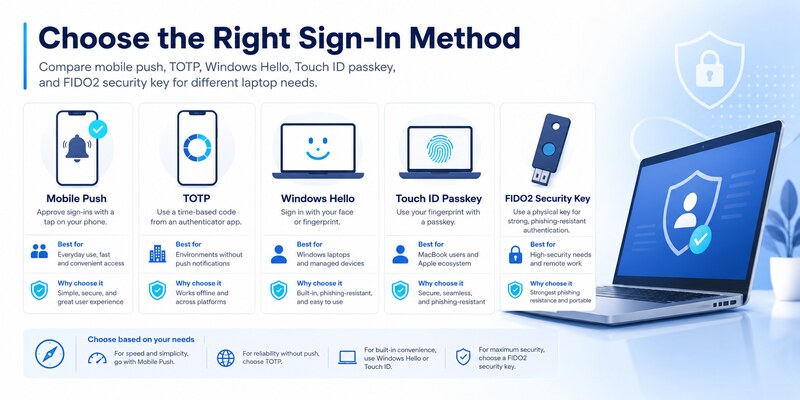
If the need is laptop-native convenience, choose Windows Hello, a platform passkey, Touch ID, or a hardware security key where available. If the provider requires mobile push or TOTP, use Authenticator on the phone.
Record the laptop OS, provider, username, tenant, current factor, planned factor, fallback, and desired result without recording secrets. A clear plan turns how to download microsoft authenticator app in laptop into the correct browser-plus-phone workflow.
This decision step prevents download microsoft authenticator for laptop from becoming an unsafe search for software that does not officially exist.
Write the chosen method and recovery owner in a secret-free checklist; this keeps download microsoft authenticator for laptop focused on the account’s real requirement and acceptance test.
🗺️ Browse How-To Guides: Microsoft Authenticator Download Mac: Safe Best Options
3. Install Authenticator on a Supported Phone
Use an official store
On Android, use Google Play or an organization-managed store. On iPhone or iPad, use Apple App Store or an approved catalog. Verify the Microsoft publisher, app title, current version, and expected permissions. The microsoft authenticator download guide provides full mobile instructions.
A safe microsoft authenticator app download free does not require payment for the app itself, a desktop activation tool, or a support subscription. Device, data, account-service, or organization costs may still apply.
Prepare the mobile device
Update the phone OS, enable a strong screen lock and encryption, set time and time zone automatically, and use a trusted network. Camera permission supports QR scanning, while notification and background access support push approvals.
Enable App Lock and review cloud backup where appropriate, but preserve provider recovery codes and another strong factor. Backup may restore some TOTP data; work, school, and passwordless registrations can still require re-enrollment.
If replacing a phone, keep the old device and trusted browser sessions until the new registration and fallback have passed. Installing Authenticator does not automatically transfer or activate accounts.
The official phone installation is the actual app component of download microsoft authenticator for laptop. The laptop will provide the account setup page in the next step.
Confirm the installed version and publisher before enrollment so download microsoft authenticator for laptop starts with a current, supportable mobile application.
🗺️ Browse How-To Guides: Microsoft Authenticator: Complete Setup, Login, Backup & Troubleshooting Guide
4. Pair the Laptop Browser with Authenticator
Start a fresh enrollment session
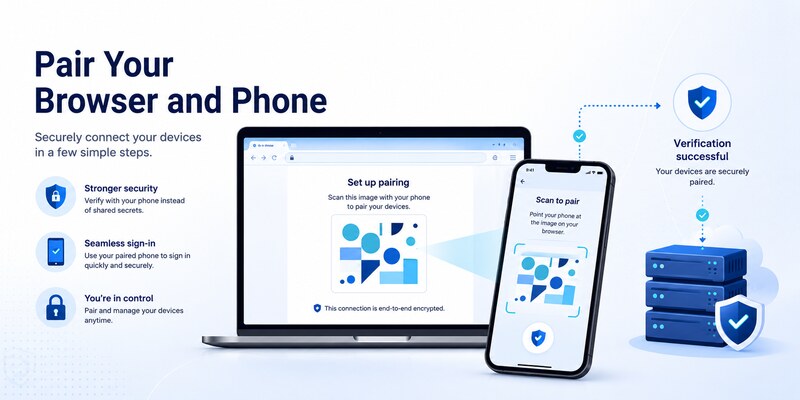
Open the provider’s official security settings in an updated laptop browser. Choose to add an authenticator method and keep the session open. In the phone app, select the correct account type and scan the newly generated QR directly from the laptop screen.
Never save, email, print, or post the QR code. It can contain the live enrollment secret. There is no universal QR image to download microsoft authenticator for laptop; each provider generates a unique credential for the specific account.
Complete server-side verification
For TOTP, enter a fresh phone code on the provider page. For Microsoft push, approve the test and complete number matching when shown. Finish every confirmation before closing the browser. A local account tile does not prove that the server accepted the credential.
Perform a signed-out test in a private window and test an independent fallback. Save fresh recovery codes securely and remove obsolete registrations only after the replacement works.
During normal sign-in, the laptop may display a number. Open Authenticator on the phone, match the value, and approve only if you initiated that exact request. Deny unexpected prompts and investigate them as potential password compromise.
This verified pairing completes the supported download microsoft authenticator for laptop workflow without installing an authenticator process on the laptop.
Record the successful signed-out test and fallback result; they are stronger evidence for download microsoft authenticator for laptop than an app icon or completed progress bar.
5. Set Up Personal Accounts from a Laptop
Enroll a personal Microsoft account
Open the personal Microsoft account Security page on the laptop. Confirm another recovery method, add Authenticator, and scan the fresh QR with the official phone app. Complete the first approval or code test while the browser remains open.
For download microsoft authenticator for laptop, remember that personal push, TOTP for another provider, passwordless phone sign-in, and a laptop passkey are different credentials. Each may need its own registration and test.
Add third-party accounts safely
For a social platform, exchange, repository, or another provider, use that provider’s official two-factor settings. Choose an authenticator app, scan its fresh code, and complete the server verification. Microsoft cannot issue or revoke another company’s TOTP secret.
If the first code fails, enable automatic time, wait for a fresh value, confirm the correct tile, and start one clean enrollment if necessary. Do not keep multiple incomplete tiles.
Test a signed-out login, verify fallback, generate new recovery codes, review sessions, and remove the old factor. The microsoft authenticator setup guide provides a complete baseline.
After the tests pass, document the provider, method, registration date, and result without sensitive values. That evidence confirms download microsoft authenticator for laptop produced a working account rather than a visible but unverified app tile.
Review current sessions and device registrations as the last personal-account step, ensuring download microsoft authenticator for laptop leaves no obsolete phone able to approve access.
🗺️ Browse How-To Guides: Is Microsoft Authenticator Free to Use? Everything You Need to Know
6. Set Up Work or School Accounts
Follow organization instructions precisely
An employer or school may require Apple App Store, Google Play, Company Portal, Managed Google Play, or another managed catalog. Install the correct personal or work-profile copy and open the organization’s Security info page on the laptop.
If onboarding asks why is microsoft asking me to download authenticator app, the likely reason is that the organization requires MFA, number matching, passwordless sign-in, self-service password reset registration, or a particular authentication strength. Confirm with the official help desk if the request is unexpected.
Complete Microsoft Entra registration
Sign in to the correct tenant, choose to add Authenticator, scan the fresh QR, and approve the test. Guest identities can require separate registration in each host tenant even when the email address looks identical.
Conditional Access, authentication methods policy, risk controls, location, authentication strength, and device compliance can affect enrollment. An emulator or desktop clone cannot bypass these policies.
If setup fails, provide the authorized help desk with the username, tenant, time, laptop OS and browser, phone model, phone OS, app version, network, exact error, and failing step. Never provide passwords, live codes, QR images, manual keys, recovery codes, or approval numbers.
After enrollment, test a normal organization app and a policy-sensitive resource. A managed download microsoft authenticator for laptop process ends with the mobile method verified, fallback approved, and retired device removed through official channels.
Keep the help-desk reference and approved distribution path so the next download microsoft authenticator for laptop request follows the same tenant policy and device-management controls.
💡 Discover Helpful Guides: Microsoft Authenticator Download Windows: Safe Guide
7. Choose Safe Laptop Authentication Alternatives
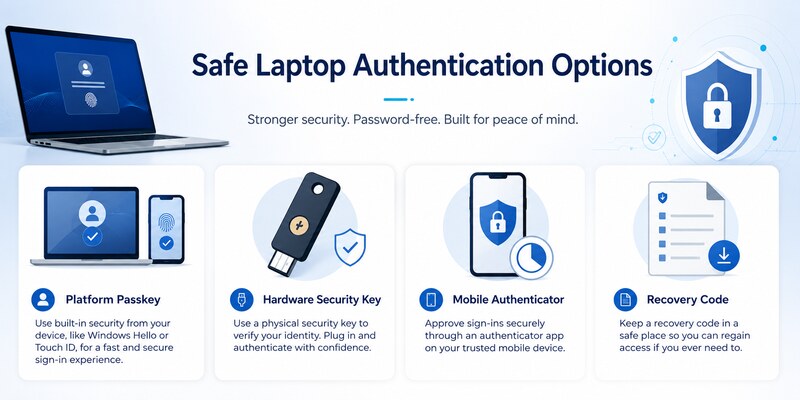
Use platform passkeys and biometrics
Windows Hello can protect a Windows laptop with a device-bound PIN, fingerprint, or face recognition. A Mac can use Touch ID to authorize a platform passkey. ChromeOS and supported browsers can also use platform or synced passkeys depending on the provider and account.
These features answer the convenience goal behind download microsoft authenticator app on computer without pretending that the mobile Authenticator app is a native laptop program.
Register a FIDO2 security key
A hardware security key stores its private credential on the device and resists phishing. Register two keys for critical accounts when possible, keep the spare secure, and test both in a signed-out browser.
| Laptop option | Main strength | Important limitation |
|---|---|---|
| Windows Hello | Fast, device-bound login | Tied to configured Windows device |
| Touch ID passkey | Integrated, phishing-resistant | Provider and ecosystem support vary |
| FIDO2 security key | Portable, hardware-backed | Physical key needs a secure spare |
| Mobile Authenticator | Broad push and TOTP compatibility | Requires a supported phone |
| Recovery code | Emergency access | Must be stored securely and refreshed |
Confirm that a replacement satisfies organization authentication strength. A convenient method may appear in settings but still be rejected for sensitive resources.
Keep at least one factor independent of both laptop and phone. That resilient design is the strongest outcome of download microsoft authenticator for laptop.
8. Avoid Fake Installers and Recover Safely
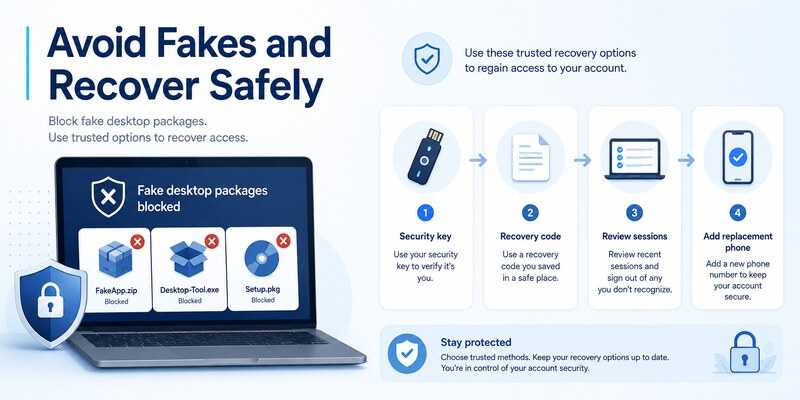
Recognize and respond to fake packages
Warning signs include Authenticator EXE, MSI, DMG, PKG, ZIP, browser extension, cracked edition, emulator appliance, or instructions to disable antivirus, SmartScreen, or Gatekeeper. Microsoft’s official guidance says Authenticator is not available for PC or Mac.
Sites targeting download microsoft authenticator for laptop may copy branding and buy ads. Verify the official domain and distribution channel independently. Never approve a sign-in or enter a live code to activate a download.
If a questionable package was installed, stop using it, remove it with standard OS tools, run trusted security checks, review startup items and browser extensions, change exposed passwords from a clean device, revoke sessions, and rotate affected TOTP credentials. Notify organization security for work accounts.
Recover when the phone is unavailable
Use a passkey, FIDO2 key, recovery code, alternate authenticator, trusted session, approved email or phone method, or provider identity recovery. For work accounts, the help desk may reset methods or issue a Temporary Access Pass.
Install Authenticator on a replacement phone from the official store, restore a compatible backup if available, and re-register device-bound entries. Revoke the lost phone, review recent activity, and change passwords if compromise is possible.
The microsoft authenticator recovery guide covers lost access. Recovery evidence—not an unsupported laptop clone—closes download microsoft authenticator for laptop safely.
💡 Discover Helpful Guides: Microsoft Multi Factor Authentication: Complete MFA Guide
9. Frequently Asked Questions
Can I install Microsoft Authenticator on a Windows laptop?
Microsoft’s current guidance says Authenticator is not available for PC or Mac. Install the mobile app on iOS or Android and use it with the Windows browser.
Can I install it on a MacBook?
No official macOS Authenticator app is provided. Use an iPhone or Android phone with Safari, or choose a supported passkey or security key.
What about a Chromebook?
Use the provider’s official browser setup and a supported phone. Android app availability on ChromeOS can vary and may not match the supported security model, especially for managed accounts.
Is Microsoft Authenticator free?
The official mobile app can be installed without an app purchase. Be suspicious of a site charging for a laptop installer or activation key.
Can I use an Android emulator?
It is not the supported model and can weaken factor separation, storage protection, and organization compliance. Use a real supported phone or approved hardware factor.
Where do I get the QR code?
Generate it from the account provider’s official security settings. It is unique and secret; there is no universal QR code to download.
What if I do not have a smartphone?
Ask the provider or administrator about a FIDO2 security key, platform passkey, hardware token, or another approved method. Do not use a fake desktop app.
How do I know setup worked?
Complete server verification, perform a signed-out login, test a separate fallback, and confirm the new method in provider settings. A visible phone tile alone is not proof.
These answers address the common goals behind download microsoft authenticator for laptop without recommending unsupported software.
💡 Discover Helpful Guides: Microsoft Authenticator Passwordless Sign-In: Complete Guide
10. Final Thoughts
The safe way to download microsoft authenticator for laptop is to install the official app on an iOS or Android phone and pair it with the laptop’s browser. Microsoft’s current support model does not provide a Windows or macOS Authenticator application.
Use Microsoft’s official page, Apple App Store, Google Play, or an organization-approved catalog. Reject EXE, MSI, DMG, PKG, extension, and emulator offers. Never reveal passwords, QR images, manual TOTP keys, recovery codes, or live verification codes.
For laptop-native security, use Windows Hello, Touch ID passkeys, platform passkeys, or FIDO2 security keys where supported. Keep an independent recovery factor and test it before the phone becomes unavailable.
Visit Authenticator App for download, setup, phone-change, backup, recovery, and troubleshooting guidance. A successful download microsoft authenticator for laptop workflow verifies the mobile credential, laptop browser sign-in, fallback, and server method without installing a fake desktop app.
Recheck the design after major laptop, phone, or organization-policy changes. A signed-out login, fallback test, and current security-method audit prove that access remains safe and recoverable.
Keep both devices updated, remove stale methods, and deny every approval you did not initiate. Store recovery codes outside the laptop and phone, then test a separate strong factor periodically. These maintenance habits make the configuration resilient after loss, upgrade, or policy change and prevent a future emergency search for unsupported software.
Download Authenticator App
Secure your accounts with fast, reliable two-factor authentication. Download now and protect your login in seconds.
