
Is Microsoft Authenticator Free to Use? Everything You Need to Know
If you are adding two-factor authentication to a Microsoft account, Microsoft 365 login, work account, or another online service, one of the first questions you may have is is microsoft authenticator free or whether Microsoft eventually charges for its security features.
The short answer is yes. Microsoft officially describes Microsoft Authenticator as a free mobile application. You can download it and use supported authentication functions without purchasing a Microsoft 365 subscription or paying a separate Authenticator fee.
That does not mean every Microsoft product connected to the application is free. A company might pay for Microsoft 365 or Microsoft Entra services, for example, but that is different from charging users for the Authenticator mobile app itself.
Understanding this distinction is important when answering is microsoft authenticator free. Microsoft Authenticator is the authentication tool; Microsoft 365, Azure, Entra, and other products are separate services with their own licensing models.
This guide explains exactly what you receive for free, how Microsoft Authenticator works, how safe the application is, why it can appear locked, and whether there are circumstances in which you might still encounter costs.
1. Is Microsoft Authenticator Free?
Yes. Is microsoft authenticator free has a straightforward answer: Microsoft currently identifies Microsoft Authenticator as a free application.
Microsoft Support describes Authenticator as a free app that can help users sign in without passwords by using a fingerprint, facial recognition, PIN, verification code, or supported authentication workflow. It can be used with personal Microsoft accounts, work or school accounts, and other compatible accounts.
No separate Authenticator subscription
You do not need to purchase a special Microsoft Authenticator subscription simply to install and use the application.
If you are asking is microsoft authenticator free because you are setting up MFA for a Microsoft account, the app itself does not require a recurring monthly or annual payment.
Microsoft Authenticator can be downloaded for supported mobile devices from official app stores. Microsoft also provides direct download guidance for iOS and Android.
The important distinction is between the application and the service being protected.
For example, an employer may have a paid Microsoft 365 or Microsoft Entra license. That organization may require employees to use Authenticator. The company may therefore have Microsoft-related subscription expenses, but employees are not purchasing Microsoft Authenticator itself.
In that situation, the answer to is microsoft authenticator free remains yes for the application.
No payment required for normal MFA codes
Authenticator supports one-time password codes and authentication notifications as part of supported MFA configurations. Microsoft describes one-time verification codes, multi-factor authentication, and passwordless sign-in as core uses of the app.
You do not need to unlock these core Authenticator functions through an in-app subscription.
Download Authenticator App
Secure your accounts with fast, reliable two-factor authentication. Download now and protect your login in seconds.
2. What Is Microsoft Authenticator?
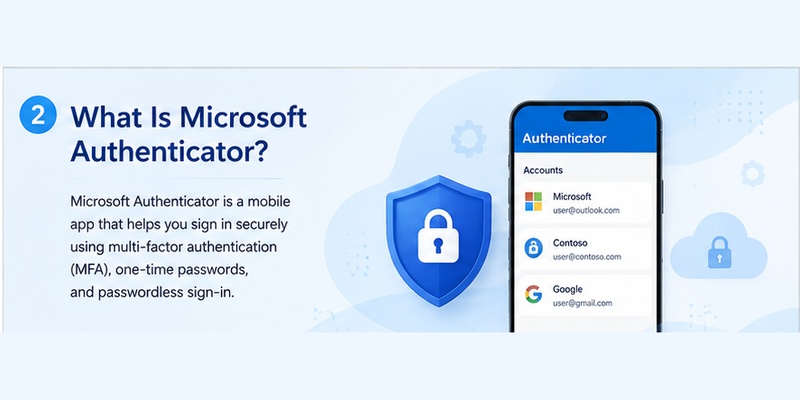
Before asking only is microsoft authenticator free, it helps to understand what the application actually does.
For people searching what is microsoft authenticator, it is a mobile authentication application developed by Microsoft. It can be used as an additional method of proving your identity when signing in to supported accounts.
Microsoft identifies three major ways to use Authenticator: verification during sign-in, one-time-password-based two-step or multi-factor authentication, and passwordless sign-in.
More than a six-digit code generator
Many people think an Authenticator application exists only to display rotating six-digit codes.
Microsoft Authenticator can certainly generate time-based one-time passwords, but it also supports authentication notifications and passwordless workflows. Microsoft Entra documentation explains that Authenticator can participate in MFA events, self-service password reset verification, and passwordless authentication.
So when someone asks what is microsoft authenticator app, the most accurate description is a mobile identity-verification tool rather than simply a code generator.
It can protect several account types
Microsoft states that Authenticator can work with personal Microsoft accounts, work or school accounts, and other supported accounts.
That means is microsoft authenticator free is relevant even if you are not primarily using Outlook or Microsoft 365.
Compatible third-party services can use standard time-based verification codes generated by the application.
For example, a website that offers TOTP-based two-factor authentication may provide a QR code during setup. After that QR code is registered, Authenticator can generate the corresponding rotating code.
This makes the app useful as a broader authenticator app, not merely as an accessory to one Microsoft subscription.
🛠️ Learn with Step-by-Step Guides: Microsoft Authenticator: Complete Setup, Login, Backup & Troubleshooting Guide
3. What Features Do You Get for Free?
A useful way to answer is microsoft authenticator free is to look at which everyday functions can be used without buying the Authenticator application.
Multi-factor authentication
Microsoft Authenticator can act as an additional verification method during MFA.
A typical login may work like this:
- Enter your account information.
- Complete the initial sign-in requirement.
- Receive an Authenticator request.
- Verify the login on your phone.
- Gain access after the authentication requirement is satisfied.
Microsoft explicitly describes Authenticator as supporting multi-factor and two-step verification.
You do not pay Microsoft Authenticator separately each time you approve a login.
One-time password codes
Another free function is generation of compatible time-based one-time passwords.
Microsoft’s Authenticator information explains that OTP-based verification can be used as an additional security step.
This is one reason the answer to is microsoft authenticator free matters to people comparing multiple 2FA applications. You can use Authenticator as a TOTP generator without subscribing to a dedicated premium Authenticator plan.
Passwordless authentication
Microsoft also supports passwordless authentication through Authenticator for eligible accounts.
Instead of relying solely on a traditional password, a supported authentication flow can use the registered device and its local security mechanisms.
Microsoft identifies passwordless sign-in as one of Authenticator’s core uses.
Again, is microsoft authenticator free does not change simply because the account uses passwordless authentication.
Multiple accounts
Authenticator can be used with more than one account. Microsoft’s official materials describe support for personal, work, school, and other accounts.
As a result, users looking for a free microsoft authenticator app do not need a different installation for every website.
📖 Explore Articles: Why Doesn’t Microsoft Authenticator Work? Fix Guide
4. Is There a Paid Version of Microsoft Authenticator?
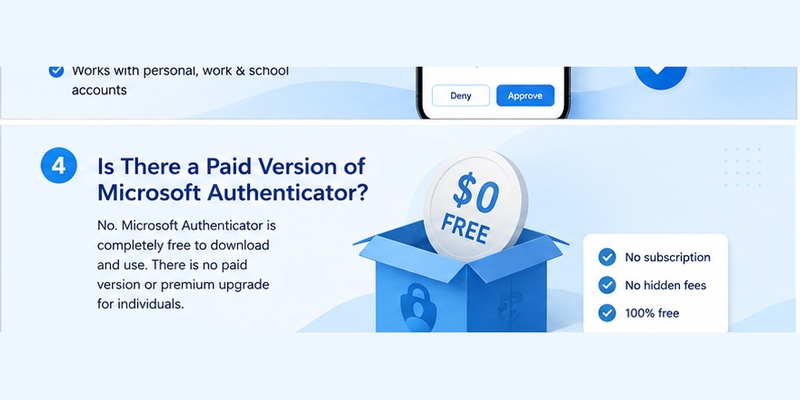
A common follow-up to is microsoft authenticator free is whether Microsoft offers a premium tier with essential functions locked behind payment.
Microsoft’s current support documentation simply identifies Microsoft Authenticator as a free app.
There is no separate consumer “Microsoft Authenticator Premium” subscription that you need to buy just to generate ordinary OTP codes or participate in supported Authenticator MFA.
Microsoft subscriptions are separate
Confusion often comes from the fact that Authenticator can be used with paid Microsoft services.
For example, an organization may subscribe to:
- Microsoft 365
- Microsoft Entra products
- Azure services
- Other enterprise Microsoft solutions
Those products can have licensing costs.
However, their existence does not turn Authenticator into a paid mobile application.
When answering is microsoft authenticator free, separate these two questions:
“Does the Authenticator app cost money?”
No separate Authenticator purchase is required for the free application.
“Can the account or service I use with Authenticator cost money?”
Yes. The underlying product or organizational service may have its own licensing terms.
Employer-required MFA
Suppose your company tells you to install Authenticator before accessing corporate email.
You might wonder whether microsoft authenticator free means your employer needs to reimburse you for an application purchase.
For the application itself, Microsoft identifies it as free.
Your company’s licensing arrangements are a separate matter managed by the organization.
5. How to Download Microsoft Authenticator for Free
Users asking is there a free microsoft authenticator app should make sure they install the official product rather than an unrelated application with a similar name.
Microsoft provides an official Authenticator download page that directs users toward supported mobile downloads.
Check the publisher
Before installation, verify that the application is Microsoft’s official Authenticator.
This is particularly important because app stores can contain many applications using terms such as “authenticator,” “2FA,” or “OTP.”
If you are wondering which microsoft authenticator app is free, look for the application published by Microsoft Corporation rather than choosing an unrelated product based only on its icon or title.
The official application is listed through Apple’s App Store and Google Play.
Basic setup
After downloading the application:
- Open Microsoft Authenticator.
- Choose to add an account.
- Select the relevant account type.
- Follow the security setup provided by the service.
- Scan the QR code when required.
- Complete the verification test.
Microsoft provides account-addition guidance for personal, work, school, and other supported account scenarios.
You should not be prompted to purchase an Authenticator subscription during this normal process.
Therefore, if your concern is is microsoft authenticator free, downloading from Microsoft’s official route helps avoid accidentally installing a similarly named third-party application with its own pricing.
🗺️ Browse How-To Guides: Microsoft Account App: Setup, Security & Sign-In Guide
6. Is Microsoft Authenticator Safe?
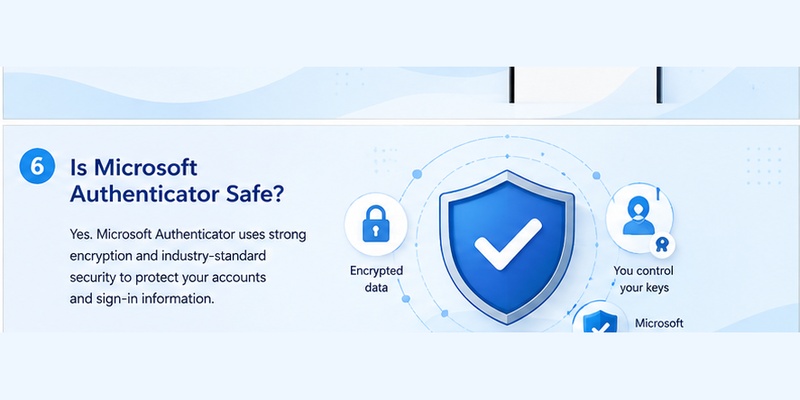
Pricing is only part of the decision. Many users asking is microsoft authenticator free also want to know whether a free security application can be trusted with important accounts.
For the question is microsoft authenticator safe, Microsoft Authenticator is designed specifically as an identity-verification and account-security application. Microsoft supports MFA, passwordless authentication, device verification, App Lock, and other security-related workflows within the product.
App Lock adds local protection
Microsoft’s App Lock feature can require the device PIN or biometric authentication whenever Authenticator is opened.
Microsoft explains that App Lock helps protect one-time verification codes, app information, and settings. It also prompts for local authentication when users approve sign-in notifications.
This means someone who casually obtains your phone may still encounter another local security check before accessing the application.
MFA is still a user decision
No security application can protect a user who deliberately approves fraudulent requests.
If Authenticator displays an unexpected sign-in prompt, do not approve it.
Similarly, never share an OTP code because a stranger claiming to be IT support, a bank, or another organization asks for it. Microsoft’s Authenticator FAQ specifically warns about attackers trying to persuade users to read verification codes to them.
So is microsoft authenticator free should not be confused with “does Microsoft remove the need for good security habits?”
The app is free, but users still need to review authentication requests carefully.
Rooted and jailbroken devices
Security requirements have also become stricter for managed accounts. Microsoft says that beginning in February 2026, jailbreak/root detection is being introduced for Microsoft Entra work and school credentials so those credentials do not function on modified devices.
This is another example of Microsoft treating Authenticator as a security-sensitive application rather than a casual utility.
7. Why Is Microsoft Authenticator Locked?
Some users searching is microsoft authenticator free encounter a PIN, fingerprint, Face ID, or biometric prompt and assume that Microsoft has locked the app behind a payment requirement.
That is usually not what the lock means.
For users asking why is microsoft authenticator locked, Microsoft’s App Lock is a security feature. When enabled, it requires the device PIN or biometric each time Authenticator is opened.
App Lock is not a paywall
If Authenticator requests Face ID, fingerprint authentication, or your device PIN, it is not normally asking you to buy premium access.
The goal is to prevent another person from easily viewing OTP information or approving authentication requests.
Microsoft says App Lock is enabled by default when a PIN or biometric is configured on the device. Users can manage App Lock from Authenticator settings.
Therefore, is microsoft authenticator free remains yes even when the application asks you to unlock it.
What if Authenticator will not unlock?
If the application is genuinely stuck in a locked state, Microsoft’s troubleshooting guidance recommends checking that Authenticator is unlocked and using an up-to-date version. Network conditions, notifications, and device settings can also interfere with authentication flows.
Do not delete the application immediately if you rely on it for critical accounts. Confirm that you have backup or alternative recovery methods before making changes that could remove account registrations.
🧭 Explore Guides: Microsoft Authenticator App Android: Setup & Security Guide
8. Microsoft Authenticator for Personal Accounts
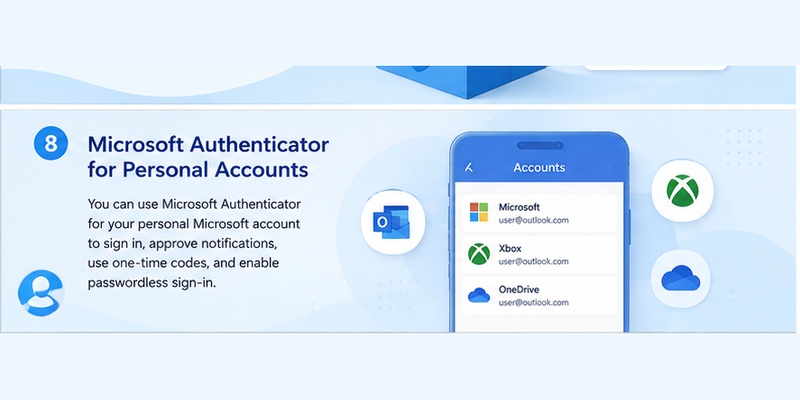
For personal Microsoft users, is microsoft authenticator free is particularly simple: you can use the Authenticator mobile application without purchasing a Microsoft 365 subscription solely for Authenticator access.
Microsoft says Authenticator supports personal Microsoft accounts as well as work, school, and other accounts.
Microsoft 365 is not required just for Authenticator
A personal account can use authentication security even if the user does not subscribe to Microsoft 365.
This distinction helps explain why is microsoft authenticator free and “is Microsoft 365 free?” are separate questions.
Microsoft Authenticator handles authentication. Microsoft 365 is a broader collection of productivity products and services.
Supported personal-account uses
Depending on the account’s available security methods, Authenticator may be used for:
- Sign-in verification
- Two-step verification
- One-time codes
- Passwordless authentication
- Account protection
Microsoft identifies these as major Authenticator use cases.
If someone recommends Authenticator to improve your Microsoft account security, you do not need to search for a special paid plan before installing it.
The straightforward answer to is microsoft authenticator free remains yes.
🧭 Explore Guides: Microsoft Authenticator App Android: Setup & Security Guide
9. Microsoft Authenticator for Work and School Accounts
Things appear more complicated when companies and universities are involved, but the pricing distinction remains important.
Microsoft says Authenticator can be used with work and school accounts.
Your organization may pay for identity services
An employer may use Microsoft Entra or another paid Microsoft service to manage authentication policies.
This can include security requirements governing how employees authenticate.
However, those organizational licenses are not the same thing as charging the employee for the Authenticator download.
That is why is microsoft authenticator free can still be answered yes even in an enterprise environment.
Your administrator controls some functions
Although the application is free, organizations can control authentication policies.
For example, administrators may determine which methods employees can use, whether certain authentication strengths are required, or whether a device meets security requirements.
Microsoft Entra documentation identifies Authenticator as an authentication method for work and school accounts and describes its use in passwordless and MFA scenarios.
So “free app” does not mean “every enterprise security configuration is controlled by the employee.”
If you cannot add your work account, the problem is unlikely to be that Microsoft Authenticator suddenly requires payment.
10. Microsoft Authenticator vs. Paid Authenticator Apps
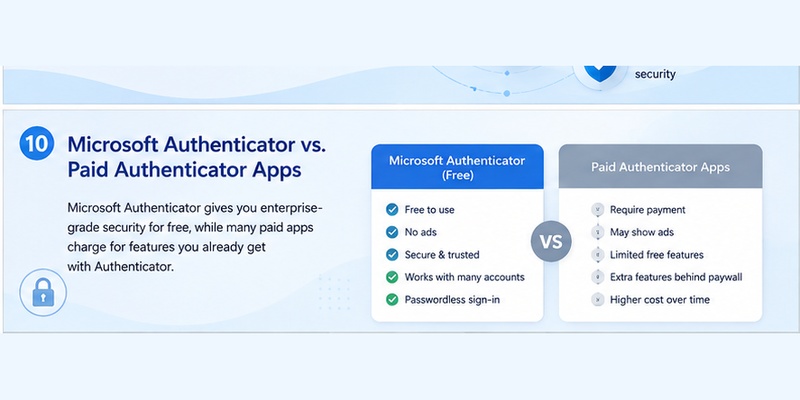
Users comparing 2FA tools often search is microsoft authenticator free because third-party Authenticator products can use different business models.
Some security apps may offer:
- Free basic plans
- Premium synchronization
- Family subscriptions
- Paid cloud backup
- Advanced account organization
- Additional device support
Microsoft Authenticator has its own feature set and Microsoft currently describes it as free.
Free does not automatically mean better for everyone
Whether Authenticator is the right choice depends on your needs.
A user heavily invested in Microsoft accounts may value Microsoft’s push authentication and passwordless features. Another user may prioritize a different cross-platform backup system or desktop companion offered by another provider.
The important SEO question — is microsoft authenticator free — should therefore be separated from the product-comparison question.
Yes, Microsoft Authenticator is free. That alone does not guarantee that it offers every specialized feature available in every competing product.
Be careful with similarly named apps
Searching a store for free microsoft authenticator app can return unrelated authentication applications.
Do not assume a product is Microsoft’s app merely because “Microsoft” appears in a description explaining that it supports Microsoft accounts.
Check the developer.
The official Microsoft Authenticator listing is associated with Microsoft Corporation.
🗺️ Browse How-To Guides: Microsoft Account App: Setup, Security & Sign-In Guide
11. Does Microsoft Authenticator Work Without Internet?
Another practical concern related to is microsoft authenticator free is whether the app requires mobile data or creates recurring connectivity costs.
For standard verification codes, Microsoft says you do not need an internet or data connection.
OTP codes can be generated offline
Once a compatible TOTP account has been registered, Authenticator can generate verification codes locally.
This means you can potentially generate a code when:
- Mobile data is turned off.
- Wi-Fi is unavailable.
- Your phone has no cellular service.
Microsoft’s FAQ clearly distinguishes verification codes from sign-in responses. Verification codes do not require internet connectivity.
Therefore, is microsoft authenticator free does not hide a requirement to continually purchase mobile data simply to generate TOTP codes.
Push approvals require connectivity
Push authentication is different.
Microsoft states that receiving sign-in notifications and sending the response requires an internet connection.
If you use Wi-Fi, this does not create an Authenticator fee. If you use mobile data, your carrier’s normal data charges can still apply, but those charges come from your mobile service provider rather than from a Microsoft Authenticator subscription.
This distinction is important when discussing is microsoft authenticator free accurately.
The app can be free while normal internet-access costs still depend on your network provider.
12. Common Questions About Microsoft Authenticator Pricing
Do I have to enter a credit card?
For normal Authenticator download and setup, Microsoft describes Authenticator as a free app.
You should not need to purchase a recurring Authenticator subscription merely to generate OTP codes or use supported MFA.
If an unrelated application requests payment, double-check its developer before assuming it is Microsoft’s official product.
Will Microsoft charge after a free trial?
Microsoft Authenticator is not presented by Microsoft Support as a limited Authenticator trial that converts into a mandatory subscription. It is described directly as a free app.
Therefore, when people ask is microsoft authenticator free, there is no standard Authenticator trial period that you must cancel simply to avoid a core-app subscription charge.
Do I have to pay to add more accounts?
Microsoft’s official materials describe Authenticator as supporting personal, work, school, and other accounts while describing the application itself as free.
You do not need a separate Microsoft Authenticator payment for each ordinary account you register.
Why do I see paid Microsoft products?
You may encounter paid Microsoft 365 or business identity products while configuring an organizational account.
That does not change the answer to is microsoft authenticator free.
The Authenticator application and the enterprise service are separate components.
13. Frequently Asked Questions
Is Microsoft Authenticator really free?
Yes. Microsoft Support explicitly describes Microsoft Authenticator as a free application.
If your main question is is microsoft authenticator free, you can download the official mobile application without buying a separate Authenticator subscription.
Which Microsoft Authenticator app should I download?
Download Microsoft Authenticator from Microsoft’s official download route or verify that the developer shown in the store is Microsoft Corporation.
This is especially important for anyone searching which microsoft authenticator app is free because many unrelated apps use similar authentication terminology.
Is Microsoft Authenticator free for businesses?
The Authenticator mobile application itself is described by Microsoft as free.
However, a business may separately pay for Microsoft identity, productivity, or cloud services used with the application.
So the answer to is microsoft authenticator free is not the same as saying every Microsoft enterprise product is free.
Is Microsoft Authenticator safe to install?
Microsoft Authenticator is designed for identity verification and supports security functions including MFA, passwordless authentication, and App Lock.
Install the official application and protect your phone with an appropriate PIN or biometric.
Why does Microsoft Authenticator ask for Face ID or fingerprint?
App Lock can require a device PIN or biometric whenever you open Authenticator or approve authentication requests. Microsoft says App Lock is designed to help protect OTP codes, app information, and settings.
This does not mean the app has become paid.
Is Microsoft Authenticator free on both Android and iPhone?
Microsoft provides Authenticator for supported mobile platforms and identifies the application as free. Its official download page directs users to the relevant mobile stores.
Therefore, is microsoft authenticator free is not limited to only one of the two major smartphone platforms.
Does Microsoft Authenticator charge for verification codes?
Microsoft identifies verification codes as one of Authenticator’s authentication functions and the application itself as free.
There is no separate per-code Microsoft Authenticator fee.
Can I use Microsoft Authenticator without Microsoft 365?
Yes. Authenticator can work with personal Microsoft accounts and supported other accounts; it is not merely a feature that exists inside a paid Microsoft 365 subscription.
For this reason, is microsoft authenticator free should not be judged based on Microsoft 365 pricing.
Does the app work offline?
Verification codes can work without an internet or data connection. Push sign-in notifications and responses need connectivity.
The difference is based on authentication method, not on whether you have purchased Authenticator.
14. Conclusion
So, is microsoft authenticator free? Yes. Microsoft currently describes Microsoft Authenticator as a free mobile application that can be used with personal Microsoft accounts, work or school accounts, and other supported accounts.
Its core purpose is account authentication. Users can use supported verification codes, MFA workflows, and passwordless authentication without buying a separate Microsoft Authenticator subscription.
The most common source of pricing confusion is that Authenticator often works alongside paid Microsoft services. Your employer might subscribe to Microsoft 365 or identity-management products, but those charges belong to the service or organization. They are not evidence that the Authenticator app itself has become a paid download.
When asking is microsoft authenticator free, also make sure you are looking at Microsoft’s official application. Similar third-party apps can have their own subscriptions, premium tiers, or in-app purchases. Microsoft’s official download resources point users toward the supported mobile versions of Microsoft Authenticator.
Security features such as App Lock are also not payment screens. If Authenticator asks for a fingerprint, Face ID, biometric verification, or device PIN, Microsoft explains that App Lock is designed to help protect authentication information and approval requests.
For users primarily interested in MFA, TOTP verification codes, or Microsoft account protection, is microsoft authenticator free can therefore be answered clearly: the official Microsoft Authenticator app is free, while any costs associated with the underlying Microsoft service, mobile internet plan, or organizational license are separate from the app itself.
Download Authenticator App
Secure your accounts with fast, reliable two-factor authentication. Download now and protect your login in seconds.
