
Why Doesn’t Microsoft Authenticator Work? Fix Guide
You open a Microsoft sign-in page, enter your password, and wait for Microsoft Authenticator to approve the request. Nothing happens. Another time, the app opens correctly but the verification code is missing or rejected. Situations like these naturally lead users to ask why doesn’t microsoft authenticator work even though the application seemed fine only a few hours earlier.
There is rarely one universal answer. Authentication problems can come from network connectivity, blocked notifications, incorrect device time, an outdated application, battery optimization, an old phone registration, an incomplete MFA setup, or an organization-specific security policy. Microsoft currently recommends checking connectivity, notification permissions, application updates, device date and time, battery optimization, VPN usage, and account registration when troubleshooting Authenticator.
If you are asking why doesn’t microsoft authenticator work, the most effective approach is to identify exactly which part has failed. A missing push notification requires different troubleshooting from an invalid six-digit code, and both are different from a problem caused by replacing your phone.
This guide walks through those cases in order.
1. Why Doesn’t Microsoft Authenticator Work?
The first step is to define what “not working” actually means.
Common failure symptoms
Users searching why isn’t my microsoft authenticator working may be experiencing one of several separate problems:
- No push notification appears.
- A notification appears but immediately expires.
- The application shows no verification code.
- The code appears but the website rejects it.
- Number matching does not appear.
- The account is missing after changing phones.
- A QR code cannot be scanned.
- The app asks for authentication that depends on the same app.
- Authentication requests continue going to an old device.
- A work or school account is blocked by an administrator.
Microsoft’s current troubleshooting guidance covers notification settings, connectivity, correct date and time, app updates, VPN connections, battery optimization, Android Google Play Services, and device registration as potential factors.
Therefore, when asking why does microsoft authenticator not work, avoid immediately deleting the application. First determine whether the problem involves the app itself, a particular account, push notifications, or generated OTP codes.
Start with five basic checks
Before changing account settings, check:
- Your phone has the correct date and time.
- Microsoft Authenticator is updated.
- Notifications are enabled.
- Wi-Fi or mobile data works if you need push authentication.
- Airplane mode is disabled.
Microsoft also recommends trying Wi-Fi instead of mobile data or vice versa, disabling a VPN temporarily, and turning off battery optimization for better Authenticator synchronization.
For many users wondering why doesn’t microsoft authenticator work, one of these simple checks solves the problem without requiring account removal.
💡 Discover Helpful Guides: Microsoft Multi Factor Authentication: Complete MFA Guide
2. Check Your Internet Connection and Notification Settings
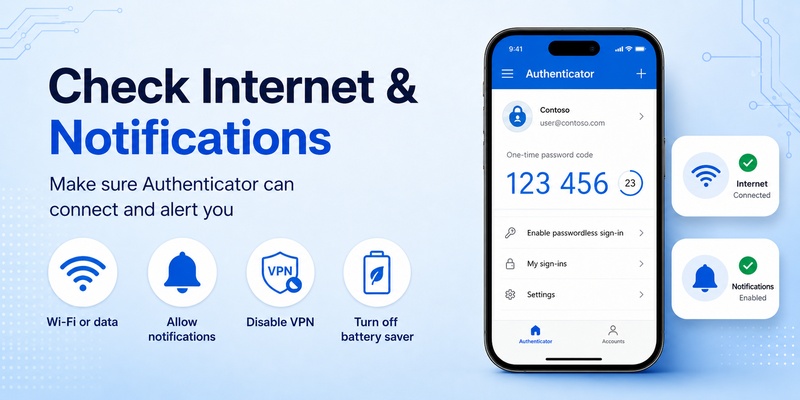
A common misunderstanding is that every Microsoft Authenticator feature has the same network requirements.
It does not.
Push authentication needs an internet connection
If your sign-in requires an approval request or number matching, the phone must be connected to the internet to receive the request and send the response.
Microsoft explicitly states that sign-in responses require internet connectivity.
This explains many searches for why won t my microsoft authenticator work when the phone has weak mobile data, is connected to a Wi-Fi network without internet access, or is in Airplane mode.
If why doesn’t microsoft authenticator work only when approving push requests, try:
- Turning Wi-Fi off and using mobile data.
- Switching from mobile data to Wi-Fi.
- Turning Airplane mode off.
- Temporarily disconnecting a VPN.
- Opening another website to verify internet access.
Microsoft specifically recommends switching between Wi-Fi and mobile data when troubleshooting and testing without a VPN if one is active.
Check notification permissions
If the internet works but no approval prompt appears, check system notification permissions.
Microsoft recommends opening Authenticator notification settings and ensuring that notifications are enabled. It also notes that Do Not Disturb or Quiet modes may prevent alerts from appearing normally.
This is often the answer to why won t my microsoft authenticator app work when the application itself opens normally.
Open Authenticator manually as well. Sometimes the sign-in request can be available inside the application even when the expected banner or sound did not appear.
Download Authenticator App
Secure your accounts with fast, reliable two-factor authentication. Download now and protect your login in seconds.
3. Why Microsoft Authenticator Is Not Showing a Code
Another common problem is opening Microsoft Authenticator and expecting a six-digit number that is not there.
Not every account uses a visible OTP
If you search why microsoft authenticator not showing code, first check what the website is actually asking you to do.
Microsoft Authenticator can be configured for different authentication experiences. Some accounts generate rotating verification codes, while others primarily use push approval, number matching, passwordless sign-in, or another registered method. Microsoft allows accounts to be added for two-step verification and supports QR-code registration for personal, work, school, and compatible third-party accounts.
Therefore, why doesn’t microsoft authenticator work may be the wrong diagnosis if the account is simply configured for a different authentication method.
Check whether the correct account is present
Microsoft Authenticator can contain several accounts.
Look carefully at:
- The account name.
- Email address.
- Organization.
- Service name.
You may be viewing the wrong entry.
If the account was never correctly registered, return to the service’s security settings and add Microsoft Authenticator again. Microsoft documents adding accounts by scanning a QR code or, in supported cases, entering setup details manually.
When why does my microsoft authenticator not work refers specifically to one account while other accounts continue generating codes, the problem is much more likely to involve that account’s enrollment than the whole application.
4. Fix Incorrect or Expired Verification Codes
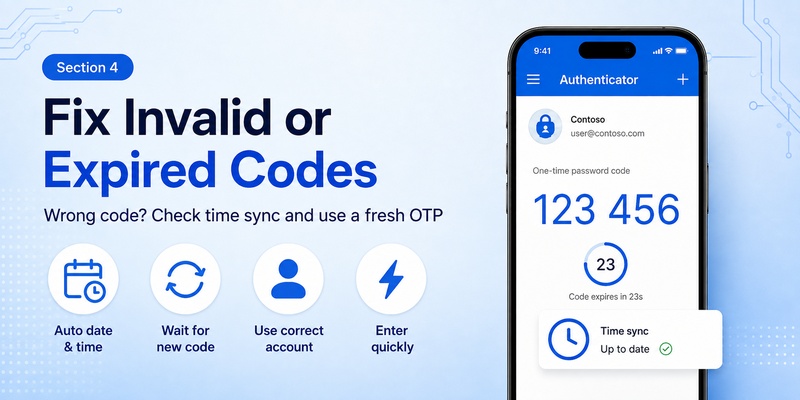
A code that appears but fails verification is a different issue.
Check your phone’s clock
Time-based one-time passwords depend on accurate time.
Microsoft states that Authenticator requires the mobile device clock to report the correct local time. If the clock is manually configured and notifications appear expired, Microsoft recommends changing it to automatic time, restarting the device, and confirming that the new time is correct.
So if why doesn’t microsoft authenticator work means “the code is always incorrect,” automatic date and time should be one of the first settings you verify.
Wait for a fresh code
For accounts using time-based one-time passwords, codes refresh regularly. Microsoft documents 30-second refreshing OTP credentials for supported account types.
If only a few seconds remain on a code, wait for the next one and enter it immediately.
This can resolve the situation behind microsoft authenticator doesn t work reports where users repeatedly copy a code near the end of its validity window.
Confirm the sign-in expects that code
Do not assume every numeric value displayed in Authenticator should be typed into every Microsoft prompt.
A sign-in page may expect:
- A rotating OTP.
- Number matching.
- Push approval.
- Another configured authentication method.
When asking why my microsoft authenticator is not working, compare the instructions on the sign-in page with the authentication method displayed in the app.
5. Microsoft Authenticator Not Sending Notifications
Push notifications are one of the areas where users most frequently experience problems.
Check whether notifications went to an old phone
This is especially important after upgrading your device.
Microsoft explains that installing Authenticator on a new device does not automatically remove the previous device. During registration or sign-in, an authentication request may still be delivered to the older phone.
That can make a new phone appear broken and lead to searches such as why microsoft authenticator not working.
If why doesn’t microsoft authenticator work started immediately after replacing your device:
- Check the old phone.
- Open Authenticator there if you still have access.
- Review the account’s security methods.
- Register the new phone properly.
- Remove the old device after the new one has been tested.
Microsoft says deleting the application from the old phone alone is not enough; the old registration should also be removed from Microsoft or organizational security settings.
Battery optimization can interfere
On supported devices, aggressive battery management can restrict background synchronization.
Microsoft’s troubleshooting guide specifically recommends turning off battery optimization for Authenticator to improve synchronization performance.
For users asking why won t microsoft authenticator work only when the app is closed, this setting is worth checking.
🛠️ Learn with Step-by-Step Guides: Microsoft Authenticator: Complete Setup, Login, Backup & Troubleshooting Guide
6. Problems After Moving to a New Phone
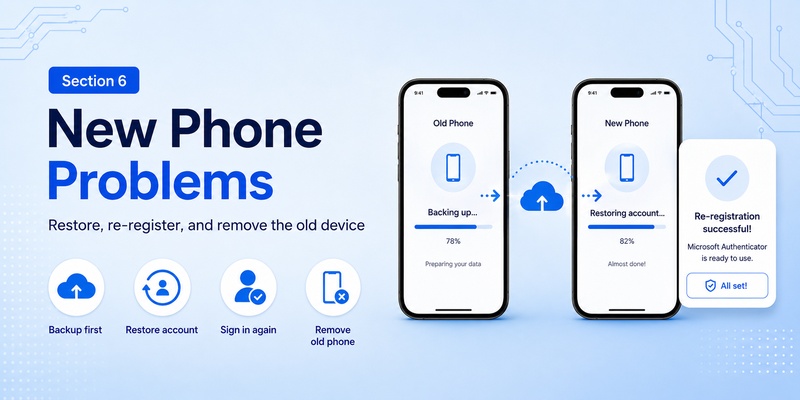
A phone migration is one of the most common reasons authentication suddenly stops working.
Backup restoration is not identical to re-registration
Microsoft Authenticator supports backup and restore, but not every credential restores in exactly the same way.
Microsoft states that personal Microsoft accounts using only one-time passwords can restore their codes, while passwordless personal accounts restore the account name but require a new sign-in. Work or school accounts also restore only the account name and require the user to sign in again.
Therefore, if why doesn’t microsoft authenticator work became a problem after restoring a backup, seeing the account name in Authenticator does not necessarily mean that its authentication registration is complete.
Same-platform restoration matters
Microsoft says Authenticator backups can only be restored between the same device platform type: iOS backup to iOS, Android backup to Android.
Moving from Android to iPhone or iPhone to Android may therefore require new enrollment instead of a simple cross-platform restoration.
This distinction is important for anyone searching why doesn t my microsoft authenticator work after changing both device and operating system.
Work accounts may need IT assistance
A company may control MFA enrollment through Microsoft Entra policies.
If your work account cannot be re-registered, your administrator may need to reset your authentication methods or allow another registration process. Microsoft directs work and school users to their administrator when organizational policies prevent Authenticator setup.
📖 Explore Articles: Microsoft Authenticator for iPhone iOS: Complete Guide 2026
7. Does Microsoft Authenticator Work Offline?
The answer depends on what you are doing.
Verification codes can work offline
For users asking does microsoft authenticator work offline, Microsoft says verification codes do not require an internet or data connection.
That means a previously configured time-based code can still be generated when:
- Wi-Fi is unavailable.
- Mobile data is disabled.
- You have no cellular service.
So if why doesn’t microsoft authenticator work refers to an OTP code while offline, internet access is not necessarily the cause.
Push requests do not work offline
Push approvals are different.
Microsoft states that sign-in notifications and responses require an internet connection.
This distinction explains why a user might see a rotating code while receiving no approval notification.
If why doesn t microsoft authenticator work means “I can see codes but cannot approve a sign-in,” reconnect the phone to the internet.
8. Fix Account Registration and QR Code Problems
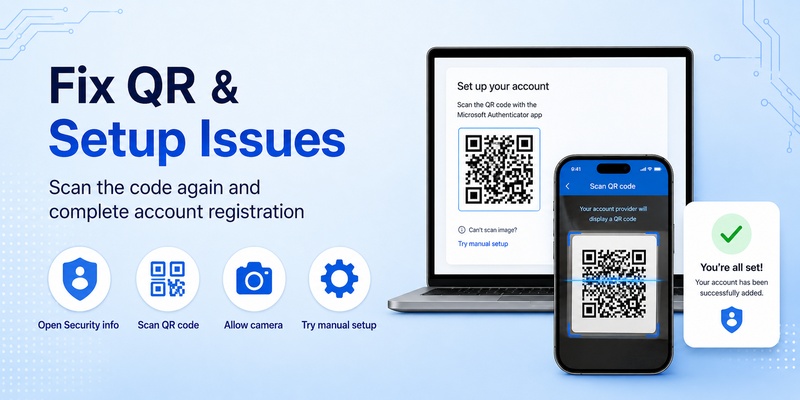
Sometimes Authenticator works correctly, but the account was never enrolled properly.
Recheck the QR-code setup
Microsoft’s documented process for work or school accounts involves opening Security info, adding Microsoft Authenticator, displaying a QR code, opening Authenticator, choosing Add account, selecting Work or school account, and scanning that QR code.
For a personal Microsoft account, a similar registration flow can be initiated through Microsoft account security settings.
If why doesn’t microsoft authenticator work began during initial setup, do not reuse a random QR code from an old screenshot. Generate a fresh setup flow from the account’s security page.
Manual setup may be available
Microsoft also provides manual setup options in certain QR-code enrollment flows when the camera cannot scan the displayed code.
This can help if why doesn’t my authenticator app work actually means that the phone camera cannot recognize the QR code.
Make sure camera permissions are enabled before assuming the authentication service itself is broken.
9. Android-Specific Microsoft Authenticator Problems
Android has several additional dependencies.
Google Play Services may be required
Microsoft states that for Android work or school accounts using Authenticator push notifications, Google Play Services and the Google Play Store need to be downloaded and enabled.
If why doesn’t microsoft authenticator work occurs on an Android device without functioning Google Play Services, push authentication may fail even though other app functions appear normal.
Check device security
For passwordless work or school scenarios, Microsoft also recommends checking:
- Device PIN or biometric security.
- Work-profile PIN or biometric settings.
- Hardware encryption.
- Device registration.
- Malware or root-related issues.
This is relevant when why won’t microsoft authenticator work refers to passwordless setup rather than ordinary OTP generation.
Turn off battery restrictions
Android manufacturers may aggressively restrict background activity.
Microsoft specifically includes battery optimization among its troubleshooting recommendations.
Allow Authenticator to operate normally in the background if push notifications are unreliable.
10. iPhone-Specific Microsoft Authenticator Problems
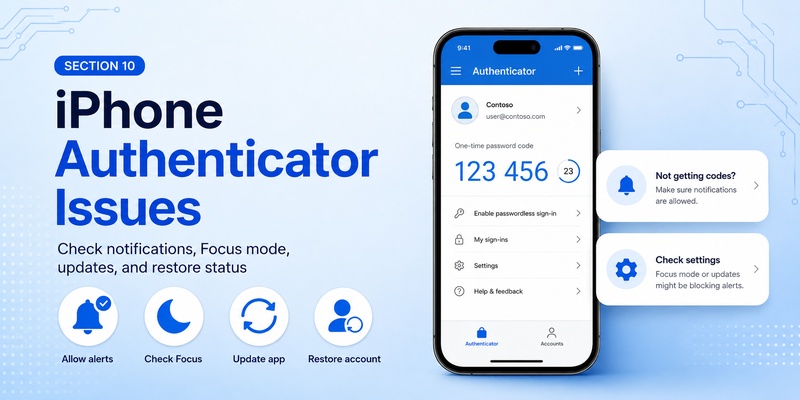
iPhone users experience many of the same problems, but notification and backup behavior should also be checked.
Check Focus and notification settings
If why doesn’t microsoft authenticator work means that your iPhone receives no visible Authenticator alert, verify:
- Authenticator notifications are allowed.
- Focus or Do Not Disturb is not hiding alerts.
- Internet connectivity works.
- Date and time are automatic.
- Authenticator is updated.
Microsoft’s general troubleshooting guidance identifies notification settings, quiet modes, network access, application updates, and accurate device time as relevant checks.
Restoring an iPhone backup
Microsoft’s current iOS recovery guidance includes iCloud requirements and notes that restored passwordless and work/school accounts may still require authentication again.
Therefore, why won t my microsoft authenticator work on a new iPhone may simply mean that the account has been restored visually but still needs to be re-established as an authentication method.
11. When You Should Reinstall Microsoft Authenticator
Reinstallation can help with corrupted application state or update problems, but it should not be the first troubleshooting step.
Do not delete the app without checking recovery options
Removing Authenticator can remove locally stored account information.
Microsoft warns that clearing application data on Android removes all Authenticator accounts and cannot be undone.
Before reinstalling because why doesn’t microsoft authenticator work, confirm that you have:
- Backup enabled where applicable.
- Another verification method.
- Account recovery codes.
- Access to the account’s security settings.
- IT support for a managed work account.
Update before reinstalling
Microsoft recommends using the latest Authenticator version and says versions more than 12 months old are unsupported.
Update the application first.
If the issue continues, restart the phone. Microsoft also recommends updating related security applications such as Company Portal when used in a managed environment.
Only after these steps should reinstalling become a serious option for why does my microsoft authenticator not work.
12. When to Contact Your Administrator or Microsoft Support
Not every authentication issue can be repaired from the phone.
Work and school accounts
Organizational policies may block:
- New Authenticator enrollment.
- Passwordless sign-in.
- Device registration.
- Specific authentication methods.
- Access from certain locations or devices.
Microsoft’s setup guidance tells users to contact their work or school administrator when Conditional Access or other organizational security policies prevent enrollment.
If why doesn’t microsoft authenticator work affects only your employer account while personal accounts work normally, this is an important clue.
Send diagnostic feedback
Microsoft recommends using the Send Feedback function in Authenticator when troubleshooting steps do not resolve the issue. Diagnostic logs can then be used when contacting support or an administrator.
This is preferable to repeatedly deleting and recreating accounts without understanding the underlying problem.
13. Frequently Asked Questions
Why doesn’t Microsoft Authenticator work even though I have internet?
If why doesn’t microsoft authenticator work remains unanswered after confirming internet access, check notification permissions, device time, battery optimization, application version, VPN status, and whether the authentication request is going to an old phone. Microsoft lists all of these areas in its current troubleshooting documentation.
Why does Microsoft Authenticator show a code but the code fails?
If why does my microsoft authenticator not work specifically refers to rejected OTPs, verify automatic date and time, choose the correct account, and wait for a fresh code if the current one is close to expiring. Microsoft requires accurate device time for Authenticator and documents regularly refreshing OTP credentials.
Why am I not receiving Authenticator notifications?
If why won t my microsoft authenticator app work refers to missing notifications, check notification permissions, internet connectivity, Do Not Disturb settings, battery optimization, and older registered devices.
Why did Authenticator stop working after I changed phones?
A backup does not necessarily restore every authentication credential. Work and school accounts and passwordless Microsoft accounts may require sign-in again after restoration.
This is a common reason behind why my microsoft authenticator is not working after a phone upgrade.
Why does Authenticator work for one account but not another?
Different accounts can use different authentication methods and security policies. One might use a rotating code while another relies on push notifications or organizational MFA settings.
So why won t microsoft authenticator work for one account does not necessarily indicate that the entire application is broken. Microsoft documents different enrollment and authentication processes for personal, work, school, and third-party accounts.
Why doesn’t Authenticator work when I have no signal?
If you mean push approval, the device needs internet access. If you mean an already configured rotating verification code, Microsoft states that the code can be generated offline.
This distinction resolves many searches for why doesn t authenticator work without mobile service.
Why doesn’t Microsoft Authenticator work after reinstalling it?
Reinstalling an authenticator app does not automatically recreate every MFA registration. You may need to restore a backup, sign in again, or re-register Authenticator from your account’s Security info page.
If why doesn t my microsoft authenticator work started after reinstalling, account registration should be checked before troubleshooting the phone further.
14. Conclusion
The question why doesn’t microsoft authenticator work can refer to several completely different problems, so troubleshooting should begin by identifying whether the failure involves push notifications, verification codes, connectivity, account registration, or device migration.
For missing push requests, check internet connectivity, notification permissions, Do Not Disturb settings, VPN connections, battery optimization, and whether requests are still being sent to an older registered phone. Microsoft recommends these checks in its current Authenticator troubleshooting documentation.
For invalid codes, verify the phone’s automatic date and time and make sure you are using the correct account entry. If why doesn’t microsoft authenticator work began after changing devices, remember that restoring an account does not always restore its full authentication relationship; work, school, and passwordless accounts may require another sign-in or registration.
Internet requirements also depend on the method being used. Rotating verification codes can work offline, while sign-in notifications and responses require a network connection.
Finally, if why doesn’t microsoft authenticator work applies only to a company or school account and standard troubleshooting does not help, contact your administrator. Organizational policies can control Authenticator registration and available MFA methods.
Working through these checks systematically is much safer than immediately deleting the app. In most cases, the cause can be narrowed down to connectivity, notifications, incorrect time, outdated registration, or an account-specific security configuration.
Download Authenticator App
Secure your accounts with fast, reliable two-factor authentication. Download now and protect your login in seconds.
