
Microsoft Authenticator APK Download for Android: Safe Installation Guide
Published August 17, 2026
A search for microsoft authenticator apk download usually means that an Android user wants the app, cannot reach Google Play, or has been offered an installation file by another website. The safe answer depends on location and device management. For most Android users, Microsoft directs installation through Google Play rather than a loose APK file. Users in China and people with managed devices should follow Microsoft’s regional or organizational distribution route.
That distinction matters because an authenticator holds credentials used to approve access. A repackaged or malicious APK can undermine the second factor before enrollment even begins. A familiar icon, a plausible filename, or a successful installation is not proof of authenticity.
This guide explains what an APK is, how to choose the official route, what to verify before installation, how to enroll accounts, and what to do after a suspicious download. It provides a safe decision process without linking to unverified APK repositories.
1. Understand APK Files and the Search Risk
Know what an APK represents
An Android Package Kit, or APK, is an installable application package. Google Play and managed stores can deliver APK-based software behind the scenes, but they also add publisher identity, update handling, policy checks, and a consistent listing. A standalone file removes much of that context and puts the verification burden on the user.
The phrase microsoft authenticator apk download therefore describes a file format, not an official source. A search result may lead to a legitimate store page, a mirror that copied an old release, a modified build, or malware using Microsoft branding. File size, screenshots, star ratings, and a lock icon in the browser do not establish that Microsoft produced the package.
Treat authentication software as high sensitivity
Authenticator apps may hold time-based one-time password seeds, receive approval prompts, and participate in passwordless sign-in. A hostile build could display misleading prompts, read data available to it, redirect enrollment, or persuade a user to expose a QR code. The damage can extend beyond the phone if the same device approves work, banking, social, and developer accounts.
| Search claim | What it actually proves | Safe response |
|---|---|---|
| “Latest APK” | Only a marketing statement | Compare with the official store listing |
| “Verified” | Undefined unless the verifier and method are named | Use Microsoft’s supported channel |
| “Unlocked” or “modded” | The package was altered | Do not install it |
| “No Play Store needed” | The file may sideload | Confirm a supported regional route first |
| “Old Android compatible” | It may be obsolete and unsupported | Update the device or use a supported one |
Before any microsoft authenticator apk download, identify why Google Play is unavailable and whether Microsoft or the organization provides a supported alternative. That one question prevents a search engine from becoming the authority for a security-critical installation.
Write down the approved route before proceeding so the microsoft authenticator apk download can be checked against a concrete source instead of a vague search result.
Download Authenticator App
Secure your accounts with fast, reliable two-factor authentication. Download now and protect your login in seconds.
2. Choose the Official Android Distribution Route
Use the normal route outside China
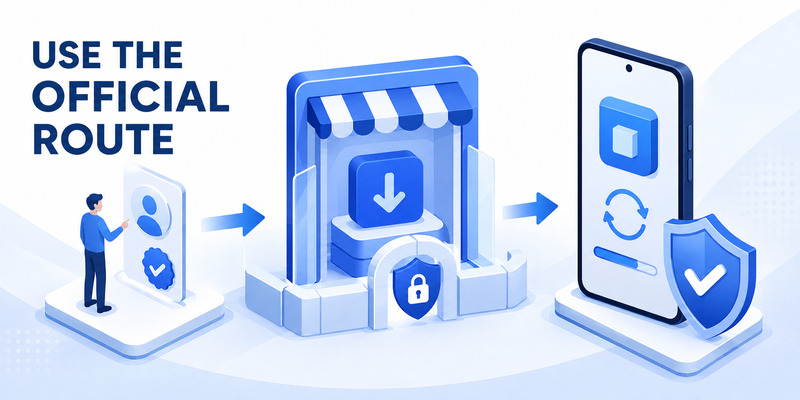
Microsoft’s current download guidance directs Android users outside China to Google Play. Open the official Microsoft support page or Google Play listing, verify that the publisher is Microsoft Corporation, and install from there. The microsoft authenticator download guide explains the standard mobile path.
This store route is preferable to download microsoft authenticator apk from a mirror because it supports signing checks, staged releases, automatic updates, device compatibility, and Play Protect. Those controls are not perfect, but they provide more evidence and lifecycle management than a file copied between unrelated websites.
Distinguish unavailable from merely inconvenient
If Google Play reports that the app is incompatible, blocked, or unavailable, do not immediately sideload. Check Android updates, the device certification status, parental or work-profile restrictions, region, storage, network, and the signed-in Google account. A company may intentionally require Managed Google Play or an enterprise catalog.
Microsoft says versions more than one year old are unsupported. An archive that offers an older build for an aging phone is not a safe long-term fix. Authentication reliability depends on current platform security, certificate handling, notification services, and provider policy.
A normal microsoft authenticator apk download should end at an official store installation, even though the store internally distributes Android packages. The user should not need to disable Play Protect, accept a browser’s “install unknown apps” permission, or transfer a file through chat or email.
Bookmark the official support page instead of a search result. Future reinstalls can then start from a known Microsoft route and avoid lookalike ads, typo domains, and stale mirrors.
This saved link also gives the next microsoft authenticator apk download a repeatable starting point when the phone is replaced or reset.
🗺️ Browse How-To Guides: Microsoft Authenticator Download Mac: Safe Best Options
3. Handle China and Managed Android Devices
Follow Microsoft’s China-specific guidance
Google Play is not available in China, so the normal route does not apply there. Microsoft’s current support guidance lists Lenovo, Oppo, and Samsung stores for Android installation in China. Availability can vary by device and store, and Microsoft notes that it tries to keep store versions current but is not responsible for versions available on other sites.
Users in China should begin with Microsoft’s dedicated China instructions and the listed store that matches their device. Do not substitute an arbitrary microsoft authenticator download apk page because it ranks well in search. Regional functionality can also differ: Microsoft documents limitations for some authentication methods, so an organization’s administrator should confirm whether one-time codes, push approval, or another method is required.
Respect enterprise distribution policy
A managed phone may receive Authenticator through Managed Google Play, Microsoft Intune, a work profile, or an approved enterprise catalog. In that case, the correct publisher and version are only part of the decision. The app may also need management configuration, compliance state, notification access, or a broker relationship that a manually installed copy cannot provide.
| Device situation | First contact | Appropriate route |
|---|---|---|
| Personal Android outside China | Microsoft support / Google Play | Official Google Play listing |
| Android in China | Microsoft China guidance | Listed Lenovo, Oppo, or Samsung store |
| Company-owned Android | Organization help desk | Managed catalog or prescribed store |
| Work profile on personal phone | Organization administrator | Managed Google Play inside work profile |
| Unsupported old device | Device or account provider | Upgrade or approved alternate factor |
Do not move a corporate APK from one employee’s phone to another. It can be stale, incomplete, or outside licensing and management controls. A compliant microsoft authenticator apk download follows the location and management policy before account credentials are scanned.
Record the approved store and device scope so a later microsoft authenticator apk download remains consistent with the same regional and enterprise controls.
Download Authenticator App
Secure your accounts with fast, reliable two-factor authentication. Download now and protect your login in seconds.
4. Verify the Publisher and Package Integrity
Verify the source before the file
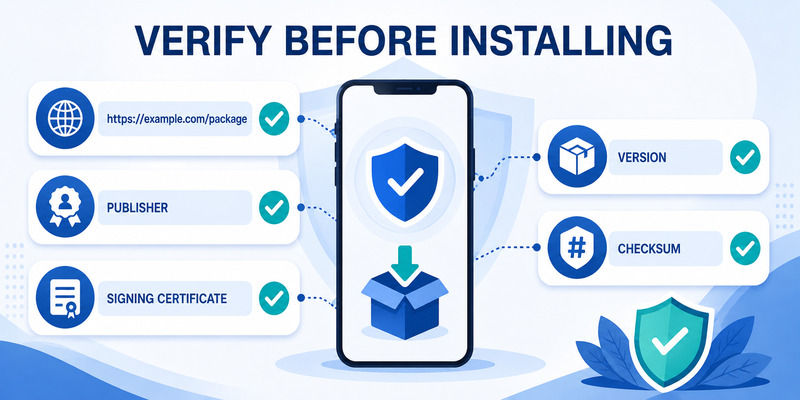
Start with an official Microsoft support link, then follow it to the store. Check the exact domain, the store application, the app name, the publisher, recent update information, and install history. Avoid sponsored results that imitate a download button or use words such as premium, cracked, unlocked, patched, or mod.
If an administrator provides a package or enterprise link, verify the request through a known help-desk channel. Ask for the distribution system, supported version, device scope, and a ticket reference. Do not trust the same unexpected email or chat message that supplied the file.
Understand technical verification limits
Android requires applications to be signed, but the presence of a signature only proves that the package ha
s not changed since its signer created it. It does not prove that the signer is Microsoft. A malicious developer can sign a malicious package with a different key. Hashes have a similar limitation: a checksum is useful only when obtained independently from a trusted authority.
For a standalone microsoft authenticator app apk download, users often lack an official hash or a simple, authoritative certificate comparison. That is one reason the supported store route is safer. Do not rely on antivirus results alone; a new or targeted package may not yet be detected.
Before installation, record only nonsecret evidence: source URL, store name, publisher, version, device, date, and organization ticket. Never record passwords, TOTP seeds, enrollment QR images, live codes, recovery codes, or approval numbers.
If source or publisher verification is ambiguous, stop. An urgent sign-in is not a reason to lower assurance for the app that will guard future sign-ins. Use a recovery method or contact the authorized administrator instead of completing an uncertain microsoft authenticator apk download.
That pause is a valid security result: a microsoft authenticator apk download should proceed only when source and publisher evidence agree.
🗺️ Browse How-To Guides: Microsoft Authenticator: Complete Setup, Login, Backup & Troubleshooting Guide
5. Install on a Standard Android Device
Prepare the phone securely
Update Android and Google Play system components, enable a strong screen lock, set time and time zone automatically, and use a trusted network. Confirm that device encryption is active. Remove obvious screen-sharing or remote-control sessions before account enrollment so the QR code and approval flow are not exposed.
Open the verified Google Play listing and install Authenticator. Review the app page again after installation rather than trusting only the home-screen icon. Do not grant accessibility, device administrator, SMS, contacts, or storage access merely because a tutorial demands it. Camera access is useful for scanning a QR code, and notifications support approval prompts; specific requirements can vary by feature and Android version.
Avoid unnecessary sideload permissions
The normal microsoft authenticator apk download path does not require enabling “Install unknown apps” for a browser, file manager, messaging app, or email client. Leaving that permission enabled expands the ways another package can be installed. If an authorized enterprise workflow genuinely requires it, follow the organization’s documented procedure and disable the permission afterward.
Open Authenticator and review App Lock, notification behavior, and backup options before adding sensitive accounts. Keep the phone OS and the app current. Battery optimization or background restrictions can delay push approvals, but granting broad permissions is not the first troubleshooting step; use the app and device documentation.
Installation is only the first checkpoint. The app does not become a factor until the account provider generates a fresh credential and verifies it. Continue to enrollment while the source and device state are still clear.
Keep the store receipt or managed-catalog record as nonsecret evidence that the microsoft authenticator apk download used the intended channel.
Review that evidence before adding accounts so the microsoft authenticator apk download and the enrollment record describe the same verified application.
6. Enroll Accounts and Test Authentication
Generate a fresh credential from the provider
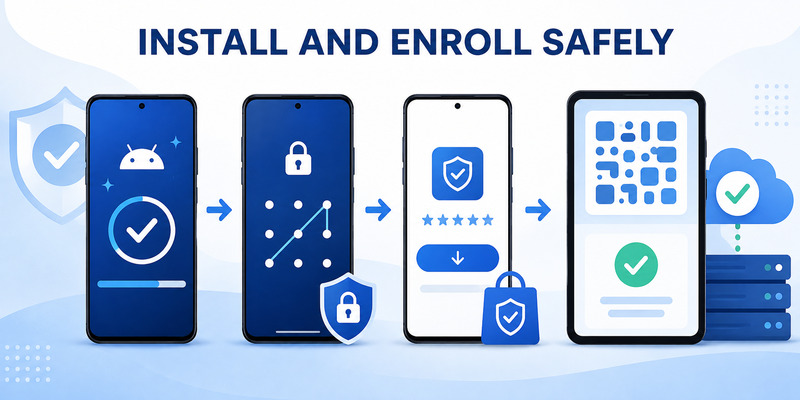
Open the provider’s official security settings on a second device, such as a laptop browser. Choose to add an authenticator app and confirm the correct account. In Microsoft Authenticator, select the matching account type and scan the fresh QR code directly from the screen. The microsoft authenticator setup guide covers the complete sequence.
Never download, email, print, photograph, or post the QR code. It can contain the secret used to generate valid codes. A sample QR from an article is not an enrollment code, and no microsoft authenticator apk download should ask for the QR before the official app is installed and the provider session is open.
Prove server-side registration
For time-based codes, enter a current code on the provider page. For push authentication, approve the test and complete number matching when shown. Finish the provider’s confirmation before closing the browser. An account tile visible in the app is not proof that the server accepted it.
Perform a signed-out login in a private browser window, then test a separate recovery method. Save fresh recovery codes in a secure location outside the phone. For work or school accounts, test an organization resource that applies the expected policy and confirm any result with the authorized help desk.
Deny every approval you did not initiate, even if the number on screen looks plausible. Repeated unexpected prompts can indicate that someone already knows the password. Review account activity and change the password from a clean device when compromise is suspected.
The successful outcome of microsoft authenticator apk download is not an installed icon; it is a verified credential, a successful signed-out test, and an independent recovery path.
Document those three results without secrets so the microsoft authenticator apk download has an auditable acceptance check.
 Discover Helpful Guides: Microsoft Authenticator Download Windows: Safe Guide
7. Update, Migrate, and Preserve Recovery
Keep the supported version current
Enable updates through the official store and keep Android current. Microsoft says Authenticator versions older than one year are unsupported, but waiting until that deadline is poor maintenance. Security fixes, provider changes, and platform requirements can make an older build unreliable earlier.
Check the publisher and store route after a device reset, regional move, work-profile change, or organization migration. Do not solve an update failure by installing a newer file from an unknown mirror. Return to the official support page or enterprise catalog and diagnose the underlying compatibility or policy issue.
Plan phone replacement before it is urgent
Review Authenticator backup options, but do not assume every credential will restore automatically. Some TOTP accounts may be recoverable from backup, while work, school, passwordless, device-bound, or brokered registrations may require re-enrollment. The microsoft authenticator backup guide explains the preparation steps.
Before replacing a phone, confirm recovery codes and another strong factor, keep the old device active, install from the supported route on the new device, restore what is eligible, and re-register what is not. Test each important account while both devices remain available. Remove the old registration only after the replacement and fallback succeed.
| Maintenance event | Required proof |
|---|---|
| App update | Official store shows current publisher and version |
| Phone replacement | New phone passes signed-out test |
| Backup restore | Each critical account is independently verified |
| Old phone retirement | Provider no longer lists it as an active method |
| Region or management change | New distribution route is administrator-approved |
This lifecycle discipline keeps microsoft authenticator apk download from becoming a repeated emergency and prevents an obsolete phone or unsupported build from remaining a hidden dependency.
Schedule a periodic store and recovery review so every future microsoft authenticator apk download starts from current information.
Discover Helpful Guides: Microsoft Multi Factor Authentication: Complete MFA Guide
8. Respond to a Suspicious or Modified APK
Contain the device and accounts
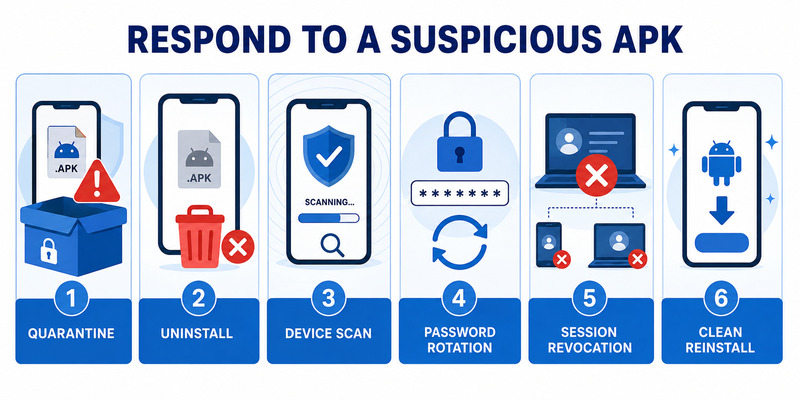
If you downloaded but did not install a suspicious APK, delete it through the normal file manager, empty any relevant download queue, and revoke the browser’s unknown-app installation permission. Run Google Play Protect and a trusted device security check. Do not upload the package to random analysis websites if it came from a confidential enterprise channel.
If it was installed, disconnect from sensitive activity, uninstall it through Android settings, review apps with accessibility, notification access, device administrator, VPN, and unknown-app privileges, and run security checks. For a work device, contact the security team before wiping evidence or resetting the phone; incident-response policy may require preservation.
Rotate anything that may have been exposed
From a known-clean device, change passwords for affected accounts, revoke active sessions, review recent activity, remove unknown authentication methods, and generate fresh recovery codes. Re-enroll TOTP credentials because a QR code or seed viewed by a hostile app must be treated as copied. Revoke lost or questionable device registrations through each provider.
An unexpected microsoft authenticator apk download may also be part of a phishing chain. Review the original message, sender, domain, browser history, and any approvals made during the event. Notify the organization if a work account, managed device, or company data was involved.
Install the official app only after the device is considered trustworthy. If compromise cannot be ruled out, factory-reset or replace the phone according to provider or organization guidance. Restoring the same unknown package defeats the recovery.
Keep a secret-free incident log with time, source, package name, actions, affected providers, and support ticket. This evidence helps responders close the event and prevents another user from following the same malicious link.
After containment, document the approved microsoft authenticator apk download route that replaces the suspicious source.
9. Frequently Asked Questions
Does Microsoft provide a direct APK download?
Microsoft’s standard Android guidance points users outside China to Google Play. Its China-specific guidance lists supported regional stores. If a standalone direct file is not linked by current Microsoft or organization instructions, do not assume it is official.
Is an APK different from the Google Play app?
Google Play ultimately installs Android application packages, but the store adds publisher context, signing validation, compatibility checks, updates, and security services. A loose file lacks much of that trusted delivery context.
Can I use an APK mirror if Google Play says incompatible?
That may install an old or unsupported version without fixing the underlying OS, certification, management, or region issue. Update the device, confirm policy, or use an approved alternate factor.
Which stores are listed for Android users in China?
Microsoft’s current support page lists Lenovo, Oppo, and Samsung. Users should revisit that page because regional availability can change and features may be limited.
How do I verify the package signature?
Technical tools can display a signing certificate, but comparison requires an authoritative reference. Most users should rely on Microsoft’s official store link or an administrator-managed catalog instead of trying to validate an unknown file themselves.
Is the app free?
The official mobile app does not require an app purchase. Be suspicious of pages charging for an APK, activation key, cracked edition, or mandatory support plan.
Why are push approvals not arriving?
Check network access, notification permission, background restrictions, time settings, app updates, and organization policy. Regional and managed-device limitations may apply. A TOTP code may still work if the provider has enabled it.
What should I do if I scanned a QR code into an unofficial app?
Treat the credential as exposed. Remove that authentication method through the provider, create a fresh registration in the official app, revoke sessions, change the password if needed, and review activity.
These answers make a microsoft authenticator apk download decision based on supported distribution, not on the promises made by a download site.
When circumstances differ from these answers, pause the microsoft authenticator apk download and ask the account provider or administrator for a current supported path.
Discover Helpful Guides: Microsoft Authenticator Download Windows: Safe Guide
10. Final Thoughts
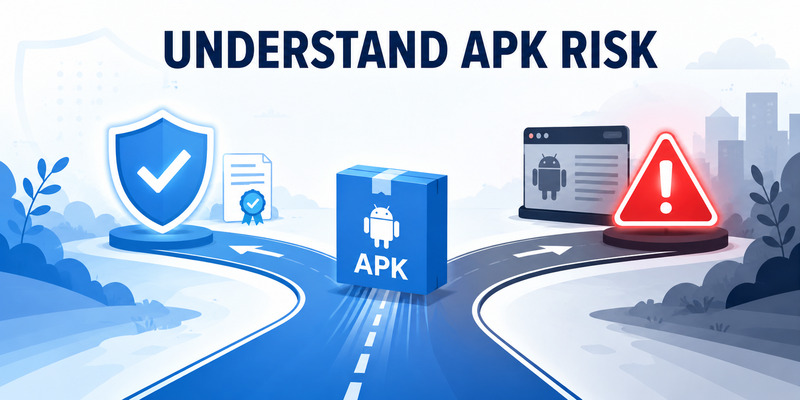
For most Android users outside China, the safe microsoft authenticator apk download is an installation from Google Play reached through Microsoft’s official support guidance. Users in China should follow Microsoft’s dedicated page and its listed Lenovo, Oppo, or Samsung store. Managed-device users should follow their organization’s catalog and policy.
Do not trust a package because its name, icon, screenshots, hash, or antivirus result looks convincing. The source, publisher identity, supported version, update path, and account-provider verification all matter. Never disable security controls or share a QR code, TOTP seed, live code, recovery code, password, or approval number to complete an installation.
After installing, enroll through the provider’s official security settings, complete server verification, perform a signed-out test, and preserve an independent recovery factor. Keep Android and Authenticator current; re-check the route when the phone, region, or management state changes.
Visit Authenticator App for setup, backup, recovery, and troubleshooting guidance. A careful microsoft authenticator apk download protects the delivery path and the entire credential lifecycle rather than stopping when an icon appears on the phone.
If an unknown package was already installed, contain the device, rotate exposed credentials from a clean device, revoke sessions, and contact the authorized security team for work accounts. Reinstall only from a supported source after the phone is trusted again.
Download Authenticator App
Secure your accounts with fast, reliable two-factor authentication. Download now and protect your login in seconds.
