
How to Set Up Steam Mobile Authenticator For Everyone
Published August 18, 2026
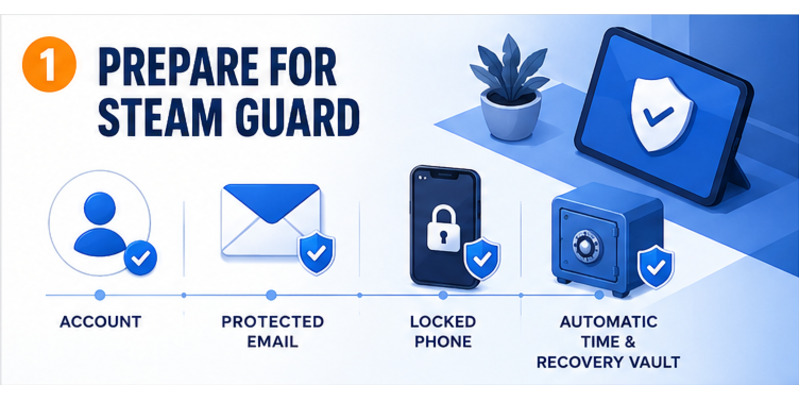
To learn how to set up steam mobile authenticator, install the official Steam Mobile app, sign in to the correct account, open Steam Guard, choose Add Authenticator, verify a long-term phone number, and save the recovery code outside the phone. Finish with a signed-out test login on a trusted device.
The setup adds a phone-held factor to the Steam password. It can generate rotating codes, scan a Steam login QR code, and present approval prompts. The feature is only dependable when the contact email, registered number, recovery code, and device security are prepared before an emergency.
This guide walks through prerequisites, official installation, enrollment, SMS verification, recovery storage, daily use, trading effects, troubleshooting, phone transfer, and ongoing maintenance.
1. Prepare the Steam Account and Phone
Verify account access first
Before how to set up steam mobile authenticator, sign in to Steam on a trusted browser or desktop client. Confirm the account name, password, contact email, and existing Steam Guard method. Resolve a password reset, suspicious login, or ownership problem before changing security.
Protect the linked email with a unique password and its own multifactor method. Steam may use that inbox for notices and recovery. Do not begin enrollment because a trader, tournament organizer, or person claiming to be support tells you to hurry.
Prepare the authenticator device
Update the phone, enable a strong screen lock, and turn on automatic date, time, and time zone. Steam Guard codes rotate about every 30 seconds, so an inaccurate clock can make a newly enrolled code fail.
Confirm the device can receive SMS at a long-term number. Decide where the recovery code will be stored—such as an encrypted password manager or secure offline record—before it appears.
| Preparation item | Safe check | Why it matters |
|---|---|---|
| Steam account | Password and email work | Prevents setup lockout |
| Phone | Updated and screen-locked | Protects the factor |
| Time | Automatic date, zone, and time | Keeps codes synchronized |
| Number | Can receive SMS long term | Supports verification and recovery |
| Recovery storage | Exists outside the phone | Survives loss or damage |
Preparing each dependency makes how to set up steam mobile authenticator a controlled account change instead of an improvised response to a login prompt.
Download Authenticator App
Secure your accounts with fast, reliable two-factor authentication. Download now and protect your login in seconds.
2. Install and Verify Steam Mobile
Use an official store listing
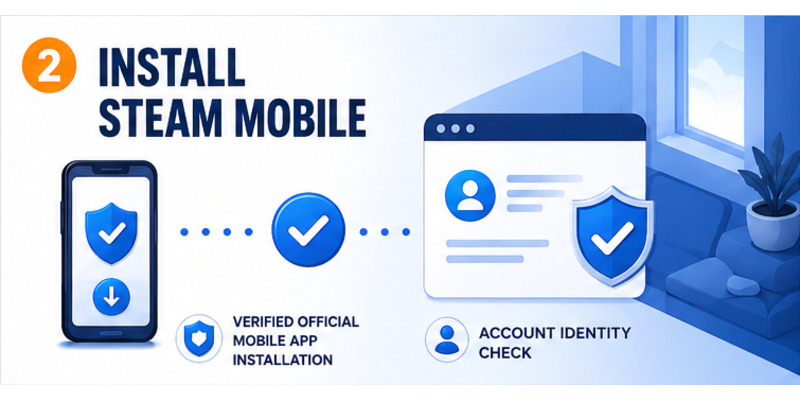
Download Steam Mobile from Apple’s App Store or Google Play. The authenticator is built into the official app; avoid standalone generators, browser extensions, modded clients, and direct APK files offered through chat or download sites.
The steam mobile authenticator download guide explains source verification and compatibility. Steam currently documents iOS 13 or later and Android 5.0 or later, although the current store listing is the final requirement.
Confirm the account identity
Launch Steam Mobile from the trusted store or phone launcher and sign in. Enter credentials only inside the official application. If Steam sends an email code or approval request, submit it directly and never read it to another person.
A phone can hold several Steam accounts. Verify the account name before opening Steam Guard so how to set up steam mobile authenticator protects the intended profile. Display names and avatars can be similar; the account identity is decisive.
Review camera and notification permissions when their features are used. Camera access enables QR sign-in, while notifications support approval prompts. Do not grant unrelated accessibility or device-administrator access to an imitation app.
The question how to add steam authenticator always leads back to the Steam Guard area of verified Steam Mobile. Installation creates the application; the next steps enroll the actual factor.
Completing this verification stage keeps how to set up steam mobile authenticator inside Steam’s trusted mobile environment.
 Discover Helpful Guides: Steam App Authenticator Not Working: Complete Fixes
3. Add the Mobile Authenticator
Start from the Steam Guard tab
Open the app menu, choose Steam Guard, and select Add Authenticator. Interface labels may vary slightly by version, but enrollment should occur within the official Steam Guard area. Read every prompt and confirm the selected account.
Do not follow a screen share or private message while enrolling. A legitimate setup never requires sending screenshots of the SMS value, recovery code, or rotating code to another user.
Follow the enrollment sequence
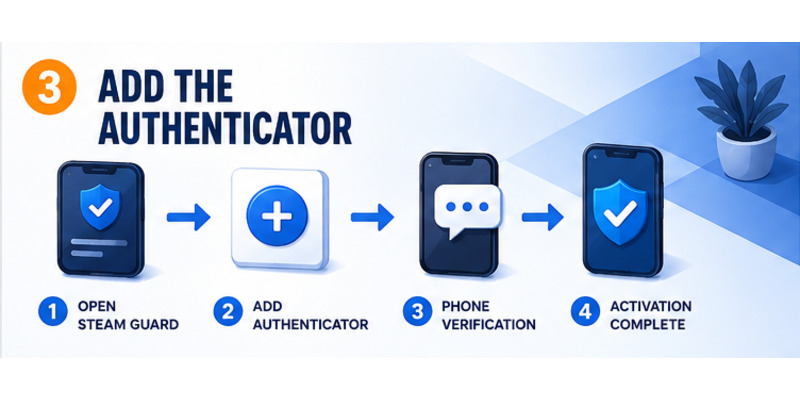
Use this order for how to set up steam mobile authenticator:
- Open verified Steam Mobile.
- Select the correct Steam account.
- Open Steam Guard and choose Add Authenticator.
- Enter or confirm a long-term phone number.
- Submit the newest SMS verification value inside Steam.
- Save the recovery code outside the phone.
- Confirm that a rotating code appears.
- Test a new login on a trusted device.
If Steam reports that an authenticator already exists, stop. Determine whether an old phone holds the active credential. Use Move Authenticator or official recovery instead of removing the factor blindly.
The what is steam guard authenticator article explains the relationship between mobile and email Steam Guard. Understanding that distinction helps users follow how to set up steam guard mobile authenticator without assuming email codes and mobile codes are interchangeable.
Enrollment is the central action in how to set up steam mobile authenticator, but verification and recovery storage determine whether it remains usable.
Discover Helpful Guides: How to Move Steam Authenticator to New Phone Safely
4. Verify the Phone and Save Recovery Access
Complete SMS verification
Steam may send a one-time value to the registered number. Check the country prefix and number, then enter the newest value only inside the Steam Mobile setup screen. If delivery is delayed, wait briefly and avoid requesting many messages that can arrive out of order.
The SMS value verifies control of the number; it is not the rotating Steam Guard code used for normal login. Never give it to a trader, moderator, or person offering remote setup help.
Store the recovery code correctly
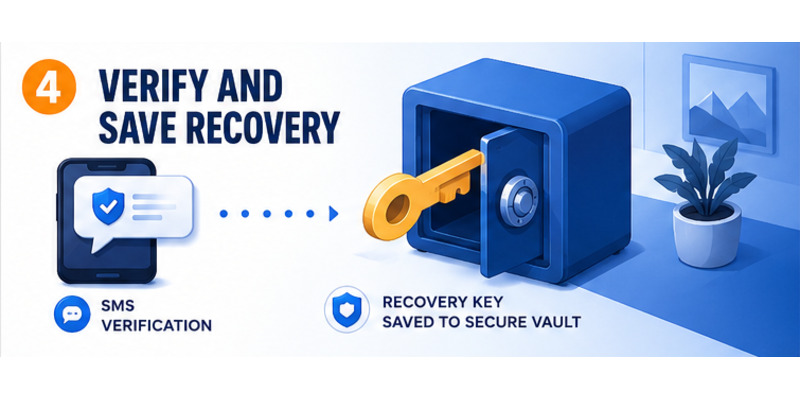
Steam displays a recovery code during enrollment. Copy it exactly into an encrypted password manager or secure offline record. Do not leave the only copy in a screenshot on the same phone, a public note, or an unencrypted message.
Use steam authenticator recovery code for detailed storage and recovery guidance.
| Credential | Purpose | Safe location |
|---|---|---|
| Password | Primary account secret | Password manager |
| SMS verification value | Confirm number during setup | Official Steam screen only |
| Rotating code | Authorize current login | Steam login you initiated |
| Recovery code | Restore or remove factor | Secure storage outside phone |
This stage makes how to set up steam mobile authenticator recoverable. Confirm the saved record is readable without exposing it, then return to Steam Guard and ensure a fresh code appears.
Do not call how to set up steam mobile authenticator complete if losing the phone would also destroy the only recovery copy.
5. Test Codes, QR, and Push Approvals
Test a rotating code
Sign out of one nonessential session on a trusted computer, begin a new login, and open Steam Guard on the phone. Select the correct account and enter the current code. If only a few seconds remain, wait for the next value.
Steam states that mobile codes can be generated offline, but accurate phone time remains essential. The where to find steam mobile authenticator code guide shows the correct location.
Discover Helpful Guides: Steam Mobile Authenticator: Setup and Security Guide
Verify QR and push context
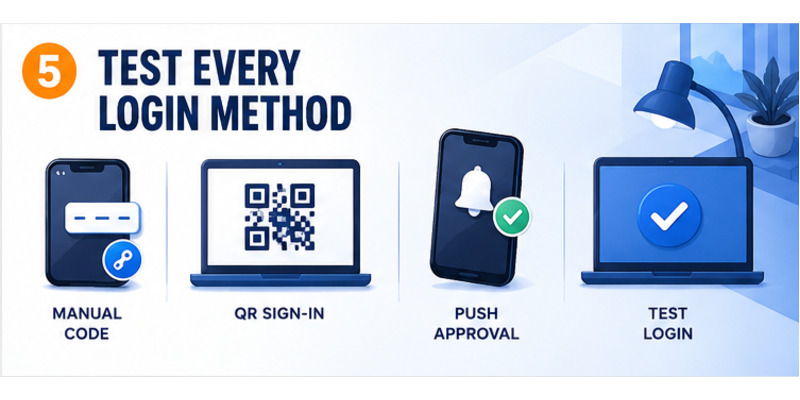
For QR login, scan only a code displayed by the official Steam client or verified Steam website you opened yourself. Never scan an image sent through chat, email, or a marketplace listing. The steam guard qr code guide explains why.
For push approval, compare account, device, location, and timing. Reject anything unexpected, change the password, and review authorized sessions. An approval tap is equivalent to handing over a valid code.
| Test | Expected result | Security check |
|---|---|---|
| Manual code | Trusted login succeeds | Correct account and fresh value |
| QR sign-in | Session matches displayed Steam screen | You opened the screen yourself |
| Push approval | Device and location match | Request was initiated by you |
| Rejection | Unknown session remains blocked | Review account afterward |
Testing completes the functional side of how to set up steam mobile authenticator and teaches the owner how a malicious request looks before an emergency.
Practice deliberate approval so how to set up steam mobile authenticator improves security without creating automatic, unexamined taps.
6. Understand Trading and Market Protections
Expect an initial protection period
Steam currently explains that trades or Community Market listings created during the first seven days after adding a mobile authenticator may receive 15-day holds. Adding the factor does not shorten an item that is already held.
These delays are protective controls, not evidence that how to set up steam mobile authenticator failed. Plan enrollment before a time-sensitive legitimate trade and do not remove or re-add the factor to chase an immediate listing.
Know transfer and removal consequences
Steam documents a two-day trade and Market restriction after moving the authenticator to a new phone. Removing it produces a 15-day restriction. Transfer is therefore the safer route during a routine phone upgrade.
| Security event | Current documented effect |
|---|---|
| First seven days after adding mobile factor | New trades or listings may receive 15-day holds |
| Transfer to replacement phone | Two-day trade and Market restriction |
| Remove mobile authenticator | 15-day trade and Market restriction |
| Add while item is already held | Existing hold is not shortened |
Scammers use urgency around trades to make users weaken security. Do not enter a code, scan a QR, or remove the authenticator because another person promises to release an item or verify inventory.
Record the setup date and expected protection window during how to set up steam mobile authenticator. That note prevents normal holds from triggering repeated, risky changes.
Understanding these rules keeps how to set up steam mobile authenticator aligned with both account security and realistic trading expectations.
Discover Helpful Guides: Where to Find Steam Mobile Authenticator Code Fast
7. Fix Setup and Verification Errors
Repair invalid codes and missing approvals
If a code fails, enable automatic date, time, and zone; confirm the correct Steam account; wait for a fresh value; and try once. If push is missing, check network access, notifications, background activity, and the pending request inside Steam Mobile.
For QR problems, verify the official page, camera permission, lens, brightness, and distance. Use manual code or push as a safe fallback rather than scanning a QR sent by someone else.
Resolve SMS and application problems
If SMS does not arrive, check the number, country prefix, cellular service, filtering, and newest request. Never use a public SMS receiver. If the number is unavailable, start official recovery.
Update Steam Mobile and the operating system, restart the phone, and preserve recovery access before reinstalling or clearing app data. Use steam app authenticator not working for full troubleshooting.
| Symptom | First safe action | Avoid |
|---|---|---|
| Code rejected | Automatic time and correct account | Rapid repeated attempts |
| No SMS | Verify service, number, latest request | Public SMS websites |
| No push | Check notification and network settings | Approving delayed unknown prompt |
| QR fails | Official page, camera, brightness | QR image from a stranger |
| App crashes | Update app and OS, restart | Removing factor immediately |
Troubleshooting how to set up steam mobile authenticator should preserve the strongest working method and change one variable at a time.
If ownership cannot be verified, use official Steam Support; no paid helper can bypass the controls behind how to set up steam mobile authenticator.
8. Maintain, Transfer, and Recover Steam Guard
Maintain the security setup
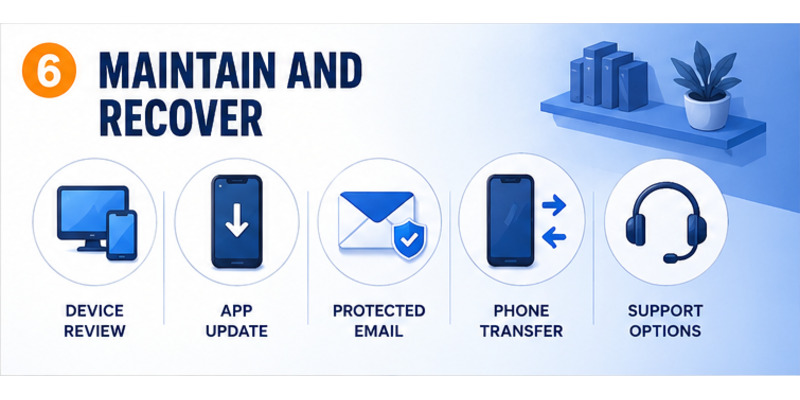
Keep Steam Mobile and the phone updated, maintain a screen lock, hide sensitive notification previews, and review authorized devices monthly. Deauthorize old phones, shared computers, and unfamiliar browsers.
Keep the registered number and contact email current. Protect the email with a separate factor and verify that the recovery code remains readable in secure storage.
Transfer or recover without weakening protection
Before replacing a working phone, follow how to move steam authenticator to new phone. Confirm the replacement generates valid codes before wiping the old device.
If the phone is lost, recover through the registered number, saved recovery code, an authorized session, or official Steam Support. Never buy a generated code or give recovery credentials to a community contact.
Maintenance after how to set up steam mobile authenticator includes:
- Review authorized devices.
- Verify the recovery record.
- Update phone and application.
- Confirm email and number access.
- Inspect trade and sign-in activity.
- Plan transfer before hardware changes.
- Reject unexpected approvals.
If permanent removal is required, read disable steam authenticator and secure the fallback first. Removal is not a routine repair step.
Ongoing maintenance preserves the benefit of how to set up steam mobile authenticator as devices, contact details, and account activity change.
Create a private maintenance record with the enrollment date, registered number, recovery-storage location, and last device review. Do not write live codes or the recovery secret itself in an exposed note. This record helps distinguish a normal phone upgrade from a suspicious security change and gives the owner a reliable checklist before reinstalling the app, changing the number, or contacting official support.
Discover Helpful Guides: Steam Mobile Authenticator: Setup and Security Guide
9. Frequently Asked Questions
What app do I need for Steam Guard?
Use the official Steam Mobile app from Apple’s App Store or Google Play. Steam Guard Mobile Authenticator is built into it.
Can one phone protect multiple Steam accounts?
Steam Mobile can hold multiple accounts, but each Steam account can have one active mobile authenticator. Confirm the selected profile before reading a code or approving.
Can codes work offline?
Yes. Steam says mobile codes can be generated offline. Accurate date and time remain necessary, while QR and push features may need connectivity.
Where should I store the recovery code?
Use an encrypted password manager or secure offline record outside the phone. Do not keep the only copy as a screenshot on the enrolled device.
Why is my new code rejected?
Enable automatic time, select the correct Steam account, wait for a new value, and try once on an official login. Update the app if the problem persists.
Why are my trades held after setup?
Steam may hold trades or listings created during the first seven days after enrollment. Adding the authenticator does not shorten an existing hold.
Should I remove Steam Guard for a new phone?
No. Use Move Authenticator. Transfer preserves mobile protection and normally has a shorter documented restriction than removal.
How long does how to set up steam mobile authenticator take?
Enrollment usually takes minutes when the account, number, and email are ready. Allow additional time to store recovery access and test a trusted login.
10. Final Thoughts
The safe process for how to set up steam mobile authenticator is to prepare the account and phone, install verified Steam Mobile, open Steam Guard, add the factor, verify the number, save recovery access, and test a signed-out login.
Use codes, QR, and push approval only for actions you initiated. Reject unexpected prompts, never share SMS or recovery values, and distrust anyone who links security changes to an urgent trade or account-verification demand.
Understand the initial trading protections, plan phone transfers before wiping an old device, and preserve the contact email, registered number, and recovery code. A strong authenticator must be both difficult for an attacker to steal and practical for its owner to recover.
Visit Authenticator App for broader two-factor setup, recovery, and phishing-defense guidance. A careful how to set up steam mobile authenticator workflow ends with a tested factor, secure recovery records, and deliberate approval habits that continue long after enrollment.
Complete one final review after the first successful login. Check authorized devices, confirm that the protected email receives security notices, and make sure the recovery record can be found without unlocking the enrolled phone. Record the setup date and expected trading-protection period so normal restrictions do not cause unnecessary changes.
Revisit this checklist after a phone upgrade, number change, suspicious prompt, or major Steam account change. That small habit keeps how to set up steam mobile authenticator effective over time and ensures the owner—not an attacker or a lost device—controls the next recovery decision.
Download Authenticator App
Secure your accounts with fast, reliable two-factor authentication. Download now and protect your login in seconds.
