
How to Move Steam Authenticator to New Phone Safely
Published August 17, 2026 · Updated September 9, 2026
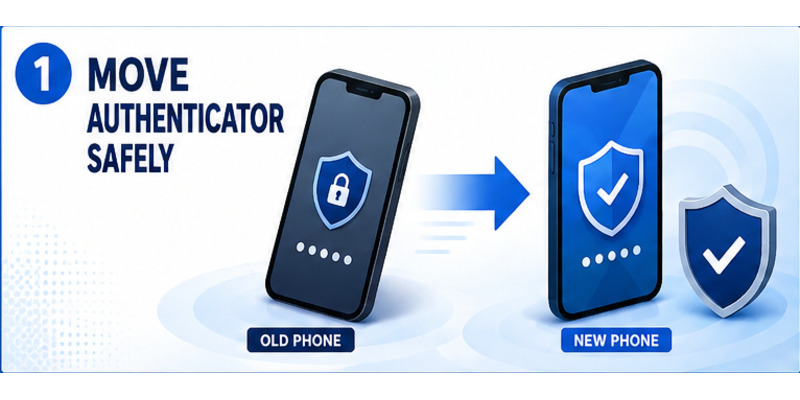
The safest answer to how to move steam authenticator to new phone is to use Steam Mobile’s official Move Authenticator flow while the old phone or registered number still works. Install Steam Mobile on the replacement phone, sign in to the correct account, select the transfer option, verify ownership, save the recovery information, and test a fresh login before wiping the old device.
Transfer is different from removing and adding the authenticator. Steam currently documents a two-day trading and Community Market restriction after a mobile-authenticator transfer, while removal normally produces a 15-day restriction. The transfer route preserves stronger protection and minimizes the period of reduced trading access.
This guide covers preparation, the normal two-phone path, same-number verification, lost-device recovery, invalid codes, trade restrictions, old-session cleanup, and the final checks that make a phone migration dependable.
1. Choose Transfer Instead of Removal
Understand the three possible actions
Before attempting how to move steam authenticator to new phone, identify whether you need a transfer, repair, or recovery. Transfer applies when a replacement phone will take over the existing Steam Guard credential. Repair applies when the current phone still works but codes fail because of time, account selection, or app issues. Recovery applies when the old device, registered number, or recovery code is unavailable.
Do not remove Steam Guard merely because the phone is changing. Removal lowers account security, returns sign-in to a weaker fallback, and triggers a longer documented restriction. Adding it again afterward also creates an initial period during which trades or Market listings can be held.
Compare transfer and removal consequences
Steam’s support guidance describes a two-day trade and Market restriction after moving the authenticator to a new phone. Removing the mobile authenticator produces a 15-day restriction. These protections help an owner detect unauthorized security changes and are not errors that a stranger or “trading agent” can bypass.
| Situation | Best route | Documented trading impact |
|---|---|---|
| New phone, old phone works | Move Authenticator | Two-day restriction |
| New phone, same number | Official transfer with SMS | Two-day restriction |
| Old phone lost, number works | Account recovery and transfer | Follow Steam’s displayed status |
| Authenticator deliberately removed | Remove, then re-enroll if desired | 15-day restriction after removal |
| Codes rejected on working phone | Repair time/account settings | Usually no transfer needed |
Anyone pressuring you to transfer steam authenticator to new phone during a trade may be attempting account theft. Initiate the change on your own schedule, navigate to Steam independently, and never reveal an SMS value, rotating code, password, or recovery code.
A careful how to move steam authenticator to new phone plan begins by preserving the current factor until the replacement is confirmed.
Treat how to move steam authenticator to new phone as a controlled credential migration, not as routine app installation.
Download Authenticator App
Secure your accounts with fast, reliable two-factor authentication. Download now and protect your login in seconds.
2. Prepare Both Phones and Recovery Access
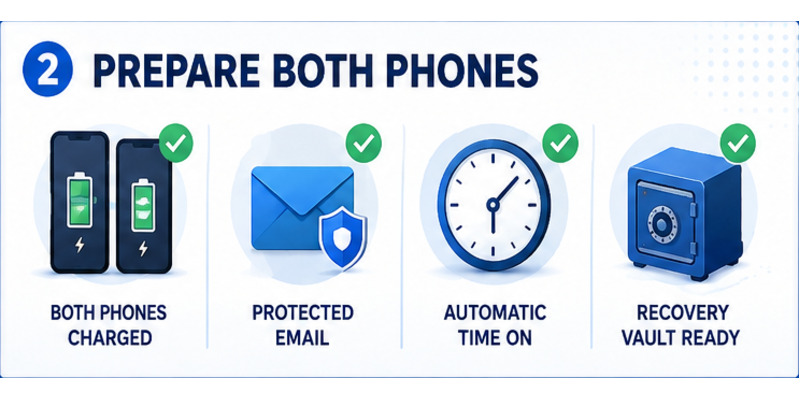
Secure the new device first
Update the new phone, enable a strong screen lock, turn on automatic date and time, and install Steam Mobile only from the official Apple App Store or Google Play listing. Confirm that the phone can receive SMS if the registered number is moving with the SIM or eSIM.
Sign in to the linked email account and protect it with a unique password and separate multifactor method. Verify the Steam account name and password without logging out of every existing session. A working desktop session can provide useful account context if the mobile transfer encounters a problem.
Prepare the old device and recovery record
Charge both phones and connect them to a trusted network. On the old phone, open Steam Guard, confirm the correct account, and make sure a current code appears. Locate the recovery code in secure storage, but do not send it between devices through an unencrypted chat or screenshot.
Use this checklist before how to move steam authenticator to new phone:
- The old phone or registered number is accessible.
- Steam Mobile is current on both devices.
- Automatic time is enabled on the replacement phone.
- The account password and protected email work.
- The recovery code is stored outside both phones.
- No urgent trade or Market listing depends on immediate access.
- A trusted browser or desktop client is available for testing.
If the old device is compromised, do not use it to approve new sessions. Change the password on a clean device, review authorized devices, and begin official recovery. Preparation for a steam authenticator new phone migration should never preserve an attacker’s active session.
Document the start time and expected two-day restriction so how to move steam authenticator to new phone does not lead to repeated changes when normal protections appear.
Preparation makes how to move steam authenticator to new phone easier to verify and much safer to reverse if a prompt is unclear.
💡 Discover Helpful Guides: Steam Mobile Authenticator: Setup and Security Guide
3. Start the Move from Steam Mobile
Sign in on the replacement phone
Open the official Steam Mobile app on the new phone and sign in to the exact Steam account protected by the old authenticator. If an email code or approval prompt appears, complete it through the trusted channel you control. Check the account name rather than relying only on a display name or avatar.
In Steam Guard, the app should recognize that the account already has a mobile authenticator and present a recovery or move option. Wording may vary by version. Choose the option that moves or transfers the existing authenticator; do not choose removal unless permanent removal is genuinely intended.
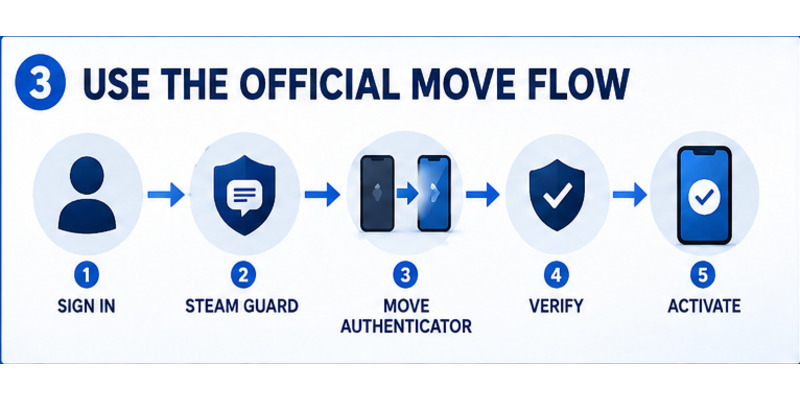
Follow the official move flow
The normal sequence for how to move steam authenticator to new phone is:
- Install and open Steam Mobile on the replacement phone.
- Sign in to the correct Steam account.
- Open Steam Guard and choose Move Authenticator or the equivalent recovery choice.
- Verify control through the old phone, registered number, or requested ownership method.
- Confirm activation on the replacement device.
- Save any refreshed recovery information securely.
- Test a login, then deauthorize the old phone if necessary.
Steam documents that moving the authenticator invalidates codes generated on the old device. That behavior is desirable: only the new phone should create valid codes after the transfer finishes.
If the old phone remains usable, keep it powered on until the replacement produces a valid code and completes one approval. Do not factory-reset, sell, or trade in the old device midway through how to change steam authenticator to new phone.
The setup guide for how to enable mobile authenticator on steam explains the underlying Steam Guard controls. A transfer, however, should preserve the existing account factor rather than creating a second authenticator.
4. Verify the Number and Activate the New Phone
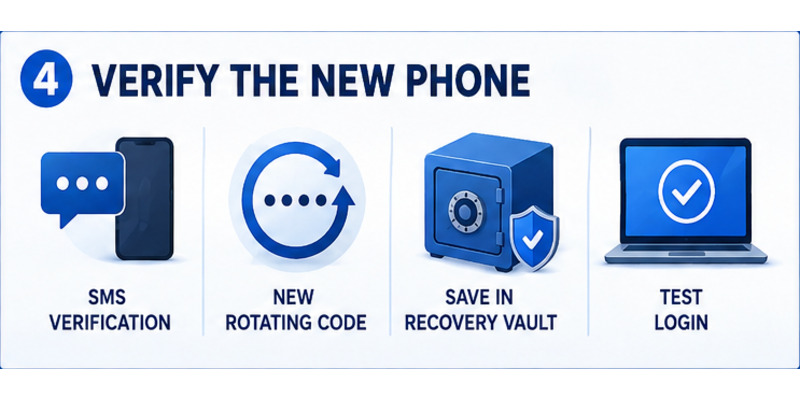
Complete SMS or old-device verification
Steam may send an SMS value to the registered number or request approval through an available channel. Enter that value only inside the official Steam Mobile flow. A Steam employee, trader, tournament organizer, or community moderator does not need it.
Check the country prefix and phone number before requesting another message. If delivery is delayed, wait for the newest value, verify cellular service, and avoid generating many messages that arrive out of order. Never use a public SMS receiver for account verification.
Confirm the new authenticator is active
After verification, open Steam Guard on the new phone. Confirm that the correct account appears and a rotating code is generated. Steam states that codes change about every 30 seconds and can be generated offline when device time is accurate.
Complete these activation checks for how to move steam authenticator to new phone:
| Check | Expected result | If it fails |
|---|---|---|
| Account identity | Correct account name shown | Switch account before proceeding |
| Rotating code | New value appears on replacement | Enable automatic time and reopen app |
| Old-device code | No longer authorizes after transfer | Review whether transfer completed |
| Recovery record | Stored outside the phone | Save securely before wiping old device |
| Login test | New phone approves trusted sign-in | Recheck account and device sessions |
The steam authenticator recovery code guide covers secure recovery storage. Never test the recovery code on an untrusted website or send a screenshot of it.
This verification is the turning point in how to move steam authenticator to new phone: the replacement becomes authoritative, and the old device should no longer be trusted to produce valid approvals.
Record successful activation so how to move steam authenticator to new phone ends with evidence that the replacement credential works.
💡 Discover Helpful Guides: Where to Find Steam Mobile Authenticator Code Fast
5. Confirm Codes and Deauthorize Old Sessions
Test a clean sign-in
Use a trusted browser or desktop client and sign out of one nonessential session. Start a fresh login yourself, then approve it from the new phone or type the current Steam Guard code. Compare the displayed device and location with the request you initiated.
If only a few seconds remain on a rotating value, wait for the next code. The where to find steam mobile authenticator code article shows the correct Steam Guard location. Reject any simultaneous request you do not recognize.
Review and remove obsolete devices
Open Steam’s Security and Devices controls and review every authorized session. Deauthorize the old phone, shared computers, borrowed devices, and unfamiliar browsers after confirming the new phone works. Change the password if any location or action is suspicious.
Do not erase the old phone before these checks in how to move steam authenticator to new phone:
- A fresh code from the new phone succeeds.
- A QR or push approval matches your test login.
- The recovery code is stored securely elsewhere.
- The contact email and number are current.
- Unneeded devices have been deauthorized.
- The two-day trade restriction is understood.
For QR login, scan only a code displayed by an official Steam client or a verified Steam website that you opened yourself. A QR image sent in chat can authorize an attacker. Review steam guard qr code for safe scanning practices.
Finishing how to move steam authenticator to new phone means proving the new device works and deliberately retiring the old authorization surface.
A final device review ensures how to move steam authenticator to new phone does not leave an obsolete session available to someone else.
6. Transfer When the Old Phone Is Lost
Use the registered number or recovery code
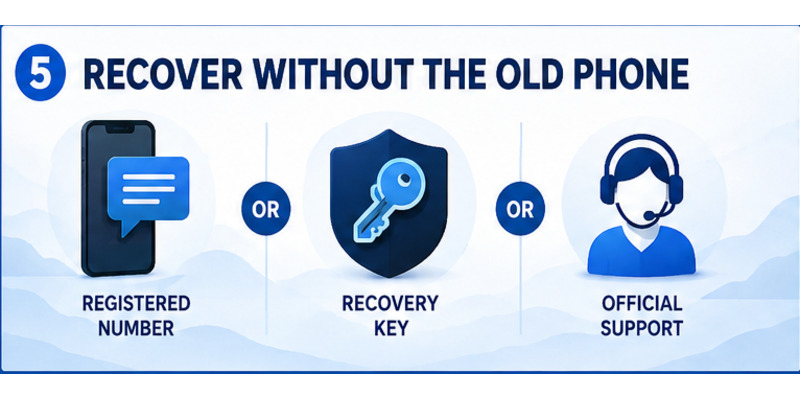
If the old phone is unavailable but the registered number remains under your control, install Steam Mobile on the new phone and start the official recovery flow. Steam may verify the number by SMS before allowing the authenticator to move. Complete all prompts only inside Steam.
If the number is also unavailable, use the stored recovery code. The code is an ownership credential, not a daily login value. Enter it only on Steam’s official recovery page or app screen, never into a trade site, direct message, or paid “recovery” service.
Escalate to official Steam Support
When neither the old phone, number, nor recovery code is accessible, choose the Steam Support option for lost Steam Guard access. Supply the requested ownership evidence through the official help portal. Useful evidence may include historical account details or purchase records, but send only what the official case asks for.
No legitimate shortcut can calculate a current Steam Guard value. The phrase how to move steam authenticator to new phone does not imply bypassing the factor; it means proving account ownership and replacing the protected device.
| Available access | Recovery path |
|---|---|
| Old phone works | Direct Move Authenticator flow |
| Same registered number works | SMS-assisted transfer |
| Recovery code available | Official recovery with code |
| Authorized desktop session exists | Use it for account context, not as proof alone |
| Nothing accessible | Steam Support ownership review |
After recovering a compromised account, change the Steam and email passwords, deauthorize all other devices, review trades and API access, and generate secure recovery records. Avoid using disable steam authenticator unless permanent removal is the intended outcome.
A lost-device how to move steam authenticator to new phone workflow may take longer, but preserving ownership checks is what prevents an attacker from performing the same transfer.
Official recovery keeps how to move steam authenticator to new phone tied to verified ownership even when the convenient two-device route is unavailable.
💡 Discover Helpful Guides: Steam Mobile Authenticator: Setup and Security Guide
7. Fix Transfer Errors and Invalid Codes
Repair time, account, and application issues
If the replacement phone creates invalid codes, enable automatic date, time, and time zone. Confirm the Steam account selected in the app matches the account being signed into. Wait for a fresh code and make one careful attempt.
Update Steam Mobile and the phone operating system, then restart the app. Do not repeatedly reinstall or remove the authenticator, because destructive troubleshooting can eliminate a working recovery route and create additional restrictions.
Diagnose verification and transfer failures
For missing SMS messages, check the number, country prefix, cellular service, and blocked-message settings. Use the latest requested value. For an absent Move Authenticator option, verify that the account already has Steam Guard Mobile active and that you are signed into the correct profile.
| Problem | First safe action | Avoid |
|---|---|---|
| New code rejected | Automatic time, correct account, fresh code | Rapid repeated guesses |
| SMS does not arrive | Check service, prefix, and latest request | Public SMS services |
| Transfer option missing | Update app and verify active authenticator | Immediate removal |
| Old code still works | Confirm transfer completion and sessions | Wiping both devices |
| Unexpected approval appears | Reject, change password, review devices | Approving to clear prompt |
The focused steam app authenticator not working guide can help after its article is available, but official Steam Support remains the authority for account-specific failures.
Troubleshooting how to move steam authenticator to new phone should change one variable at a time and preserve evidence of account ownership. Never share live codes with someone claiming to diagnose the issue remotely.
If a normal two-day restriction appears after success, record its end time and wait. Repeating how to move steam authenticator to new phone will not safely bypass a protective delay.
8. Secure the Account After Migration
Retire the old phone safely
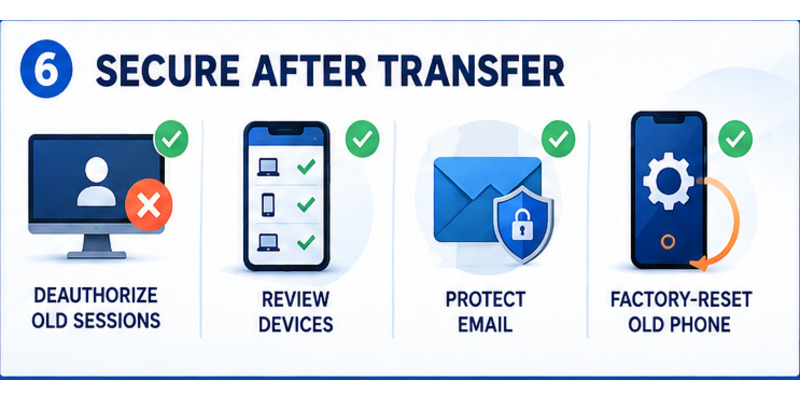
Once the new device passes login tests, remove Steam account data from the old phone, sign out, and deauthorize its session. If the device will leave your possession, back up unrelated data and perform the manufacturer’s factory-reset process. Remove the SIM or eSIM according to the carrier’s guidance.
Review Steam’s Security and Devices page again after the reset. Confirm that only recognized computers, browsers, and the replacement phone remain. Check recent trades, Market activity, password changes, and contact-detail updates for anything unexpected.
Maintain recovery and phishing defenses
Store the recovery code in an encrypted password manager or secure offline record. Protect the linked email with a unique password and separate multifactor method. Keep Steam Mobile and the operating system updated, and hide sensitive notification previews on the lock screen.
After how to move steam authenticator to new phone, treat every approval as a security decision. Verify the device and location, reject surprise prompts, and never scan a QR code sent by another user. Steam staff do not ask for passwords, SMS values, recovery codes, or rotating codes.
Perform a monthly review:
- Check authorized Steam devices.
- Confirm the recovery record remains readable.
- Verify the phone number and email are current.
- Review sign-in and inventory activity.
- Install trusted security updates.
- Remove obsolete browser and computer sessions.
This maintenance keeps how to move steam authenticator to new phone from becoming a one-time technical success followed by long-term security drift.
Periodic checks preserve the security gains from how to move steam authenticator to new phone as accounts, devices, and contact details change.
9. Frequently Asked Questions
Can I transfer Steam Guard without the old phone?
Yes, if the registered number, recovery code, or official Steam Support process can verify ownership. There is no legitimate method that bypasses ownership verification or generates the active code for you.
Does moving Steam Guard cause a trade restriction?
Steam currently documents a two-day restriction on trading and Community Market use after transfer. Removal normally causes a longer 15-day restriction, so use Move Authenticator when changing phones.
Should I remove the authenticator before switching phones?
No. Preserve the existing authenticator and use the official transfer flow. Removal weakens security and creates a longer protective restriction.
Can the old and new phones generate codes together?
Each Steam account can have one mobile authenticator. Steam states that transferring invalidates codes from the previous device, so only the replacement should remain authoritative.
What if I am keeping the same phone number?
Move the SIM or activate the eSIM according to your carrier, then use Steam’s SMS-assisted transfer if offered. Keep the old device until the new authenticator passes a login test.
Why does the new phone’s code fail?
Enable automatic time, choose the correct Steam account, wait for a new value, and confirm the transfer finished. If failure persists, update the app and use official support instead of removing protection.
When can I wipe the old phone?
Wipe it only after the new phone generates a valid code, approves a test login, the recovery code is stored elsewhere, and obsolete Steam sessions have been deauthorized.
How long does how to move steam authenticator to new phone take?
The transfer itself often takes minutes when the old phone or number works. Allow time for testing and session review, and expect Steam’s documented two-day trading restriction afterward.
10. Final Thoughts
The reliable process for how to move steam authenticator to new phone preserves protection from start to finish. Prepare both devices, secure the linked email, install the official Steam Mobile app, choose Move Authenticator, verify ownership, save recovery access, and prove the replacement phone works before erasing the old one.
Use transfer rather than removal when a device is being replaced. Steam’s documented two-day restriction after transfer is shorter than the 15-day restriction after removal and protects inventory during a sensitive account change. Do not repeat the move in an attempt to bypass a normal delay.
If the old phone is lost, recover through the registered number, saved recovery code, or official Steam Support. Reject anyone offering codes, remote assistance, or a private recovery form. Every live code, SMS value, and approval should stay between you and an official Steam screen.
Visit Authenticator App for broader two-factor setup, recovery, and phishing-defense guidance. A careful how to move steam authenticator to new phone migration ends with a tested new device, a retired old session, secure recovery records, and an account owner who understands the remaining protective restrictions.
Write the transfer date and recovery location in a private security checklist. That small record helps during the next phone upgrade and makes future ownership verification less stressful.
Download Authenticator App
Secure your accounts with fast, reliable two-factor authentication. Download now and protect your login in seconds.
