
What Is Steam Guard Authenticator? A Complete Guide
Published August 18, 2026
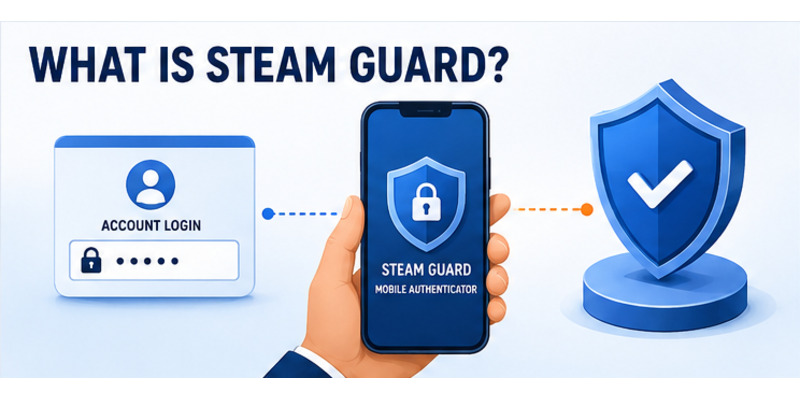
The short answer to what is steam guard authenticator is that it is Steam’s mobile two-factor security feature inside the official Steam Mobile app. It adds a phone-held credential to the account password and can provide rotating login codes, QR sign-in, and push approval for new sessions.
The authenticator is part of Steam Guard, a broader protection system that also includes email-based sign-in codes and account-security controls. Mobile authentication is stronger for many users because an attacker who steals or guesses a password still needs access to the enrolled device or a valid recovery path.
This guide explains how the feature works, how it differs from email Steam Guard, what it protects, how it affects trading, how to set it up, how many devices it supports, and how to recover or transfer it without exposing credentials.
1. Understand Steam Guard and Its Mobile Factor
Define the feature in plain language
When someone asks what is steam guard authenticator, the most useful definition is a mobile credential tied to a Steam account. The password proves what the user knows; the enrolled phone helps prove what the user possesses. Steam Mobile generates short-lived codes and can approve sign-ins initiated on other devices.
The feature does not replace the password, contact email, or recovery information. It adds another layer. A secure setup therefore includes a unique Steam password, a protected email account, a current phone number, and a recovery code stored outside the phone.
Place it inside the Steam Guard system
Steam Guard is the overall account-protection system. Email Steam Guard sends a code to the contact email for a new device, while Steam Guard Mobile Authenticator generates codes within Steam Mobile and supports integrated approval features. Both are intended to block unauthorized sign-ins, but they rely on different possession factors.
The answer to what is steam guard mobile authenticator also includes its recovery and device-management role. The app can show authorized devices, approve or reject requests, scan a Steam login QR code, and help move the credential to a replacement phone.
| Component | Purpose | Primary dependency |
|---|---|---|
| Steam password | First sign-in secret | User memory or password manager |
| Email Steam Guard | New-device code delivery | Protected email inbox |
| Mobile authenticator | Codes, QR, and approvals | Enrolled Steam Mobile app |
| Recovery code | Restore or remove mobile factor | Secure storage outside phone |
| Registered number | Verification and selected recovery | Long-term control of number |
Understanding these layers makes what is steam guard authenticator a security model rather than merely a six-character screen.
This layered view makes what is steam guard authenticator easier to explain without confusing the mobile factor with the entire Steam account system.
Download Authenticator App
Secure your accounts with fast, reliable two-factor authentication. Download now and protect your login in seconds.
2. See How Codes, QR, and Push Approvals Work
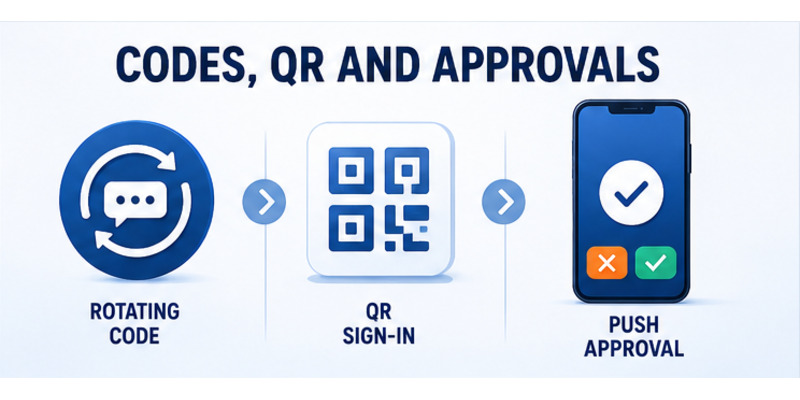
Understand rotating codes
Steam Guard Mobile displays a short code that changes about every 30 seconds. The phone can generate it offline, but accurate device time is important because Steam must evaluate the same time window. Users type the current value only into an official Steam login they initiated.
The code should never be sent to a trader, moderator, tournament organizer, or person claiming to work for Steam. A valid code can authorize an attacker as effectively as it authorizes the owner. Waiting for a new code does not make it safe to disclose the current one.
Use QR and push approval deliberately
QR sign-in lets Steam Mobile scan a code displayed by the official desktop client or a verified Steam website. The user then reviews and approves the session. Push approval can deliver a request to the phone with context about the attempted login.
The steam guard qr code guide explains why a QR image sent in chat should never be scanned. Only scan a code on a Steam screen you opened yourself, then compare device and location details before approving.
| Method | Best use | Safety check |
|---|---|---|
| Rotating code | Manual login on trusted device | Correct account and fresh code |
| QR sign-in | Fast login from official Steam screen | You opened the screen yourself |
| Push approval | Review a new-session request | Device and location match |
| Rejection | Unexpected request | Secure account afterward |
This behavior answers what is steam mobile authenticator in practical terms: it is a set of short-lived, context-sensitive ways to authorize Steam sessions.
Knowing how each method works completes an important part of what is steam guard authenticator and makes phishing attempts easier to recognize.
In daily use, what is steam guard authenticator means matching every code or approval to an intentional login.
💡 Discover Helpful Guides: Steam App Authenticator Not Working: Complete Fixes
3. Compare Mobile and Email Steam Guard
See the difference in possession factors
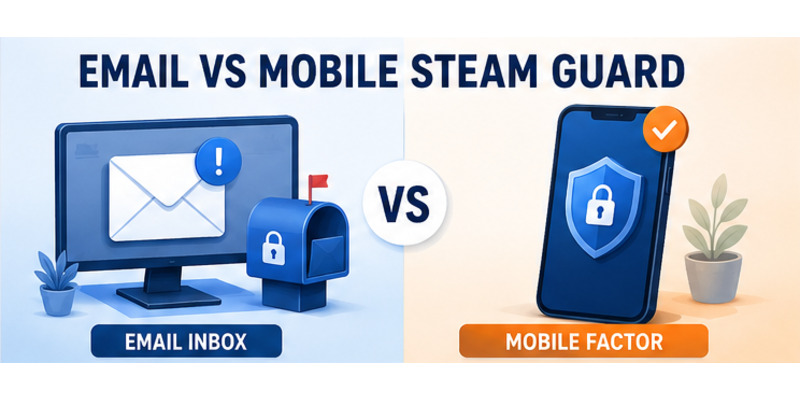
Email Steam Guard sends a login code to the contact inbox. Mobile Steam Guard keeps the authentication function inside the enrolled Steam Mobile app. If an attacker compromises the email account, an email-only arrangement may expose both password reset and login authorization through the same channel.
Mobile protection separates the login factor from the mailbox, although the phone and recovery channels still require careful security. A locked, updated phone plus a protected email account creates a stronger combination than either channel alone.
Compare features and tradeoffs
| Capability | Email Steam Guard | Mobile Authenticator |
|---|---|---|
| Code delivery | Email message | Generated in Steam Mobile |
| Offline generation | No | Yes, with accurate phone time |
| QR sign-in | No | Yes |
| Push approval | Limited or unavailable | Integrated in Steam Mobile |
| Recovery dependency | Email access | Number, recovery code, or support |
| Trading benefits | More holds may apply | Designed for stronger trade confirmation |
Someone researching what is steam authenticator should not assume mobile protection eliminates risk. Malware, session theft, phishing, and careless approvals can still compromise an account. The factor improves security only when the owner verifies every request and protects recovery secrets.
The question what is the steam mobile authenticator app has a specific answer: it is not a separate generic code generator. The authenticator lives within the official Steam Mobile application downloaded from Apple’s App Store or Google Play.
Comparing these methods helps explain what is steam guard authenticator and why moving from email codes to mobile approvals changes both convenience and recovery responsibility.
The comparison shows what is steam guard authenticator offers when the phone and email are protected as separate security channels.
💡 Discover Helpful Guides: How to Move Steam Authenticator to New Phone Safely
4. Learn What Steam Guard Protects
Block unauthorized account access
The primary purpose of Steam Guard Mobile is to prevent a password alone from opening the account on a new device. An attacker who obtains reused credentials still needs the current mobile code or an approval from the enrolled phone.
The feature also gives the owner a chance to reject an unfamiliar request and investigate. Security and Devices controls can list authorized sessions so old phones, shared computers, and suspicious browsers can be deauthorized.
Protect inventory and trading workflows
Steam accounts may contain purchased games, profile identity, wallet value, Community Market activity, and tradable inventory. Mobile authentication and Steam’s protective delays make it harder for an attacker to take control and immediately move items.
Steam Guard does not guarantee reimbursement or prevent every scam. A user can still authorize a malicious login or trade. The most important habit is intent: initiate the action, verify the recipient or session, and reject pressure to “confirm ownership” with a code or QR scan.
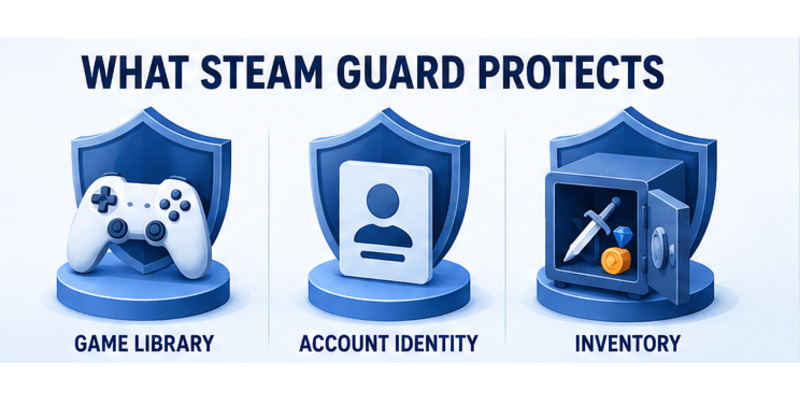
The security scope of what is steam guard authenticator includes:
- New-device sign-in authorization.
- QR and push login review.
- Rotating offline-capable codes.
- Device and session awareness.
- Stronger trading and Market protections.
- A recoverable mobile credential when properly backed up.
It does not replace antivirus software, safe browsing, unique passwords, or email security. Session-stealing malware can bypass a login factor after authorization, and phishing can trick a user into approving the attacker directly.
A complete answer to what is steam guard authenticator therefore includes both its strong access control and the limits that require careful user behavior.
Those limits are why what is steam guard authenticator must be paired with safe browsing, device updates, and deliberate approvals.
💡 Discover Helpful Guides: Steam Mobile Authenticator: Setup and Security Guide
5. Understand Trading and Market Effects
Explain why mobile authentication matters for trades
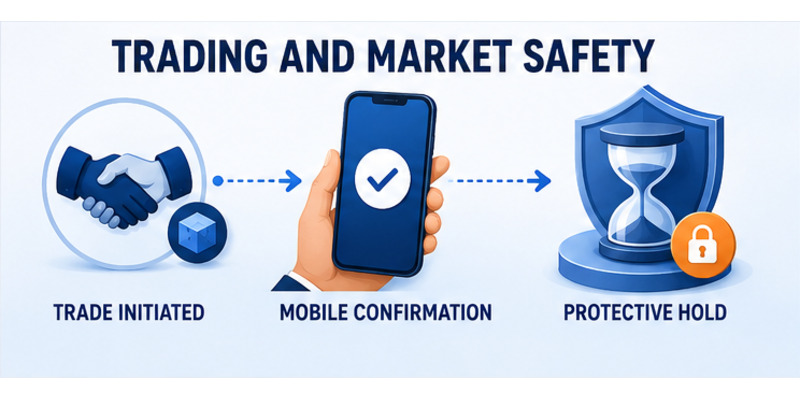
Users often ask do i need steam mobile authenticator to trade. Steam can permit trading under different account conditions, but stronger mobile protection helps reduce long holds and supports trade confirmations. Accounts without the required protection may encounter longer holds or limitations designed to protect inventory.
Steam currently explains that trades or Community Market listings created during the first seven days after adding a mobile authenticator can be held for 15 days. Adding the authenticator does not shorten an item that is already held.
Plan for transfer and removal restrictions
Steam documents a two-day trade and Market restriction after transferring the authenticator to a new phone. Removing the mobile authenticator creates a 15-day restriction. These periods protect the owner while a sensitive account-security change is detected.
| Security event | Current documented effect |
|---|---|
| First seven days after adding mobile authentication | New trades or listings may receive 15-day holds |
| Transfer to a new phone | Two-day trade and Market restriction |
| Remove mobile authenticator | 15-day trade and Market restriction |
| Add while an item is already held | Existing hold is not shortened |
Do not remove, transfer, or re-enroll Steam Guard under pressure from another trader. A scammer may claim that changing security will release an item, verify ownership, or fix a restriction. Official protective delays cannot be safely bypassed through a private link or support impersonator.
For users asking what is steam guard authenticator, trading rules show that it protects more than sign-in. It changes how Steam treats inventory risk after security events.
Plan setup well before an important legitimate trade so what is steam guard authenticator does not become associated with an avoidable last-minute delay.
Advance planning keeps what is steam guard authenticator compatible with normal trading goals and Steam’s protective timelines.
6. Set Up and Use the Authenticator Safely
Enroll through official Steam Mobile
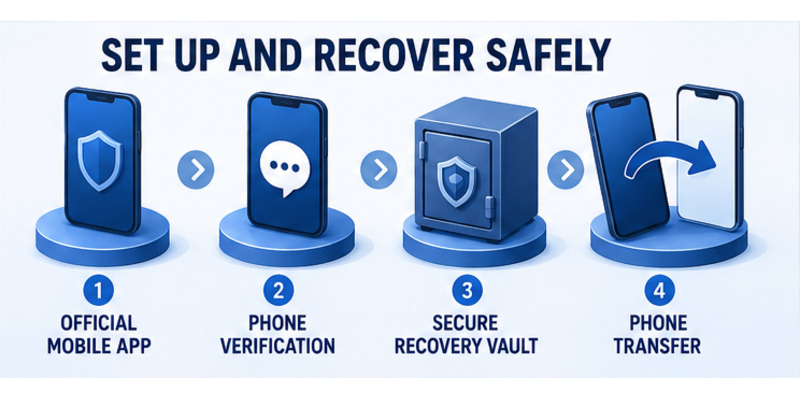
Install Steam Mobile from the official app store, sign in to the correct account, open Steam Guard, and choose Add Authenticator. Verify a long-term phone number, enter the SMS value only inside Steam, and save the displayed recovery code outside the phone.
The detailed how to enable mobile authenticator on steam guide covers every enrollment step. Enable automatic date and time before testing a code.
Build safe daily habits
For a manual login, open Steam Guard, choose the correct account, and enter a fresh value. For QR or push, compare the request with the exact device and location you are using. Reject anything unexpected and change the password if an approval appears without a login you initiated.
Use this checklist:
- Navigate to Steam independently.
- Confirm the account and sign-in context.
- Use a fresh code or approve the matching request.
- Never share the code, SMS value, or recovery code.
- Review authorized devices after suspicious activity.
- Keep Steam Mobile and the phone updated.
- Preserve recovery access outside the device.
The broad phrase what is steam authenticator app should always point users to official Steam Mobile, not a third-party APK, browser extension, or generic code generator that asks for Steam credentials.
Safe enrollment and daily use turn what is steam guard authenticator from a definition into dependable account protection.
Testing one login after enrollment confirms what is steam guard authenticator is active and that the owner understands the approval flow.
💡 Discover Helpful Guides: Where to Find Steam Mobile Authenticator Code Fast
7. Plan Recovery, Transfer, and Removal
Store recovery access before an emergency
Steam provides a recovery code during mobile-authenticator setup. Store it in an encrypted password manager or secure offline record. Do not keep the only copy as a screenshot on the enrolled phone, send it through chat, or enter it into a trade website.
Keep the registered number and contact email current. Protect the email with a separate strong factor. If the phone is lost, use the number, recovery code, an existing authorized session, or official Steam Support to verify ownership.
Transfer rather than remove when changing phones
Use how to move steam authenticator to new phone when replacing a working device. Confirm the new phone generates a valid code before wiping the old one. Steam states that the old device’s codes become invalid after transfer.
If removal is genuinely required, understand the security and trading consequences in disable steam authenticator. Removal is not the recommended fix for invalid codes, missing notifications, or a routine phone upgrade.
| Situation | Preferred action |
|---|---|
| New phone, old phone works | Move Authenticator |
| Old phone lost, number works | SMS-assisted recovery |
| Number unavailable, code saved | Recovery-code flow |
| No recovery method available | Steam Support ownership review |
| Codes rejected | Fix time and account selection |
| Permanent mobile removal desired | Remove only after securing fallback |
Recovery planning is central to what is steam guard authenticator because a strong factor must block attackers without permanently blocking the legitimate owner.
Stored recovery details ensure what is steam guard authenticator remains practical after loss, damage, or a routine phone replacement.
8. Decide Whether Steam Guard Fits Your Account
Evaluate benefits and responsibilities
For most active Steam accounts, mobile authentication provides meaningful protection against password theft and enables integrated approvals. It is especially valuable for users with purchased libraries, valuable inventory, frequent trading, or repeated logins across devices.
The responsibility is maintaining a secure phone, recovery code, current number, and protected email. Users must also examine approvals rather than tapping automatically. A strong factor can be defeated by an owner who authorizes a request without checking it.
Make the decision based on risk
| Account profile | Mobile authenticator value | Key preparation |
|---|---|---|
| Active trader | High | Understand initial holds and confirmations |
| Valuable inventory | High | Protect recovery and device sessions |
| Casual player | Still useful | Save recovery code and update phone |
| Shared or public computers | High | Review devices and sign out carefully |
| Frequently changes phones | High with planning | Use transfer, not removal |
Someone asking what is steam mobile authenticator may be deciding whether the inconvenience is worthwhile. The recurring effort is small—approve intentional logins and maintain recovery details—while the benefit appears when a password leaks or an attacker triggers a new session.
No factor makes an account invulnerable. Use a unique password, protect the email, avoid untrusted downloads, review sessions, and distrust urgent trade messages. Steam Guard complements these controls.
The practical value of what is steam guard authenticator is strongest when the owner understands both the approval workflow and the recovery plan before an emergency.
9. Frequently Asked Questions
What is Steam Guard Mobile Authenticator?
It is the mobile factor inside Steam Mobile that generates rotating codes and supports QR and push login approvals. It adds a phone-held credential to the account password.
Is Steam Mobile the only official authenticator app?
Steam’s consumer Steam Guard workflow is built into the official Steam Mobile app. Avoid generic generators or third-party apps that ask for Steam credentials or recovery information.
Can you have Steam authenticator on multiple devices?
Each Steam account can have one mobile authenticator active at a time. Steam Mobile can contain multiple Steam accounts on one phone, but the same account’s active credential is not meant to be duplicated across phones.
Do Steam Guard codes work without internet?
Yes. Steam says codes can be generated offline, but the phone’s date and time must be accurate. Push and QR approval features may require connectivity.
Do I need the mobile authenticator to trade?
Trading availability depends on account conditions, but mobile authentication supports stronger confirmations and helps avoid some longer holds. New enrollment still has an initial seven-day protective period.
What happens if I lose my phone?
Use the registered number, saved recovery code, an authorized session, or official Steam Support. Store the recovery code outside the phone before loss occurs.
Is email Steam Guard the same as mobile Steam Guard?
No. Email Steam Guard sends codes to the inbox, while the mobile authenticator generates codes and approvals inside Steam Mobile. Mobile protection separates the factor from email.
Why does what is steam guard authenticator matter to casual users?
Even a casual account can contain purchased games, identity, payment history, and trusted social connections. The factor makes a stolen password less useful and provides visibility into new login requests.
💡 Discover Helpful Guides: Steam Mobile Authenticator: Setup and Security Guide
10. Final Thoughts
The complete answer to what is steam guard authenticator is a mobile security credential, an approval interface, and a recovery responsibility. It generates short-lived codes, supports QR and push login, strengthens new-device access, and participates in Steam’s inventory-protection rules.
Use the feature through official Steam Mobile, save the recovery code outside the phone, maintain the number and email, and verify every request. Never send a code or scan a QR image because another person claims the account, trade, or tournament requires it.
Plan transfers before changing phones and reserve removal for a deliberate decision. Understand Steam’s initial trading holds and the restrictions attached to transfer or removal so security changes are never made under deadline pressure.
Visit Authenticator App for broader two-factor setup, recovery, and phishing-defense guidance. Once users understand what is steam guard authenticator, they can gain its protection without treating it as a mysterious code screen or a barrier that should be disabled when a problem appears.
Review authorized devices and recovery access after setup, after a phone change, and after any suspicious prompt. Keeping those records current ensures what is steam guard authenticator continues to protect the intended owner as the account, devices, and trading habits evolve.
That routine review takes minutes and can prevent a much longer account-recovery problem.
Download Authenticator App
Secure your accounts with fast, reliable two-factor authentication. Download now and protect your login in seconds.
