
Does Apple Have an Authenticator App? iPhone Guide to Codes, 2FA, and Passwords
Published August 24, 2026 · Updated September 7, 2026
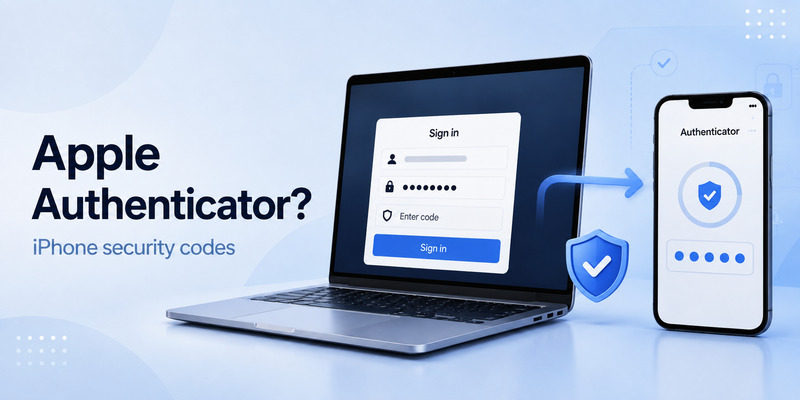
If you’re wondering “Does Apple have an authenticator app?”, the answer is a little different from Google Authenticator or Microsoft Authenticator. On iPhone, Apple provides built-in support for verification codes through its Passwords app, allowing you to store and automatically fill 2FA codes alongside saved passwords. This guide explains how Apple handles authenticator codes, where to find them on iPhone, how to set up 2FA, and when you may still want a dedicated authenticator app.
1. Quick Answer: Does Apple Have an Authenticator App?
Does apple have an authenticator app? Yes—but the answer needs a little context.
Apple does not market a standalone, cross-platform TOTP product under the name “Apple Authenticator” in the same way that Microsoft Authenticator, Google Authenticator, Authy, or 1Password do. However, modern iPhones can store and automatically fill many time-based verification codes through Apple’s Passwords features. On current Apple software, this functionality is available in the Passwords app; on earlier versions of iOS, it is managed through Passwords settings in Safari or iCloud Keychain.
So, if your question is does apple have an authenticator app, the practical answer is: iPhone has built-in support for many authenticator codes, but Apple’s approach is integrated into password management rather than presented as a separate authenticator-only app.
This distinction matters. Apple Account security uses Apple’s own two-factor authentication system, which sends prompts or verification codes to trusted Apple devices and trusted phone numbers. For other services—such as social media, work tools, exchanges, shopping platforms, or gaming accounts—you may be able to save the site’s TOTP setup key in Passwords and let iPhone generate codes automatically.
In other words, Apple can help you with two related but different security jobs:
- Protecting your Apple Account with Apple’s trusted-device 2FA.
- Saving password-linked TOTP codes for compatible websites and apps.
That makes the answer to does apple have an authenticator app more useful than a simple yes or no. Apple provides built-in authentication-code functionality, but users who need advanced features may still prefer a dedicated authenticator.
Download Authenticator App
Secure your accounts with fast, reliable two-factor authentication. Download now and protect your login in seconds.
2. Apple Account 2FA vs. Authenticator Apps
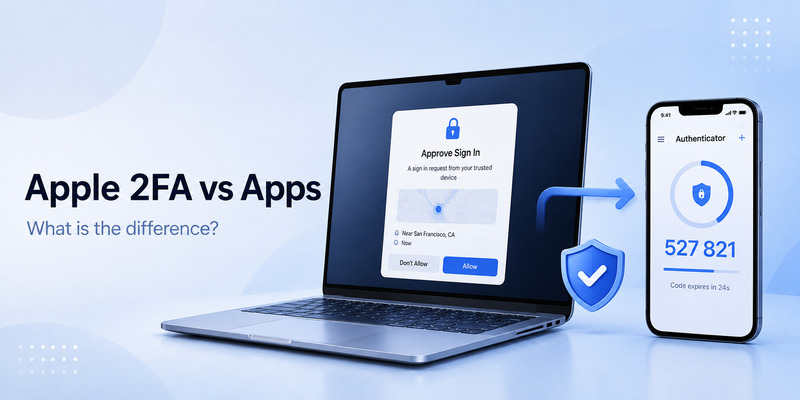
Many people search what is apple authenticator app because Apple’s security features can look similar to a traditional authenticator at first glance. They are not exactly the same.
Apple Account two-factor authentication protects access to iCloud, App Store purchases, device backups, Find My, Apple services, and other sensitive account actions. When you sign in to your Apple Account on a new device or browser, Apple can show an approval prompt on a trusted device. It may also display a six-digit verification code that you enter on the device where you are signing in.
A standard authenticator App, by contrast, usually uses the TOTP standard. TOTP stands for Time-based One-Time Password. A website gives you a QR code or secret key during setup, and the authenticator generates a new code every 30 seconds or so. The code is usually six digits, though some services use eight digits.
Here is the difference in simple terms:
| Feature | Apple Account 2FA | Traditional authenticator |
| Main purpose | Protect your Apple Account | Protect many third-party accounts |
| Setup method | Trusted Apple devices or phone numbers | QR code or secret key |
| Code source | Apple’s sign-in system | Shared TOTP secret |
| Works offline | Sometimes, on trusted devices | Usually yes |
| Supports non-Apple websites | Not by itself | Yes |
When people ask does apple have authenticator app, they often mean, “Can my iPhone generate codes for other websites?” In many cases, yes. The Passwords app can store verification codes for compatible accounts. But Apple’s Apple Account 2FA itself is not a generic replacement for every TOTP app.
The key takeaway is that Apple Account 2FA and an authenticator are both forms of multi-factor authentication, but they use different systems. Knowing which one a website requires prevents setup mistakes.
💡 Discover Helpful Guides: Apple TV 2 Factor Authentication: How to Fix Authentication Required on Apple TV
3. Does iPhone Have a Built-In Authenticator App?
Does iphone have a built in authenticator app? For many users, yes: the built-in Passwords experience can generate and autofill verification codes for online accounts.
On newer iPhones, open the Passwords app and locate a saved login. You can add a verification code to that login by scanning a QR code or entering a setup key supplied by the website. Once configured, iPhone creates rotating codes and can often autofill them when you return to the sign-in page.
This is why the answer to does iphone have an authenticator app is usually yes for everyday needs. Apple has made password storage and verification codes part of the same workflow. You do not always need to copy a code manually from another app, switch back to the browser, and paste it before the timer expires.
For people using iCloud Keychain, this setup may also sync through iCloud across approved Apple devices. That can be convenient when you sign in on an iPad or Mac. However, syncing should never replace good recovery planning. If you lose access to your Apple Account, your recovery options matter just as much as the convenience of having passwords and codes available in one place.
Users may phrase the question as does apple have a authenticator app or do apple have an authenticator app, but the practical answer stays the same: Apple has built-in code-generation capabilities, though it is integrated into Passwords rather than branded as a dedicated authenticator product.
💡 Discover Helpful Guides: Changing Two Factor Authentication Apple: What You Need to Know
4. How to Set Up Verification Codes in Apple Passwords
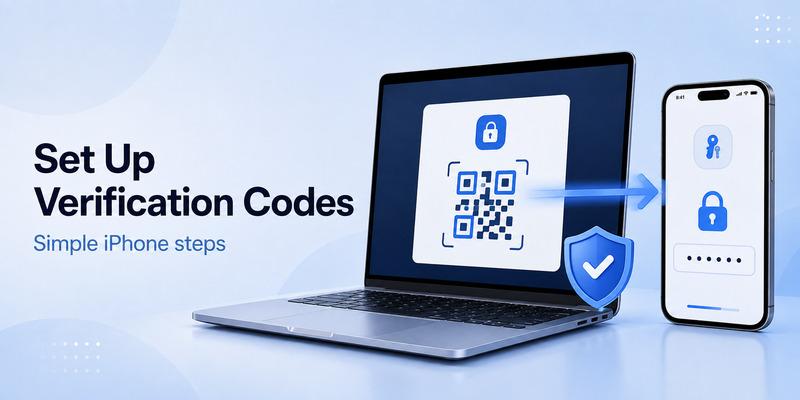
If you have decided that Apple’s built-in option meets your needs, setting it up is straightforward. The exact labels can vary slightly by iOS version, but the process is similar.
First, turn on two-factor authentication for the account you want to protect. On the website’s security page, choose an option such as “Authenticator app,” “Authentication app,” “Set up TOTP,” or “Time-based one-time password.” The website will then show a QR code, a manual setup key, or both.
Next, on your iPhone:
- Open the Passwords app.
- Find the existing saved login for that website, or add one.
- Choose the option to set up a verification code.
- Scan the QR code with your iPhone, or enter the setup key manually.
- Enter the generated code on the website to confirm setup.
- Save backup or recovery codes in a secure location.
After that, when you sign in, iPhone may offer the current code above the keyboard or autofill it directly. This is the most convenient part of Apple’s solution.
For users asking does apple have its own authenticator app, this built-in workflow is what they are usually looking for. Apple’s solution is strongest when you want password storage, generated verification codes, and autofill in one Apple-focused ecosystem.
Before you finish setup, verify that the website accepts the code and that you have saved its recovery codes. Do not delete the old authentication method until the new one works. If the service allows multiple methods, keep a backup method temporarily while testing.
💡 Discover Helpful Guides: Apple Authenticator: Complete Guide to 2FA, Verification Codes & Apple Devices
5. When a Third-Party Authenticator App Is Better
Although does apple have an authenticator app has a positive answer for many iPhone users, Apple Passwords is not automatically the best choice for everyone.
A dedicated authenticator may be a better fit when you need platform flexibility. For example, you may use an Android phone for work, a Windows computer at home, or a mixed-device team environment. A third-party authenticator with secure backup, encrypted sync, multiple-device access, or an export process may offer more control.
You may also prefer a standalone tool if you want strict separation between passwords and second-factor codes. Security professionals sometimes choose separate systems so that a single unlocked device or account does not provide both the password and the TOTP code. This is not a universal rule; convenience and recovery needs are important too. But it is a reasonable model for high-value accounts.
Consider using a dedicated authenticator if you need:
- Android, Windows, Linux, or browser-extension support.
- Multiple-device access outside the Apple ecosystem.
- Work-account sharing controls approved by your organization.
- Encrypted backups and documented migration options.
- Advanced organization for dozens or hundreds of accounts.
- Hardware security-key support for critical accounts.
The phrase is there an apple authenticator app may lead users to assume that a native Apple option can replace every security tool. It can cover many personal accounts, but it is not designed around every advanced use case. Review your device mix, recovery needs, and workplace policies before choosing one method.
💡 Discover Helpful Guides: Microsoft Authenticator Apple Guide for iPhone
6. Apple Two-Factor Authentication Without iPhone
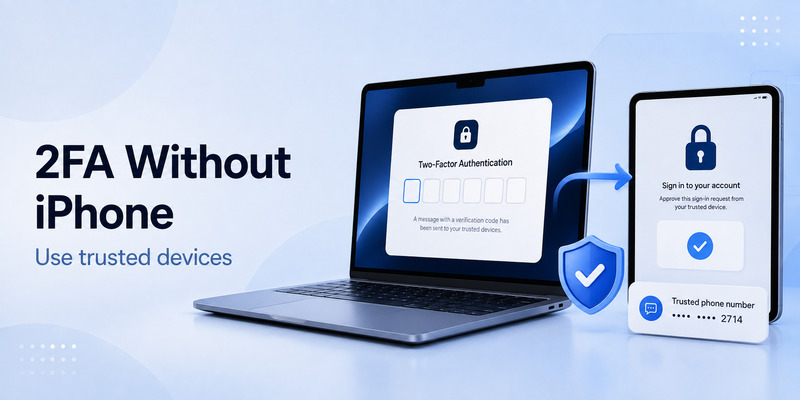
A common concern is apple two-factor authentication without iphone. You can still access and recover an Apple Account in some situations without having your iPhone in hand, but you should prepare before an emergency happens.
Apple Account 2FA can use trusted Apple devices, including a Mac or iPad. If you have a trusted Mac signed in to the same Apple Account, you may be able to receive or generate a verification code there. Apple can also send codes to a trusted phone number by text message or automated phone call.
If you lose all trusted devices and cannot access your trusted number, account recovery may be necessary. Account recovery can take time because Apple needs to confirm that you are the legitimate account owner. Do not assume you can regain access instantly during travel, after a stolen phone, or after changing phone numbers.
To prepare for apple two-factor authentication without iphone, take these steps now:
- Add and confirm at least one trusted phone number you control.
- Keep another trusted Apple device, such as a Mac or iPad, signed in where appropriate.
- Update your trusted phone number before cancelling an old mobile plan.
- Consider Apple Account recovery contacts if that feature is available to you.
- Review Apple’s security-key option if you need stronger protection.
- Record important recovery information securely.
This planning also supports the broader answer to does apple have an authenticator. Apple provides strong account protection, but its system depends on trusted devices, trusted numbers, and recovery setup. An authenticator code alone is not the entire recovery strategy.
🗺️ Browse How-To Guides: Apple iPhone Authentication: Face ID, 2FA, Passkeys
7. Does Apple Have an Authenticator App on iPhone for X and Other Services?
Does apple have an authenticator app on iPhone for services such as X, formerly Twitter? In many cases, Apple Passwords can store a compatible TOTP code for the account, provided that the service offers standard authenticator-app setup.
When configuring an x authenticator app method, do not scan the QR code with a random camera app or share a screenshot of it. That QR code contains the secret required to generate future login codes. Anyone who obtains it may be able to generate valid codes for the account until you reset two-factor authentication.
Instead, open the security settings in X, choose the authenticator-app option, and use Passwords or your preferred dedicated authenticator to scan the code. Complete the verification step, then download or save the backup codes supplied by the service.
X and other platforms may also provide security keys, passkeys, SMS, or email-based confirmation. Where available, passkeys or hardware security keys are often more resistant to phishing than TOTP codes. TOTP is still far safer than password-only sign-in, but you should choose the strongest method the service supports and that you can recover reliably.
So, does apple have an authenticator app for social accounts? iPhone’s built-in Passwords feature can often handle the code-generation part. The website, not Apple, determines which authentication methods it accepts.
🗺️ Browse How-To Guides: Secondary Authentication Apple ID: Codes, Devices, and Recovery
8. Why Does an Authenticator App Give Eight Digits Instead of Six?
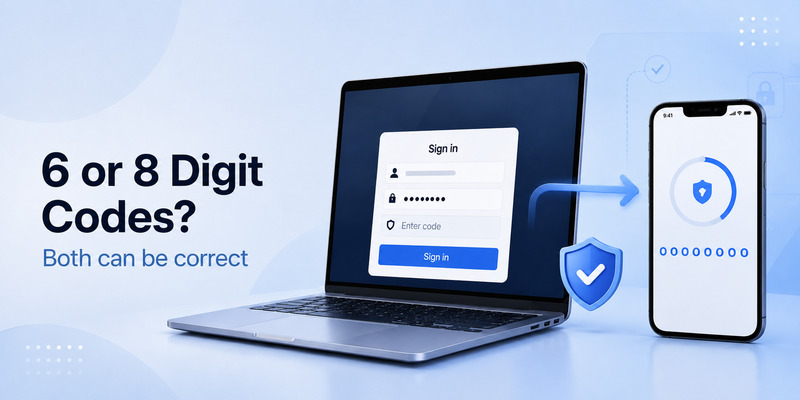
Seeing an unexpected code length can cause panic, especially if you search microsoft authenticator app 8 digits instead of 6 or authenticator app gives 8 digits instead of 6.
The important point is that eight-digit codes are not necessarily an error. Different services can choose different one-time-password settings, including code length, time interval, and algorithm. Six digits are common, but eight-digit codes are also valid in some systems.
If a website expects six digits and your app displays eight, check these points:
- Confirm you are opening the correct account entry in the authenticator.
- Remove and set up the affected code again using a new QR code from the website.
- Make sure your phone’s date and time are set automatically.
- Check whether the website displayed a manual key with settings such as “digits: 8.”
- Contact the service’s official support if the mismatch continues.
Never trim an eight-digit code to six digits unless the service explicitly tells you to do so. The code must match the configuration stored by the website. Cutting off digits will almost always fail.
This issue is not unique to Apple Passwords. It can happen with any authenticator, including Microsoft Authenticator and other TOTP apps. If Apple Passwords shows the wrong format after setup, the safest fix is usually to reset the site’s authenticator configuration and scan a fresh QR code.
9. Security and Recovery Best Practices
The best answer to does apple have an authenticator app is not only about features. It is also about how safely you use those features.
First, secure your Apple Account with a unique, long password and two-factor authentication. Your Apple Account often protects your iCloud Keychain or Passwords data, so it is a high-value target. Keep iOS updated, use Face ID or a strong device passcode, and do not share verification codes with anyone.
Second, save recovery codes for every important account. Store them in a secure password manager, encrypted document, or protected physical location. Do not leave them in an unprotected note, email draft, or screenshot folder. Recovery codes are often the only fast way back into an account after a lost phone or broken authenticator migration.
Third, watch for phishing. A genuine website may ask for a current TOTP code during normal sign-in, but scammers create lookalike pages that do the same thing. Check the domain name before entering your password or verification code. A code is still sensitive even though it expires quickly.
Fourth, avoid depending on SMS when stronger options are available. SMS is better than no two-factor authentication, but it can be vulnerable to SIM-swap attacks and phone-number loss. Use app-generated codes, passkeys, or security keys for accounts that support them.
Finally, test your recovery plan. Sign in on a second device, confirm you can receive Apple Account codes from a trusted source, and make sure your backup codes are readable. A security setup is only complete when you know you can recover it.
🗺️ Browse How-To Guides: Apple Watch Authenticator: Apps, Codes, and Limits
10. Frequently Asked Questions
Does Apple have an authenticator app?
Does apple have an authenticator app? Apple includes verification-code generation within its Passwords experience on iPhone, iPad, and Mac for many compatible third-party accounts. It is not usually presented as a separate app called Apple Authenticator.
Does iPhone have an authenticator app?
Does iphone have an authenticator app? Yes. You can use the Passwords app or password-management features on iPhone to store and generate verification codes for websites that support TOTP authentication.
Does Apple have its own authenticator app for Apple Account sign-ins?
Apple Account security uses Apple’s built-in two-factor authentication system. It relies on trusted devices and trusted phone numbers rather than a standard TOTP code that you set up through a QR code.
Should I use Apple Passwords or Microsoft Authenticator?
Use Apple Passwords if you mainly use Apple devices and want simple code autofill alongside saved passwords. Choose Microsoft Authenticator or another dedicated app if you need stronger cross-platform support, work-account tools, or a separate authentication-code system.
Can I use Apple 2FA if I lose my iPhone?
Yes, if you have a trusted Mac, iPad, or trusted phone number available. If not, you may need to start Apple Account recovery. Preparing backup access in advance is essential.
Is a passkey better than an authenticator code?
For many websites, passkeys are more phishing-resistant because they are tied to the legitimate website and do not require you to type a reusable numeric code. If a service supports passkeys, they are often an excellent option.
📘 Find the Right Guide: Apple TV 2 Factor Authentication: How to Fix Authentication Required on Apple TV
Final Thoughts
Does apple have an authenticator app? For most iPhone users, the answer is yes in practice: Apple Passwords can store and generate verification codes for compatible services, while Apple Account 2FA protects your Apple ecosystem through trusted devices and phone numbers.
The most important decision is not whether the feature has the “authenticator” label. It is whether your chosen security method works across your devices, protects important accounts, and gives you a reliable way to recover after a lost phone or account issue.
For simple Apple-focused use, Passwords can be a clean and convenient choice. For cross-platform access, business needs, or advanced controls, a dedicated authenticator may be more suitable. Whichever option you use, enable two-factor authentication, protect your recovery codes, and treat every verification code as sensitive account-access information.
Download Authenticator App
Secure your accounts with fast, reliable two-factor authentication. Download now and protect your login in seconds.
