
Microsoft Authenticator Apple Guide for iPhone
The microsoft authenticator apple experience is built around the iPhone and iOS app. Microsoft Authenticator can approve Microsoft account and work or school sign-ins, support passwordless flows when the account is eligible, and generate time-based codes for many non-Microsoft services. It is available from Apple’s App Store, but Microsoft does not provide a native Mac app.
There is another important platform limit: Microsoft Authenticator cannot be installed or used on Apple Watch. Microsoft removed its watchOS companion app in 2023 because it was incompatible with current Authenticator security features. Sign-in approvals therefore happen on the iPhone or another supported mobile device, not the watch.
This microsoft authenticator apple guide explains the current workflow, including number matching, account enrollment, iCloud-based recovery, notification permissions, and the retirement of password autofill inside Authenticator. The safest setup combines a locked iPhone, verified recovery methods, careful approval habits, and independent backup codes.
1. Quick Answer Microsoft Authenticator Apple Guide for iPhone
What works on Apple devices
Microsoft officially distributes Authenticator for iOS through Apple’s App Store. On an iPhone, the app can receive Microsoft sign-in notifications, perform number matching, show one-time codes, and hold TOTP entries for third-party services. Some Microsoft personal accounts can use passwordless phone sign-in, while Microsoft Entra work or school accounts depend on administrator policy.
The useful microsoft authenticator apple boundary is simple: iPhone is supported; Mac and Apple Watch are not supported as native Authenticator platforms. A Mac browser can initiate a sign-in, but the approval or code comes from the iPhone. An iPad may run the iOS application where supported, yet the phone remains the common mobile enrollment device.
What changed recently
Microsoft ended Authenticator’s password autofill function in 2025. Autofill stopped in July, and saved passwords and addresses became unavailable inside Authenticator by mid-August. Microsoft directs users to Edge for Microsoft-synced passwords, while Apple users can choose another default autofill provider such as iCloud Keychain after moving their data through a supported export process.
That change does not remove microsoft authenticator apple authentication features. Push approvals, number matching, one-time codes, and account recovery remain separate from password autofill. Users should update old assumptions and stop treating Authenticator as an iPhone password manager.
| Capability | Current Apple support | Important limit |
|---|---|---|
| iPhone app | Yes, from App Store | Keep iOS and app updated |
| Microsoft push approval | Yes | Requires connectivity and notifications |
| Number matching | Yes | Verify the number and sign-in context |
| Third-party TOTP codes | Yes | Codes can still be phished |
| Native Mac app | No | Use iPhone while signing in on Mac |
| Apple Watch app | No | watchOS companion was removed |
| Password autofill in Authenticator | No | Ended in 2025 |
| iOS backup and restore | Yes | Same device type; some accounts require sign-in again |
Download Authenticator App
Secure your accounts with fast, reliable two-factor authentication. Download now and protect your login in seconds.
2. How to Download and Set Up Microsoft Authenticator on iPhone
Get the official application
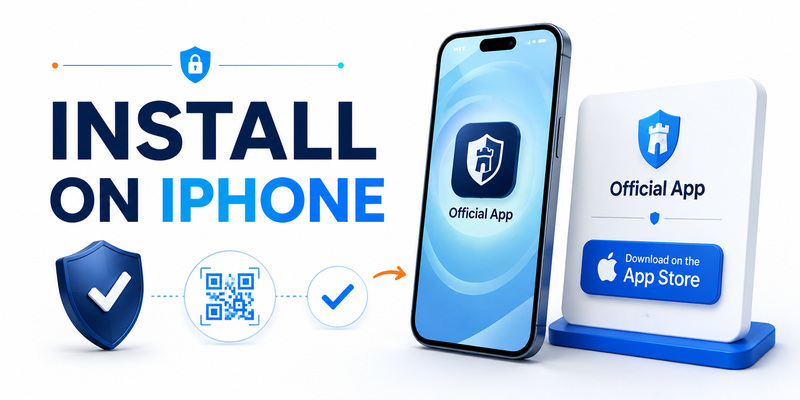
Open the App Store on the iPhone and search for Microsoft Authenticator. Check that Microsoft Corporation is the publisher and use Microsoft’s official download page when possible. Avoid look-alike authenticator apps, paid subscription imitators, and QR links from unsolicited email or advertisements. A malicious app that receives enrollment secrets could generate the same future codes.
The microsoft authenticator apple installation is mobile-only. Microsoft’s current support page explicitly says Authenticator is unavailable for PC or Mac and recommends keeping the device updated. Microsoft also no longer supports Authenticator versions more than one year old, so an old iPhone that cannot run current software may become an authentication risk or compatibility problem.
After installation, open the app and review its introduction. Grant camera access only when you are ready to scan an enrollment QR code. Allow notifications if you will approve Microsoft or work sign-ins. You can later review both permissions in iOS Settings without granting unrelated access.
Prepare iOS before enrollment
Set a strong iPhone passcode, enable Face ID or Touch ID, turn on automatic date and time, and install current iOS security updates. TOTP codes depend on correct time, while notification approvals depend on network connectivity and system permission. An app cannot compensate for an unlocked or compromised device.
For a robust microsoft authenticator apple setup, also record recovery options before adding high-value accounts. Preserve service backup codes, an alternate security key, and a trusted recovery contact or account method where appropriate. Do not store the only recovery copy in an unencrypted screenshot on the same iPhone.
If the device is managed by an employer, understand whether mobile-device management can enforce app policies, broker sign-in, require device registration, or remove work data. Work and personal accounts can appear in the same app, but their enrollment and recovery rules may be different.
Document those boundaries before the microsoft authenticator apple enrollment so personal recovery assumptions do not interfere with managed-account policy.
🧭 Explore Guides: Microsoft Authenticator Review: Security, Features, Cost, Issues, Codes, and Real-World Use
3. How to Add Microsoft and Other Accounts to Microsoft Authenticator on iPhone
Microsoft personal accounts
To add a personal Microsoft account, sign in to the account’s Security page in a trusted browser and choose to add a new sign-in or verification method. Select an authenticator app, then use the plus button in Authenticator on the iPhone. Choose Personal account and scan the QR code displayed by the genuine Microsoft page.
Complete the test requested by Microsoft before closing the setup page. The microsoft authenticator apple entry may support verification codes, push approval, or passwordless phone sign-in depending on the account configuration. Save any recovery codes and confirm at least one independent way to regain access if the iPhone is unavailable.
If the camera cannot scan, Microsoft provides a manual code option in supported setup flows. Treat both the QR image and manual key as secrets. Do not email them, upload screenshots, or paste them into ordinary notes. Anyone who captures an enrollment secret may be able to clone the factor.
Work, school, and other accounts
For a Microsoft Entra work or school account, open the organization’s Security info page, add a sign-in method, select Microsoft Authenticator, and follow the administrator-approved enrollment flow. On the iPhone, choose Work or school account and scan the displayed QR code. Device registration or broker steps may appear when the organization enables passwordless sign-in or conditional access.
The microsoft authenticator apple app can also add “Other” accounts that use standard TOTP, including many social, commerce, cloud, and developer services. Open the service’s own security page, enable an authenticator app, scan the QR code, and submit a fresh generated code to prove enrollment.
Keep each setup page open until verification succeeds. Give entries clear issuer and username labels, especially when several accounts use the same email address. Afterward, sign out and complete a controlled real login. A visible code entry is not proof that the service accepted the correct seed.
💡 Discover Helpful Guides: Microsoft Authenticator: Complete Setup, Login, Backup & Troubleshooting Guide
4. How to Approve Sign-In Requests With Microsoft Authenticator on iPhone
Use number matching correctly
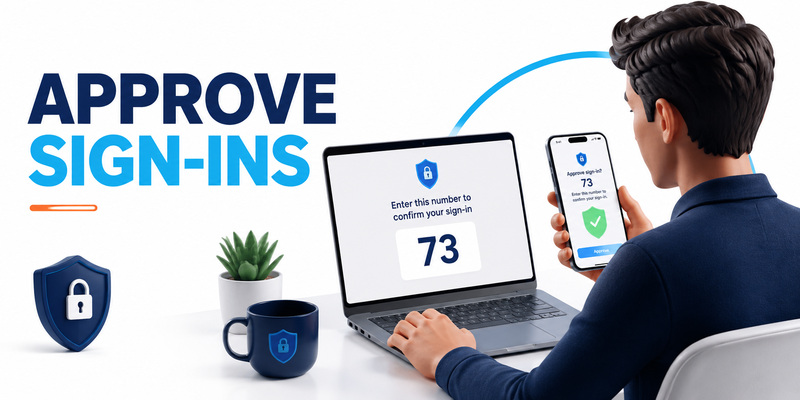
For supported Microsoft and Entra push flows, the sign-in page shows a number and the iPhone notification asks you to enter or select that number in Authenticator. This number matching confirms that the approval corresponds to the browser session you initiated. On iOS broker flows, Microsoft notes that users can choose to show the number again after a brief delay.
Never approve a microsoft authenticator apple prompt you did not initiate. Number matching reduces accidental approval, but an attacker can still trick a victim through live phishing or social engineering. Compare the number, account, application, approximate location, and timing. If any detail is unexpected, deny the request and secure the account.
Repeated prompts can indicate MFA fatigue or an attacker who already knows the password. Do not approve merely to stop notifications. Change the password from a trusted device, review sessions and sign-in activity, remove unknown authentication methods, and contact the organization’s security team if it is a work account.
Understand push versus codes
Push approval needs network access to deliver and respond to a notification. A TOTP code can be generated offline because it is calculated locally from a stored seed and time. The service determines which method is accepted; a generic six-digit code cannot replace a proprietary Microsoft approval when policy requires push or device-bound authentication.
In microsoft authenticator apple use, the iPhone lock screen should reveal as little as practical. Configure notification previews so sensitive account or approval information is not exposed on a locked phone. Open Authenticator directly when a prompt seems ambiguous rather than acting from a partial banner.
For important accounts, prefer passkeys or FIDO2 security keys when available because they are designed to resist phishing better than TOTP. The why use microsoft authenticator guide compares common benefits, but the account’s supported methods and organizational policy remain decisive.
📖 Read More Guides: Microsoft Authenticator for Business: Complete Guide to Security, Cost, Setup, and Employee Use
5. Codes and Other Accounts
TOTP works beyond Microsoft
Microsoft Authenticator can store standard time-based one-time password entries for third-party services. Choose Other account in the add flow, scan the service’s legitimate QR code, and verify a generated value on the same security page. Codes usually refresh every 30 seconds, and automatic iPhone time is essential.
The microsoft authenticator apple app therefore does more than Microsoft push notifications. It can consolidate many ordinary TOTP accounts, but not every app called an authenticator supports the same proprietary features. A Microsoft push approval, an Apple verification code, and a generic TOTP value are different mechanisms even when they appear as short numbers.
Label third-party entries with issuer and account identity. If two tokens both say “Cloud,” selecting the wrong one under time pressure is easy. Avoid putting passwords, recovery codes, or TOTP seeds in labels or notes. The app entry should identify the account without becoming a secondary secret store.
Codes are not phishing-proof
A live attacker can relay a TOTP code to the real service before it expires. Verify the domain and sign-in context before entering any microsoft authenticator apple value. Do not read codes to an inbound caller, support agent, recruiter, or colleague who contacted you unexpectedly.
Screen sharing, remote support, clipboard history, and screenshots can expose codes or account names. Type codes manually for high-risk sessions when practical and keep the authenticator screen out of recordings. If an enrollment QR code or seed is exposed, re-enroll the factor at the original service; waiting for the visible six-digit code to expire is not enough.
Maintain independent service recovery codes. Authenticator backup can restore some app data, but it does not replace each provider’s account recovery process. Store recovery material outside the iPhone in an encrypted vault or physically secured location.
This independent fallback makes microsoft authenticator apple safer when the phone, iCloud account, or app restore is unavailable.
🛠️ Learn with Step-by-Step Guides: SMS vs Authenticator App: Which Is More Secure for Two-Factor Authentication?
6. How to Back Up and Restore Microsoft Authenticator on iPhone
How iOS restore works
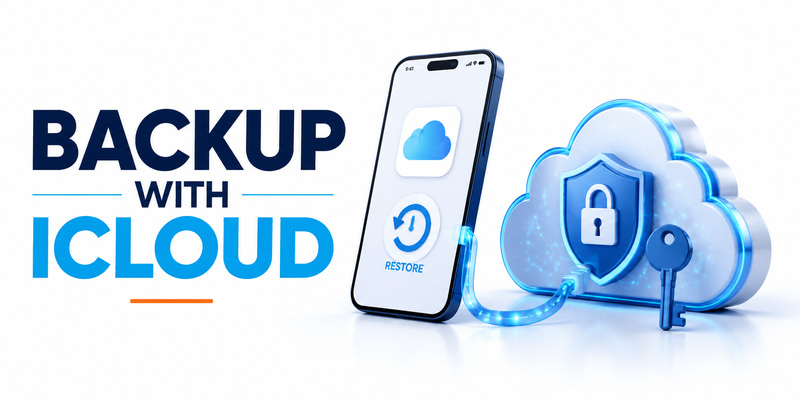
Microsoft documents iOS backup and recovery through Apple services. iCloud Drive, iCloud Keychain, and iCloud Backup must be available according to the current restore instructions. When moving to another iPhone, install Authenticator and follow the recovery flow rather than simply assuming a general phone restore reactivates every account.
The microsoft authenticator apple backup is limited to the same device type. Microsoft states that credentials backed up from iOS cannot be restored to Android. This matters when switching ecosystems: plan direct re-enrollment and preserve service recovery methods instead of treating the backup as a universal export.
Restored content also varies by account. Some personal Microsoft and third-party TOTP accounts can recover one-time codes, while passwordless Microsoft accounts and work or school accounts may restore only the account name and require sign-in or registration again. An “Action required” label is therefore expected in some cases, not proof that recovery failed completely.
Test recovery before an emergency
For a reliable microsoft authenticator apple plan, list critical accounts and their fallback methods. Verify that iCloud access itself can be recovered, that the trusted phone number or device list is current, and that service-issued backup codes are stored separately. Avoid circular recovery where the only way to restore iCloud or Microsoft access depends on the unavailable Authenticator instance.
Do not factory-reset the old iPhone until the new device has restored, reactivated work accounts, and completed real logins. A matching code is helpful; a successful service login is stronger evidence. Keep the old phone locked and offline when not needed during the transition.
Organizations should document device replacement procedures. Work accounts may require help-desk removal of the old method, conditional-access compliance, or new device registration. A user’s personal iCloud backup should not be treated as the organization’s only business continuity plan.
📖 Read More Guides: Apple Authenticator: Complete Guide to 2FA, Verification Codes & Apple Devices
7. Microsoft Authenticator Limitations on iPhone and Apple Devices
No native Mac application
Microsoft Authenticator is a mobile app for iOS and Android. Microsoft’s official download page says it is not available for PC or Mac. When signing in on Safari, Edge, or another browser on a Mac, use the iPhone to approve the request or read a code.
This microsoft authenticator apple separation can improve security by keeping the second factor on another device, but it can also create a single-device dependency. Preserve backup codes or a security key for situations in which the iPhone is unavailable, damaged, or out of power.
Do not install an unofficial desktop application that claims to be Microsoft Authenticator for Mac. Some password managers and Apple’s built-in Passwords system can generate verification codes, but they are different products with different synchronization and recovery boundaries. Choose them intentionally rather than as a look-alike download.
No Apple Watch companion
Microsoft removed Apple Watch support from the January 2023 iOS release. Current Microsoft Entra documentation says the watchOS companion app is incompatible with Authenticator security features and cannot be installed or used. Delete remnants of an old watch app and approve sign-ins on another supported device.
The practical microsoft authenticator apple workflow therefore does not include tapping an Apple Watch notification to approve authentication. A watch may display ordinary mirrored notifications depending on iOS settings, but it is not the supported Authenticator application and should not be treated as the approval endpoint.
For accessibility or high-frequency enterprise sign-ins, ask the administrator about approved passkeys, security keys, platform credentials, or other authentication methods. Do not downgrade to SMS merely for watch convenience without evaluating account risk and organizational policy.
8. How to Fix Microsoft Authenticator Not Working on iPhone

Missing notifications or approval prompts
If a sign-in request does not appear, open iOS Settings and confirm Authenticator notifications are allowed. Check Focus modes, network connectivity, background restrictions, and whether the request was sent to the correct registered device. Open the app directly because a prompt may be present even when the banner was suppressed.
For microsoft authenticator apple work accounts, verify that the device is still registered and compliant with organizational policy. An administrator may have removed the method, required re-registration, or blocked the sign-in for another reason. Use “Other ways to sign in” only with a verified fallback method.
Never troubleshoot by approving a random prompt or sending screenshots that include QR codes, live codes, or account recovery information. Share only nonsecret details such as iOS version, Authenticator version, error text, and approximate time with official support.
Safe microsoft authenticator apple troubleshooting preserves the secret while isolating permissions, connectivity, enrollment, and policy as separate causes.
Wrong codes, restore errors, and loops
If a TOTP code fails, enable automatic date, time, and time zone, wait for a fresh cycle, and confirm the correct account entry. Persistent failure can mean the service was re-enrolled and the stored seed is obsolete. Use a recovery method to inspect the service’s active 2FA configuration.
After restoring microsoft authenticator apple data, tap entries marked Action required and sign in again. Work or school accounts commonly require renewed registration. If the iOS backup was created from another device type or the backup account is unavailable, Microsoft support may not be able to reconstruct credentials; direct account recovery or re-enrollment is then necessary.
For approval loops, close duplicate browser tabs, restart the sign-in from the genuine domain, and ensure the number in Authenticator matches the active page. If unsolicited prompts continue, deny them, reset credentials, review sessions, and escalate possible compromise.
🛠️ Learn with Step-by-Step Guides: Microsoft Authenticator for Business: Complete Guide to Security, Cost, Setup, and Employee Use
9. Microsoft Authenticator for iPhone: Frequently Asked Questions
Is Microsoft Authenticator available for iPhone?
Yes. Download the official iOS app from Apple’s App Store and verify Microsoft Corporation as the publisher. Keep both iOS and Authenticator updated.
Can I use Microsoft Authenticator on a Mac?
No native Mac application is available. Start the sign-in on the Mac, then use the Authenticator app on an iPhone or another supported mobile device.
Does Microsoft Authenticator work on Apple Watch?
No. Microsoft removed the watchOS companion app in 2023 and says Apple Watch is not supported. Use the iPhone or another supported device.
Can the iPhone app generate codes offline?
Yes, standard TOTP codes are generated locally and can work without a connection. Push notifications and approvals require network access.
Does Authenticator still autofill passwords on iOS?
No. Microsoft discontinued Authenticator autofill in 2025, and saved passwords are no longer accessible in the app. Use a current password manager or Microsoft Edge as appropriate.
Does iCloud back up every account completely?
No. Restore behavior depends on account type. Some codes return, while passwordless and work or school accounts may restore only names and require sign-in or re-registration.
Can an iPhone backup restore to Android?
No. Microsoft states that Authenticator backup and restore work only on the same device type. Plan re-enrollment when changing between iOS and Android.
What should I do with an unexpected approval request?
Deny it. Do not enter the displayed number. Review account activity, change compromised credentials, remove unknown methods, and contact organizational security when applicable.
The FAQ summary for microsoft authenticator apple is that iPhone support is strong, while Mac, Apple Watch, password autofill, and cross-platform restore have clear limits. Design recovery around those limits.
📖 Explore Articles
Microsoft Authenticator Apple Guide for iPhone
10. Best Security Practices for Microsoft Authenticator on iPhone
Final configuration checklist
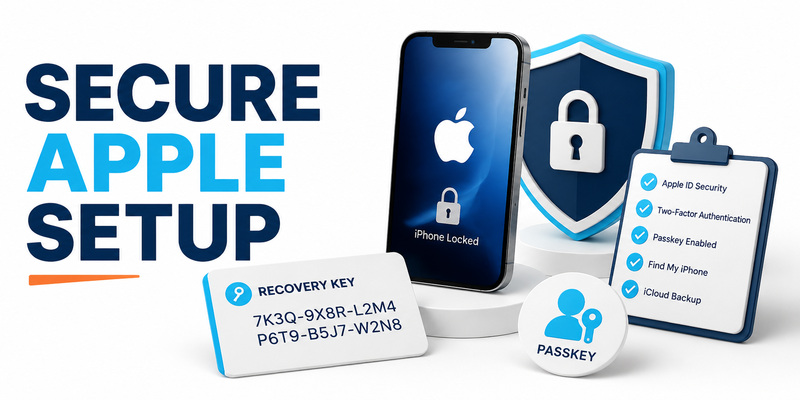
A secure microsoft authenticator apple setup begins with an official app, current iOS, a strong device passcode, Face ID or Touch ID, restricted notification previews, and automatic time. Add accounts only through genuine security pages and verify every enrollment with a real login before closing the setup session.
For Microsoft push approvals, compare the number and context instead of treating the notification as routine. For third-party codes, verify the domain before typing. Prefer passkeys or security keys for high-value accounts when supported, and retain TOTP only where it fits the service and recovery plan.
Use this checklist:
- Download Authenticator from the official App Store listing.
- Enable a strong iPhone lock and current iOS updates.
- Allow camera access only for enrollment and notifications only as needed.
- Verify account labels, number matching, and real logins.
- Protect service recovery codes outside the iPhone.
- Configure and test iOS backup with same-device-type limits in mind.
- Re-register work accounts after restore when Action required appears.
- Do not rely on Mac, Apple Watch, or Authenticator password autofill.
Recovery and ongoing review
Review the microsoft authenticator apple account list periodically. Remove entries only after confirming they are no longer active at the service, and remove lost or retired devices from account security settings. Update backup codes after re-enrollment because older sets may become invalid.
When replacing the iPhone, keep the old device until the new one has restored and completed high-value sign-ins. For a work account, follow organizational procedures before wiping hardware. For personal accounts, verify iCloud and Microsoft recovery independently so one failure does not block the other.
For vendor-neutral help with authenticator enrollment, backups, and safer TOTP use, visit Authenticator App. The best microsoft authenticator apple configuration is one you can approve carefully, restore under pressure, and retire without losing access.
Do not save enrollment QR codes, TOTP seeds, or recovery codes in ordinary screenshots. A secure iPhone is only one layer; protected enrollment material and independent recovery complete the system.
That discipline keeps microsoft authenticator apple useful without turning the iPhone into a single point of failure.
Download Authenticator App
Secure your accounts with fast, reliable two-factor authentication. Download now and protect your login in seconds.
