
SMS vs Authenticator App: Which Is More Secure for Two-Factor Authentication?
Passwords alone are no longer enough for important online accounts. Email, social media, cloud storage, banking services, business systems, and developer platforms increasingly encourage or require a second verification step. For many users, the decision eventually becomes sms vs authenticator app: should verification codes arrive by text message, or should they be generated or approved through an authentication application?
The short answer is that an authenticator application is generally a stronger choice than SMS when both options are available. SMS still provides an additional security layer compared with password-only authentication, but text messages depend on the public telephone network and a phone number that can be transferred, redirected, or attacked. Current NIST guidance classifies use of the public switched telephone network for out-of-band authentication as a restricted authenticator and tells verifiers to consider risks such as SIM changes and number porting.
However, a proper sms vs authenticator app comparison requires an important qualification. A six-digit code generated by an authenticator application is not automatically phishing-resistant. NIST states that manually entered OTPs and out-of-band codes are not considered phishing-resistant because an attacker operating a fake website can potentially relay the code to the legitimate service.
That means the security hierarchy is more nuanced than “apps good, SMS bad.” This guide examines authenticator app vs sms from security, convenience, recovery, phishing resistance, offline access, and business-use perspectives so you can choose the appropriate method for each account.
1. SMS vs Authenticator App: Quick Verdict
For most people choosing between only these two methods, this sms vs authenticator app comparison favors the authenticator application.
SMS-based verification usually works by sending a temporary code to a registered telephone number. The user receives the text and enters the code into the website or application requesting authentication.
An authenticator application commonly generates a time-based one-time password, or TOTP, locally on the device. Examples include Google Authenticator and applications that support compatible TOTP accounts. Google states that Google Authenticator can generate verification codes even when the phone has no internet connection or mobile service.
The key advantage in 2fa sms vs authenticator is that a locally generated authenticator code does not have to travel through the cellular network. It is therefore not exposed to the same telephone-number transfer and SMS-delivery risks.
CISA has explicitly advised organizations to migrate away from SMS-based MFA where possible and notes that SMS MFA is not phishing-resistant. NIST likewise treats PSTN-based authentication as restricted and requires alternative authenticator types to be available in environments governed by its guidelines.
So, is authenticator app better than sms? Usually yes when comparing TOTP authentication with SMS alone. But stronger options exist above both methods, especially passkeys, FIDO2 security keys, and other cryptographic authentication methods designed to resist phishing. NIST requires phishing-resistant options at higher assurance levels and encourages their use whenever practical.
Download Authenticator App
Secure your accounts with fast, reliable two-factor authentication. Download now and protect your login in seconds.
2. How SMS Two-Factor Authentication Works
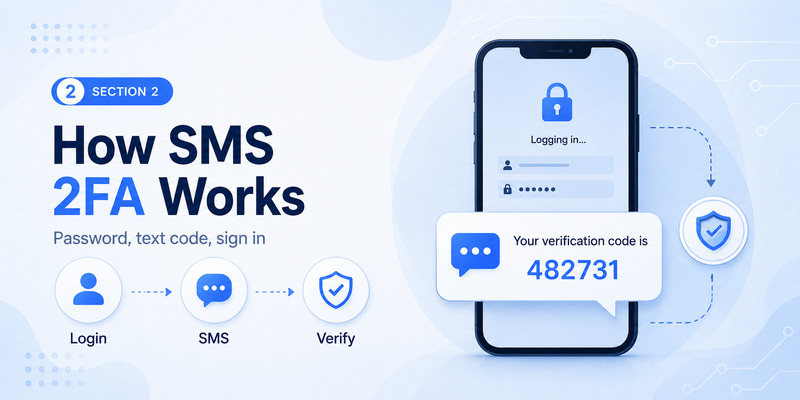
To understand sms vs authenticator app, start with the mechanics of SMS authentication.
When you enable SMS 2FA, the service associates a telephone number with your account. After you enter your password, the service sends a temporary authentication secret to that number. You read the text message and enter the code into the sign-in page.
This provides an additional possession factor: an attacker who knows your password still needs access to the code delivered to the registered telephone number.
NIST categorizes SMS and voice-based authentication as forms of out-of-band authentication using the public telephone network. Its current guidance allows these methods in certain circumstances but applies restrictions and specifically recommends evaluating indicators such as SIM changes, device swaps, and number porting before relying on the telephone network for authentication.
In an authenticator vs sms comparison, SMS has one obvious usability advantage: there is often no additional application to install. Almost every mobile phone can receive a text message, making SMS accessible to users who are unfamiliar with authentication applications.
SMS can also simplify initial enrollment because the service only needs a phone number rather than QR-code registration.
The drawback is that the authentication process depends on several external systems: the account provider, telecommunications infrastructure, the mobile carrier, the phone number, and the physical device.
This dependency is one reason sms vs authenticator app increasingly favors app-based authentication for higher-value accounts.
SMS delivery can also fail when users have poor cellular coverage, travel internationally, change telephone numbers, or lose access to their carrier. By comparison, a TOTP application can usually continue generating codes locally after it has been configured.
🧭 Explore Guides: Microsoft Authenticator Review: Security, Features, Cost, Issues, Codes, and Real-World Use
3. How Authenticator Apps Work
An authenticator app can support several authentication methods, so the term should not be treated as one single technology.
The most common cross-platform method is TOTP. During setup, the website generates a secret associated with the account and usually displays it as a QR code. The authenticator scans the QR code and stores the secret. It can then independently calculate temporary verification codes that match the codes expected by the server.
Google says its Authenticator application generates one-time verification codes for websites and applications that support Authenticator-based two-step verification. Those codes can continue to work without an internet connection or mobile service.
That offline capability represents an important difference in sms vs authenticator app. An SMS code must be delivered. A TOTP code is calculated on the device.
Some authentication applications also support push notifications. Instead of copying a six-digit number, the user receives a sign-in request and confirms it through the application.
Microsoft Authenticator, for example, uses number matching for its MFA push notifications. During applicable sign-ins, a number is displayed during authentication and the user enters that number in Authenticator before approval. Microsoft describes number matching as a security improvement over traditional push approval.
Newer authentication applications can go further by supporting passkeys. Microsoft documents passkeys in Microsoft Authenticator as capable of phishing-resistant authentication when used with the required biometric or device PIN.
Therefore, a meaningful authentication app vs sms comparison should identify the exact app method being used: TOTP, push approval, number matching, or a cryptographic passkey.
4. Security Differences Between SMS and Authenticator Apps
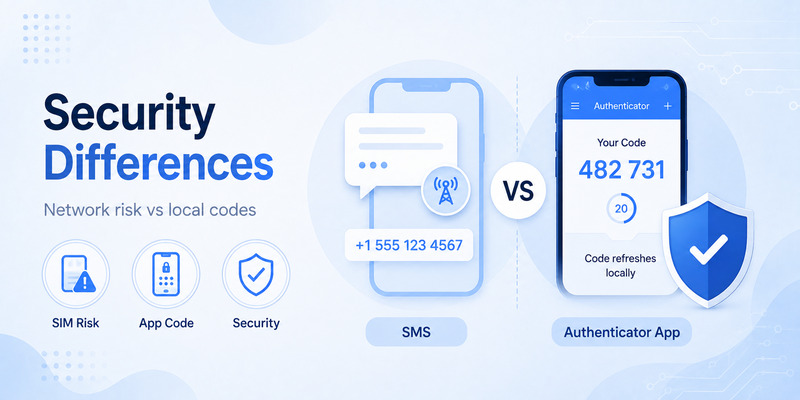
Security is the main reason people research sms vs authenticator app.
Both methods are substantially more useful than relying on a password alone because both can require possession of something beyond the password. But their attack surfaces are different.
SMS authentication relies on control of a telephone number and the infrastructure used to deliver messages. NIST specifically highlights number porting, SIM changes, and device swaps as risk indicators that services should consider before sending authentication secrets through the PSTN.
A TOTP authenticator does not send each new code through that infrastructure. The app and server independently calculate the current one-time password from the secret established during enrollment.
This makes the mfa sms vs app comparison favorable to TOTP for attacks targeting telephone-number ownership or SMS delivery.
However, the authenticator’s stored secret becomes important. If malware, an insecure backup, or another compromise exposes the TOTP secret, an attacker may be able to generate valid codes. Device security therefore still matters.
Another major consideration in sms vs authenticator app is account recovery. SMS can be relatively easy to restore after replacing a phone because the phone number follows the subscriber. An authenticator account may need backup, cloud synchronization, transfer, recovery codes, or fresh registration.
Google Authenticator now supports synchronization of verification codes through a Google Account. Google says synchronized codes are encrypted in transit and at rest, while users can alternatively operate Authenticator without a Google Account and keep codes locally.
That creates a security-versus-recovery decision rather than a universally perfect configuration.
💡 Discover Helpful Guides: Microsoft Authenticator: Complete Setup, Login, Backup & Troubleshooting Guide
5. SIM Swapping, Interception, and Phone Number Risks
The strongest argument against SMS in a sms vs authenticator app comparison is that a telephone number is not necessarily permanently tied to the physical device in your hand.
A mobile number can move between SIMs and carriers. Legitimate number portability makes changing carriers convenient, but the same ecosystem creates risks when attackers successfully persuade or manipulate a provider into transferring someone else’s number.
NIST consequently tells verifiers to consider SIM changes, number porting, device swaps, and similar abnormal behavior when using PSTN-based authentication.
CISA’s mobile communications guidance goes further and recommends moving away from SMS-based MFA.
With an authenticator application’s TOTP mode, transferring a telephone number does not automatically transfer the stored authentication secret. That gives the app an important advantage in 2fa sms vs app.
An attacker who successfully hijacks the victim’s phone number may begin receiving future SMS authentication codes. The same attack would not automatically recreate the victim’s Google Authenticator or equivalent TOTP configuration.
This is why users asking is authenticator better than sms are usually advised to prefer an authentication app when that is the strongest available option.
Still, this does not mean a TOTP app is invulnerable. If the attacker compromises the entire phone, steals exported authenticator secrets, or tricks the victim into entering a current OTP into a phishing site, app-generated codes can still be defeated.
The correct conclusion from sms vs authenticator app is therefore relative security, not absolute security.
6. Phishing Risks: Are Authenticator Apps Really Phishing-Resistant?
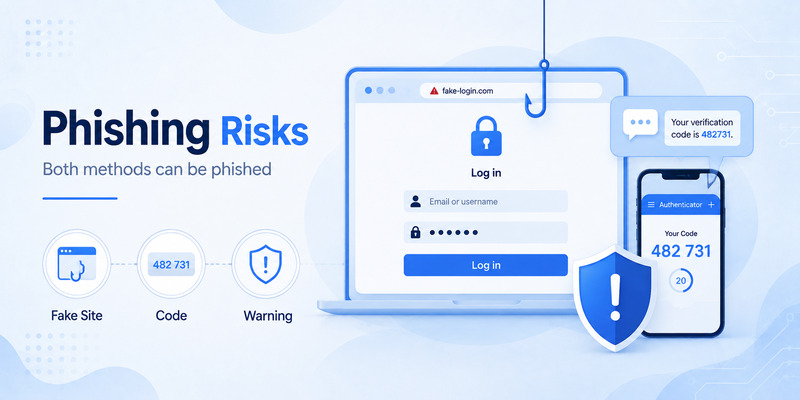
This is the most important nuance in the entire sms vs authenticator app debate.
A traditional six-digit authenticator code is not phishing-resistant.
NIST states that authentication methods involving manual entry of an authenticator output, including OTP authenticators, are not considered phishing-resistant because a fraudulent verifier can capture the output and relay it to the legitimate service.
SMS codes have the same fundamental problem. If a convincing phishing page asks for the SMS code and the victim types it in, an attacker may immediately relay that code.
So the question should not simply be “Which generates the code?” It should also ask whether the authentication method cryptographically binds the authentication to the legitimate website.
That distinction explains why current security guidance emphasizes phishing-resistant MFA rather than merely replacing every SMS code with a different six-digit code.
CISA recommends phishing-resistant MFA and says that when organizations cannot yet implement it, number-matching MFA should be considered as an improvement over weaker push and SMS experiences.
NIST’s current guidelines similarly require verifiers at AAL2 to offer at least one phishing-resistant option and require phishing-resistant authentication at AAL3.
Therefore, this sms vs authenticator app comparison produces three broad tiers:
SMS codes are generally preferable to password-only authentication.
TOTP authenticator codes avoid important SMS-specific risks but remain phishable.
Passkeys and appropriately implemented FIDO or cryptographic authenticators can provide phishing resistance.
If the service offers only authenticator app vs sms, choose the application in most situations. If it also offers passkeys or security keys, consider those stronger methods for important accounts.
📖 Read More Guides: Microsoft Authenticator for Business: Complete Guide to Security, Cost, Setup, and Employee Use
7. Google Authenticator vs SMS
The google authenticator vs sms comparison is primarily TOTP versus SMS delivery.
Google Authenticator generates codes locally. Google confirms that these verification codes can work without internet access or cellular service.
That is useful when traveling, using a Wi-Fi-only device, or experiencing carrier outages. SMS cannot deliver a new code without connectivity to the mobile network.
In the sms vs authenticator app comparison, Google Authenticator also avoids exposing each verification code to the cellular delivery system.
Google currently allows Authenticator codes to synchronize between devices through a Google Account. Users who do not want synchronization can use Authenticator without an account and store codes only on the device.
That provides flexibility but creates a responsibility to plan recovery carefully.
Google’s own account guidance supports multiple second-step methods. Google notes that Authenticator can be used when internet or mobile service is unavailable, and its troubleshooting guidance recommends stronger alternatives to text-message verification in some situations.
For users deciding strictly between Google Authenticator and SMS, this sms vs authenticator app analysis favors Google Authenticator for security, while SMS may still be easier for users who cannot install or manage an authentication application.
8. Microsoft Authenticator vs SMS
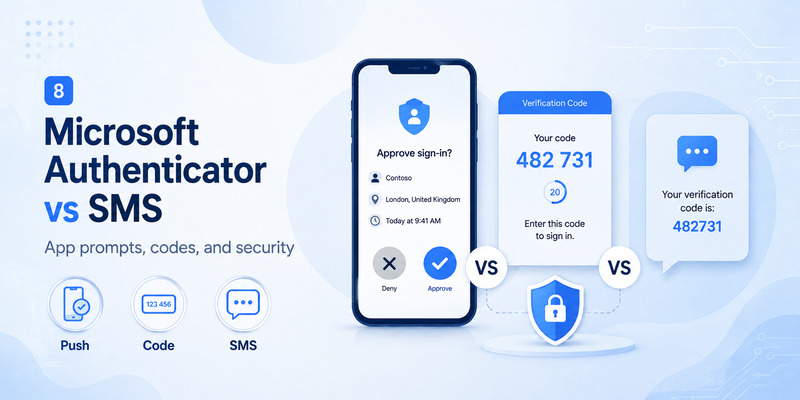
The microsoft authenticator vs sms comparison is slightly more complex because Microsoft Authenticator supports more than TOTP codes.
Microsoft Entra supports Authenticator as an MFA method, including push-based authentication. Microsoft requires number matching for Authenticator push notifications, meaning users can be asked to enter a number associated with the sign-in request rather than simply tapping Approve.
Microsoft also supports passkeys in Authenticator. Microsoft identifies passkeys in Authenticator as a phishing-resistant authentication option, which is an important difference from ordinary SMS codes and manually entered TOTP codes.
Microsoft’s current Entra documentation recommends modern authentication alternatives such as Microsoft Authenticator rather than relying exclusively on phone authentication.
This makes sms vs authenticator app especially dependent on configuration in Microsoft environments.
If the user is comparing SMS with a six-digit Microsoft Authenticator TOTP, the app avoids SMS-specific telephone-network risks but the code remains susceptible to phishing.
If the comparison is SMS versus number-matching push, the Authenticator experience can provide additional context and protection against simple approval fatigue.
If the comparison is SMS versus a passkey in Microsoft Authenticator, the passkey provides a substantially stronger phishing-resistant model.
Businesses evaluating sms vs authenticator app should therefore avoid treating every Microsoft Authenticator mode as equivalent.
📘 Find the Right Guide: Microsoft Authenticator Reset: Safe Step-by-Step Guide for Beginner
9. Convenience, Offline Access, and Account Recovery
Security is not the only consideration in sms vs authenticator app. An authentication method that users cannot reliably access can create lockouts and support problems.
SMS is familiar. Users do not need to understand QR enrollment or synchronize an authentication application. If they replace a phone but keep the same number, receiving messages may resume once cellular service is activated on the new device.
This makes SMS convenient for large consumer populations.
Authenticator applications have a different advantage: offline operation. Google explicitly states that Google Authenticator can generate codes without an internet connection or mobile service.
That makes the app valuable for users traveling abroad, working in areas with weak cellular reception, or using devices without an active SIM.
In a sms vs authenticator app recovery scenario, however, the application requires more preparation.
Users should understand whether their chosen application offers cloud synchronization, encrypted backup, account export, or device-to-device transfer. They should also store recovery codes supplied by important services.
A good authentication setup should avoid a single point of failure. Losing one phone should not permanently lock someone out of their primary email or business account.
For that reason, the practical answer to is authenticator app better than sms includes a condition: the user must configure recovery correctly.
A well-managed authenticator application is generally the stronger choice. An authenticator application used without backups, recovery codes, or another registered method can create unnecessary recovery difficulty.
10. SMS vs Authenticator App for Personal and Business Accounts
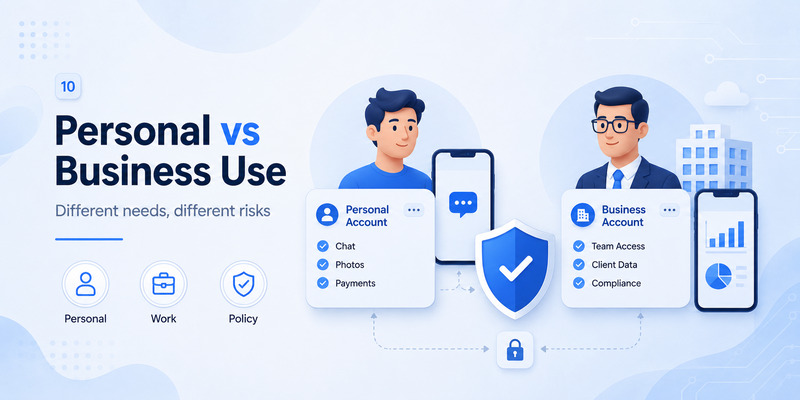
The appropriate sms vs authenticator app strategy varies with account sensitivity.
For a low-risk consumer account that supports only password-plus-SMS, turning on SMS 2FA is generally better than leaving the account password-only.
For a primary email account, password manager, financial account, administrator account, cloud infrastructure account, or business identity, stronger authentication should receive greater priority.
CISA says SMS should be an organization’s last resort for implementing MFA and advocates phishing-resistant authentication for higher-value systems.
This is especially important because compromising a corporate email or administrator identity can provide access to many connected services.
Organizations comparing sms vs authenticator app should also consider manageability. An enterprise platform may allow administrators to register supported authentication methods, enforce stronger methods for sensitive resources, and gradually move users away from weaker authentication.
Microsoft Entra, for example, can evaluate registered credentials and prioritize stronger methods through system-preferred authentication. Microsoft’s current documentation ranks available credentials and can prompt users with a stronger registered method rather than a weaker one.
For businesses, mfa sms vs app should therefore be part of a broader authentication roadmap, not a permanent endpoint.
A practical progression might be password-only to SMS MFA, then authenticator-based MFA, and ultimately phishing-resistant passkeys or hardware security keys where supported.
11. When SMS Authentication Still Makes Sense
Despite its disadvantages in sms vs authenticator app, SMS has not disappeared.
One reason is accessibility. Not everyone owns a smartphone that can run a current authentication application. Some users may have feature phones or restricted devices.
Another reason is recovery. A service might permit SMS as a backup option when the primary authenticator is unavailable.
SMS may also be the only second factor supported by a particular service.
In those situations, using SMS is generally more valuable than refusing MFA entirely.
NIST’s current framework reflects this practical reality. PSTN-based authentication is restricted rather than universally prohibited, and verifiers that use restricted authenticators must offer alternatives and address the risks.
That leads to an important rule for sms vs authenticator app: do not disable useful MFA and fall back to password-only authentication simply because the strongest method is unavailable.
If SMS is the only additional security option, use it while protecting the carrier account, enabling a carrier PIN where available, keeping account-recovery information current, and watching for unexplained loss of cellular service.
Then upgrade to a stronger method when the service makes one available.
12. How to Move From SMS to an Authenticator App Safely
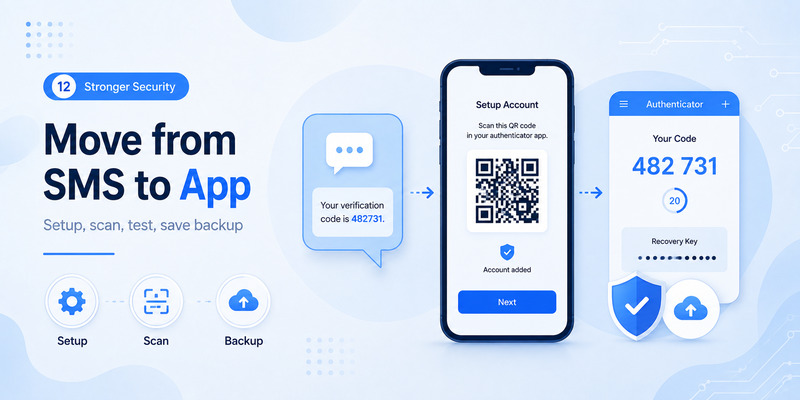
If this sms vs authenticator app comparison convinces you to switch, avoid removing SMS before confirming the replacement method works.
First, sign in to the legitimate service and open its security or two-factor authentication settings.
Choose the option to add an authenticator application. The site may display a QR code containing the setup information.
Scan the code with your selected application. Then enter the generated verification code or complete the confirmation process requested by the service.
Perform a fresh sign-in to make sure the new authentication method works.
Next, save any recovery codes the service provides. Store them somewhere secure and separate from the authentication device.
If the authenticator supports encrypted synchronization or backup, decide whether you want that feature enabled. Google Authenticator, for example, supports synchronized codes through a Google Account but can also operate without an account for local-only storage.
Only after testing the application should you decide whether to remove SMS completely or retain it as an account-recovery method.
For especially sensitive accounts, check whether the provider offers a passkey or physical security key. Moving from SMS to TOTP improves one part of the security model, but the strongest modern authentication strategies focus on phishing resistance.
That is the long-term lesson from sms vs authenticator app.
📘 Find the Right Guide: Microsoft Authenticator Download PC: Safe Options Guide
13. SMS vs Authenticator App FAQ
Is an authenticator app safer than SMS?
Generally, yes. In the sms vs authenticator app comparison, an app-generated TOTP avoids risks associated with sending each code through the telephone network. NIST specifically flags SIM changes and number porting as risks for PSTN authentication.
However, manually entered authenticator OTPs are still not phishing-resistant.
Is SMS 2FA unsafe?
SMS 2FA is not useless. It provides an additional factor beyond a password. The concern is that stronger alternatives are available.
CISA recommends moving away from SMS-based MFA where possible and prioritizing phishing-resistant authentication.
Therefore, the correct interpretation of sms vs authenticator app is “stronger versus weaker MFA,” not “secure versus no security.”
Can authenticator apps work without internet?
TOTP applications can. Google confirms that Google Authenticator generates codes without internet or mobile service.
Push notifications and cloud synchronization generally need connectivity.
Can authenticator codes be phished?
Yes. NIST says manually entered OTP authentication is not phishing-resistant because a fraudulent verifier can capture and relay the authenticator output.
This is one of the most commonly missed facts in sms vs authenticator app discussions.
Are passkeys better than both SMS and six-digit authenticator codes?
When correctly implemented, passkeys can provide phishing-resistant authentication. NIST identifies cryptographic authentication as the basis for phishing resistance, and Microsoft documents passkeys in Authenticator as phishing-resistant.
For important accounts, that can make passkeys preferable to both SMS and TOTP.
What does authenticator app vs sms reddit usually miss?
Community discussions can provide useful personal experiences, but security comparisons sometimes simplify the issue into “SMS is insecure, app codes are secure.”
The more accurate technical conclusion is that TOTP protects against some SMS-specific attacks but does not make phishing impossible. Current NIST and CISA guidance favors phishing-resistant authentication when available.
Which is better if I travel frequently?
An authenticator application is often more convenient because TOTP codes can work without cellular service. Google Authenticator explicitly supports offline code generation.
That gives the application an important practical advantage in sms vs authenticator app for international travel.
Should businesses ban SMS completely?
Not necessarily in every environment. Some employees may need an accessible fallback, and some systems may not support stronger methods.
However, CISA says organizations should prioritize phishing-resistant MFA and has characterized SMS as a last-resort MFA method.
Businesses should therefore treat SMS as a fallback or transitional method rather than the strongest long-term authentication strategy.
📘 Find the Right Guide: Microsoft Authenticator App Android: Setup & Security Guide
14. Final Verdict: Which 2FA Method Should You Choose?
After comparing sms vs authenticator app across security, usability, connectivity, phishing, recovery, and business deployment, the better default choice is generally an authenticator application.
TOTP applications remove dependence on SMS delivery and reduce exposure to telephone-number attacks such as unauthorized SIM changes or number transfers. They can also operate offline, which makes them practical for users without continuous cellular service.
That is why the answer to is authenticator better than sms is usually yes when those are the only two options.
The conclusion needs one final qualification: neither an SMS code nor a manually entered six-digit authenticator code should be mistaken for phishing-resistant authentication. NIST explicitly states that manually transferred OTPs and out-of-band authentication are not phishing-resistant.
For ordinary users, the recommended order is therefore straightforward. Use phishing-resistant passkeys or security keys when they are available and appropriate. If those are unavailable, use a reputable authenticator application. Use SMS when the service provides no stronger practical alternative, rather than leaving the account protected only by a password.
For businesses, the same sms vs authenticator app decision should be approached as a migration path. CISA recommends phishing-resistant MFA for organizational systems and specifically advises migration away from SMS-based MFA.
The best authentication method is ultimately one that combines meaningful resistance to real attacks with reliable recovery and a workflow users can follow correctly.
In the narrow sms vs authenticator app comparison, authenticator applications are generally the better security choice. In the broader MFA landscape, however, modern phishing-resistant cryptographic authentication is the stronger destination.
Download Authenticator App
Secure your accounts with fast, reliable two-factor authentication. Download now and protect your login in seconds.
