
Microsoft Authenticator Review: Security, Features, Cost, Issues, Codes, and Real-World Use
Microsoft Authenticator has become an important sign-in tool for people using Microsoft accounts, Microsoft 365, workplace systems, school accounts, and websites protected by two-factor authentication. This microsoft authenticator review examines the application from a practical perspective: what it does, how safe it is, what it costs, how its QR-code setup works, and what users should do when authentication suddenly stops working.
Rather than treating Microsoft Authenticator as simply another code generator, this microsoft authenticator review also looks at push notifications, passwordless sign-in, App Lock, verification codes, work and school accounts, and compatibility with third-party services. Microsoft describes Authenticator as a free application that can be used with personal Microsoft accounts, work or school accounts, and other compatible accounts. It supports verification codes as well as approval-based and passwordless authentication.
If you have searched for microsoft authenticator reviews, you have probably noticed that experiences can vary considerably. A person who uses the application for a single Microsoft account may have a very different experience from an employee whose organization applies Microsoft Entra authentication policies. A useful microsoft authenticator review therefore needs to separate the core application from account configuration, network problems, notification settings, and policies controlled by an employer or account provider.
1. What Is Microsoft Authenticator?
The basic microsoft authenticator meaning is straightforward: Microsoft Authenticator is a mobile application designed to help verify that the person signing in really has access to a trusted device. Microsoft says the app can be used for personal Microsoft accounts, work and school accounts, and supported non-Microsoft accounts.
For this microsoft authenticator review, it is important to clarify that Authenticator is not limited to displaying temporary codes. Microsoft describes three broad ways to use the application: as an additional way to verify a sign-in, as a source of one-time password codes for two-step verification, or as the primary sign-in method in supported passwordless configurations.
That gives a useful answer to the query microsoft authenticator used for. It can help confirm logins, generate temporary verification codes, approve requests on a phone, and support passwordless sign-in depending on the account. Microsoft also supports adding multiple accounts to the application, including Microsoft personal accounts, work or school accounts, and compatible services such as Google.
In practical terms, this microsoft authenticator review views the product as an identity-verification tool rather than simply a traditional authenticator app. The distinction matters because some features require an internet connection while others do not. Microsoft states that verification codes themselves can work without an internet connection, whereas receiving and responding to sign-in notifications requires connectivity.
2. How Microsoft Authenticator Works
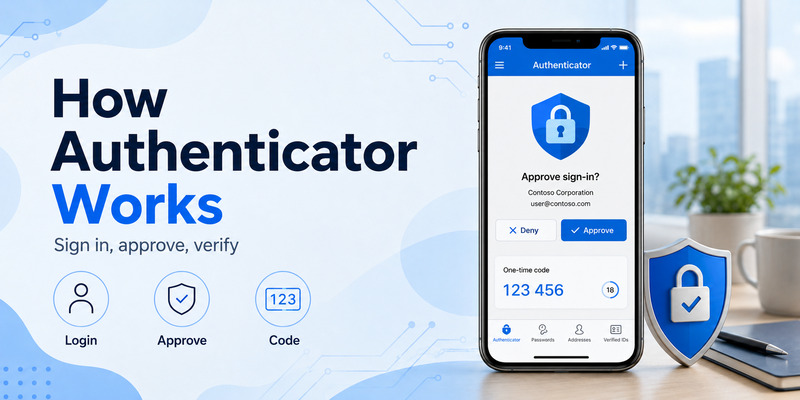
A typical sign-in starts somewhere outside the Authenticator application. You may enter your Microsoft account information on a website, open Microsoft 365, or access an organization-protected service. If additional authentication is required, the sign-in flow can direct you to Microsoft Authenticator.
In an approval-based flow, the phone receives a request and you confirm the authentication from the application. In another configuration, you may enter a dynamically generated verification code. Microsoft also supports passwordless scenarios where Authenticator itself becomes the primary method for confirming the sign-in.
This is one reason our microsoft authenticator review should not judge the application exclusively by its code-generation screen. Its usefulness is broader when it is connected directly to Microsoft identity services.
For time-based verification codes, Microsoft explains that the active code changes every 30 seconds. The changing value means a previously used code is not intended to remain valid indefinitely.
Microsoft also states that Authenticator can store multiple account types. That allows someone to use a single application for a personal Microsoft account, an employer account, a school identity, and compatible third-party services rather than installing a separate application for every provider.
From a usability standpoint, this microsoft authenticator review considers that flexibility one of the application’s stronger characteristics. However, it can also create confusion: multiple accounts may show different types of codes and may use different sign-in methods.
Download Authenticator App
Secure your accounts with fast, reliable two-factor authentication. Download now and protect your login in seconds.
3. Is Microsoft Authenticator Safe?
One of the most important questions in any microsoft authenticator review is is microsoft authenticator safe.
Microsoft Authenticator is designed to provide an additional security factor beyond a password. Microsoft explains that its App Lock feature protects verification codes, application information, and settings by requesting the phone’s PIN or biometric authentication when the application opens. App Lock can also require device authentication before the user approves certain sign-in notifications.
The application can therefore provide meaningful protection if the phone itself is protected appropriately. This microsoft authenticator review also considers Microsoft’s support for device PINs and biometrics an important advantage for people who do not want anyone holding an unlocked phone to immediately access their authentication information.
However, no authenticator app should be treated as automatically safe in every situation. Human behavior remains important. Microsoft explicitly warns users not to give verification codes to callers or people pretending to be IT support, banks, or other service providers.
Unexpected authentication notifications deserve similar caution. If you did not start the login, approving an unexpected request could potentially authorize access that you did not intend.
Some people search is microsoft authenticator safe reddit before installing the app. Community discussions can be useful for discovering individual experiences, but they should not replace official security documentation when evaluating how the application stores information, uses location, or protects authentication prompts.
Microsoft’s FAQ also explains that Authenticator can use location information in certain scenarios. It says location coordinates can be sent to the system to determine the user’s country for access decisions, while the country may be reported to an IT administrator and the actual coordinates are not stored on Microsoft’s servers.
The conclusion of this part of our microsoft authenticator review is that Authenticator offers strong security features, but safe use still depends on protecting the phone, rejecting unexpected requests, and never sharing active verification codes.
💡 Discover Helpful Guides: Microsoft Authenticator: Complete Setup, Login, Backup & Troubleshooting Guide
4. Microsoft Authenticator Features and Everyday Uses
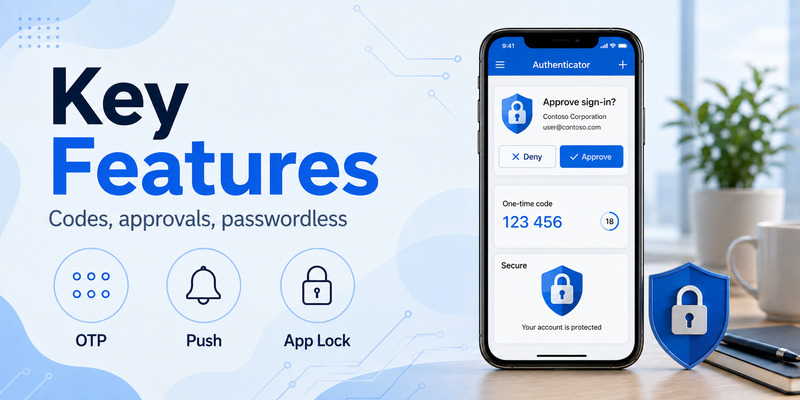
The feature set is broader than many first-time users expect. Microsoft Authenticator can verify sign-ins, display one-time passwords, support multifactor authentication, and provide passwordless authentication in supported configurations.
From the perspective of this microsoft authenticator app review, one of the strongest benefits is that the app can handle both Microsoft and compatible third-party accounts. Users who already work heavily within Microsoft 365 or Microsoft Entra environments may particularly benefit from the integration with Microsoft sign-in flows.
Another practical feature is that temporary verification codes do not require an internet connection. Microsoft says the codes can be generated without mobile data or phone service. Push-based authentication is different: the device must have internet access to receive a sign-in notification and send the response.
This distinction matters when evaluating a microsoft authenticator review. A person traveling without mobile connectivity may still be able to use an OTP code for a compatible service even though a push notification cannot be delivered.
App Lock is another useful feature. By default, Microsoft says App Lock is enabled when a device PIN or biometric method has been configured. Users can enable or disable the setting within Authenticator.
There have also been feature removals. Microsoft says Authenticator’s autofill functionality was discontinued in 2025 and passwords are no longer available within Authenticator.
As a result, a current microsoft authenticator review should evaluate Authenticator primarily as an authentication and identity application, not as a general password-manager replacement.
📖 Read More Guides: Microsoft Authenticator for Business: Complete Guide to Security, Cost, Setup, and Employee Use
5. Microsoft Authenticator Cost: Is It Free?
The microsoft authenticator cost is easy to understand for ordinary users: Microsoft describes Authenticator as a free app.
There is no separate purchase required simply to install the application and generate supported verification codes. Microsoft also describes the app as free when explaining multifactor authentication.
For this microsoft authenticator review, that is a significant advantage. A user can install the application and connect supported accounts without paying an individual Authenticator subscription.
Business environments can be more complicated because authentication policies, Microsoft Entra capabilities, Microsoft 365 subscriptions, Conditional Access, device management, and organizational security products can have separate licensing requirements. Those costs should not be confused with the price of the Authenticator mobile app itself.
For an individual user evaluating whether an authenticator app is worth installing, however, the entry cost is essentially zero. That makes this part of the microsoft authenticator review favorable: users can access the core application without a paid Authenticator license.
📘 Find the Right Guide: Microsoft Authenticator Reset: Safe Step-by-Step Guide for Beginner
6. Microsoft Authenticator QR Codes and Account Setup
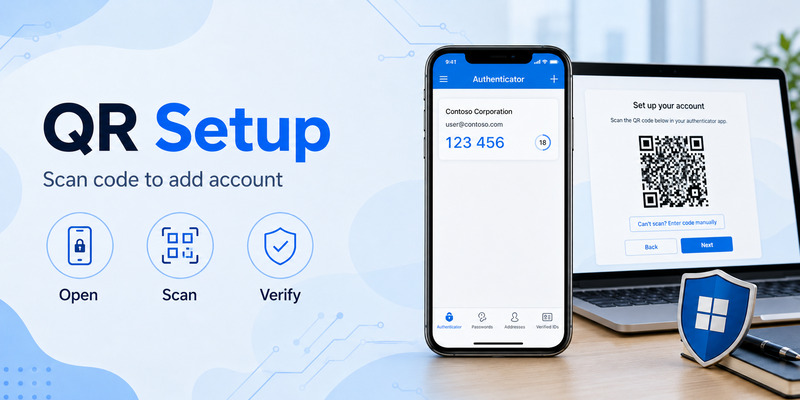
QR codes are one of the most common parts of Authenticator setup. If you search for qr microsoft authenticator, the important principle is that the QR code normally comes from the account or service you are adding—not from a random QR generator.
For a work or school account, Microsoft’s current instructions tell users to open their Security info page, add Microsoft Authenticator as a sign-in method, display the QR code, and then use Authenticator on the phone to scan it.
The same microsoft authenticator review principle applies to third-party accounts. Microsoft says Authenticator supports compatible non-Microsoft accounts and documents using the QR code generated by the service during two-step-verification setup.
For Google specifically, a google microsoft authenticator qr code setup does not mean Google and Microsoft share one universal QR code. The Google account provides the setup information, while Microsoft Authenticator acts as the scanner and code generator. Microsoft’s account-addition documentation describes adding Google as an “Other” account after Google provides the enrollment QR code.
A useful setup lesson from this microsoft authenticator review is to keep the browser page containing the QR code open until registration finishes. Scan the current code and complete the provider’s verification step before closing the page.
Microsoft currently also requires users to have the latest Authenticator version when adding an account.
If QR scanning does not work, updating the application should therefore be one of the first troubleshooting actions.
📘 Find the Right Guide: Microsoft Authenticator Download PC: Safe Options Guide
7. Microsoft Authenticator 6-Digit vs 8-Digit Codes
Code length can be one of the most confusing parts of a microsoft authenticator review because people occasionally encounter a sign-in page expecting one format while they are looking at another value in Authenticator.
Microsoft’s general multifactor-authentication documentation shows Authenticator generating a dynamically changing six-digit verification number, and its FAQ explains that verification codes rotate every 30 seconds.
If you are searching for microsoft authenticator 6 digit code instead of 8, first verify which account entry and authentication method the website is asking you to use. Do not assume every number displayed by Authenticator serves the same purpose.
The reverse search, microsoft authenticator 8 digits instead of 6, also usually indicates that the user needs to identify whether they are viewing the credential associated with the correct account and enrollment method.
Microsoft’s official setup guidance shows that each external service generates its own QR-based registration information. That means the safest approach when the displayed code format does not match what a service expects is to return to the legitimate service’s security settings and confirm that the account was enrolled using the correct authenticator option.
Do not simply remove digits from a longer code or add zeros to a shorter one. A microsoft authenticator review should emphasize that an OTP must match the credential and configuration established by the account provider.
If the mismatch remains after following the correct enrollment process, contact the service that is requesting the code or, for an organizational Microsoft account, the IT administrator. Microsoft specifically directs unresolved work or school Authenticator problems to organizational IT support.
8. Common Microsoft Authenticator Issues
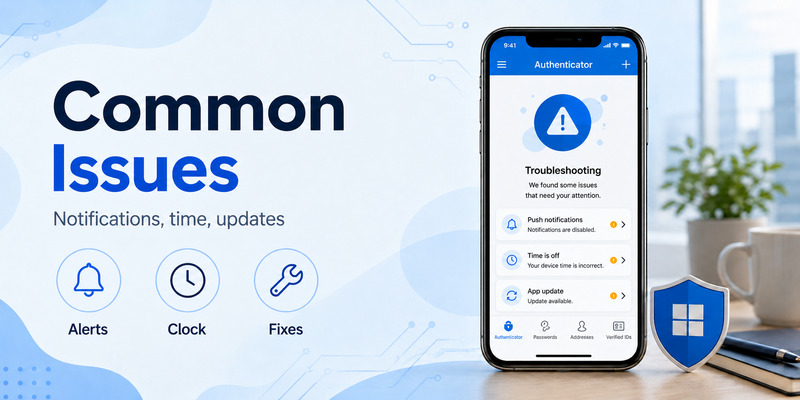
No microsoft authenticator review is complete without addressing reliability. Authentication applications sit in a sensitive position: if they fail at the wrong moment, the user may temporarily lose access to email, business tools, cloud services, or other protected accounts.
Common microsoft authenticator issues documented by Microsoft include notification failures, network problems, incorrect phone time, outdated applications, QR scanning failures, locked application states, and problems completing authentication.
Microsoft recommends making sure the user has the latest version of Authenticator. Its current troubleshooting page says versions more than 12 months old are not supported. It also recommends keeping the device updated, verifying date and time, checking notification settings, and testing network connectivity.
Another common problem is a notification that appears expired. Microsoft explains that Authenticator relies on the mobile device clock and recommends switching the phone to automatic date and time if requests repeatedly expire.
If push notifications fail while the application is closed, users should verify that notifications are allowed and make sure the phone is not suppressing alerts through Do Not Disturb or similar settings. Connectivity can also affect push delivery.
Overall, this microsoft authenticator review finds that many reported problems are not necessarily failures of the authentication credential itself. Device settings and network conditions can be equally important.
📘 Find the Right Guide: Microsoft Authenticator App Android: Setup & Security Guide
9. What to Do When Microsoft Authenticator Is Not Working
A very common search is my microsoft authenticator app is not working. The safest response is to troubleshoot systematically before deleting the application or removing accounts.
Start by opening Authenticator directly. Confirm that it launches properly and that the expected account is still present. Next, check Wi-Fi or mobile connectivity if you are waiting for an approval notification. Microsoft specifically recommends switching between Wi-Fi and mobile data as a troubleshooting test.
If my microsoft authenticator is not working describes missing push notifications, check whether notification permissions are enabled, whether Do Not Disturb is active, and whether your phone can receive notifications from other applications.
Next, update Authenticator. Microsoft says unsupported or outdated versions can cause authentication problems and currently requires the latest version when adding accounts.
Check the device clock as well. Authentication codes and requests are time-sensitive, so incorrect date and time settings can cause problems. Microsoft specifically recommends making sure device date and time are correct.
This microsoft authenticator review recommends avoiding immediate deletion of the application. Removing an account before confirming that you have another sign-in or recovery method can make access more difficult.
For personal Microsoft accounts, Microsoft directs users toward Microsoft Support when Authenticator troubleshooting does not solve the problem. For work or school accounts, Microsoft recommends contacting the organization’s IT administrator.
10. Microsoft Authenticator History and How the App Has Changed
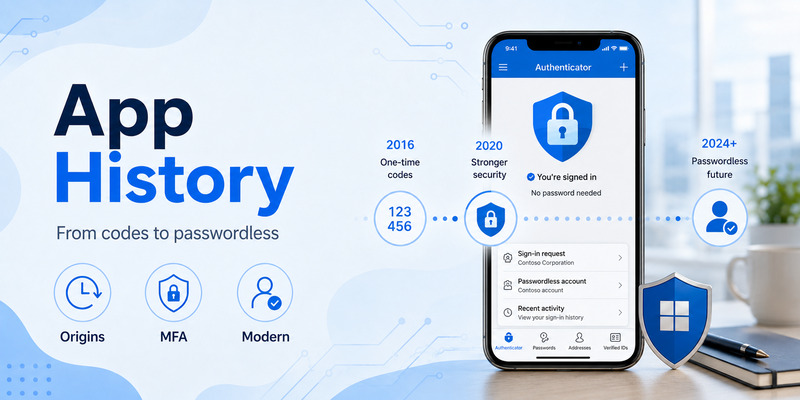
Understanding microsoft authenticator history helps explain why the application now supports several different authentication experiences.
Microsoft described Microsoft Authenticator as the successor to Azure Authenticator, the Microsoft account app, and earlier Microsoft authentication applications. The consolidated app was designed to provide authentication for personal, work, and school Microsoft identities as well as broader identity scenarios.
Over time, Authenticator evolved beyond simple OTP generation. Microsoft added notification-based MFA and passwordless authentication, while integration with organizational Microsoft identity systems allowed Authenticator to participate in work and school authentication.
The product has also changed by removing functions that no longer fit its direction. Microsoft discontinued Authenticator autofill in 2025 and removed access to stored passwords from the application.
Current security requirements continue to evolve as well. Microsoft says that starting in February 2026, it introduced jailbreak/root detection for work and school Microsoft Entra credentials, preventing those credentials from operating on rooted or jailbroken devices.
For a current microsoft authenticator review, these changes are important because older articles and screenshots can describe functionality that is no longer available. Users should rely on current Microsoft instructions rather than assuming an old workflow is still supported.
11. Is Microsoft Authenticator Good? Pros and Limitations
So, is microsoft authenticator good?
For people deeply connected to the Microsoft ecosystem, this microsoft authenticator review finds several compelling advantages. The application is free, supports personal and organizational Microsoft accounts, can handle compatible third-party accounts, works with one-time codes, supports approval-based verification, and can participate in passwordless sign-in.
The ability to generate verification codes without internet access is another practical benefit. Push responses require internet access, but OTP generation does not.
Security features such as App Lock also improve the user experience for people who want biometric or device-PIN protection around their authentication information.
There are limitations. Authentication problems can be stressful because Authenticator may be the user’s only configured second factor. Notification delivery depends on network and device settings. Organizational accounts can also be affected by policies that the end user cannot change.
Another limitation for some longtime users is that Authenticator is no longer an autofill and password-storage solution. Microsoft’s retirement of those capabilities means users wanting an all-in-one password-management product will need another solution.
Looking across microsoft authenticator app reviews can therefore produce very different opinions depending on what people expect from the product. Someone evaluating it as a Microsoft-integrated authentication application may be satisfied, while someone expecting password-management functionality may be disappointed.
Overall, our microsoft authenticator review rates the application most highly when it is used for its core purpose: secure identity verification.
12. Microsoft Authenticator for Microsoft, Google, and Other Accounts
One misconception is that Microsoft Authenticator only works with Microsoft services. Microsoft’s documentation explicitly says users can add Microsoft personal accounts, work or school accounts, and non-Microsoft accounts such as Google and other compatible services.
The setup method can differ.
A personal Microsoft account can be connected through Microsoft’s account-security settings. A work or school identity may be added through the organization’s Security info page. Compatible third-party accounts generally provide their own QR enrollment code.
For a Google account, Microsoft documents a workflow in which the user enables two-step verification with Google, obtains the authenticator QR code from the Google security setup, and scans it by choosing an Other account in Microsoft Authenticator.
This versatility improves the score in our microsoft authenticator review because users do not necessarily need Microsoft Authenticator for Microsoft accounts and a different application for every third-party TOTP account.
However, account compatibility should never be assumed merely because a service offers two-factor authentication. Follow the provider’s official setup process and verify that an authenticator application is a supported authentication method.
🗺️ Browse How-To Guides: How to Add Facebook to Microsoft Authenticator Safely
13. Microsoft Authenticator Review FAQ
Is Microsoft Authenticator free?
Yes. Microsoft officially describes Authenticator as a free application. From a pricing perspective, our microsoft authenticator review therefore considers the application accessible for personal users who simply need an authentication tool.
Is Microsoft Authenticator safe enough for everyday use?
Microsoft Authenticator includes App Lock, device PIN and biometric integration, rotating codes, push-based verification, and passwordless authentication capabilities. However, users must still protect their phones and never approve sign-in attempts they did not initiate.
Does Microsoft Authenticator need internet access?
Not always. Microsoft says verification codes can be generated without internet access, but push notifications and sign-in responses require connectivity. This flexibility is another positive point in this microsoft authenticator review.
Why does my Microsoft Authenticator code keep changing?
Microsoft says verification codes change every 30 seconds. This short lifetime reduces the usefulness of a code if someone obtains an older value.
What if Authenticator does not send a notification?
Check internet access, notification permissions, Do Not Disturb settings, application updates, and the phone’s date and time. Microsoft recommends these checks when troubleshooting missing or expired Authenticator notifications.
Should I reinstall Microsoft Authenticator when it stops working?
Reinstallation should not automatically be the first action. This microsoft authenticator review recommends checking connectivity, notifications, application version, device settings, and available recovery methods first. Microsoft’s troubleshooting guidance similarly recommends checking those conditions before escalating unresolved issues to Microsoft Support or an organization’s IT administrator.
Can Microsoft Authenticator work with Google?
Yes. Microsoft documents adding Google and other compatible accounts to Authenticator. The QR code comes from the service whose account you are configuring.
Why am I seeing the wrong number of digits?
First ensure you are using the correct account entry and authentication method. Microsoft’s MFA documentation describes dynamically generated six-digit verification codes, while different account flows may present different authentication information. If the service expects a different format, return to that service’s official security settings and verify the enrollment rather than manually changing the code.
Does Microsoft Authenticator still store passwords?
No. Microsoft says Authenticator’s autofill was discontinued in 2025 and passwords are no longer accessible in Authenticator.
What is the final verdict?
The final verdict of this microsoft authenticator review is positive for users who need secure sign-in verification, especially within Microsoft environments. The app is free, supports multiple account types, works with both online approval requests and offline verification codes, and provides additional device-level protection through App Lock.
It is not perfect. Microsoft authenticator issues involving notifications, outdated software, incorrect phone time, QR setup, and organizational policies can make troubleshooting frustrating. Microsoft maintains a substantial troubleshooting guide because authentication can depend on the app, the phone, the network, and the account configuration simultaneously.
For users reading microsoft authenticator reviews to decide whether to install it, the most important question is what they need. If the goal is MFA, one-time passwords, Microsoft account verification, work or school authentication, or supported passwordless access, this microsoft authenticator review finds Authenticator to be a capable and practical option.
Users should nevertheless avoid making any single phone their only recovery path. Keep account recovery information current, follow the official QR registration process, protect the device with a PIN or biometric, and never provide an active verification code to someone who contacts you asking for it. Microsoft explicitly warns that legitimate organizations should not ask users to read Authenticator verification codes over the phone.
In short, this microsoft authenticator review finds Microsoft Authenticator strongest when it is treated as a dedicated security application rather than a password manager. Its combination of no-cost access, Microsoft integration, third-party account support, rotating codes, approval requests, and passwordless options makes it a useful authenticator app for both everyday and organizational authentication.
Download Authenticator App
Secure your accounts with fast, reliable two-factor authentication. Download now and protect your login in seconds.
