
Secondary Authentication Apple ID: A Complete Guide
The phrase secondary authentication apple id usually means the second identity check Apple requires after an account password. Apple calls this protection two-factor authentication for an Apple Account. When someone signs in on a new device or browser, Apple can require the password plus a six-digit verification code displayed on a trusted device or sent to a trusted phone number.
This second step protects purchases, iCloud data, messages, photos, device backups, and other information tied to the account. It also explains why a password alone may not complete a sign-in. A trusted device, trusted phone number, recovery route, or eligible physical security key becomes part of the security design.
This guide explains secondary authentication apple id settings with Apple’s current terminology, including how to enable two-factor authentication, obtain a code, review trusted devices, prepare for a lost phone, and decide whether security keys are appropriate. It also separates Apple Account verification from the verification-code generator built into Apple Passwords, because those two features protect different accounts.
1. Quick Answer
What the second step actually is
In everyday searches, secondary authentication apple id describes Apple’s two-factor sign-in process. Apple now uses the name Apple Account for what was formerly called Apple ID, although menus, older devices, and search phrases may still use the earlier name. The security model remains recognizable: something you know, normally the password, is combined with proof from a trusted device, trusted phone number, or configured security key.
A six-digit Apple verification code is not a reusable password. It appears for a particular sign-in and should be entered only on the genuine Apple screen that you opened. Apple may show the approximate location of a request, but that location comes from the network address and can differ from the device’s real position. Confirm that you initiated the sign-in before choosing Allow.
The safest basic configuration
Turn on apple id two factor authentication, keep at least two dependable recovery paths, and protect every trusted device with a strong passcode plus Face ID or Touch ID when available. Add another trusted phone number that is not dependent on the same missing iPhone. Review the device list periodically and remove hardware you no longer own.
The following table maps the common secondary authentication apple id components to their purpose and main limitation.
| Component | What it proves | When it is used | Main limitation |
|---|---|---|---|
| Account password | Knowledge of the account secret | Initial sign-in and sensitive changes | Can be stolen, reused, or phished |
| Trusted device | Possession of a signed-in Apple device | Displays approvals and six-digit codes | Lost device must be removed and locked |
| Trusted phone number | Access to SMS or an automated call | Backup delivery when devices are unavailable | Phone numbers can be lost or transferred |
| Recovery contact | Help from a person you selected | Assists account recovery without seeing data | Must remain reachable and eligible |
| Recovery key | Possession of a 28-character key | Replaces Apple’s standard recovery process | Losing it with trusted devices can lock you out |
| Physical security key | Possession of a registered FIDO key | Advanced protection against phishing | Requires at least two compatible keys |
In short, secondary authentication apple id security is strongest when no single lost phone or unreachable number can block every recovery path.
Download Authenticator App
Secure your accounts with fast, reliable two-factor authentication. Download now and protect your login in seconds.
2. How Apple Account Verification Works
Password plus proof of possession
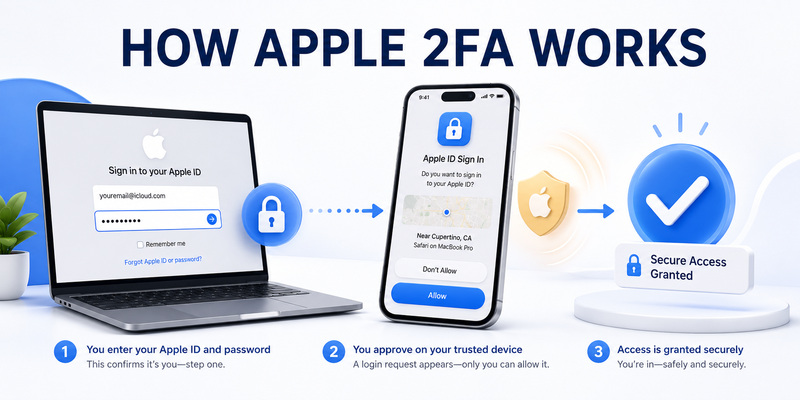
The secondary authentication apple id flow starts when a sign-in occurs on a new Apple device or on the web. After the password is accepted, Apple can notify trusted devices already signed in to the same account. Choosing Allow reveals a six-digit verification code, which is then entered on the new device. If no trusted device is accessible, the sign-in screen can offer delivery to a trusted phone number by text message or automated call.
Once a device is trusted, Apple usually does not request another verification code on every use. A new check can appear after signing out completely, erasing the device, changing the password for security reasons, or performing another sensitive account action. This balance keeps routine use manageable without treating every previously approved device as permanently safe.
The old phrases 2 step verification apple id and apple id two step verification are often used as synonyms, but Apple’s current consumer account system is called two-factor authentication. The exact language matters when following support instructions because legacy two-step verification had different recovery behavior.
Trusted context is not automatic approval
An approval notification may include an approximate sign-in location. That information is a clue, not a precise GPS reading. Mobile carriers, corporate networks, VPNs, and internet routing can make a legitimate request appear in a nearby city or even another region. Evaluate the time, device, service, and whether you personally started the attempt.
Never approve an unexpected secondary authentication apple id request merely to make repeated prompts disappear. An attacker may already know the password and be hoping for an accidental approval. Choose Don’t Allow, change the password from a trusted device, inspect the account’s device list, and remove unfamiliar hardware or phone numbers. Apple support representatives do not need your verification code, device passcode, recovery key, or security-key approval.
The phrase apple id dual authentication also describes this two-part decision, but it should not be confused with unlocking an iPhone by Face ID. Device biometrics protect local access; Apple Account two-factor authentication protects remote account sign-ins.
That distinction helps users interpret a secondary authentication apple id alert without confusing it with a routine device-unlock prompt.
📖 Explore Articles: Apple Authenticator: Complete Guide to 2FA, Verification Codes & Apple Devices
3. Turn On Two-Factor Authentication
Enable it on iPhone, iPad, or Mac
On a current iPhone or iPad, open Settings, tap your name, choose Sign-In & Security, and select Two-Factor Authentication. Follow the prompts to add and verify a trusted phone number. On a Mac, open System Settings, select your name, choose Sign-In & Security, and use the two-factor authentication setup option.
The secondary authentication apple id enrollment may ask for an SMS or automated call. Use a number you control and can keep current. Apple requires at least one trusted phone number, but one number on the only trusted iPhone creates a fragile recovery path. Add another dependable number after setup, such as a separate personal line or a carefully chosen family number.
Some Apple services and features require two-factor authentication. Apple also notes that newly created accounts use it by default. If you recently enabled it on an eligible older account, Apple may provide a limited period through the enrollment confirmation email to return to prior settings. After that period, most users cannot simply switch apple id two factor authentication off in Settings.
Prepare before changing account security
Before enabling or changing secondary authentication apple id settings, update trusted devices, confirm the account password, and record recovery choices in a protected place. Do not perform major changes immediately before wiping a phone, changing carriers, or traveling without access to the trusted number.
Avoid search results that promise a universal method for apple id 2 factor authentication off. Instructions that request your password, code, or recovery key on a non-Apple page are dangerous. If the official settings do not offer a disable option, there is no safe third-party bypass. Instead, reduce inconvenience by maintaining trusted devices and reliable backup numbers.
Secure each trusted device with a unique passcode. Enable biometric unlock for convenience, install system updates, and turn on Find My where appropriate. Two-factor authentication cannot protect an account if an unlocked trusted phone is handed to another person along with access to email and password storage.
Complete secondary authentication apple id enrollment only from a device and network you trust, then test a legitimate new-browser sign-in.
📖 Explore Articles: Apple iPhone Authentication: Face ID, 2FA, Passkeys
4. Get and Approve Verification Codes
Use a trusted device notification
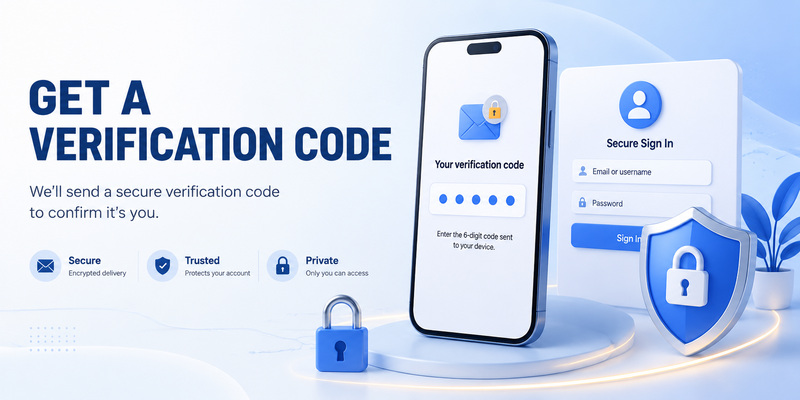
When signing in on a new device or browser, look for an alert on a trusted iPhone, iPad, Mac, or compatible Apple Watch. Confirm that the request is yours, choose Allow, and enter the displayed six-digit code only on the sign-in page you opened. On current watchOS versions, Apple Watch can automatically display an Apple verification code when system requirements are met.
If no alert appears, a trusted iPhone or iPad can generate a code from Settings. Open your name, choose Sign-In & Security, select Two-Factor Authentication, and use Get Verification Code when the option is available. On Mac, the comparable control is under System Settings and the Apple Account security section.
Treat every secondary authentication apple id code as confidential even though it expires quickly. A live phishing site can relay the value before expiration. Check the domain, avoid links from unexpected messages, and never read a code to someone who called you.
Use a trusted phone number carefully
On the verification screen, choose “Didn’t Get a Code?” or the equivalent option to request an SMS or phone call to a trusted number. If Messages filters unknown senders, review the relevant inbox and notification settings. Wait for a fresh code rather than entering several expired values in rapid succession.
The 2 factor apple id flow may sometimes verify a trusted phone number automatically in the background on an iPhone. That convenience does not mean two-factor authentication has been removed. The device and number are still contributing to the account’s verification context.
Do not confuse an Apple Account verification code with a TOTP value generated for another website. A typical apple id 2fa authenticator app does not replace Apple’s trusted-device prompt. Likewise, an apple id 2fa google authenticator setup is not Apple’s documented sign-in method for a normal consumer Apple Account. Google Authenticator may protect other accounts used on an iPhone, but Apple Account verification follows Apple’s own flow.
This separation prevents a common secondary authentication apple id troubleshooting mistake: searching the wrong app for a code Apple actually sent to trusted devices.
📖 Explore Articles: Apple Watch Authenticator: Apps, Codes, and Limits
5. Manage Trusted Devices and Phone Numbers
Review devices with continuing access
Open Settings on iPhone or iPad, tap your name, and scroll through the device list. On Mac, open System Settings and select the account name. You can also review devices through Apple’s account website. Select unfamiliar or retired hardware, inspect the available details, and remove it when you no longer trust it.
A device remains important to secondary authentication apple id security because it may display approval requests, generate codes, access synced data, or help reset the password. Before selling or giving away Apple hardware, sign out properly, erase it, and confirm that it no longer appears as an active trusted device. If hardware is lost, use Find My to mark or erase it when available, then review account security.
Do not share one Apple Account among several people simply to share purchases or storage. Family Sharing is designed to give individuals separate accounts while sharing eligible services. Separate identities make sign-in alerts, device ownership, recovery, and apple id authentication activity much easier to audit.
Maintain more than one reachable number
In Sign-In & Security, open Two-Factor Authentication and add or update trusted phone numbers. Apple recommends considering another number that is not tied to the only trusted iPhone. Verify the new number before removing an old one, particularly during a carrier transfer.
For a resilient secondary authentication apple id setup, ask three practical questions: Can I receive a code if this phone is broken? Can I recognize and contact the owner of the alternate number? Will that number remain controlled and protected? A public office line, temporary travel SIM, or number that will soon be canceled is a poor fallback.
Trusted numbers do not automatically receive every verification code. They are available as delivery routes when selected. Protect the carrier account with a PIN and strong support authentication because phone-number takeover can weaken SMS-based recovery.
Reviewing those numbers twice a year keeps secondary authentication apple id recovery aligned with the phones and people you still trust.
6. Recover Access Without Your Usual Device
Start with the least disruptive fallback
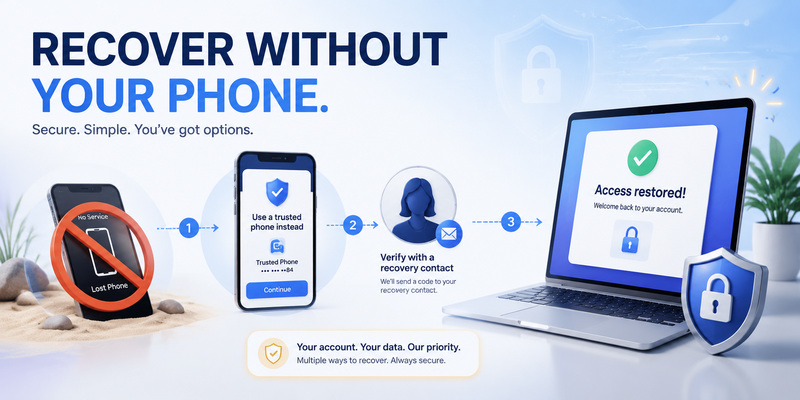
If the usual iPhone is temporarily unavailable, use another trusted Apple device or request a code at a trusted phone number. If the device is nearby but offline, it may still be able to generate a verification code through its account settings. Avoid immediately erasing a device that could provide the fastest legitimate path back in.
If no trusted device or number is permanently accessible, begin account recovery from the official Apple sign-in flow. Apple states that recovery may take several days or longer and that support cannot accelerate the waiting period. The delay is a security control, not a fee-based service that an outside technician can bypass.
This is the point where weak secondary authentication apple id planning becomes visible. A single phone, a single phone number, and no verified recovery option can turn ordinary hardware loss into a long interruption. Configure redundancy before the emergency.
Recovery contacts and recovery keys
An account recovery contact is a trusted person who can provide a recovery code from their Apple device. They do not gain access to your account or data. Choose someone you know well, explain the responsibility, and periodically confirm that their contact information and device eligibility remain current.
A recovery key is different. It is a randomly generated 28-character code that can replace Apple’s standard recovery process. When enabled, responsibility shifts toward the account owner. Losing the recovery key and all trusted access may create permanent lockout. Store the key in more than one secure place, never in an ordinary screenshot on the same phone.
For secondary authentication apple id resilience, choose recovery controls you can actually maintain. A recovery contact is often more forgiving for typical households; a recovery key can suit people with disciplined offline storage. Neither choice excuses sharing verification codes or passwords with anyone who contacts you unexpectedly.
Write down which secondary authentication apple id fallback you selected so family or business continuity plans do not rely on guesswork.
📖 Explore Articles: Google Authenticator for Apple: iPhone Setup Guide
7. Security Keys, Passkeys, and Authenticator Apps
Physical security keys for higher-risk accounts
Apple supports FIDO-certified physical security keys as an optional advanced feature for users concerned about targeted phishing or social engineering. Apple currently requires at least two compatible keys and allows several to be registered. Compatible software is required on every signed-in device, and older devices that cannot be updated may need to be signed out.
With security keys enabled, a registered key or a nearby trusted Apple device is used for covered sign-ins instead of the ordinary six-digit verification code. This makes remote interception harder. However, the owner must preserve access to the keys. Keep backups in separate secure locations and test connectors—NFC, USB-C, Lightning, or adapters—against the devices you actually use.
People searching apple id fido2 should follow Apple’s Security Keys for Apple Account documentation, not a generic website-enrollment tutorial. FIDO security keys for Apple Account are distinct from adding a TOTP secret to an app.
Apple Passwords codes protect other sites
The Passwords app and earlier iCloud Keychain interfaces can generate verification codes for websites that support TOTP. This feature is sometimes called apple id authentication keychain, but the stored code belongs to the third-party website, not to the Apple Account itself. You add it by scanning that website’s QR code or entering its setup key.
Similarly, passkeys can replace passwords on participating sites and apps. A passkey synced through Apple’s password system is not the same as the secondary authentication apple id verification code shown during a new Apple Account sign-in. Identify which account is asking before troubleshooting the factor.
Using one Apple device for a password and a third-party verification code is convenient, though it reduces physical separation. High-risk users may prefer a dedicated authenticator or hardware security key. Ordinary users should prioritize protected devices, safe recovery, verified domains, and avoiding unsolicited approval requests.
Choose an advanced secondary authentication apple id option only after confirming every daily device supports it and every backup key is accessible.
📖 Explore Articles: Microsoft Authenticator Apple Guide for iPhone
8. Fix Verification and Sign-In Problems
No prompt or no code
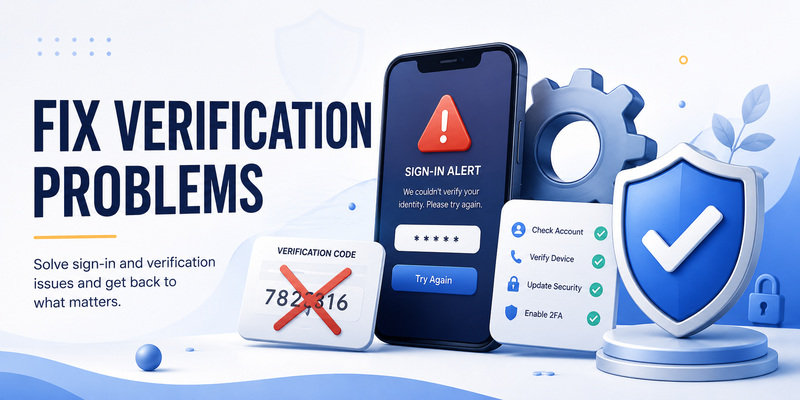
First verify that the sign-in page is genuine and that you used the correct Apple Account. Check network access and notification settings on the trusted device. If the automatic alert does not arrive, generate a code from the trusted device’s Sign-In & Security settings or request delivery to a trusted phone number.
On Apple Watch, confirm compatible watchOS and the correct paired account. On SMS, check Unknown Senders filters and time-sensitive notification settings. Request one fresh code, enter it promptly, and avoid repeated guessing. Restart the sign-in from the official page if several browser tabs created competing sessions.
If secondary authentication apple id keeps failing after the correct password and fresh code, review whether the account is locked, the device software is outdated, or a security-key requirement applies. Use official Apple recovery channels rather than installing a remote-access tool suggested by an inbound caller.
Unexpected prompts, lost hardware, or changed numbers
Choose Don’t Allow on a request you did not start. Change the account password from a trusted device, inspect the device and trusted-number lists, remove unknown items, and review email or purchase alerts. If a phone was stolen, mark it lost through Find My and contact the carrier to protect the number.
When changing numbers, add and verify the new trusted number before deleting the old one. When replacing a device, complete successful sign-ins on the replacement before erasing the original. This order preserves secondary authentication apple id continuity and gives you a working fallback if migration fails.
Do not pay anyone who promises to turn off two-factor authentication, shorten account recovery, or “unlock” an account with a verification code. Apple’s security waiting periods and proof requirements cannot be legitimately bypassed by a third party.
Official settings and recovery pages are the only appropriate place to resolve a secondary authentication apple id block.
9. Frequently Asked Questions
Is secondary authentication Apple ID the same as two-factor authentication?
Yes, the search phrase normally refers to Apple Account two-factor authentication. Apple requires a password plus verification through a trusted device, trusted phone number, or configured security key. Older pages may still use Apple ID terminology.
Can I turn off two-factor authentication for my Apple Account?
Usually no after the limited enrollment reversal period has passed. If the official account settings do not offer the option, third-party instructions cannot safely disable it. Maintain trusted devices and alternate phone numbers instead.
Is an authenticator app better than Apple verification codes?
Not as a direct replacement for Apple Account sign-in. Apple uses its own trusted-device, phone-number, and security-key system. Authenticator apps and Apple Passwords codes are useful for other sites that support TOTP.
Is secondary authentication Apple ID safe from phishing?
It improves safety, but six-digit codes and approval prompts can still be phished through real-time deception. Verify the domain and sign-in context, reject unexpected prompts, and consider physical security keys for targeted-risk accounts.
What happens if my trusted iPhone is lost?
Use another trusted device or trusted phone number first. Mark the iPhone lost through Find My, protect the carrier account, and remove untrusted access. If every trusted route is gone, begin official account recovery.
Can Google Authenticator generate my Apple Account code?
No, not for the normal consumer Apple Account sign-in flow. Google Authenticator can generate TOTP values for participating third-party services, while Apple Account verification uses Apple’s trusted-device and recovery system.
Are physical security keys worth using?
They can be worthwhile for journalists, executives, public figures, administrators, or anyone facing targeted phishing. They demand careful backup discipline because Apple requires multiple registered keys and loss of every trusted route can cause lockout.
Should I add a second trusted phone number?
Yes, if it is a secure number you can reliably access. A second number reduces dependence on one missing or damaged iPhone. Verify it before removing an existing number and review it whenever your carrier service changes.
The practical answer to secondary authentication apple id questions is to keep the second factor strong without making recovery depend on only one object or number.
10. Final Apple Account Security Checklist
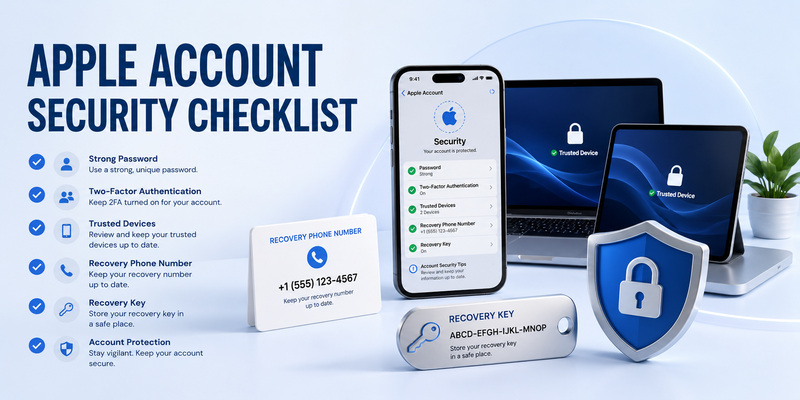
Configure the account for ordinary use
A sound secondary authentication apple id setup begins with a unique password, two-factor authentication, current trusted devices, and at least one dependable backup phone number. Protect iPhone, iPad, and Mac access with passcodes or login passwords, use biometrics where appropriate, and install security updates.
Review sign-in prompts rather than approving by reflex. Approximate location can be misleading, so confirm the time and action. Never share a six-digit code, device passcode, recovery key, or security-key approval with a caller, text sender, or supposed technician. Apple will not need those secrets to diagnose a normal support case.
Use this final checklist:
- Confirm two-factor authentication under Sign-In & Security.
- Add and verify a second trusted phone number where practical.
- Remove devices you sold, lost, or no longer control.
- Enable Find My and strong local device locks.
- Select a recovery contact or protect the recovery key carefully.
- Keep at least two physical keys if you enable Security Keys.
- Reject and investigate every unexpected approval request.
- Test recovery routes before erasing or replacing a device.
Keep account verification and website codes distinct
Remember that Apple Account verification, Apple Passwords verification codes, passkeys, and third-party authenticator apps solve related but different problems. Match the recovery steps to the account that issued the prompt. Do not scan an enrollment QR code unless you opened the genuine security settings for that service.
For broader help organizing website-based TOTP accounts, backups, and safer migrations, visit Authenticator App. It complements this secondary authentication apple id guide by explaining authenticator workflows outside Apple’s proprietary account verification system.
Recheck account security after a new phone, carrier change, international move, relationship change, or suspected phishing attempt. Reliable second-factor security is not just an enabled switch; it is a maintained set of devices, numbers, and recovery options that remain under your control.
Download Authenticator App
Secure your accounts with fast, reliable two-factor authentication. Download now and protect your login in seconds.
