
Google Authenticator for Apple: iPhone Setup Guide
Google authenticator for apple devices is the official Google Authenticator app distributed for iPhone and iPad through Apple’s App Store. It generates one-time verification codes for Google Accounts and many third-party services that support authenticator-app two-step verification. Codes can be created without cellular service or an internet connection because the calculation happens on the device.
Current versions can save codes to a Google Account and synchronize them across devices, or operate without an account so secrets remain only on the device. Users can also transfer entries manually by showing export QR codes on the old phone and scanning them with the new device. Those choices have different privacy and recovery tradeoffs.
This google authenticator for apple guide explains official installation, safe QR enrollment, code use, cloud synchronization, device-only storage, manual migration, Privacy Screen, recovery, and troubleshooting. It also addresses Apple Watch clearly: the App Store listing supports iPhone and iPad, not a watchOS companion app, so do not plan account access around generating codes on the watch.
1. Quick Answer
What the app does
Google authenticator for apple stores an enrollment secret for each protected account and calculates short one-time codes from that secret. Most services use time-based one-time passwords, commonly called TOTP, which refresh at regular intervals. Google’s app also supports counter-based generation where a service uses that model. The website decides which method it accepts.
The app works with more than Google. A social network, cloud console, developer platform, financial service, or other site can provide a compatible QR code. You scan it with Authenticator, submit a fresh value to the service, and preserve the service’s recovery codes. The app never knows the password for that third-party account; it holds the second-factor secret.
The apple store google authenticator listing identifies Google LLC as the developer and currently lists compatibility for iPhone and iPad. Check the publisher and use Google’s official support link to reach the store listing. Avoid paid look-alikes whose names, icons, or advertisements imply they are Google’s app.
Choose a storage model before adding accounts
Google authenticator for apple supports two broad modes. Signing in to a Google Account can synchronize codes across devices, helping with phone loss and replacement. Using Authenticator without an account stores codes locally, reducing cloud dependence but making manual transfer and independent recovery essential.
| Storage choice | Main advantage | Main risk | Best preparation |
|---|---|---|---|
| Synced to Google Account | Codes appear after sign-in on supported devices | Google Account compromise affects the code inventory | Strong account security, passkey or key, recovery methods |
| Used without an account | Secrets remain only on the local device | Loss, damage, or deletion can remove the only copy | Manual transfer plus service recovery codes |
| Manual export to new device | Direct migration without cloud restoration | Export QR codes reveal multiple enrollment secrets | Perform privately and erase temporary exposure |
| Re-enroll each service | Produces clean new secrets and recovery sets | Slow and may require existing access | Migrate before wiping the old phone |
Neither approach replaces provider-issued backup codes. A resilient google authenticator for apple setup always preserves at least one recovery path outside the everyday iPhone.
That early decision keeps google authenticator for apple behavior predictable when you later add a second device.
Download Authenticator App
Secure your accounts with fast, reliable two-factor authentication. Download now and protect your login in seconds.
2. Download the Official iPhone or iPad App
Verify the App Store listing
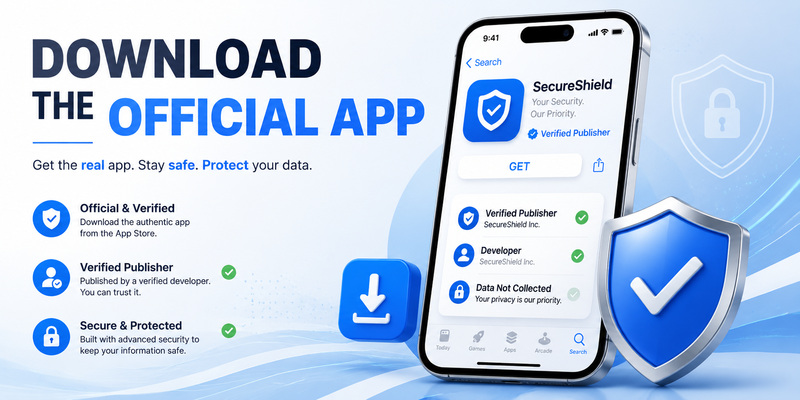
Open the App Store, search for Google Authenticator, and confirm that the developer is Google LLC. Google’s support documentation links directly to the official listing. Check current operating-system requirements on the store page before assuming an older iPhone can install or update the app. At the time of this guide, the US listing requires iOS or iPadOS 16 or later, but store requirements can change.
The official google authenticator for apple listing describes offline code generation, account synchronization, QR setup, multiple-account support, time- and counter-based codes, and QR transfer between devices. Those capabilities are strong identification signals. A look-alike may charge a recurring subscription, advertise unrelated scanning tools, or use a different publisher.
Install the app, then open it directly from the App Store page or Home Screen. Do not enroll important accounts from an installation link sent by an unknown person. A malicious app that receives a TOTP QR secret can calculate the same future codes.
Prepare the Apple device
Update iOS or iPadOS, enable a strong passcode, configure Face ID or Touch ID, and turn on automatic date and time. Google’s current help states that newer Authenticator versions use the operating system’s time rather than a separate time-correction setting. Incorrect device time can therefore make valid-looking codes fail.
For google authenticator for apple, enable Privacy Screen from the app’s settings. Google documents that this requires Face ID or Touch ID before the app can be used. It does not replace the device passcode or protect a code already copied into another app, but it reduces casual exposure when the unlocked phone changes hands.
Review camera permission after enrollment. Authenticator needs it to scan QR codes, but you can limit or revoke access later through iOS Settings if desired. Keep notification previews and screenshots away from enrollment material and recovery codes.
📘 Find the Right Guide: Secondary Authentication Apple ID: Codes, Devices, and Recovery
3. Set Up Your First Account
Begin at the protected service
Sign in to the genuine website or app, open its Security settings, and choose two-step verification, two-factor authentication, or authenticator app. Verify the domain and avoid starting from an unsolicited email link. The service should display a QR code and may also provide a manual setup key.
Open google authenticator for apple, tap the option to add a code, and scan the QR image. If scanning is unavailable, enter the setup key exactly and choose the generation type specified by the provider. Clear labels matter: confirm the issuer and username so you do not later select a code for a different account with the same service.
Return to the setup page and submit the current code before closing it. This test proves that the service and app share the same secret. If verification fails, wait for a fresh cycle, confirm automatic time, and make sure you scanned the latest QR code rather than an earlier enrollment attempt.
Save recovery material separately
Most services display backup codes after two-factor enrollment. Download or print them and store them in an encrypted vault or protected offline location. Do not keep the only copy as an ordinary screenshot on the iPhone running google authenticator for apple. Losing that phone should not also remove every recovery route.
Treat the QR code and manual setup key as durable secrets. Unlike the visible six-digit value, they can create future codes indefinitely until the factor is reset. Never send them to a coworker, support agent, marketplace seller, or person offering to “verify” the setup.
Complete a controlled sign-out and sign-in. Check that the password, correct code, and recovery options behave as expected. For business accounts, document the organization’s help-desk or administrator reset procedure before the phone is lost.
Labeling and testing at enrollment make google authenticator for apple much easier to operate during a real security incident.
📖 Explore Articles: Apple Authenticator: Complete Guide to 2FA, Verification Codes & Apple Devices
4. Use Codes Safely on Apple Devices
Enter a fresh value in the right context
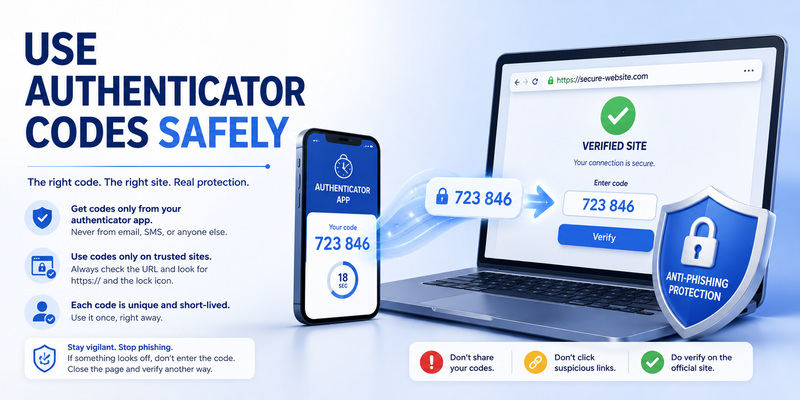
Open google authenticator for apple, find the correct issuer and username, and use the current value on the genuine sign-in page. If only a few seconds remain, wait for the next code rather than racing expiration. The code can work offline, but the website or app you are signing into usually needs connectivity.
A TOTP value is stronger than password-only access but is not phishing-proof. A fake site can ask for the password and code, then relay both to the real service in real time. Check the domain, use a password manager’s domain matching as an additional signal, and prefer passkeys or physical security keys for high-value accounts when available.
Never read an Authenticator code to someone who contacted you. Legitimate support staff do not need a live second-factor value. If an unexpected request arrives after you entered credentials on a suspicious page, change the password, review sessions, and reset the authenticator factor from a trusted device.
Organize and protect the code list
Google’s iPhone and iPad help explains that entries can be searched, reordered, edited, and moved between associated Google Accounts. Use precise labels such as service, environment, and username without inserting passwords or recovery codes. Duplicate names are a frequent source of rejected values.
In google authenticator for apple, deletion behavior depends on synchronization. Google warns that removing a synced code also deletes it from other devices where those codes are synchronized. Disable or replace the factor at the service before deleting the app entry. Otherwise, 2FA remains enabled while the generator disappears.
Privacy Screen adds biometric confirmation before the app opens. Also use a short auto-lock interval, current software, and Find My. Avoid screen recordings and remote-support sessions that expose the code list, usernames, or export QR codes.
📘 Find the Right Guide: Microsoft Authenticator Apple Guide for iPhone
5. Sync Codes or Keep Them On-Device
Google Account synchronization
When you sign in inside google authenticator for apple, Google can synchronize the verification-code inventory across supported devices. Google says codes are encrypted in transit and at rest across its products. On a new phone, signing into the same selected Google Account can restore synchronized entries without scanning each provider’s original QR code.
Synchronization improves recovery and reduces dependence on the old device, but the Google Account becomes part of the security boundary. Protect it with a unique password, passkey or physical security key, updated recovery details, and review of active devices. Do not let the only route into the Google Account depend on a code stored solely inside that same unavailable account context.
Authenticator can work with multiple Google Accounts. Check the profile icon to see which account holds a specific code. A missing inventory may simply be associated with another account or with local device-only mode.
Use without a Google Account
Google allows google authenticator for apple to operate without an account. On first launch, choose Use without an account; from an existing synced configuration, use the profile menu and select the comparable option. Google notes that moving to this mode removes codes from Google Accounts and stores them on the device, so they will not be available on other devices.
Local-only mode can suit users who prefer manual custody, but it raises the consequences of phone loss, app deletion, or hardware failure. Preserve provider recovery codes and perform a manual transfer before wiping or trading in the old phone. iPhone backup assumptions should never substitute for a verified Authenticator migration.
Record the chosen mode in a private recovery plan. People often remember that they “used Google Authenticator” but forget which Google Account held the codes or whether synchronization was disabled.
Review that note whenever google authenticator for apple is added to another iPhone, iPad, or Google Account.
💡 Discover Helpful Guides
Apple Authenticator: Complete Guide to 2FA, Verification Codes & Apple Devices
6. Move Codes to a New Phone
Restore synchronized codes
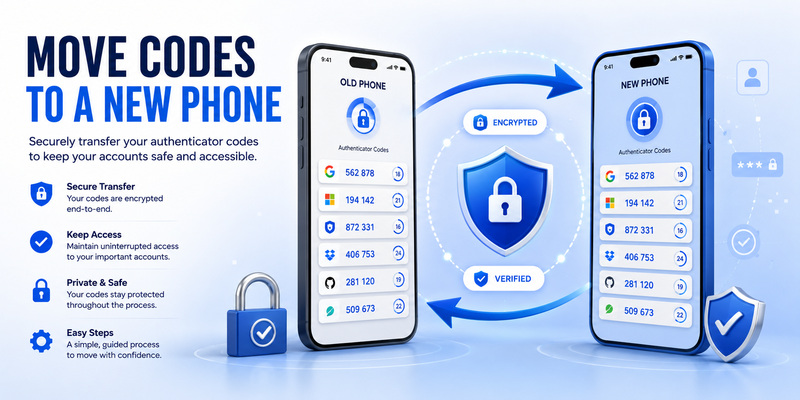
Install the latest google authenticator for apple on the new iPhone or iPad, open it, and sign in to the Google Account used for synchronization. Google says synced codes are automatically made available on the new device. Confirm the inventory and perform real sign-ins before erasing the old phone.
If entries are missing, check the profile menu for another Google Account. Some codes may have been created in local-only mode or assigned to a different account. Do not delete anything from the old device while investigating because synchronized deletion can propagate.
Even when codes appear, verify critical accounts individually. A service may have disabled or replaced an old factor, leaving an obsolete generator entry. A successful login is stronger evidence than a familiar label.
Transfer local codes by QR
For device-only storage, install Authenticator on the new device. On the old device, open Menu > Transfer accounts > Export accounts, unlock the phone, select entries, and continue. The old device may display more than one QR code for a large selection. On the new device, choose Transfer accounts > Import accounts and scan every displayed code.
Each export image from google authenticator for apple contains sensitive enrollment material for multiple accounts. Perform the process privately, never photograph the QR codes, and keep them out of screen sharing. After import, test sign-ins and retain the old phone securely until recovery is proven.
If the old phone is already lost and codes were not synchronized, the app cannot reconstruct provider secrets. Use each service’s backup codes, alternate factors, or account recovery, then re-enroll the replacement device and generate a new recovery set.
📖 Explore Articles: Apple iPhone Authentication: Face ID, 2FA, Passkeys
7. Apple Watch and Platform Limitations
No supported watchOS companion listing
The current App Store compatibility listing names iPhone and iPad; it does not list Apple Watch. Searches for google authenticator apple watch or google authenticator on apple watch often surface unofficial utilities, old workarounds, or general notification mirroring rather than a current Google watchOS app.
Plan to open google authenticator for apple on the iPhone or iPad. Do not rely on the watch as the only place to generate or recover TOTP codes. A third-party watch app has its own publisher, privacy policy, backup method, subscription model, and handling of enrollment secrets. Evaluate it independently rather than assuming Google support.
Apple Watch can still participate in other authentication systems. It may display certain Apple Account trusted-device verification alerts, and apps can send ordinary notifications to the watch. Those behaviors do not turn it into Google Authenticator or expose the TOTP inventory by default.
iPad, Mac, and cross-platform use
Google’s App Store listing supports iPad, including an interface designed for iPadOS. This can provide another synchronized device when signed into the same Google Account, but every device with the code inventory should have a strong passcode, current software, and controlled physical access.
There is no official native Google Authenticator Mac app in the iOS listing. Users signing in on a Mac can read a code from the iPhone or iPad. Some Apple Silicon Macs may display mobile-app availability differently, but the official supported workflow remains centered on the listed mobile platforms.
Google synchronization and QR transfer can also help when moving between iPhone and Android, provided current app versions are used. Verify every critical login before retiring the source device and preserve provider recovery codes throughout the move.
Cross-platform testing should happen while the original google authenticator for apple installation is still available and locked securely.
8. Fix Missing or Rejected Codes
Correct codes that fail
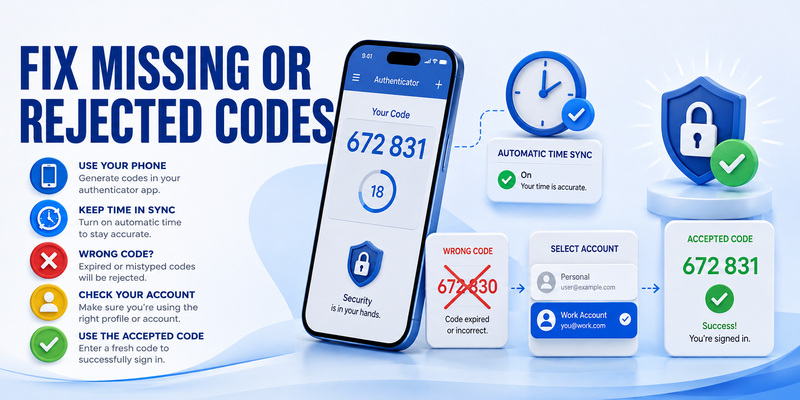
If a google authenticator for apple value is rejected, confirm that it has not expired, that you selected the correct service and username, and that iOS automatic date, time, and time zone are enabled. Google notes that newer app versions use operating-system time and no longer provide the earlier separate time-correction setting.
Wait for a new cycle and type carefully. If failure persists, the provider may now expect a different seed because 2FA was reset or enrolled again. Use a backup method to inspect the account’s active factors, remove obsolete enrollment, and add the phone cleanly. Save the new recovery codes because the previous set may be invalidated.
Avoid repeatedly scanning new QR codes without completing verification. This can create several similar local entries while the service accepts only the last confirmed one.
Recover missing entries and protect a lost phone
Open the profile menu and confirm the expected Google Account is selected. Try other accounts you intentionally use. Google’s help also notes that a user may have been signed out or may have codes stored in device-only mode. A synchronization indicator and an accurate inventory should be checked before making changes.
For a lost iPhone, use Apple’s remote erase feature when available and secure the Google Account. Google advises that synchronized codes can be protected by removing the lost device from the Google Account. For unsynchronized codes, visit each service, remove the old factor through recovery, and link the new device.
Never ask a stranger to recover google authenticator for apple by sending a backup code, export QR image, or live TOTP value. Legitimate recovery occurs at each account provider or through the secured synchronized Google Account.
📖 Explore Articles: Apple Watch Authenticator: Apps, Codes, and Limits
9. Frequently Asked Questions
Is Google Authenticator for Apple free?
Yes. Google’s official App Store listing is free and identifies Google LLC as the developer. Be careful with similarly named apps that charge subscriptions or use a different publisher.
Does it work without internet?
Yes. The app can calculate codes without network or cellular service. Enrollment, Google Account synchronization, application updates, and the website sign-in itself may still require connectivity.
Is Google Authenticator available on Apple Watch?
No current official watchOS companion is listed. Google’s App Store compatibility identifies iPhone and iPad. Use the phone or tablet, and treat third-party watch authenticators as separate products.
Is cloud sync safer than local-only storage?
It is safer against device loss but adds the Google Account to the trust boundary. Local-only storage reduces cloud exposure but requires manual transfer and independent provider recovery codes. The best option depends on your threat model and discipline.
Can Google Authenticator be hacked?
Codes can be exposed through phishing, an unlocked device, malicious enrollment, leaked export QR codes, or Google Account compromise when synchronized. Privacy Screen, strong device locks, verified domains, and phishing-resistant keys reduce risk.
What happens if I change or lose my iPhone?
Synced codes can appear after signing in on the replacement device. Local-only codes require manual transfer from the old phone. If neither is possible, recover each provider account and re-enroll 2FA.
Can I use it for non-Google accounts?
Yes. Any service that supports compatible authenticator-app TOTP or counter-based codes may work. Follow that provider’s setup page and save its recovery codes.
Is Apple Passwords better than Google Authenticator?
Neither is universally better. Apple Passwords offers deep AutoFill and iCloud Keychain integration; Google Authenticator offers Google Account synchronization, device-only mode, and cross-platform familiarity. Choose based on devices, isolation, migration, and recovery.
The FAQ summary for google authenticator for apple is simple: the app is capable and free, but storage mode and recovery planning determine how well it survives a lost phone.
📖 Explore Articles: Google Authenticator for Apple: iPhone Setup Guide
10. Final Setup and Recovery Checklist
Secure the app and every enrollment
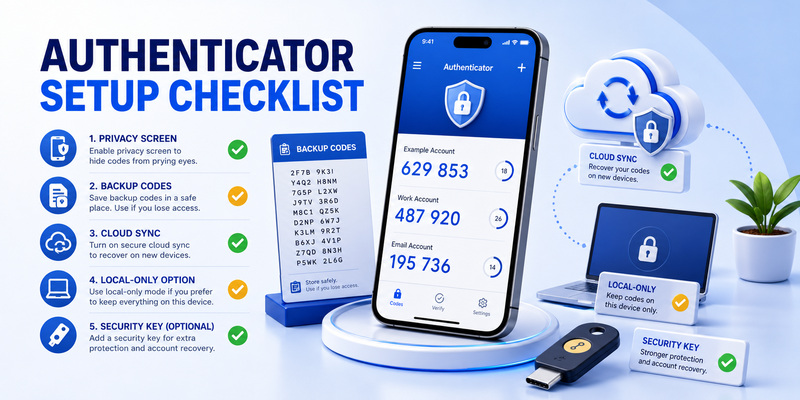
A dependable google authenticator for apple setup starts with the official Google LLC App Store listing, current iOS or iPadOS, automatic time, a strong device passcode, Face ID or Touch ID, and Privacy Screen. Add codes only from genuine provider security pages and verify each enrollment before closing the setup screen.
Choose synchronization or local-only storage deliberately. If synchronized, harden the Google Account with a passkey or security key and updated recovery information. If local-only, schedule manual transfer before replacing hardware. In both cases, retain provider backup codes away from the everyday device.
Use this checklist:
- Confirm Google LLC as publisher before installation.
- Enable automatic date, time, and time zone.
- Turn on Privacy Screen and a strong iPhone passcode.
- Decide which Google Account, if any, will sync each code.
- Test every enrollment with a real sign-in.
- Store provider recovery codes outside Authenticator.
- Transfer or restore codes before wiping the old phone.
- Do not treat Apple Watch as a supported code generator.
Maintain recovery over time
Review google authenticator for apple after a device replacement, Google Account change, suspected phishing attempt, or provider reset. Remove an entry only after disabling or replacing the factor at the service. Search and rename entries so the correct account remains obvious under pressure.
For vendor-neutral guidance on TOTP, migration, and recovery design, visit Authenticator App. Whatever application you choose, keep enrollment secrets private, preserve independent recovery, and prefer passkeys or physical security keys for accounts that support stronger phishing resistance.
The secure outcome is not merely that codes appear. It is that google authenticator for apple can generate the right code, on an authorized device, while you still have a tested way back in when that device is unavailable.
Download Authenticator App
Secure your accounts with fast, reliable two-factor authentication. Download now and protect your login in seconds.
