Begamob Authenticator vs Google Authenticator: Which 2FA App Is Better for You?
Published September 18, 2026
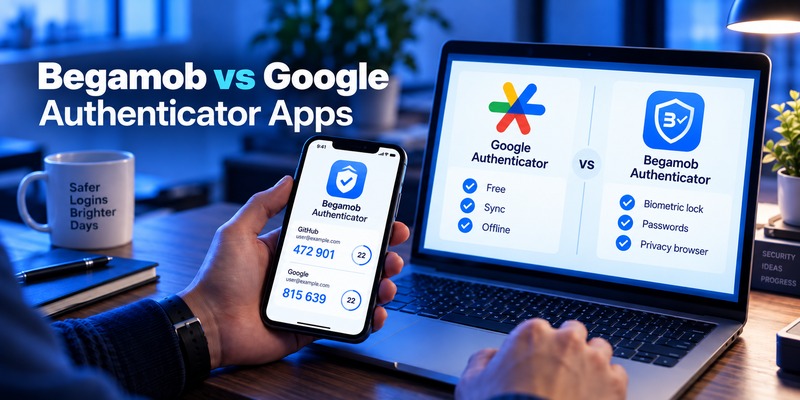
If you are comparing begamob authenticator vs google authenticator, the short answer is: Google Authenticator is a strong choice for users who want a simple, free TOTP authenticator with Google Account synchronization and easy device transfer. Begamob Authenticator is more suitable for users who want additional tools around their authentication codes, including biometric/PIN app protection, password storage, account management, and a privacy-focused in-app browser.
Both applications can generate time-based one-time passwords, or TOTP codes, for compatible services. Both can also generate authentication codes when the phone does not have an internet connection. Google documents offline code generation officially, while Begamob’s current App Store description says its TOTP codes are generated directly on the device and remain available offline.
The difference is therefore less about the six-digit code itself and more about how much functionality you want around 2FA.
Google Authenticator focuses heavily on authentication. Begamob combines authentication with several additional account-management and privacy features.
That distinction should be the starting point for any begamob authenticator vs google authenticator comparison.
Begamob Authenticator vs Google Authenticator: Quick Answer
For users who want the answer before reading the complete comparison:
Choose Begamob Authenticator if you want:
- TOTP verification codes
- QR-code setup
- Offline authentication
- Face ID, Touch ID, or PIN protection
- Management of multiple 2FA entries
- Built-in password storage
- A privacy-focused in-app browser
- One application that combines authentication with additional account-management tools
The product information provided for Begamob lists TOTP generation, offline access, QR scanning, Face ID/Touch ID/PIN protection, account management, password storage, and an in-app browser among its main features.
Choose Google Authenticator if you want:
- A straightforward TOTP application
- Free access
- Google Account synchronization
- Automatic code synchronization between supported devices
- Manual QR-based account transfer
- Android and iOS support
- A widely used authentication application with relatively few additional features
Google says Authenticator can synchronize codes across devices when you sign in to a Google Account. Users who do not want synchronization can use the application without an account and manually transfer codes instead.
In practice, begamob authenticator vs google authenticator is mainly a choice between a feature-rich security utility and a more focused authenticator.
💡 Discover Helpful Guides:
Google Authenticator vs Microsoft Authenticator: Which Is Better
Begamob Authenticator vs Google Authenticator: Quick Comparison
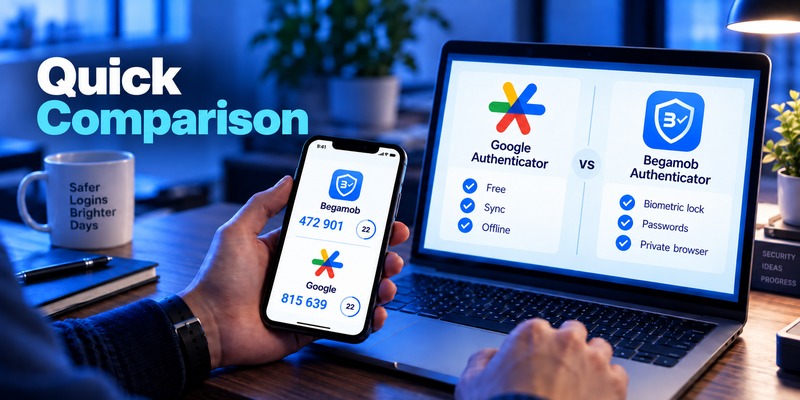
Here is the most important comparison at a glance:
| Feature | Begamob Authenticator | Google Authenticator |
| TOTP codes | Yes | Yes |
| Offline authentication | Yes | Yes |
| QR-code setup | Yes | Yes |
| Multiple accounts | Yes | Yes |
| Face ID / Touch ID / PIN app protection | Yes | Privacy Screen using device authentication |
| Cloud code synchronization | Not specified in supplied Begamob information | Yes, via Google Account |
| Manual account transfer | Not specified in supplied product brief | Yes |
| Password storage | Yes | No |
| Private in-app browser | Yes | No |
| Android support | Not established by the supplied iOS source | Yes |
| iPhone/iPad support | Yes | Yes |
| Apple Watch support | Yes, current App Store listing | Not listed as a core supported platform in the cited iOS listing |
| Price | Free download with in-app purchases; supplied brief lists premium at about $8 | Free |
| Best suited to | Users wanting broader account-security tools | Users wanting a focused authenticator and synchronization |
Begamob’s current U.S. App Store listing identifies the developer as BEGAMOB GLOBAL LIMITED, shows a 4.3/5 rating from approximately 4.4K ratings, and lists iPhone, iPad, and Apple Watch support.
Google Authenticator’s Google Play listing reports 100M+ downloads and roughly 679K reviews, demonstrating its very large installed user base on Android.
This makes the core difference in begamob authenticator vs google authenticator fairly clear: Google has scale and synchronization, while Begamob offers more built-in utility features.
📘 Find the Right Guide: Google Authenticator vs Authy: Which 2FA App Is Better in 2026?
Which Authenticator Should You Choose?
There is no single option that is ideal for every user.
Best for a simple authenticator: Google Authenticator
If all you need is an application that generates authentication codes reliably, Google Authenticator is difficult to overlook.
It does not try to become a password manager or browser. You add an account, receive a rotating code, and use that code during login.
Google has also improved one of the application’s historical weaknesses: moving authentication codes between devices.
Codes can now be synchronized through a Google Account or transferred manually by QR code.
Best for additional security utilities: Begamob Authenticator
- Begamob is designed for users who want more than TOTP generation.
Its feature set includes:
- Biometric or PIN app protection. Users can protect access to authentication codes using Face ID, Touch ID, or a PIN.
- Password storage. Login credentials can be managed in a dedicated password section.
- Private browsing. The application includes a privacy-focused browser designed not to retain browsing history, logs, or cookies according to its App Store description.
- These differences give the begamob authenticator vs google authenticator decision a fairly straightforward split.
- Want authentication to stay minimal? Google Authenticator makes sense.
- Want authentication plus extra account-security tools? Begamob provides a broader feature set.
📖 Read More Guides: Google Authenticator vs Duo Mobile: Features, Pricing, Pros, Cons
Begamob Authenticator: Detailed Review
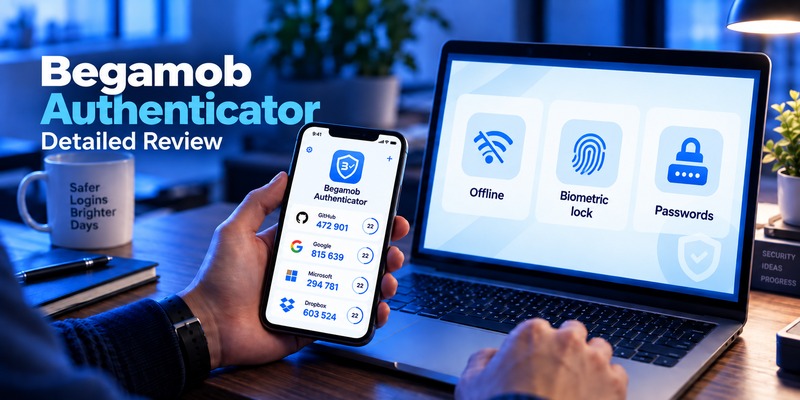
What Is Begamob Authenticator?
Begamob Authenticator is a two-factor authentication application developed by BEGAMOB GLOBAL LIMITED.
Its primary job is to generate time-based one-time passwords for online accounts that support standard authenticator-based 2FA.
The Begamob material supplied for this article describes the product as an application designed to bring core 2FA tools together while supporting both everyday users and people managing multiple personal or work accounts.
That makes TOTP the foundation of Begamob rather than an optional extra.
TOTP code generation
Begamob generates time-based one-time passwords directly on the device.
TOTP is an open standard described in RFC 6238. Under the standard, codes are derived from a secret key and a time value. RFC 6238 recommends a 30-second default time step, although individual services ultimately determine their configuration.
This is important when evaluating begamob authenticator vs google authenticator because both applications ultimately perform the same fundamental TOTP function.
Offline authentication
Begamob’s App Store description states that users can access their authentication codes without an internet connection because the codes are generated locally on the device.
This is useful when:
- Mobile data is unavailable
- Wi-Fi is unstable
- You are traveling internationally
- SMS messages are delayed
- You simply do not want authentication to depend on cellular service
QR scanning and manual setup
Begamob supports QR-code scanning for quick configuration.
Its current App Store description also says accounts can be added by entering a secret key manually.
That gives users two common ways to set up TOTP.
Face ID, Touch ID, and PIN protection
One of Begamob’s more notable features is the ability to protect the application itself.
According to its product information, users can lock access using:
Face ID
Touch ID
PIN
The App Store description also mentions an auto-lock option.
This matters because possession of an unlocked phone should not automatically mean unrestricted access to every authentication code.
Built-in password storage
This is one of the clearest differences in begamob authenticator vs google authenticator.
Begamob includes password storage.
According to the App Store listing, users can create, edit, copy, and delete credentials from a dedicated password section.
Google Authenticator does not attempt to provide this functionality.
Users who prefer fewer applications may therefore find the Begamob approach convenient.
Privacy-focused browser
Begamob also includes an in-app browser.
The product’s App Store description says the browser is designed not to retain browsing history, logs, or cookies.
Again, this is not a traditional authenticator feature.
That illustrates the overall positioning of Begamob: the product aims to provide broader account-management functionality around 2FA.
Rating
The U.S. App Store currently displays Begamob’s Authenticator app at 4.3 stars from approximately 4.4K ratings. Ratings can change over time and differ across regions, so these figures should be treated as a current snapshot rather than a permanent score.
💡 Discover Helpful Guides: Proton Authenticator vs Google Authenticator: Which Is Better in 2026?
Google Authenticator: Detailed Review
Google Authenticator is one of the most established products in the authentication category.
Google describes it as an application for generating one-time verification codes for websites and applications that support authenticator-based two-step verification.
Simple TOTP authentication
Google Authenticator’s strength is simplicity.
You normally:
- Scan a QR code.
- Add the account.
- Open Google Authenticator when logging in.
- Enter the temporary verification code.
That is essentially the entire workflow.
For users evaluating begamob authenticator vs google authenticator, this simplicity can either be an advantage or a limitation depending on what they expect from the application.
Works offline
Google officially confirms that Authenticator codes can be generated without an internet connection or mobile service.
That makes Google and Begamob similar in one important area.
Both can continue producing TOTP codes offline after the account has been configured.
Google Account synchronization
Google Authenticator’s biggest modern advantage is code synchronization.
Users can sign in with a Google Account and synchronize verification codes across their devices.
Google says the feature requires:
- Google Authenticator 6.0 or above on Android
- Google Authenticator 4.0 or above on iOS
Google also states that synchronized codes are encrypted in transit and at rest.
This feature has a major impact on the begamob authenticator vs google authenticator comparison because device migration is one of the most common headaches associated with authenticator applications.
Manual transfer is still available
Cloud synchronization is optional.
If users choose to run Google Authenticator without a Google Account, Google allows them to export authentication entries from the old device and import them on the new device using QR codes.
That gives users two migration models:
Cloud-assisted synchronization
or
Manual QR transfer
Privacy Screen
Google Authenticator also provides a Privacy Screen option.
Google says it can require device biometric verification, such as Face ID or Touch ID, before the application is opened.
So although Begamob promotes biometric/PIN protection prominently, Google is not completely bare-bones in this area.
Huge user base
Google Play currently lists Google Authenticator at more than 100 million downloads, with hundreds of thousands of reviews.
Its U.S. App Store listing also shows it as a free application.
For users who prioritize maturity, familiarity, and widespread adoption, these numbers are worth considering.
💡 Discover Helpful Guides
Google Authenticator and Binance: Which Authenticator Should You Use?
Security Comparison: How Do They Protect Your Accounts?
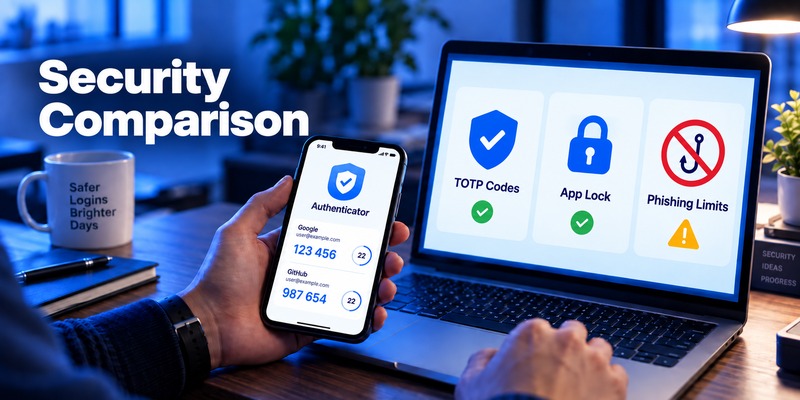
Security is naturally central to any begamob authenticator vs google authenticator comparison.
But it is important to separate the security of the underlying authentication method from the extra features offered by each application.
Both rely on TOTP
At the core, both products can generate TOTP codes.
TOTP is based on a shared secret and the current time. RFC 6238 recommends a 30-second default time interval.
So simply choosing one application instead of another does not fundamentally change how standard TOTP works.
Local app protection
Begamob provides Face ID, Touch ID, PIN protection, and auto-lock options according to its product listing.
Google provides Privacy Screen functionality that can require biometric device verification.
Both approaches can help prevent someone who temporarily gains access to an unlocked device from immediately opening the authenticator.
TOTP has a phishing limitation
There is an important limitation that applies regardless of the begamob authenticator vs google authenticator choice.
TOTP codes are not phishing-resistant.
NIST states that OTP authentication involving manual entry is not phishing-resistant because a fraudulent website can capture the OTP and relay it to the legitimate service during its validity period.
This does not make authenticator codes useless.
TOTP provides a meaningful additional barrier beyond password-only authentication.
But users should still:
- Verify websites before entering codes
- Avoid sending OTPs to other people
- Never expose TOTP setup secrets
- Use passkeys or security keys where phishing-resistant authentication is available
Neither Begamob nor Google Authenticator makes a manually entered TOTP code inherently phishing-proof.
Backup, Sync, Recovery, and Moving to a New Phone
This section is particularly important in begamob authenticator vs google authenticator because losing access to authentication codes can lock users out of multiple services.
Google Authenticator
Google provides clearly documented synchronization and transfer options.
If synchronization is enabled, users can sign into Google Authenticator on another supported device with the same Google Account and access synchronized codes.
Without synchronization, users can manually export accounts from the old device and scan transfer QR codes on the new device.
This is one of Google’s strongest practical features.
Begamob Authenticator
The Begamob materials supplied for this comparison describe account management, QR setup, TOTP generation, app locking, password storage, and private browsing. They do not establish an equivalent Google Account-style cross-device synchronization system.
For that reason, it would be inaccurate to claim that Begamob provides the same cloud-sync model based only on the available sources.
This gives Google a clearer documented advantage for users whose number-one priority is automatic authenticator-code synchronization between devices.
🗺️ Browse How-To Guides: YubiKey vs Microsoft Authenticator: Which Is More Secure for 2FA in 2026?
How to Choose the Right Authenticator
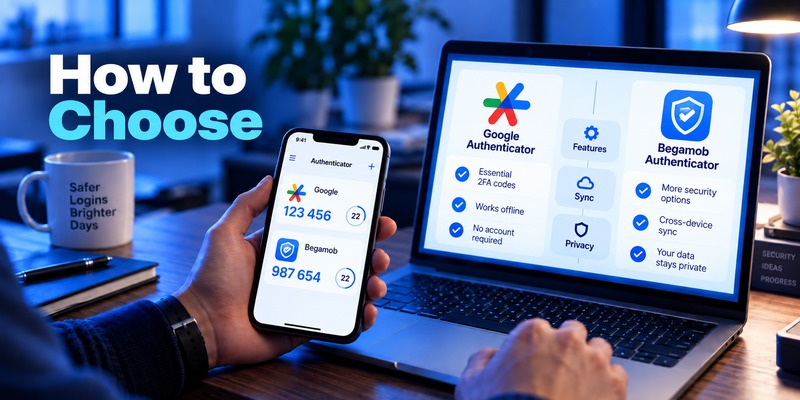
When comparing begamob authenticator vs google authenticator, use these five criteria instead of looking only at the brand name.
1. Decide whether you want a dedicated authenticator
Google Authenticator is primarily an authentication tool.
If you want an application that stays focused on verification codes, this simplicity is useful.
Begamob adds password storage, private browsing, account management, and additional app-security controls.
If those features reduce the number of security utilities you need to manage, Begamob may fit your workflow better.
2. Think about device migration
Users who frequently replace phones should pay particular attention to synchronization.
Google Authenticator provides documented Google Account sync plus manual transfer.
If seamless code synchronization is a requirement, Google currently has the clearer documented feature set.
3. Consider app access protection
If you want authentication codes behind an extra local barrier, compare each product’s locking options.
Begamob supports Face ID, Touch ID, PIN, and auto-lock according to its listing.
Google supports Privacy Screen using biometric/device authentication.
4. Consider your budget
Google Authenticator is free.
Begamob is listed as free to download with in-app purchases. The product information supplied for this article describes premium access at around $8, although pricing can vary by subscription offer, region, and App Store configuration.
5. Consider whether you want password tools in the same application
Some users prefer authentication codes and passwords to remain in separate applications.
Others prefer having more security tools together.
Neither model is automatically right for everyone.
This is one of the most meaningful personal choices in begamob authenticator vs google authenticator.
Compatibility and Supported Services
Compatibility is another area where users should look beyond branding.
Begamob Authenticator compatibility
Begamob’s current listing says its TOTP functionality works with many services that support standard authenticator authentication.
Examples listed by Begamob include:
Google, Microsoft, Facebook, Instagram, X, LinkedIn, Amazon, Dropbox, PayPal, eBay, Reddit, Shopify, Slack, Zoom, Airbnb, Uber, and others.
The supplied Begamob product brief similarly lists Google, Microsoft, Facebook, Instagram, Amazon, Dropbox, PayPal, Slack, and Zoom among supported services.
Its current App Store listing identifies support for iPhone, iPad, and Apple Watch.
Google Authenticator compatibility
Google states that Authenticator can generate codes for sites and apps that support authenticator-app two-step verification.
The application is available for Android as well as iPhone and iPad.
Its Google Play listing confirms support for:
- Multiple accounts
- QR setup
- Time-based codes
- Counter-based codes
- Device transfer via QR code
For broad device-platform compatibility, Google therefore has an advantage because both major mobile ecosystems are officially covered by the sources reviewed here.
Setup and Everyday Use
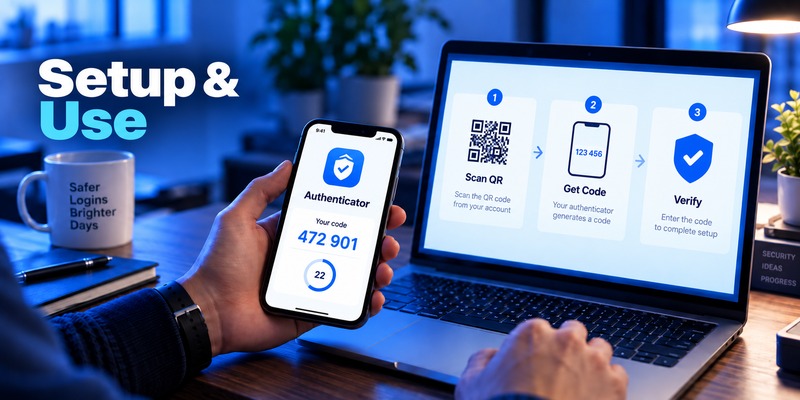
The everyday workflow of begamob authenticator vs google authenticator is actually very similar when you focus only on 2FA.
Typical Begamob setup
- Open the 2FA settings of the account you want to secure.
- Choose authenticator-based authentication.
- Open Begamob Authenticator.
- Scan the QR code or enter the setup key.
- Wait for the temporary code.
- Enter that code on the service.
- Complete setup.
Begamob then lets you organize authentication entries and protect the app using its available security controls.
Typical Google Authenticator setup
- Enable 2-Step Verification on the relevant service.
- Select an authenticator application.
- Open Google Authenticator.
- Scan the displayed QR code.
- Enter the generated code.
- Save any recovery information supplied by the service.
Google’s official listing confirms QR-code setup and multiple-account support.
Once configured, both applications offer the same basic daily action:
Open app → find account → read code → enter code.
That is why the real begamob authenticator vs google authenticator decision comes from everything surrounding that workflow rather than the code-generation step alone.
Pricing and Overall Value
Pricing creates one of the clearest differences.
Google Authenticator is listed as free on the App Store and Google Play.
Begamob Authenticator is free to download but includes in-app purchases. The supplied Begamob information describes premium protection at approximately $8.
The question is therefore not simply:
Which one costs less?
Google clearly wins that comparison because its authentication functionality is free.
A more useful question is:
Do Begamob’s additional features matter enough to you to justify a premium plan?
Users who mainly need TOTP codes and synchronization may find Google sufficient.
Users who want authentication, password management tools, additional local locking choices, and private browsing in one application may see more value in Begamob.
That is the practical pricing conclusion for begamob authenticator vs google authenticator.
FAQ About Begamob Authenticator vs Google Authenticator
Is Begamob Authenticator the same as Google Authenticator?
No.
Both can generate TOTP authentication codes, but they are separate products from different developers.
Google Authenticator is developed by Google.
Begamob’s application is developed by BEGAMOB GLOBAL LIMITED.
Their core TOTP function overlaps, but their additional features differ considerably.
Is Begamob Authenticator compatible with Google accounts?
Begamob’s supplied product information lists Google among supported services, and its App Store listing also names Google among commonly supported platforms.
As with any third-party authenticator App, compatibility depends on whether the service offers standards-based authenticator authentication.
Does Begamob Authenticator work offline?
Yes, according to both the supplied product information and its App Store description.
The application generates TOTP verification codes directly on the device and can provide those codes without an active internet connection.
Does Google Authenticator work offline?
Yes.
Google officially states that Authenticator can generate verification codes without an internet connection or mobile service.
Which app has more features?
If “features” means functionality beyond standard TOTP, Begamob currently offers more tools in the product description reviewed here.
These include:
- Password storage
- Private browsing
- Face ID/Touch ID/PIN protection
- Account-management functions
- Auto-lock controls
Google Authenticator focuses more tightly on authentication, synchronization, account transfer, and code management.
Which is easier when moving to a new phone?
Google Authenticator has a particularly well-documented migration system.
Users can synchronize codes through their Google Account or perform a manual QR-based transfer.
The Begamob source material reviewed for this comparison does not document an equivalent cloud synchronization system, so Google’s migration capabilities are clearer from the available evidence.
Is Google Authenticator completely secure against phishing?
No.
This is an important point in begamob authenticator vs google authenticator.
TOTP applications provide stronger protection than password-only login, but manually entered OTPs can still be captured by phishing sites.
NIST explicitly states that OTP authentication is not phishing-resistant.
Users should consider phishing-resistant options such as passkeys or security keys when supported.
Does Begamob support biometric protection?
Yes.
Begamob’s current product listing states that the application can be protected using Face ID, Touch ID, or a PIN, with an auto-lock feature also available.
Google Authenticator provides a similar concept through its Privacy Screen feature, which can require biometric verification before the application is accessed.
How long do authenticator codes last?
The TOTP standard recommends a default 30-second time step.
However, the exact configuration ultimately depends on the service implementing TOTP. RFC 6238 explains that 30 seconds provides a balance between security and usability.
Can Begamob manage multiple online accounts?
Yes.
Begamob is designed to manage multiple authentication entries and is positioned for users handling both personal and work accounts. The supplied product brief specifically highlights support for multiple accounts and common online services.
Is Begamob Authenticator free?
The application is currently listed as free to download with in-app purchases on Apple’s U.S. App Store.
The Begamob information supplied for this article lists premium protection at approximately $8. Pricing and subscription structures can change, so users should check the purchase screen before subscribing.