
Proton Authenticator vs Google Authenticator: Which Is Better in 2026?
Published September 16, 2026
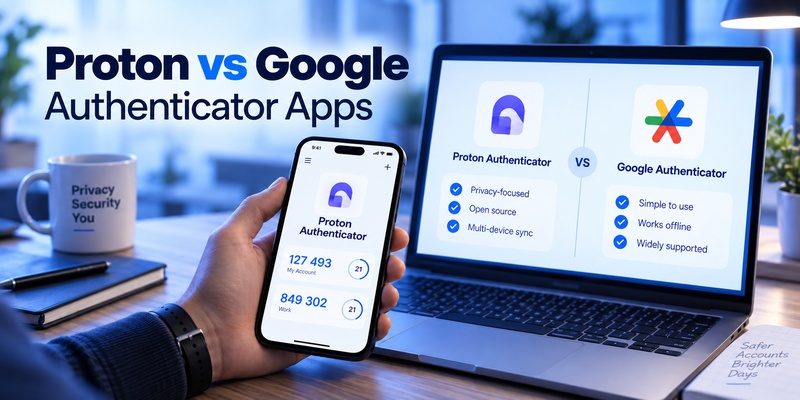
The short answer to proton authenticator vs google authenticator is straightforward: Google Authenticator is a strong choice for users who want a simple, familiar mobile TOTP app with Google Account synchronization, while Proton Authenticator is better suited to users who want cross-platform desktop support, end-to-end encrypted sync, open-source software, flexible backups, and easier migration between authenticator apps.
Both applications are free and can generate verification codes even when your device is offline. Both also allow users to scan QR codes when enabling two-factor authentication on compatible websites.
The biggest differences are not the six-digit codes themselves. They are platform availability, privacy architecture, synchronization, backup options, open-source availability, and portability.
Proton launched Proton Authenticator in July 2025 as a standalone, open-source 2FA application. It is available on Android, iOS, Windows, macOS, and Linux, and Proton says users can access codes offline, synchronize them using end-to-end encryption, and import or export authentication tokens.
Google Authenticator has a much longer history and a much larger installed base. Google Play currently shows 100 million+ downloads for the Android app. It supports Android and iOS, Google Account-based synchronization, offline code generation, QR-code account transfer, multiple accounts, and Privacy Screen protection.
So, which one makes more sense?
Here is the full comparison.
1. Proton Authenticator vs Google Authenticator: Quick Answer
For readers who want the answer immediately, this table summarizes the major differences in proton authenticator vs google authenticator.
| Category | Proton Authenticator | Google Authenticator |
| Provider | Proton AG | Google LLC |
| Company base | Switzerland | United States |
| Price | Free | Free |
| Android | Yes | Yes |
| iPhone/iPad | Yes | Yes |
| Windows | Yes | No native desktop app |
| macOS | Yes | No native desktop app |
| Linux | Yes | No native desktop app |
| Apple Watch | Supported | No equivalent native Authenticator app highlighted |
| TOTP codes | Yes | Yes |
| Offline code generation | Yes | Yes |
| QR-code setup | Yes | Yes |
| Account required | No | No |
| Optional cloud sync | Yes | Yes |
| Sync provider | Proton Account / iCloud on Apple devices | Google Account |
| End-to-end encrypted sync | Yes | Google documents encryption in transit and at rest |
| Local backup/export | Yes | QR-based account transfer/export |
| Direct import from other authenticators | Yes | More limited |
| Direct export | Yes | Yes, via transfer QR |
| Open source | Yes | Current Google Authenticator app is not provided as fully open-source |
| Biometric/PIN protection | Yes | Yes |
| Ads | No | No traditional advertising interface |
| Best for | Privacy, desktop, cross-platform use | Simple mobile TOTP and Google ecosystem |
| Biggest advantage | Cross-platform + E2EE + open source | Simplicity and widespread adoption |
| Biggest limitation | Newer product | Mobile-focused and less flexible portability |
Quick recommendation: choose Proton Authenticator if desktop support, privacy, portability, and cross-platform use matter most.
Choose Google Authenticator if you mainly use Android or iPhone and want the simplest possible TOTP experience with familiar Google Account sync.
2. Proton Authenticator vs Google Authenticator Comparison Table
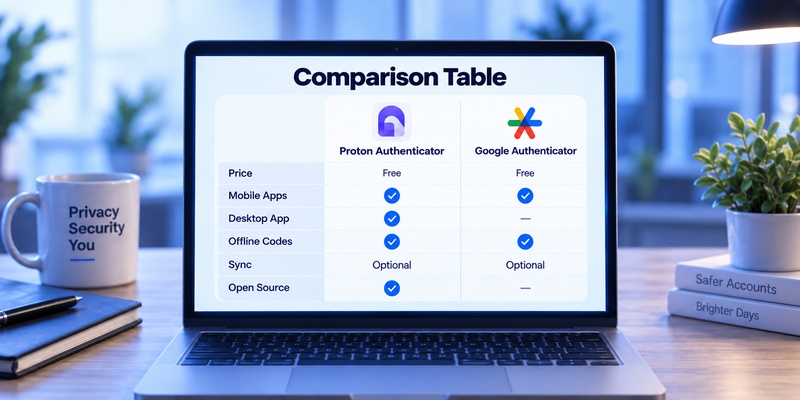
The most useful way to evaluate proton authenticator vs google authenticator is feature by feature.
| Feature | Proton Authenticator | Google Authenticator |
| Developer | Proton AG | Google LLC |
| Consumer price | Free | Free |
| Subscription required | No | No |
| TOTP support | Yes | Yes |
| QR scanner | Yes | Yes |
| Manual secret entry | Yes | Yes |
| Offline codes | Yes | Yes |
| Multiple accounts | Yes | Yes |
| Search/manage codes | Yes | Yes |
| Android | Yes | Yes |
| iOS | Yes | Yes |
| Windows | Yes | No native app |
| macOS | Yes | No native app |
| Linux | Yes | No native app |
| Cross-platform desktop/mobile workflow | Yes | Limited |
| Cloud sync | Optional | Optional |
| E2EE synchronization | Yes | Not described by Google as E2EE |
| Encryption at rest/in transit | Yes | Yes |
| Local use without account | Yes | Yes |
| Direct file/export options | Yes | QR transfer/export |
| Import from Google Authenticator | Yes | N/A |
| Import from other authenticators | Several supported apps | Limited |
| Open-source client | Yes | No current full client release |
| App lock | PIN/biometric | Privacy Screen |
| Automatic backups | Supported | Account sync provides recovery |
| Vendor lock-in protections | Strong export options | QR transfer available |
| Best mobile-only simplicity | Good | Excellent |
| Best desktop support | Excellent | Limited |
| Best privacy-focused setup | Excellent | Good |
| Best-known ecosystem | Growing | Very large |
Google Authenticator has one major scale advantage. The Android application alone has surpassed 100 million downloads, according to its Google Play listing.
Proton Authenticator is substantially newer, having launched on July 31, 2025. But Proton designed it specifically to address some limitations common in older TOTP applications, particularly desktop availability, encrypted cross-device synchronization, open-source code, and easier token migration.
Download Authenticator App
Secure your accounts with fast, reliable two-factor authentication. Download now and protect your login in seconds.
3. Provider and Pricing Comparison
Pricing is refreshingly simple in proton authenticator vs google authenticator.
Proton Authenticator
Provider: Proton AG
Headquarters: Switzerland
Price: Free
Subscription required: No
Account required: No
Proton says Proton Authenticator is completely free on all platforms, with no requirement to have a Proton Account. A Proton Account becomes useful if you want encrypted synchronization between platforms such as Android, Windows, or Linux.
Proton also states that the application contains no ads and no tracking.
Users do not need Proton Mail, Proton Pass, or another paid Proton product to use the authenticator.
Proton Authenticator Pricing
| Plan | Cost |
| Proton Authenticator | Free |
| Proton Account required for basic TOTP | No |
| Cross-platform sync | Free with Proton Account |
| Import/export | Free |
| Desktop apps | Free |
Google Authenticator
Provider: Google LLC
Price: Free
Subscription required: No
Google Account required: No
Google Authenticator is also free. Its current App Store listing identifies Google as the developer and lists the application as Free.
Users can run Google Authenticator without signing into a Google Account. In this mode, codes remain on the device.
Users who sign into Google Authenticator can synchronize their codes through their Google Account across compatible devices.
Google Authenticator Pricing
| Plan | Cost |
| Google Authenticator | Free |
| Google Account required for TOTP | No |
| Google Account sync | Free |
| QR-based transfer | Free |
Pricing Verdict
There is effectively no winner based purely on cost in proton authenticator vs google authenticator.
Both are free.
The real decision comes down to features and privacy rather than price.
4. Proton Authenticator vs Google Authenticator Features Comparison
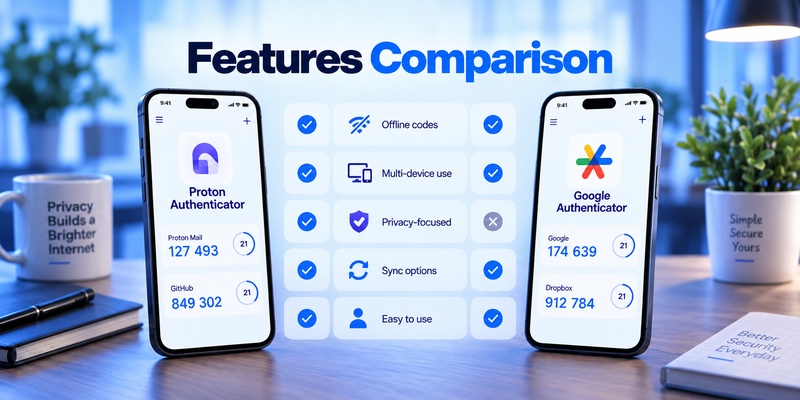
Both apps perform the basic job of an authenticator App: generating temporary verification codes based on shared secrets.
However, Proton provides a broader feature set around those codes.
Core TOTP Features
Both applications support:
- QR-code setup
- Manual secret-key entry
- Time-based authentication codes
- Multiple accounts
- Offline code generation
- Third-party website authentication
Google’s Play Store listing also states that Google Authenticator supports both time-based and counter-based code generation.
For a user who only wants to open an app and copy a six-digit TOTP code, proton authenticator vs google authenticator is therefore a very close comparison.
The differences appear around the core TOTP function.
Proton’s Additional Features
Proton Authenticator adds:
- Windows support
- macOS support
- Linux support
- Apple Watch support
- End-to-end encrypted synchronization
- Automatic backups
- Import from multiple authenticator applications
- Direct export
- Open-source client code
- Optional operation without an account
Proton also allows users to access codes without internet connectivity across its supported platforms.
Google Authenticator’s Main Features
Google Authenticator provides:
- Android and iOS apps
- Google Account synchronization
- Manual device-to-device QR transfer
- Multiple Google Account support
- Search
- Reordering of codes
- Privacy Screen
- Offline authentication
Google’s Privacy Screen can require a device PIN, pattern, or biometric authentication before someone can view Authenticator codes.
The application is therefore highly capable for straightforward mobile authentication.
But if desktop access is required, the difference in proton authenticator vs google authenticator becomes much larger.
5. Platform Availability: Mobile vs Desktop
This may be the single biggest practical difference.
Proton Authenticator Platforms
Proton officially provides Authenticator for:
- Android
- iPhone
- iPad
- Apple Watch
- Windows
- macOS
- Linux
Proton’s support documentation explicitly lists Windows, Mac, Linux, iOS, and Android downloads.
This makes Proton particularly useful for people who frequently authenticate while working on a desktop computer.
Instead of retrieving a phone every time you need a code, you can access the authenticator directly on supported desktop systems.
Google Authenticator Platforms
Google Authenticator is focused on:
- Android
- iPhone
- iPad
Google’s current official documentation describes its Android and iOS implementations and the Google Account synchronization system between devices.
There is no equivalent official Google Authenticator desktop application for Windows, macOS, or Linux.
Platform Verdict
For mobile-only users, this distinction may not matter.
For developers, remote workers, desktop-heavy users, or anyone moving between computers and phones, proton authenticator vs google authenticator clearly differs in scope.
| User | More Suitable |
| Android-only | Either |
| iPhone-only | Either |
| Windows + Android | Proton Authenticator |
| Mac + iPhone | Proton Authenticator |
| Linux + Android | Proton Authenticator |
| Desktop-heavy workflow | Proton Authenticator |
| Mobile-only minimal setup | Google Authenticator |
6. Sync, Backup, and Account Recovery
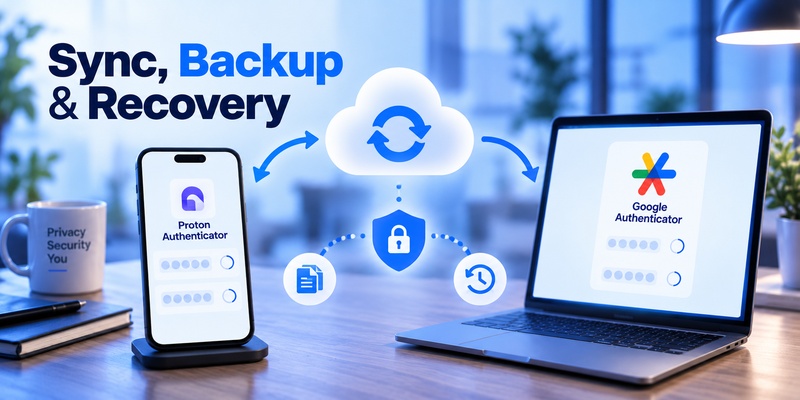
Losing access to an authenticator can be more disruptive than forgetting a password, so backup design deserves serious attention.
Proton Authenticator Sync
Proton provides end-to-end encrypted synchronization.
When a Proton Account is used, authentication data is encrypted so that Proton says it cannot access the user’s stored codes.
Users can also use Proton Authenticator without an account.
For Apple users, synchronization between Apple devices can use iCloud. For synchronization involving Windows, Linux, or Android, Proton says a Proton Account is needed.
Proton also provides encrypted backups and export options.
This gives users several recovery paths:
- Proton Account synchronization
- iCloud on supported Apple workflows
- Local/exported backups
- Other synchronized Proton Authenticator devices
Google Authenticator Sync
Google Authenticator can synchronize codes by signing into a Google Account.
When you sign into the same account on another compatible device, stored Authenticator codes can synchronize automatically.
Google says Authenticator codes are encrypted in transit and at rest within its systems.
This is important wording.
Proton explicitly describes its synchronization as end-to-end encrypted, meaning Proton says it cannot read the data.
Google’s documentation states encryption in transit and at rest, but does not describe Authenticator synchronization in the same end-to-end-encryption terms.
Backup Comparison
| Backup Feature | Proton | |
| Account sync | Yes | Yes |
| Use without account | Yes | Yes |
| Cross-platform desktop sync | Yes | No desktop app |
| E2EE sync | Yes | Not described as E2EE |
| Local/export backup | Yes | QR account transfer |
| Recovery on new mobile device | Yes | Yes with account sync |
| Export portability | Strong | Supported through QR transfer |
For users who frequently change devices, Proton’s approach gives proton authenticator vs google authenticator a meaningful difference in flexibility.
7. Proton Authenticator: Pros and Cons
Pros of Proton Authenticator
1. Completely Free
There is no premium Authenticator tier.
Proton states that the application is free on every supported platform.
2. Available on Desktop
Windows, macOS, and Linux support are major advantages.
This is unusual among mainstream dedicated TOTP applications.
3. End-to-End Encrypted Sync
Proton says synchronized codes are protected with end-to-end encryption, preventing even Proton from accessing the secrets stored in the account.
4. Open Source
Proton publishes the source code of its authenticator clients.
Its Android repository, for example, is publicly available under the GPLv3-or-later license.
This allows security researchers and developers to inspect the implementation.
5. Strong Import and Export Tools
Proton officially supports importing codes from applications including:
- Google Authenticator
- Aegis
- 2FAS
- Bitwarden Authenticator
- Ente Auth
- LastPass Authenticator
It also supports exporting codes from Proton Authenticator.
6. No Proton Account Required
You can use the application locally without creating an account.
7. No Ads or Tracking
Proton says Authenticator contains no ads and no tracking.
Cons of Proton Authenticator
1. Much Newer Product
Google Authenticator has existed for many years.
Proton Authenticator launched only in July 2025.
That means it has a shorter operating history and smaller installed base.
2. Another Ecosystem to Manage
Cross-platform Proton synchronization requires a Proton Account outside Apple-only iCloud workflows.
If you already maintain a Google Account and do not use Proton services, adding another account may feel unnecessary.
3. More Features Than Some Users Need
If you only store three TOTP accounts on one phone, desktop apps, encrypted synchronization, import tools, and open-source availability may not materially improve your daily experience.
Proton Authenticator Is Best For
Proton is particularly suitable for:
- Privacy-focused users
- Windows users
- Mac users
- Linux users
- Developers
- People with many TOTP accounts
- Users switching from another authenticator
- People wanting open-source software
- Users who frequently change devices
- People who want stronger export and backup control
For these groups, proton authenticator vs google authenticator tends to favor Proton’s broader platform strategy.
8. Google Authenticator: Pros and Cons
Pros of Google Authenticator
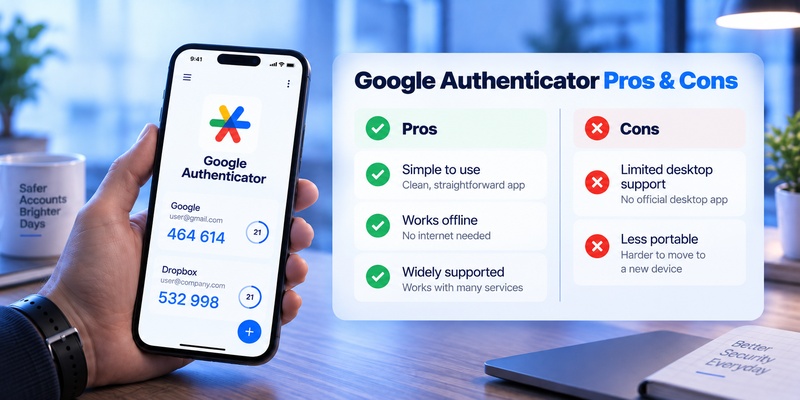
1. Extremely Established
Google Authenticator has a huge installed base.
Its Google Play listing currently shows more than 100 million downloads.
2. Simple Interface
Google Authenticator focuses primarily on codes rather than adding a large number of unrelated account-security tools.
3. Google Account Sync
Signing into Google allows authentication codes to synchronize across compatible mobile devices.
4. Offline Codes
No cellular connection or Wi-Fi is required to generate stored verification codes.
5. Works Without a Google Account
Users who want local storage can choose Use without an account.
Their codes stay on the device rather than being synchronized through Google.
6. Privacy Screen
PIN, screen-lock, pattern, or biometric protection can prevent someone with an unlocked phone from immediately opening Authenticator.
7. QR-Based Transfer
Users can export accounts from an old device and scan the resulting QR codes on a new device.
Cons of Google Authenticator
1. No Official Desktop Authenticator
There is no equivalent Google Authenticator application for Windows, macOS, and Linux.
2. Sync Is Not Described as End-to-End Encrypted
Google states that synchronized codes are encrypted in transit and at rest.
That is useful protection, but it is different from Proton’s explicit end-to-end encryption architecture.
3. Less Flexible Importing
Google provides account transfer tools, but Proton offers broader direct migration support from several competing authenticator applications.
4. Closed Current Client
Users wanting an authenticator whose complete current app code can be inspected publicly may prefer Proton’s open-source approach.
Google Authenticator Is Best For
Google Authenticator is particularly suitable for:
- Android users
- iPhone users
- Google ecosystem users
- People wanting minimal setup
- Users with relatively few TOTP accounts
- Users who prefer a familiar application
- People who want easy Google Account synchronization
For these users, proton authenticator vs google authenticator may come down to whether Proton’s extra functionality is actually necessary.
9. Which Authenticator Is Best for Different Users?
There is no single app that is ideal for every workflow.
| User Type | Better Fit | Reason |
| Basic mobile TOTP user | Google Authenticator | Very simple |
| Google ecosystem user | Google Authenticator | Native Google Account sync |
| Privacy-focused user | Proton Authenticator | E2EE and open source |
| Windows user | Proton Authenticator | Native Windows app |
| Linux user | Proton Authenticator | Native Linux app |
| Mac desktop user | Proton Authenticator | Native Mac app |
| User with many devices | Proton Authenticator | Wider platform support |
| User wanting local-only codes | Either | Both work without account sync |
| User frequently changing phones | Either | Both provide recovery mechanisms |
| User moving from another authenticator | Proton Authenticator | More import options |
| Open-source enthusiast | Proton Authenticator | Published source code |
| User with 2–3 accounts | Google Authenticator | Minimal complexity |
| User wanting encrypted cross-platform sync | Proton Authenticator | E2EE |
| Long-time Google Authenticator user | Google Authenticator | No migration required |
This is why the most useful answer to proton authenticator vs google authenticator is based on workflow rather than brand preference.
10. Proton Authenticator vs Google Authenticator for Security and Privacy
Both products improve account security when used correctly.
If an attacker obtains your password but does not have your current TOTP code, two-factor authentication can stop that login attempt.
Both applications can generate authentication codes locally and offline.
But privacy architecture is one of the clearest differences in proton authenticator vs google authenticator.
Proton
Proton emphasizes:
- End-to-end encryption
- Open-source code
- No advertising
- No tracking
- Local/offline use
- Export capability
Proton says nobody except the user can access codes stored through its encrypted synchronization system.
Google provides:
- Encryption in transit
- Encryption at rest
- Optional synchronization
- Optional local-only mode
- Privacy Screen
- Device-based security
Google specifically says synchronized codes remain encrypted within its systems.
Therefore, it would be incorrect to describe Google Authenticator sync as unencrypted.
The distinction is that Proton explicitly provides end-to-end encryption, while Google’s public Authenticator documentation describes encryption in transit and at rest.
Is TOTP Phishing-Resistant?
One limitation applies to both applications.
TOTP itself does not completely prevent phishing.
A convincing fake website can ask a victim to enter:
- Username
- Password
- Current authenticator code
An attacker may then relay those credentials to the legitimate website before the temporary code expires.
For especially sensitive accounts, consider phishing-resistant options such as passkeys or hardware security keys when supported.
So the security difference in proton authenticator vs google authenticator is mostly about how the applications protect, synchronize, and recover the TOTP secrets—not about one generating fundamentally stronger six-digit codes.
11. Which App Is Easier to Use?
Google Authenticator wins points for simplicity.
Most users can:
- Install Google Authenticator.
- Scan a QR code.
- Enter the generated code.
- Finish 2FA setup.
That’s essentially the entire workflow.
Proton Authenticator works similarly, but it provides more options.
Users can decide whether to:
- Remain offline/local
- Sign into Proton
- Use encrypted sync
- Export codes
- Import from another app
- Install desktop versions
- Configure backup workflows
Those capabilities are useful, but users who want absolutely minimal configuration may prefer Google’s approach.
Therefore, proton authenticator vs google authenticator has a fairly simple usability trade-off:
Google Authenticator = simpler.
Proton Authenticator = more flexible.
12. Import, Export, and Switching Between Authenticator Apps
This is one category where Proton has a particularly noticeable advantage.
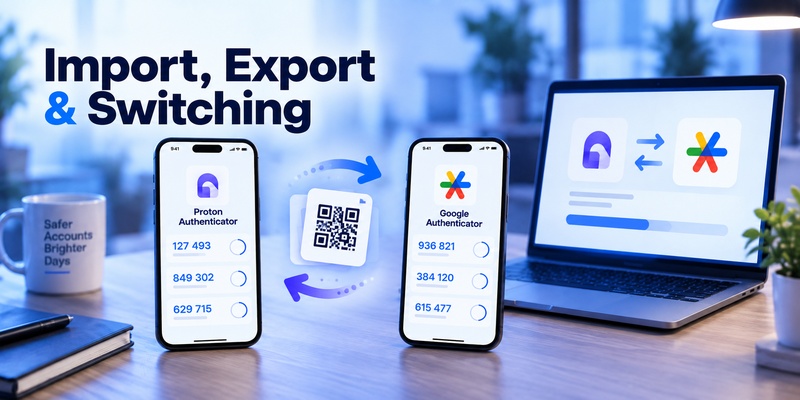
Proton officially supports imports from several competing applications, including Google Authenticator, 2FAS, Aegis Authenticator, Bitwarden Authenticator, Ente Auth, and LastPass Authenticator.
Its underlying import logic was designed to work across desktop, Android, and iOS clients. Proton says this migration functionality is implemented through shared Rust code.
Google Authenticator also lets users export accounts.
The process generates one or more QR codes on the old device. Those QR codes are scanned on the destination device to transfer the accounts.
For device-to-device Google Authenticator transfers, this works well.
But for people who regularly switch security apps, Proton’s broader import/export model makes proton authenticator vs google authenticator noticeably different.
Migration Advantage
Moving between phones while staying with Google Authenticator: Google works well.
Moving between different authenticator products: Proton offers greater flexibility.
13. Proton Authenticator vs Google Authenticator for Multiple Devices
Both products support multiple-device scenarios, but they approach them differently.
Google Authenticator syncs authentication codes through your Google Account.
Sign into another supported mobile device using the same Google Account and the synchronized codes become available there.
This is straightforward for:
Android → Android
iPhone → iPhone
and other supported mobile combinations.
Proton
Proton extends the same basic concept to substantially more platforms.
For example, one user could potentially access their TOTP environment through:
- iPhone
- Mac
- Windows PC
- Android tablet
- Linux computer
Proton states that its supported devices include Windows, Mac, Linux, iOS, and Android, with encrypted synchronization available across platforms.
Therefore, proton authenticator vs google authenticator strongly favors Proton for users whose definition of “multiple devices” includes actual desktop computers rather than only phones and tablets.
14. Proton Authenticator vs Google Authenticator: Which One Should You Choose?
Use this checklist.
Choose Proton Authenticator if you:
- Want Windows support.
- Want macOS support.
- Want Linux support.
- Want an open-source authenticator.
- Prefer end-to-end encrypted synchronization.
- Want direct exports.
- Need flexible backups.
- Regularly change authenticator apps.
- Need easy imports from Google Authenticator or other apps.
- Use multiple desktop and mobile platforms.
- Prefer a privacy-focused provider.
- Want an authenticator with no ads or tracking.
For these users, proton authenticator vs google authenticator tends to favor Proton.
Choose Google Authenticator if you:
- Primarily authenticate from Android or iPhone.
- Already use Google Authenticator.
- Want an extremely straightforward interface.
- Want Google Account synchronization.
- Do not need desktop access.
- Have relatively few 2FA accounts.
- Prefer staying within the Google ecosystem.
- Do not want extra migration and backup settings.
For these users, Google Authenticator remains perfectly capable.
Choose Either if you:
- Only need standard TOTP.
- Mainly want six-digit verification codes.
- Need offline authentication.
- Want a free authenticator.
- Want QR-code setup.
- Do not require advanced enterprise authentication.
For basic TOTP, proton authenticator vs google authenticator is less dramatic than feature lists may suggest.
Both generate the same basic type of authentication credential.
15. Frequently Asked Questions
Is Proton Authenticator free?
Yes.
Proton says Proton Authenticator is completely free on every platform, with no ads and no tracking.
Is Google Authenticator free?
Yes.
Google Authenticator is listed as a free application and does not require a paid Google subscription.
Do I need a Proton Account to use Proton Authenticator?
No.
You can use Proton Authenticator locally without creating a Proton Account.
A Proton Account is useful when you want encrypted synchronization across platforms including Windows, Linux, and Android.
Do I need a Google Account to use Google Authenticator?
No.
Google explicitly provides a Use without an account option.
In that mode, the codes remain stored locally rather than synchronizing to a Google Account.
Can Proton Authenticator import Google Authenticator codes?
Yes.
Proton officially lists Google Authenticator among the apps from which it can import existing authentication codes.
This makes migration relatively easy.
Does Proton Authenticator work on Windows?
Yes.
Proton Authenticator has a Windows application as well as versions for macOS, Linux, Android, and iOS.
Does Google Authenticator work on Windows?
Google does not provide an official native Google Authenticator application for Windows.
Its official Authenticator product is focused on Android and iOS.
For a Windows-heavy workflow, this is one of the biggest differences in proton authenticator vs google authenticator.
Does Proton Authenticator work offline?
Yes.
Proton states that codes remain available without an internet connection.
Does Google Authenticator work offline?
Yes.
Google states that verification codes can be generated without network or cellular connectivity.
Is Proton Authenticator open source?
Yes.
Proton says all Proton applications, including Proton Authenticator, are open source, and its authenticator source repositories are publicly available.
Which has better synchronization?
This depends on what you mean by “better.”
Google Authenticator offers convenient synchronization through Google Accounts.
Proton offers synchronization across more operating systems and explicitly uses end-to-end encryption.
For mobile-only users, Google’s system is convenient.
For cross-platform users, proton authenticator vs google authenticator generally favors Proton.
Which is better for privacy?
Proton Authenticator has several privacy-oriented advantages: open-source clients, no ads or tracking, optional account-free operation, and end-to-end encrypted synchronization.
Google also allows local-only operation and protects synced codes with encryption in transit and at rest.
Users who specifically prioritize minimizing provider access to synchronized authentication data may prefer Proton’s E2EE design.
16. Final Verdict: Proton Authenticator vs Google Authenticator
The main difference in proton authenticator vs google authenticator is not TOTP quality.
Both applications can generate verification codes for compatible services. Both work offline. Both are free. Both support QR-code setup. Both can be used without continuously connecting to the internet.
The difference is the ecosystem surrounding those codes.
Google Authenticator emphasizes simplicity, familiarity, mobile use, and Google Account synchronization.
Proton Authenticator emphasizes privacy, open-source code, end-to-end encryption, desktop access, backups, cross-platform synchronization, and portability.
Here is the final summary:
| Requirement | More Suitable Option |
| Simple personal TOTP | Google Authenticator |
| Android/iPhone only | Either |
| Google ecosystem | Google Authenticator |
| Google Account synchronization | Google Authenticator |
| 100M+ download track record | Google Authenticator |
| Windows support | Proton Authenticator |
| Mac desktop support | Proton Authenticator |
| Linux support | Proton Authenticator |
| Cross-platform sync | Proton Authenticator |
| End-to-end encrypted sync | Proton Authenticator |
| Open-source app | Proton Authenticator |
| Easy migration from other authenticator apps | Proton Authenticator |
| Flexible export | Proton Authenticator |
| Privacy-focused workflow | Proton Authenticator |
| Offline TOTP | Either |
| Free authentication app | Either |
For users with basic needs, Google Authenticator remains one of the simplest ways to manage TOTP codes, and its Android application has already exceeded 100 million downloads.
For users who want more control over where their authentication data lives and how it moves between devices, Proton offers a substantially broader feature set. Its availability across Windows, macOS, Linux, Android, and iOS, combined with end-to-end encrypted sync and open-source code, is its biggest advantage.
Download Authenticator App
Secure your accounts with fast, reliable two-factor authentication. Download now and protect your login in seconds.
