
YubiKey vs Microsoft Authenticator: Which Is More Secure for 2FA in 2026?
Published September 18, 2026
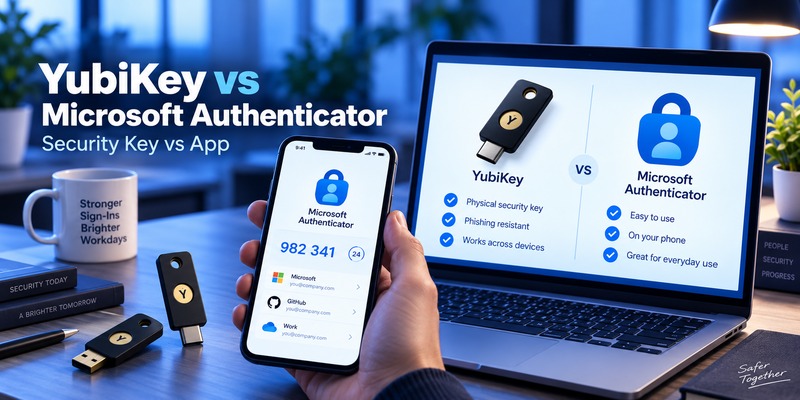
If you want the short answer to yubikey vs microsoft authenticator, YubiKey is generally the stronger choice for protecting high-value accounts from phishing when it is used as a FIDO2/WebAuthn security key. Microsoft Authenticator is easier, free, and more convenient for everyday MFA.
There is, however, an important distinction.
Microsoft Authenticator no longer means only push notifications or six-digit verification codes. Microsoft now supports device-bound passkeys inside Microsoft Authenticator, which Microsoft classifies as phishing-resistant authentication alongside FIDO2 security keys.
That means the real security comparison looks like this:
- YubiKey using FIDO2/WebAuthn → phishing-resistant
- Microsoft Authenticator passkey → phishing-resistant
- Microsoft Authenticator TOTP code → not phishing-resistant
- Microsoft Authenticator push notification → convenient MFA with additional protections such as number matching, but it should not be confused with FIDO2 phishing resistance
NIST specifically states that authentication methods requiring users to manually enter OTP codes are not considered phishing-resistant because an attacker-controlled site can capture and relay the code. WebAuthn, by contrast, binds authentication to the legitimate website domain.
Therefore, in yubikey vs microsoft authenticator, your choice should depend on the authentication mode you use, your threat level, and whether convenience or hardware isolation matters more.
1. YubiKey vs Microsoft Authenticator: Quick Answer
For most ordinary users, Microsoft Authenticator provides a strong balance of security and convenience.
For administrators, executives, developers, financial accounts, cryptocurrency accounts, journalists, or anyone who may be specifically targeted by phishing, a hardware FIDO2 key such as YubiKey provides an additional layer of separation between credentials and the phone or computer.
Here is the simplest recommendation:
| Use Case | Recommended Approach |
| Everyday personal accounts | Microsoft Authenticator |
| Microsoft 365 / Entra users | Microsoft Authenticator passkey or YubiKey |
| High-risk accounts | YubiKey with FIDO2 |
| Privileged administrators | Hardware security key where supported |
| Users who want free MFA | Microsoft Authenticator |
| Users worried about phishing | FIDO2/passkeys rather than TOTP |
| Users without reliable phone access | YubiKey |
| Organizations needing hardware-bound credentials | YubiKey |
| Easy account recovery | Microsoft Authenticator may be easier |
| Strongest practical setup | Register both YubiKey and a secure backup method |
Microsoft itself recommends phishing-resistant authentication methods such as FIDO2 security keys, Windows Hello for Business, passkeys, and certificate-based authentication for stronger sign-in protection.
So the question of yubikey vs microsoft authenticator is not necessarily about choosing one forever. For important accounts, using both can provide stronger security plus a recovery path.
💡 Discover Helpful Guides:
Google Authenticator vs Microsoft Authenticator: Which Is Better
2. YubiKey vs Microsoft Authenticator Comparison
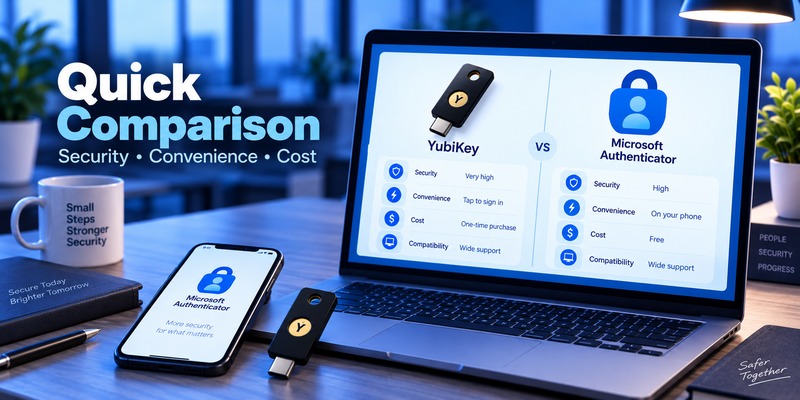
The biggest difference in yubikey vs microsoft authenticator is where the authentication credential lives and how the user proves possession of it.
A YubiKey is a separate physical security device. Microsoft Authenticator runs on your smartphone.
Security Architecture
With a FIDO2-enabled YubiKey, a unique cryptographic key pair is created for a service. The private key remains inside the security key, while the service stores the corresponding public key.
When you log in, the website sends a cryptographic challenge. The YubiKey signs that challenge after you prove presence or, depending on configuration, provide a PIN or biometric.
The private key is not typed into a website and does not need to be transmitted to the server.
FIDO Alliance explains that FIDO authentication uses public-key cryptography and binds credentials to the legitimate online service, which helps prevent credentials from being reused on phishing domains.
Microsoft Authenticator can work in several ways:
- Push notification approval
- Number matching
- OATH/TOTP verification codes
- Passwordless phone sign-in
- FIDO2 passkeys stored in Authenticator
Microsoft states that Authenticator supports passkeys, passwordless authentication, push-based MFA, and verification codes.
Side-by-Side Comparison
| Feature | YubiKey | Microsoft Authenticator |
| Physical hardware required | Yes | No |
| Smartphone required | No for many workflows | Yes |
| TOTP support | Yes on YubiKey 5 with compatible software | Yes |
| FIDO2/WebAuthn | Yes | Yes via supported passkeys |
| Phishing-resistant FIDO authentication | Yes | Yes when using passkeys |
| Traditional OTP phishing-resistant | No | No |
| Push notifications | No | Yes |
| Works offline | Yes | TOTP can work offline |
| Passwordless authentication | Yes | Yes |
| Hardware-isolated credential | Yes | Device-bound for supported Authenticator passkeys |
| Purchase required | Usually yes | App is free |
| Physical loss risk | Yes | Phone loss risk |
| Battery required | No | Phone requires power |
| Network required by authenticator | No for normal hardware-key operation | Depends on method |
| Backup strategy | Usually register another key | Backup/recovery supported for some credentials |
This makes yubikey vs microsoft authenticator less about whether MFA is enabled and more about what kind of MFA is being used.
Download Authenticator App
Secure your accounts with fast, reliable two-factor authentication. Download now and protect your login in seconds.
3. Which Should You Choose? Recommendations by Use Case
Best for Maximum Phishing Protection: YubiKey
If your main concern is sophisticated phishing, credential theft, or adversary-in-the-middle attacks, using a YubiKey through FIDO2/WebAuthn is one of the strongest mainstream options.
NIST identifies WebAuthn as an example of phishing-resistant authentication because authentication is cryptographically bound to the legitimate verifier domain.
Microsoft also notes that FIDO2 security keys store device-bound passkeys on the physical authenticator and that the private key never leaves the security key.
For high-risk users, this is a major advantage in yubikey vs microsoft authenticator.
Best for Convenience: Microsoft Authenticator
Microsoft Authenticator wins when convenience matters most.
There is nothing additional to carry, and users can approve sign-ins from a device they already have with them.
Its major authentication options include:
- Verification codes
- Push authentication
- Number matching
- Passwordless phone sign-in
- Passkeys
- Microsoft Entra authentication
Microsoft has enabled number matching for Authenticator push notifications. Instead of simply tapping Approve, users may need to enter the number displayed by the service requesting authentication.
This makes accidental approval of unexpected prompts harder.
Best for Microsoft Entra Environments: Both
The most interesting outcome of yubikey vs microsoft authenticator is that organizations using Microsoft Entra do not necessarily need to choose only one.
Microsoft Entra supports both FIDO2 security keys and device-bound passkeys in Microsoft Authenticator.
An organization might therefore deploy:
Microsoft Authenticator for the general workforce
and
FIDO2 hardware security keys for privileged or high-risk accounts
This approach balances deployment cost and usability with stronger hardware isolation for sensitive users.
Best for People Who Frequently Lose or Replace Phones: YubiKey Plus Backup
If you regularly change phones, relying exclusively on a phone-based authenticator can create recovery complications.
A YubiKey is independent of your smartphone.
However, you should not own only one security key.
A practical configuration is:
Primary YubiKey + backup YubiKey + account recovery codes
or
Primary YubiKey + Microsoft Authenticator as an approved fallback
The exact setup depends on the recovery methods supported by each service.
📘 Find the Right Guide: Google Authenticator vs Authy: Which 2FA App Is Better in 2026?
4. YubiKey Review: How Hardware Authentication Works
How Does YubiKey Authentication Work?
If you are wondering how does yubikey authentication work, the answer depends on the protocol.
For modern websites, FIDO2/WebAuthn is the most important mode.
During registration, the authenticator generates credentials associated with the specific website or relying party. The private key remains protected by the authenticator while the public key is registered with the service.
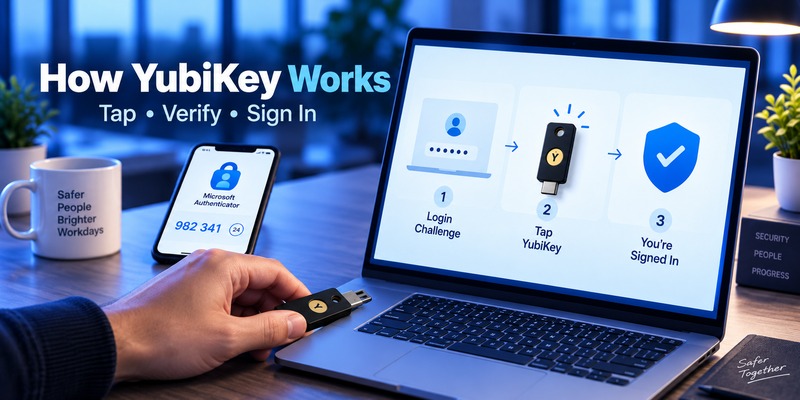
During authentication:
- You request to sign in.
- The service sends a cryptographic challenge.
- Your browser communicates with the YubiKey.
- You insert or tap the security key.
- You may enter your FIDO PIN.
- You physically touch the key.
- The key signs the challenge.
- The service verifies the signature using your public key.
Because the credential is tied to the legitimate domain, a fake login page cannot simply collect your FIDO credential and replay it elsewhere.
That architecture is one of the strongest advantages of YubiKey in yubikey vs microsoft authenticator.
What Does YubiKey 5 Support?
The current YubiKey 5 Series supports multiple authentication protocols, including:
- FIDO2/WebAuthn
- FIDO U2F
- OATH-TOTP
- OATH-HOTP
- Yubico OTP
- Smart Card/PIV
- OpenPGP
Current YubiKey 5 NFC firmware specifications published by Yubico list support for up to 100 FIDO2 passkeys and 64 OATH credentials, although capacity can vary with firmware/model.
Yubico also lists IP68 water and dust resistance for current YubiKey 5 NFC hardware and states that the device requires no battery or network connection.
Why Hardware Isolation Matters
A key advantage in yubikey vs microsoft authenticator is separation.
Your phone may contain:
- Password manager
- Authenticator
- Banking applications
- Recovery email
- SMS access
If one phone becomes the center of your entire identity system, losing or compromising it can affect multiple security layers.
A YubiKey separates one authentication factor onto dedicated hardware.
That does not make a YubiKey impossible to lose, nor does it eliminate account recovery attacks. It simply reduces dependence on a single general-purpose device.
YubiKey Limitations
YubiKey is not automatically better in every situation.
The major limitations are:
Cost: You must purchase hardware, and ideally a backup key.
Physical management: The key can be forgotten or lost.
Service compatibility: Not every website accepts FIDO2 security keys.
User training: Some users find hardware-key registration less familiar than scanning a QR code.
Recovery planning: If you register only one security key and lose it without another recovery method, recovering the account may be difficult.
Therefore, yubikey vs microsoft authenticator should be evaluated as a complete authentication strategy rather than a single security feature.
📖 Read More Guides: Google Authenticator vs Duo Mobile: Features, Pricing, Pros, Cons
5. Microsoft Authenticator Review: Features and Security
Microsoft Authenticator Features
Important microsoft authenticator features include verification codes, push-based MFA, number matching, passwordless authentication, and increasingly, FIDO2 passkeys.
Microsoft describes four important Authenticator authentication experiences:
- Passkey sign-in
- Passwordless sign-in using notifications
- MFA notifications
- OATH verification codes
This versatility is one of Microsoft Authenticator’s biggest advantages.
TOTP Codes
Authenticator can generate time-based one-time passwords.
These codes typically refresh every 30 seconds. Microsoft also confirms that third-party OTP accounts can be included in supported Authenticator backup and restore workflows.
TOTP is useful because:
- It works without cellular reception.
- It is supported by many services.
- It is stronger than relying only on a password.
But TOTP is still phishable.
NIST states that authentication methods involving manual entry of an OTP are not considered phishing-resistant because an attacker can collect the authenticator output and relay it.
This distinction matters enormously when discussing yubikey vs microsoft authenticator.
Push Notifications and Number Matching
Microsoft Authenticator can also deliver authentication requests as push notifications.
Older push MFA could encourage “MFA fatigue,” where users repeatedly receive prompts and eventually approve one accidentally.
Microsoft’s number-matching mechanism improves that process by requiring users to match information from the login screen rather than approving an unexplained request. Microsoft states that number matching is enabled for Authenticator push notifications.
This is a meaningful improvement.
However, do not describe traditional push MFA as identical to FIDO2 authentication. They use different security mechanisms.
Microsoft Authenticator Passkeys
This is where the yubikey vs microsoft authenticator comparison becomes much closer.
Microsoft now allows supported users to create device-bound passkeys in Microsoft Authenticator.
Microsoft describes passkeys as phishing-resistant FIDO2 credentials. For Authenticator deployment, current requirements include Android 14 or later or iOS 17 or later in supported Microsoft Entra configurations.
Microsoft’s current Entra documentation identifies both:
- Security-key device-bound passkeys
- Microsoft Authenticator device-bound passkeys
That means claiming “YubiKey is phishing-resistant while Microsoft Authenticator is not” would now be inaccurate without specifying which Authenticator mode is being compared.
Microsoft Authenticator to New Phone
Moving microsoft authenticator to new phone should be planned before wiping the old device.
Microsoft supports backup and restore for supported Authenticator data, but there are important limitations.
Microsoft states that backup and restore must currently stay within the same device platform: an iOS backup cannot be restored onto Android and an Android backup cannot be restored onto iOS.
Some credentials also require reauthentication after recovery.
For example, Microsoft says work or school account names can be backed up, but users may need to sign in again after restoration. Passwordless-enabled Microsoft accounts can also require reauthentication.
When moving microsoft authenticator to new phone, therefore:
- Keep the old phone active.
- Confirm backup settings.
- Install Authenticator on the new phone.
- Use the recovery process.
- Verify important accounts individually.
- Re-register accounts where required.
- Only erase the old phone once sign-in works correctly.
From a recovery perspective, this is a major difference in yubikey vs microsoft authenticator: a YubiKey normally does not need to move when your phone changes.
6. How to Choose Between YubiKey and Microsoft Authenticator
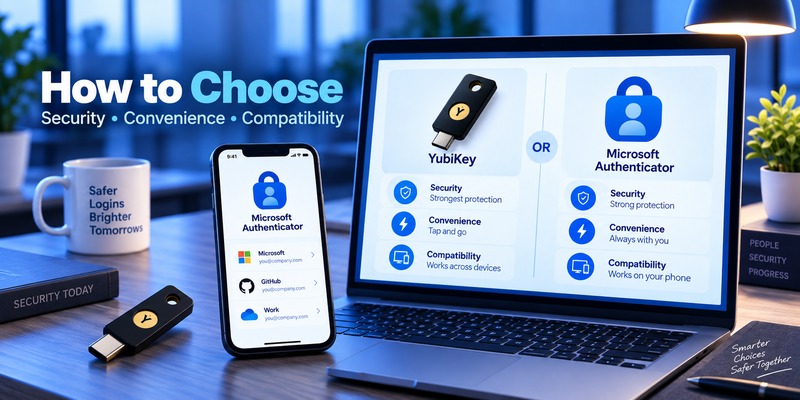
Instead of asking which technology is universally better, ask what you are trying to protect.
Choose YubiKey If:
- You protect administrator accounts.
- You manage sensitive corporate systems.
- You are a frequent phishing target.
- You want credentials separated from your phone.
- Your accounts support FIDO2/WebAuthn.
- You want authentication without relying on a charged smartphone.
- Your organization requires hardware-bound authentication.
NIST’s current identity guidance requires phishing-resistant cryptographic authentication with non-exportable private keys for AAL3 environments.
That makes hardware authenticators particularly relevant to higher-assurance environments.
Choose Microsoft Authenticator If:
- You want free MFA.
- You prefer carrying no additional hardware.
- You primarily use Microsoft products.
- You need TOTP for many third-party accounts.
- Convenience is a priority.
- Your organization has deployed Authenticator push or passkeys.
Use Both If:
For sensitive accounts, the most practical answer to yubikey vs microsoft authenticator may be to avoid treating them as mutually exclusive.
For example:
Primary sign-in: YubiKey FIDO2
Secondary registered authenticator: Microsoft Authenticator
Emergency recovery: securely stored recovery code
Alternatively, users who primarily use Microsoft Authenticator can register a YubiKey as an additional phishing-resistant credential where the service supports multiple authenticators.
This provides redundancy without returning to weak SMS-based recovery whenever possible.
YubiKey vs Authenticator App
In the broader yubikey vs authenticator app discussion, the same principle applies.
A conventional authenticator App generating TOTP codes offers useful MFA but remains vulnerable to real-time phishing if a user types the OTP into an attacker-controlled login page.
Hardware FIDO2 authentication prevents this specific workflow because the authentication response is bound to the legitimate relying party.
However, authenticator apps increasingly support passkeys, meaning yubikey vs authenticator app is becoming a comparison between different forms of FIDO authenticators rather than simply hardware versus OTP.
💡 Discover Helpful Guides: Proton Authenticator vs Google Authenticator: Which Is Better in 2026?
7. Compatibility With Microsoft, Google, Mobile, and Other Services
Compatibility should be checked before buying or deploying any hardware key.
Microsoft Accounts and Microsoft Entra
YubiKey supports Microsoft accounts and Microsoft Entra environments through FIDO2/WebAuthn where configured.
Microsoft documentation describes FIDO2 security keys as device-bound passkeys whose private key remains on the physical authenticator.
Microsoft Authenticator naturally has tighter integration with Microsoft’s ecosystem for:
- Microsoft accounts
- Microsoft Entra ID
- Microsoft 365
- Passwordless phone sign-in
- Push MFA
- Entra passkeys
So in yubikey vs microsoft authenticator, Microsoft Authenticator often wins on integrated convenience, while YubiKey provides dedicated external hardware.
Windows
Microsoft supports FIDO2 security-key authentication for supported Microsoft Entra joined and hybrid joined Windows environments.
YubiKey can therefore be useful for organizations building passwordless Windows sign-in workflows.
iOS and Android
YubiKey models with NFC can authenticate by tapping compatible mobile devices.
USB-C models can also work directly with many modern phones, tablets, and computers.
Microsoft Authenticator is available on both iOS and Android, although some newer passkey features have operating-system requirements.
Microsoft’s current Entra guidance lists Android 14+ and iOS 17+ among the requirements for passkeys in Microsoft Authenticator.
Google Accounts
Google supports FIDO security keys, making YubiKey useful for users protecting Google accounts.
This leads to another common query: google authenticator vs yubikey.
Google Authenticator primarily handles time-based codes, while YubiKey can perform FIDO2/WebAuthn authentication when a service supports it.
From a phishing perspective, FIDO2 is the significant distinction.
Is YubiKey More Secure Than Google Authenticator?
For the question is yubikey more secure than google authenticator, a YubiKey using FIDO2 offers stronger built-in resistance to credential phishing than manually entered TOTP codes.
That does not mean Google Authenticator is insecure. TOTP significantly improves security compared with password-only authentication.
The difference is that a TOTP code can potentially be entered into a phishing site, whereas FIDO authentication verifies the relying party cryptographically.
Which Is Better Google Authenticator or Microsoft Authenticator?
If you are asking which is better google authenticator or microsoft authenticator, the answer depends on your ecosystem and desired features.
For basic TOTP, both can generate authentication codes.
Microsoft Authenticator provides deeper integration with Microsoft accounts and Entra, including push MFA, passwordless flows, and Microsoft-managed passkey capabilities.
That question is separate from yubikey vs microsoft authenticator, however, because a hardware FIDO security key introduces a different authentication architecture entirely.
📖 Read More Guides: I Lost My TCL TV Remote: Find It or Restore Control
8. Difference Between YubiKey 4 and 5
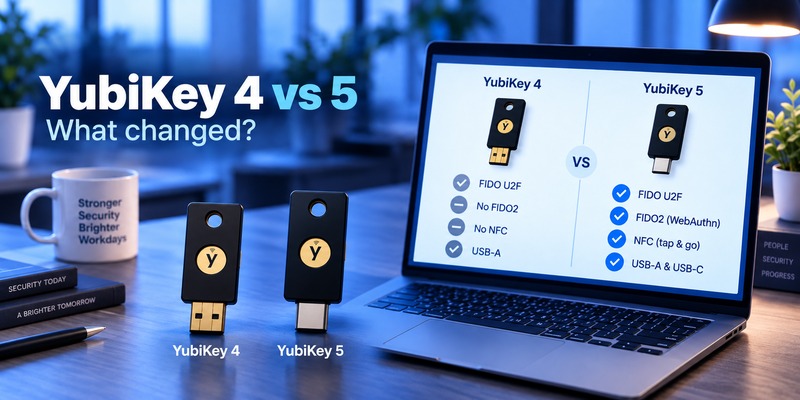
The difference between yubikey 4 and 5 matters if you have an older device.
YubiKey 5 introduced support for FIDO2/WebAuthn, enabling modern passwordless authentication in addition to protocols already associated with earlier multi-protocol YubiKeys.
Yubico introduced YubiKey 5 as a multi-protocol security-key series supporting:
- FIDO2/WebAuthn
- FIDO U2F
- PIV
- OpenPGP
- Yubico OTP
- OATH-TOTP
- OATH-HOTP
- Challenge-response
The older YubiKey 4 family predates FIDO2.
Yubico also ended sales of the YubiKey 4 FIPS Series after December 31, 2021, as the company transitioned to YubiKey 5 FIPS products.
For someone purchasing a security key today, a current FIDO2-capable model makes considerably more sense than seeking older YubiKey 4 hardware.
9. FAQ About YubiKey vs Microsoft Authenticator
Is YubiKey Better Than Microsoft Authenticator?
There is no universal winner in yubikey vs microsoft authenticator.
YubiKey is particularly strong when you want dedicated hardware and FIDO2 authentication for phishing resistance. Microsoft Authenticator is more convenient and can support TOTP, push authentication, passwordless sign-in, and FIDO2 passkeys.
For high-risk accounts, consider using YubiKey as the primary authentication method and keeping another secure recovery method.
Is YubiKey More Secure Than Microsoft Authenticator?
It depends on the Authenticator mode.
Compared with manually entered TOTP codes, YubiKey FIDO2 provides stronger phishing resistance.
Compared with Microsoft Authenticator’s FIDO2 device-bound passkeys, the comparison becomes closer because both use phishing-resistant FIDO2 authentication.
The primary distinction then shifts toward credential storage, hardware separation, recovery, device management, and organizational policies.
YubiKey vs 2FA: Is a YubiKey Still Two-Factor Authentication?
The phrase yubikey vs 2fa is slightly misleading because YubiKey can itself be used as part of 2FA or MFA.
Depending on configuration, the security key can combine possession of the physical device with a PIN or biometric verification.
YubiKey is an authentication technology, while 2FA describes an authentication strategy involving multiple factors.
YubiKey vs Authenticator: Which Is Safer Against Phishing?
For yubikey vs authenticator, a FIDO2 YubiKey is safer against conventional credential-phishing attacks than an authenticator generating manually entered OTP codes.
NIST explicitly says manually entered OTP outputs are not phishing-resistant, while WebAuthn is an example of phishing-resistant verifier-name binding.
If the authenticator is using a proper FIDO2 passkey rather than OTP, however, it can also provide phishing-resistant authentication.
Can YubiKey Replace Microsoft Authenticator?
Sometimes.
If every important service you use supports FIDO2 security keys, a YubiKey can become your preferred authentication method.
But some services still support only TOTP, push MFA, or proprietary authentication methods.
For this reason, many users benefit from keeping both technologies available.
Can Microsoft Authenticator Replace a YubiKey?
For ordinary accounts, possibly.
Microsoft Authenticator provides strong authentication options and now includes phishing-resistant passkeys in supported environments.
However, it does not reproduce the operational benefit of having authentication credentials on a completely separate physical security key.
This distinction can be important for privileged or high-risk users.
Does YubiKey Need Internet Access?
No battery or independent network connection is required for standard YubiKey operation. The YubiKey communicates with the device being used to authenticate through interfaces such as USB or NFC. Yubico specifically highlights that YubiKey 5 Series devices do not require batteries or network connectivity.
The computer or phone accessing the online service still needs whatever network connectivity the service requires.
Does Microsoft Authenticator Work Without Internet?
TOTP verification codes can be generated without an internet connection because they are time-based.
Push notifications and some account or passkey workflows can require network connectivity.
What Happens If I Lose My YubiKey?
Recovery depends on the service.
Ideally, you should register a second security key before losing the first one.
You should also securely store recovery codes where the service provides them.
For high-value accounts, do not make one physical YubiKey your only possible recovery method.
What Happens If I Lose My Phone With Microsoft Authenticator?
Recovery depends on your account configuration and whether backup was enabled.
Microsoft provides backup and recovery functionality for supported Authenticator credentials, although some accounts must be reauthenticated after restore. Microsoft also notes that current backup restoration is limited to the same device platform.
This is why microsoft authenticator to new phone should ideally be completed before erasing or trading in your previous phone.
Can You Use YubiKey and Microsoft Authenticator Together?
Yes, and this is often one of the most practical approaches to yubikey vs microsoft authenticator.
A service that supports multiple authentication methods may allow you to register both.
For example, you could use:
- YubiKey FIDO2 as your primary login method
- Microsoft Authenticator as another registered authentication method
- A second YubiKey stored securely as backup
- Recovery codes for emergencies
The exact combination depends on the service’s security settings.
Is YubiKey Better Than TOTP?
For resisting phishing, FIDO2 authentication with a YubiKey offers a major advantage over manually entered TOTP.
TOTP is still useful and provides much stronger account security than using only a password, but it does not cryptographically verify the website to which the user is providing the code.
Final Verdict: YubiKey vs Microsoft Authenticator
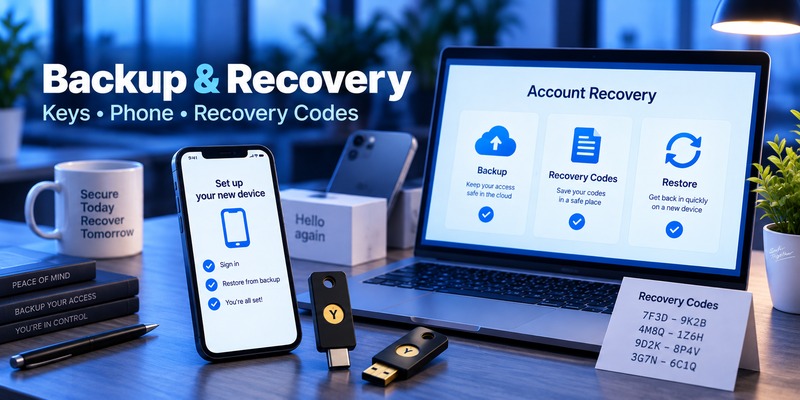
The best way to understand yubikey vs microsoft authenticator in 2026 is not as a simple battle between a hardware device and a mobile app.
Microsoft Authenticator now spans several authentication technologies, from traditional OTP codes to phishing-resistant FIDO2 passkeys.
Choose YubiKey when dedicated hardware, credential isolation, FIDO2 support, and resistance to phishing are your main priorities.
Choose Microsoft Authenticator when convenience, broad Microsoft integration, free MFA, and mobile-first authentication are more important.
For accounts where a compromise would have serious consequences, using phishing-resistant authentication is more important than the brand of authenticator you choose.
A YubiKey using FIDO2 and a Microsoft Authenticator passkey can both provide phishing-resistant authentication. By contrast, manually entered TOTP codes do not provide the same protection against real-time phishing. NIST recommends making phishing-resistant authentication available at AAL2 and requires it at AAL3.
For many security-conscious users and organizations, therefore, the strongest practical answer to yubikey vs microsoft authenticator is:
Use FIDO2/passkeys whenever possible, use a hardware security key for your highest-risk accounts, and maintain a separate secure recovery method rather than relying on a single device.
Download Authenticator App
Secure your accounts with fast, reliable two-factor authentication. Download now and protect your login in seconds.
