
Google Authenticator and Binance: Which Authenticator Should You Use?
Published September 18, 2026
If you are deciding between Google Authenticator and Binance Authenticator, the short answer is simple:
Google Authenticator is generally the more convenient choice if you want one authenticator for Binance and many other online accounts. Binance Authenticator is a strong alternative for users who mainly want to manage Binance-related authentication and prefer manual account transfer rather than relying on Google Account synchronization.
Both can generate the six-digit verification codes Binance uses for two-factor authentication. Binance officially provides setup instructions for both Google Authenticator and its own BAuthenticator.
For many users, therefore, the real Google Authenticator and Binance comparison is not about whether either option works. Both work. The bigger differences involve backup, synchronization, portability, ecosystem support, and how you want to manage recovery.
One important security point applies to both: authenticator codes are stronger than relying only on a password, but time-based OTP codes are not phishing-resistant. NIST explicitly states that manually entered OTP authentication can still be intercepted by a fraudulent website. Users who want stronger phishing protection should also consider a Binance passkey where available.
Google Authenticator and Binance: Short Answer
For most people researching Google Authenticator and Binance, here is the fastest way to choose:
Choose Google Authenticator if:
- You secure Binance plus many other websites.
- You want optional synchronization through your Google Account.
- You frequently change phones.
- You prefer a widely supported general-purpose authenticator.
- You want to manually transfer accounts when needed but also have a cloud-sync option.
Choose Binance Authenticator if:
- Binance is one of your main accounts.
- You prefer Binance’s own authentication app.
- You want manual account export between devices.
- You would rather avoid connecting authenticator codes to a Google Account.
For stronger phishing resistance: consider enabling a Binance passkey in addition to maintaining secure recovery options. Binance supports passkeys on compatible devices, while NIST notes that manually entered OTP codes themselves are not phishing-resistant.
In other words, there is no dramatic security winner in the basic Google Authenticator and Binance TOTP comparison. Both rely on possession of an authentication secret that generates rotating verification codes.
The differences become more important when you consider backup and recovery.
 Discover Helpful Guides:
Google Authenticator vs Microsoft Authenticator: Which Is Better
Google Authenticator vs Binance Authenticator: Quick Comparison
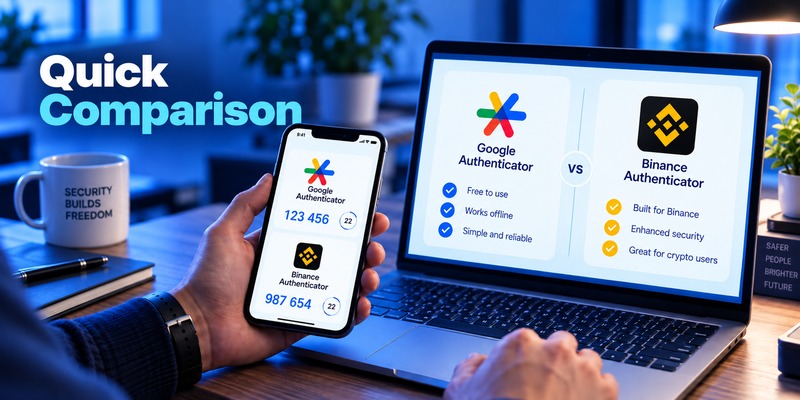
The table below summarizes the most important differences.
| Feature | Google Authenticator | Binance Authenticator |
| Works with Binance | Yes | Yes |
| Generates 6-digit verification codes | Yes | Yes |
| Internet required to generate normal TOTP codes | No | Generally no for locally stored TOTP codes |
| Multiple accounts | Yes | Yes |
| Cloud synchronization | Optional Google Account sync | No equivalent cloud-sync feature documented by Binance |
| Manual device transfer | Yes | Yes |
| Transfer method | Export/import QR codes | Export account and scan QR code |
| Broad third-party service support | Extensive | More Binance-focused documentation |
| Best for multi-service use | Google Authenticator | Suitable, but less broadly documented |
| Best for Binance-focused users | Good | Very convenient |
| Phishing-resistant | No | No |
| Alternative stronger method on Binance | Passkey | Passkey |
Google says Authenticator can synchronize verification codes across devices when users sign in with their Google Account. Users can also run the app without a Google Account and transfer accounts manually. Google states that synchronized Authenticator data is encrypted in transit and at rest.
Binance Authenticator takes a more manual approach. Binance documents an Export option that lets users move an authenticator account to another device by scanning a QR code on the new phone.
That difference is one of the most important things to understand when comparing Google Authenticator and Binance Authenticator.
Which Authenticator Should You Use for Binance?
Best for most multi-account users: Google Authenticator
If Binance is only one of many services you protect with 2FA, Google Authenticator is usually the more practical option.
You can keep Binance, email accounts, cloud services, social platforms, exchanges, and other supported services in one place.
Google also provides two approaches to migration:
- Google Account synchronization
When signed in, supported Authenticator versions can synchronize verification codes between devices.
- Manual QR transfer
Users who do not want account synchronization can keep Google Authenticator local and manually export their accounts when changing phones.
This flexibility is a major advantage in the Google Authenticator and Binance comparison.
Best for Binance-focused use: Binance Authenticator
Binance Authenticator makes sense if you mainly care about Binance authentication and prefer staying within the Binance ecosystem.
According to Binance, BAuthenticator allows users to:
- Scan QR codes.
- Enter setup keys manually.
- Add multiple accounts.
- Rename entries.
- Pin accounts.
- Export authentication accounts to another device.
It provides the essential functionality needed for Binance 2FA without requiring Google Account synchronization.
Best for phishing resistance: Passkey
Neither authenticator should be treated as the strongest possible defense against sophisticated phishing.
A fake Binance login page could potentially ask you for your username, password, and current TOTP code and then relay that information to the legitimate website before the code expires.
NIST specifically explains that OTP authentication requiring manual entry is not phishing-resistant because the code is not cryptographically tied to the website or authentication session.
Binance supports passkeys using options such as device credentials, Google Password Manager, iCloud Keychain, or compatible hardware security keys depending on platform and configuration.
Therefore, a strong setup may combine:
Unique Binance password + authenticator-based 2FA + passkey + Binance anti-phishing protections.
 Find the Right Guide: Google Authenticator vs Authy: Which 2FA App Is Better in 2026?
Google Authenticator for Binance: Detailed Review
The relationship between Google Authenticator and Binance is straightforward. Binance officially supports Google Authenticator as an authenticator-based 2FA method.
During setup, Binance displays a QR code and setup key. After adding the account to Google Authenticator, the app generates a six-digit code that you submit to Binance to confirm activation.
How Google Authenticator works
Google Authenticator generates time-based one-time passwords.
The underlying TOTP standard is defined by RFC 6238. The standard recommends a default 30-second time interval, balancing usability with the amount of time an exposed OTP remains useful.
A simplified process looks like this:
Binance setup secret + current time → temporary verification code
Both Binance and the authenticator know the secret established during setup. They independently calculate the expected code.
That is why ordinary code generation does not require Binance to continuously communicate with Google Authenticator.
Major Google Authenticator advantage: synchronization
Google Authenticator has changed considerably from its earlier device-only design.
Google now allows users to synchronize Authenticator codes using their Google Account. When a user signs into the same Google Account on another supported device, synchronized codes can become available there.
Google lists synchronization support for Google Authenticator version 6.0 or newer on Android and version 4.0 or newer on iOS.
For someone comparing Google Authenticator and Binance Authenticator because they regularly upgrade phones, this feature is significant.
You can still use Google Authenticator without cloud synchronization
Users who prefer local storage can choose Use without an account.
Google also supports manual account migration. The old phone generates one or more transfer QR codes, and the new phone imports them by scanning those codes.
That gives Google Authenticator considerable flexibility.
Main advantages
Broad compatibility
Google Authenticator is designed for websites and apps supporting authenticator-based two-step verification, not just Binance.
Easy account organization
One app can manage many login entries.
Optional synchronization
Useful if you lose or replace a phone.
Offline code generation
Google confirms that verification codes can still be generated without an internet connection or mobile service.
Main consideration
Synchronization improves recovery convenience but changes your security model.
If you enable synchronization, protecting the Google Account connected to Google Authenticator becomes especially important. Use strong authentication on that Google Account as well.
Binance Authenticator: Detailed Review
Binance Authenticator, sometimes referred to in Binance documentation as BAuthenticator, is Binance’s own authentication application.
The setup flow is very similar to Google Authenticator.
Binance generates an authentication QR code and setup key. You scan or enter it in BAuthenticator, which begins generating the codes required for Binance verification.
What Binance Authenticator can do
Binance documents several useful management features:
Pin an account
Frequently used entries can be easier to locate.
Edit account names
Helpful when managing multiple authentication entries.
Add multiple accounts
You are not limited to one authentication record.
Export accounts
You can move an authenticator entry to another device by generating an export QR code and scanning it from the new device.
Biggest difference from Google Authenticator
The key difference in the Google Authenticator and Binance comparison is recovery convenience.
Google documents optional account-based synchronization.
Binance’s documentation instead emphasizes manual export.
For privacy-conscious users who deliberately prefer a manual migration workflow, this may be appealing. However, it also means that planning your device migration and securing your recovery information becomes particularly important.
Who may prefer Binance Authenticator?
It can be suitable if:
- Binance is your primary crypto platform.
- You want a straightforward Binance-oriented experience.
- You prefer manually transferring authenticator entries.
- You do not need Google’s cross-device synchronization.
 Read More Guides: Google Authenticator vs Duo Mobile: Features, Pricing, Pros, Cons
Google Authenticator vs Binance Authenticator: Security Comparison
From a fundamental TOTP perspective, Google Authenticator and Binance Authenticator are closer than they may initially appear.
The security of an authenticator setup depends heavily on the secret created when 2FA is configured.
If an attacker obtains that setup secret, they may be able to generate the same codes as your legitimate authenticator.
That is why Binance warns users not to disclose backup or authentication keys.
Are six-digit codes secure?
Six-digit codes are short-lived credentials rather than permanent passwords.
RFC 6238 recommends a standard 30-second time step for TOTP implementations.
The temporary nature of these codes means stealing an old code is generally less useful than stealing a permanent password.
However, an attacker who obtains a current code through real-time phishing may still be able to use it immediately.
Neither is phishing-resistant
This is arguably the most important security limitation.
NIST states clearly:
OTP authentication is not phishing-resistant.
The problem is not that TOTP is weak cryptography. The problem is that users manually type the code into a website.
A convincing fake website can ask for that code and relay it elsewhere.
Therefore, when considering Google Authenticator and Binance, avoid thinking of the choice as:
Which authenticator makes phishing impossible?
Neither does.
Instead, consider:
Which authenticator gives me the recovery model and usability I want, while I add phishing-resistant protection where possible?
That is a much better security question.
Add Binance passkeys where appropriate
Binance supports passkeys for many account functions.
On supported configurations, passkeys can be stored through mechanisms including iCloud Keychain, Google Password Manager, device credentials, and hardware security keys.
Passkeys can therefore complement authenticator-based verification.
Backup, Sync, and Moving to a New Phone
Device migration is where the Google Authenticator and Binance comparison becomes especially practical.
Google Authenticator migration
If synchronization is enabled:
- Install Google Authenticator on the new phone.
- Sign in to the relevant Google Account.
- Supported synchronized codes can appear automatically.
Google also supports manual migration when Authenticator is used without a Google Account. Users export accounts from the old phone and scan the resulting QR codes on the new phone.
Binance Authenticator migration
Binance documents an export workflow:
- Open the relevant authenticator entry.
- Select Export.
- Generate the transfer QR code.
- Scan it using Binance Authenticator on the new device.
Changing the authenticator through Binance
If you cannot simply transfer the existing authenticator configuration, Binance allows users to change their authenticator from account security settings.
Binance’s current global documentation warns that after changing Google Authenticator, withdrawals, internal transfers, and P2P transactions may be restricted for up to 48 hours as a security precaution. Exact restrictions can vary by Binance region and account configuration, so users should read the warning displayed in their own account before confirming the change.
This is why you should migrate 2FA before wiping, trading in, or factory-resetting your old phone.
Download Authenticator App
Secure your accounts with fast, reliable two-factor authentication. Download now and protect your login in seconds.
How to Choose an Authenticator for Binance
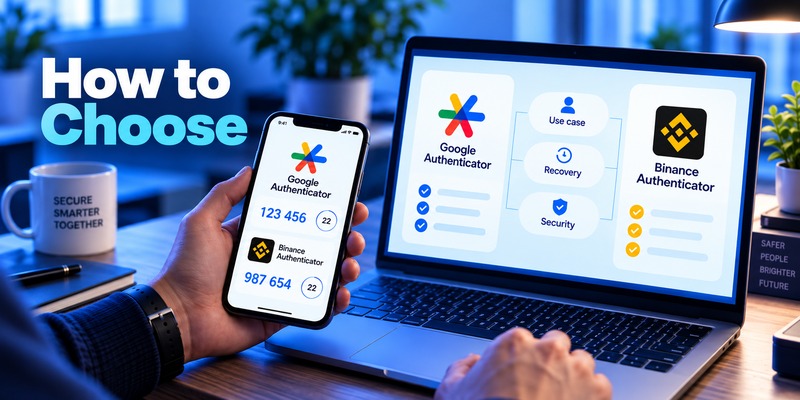
Instead of asking whether Google Authenticator and Binance Authenticator are universally better or worse, evaluate these five factors.
1. Number of accounts
If you have many services requiring TOTP authentication, Google Authenticator’s broader general-purpose design may be more convenient.
If Binance is your main use case, Binance Authenticator may provide everything you need.
2. Recovery preference
Ask yourself:
Do I want cloud-assisted synchronization or manual migration?
For optional account synchronization, Google Authenticator has the clear feature advantage.
For users who intentionally prefer manual transfer, Binance Authenticator offers a straightforward export workflow.
3. Device replacement habits
People who upgrade or switch phones frequently may appreciate Google Account synchronization.
People who keep devices for years and carefully migrate authentication credentials manually may not care about this difference.
4. Security of your broader ecosystem
Using synchronization is only as sensible as the protection around the account managing that synchronization.
If you use Google Authenticator sync, secure your Google Account appropriately.
If you use manual-only authentication storage, securely handle recovery methods and ensure you do not lose the only device capable of generating your Binance codes.
5. Phishing threat model
Neither TOTP option is phishing-resistant.
If phishing protection matters significantly, enable a passkey where Binance supports it and learn to recognize the official Binance domain.
Binance also recommends enabling its anti-phishing code and never revealing authentication backup keys.
Discover Helpful Guides: Proton Authenticator vs Google Authenticator: Which Is Better in 2026?
Compatibility: Where Can You Use Each Authenticator?
Google Authenticator
Google Authenticator is a general-purpose authenticator App designed to generate verification codes for supported websites and applications.
Google officially supports its Authenticator application on Android and iOS, and its documentation covers both account synchronization and manual migration.
This makes it practical for users who want one application for:
- Binance
- Google-related authentication scenarios
- Social accounts
- Cloud services
- Developer platforms
- Financial services
- Other websites supporting compatible authenticator-based 2FA
Compatibility for any individual site should still be verified before migrating.
Binance Authenticator
Binance provides BAuthenticator specifically as an option for authenticator-based Binance 2FA.
Its documentation confirms support for multiple authentication entries and account export.
However, Binance’s official documentation is naturally much more focused on its own ecosystem than Google’s documentation is.
Therefore, users who want maximum multi-service flexibility may find Google Authenticator easier to standardize across accounts.
How to Set Up Google Authenticator on Binance
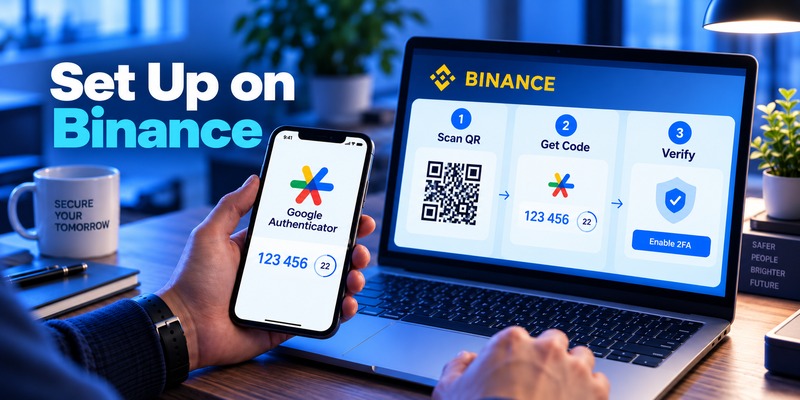
Setting up Google Authenticator and Binance together is relatively quick.
According to Binance’s current setup instructions:
Step 1: Open Binance security settings
Log in to Binance and go to your account’s Security section.
Select Authenticator App and choose to enable it.
Step 2: Get the setup information
Binance will display a QR code and setup key.
Do not expose this information.
Anyone who obtains the authentication secret could potentially reproduce your future verification codes.
Step 3: Add Binance to Google Authenticator
Open Google Authenticator.
Tap the + button.
Choose either:
- Scan QR code, or
- Enter a setup key.
Once added, a Binance entry should appear.
Step 4: Enter the six-digit verification code
Return to Binance.
Enter the six-digit code currently displayed in Google Authenticator.
After successful verification, Google Authenticator becomes an enabled Binance authentication method.
Step 5: Secure your recovery setup
Before considering the job complete:
- Protect your phone with a strong screen lock.
- Decide whether you want Google Authenticator synchronization.
- Secure your Google Account if sync is enabled.
- Protect any Binance recovery information.
- Consider configuring a passkey as an additional security mechanism.
Read More Guides: I Lost My TCL TV Remote: Find It or Restore Control
Common Google Authenticator and Binance Problems
Google Authenticator code is incorrect
If Binance rejects the code, first check your device time.
TOTP authentication depends on both sides calculating codes from synchronized time intervals.
Binance recommends synchronizing the time on your mobile device and the device used for login when users encounter Google Authenticator code errors.
Also make sure:
- You selected the correct Binance entry.
- You are entering the newest code.
- The code has not expired while you are typing.
- Your device date and time are set automatically.
I lost my old phone
If Google Authenticator synchronization was enabled, signing into your Google Account on the new phone may restore synchronized entries.
If synchronization was not enabled but you still have the old device, use the manual account transfer feature.
If neither option is available, you may need to use Binance’s security recovery process.
I want to change authenticators
Binance allows users to replace their current authenticator through Security settings.
Be aware that additional restrictions may temporarily apply after the change.
Current Binance global documentation states that sensitive actions such as withdrawals, P2P transactions, or internal transfers may be disabled for up to 48 hours following an authenticator change.
Google Authenticator disappeared after resetting my phone
A factory reset can remove locally stored authenticator data.
Recovery depends on whether you:
- Enabled Google Account synchronization.
- Still have another synchronized device.
- Exported accounts previously.
- Have access to Binance’s account recovery process.
This is one reason backup strategy should be part of your Google Authenticator and Binance setup rather than something you think about only after losing the phone.
💡 Discover Helpful Guides: YubiKey vs Microsoft Authenticator: Which Is More Secure for 2FA in 2026?
FAQ About Google Authenticator and Binance
Can I use Google Authenticator with Binance?
Yes. Binance officially supports Google Authenticator for authenticator-based two-factor authentication. Binance provides both QR-code and setup-key methods for adding the account.
Is Binance Authenticator better than Google Authenticator?
It depends on your priorities.
Google Authenticator is more convenient for users managing many different services and offers optional account synchronization. Binance Authenticator is attractive for Binance-focused users who prefer a manual export workflow.
Both can provide the rotating codes needed for Binance authenticator-based 2FA.
Is Google Authenticator safe for Binance?
Google Authenticator provides a meaningful additional layer beyond password-only authentication.
Google states that synchronized Authenticator codes are encrypted in transit and at rest, while users can also opt to keep codes outside their Google Account.
However, TOTP codes are not phishing-resistant, so users should still verify the website they are logging into and consider Binance passkeys.
Does Google Authenticator need internet access for Binance?
No internet connection is required to generate ordinary verification codes after the account has been configured. Google confirms Authenticator can generate codes without internet or mobile service.
You will, of course, need connectivity to actually communicate with Binance.
How often does the authentication code change?
TOTP uses time-based verification intervals.
RFC 6238 recommends 30 seconds as the default time step, although implementations can technically configure the system differently.
Can Google Authenticator sync Binance codes to a new phone?
Yes, if Google Account synchronization is enabled.
Google says signing into Google Authenticator with the same Google Account on a new supported device allows synchronized verification codes to become available there.
Manual transfer is also available.
Can Binance Authenticator move codes to another phone?
Yes.
Binance documents an Export function that allows an authenticator account to be transferred by scanning an export QR code using the new device.
What happens if I change Google Authenticator on Binance?
Binance may temporarily limit sensitive account actions after the change.
Its current global documentation says withdrawals, internal transfers, and P2P transactions can be disabled for up to 48 hours following an authenticator change. Regional rules can differ, so check the warning shown inside your account.
Is Google Authenticator safer than SMS for Binance?
Authenticator-based verification avoids several risks associated specifically with receiving authentication codes over the mobile telephone network.
However, it should not be described as immune to attack. A live phishing site can potentially capture and relay an OTP.
For higher phishing resistance, cryptographic authentication such as properly implemented passkeys is a stronger direction. NIST explicitly distinguishes phishing-resistant cryptographic authentication from manually entered OTP authentication.
Should I use Google Authenticator or a passkey for Binance?
They can serve complementary roles.
Authenticator codes provide a widely understood second-factor mechanism, while passkeys can provide stronger protection against phishing because the authentication is cryptographically tied to the legitimate service rather than relying on a user manually entering a transferable code.
Binance currently supports passkeys for many account functions.
Can I use both Google Authenticator and another security method?
Binance supports multiple security mechanisms depending on account, device, and region.
A strong configuration may include an authenticator, passkey, secure email account, and Binance anti-phishing protection rather than relying on one control alone.
Final Comparison: Google Authenticator or Binance Authenticator?
For users comparing Google Authenticator and Binance, both applications can perform the central job: generate temporary verification codes for Binance two-factor authentication.
The biggest distinction is not the six-digit code itself.
It is how you manage the authenticator over time.
Choose Google Authenticator if you want broad compatibility, optional Google Account synchronization, easier multi-device recovery, and one authentication application for many services.
Choose Binance Authenticator if you primarily use Binance, prefer Binance’s own authentication interface, and are comfortable moving authentication accounts manually when changing devices.
For security-conscious users, however, the Google Authenticator and Binance decision should not stop there. TOTP codes provide useful protection but remain vulnerable to real-time phishing because they can be manually entered into a fraudulent website.
A more complete Binance security strategy is:
Use a unique password, enable authenticator-based 2FA, protect your authentication recovery information, activate a passkey where practical, and verify that you are interacting with the legitimate Binance service before submitting credentials.
That combination matters more than simply choosing one TOTP application over another.
Download Authenticator App
Secure your accounts with fast, reliable two-factor authentication. Download now and protect your login in seconds.
