
Google Authenticator vs Duo Mobile: Features, Pricing, Pros, Cons
Published September 16, 2026
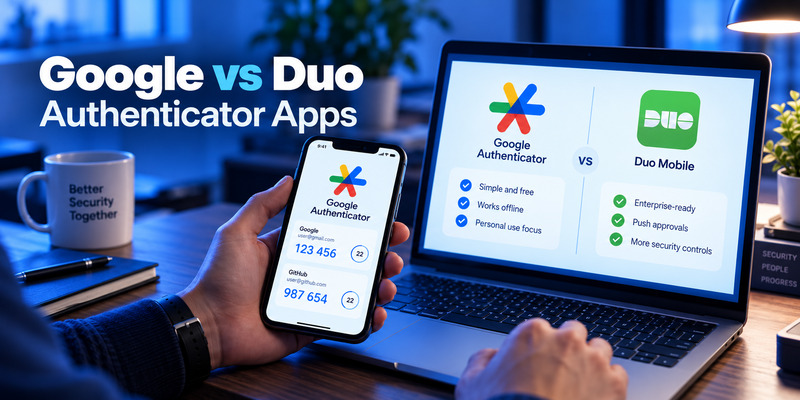
The short answer to google authenticator vs duo mobile is simple: Google Authenticator is better suited to individuals who mainly need a straightforward, free TOTP authenticator, while Duo Mobile is more suitable for businesses, universities, and organizations that need managed MFA, push authentication, device policies, passwordless options, and centralized security controls.
For ordinary third-party accounts, however, the difference is smaller than it first appears. Both apps can generate 30-second TOTP codes for compatible websites and services.
Google Authenticator is provided by Google LLC and is completely free as a consumer authenticator. It can synchronize verification codes through a Google Account across devices, while users who prefer local-only storage can use the app without signing into Google. Google says synchronized Authenticator codes are encrypted both in transit and at rest.
Duo Mobile is developed by Duo Security, part of Cisco’s Duo identity-security platform. The mobile app itself is free and can generate codes for ordinary third-party accounts without requiring an organization to buy Duo. However, companies wanting the full Duo security platform—including Duo Push, administrative policies, passwordless authentication, risk controls, and device trust—use Duo’s organizational plans.
So when comparing google authenticator vs duo mobile, it is important not to compare only the mobile apps. Duo Mobile can be one component of a much larger enterprise identity-security system.
1. Google Authenticator vs Duo Mobile: Quick Answer
Here is the fastest way to understand google authenticator vs duo mobile.
| Category | Google Authenticator | Duo Mobile |
| Provider | Google LLC | Duo Security LLC / Cisco Duo |
| Consumer app price | Free | Free |
| Standard TOTP | Yes | Yes |
| Works offline | Yes | Yes |
| Third-party accounts | Yes | Yes |
| QR-code setup | Yes | Yes |
| Cloud backup/sync | Google Account sync | Duo Restore / platform backup |
| Use without organizational account | Yes | Yes for third-party TOTP |
| Push MFA | Not comparable as a general enterprise feature | Yes, with Duo service |
| Verified push | No equivalent organizational feature | Yes |
| Central admin dashboard | No | Yes |
| User/device policies | No | Yes, depending on Duo plan |
| Passwordless enterprise authentication | No comparable platform | Yes |
| Passkeys/WebAuthn in enterprise platform | Not part of Google Authenticator itself | Supported through Duo |
| Business integrations | Limited as an authenticator app | Extensive |
| Free business tier | Not an enterprise MFA service | Duo Free: up to 10 users |
| Best for | Personal TOTP | Business MFA + TOTP |
| Biggest advantage | Simplicity | Enterprise security controls |
| Biggest disadvantage | Few administrative/security-management features | Full capabilities require Duo deployment |
Best for simple personal 2FA: Google Authenticator.
Best for company-managed MFA: Duo Mobile with Cisco Duo.
Best for ordinary TOTP codes: Either app.
Best for push-based business authentication: Duo Mobile.
The core distinction in google authenticator vs duo mobile is therefore simple authenticator versus authenticator plus enterprise identity platform.
🗺️ Browse How-To Guides
Google Authenticator vs Authy: Which 2FA App Is Better in 2026?
2. Google Authenticator vs Duo Mobile Comparison Table

A detailed feature table makes the differences easier to see.
| Feature | Google Authenticator | Duo Mobile |
| Developer | Google LLC | Duo Security LLC |
| Parent ecosystem | Cisco Duo | |
| Individual price | Free | Free |
| Android | Yes | Yes |
| iOS | Yes | Yes |
| Apple Watch | No major core workflow | Supported for Duo Mobile |
| Standard TOTP | Yes | Yes |
| 30-second codes | Yes | Yes for compatible TOTP |
| Offline code generation | Yes | Yes |
| QR-code enrollment | Yes | Yes |
| Multiple accounts | Yes | Yes |
| Search accounts | Yes | Account management available |
| Google Account synchronization | Yes | No |
| Platform backup/recovery | Yes via Google Account | Yes via Duo Restore |
| Third-party backup | Google Account sync/manual transfer | Backup with recovery password |
| Push approval | Not a primary feature | Yes for Duo-protected services |
| Verified push code | No | Yes |
| Fraud reporting | No comparable admin system | Yes |
| Centralized administrator controls | No | Yes |
| Device trust | No | Available through Duo |
| Risk-based authentication | No | Available in higher Duo tiers |
| Passwordless business login | No | Available |
| SSO | No | Available with Duo plans |
| Passkeys/WebAuthn | Separate from Authenticator | Supported through Duo platform |
| Best for consumers | Excellent | Good |
| Best for enterprises | Basic TOTP only | Excellent |
This table explains why google authenticator vs duo mobile can be misleading if they are treated as identical products.
Google Authenticator is primarily a code generator.
Duo Mobile can also generate codes, but when connected to Cisco Duo it becomes an authentication endpoint for a centrally managed security platform.
3. Provider and Pricing Comparison
Price deserves special attention because the two products follow different business models.
Google Authenticator
Provider: Google LLC
App price: Free
Consumer subscription: None required
Primary purpose: TOTP-based two-step verification
Google Authenticator’s App Store listing identifies Google as the developer and lists the app as free.
You do not need to purchase Google Workspace to use Google Authenticator.
You can use it with compatible:
- Google accounts
- Social media accounts
- Cloud services
- Cryptocurrency services
- Developer accounts
- E-commerce accounts
- Other websites supporting authenticator-app TOTP
This makes Google Authenticator particularly attractive for users who simply want free two-factor authentication.
Duo Mobile
Provider: Duo Security LLC / Cisco Duo
Mobile app: Free
Third-party TOTP use: Free
Business security platform: Free and paid tiers
Duo Mobile’s App Store listing currently identifies Duo Security LLC as the developer and the app as free.
Importantly, Duo says users do not need an organizational Duo account just to generate codes for third-party personal accounts.
However, organizations deploying Duo’s full MFA system have several pricing options.
Cisco Duo Pricing
As of September 2026, Cisco lists:
| Duo Plan | Price | Intended Use |
| Duo Free | $0/user/month | Organizations with up to 10 users |
| Duo Essentials | $3/user/month | MFA, SSO and basic identity security |
| Duo Advantage | $6/user/month | Risk-based security and identity threat capabilities |
| Duo Premier | $9/user/month | Advanced Zero Trust and device trust |
Cisco states that Duo Free supports up to 10 users, while Essentials, Advantage, and Premier currently cost $3, $6, and $9 per user per month, respectively.
This pricing difference is crucial for google authenticator vs duo mobile.
Google Authenticator is essentially a free authenticator utility. Duo Mobile is also free, but organizations pay when they want the broader Duo identity platform around it.
Download Authenticator App
Secure your accounts with fast, reliable two-factor authentication. Download now and protect your login in seconds.
4. Google Authenticator vs Duo Mobile Features Comparison
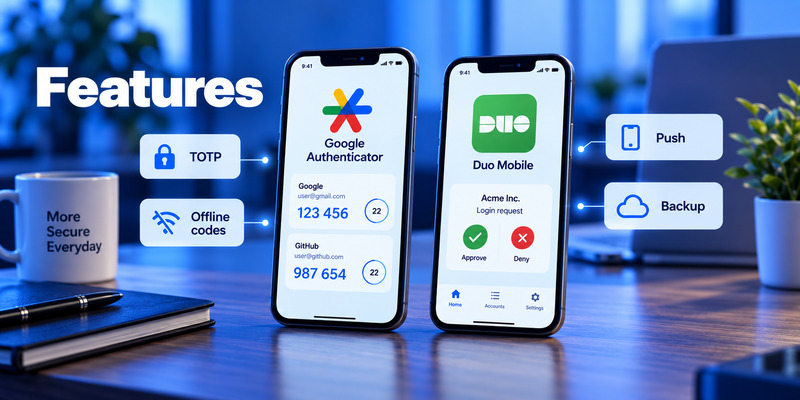
The biggest differences appear when we move beyond six-digit codes.
Google Authenticator Features
Google Authenticator provides:
- TOTP verification codes
- QR-code enrollment
- Offline authentication codes
- Google Account synchronization
- Multi-device synchronization
- Manual account transfer
- Multiple Google Account support
- Search and organization
- Privacy Screen using device PIN or biometrics
Google confirms that users can synchronize Authenticator verification codes across devices simply by signing in with a Google Account. Users can also choose Use without an account if they prefer to keep codes locally on the device.
That balance makes Google Authenticator relatively flexible for personal use.
Duo Mobile Features
Duo Mobile includes ordinary OTP functionality, but its feature set becomes much larger when used with Cisco Duo.
It can support:
- TOTP
- Duo Push
- Verified Duo Push
- Passwordless authentication
- Enterprise MFA
- WebAuthn/passkeys through Duo
- Hardware security keys
- Device policies
- Trusted endpoints
- Risk-based authentication
- Centralized security policies
- Fraud reporting
Cisco describes Duo Push as a system that sends authentication requests to the Duo Mobile app for approval or denial. Verified Duo Push can require users to enter a numeric code displayed during login, helping reduce accidental approval of fraudulent requests.
That makes the feature comparison in google authenticator vs duo mobile heavily dependent on the context.
For TOTP alone, the apps are close.
For enterprise authentication, Duo Mobile offers far more capabilities.
5. TOTP and Third-Party Account Support
One of the most common questions about duo mobile vs google authenticator is whether Duo can generate the same kinds of codes as Google Authenticator.
In many cases, yes.
Duo officially says Duo Mobile can generate authentication codes for third-party services such as Instagram, Facebook, Snapchat, Google, and Dropbox. Users can scan the QR code provided during the website’s authenticator setup process.
Duo’s documentation states that third-party TOTP passcodes expire after 30 seconds.
Google Authenticator similarly generates one-time verification codes for sites and applications supporting authenticator-app two-step verification. It can generate them even without network or cellular connectivity.
For someone whose accounts simply display:
Scan this QR code with your authenticator app.
either application will often work.
That means the google authenticator vs duo mobile decision becomes less significant when your only requirement is TOTP.
Duo’s bigger advantages appear when your school, employer, or IT department actually deploys the Duo platform.
6. Backup, Sync, and Account Recovery
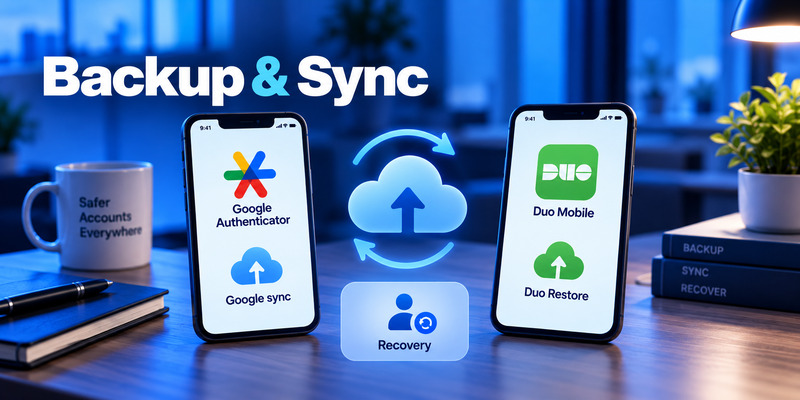
Recovery used to be one of the biggest weaknesses of authenticator apps. Both products now offer ways to reduce the risk of losing all your codes with your phone.
Google Authenticator Backup and Sync
Google Authenticator allows verification codes to synchronize through a Google Account.
When you sign into the same account on a new device, synchronized codes can become available automatically.
Google says Authenticator codes synchronized through its systems are encrypted both in transit and at rest.
You are not forced to use cloud synchronization.
If you select Use without an account, codes remain on the device. You can later transfer them manually using a QR-code transfer process.
Duo Mobile Backup
Duo’s recovery system is more complex because it handles both:
- Duo-protected organization accounts
- Third-party TOTP accounts
Duo recommends enabling backup and recovery when using Duo Mobile for third-party accounts.
For these accounts, users create a recovery password. Duo says this recovery password must be between 10 and 128 characters, and Duo cannot recover it if the user forgets it.
Duo also warns that third-party accounts cannot simply be exported from Duo Mobile. Without a backup, users may need to reconfigure each service manually.
Which Is Easier?
For the average consumer comparing google authenticator vs duo mobile, Google Authenticator’s account synchronization is generally simpler.
Duo’s recovery model gives organizations and users more specialized workflows, but it involves additional concepts such as Duo Restore, organizational activation, third-party recovery passwords, and separate restoration processes.
7. Google Authenticator: Pros and Cons
Pros
Free to use
There is no subscription needed to use Google Authenticator.
Simple setup
Scanning a QR code is usually enough to register an account.
Works offline
Authentication codes can be generated without cellular service or Wi-Fi.
Google Account synchronization
Codes can be synchronized across devices.
Optional local-only use
Users who do not want synchronization can use Google Authenticator without signing into a Google Account.
Biometric or device-lock protection
Privacy Screen can require PIN, pattern, or biometric authentication before displaying codes.
Broad compatibility
The app works with many services using standard authenticator QR codes.
Cons
Limited enterprise controls
Google Authenticator itself does not provide an administrator with centralized policies for employee devices.
No Duo-style push workflow
It is primarily focused on verification codes rather than organization-controlled approval requests.
No integrated device-trust system
Companies needing endpoint policies need separate security tools.
TOTP remains phishable
Entering a six-digit code into a fake website can still expose that code to an attacker.
NIST explicitly states that manually entered OTP authentication is not phishing-resistant.
Google Authenticator Is Best For
Google Authenticator makes the most sense for:
- Personal accounts
- Individual users
- People who mainly use TOTP
- Users wanting minimal setup
- Users wanting free multi-device synchronization
- People who do not need IT administration
- Users who want an authenticator App without a broader enterprise security platform
For these use cases, google authenticator vs duo mobile often favors Google’s simpler approach.
8. Duo Mobile: Pros and Cons
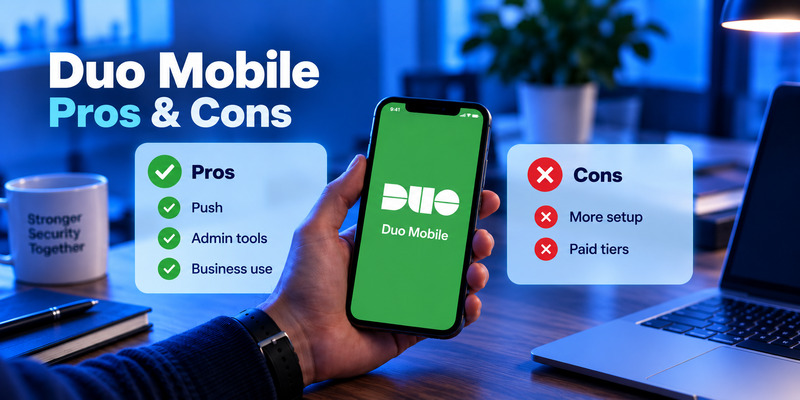
Pros
Supports standard TOTP
Duo Mobile can replace Google Authenticator for many ordinary QR-code-based accounts.
Duo Push
Users can approve or reject authentication requests from their phones instead of manually copying codes.
Verified Duo Push
Organizations can require a verification code during push approval, helping reduce push-fatigue attacks and accidental approvals.
Enterprise administration
IT teams can manage authentication policies centrally.
Passwordless authentication
Cisco Duo supports passwordless authentication, including Duo Mobile-based workflows.
Passkeys and WebAuthn
Duo policies can allow passkeys and WebAuthn security keys.
Device trust and risk controls
Higher Duo tiers offer endpoint checks and risk-based authentication. Duo Advantage, for example, includes risk-based authentication and identity-security capabilities, while Premier adds more extensive device-trust functionality.
Free option for small organizations
Duo Free supports up to 10 users.
Cons
More complex
People who only need personal TOTP may never use most Duo features.
Enterprise features can cost money
Paid Duo plans currently range from $3 to $9 per user per month.
Recovery is more complex
Duo-protected accounts and third-party TOTP accounts have different restore processes.
Third-party accounts cannot simply be exported
Duo recommends maintaining recovery methods because its support team cannot restore third-party accounts for you.
Some capabilities depend on organizational configuration
Installing Duo Mobile alone does not automatically give a personal user Duo Push, device trust, risk-based authentication, or enterprise SSO.
Duo Mobile Is Best For
Duo Mobile is particularly suitable for:
- Businesses
- Universities
- Corporate employees
- Remote-work environments
- IT-managed devices
- Organizations protecting VPN access
- Companies deploying Zero Trust policies
- Teams wanting push authentication
- Businesses wanting centralized authentication reporting
This is where google authenticator vs duo mobile becomes a much easier decision.
9. Which App Is Best for Different Users?
Rather than asking which is better duo mobile or google authenticator, match each app to the actual use case.
| User / Situation | Better Fit | Why |
| Individual with a few TOTP accounts | Google Authenticator | Simple and free |
| User with dozens of TOTP accounts | Google Authenticator | Easy sync and search |
| User wanting Google Account sync | Google Authenticator | Native synchronization |
| User wanting local-only TOTP | Google Authenticator | Can be used without Google Account |
| Company employee already using Duo | Duo Mobile | Organization-managed MFA |
| Small business with ≤10 users | Duo | Duo Free available |
| Large company | Duo | Central policy and identity security |
| University | Duo Mobile | Managed authentication and push |
| VPN authentication | Duo Mobile | Strong organizational integrations |
| User wanting push approval | Duo Mobile | Duo Push |
| IT team needing device trust | Duo | Device-control capabilities |
| Company needing risk-based authentication | Duo Advantage/Premier | Enterprise risk controls |
| Simple offline codes | Either | Both support OTP |
| Third-party TOTP accounts | Either | Both support QR-based setup |
| Phishing-resistant authentication | Duo platform with passkeys/WebAuthn | TOTP itself is not phishing-resistant |
This table is arguably the most useful part of the entire google authenticator vs duo mobile comparison.
There is no need for an individual to deploy an enterprise identity platform simply to protect Instagram or GitHub.
Likewise, a large organization usually needs much more than a list of six-digit TOTP codes.
10. Google Authenticator vs Duo Mobile for Security
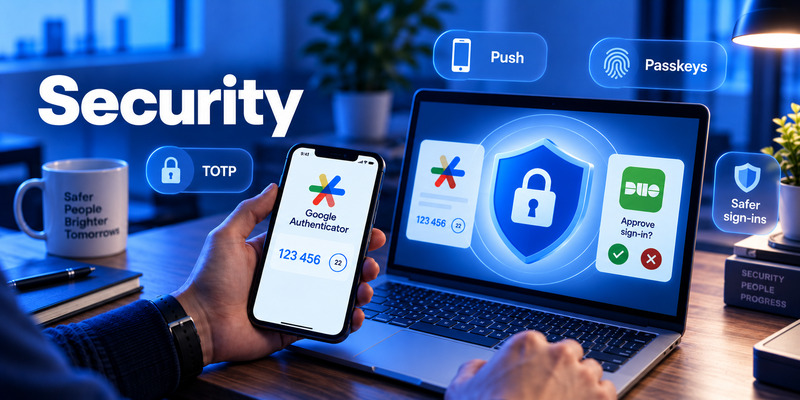
Security requires more nuance than declaring one app “more secure.”
For basic TOTP, google authenticator vs duo mobile provides broadly similar protection: each device holds a secret and generates temporary authentication codes.
The more meaningful difference comes from the authentication methods surrounding the app.
TOTP Security
TOTP protects against many password-compromise scenarios.
If an attacker obtains your password but does not have your TOTP secret or current verification code, they may be unable to authenticate.
However, a phishing site can request both the password and the live OTP.
NIST’s current digital identity guidance says OTP authentication is not phishing-resistant because the output is manually transferred and is not cryptographically bound to the genuine service.
That limitation applies to TOTP in both apps.
Duo’s Enterprise Security Options
Duo can go beyond TOTP.
Verified Duo Push requires the user to interact with a code shown during login. Cisco says this helps prevent accidental approvals caused by unexpected authentication requests or push harassment.
Duo can also support WebAuthn and passkeys, which use cryptographic authentication rather than manually typed OTPs.
NIST identifies WebAuthn as an example of a protocol capable of phishing resistance through verifier-name binding.
So for organizations, google authenticator vs duo mobile is not simply TOTP versus TOTP. Duo provides pathways toward stronger authentication methods.
11. Which App Is Easier to Use?
Google Authenticator has a clear simplicity advantage.
For many accounts:
- Install the app.
- Scan a QR code.
- Enter the six-digit code.
- Save your recovery codes.
There is little else to configure.
Duo Mobile is similarly simple when used only as a third-party TOTP generator.
But company-managed Duo authentication introduces additional elements:
- Enrollment
- Device registration
- Duo Push
- Verified Push
- Organization policies
- Device trust
- Recovery workflows
Those aren’t necessarily disadvantages. They exist because Duo is solving a more complicated security problem.
For an employee whose organization already uses Duo, push-based authentication can actually be faster than manually copying a TOTP code.
So in duo vs google authenticator, usability depends on context.
Google Authenticator is simpler to configure yourself.
Duo Mobile can be easier for repeated workplace authentication once IT has deployed it correctly.
12. Google Authenticator vs Duo Mobile for Business

This is the category where Duo has the clearest functional advantage.
Google Authenticator generates authentication codes, but it is not a complete enterprise access-management system.
Duo gives administrators tools to determine not only who is signing in, but also potentially:
- Which authentication method is allowed
- Whether a device is trusted
- Whether an operating system meets requirements
- Whether a login appears high risk
- Which applications the user can access
- Whether stronger authentication should be required
Duo Advantage currently includes risk-based authentication and identity-security capabilities, while Duo Premier expands the platform with more complete device-trust and Zero Trust access capabilities.
For smaller organizations, Duo Free supports up to 10 users at no cost.
For growing organizations, Duo Essentials begins at $3 per user/month.
That means the business comparison in google authenticator vs duo mobile is less about the mobile app and more about Google Authenticator versus Cisco Duo as an authentication architecture.
For personal security, that extra infrastructure can be unnecessary.
For an IT department managing hundreds or thousands of accounts, it can be the main reason to choose Duo.
13. Google Authenticator vs Duo Mobile vs Other Authenticator Apps
Users researching google authenticator authy duo mobile 1password are actually comparing several different product philosophies.
| App | Main Focus | Best For |
| Google Authenticator | TOTP | Simple personal 2FA |
| Duo Mobile | TOTP + enterprise MFA | Businesses and managed accounts |
| Authy | TOTP and backup-oriented workflows | General authentication |
| 1Password | Password manager + TOTP | Users wanting passwords and codes together |
The most important question is therefore not which app has the most features.
It is which features actually match your account-security workflow.
A personal user may prefer the simplicity of Google Authenticator.
A company may need Duo’s administrative features.
A password-manager user may prefer integrated TOTP.
And for sensitive accounts that support passkeys or hardware security keys, a phishing-resistant method may be preferable to manually entered TOTP altogether.
14. Can Duo Mobile Replace Google Authenticator?
Usually, yes for standard TOTP accounts.
Duo explicitly tells users that when a third-party service instructs them to use Google Authenticator, they can often ignore the specific app name and scan the QR code using Duo Mobile instead.
For example, if a website says:
Set up Google Authenticator.
but actually displays a standard TOTP QR code, Duo Mobile may generate the same type of authentication code.
The reverse is also often true for standard TOTP.
But the two applications are not interchangeable for Duo-specific authentication.
Google Authenticator cannot reproduce:
- Duo Push
- Verified Duo Push
- Organization-managed Duo enrollment
- Duo device trust
- Duo risk policies
- Duo Passwordless
So when evaluating google authenticator vs duo mobile, distinguish between TOTP compatibility and platform-specific authentication.
15. Final Verdict: Google Authenticator vs Duo Mobile
The practical answer to google authenticator vs duo mobile depends primarily on whether you are an individual user or part of a managed organization.
Choose Google Authenticator if:
- You mainly need TOTP.
- You want a completely free personal authenticator.
- You want simple QR-code setup.
- You want Google Account synchronization.
- You want to use the app without creating a separate authentication-service account.
- You do not need administrator policies.
- You prefer a lightweight 2FA experience.
Choose Duo Mobile if:
- Your employer or university already uses Duo.
- You need Duo Push.
- Your organization wants Verified Duo Push.
- IT needs centralized MFA administration.
- You need device-trust policies.
- You need risk-based authentication.
- Your organization is moving toward passwordless authentication or WebAuthn.
- You also want to store ordinary third-party TOTP accounts in the same app.
For basic codes, google authenticator vs duo mobile is fairly close.
For business functionality, the difference is large.
Google Authenticator is primarily an authenticator app. Duo Mobile is both an authenticator app and an endpoint for Cisco’s broader identity-security platform.
Price also reflects that distinction.
Google Authenticator is free.
Duo Mobile itself is free.
Cisco Duo Free costs $0 for up to 10 users, while current paid plans are $3/user/month for Essentials, $6 for Advantage, and $9 for Premier.
So the most useful conclusion is:
| Need | Suitable Choice |
| Personal TOTP | Google Authenticator |
| Simple and free 2FA | Google Authenticator |
| Google Account code sync | Google Authenticator |
| Third-party TOTP | Either |
| Workplace MFA | Duo Mobile |
| University-managed MFA | Duo Mobile |
| Push authentication | Duo Mobile |
| Central IT administration | Duo |
| Device trust | Duo |
| Risk-based MFA | Duo Advantage/Premier |
| Passkeys/WebAuthn enterprise deployment | Duo platform |
| Up to 10 business users | Duo Free |
For individuals, google authenticator vs duo mobile usually comes down to simplicity versus extra functionality.
For businesses, Duo Mobile has a fundamentally different role because it connects users’ devices to centrally managed authentication policies.
16. Frequently Asked Questions
Which is better, Duo Mobile or Google Authenticator?
For personal TOTP, Google Authenticator is usually simpler. For managed workplace authentication, Duo Mobile provides substantially more enterprise functionality.
So the answer to which is better duo mobile or google authenticator depends on whether you need a simple authenticator or an organizational MFA platform.
Is Google Authenticator free?
Yes. Google Authenticator is currently listed as a free app from Google.
Is Duo Mobile free?
Yes. The Duo Mobile application itself is free. Personal users can also use it to generate third-party authenticator codes without registering for an organizational Duo account.
Organizations that want the full Cisco Duo service may use Duo Free or paid plans.
How much does Cisco Duo cost?
As of September 2026:
- Duo Free: $0/user/month, up to 10 users
- Duo Essentials: $3/user/month
- Duo Advantage: $6/user/month
- Duo Premier: $9/user/month
Cisco also offers a 30-day trial.
Can Duo Mobile generate Google Authenticator codes?
For many services, yes.
Duo Mobile supports third-party TOTP accounts. Duo’s own instructions tell users that if a service mentions Google Authenticator but provides a standard authenticator QR code, they can scan it with Duo Mobile instead.
Can Google Authenticator sync between devices?
Yes.
Google allows Authenticator codes to synchronize across devices when you sign in to the same Google Account. Google says synchronized codes are encrypted in transit and at rest.
Can Google Authenticator be used without a Google Account?
Yes.
You can choose Use without an account, in which case the codes remain stored on the device rather than synchronized through your Google Account.
Does Duo Mobile support backups?
Yes.
Duo provides backup and recovery workflows. For third-party accounts, users can configure recovery and create a recovery password. Duo warns that it cannot recover this password if the user loses it.
Is Duo Mobile only for businesses?
No.
Anyone can use Duo Mobile to store compatible third-party TOTP accounts.
However, features such as Duo Push, device trust, centralized policies, SSO, and risk-based authentication are associated with an organization using Cisco Duo.
Is Duo Push safer than TOTP?
They protect users in different ways, and implementation matters.
Verified Duo Push can reduce push-fatigue problems by making users confirm a numeric code during authentication.
However, the strongest phishing resistance generally comes from cryptographic authentication such as properly implemented WebAuthn/passkeys rather than manually entered OTPs. NIST specifically states that manually entered OTP authentication is not phishing-resistant.
What is the biggest difference between Google Authenticator and Duo Mobile?
The biggest difference in google authenticator vs duo mobile is scope.
Google Authenticator focuses on generating and synchronizing authentication codes.
Duo Mobile can generate the same type of third-party codes, but it can also function as part of Cisco Duo’s enterprise authentication and identity-security platform.
That means Google Authenticator is particularly attractive for straightforward personal 2FA, while Duo Mobile becomes much more powerful when an organization needs push authentication, centralized policies, passwordless access, device trust, and security monitoring.
Download Authenticator App
Secure your accounts with fast, reliable two-factor authentication. Download now and protect your login in seconds.
