
Google Authenticator vs Authy: Which 2FA App Is Better in 2026?
Published September 16, 2026
Choosing between Google Authenticator vs Authy is no longer as simple as “basic codes versus cloud backup.” Both apps can handle time-based one-time passwords, but their approaches to synchronization, recovery, privacy, and device management are now significantly different.
Quick answer: Google Authenticator is generally the simpler choice if you want straightforward TOTP codes, optional Google Account synchronization, and an easier path for manually transferring accounts. Authy remains attractive if you value its encrypted backup system and multi-device model, but it requires a phone number, does not officially support token export, and its desktop apps were discontinued in 2024.
The better option ultimately depends on one question: Do you value simplicity and portability, or Authy’s particular backup and recovery model?
Google Authenticator vs Authy: Quick Verdict
For most users comparing Google Authenticator vs Authy, these are the differences that matter most:
Choose Google Authenticator if you:
- Want a simple TOTP-focused app.
- Want to sync codes through your Google Account.
- Prefer the option to use the app without an account.
- Want QR-based account transfer.
- Do not want an authenticator tied to your phone number.
- Want fewer complications when leaving the app later.
Choose Authy if you:
- Prefer encrypted Authy backups protected by a separate backup password.
- Want Authy’s multi-device architecture.
- Already have a large collection of Authy tokens.
- Are comfortable using a phone number as part of account registration and recovery.
- Do not expect to migrate frequently to another authenticator.
Google says Authenticator can synchronize verification codes across devices simply by signing into a Google Account, while codes can still be generated offline. Google also encrypts synchronized Authenticator codes in transit and at rest.
Authy takes a different approach. Its backup password generates the encryption key used to protect backed-up tokens, and Twilio says it never receives, sees, or stores that password. However, losing both your available decrypted devices and the backup password can make the encrypted tokens unrecoverable.
Google Authenticator vs Authy at a Glance

| Feature | Google Authenticator | Authy |
| Standard TOTP | Yes | Yes |
| Offline code generation | Yes | Yes for applicable locally generated tokens |
| Cloud sync | Google Account sync | Authy encrypted backup/sync |
| Account required | Optional Google Account | Authy account required |
| Phone number required | No | Yes |
| Multi-device | Via Google Account sync | Authy Multi-Device |
| Manual QR transfer | Yes | No general token export |
| Export to another authenticator | Possible through account-transfer QR workflow | Official token export not supported |
| Backup password | No separate Authenticator backup password | Yes |
| Desktop app | No dedicated desktop Authenticator app | Desktop apps discontinued |
| iOS | Yes | Yes |
| Android | Yes | Yes |
| Main strength | Simplicity and portability | Backup and Authy multi-device workflow |
| Main limitation | Relatively basic feature set | Migration out is restrictive |
This table explains why google authenticator vs authy is more about account management than code generation.
Both products can perform the fundamental job of an authenticator app: generating short-lived verification codes that supplement a password.
How Google Authenticator and Authy Work
Both apps commonly rely on TOTP, or Time-Based One-Time Password, for standard authenticator accounts.
TOTP is defined in RFC 6238 as an extension of the HMAC-based one-time password algorithm. Instead of sending every code from a server to your phone, an authenticator can calculate a temporary code using a shared secret and the current time.
That is why an authenticator can continue generating codes when your phone has no cellular connection.
Google Authenticator
Google Authenticator focuses heavily on this conventional authenticator model.
You usually:
- Enable 2FA on a website.
- Select an authenticator-app option.
- Scan its QR code with Google Authenticator.
- Enter the generated code to verify setup.
- Save the service’s recovery codes somewhere safe.
Google confirms that the app can generate codes without internet access or mobile service.
Authy
Authy can also manage authenticator tokens, but Twilio built additional infrastructure around the experience, including encrypted backups, device registration, synchronization, and its own integrated Authy authentication services.
Twilio’s documentation also describes Authy as supporting soft tokens and push authentication in supported Authy integrations.
So at the code-generation level, Google Authenticator vs Authy can look similar. Their biggest differences appear when your phone disappears, you buy another device, or you decide to leave the platform.
Setup and Ease of Use
Ease of use is one area where Google Authenticator vs Authy feels noticeably different.
Google Authenticator Setup
Google Authenticator is intentionally straightforward.
After installation, you can add an account by scanning a QR code or entering setup information manually.
If you sign in with a Google Account, your codes can be synchronized to other supported devices. Google says synchronization requires at least version 6.0 on Android or version 4.0 on iOS.
For users who do not want account-based synchronization, Google also supports using Authenticator without a Google Account.
That makes the basic experience relatively easy to understand:
Add account → get code → sign in.
Authy Setup
Authy adds one significant requirement before you even start adding ordinary tokens: a phone number.
Twilio explicitly states that a phone number is required both to verify Authy account ownership and register the app. It is not possible to create and use an Authy account without one.
After setup, you can optionally configure:
- Backups
- A backup password
- Multi-Device
- A secondary trusted device
- Local PIN or biometric protection
These options can improve recovery and device management, but they also make the setup model more complicated.
For users comparing authy app vs google authenticator, Google therefore has the simpler onboarding flow, while Authy provides more recovery-related configuration.
Backup and Sync
Backup used to be one of Authy’s clearest advantages. Today, the Google Authenticator vs Authy comparison is much closer because Google Authenticator now provides account-based synchronization.
Google Authenticator Sync
Google lets users synchronize their verification codes across devices by signing into the same Google Account.
Google states that synchronized Authenticator codes are encrypted both in transit and at rest.
This means that if you replace your phone, synchronized codes can be available after installing Authenticator and signing into the appropriate Google Account.
The advantage is simplicity: there is no separate Authenticator backup password to remember.
Authy Backup and Sync
Authy uses a distinct backup model.
When backups are enabled, users create a backup password. Authy uses that password to derive a key for encrypting stored 2FA tokens before they are synchronized.
Twilio says the backup password is never stored on its servers. Because of that architecture, Twilio cannot reset or recover the backup password if you forget it.
That creates a trade-off:
Benefit: Authy does not hold the password required to decrypt your backed-up tokens.
Risk: If you lose access to every decrypted Authy installation and forget that password, the encrypted tokens may become permanently inaccessible.
So in google authenticator vs authy backup, Google prioritizes a simpler account-based experience, while Authy gives the user responsibility for a separate encryption password.
Multi-Device Support and Moving to a New Phone
This is another major decision point in Google Authenticator vs Authy.
Google Authenticator on Multiple Devices
With Google Account synchronization enabled, codes can synchronize across supported devices signed into that account.
Google also provides account-transfer functionality, allowing users to export selected Authenticator accounts as QR codes and scan them on another device.
This gives users two migration strategies:
Cloud synchronization for convenience.
Manual transfer when they prefer to move accounts themselves.
Authy Multi-Device
Authy has a dedicated Multi-Device feature.
Twilio says it allows several trusted devices to be linked to one Authy account and keep applicable 2FA tokens synchronized when backups are enabled.
There is an important security consideration, though.
Twilio recommends using Multi-Device to configure a second trusted device, then disabling the ability to add more devices once setup is complete. This reduces the chance of someone registering an unauthorized new Authy installation.
If you lose your device without another accessible installation and Multi-Device is disabled, Authy may require an account-recovery process. Twilio’s current documentation says that process can take at least 24 hours and that it cannot recover a forgotten backup password.
For users frequently replacing phones, google authenticator vs authy therefore comes down to whether they prefer Google Account sync/manual transfer or Authy’s registered-device recovery model.
Security
Neither app should automatically be labeled “more secure” in every scenario.
The better way to evaluate Google Authenticator vs Authy security is to look at their threat models.
Google Authenticator Security
Google Authenticator offers:
- Locally generated verification codes
- Offline operation
- Google Account synchronization
- Encryption of synchronized codes in transit and at rest
- An option to avoid account sync
- Manual account transfer
If you synchronize codes, the security of your Google Account becomes an important part of the overall model.
If you choose account-free use, protecting and backing up the device becomes more important.
Authy Security
Authy provides:
- Encrypted token backups
- A separate backup password
- Multi-device controls
- Device PIN or biometric protection
- Account recovery mechanisms
Twilio describes its backup-password design as a zero-knowledge architecture because the backup password itself is not sent to or stored by Twilio.
However, Authy’s reliance on a phone number is an additional consideration.
Twilio recommends configuring another trusted Authy installation and disabling further Multi-Device enrollment afterward to reduce exposure to unauthorized device registration.
The 2024 Authy Security Incident
There is also historical context worth knowing.
In July 2024, Twilio reported that threat actors had used an unauthenticated endpoint to identify data associated with Authy accounts, including phone numbers. Twilio said it secured the endpoint and found no evidence that attackers had breached Twilio’s systems or obtained access to sensitive internal data. It advised users to update their apps and be alert for phishing and smishing.
This event should not be misrepresented as attackers stealing everyone’s Authy TOTP secrets. Twilio specifically said it saw no evidence of that.
Still, it is relevant when evaluating the phone-number-based model behind twilio authy vs google authenticator.
Privacy and Account Requirements
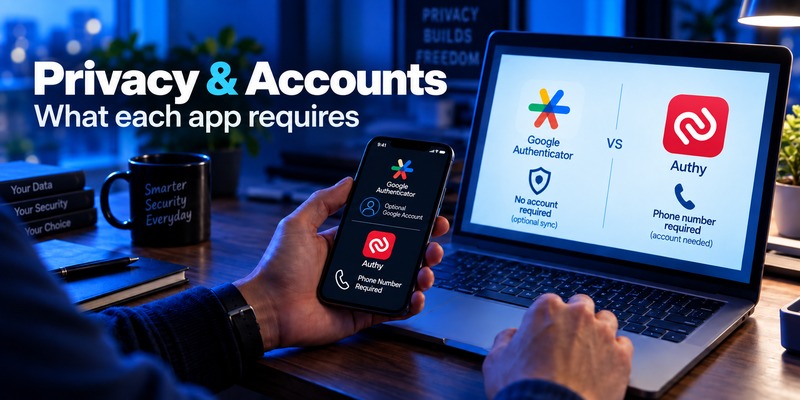
Privacy creates one of the clearest structural differences in Google Authenticator vs Authy.
Google Authenticator
A Google Account is optional.
Users who want synchronization can sign in. Those who prefer device-local storage can use Authenticator without an account.
That gives users control over whether their codes participate in Google’s synchronization system.
Authy
Authy requires an account tied to an active phone number.
Twilio says:
- The phone number identifies the Authy account.
- It is used for ownership verification.
- It is used when registering the app.
- Authy cannot be used without a phone number.
Users comfortable with that model may appreciate Authy’s recovery workflow.
Users who specifically do not want their authenticator identity tied to a phone number may prefer Google Authenticator or another alternative.
This is one reason authy vs google authenticator cannot be decided purely by comparing user interfaces.
Exporting Codes and Switching Authenticator Apps
This may be the single biggest practical disadvantage of Authy.
Leaving Google Authenticator
Google provides an account-transfer feature that can export selected Authenticator accounts to QR codes for transfer to another installation.
While another authenticator’s ability to import those QR codes can vary, Google’s own transfer workflow at least gives users direct access to a supported migration mechanism.
Leaving Authy
Authy is much more restrictive.
Twilio’s current support documentation says:
Authy does not support importing or exporting 2FA account tokens.
Twilio’s recommended migration procedure is essentially:
- Sign into each individual online account.
- Disable 2FA.
- Re-enable 2FA.
- Scan the newly generated QR code into the replacement authenticator.
For somebody with five accounts, that may be manageable.
For somebody with 50 accounts, it can be painful.
This is a major factor in Google Authenticator vs Authy because authenticator portability is easy to ignore until you actually want to change apps.
Platform and Desktop Support
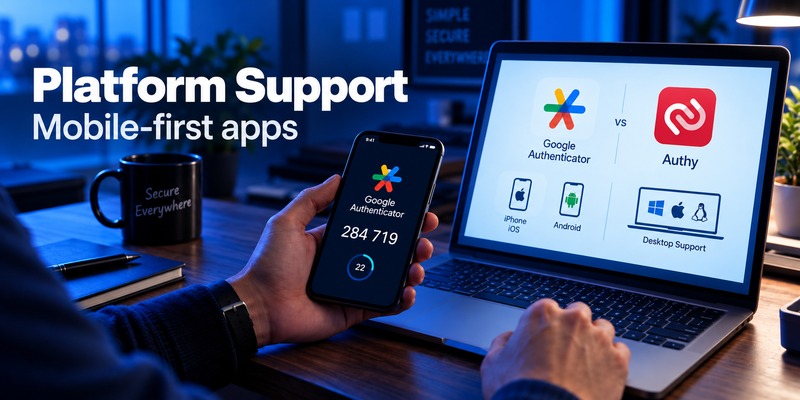
Another difference in Google Authenticator vs Authy involves desktop use.
Google Authenticator
Google Authenticator is primarily designed around its mobile applications.
Google Account synchronization can give you access to codes across supported mobile devices, but Google does not position Authenticator as a conventional desktop authenticator application.
Authy
Authy historically had a significant advantage here: official desktop applications.
That advantage is gone.
Twilio ended support for Authy Desktop on Windows, macOS, and Linux on March 19, 2024.
The current Authy experience should therefore not be evaluated using old comparison articles that still advertise Windows or Mac desktop apps as an active advantage.
This is particularly important because many older google authenticator vs authy comparisons remain online and are now outdated.
Everyday Use and Account Management
For day-to-day TOTP use, the two apps are less dramatically different.
Both ultimately let you open the app, locate an account, and retrieve a temporary code.
Google Authenticator
Google’s advantage is focus.
If you mostly want to:
Open → copy code → sign in
the interface does not need to support a complicated account infrastructure.
Authy
Authy may appeal more to users who already depend on its:
- Token organization
- Backup system
- Registered devices
- Recovery model
But that additional infrastructure comes with more settings and dependencies.
If you value minimalism, Google is easier to understand.
If you already have Authy configured across trusted mobile devices and understand its backup password, moving may offer little immediate benefit.
The Google Authenticator vs Authy decision therefore depends partly on whether you are choosing your first authenticator or trying to migrate an established setup.
What Reddit Users Say About Google Authenticator vs Authy
Searches such as authy vs google authenticator reddit and google authenticator vs authy reddit are useful for understanding user frustrations, but Reddit should be treated as anecdotal evidence rather than authoritative security guidance.
Recent 2026 discussions show several recurring themes.
Some former Authy users specifically mention wanting alternatives after the desktop app was discontinued, while others highlight the inconvenience of Authy not offering conventional token export. Users frequently mention alternatives such as Aegis, 2FAS, Ente Auth, and Proton Authenticator.
One 2026 thread from an Authy user centered specifically on recovery and what would happen if the phone disappeared; replies suggested alternatives including Aegis and 2FAS.
These discussions are useful for spotting user concerns, but they should not override official documentation.
For example, older community posts often claim Google Authenticator has no cloud synchronization at all. That information is obsolete: Google’s current documentation explicitly confirms Google Account synchronization.
How Do Google Authenticator, Authy, Microsoft Authenticator, and 1Password Compare?

Users researching authy vs google authenticator vs microsoft authenticator or google authenticator vs microsoft authenticator vs authy are often deciding between different product philosophies rather than equivalent apps.
Google Authenticator
Best understood as a dedicated, relatively simple authenticator with optional Google Account synchronization.
Authy
Built around mobile authentication plus encrypted backups and registered-device synchronization.
Microsoft Authenticator
Microsoft Authenticator also supports third-party TOTP accounts, but its strongest differentiation comes from Microsoft personal, work, and school authentication.
Microsoft’s current documentation says third-party OTP accounts are backed up and can be restored, while work and school accounts often require reauthentication after restoration. Microsoft also currently limits backup restoration to the same device type—for example, iOS backups cannot directly restore to Android.
1Password
1Password approaches TOTP differently because authentication codes can be integrated into a broader password-management workflow. This can be convenient, though users should consider whether they want passwords and TOTP secrets managed within the same ecosystem.
People searching for google authenticator / authy / 1password should therefore decide whether they want a dedicated authenticator or an integrated credential manager.
Likewise, searches such as google authenticator authy duo mobile 1password mix consumer TOTP apps with products serving broader authentication or enterprise use cases. Duo, for example, supports OTP and enterprise MFA workflows and currently uses TOTP for newer Duo Mobile deployments.
There is no meaningful single winner across all these categories.
Who Should Choose Google Authenticator?
In the Google Authenticator vs Authy comparison, Google Authenticator is particularly suitable for users who prioritize portability and simplicity.
Consider Google Authenticator if:
- You want conventional TOTP codes.
- You want an app that works offline.
- You want optional Google Account synchronization.
- You do not want to supply a phone number just to use your authenticator.
- You want a straightforward account-transfer option.
- You may switch authenticator apps later.
- You do not need Authy’s particular multi-device recovery architecture.
Another advantage is that you can decide whether to synchronize.
That flexibility means Google Authenticator can work for both someone who wants easy cloud-based recovery and someone who prefers device-local codes.
For many mainstream users, that makes Google Authenticator vs Authy easier to decide than it was several years ago.
Who Should Choose Authy?
Authy still makes sense for some users.
Consider Authy if:
- You already have an established Authy setup.
- You understand and securely store your backup password.
- You value Authy’s encrypted backup architecture.
- You want to maintain a secondary registered mobile device.
- You are comfortable with the required phone-number-based account model.
- You do not expect to move your tokens to another authenticator frequently.
The backup password deserves special attention.
Because Twilio does not store it, forgetting it can have serious consequences if no active decrypted installation remains.
That design is neither automatically better nor worse than Google’s—it simply puts different responsibilities on the user.
The biggest reason to hesitate before starting a large new Authy collection is portability. Because official token export is not supported, leaving later can require reconfiguring 2FA one account at a time.
Google Authenticator vs Authy: Final Comparison
The modern Google Authenticator vs Authy comparison looks very different from comparisons written five years ago.
Google Authenticator is no longer simply “the basic app with no sync.” It now supports Google Account synchronization across supported devices while preserving an account-free option. Google says synchronized codes are encrypted in transit and at rest.
Authy still offers a sophisticated encrypted backup and Multi-Device model. Its backup password is not stored by Twilio, giving users direct responsibility for the credential needed to decrypt synchronized tokens.
However, Authy now has three notable trade-offs:
First, a phone number is mandatory.
Second, official token import/export is not supported.
Third, the Windows, macOS, and Linux desktop apps reached end of life in March 2024.
So which should you use?
Google Authenticator is the more straightforward fit for users who value simplicity, optional synchronization, easier migration, and less account overhead.
Authy remains a reasonable option for users already invested in its encrypted backup and trusted-device model and who understand how its backup password and recovery process work.
For standard TOTP, both can protect compatible accounts. The important differences in Google Authenticator vs Authy happen before and after the six-digit code: backup, recovery, privacy, portability, and device management.
Frequently Asked Questions
Is Authy better than Google Authenticator?
It depends on what you value.
In Google Authenticator vs Authy, Authy offers a distinct encrypted backup and Multi-Device system. Google Authenticator offers a simpler interface, optional Google Account synchronization, account-free use, and a more straightforward transfer model.
Neither is universally better for every user.
Is Google Authenticator safer than Authy?
There is no universal security winner.
Google encrypts synchronized Authenticator codes in transit and at rest. Authy encrypts backed-up tokens using a key derived from a user-controlled backup password that Twilio says it never receives or stores.
Your security also depends on your phone, recovery accounts, passwords, backup codes, and how you configure synchronization.
Does Authy still support desktop?
No active Authy Desktop product should be treated as a current feature. Twilio ended the official Windows, macOS, and Linux Authy Desktop apps on March 19, 2024.
Does Google Authenticator have cloud backup?
Google Authenticator can synchronize verification codes through a Google Account.
Google describes this as synchronization across devices rather than a conventional downloadable backup file.
Does Authy require a phone number?
Yes. Twilio states that an active phone number is required to create and use Authy because the number forms part of its account identification and device-registration system.
Can I export my Authy codes to Google Authenticator?
Not directly through an officially supported token-export feature.
Twilio states that Authy does not support importing or exporting 2FA account tokens. Its recommended approach is to disable and re-enable 2FA separately on each service and scan the new setup into your replacement app.
Can I use Google Authenticator on multiple phones?
Yes, when Google Account synchronization is enabled, verification codes can synchronize across supported devices signed into the account.
Can Authy be used on multiple devices?
Yes. Authy has a Multi-Device feature for linking trusted devices. Twilio recommends configuring a secondary trusted device and then disabling further Multi-Device enrollment to reduce unauthorized device-registration risk.
What happens if I forget my Authy backup password?
Twilio says it cannot recover or reset the backup password because it does not store it. If you lose all accessible decrypted Authy installations as well as the backup password, the encrypted tokens may be unrecoverable.
Is Microsoft Authenticator better than Authy or Google Authenticator?
Microsoft Authenticator is particularly useful for users with Microsoft personal, work, and school identities. For ordinary third-party TOTP accounts, it overlaps with both apps, but its Microsoft-specific authentication features make it a different proposition.
For users comparing Google Authenticator vs Authy, Microsoft Authenticator is worth considering primarily when Microsoft ecosystem integration matters.
What is the biggest difference between Google Authenticator and Authy?
The biggest difference is the account and recovery architecture.
Google Authenticator offers optional Google Account synchronization and can be used without an account. Authy requires a phone number and uses its own account, encrypted-backup-password, and trusted-device model.
That difference affects privacy, recovery, synchronization, and how easy it is to leave the app later.
Download Authenticator App
Secure your accounts with fast, reliable two-factor authentication. Download now and protect your login in seconds.
