
Microsoft Authenticator vs Authy: Which One Should You Use?
Choosing an authenticator app is no longer only about finding somewhere to store six-digit codes. Modern authentication applications can offer encrypted backups, multi-device synchronization, push approval, passwordless authentication, passkeys, account recovery, and integration with workplace identity systems.
That is why the microsoft authenticator vs authy comparison deserves more attention than simply asking which app generates TOTP codes faster.
Both applications can protect accounts that support standard authenticator-based two-factor authentication, but their priorities are noticeably different. Microsoft Authenticator is increasingly tied to Microsoft’s wider identity platform. It supports ordinary verification codes while also providing Microsoft Entra MFA notifications, passwordless authentication, and passkeys. Microsoft officially says Authenticator supports MFA through notifications and verification codes as well as passwordless and passkey sign-in.
Authy takes a different approach. One of its biggest advantages has traditionally been encrypted backup and synchronization of 2FA tokens across trusted devices. Twilio’s current documentation continues to support Authy backups and multi-device synchronization, although its desktop apps reached end of life on March 19, 2024.
So, in the microsoft authenticator vs authy debate, there is no universal winner. The better choice depends heavily on whether you prioritize Microsoft integration, passwordless authentication, convenient TOTP synchronization, recovery, or device flexibility.
1. Microsoft Authenticator vs Authy: Quick Comparison
Key differences at a glance
Before looking at every feature individually, this table summarizes the most important differences in microsoft authenticator vs authy.
| Feature | Microsoft Authenticator | Authy |
| Standard TOTP codes | Yes | Yes |
| Works with non-Microsoft sites | Yes | Yes |
| Cloud backup | Yes | Yes |
| Multi-device token synchronization | More limited | Strong focus |
| Microsoft push MFA | Yes | No |
| Microsoft passwordless sign-in | Yes | No |
| Passkeys in Authenticator | Yes | Not its primary role |
| Work/school Microsoft Entra integration | Strong | Limited to compatible TOTP scenarios |
| Current official desktop app | No | No |
| Backup password controlled by user | No equivalent Authy-style password | Yes |
| Suitable for Microsoft-heavy organizations | Excellent | Limited |
| Simple cross-service 2FA | Yes | Excellent |
Microsoft confirms that Authenticator can store Microsoft personal accounts, work or school accounts, and third-party accounts such as Amazon, Facebook, Instagram, and Google.
Authy’s documentation emphasizes encrypted token backups and trusted multi-device synchronization.
Which one has the clearer advantage?
The simplest interpretation of authy vs microsoft authenticator is this:
Choose Microsoft Authenticator if Microsoft’s ecosystem is central to your digital life.
Choose Authy if your main requirement is managing standard 2FA tokens across multiple trusted mobile devices with encrypted backups.
That distinction becomes increasingly important as we explore the rest of the microsoft authenticator vs authy comparison.
Download Authenticator App
Secure your accounts with fast, reliable two-factor authentication. Download now and protect your login in seconds.
🧭 Explore Guides: Microsoft Authenticator vs Okta: Which Authentication Solution Is Better?
2. What Are Microsoft Authenticator and Authy?
Microsoft Authenticator explained
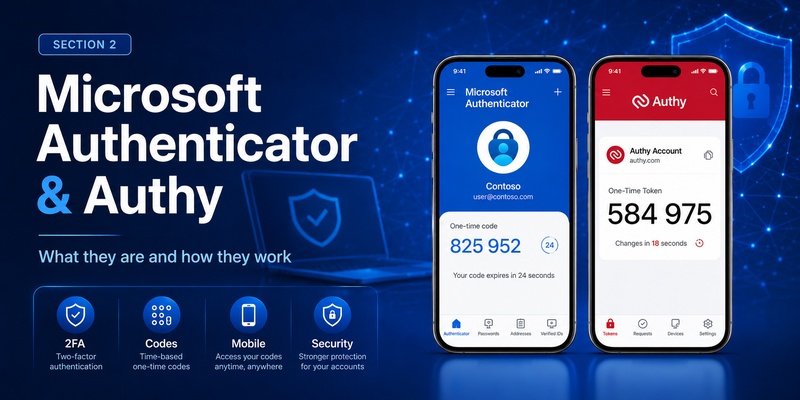
Microsoft Authenticator is Microsoft’s mobile authentication application for Android and iOS.
It can generate time-based one-time passwords for compatible services, approve Microsoft MFA requests, support passwordless Microsoft sign-in, and use passkeys in supported environments. Microsoft specifically describes Authenticator as supporting passkeys, passwordless sign-in, notifications, and verification codes.
That means microsoft authenticator vs authy is not purely a TOTP comparison.
Microsoft Authenticator functions as part of a broader Microsoft identity platform, particularly for Microsoft accounts, Microsoft 365, and Microsoft Entra work or school accounts.
At the same time, you are not restricted to Microsoft websites. Third-party TOTP accounts can also be added to the application.
What is Authy?
Authy is an authentication application operated by Twilio.
Like Microsoft Authenticator, Authy can store tokens used to generate one-time authentication codes for compatible services. Its major differentiator has long been backup and synchronization.
Twilio says Authy can back up and synchronize 2FA tokens, with a user-defined backup password used to create the encryption key protecting configured tokens.
So when comparing authy app vs microsoft authenticator, the core difference is strategic.
Authy is particularly focused on managing 2FA tokens conveniently.
Microsoft Authenticator combines traditional 2FA with Microsoft’s push authentication, passwordless, passkey, and enterprise identity features.
3. Microsoft Authenticator vs Authy for 2FA Codes
Both support standard authenticator codes
For ordinary TOTP-based authentication, microsoft authenticator vs authy is a relatively close comparison.
Many websites provide a QR code when you enable two-factor authentication. Scanning that code with a compatible authenticator registers a secret that allows the application to generate rotating verification codes.
Microsoft confirms that Authenticator supports OATH verification codes and third-party accounts.
Authy similarly allows users to add new 2FA account tokens from compatible services.
If all you need is six-digit TOTP codes for social media, developer tools, online stores, or other standard services, either application can perform the basic job.
Where the experience starts to differ
The difference appears when you move beyond standard codes.
In microsoft authenticator app vs authy, Microsoft Authenticator has much deeper capabilities when the service itself uses Microsoft identity.
For example, Microsoft Entra can send push MFA notifications to Authenticator. Users can approve or deny the request directly on their device instead of manually copying a six-digit code. Microsoft also supports passwordless authentication through the same application.
Authy remains particularly attractive when the goal is centralized TOTP management.
Therefore, microsoft authenticator vs authy is almost a tie for basic TOTP but becomes increasingly different once proprietary authentication features are considered.
🧭 Explore Guides: Is Microsoft Authenticator Free to Use? Everything You Need to Know
4. Backup and Account Recovery
How Microsoft Authenticator backup works
Backup is one of the most important parts of the microsoft authenticator vs authy decision because losing a phone without recovery options can create serious account-access problems.
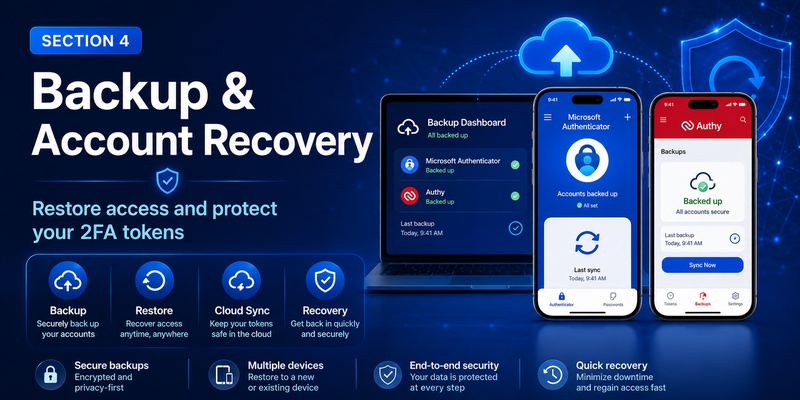
Microsoft Authenticator provides cloud backup. Microsoft states that personal Microsoft accounts, work or school accounts, and third-party TOTP accounts can be included, but what actually restores differs by account type.
For third-party OTP accounts, verification codes can become available after restoration.
For work or school accounts, however, only the account name is backed up and users need to sign in again.
Passwordless Microsoft accounts also require sign-in again after restoration.
Another important limitation is platform migration. Microsoft says backup and restore works only within the same device type: an iOS backup cannot be restored onto Android, and vice versa.
This is a meaningful consideration in microsoft authenticator vs authy.
Authy’s encrypted backup model
Authy takes a more backup-centric approach.
Twilio states that Authy backups can synchronize encrypted 2FA tokens across devices. When enabling backups, users create a backup password that generates the key protecting those tokens.
There is an important trade-off.
Twilio warns that a forgotten Authy backup password cannot be recovered or reset by Authy Support.
That puts more responsibility in the user’s hands.
For users who prioritize token portability, microsoft authenticator vs authy often favors Authy. For users who prefer deeper platform-based account recovery and Microsoft integration, Microsoft’s approach may be preferable.
5. Multi-Device Support and Desktop Access
Authy has traditionally emphasized multi-device
One of the strongest reasons people historically chose Authy was multi-device synchronization.
Twilio’s current documentation says the Multi-Device feature can synchronize an Authy account and 2FA tokens across trusted devices, such as phones and tablets.
You can also disable Multi-Device after establishing the trusted devices you want, reducing the opportunity for additional devices to be registered later. Twilio provides security guidance around new-device registration and multi-device controls.
For users carrying both a phone and a tablet, this can make twilio authy vs microsoft authenticator particularly relevant.
Desktop access has changed significantly
Older comparisons of microsoft authenticator vs authy frequently gave Authy a major advantage because Authy offered desktop applications for Windows, macOS, and Linux.
That comparison is now outdated.
Twilio officially ended support for Authy Desktop on March 19, 2024.
Microsoft Authenticator also does not have an official PC or Mac application. Microsoft explains that Authenticator is designed for smartphones and is currently available on supported Android and iOS devices instead.
Therefore, if you are reading an old authy vs Microsoft comparison claiming that Authy’s active desktop app is a decisive advantage, that information should no longer influence your decision.
Today, both products are primarily mobile-centered.
💡 Discover Helpful Guides: Microsoft Authenticator Passwordless Sign-In: Complete Guide
6. Passwordless Sign-In and Microsoft Integration
Microsoft Authenticator goes beyond OTP
Passwordless authentication is where microsoft authenticator vs authy becomes much less balanced.
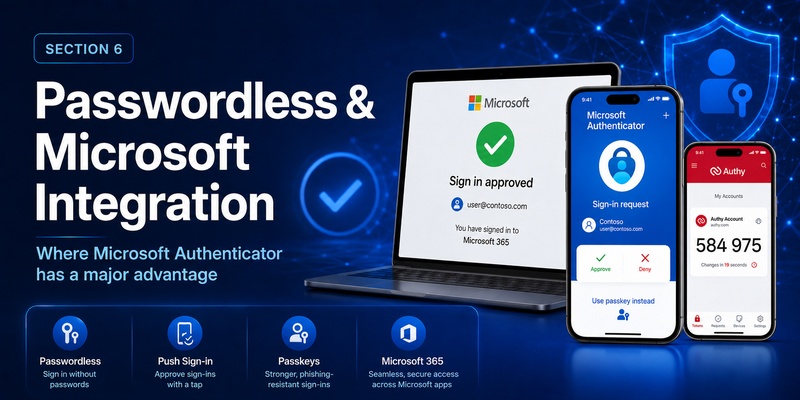
Microsoft Authenticator supports passwordless sign-in for eligible Microsoft accounts and Microsoft Entra environments. Microsoft says users can configure Authenticator notifications and sign in without entering the traditional username-and-password combination in supported workflows.
Microsoft also supports passkeys within Authenticator. According to Microsoft, passkeys can provide phishing-resistant authentication using device biometrics or a device PIN.
These capabilities extend well beyond ordinary TOTP.
For someone using Microsoft 365, Entra ID, Windows, or a Microsoft personal account, this significantly strengthens Microsoft Authenticator’s position.
Authy remains more TOTP-oriented
Authy is highly capable as a 2FA token manager, but it does not act as a direct replacement for Microsoft’s proprietary Authenticator push and passwordless workflows.
This distinction matters whenever users ask authy or microsoft authenticator.
If you only need standard TOTP tokens, either can work.
If you want native Microsoft passwordless authentication, number matching, push MFA, or Microsoft-managed passkeys, Microsoft Authenticator is the obvious choice.
That makes microsoft authenticator vs authy less about which app has more features overall and more about which authentication ecosystem you actually use.
7. Security and Privacy Considerations
Security is more than encryption
Both products are designed to improve security, but comparing security in microsoft authenticator vs authy requires looking at architecture, recovery, device access, and account registration rather than simply asking whether codes are encrypted.
Microsoft Authenticator can protect access to the application using device authentication and integrates with stronger phishing-resistant methods such as passkeys. Microsoft Entra also supports Authenticator within enterprise authentication policies.
Authy’s backup system encrypts token backups using a key derived from the user’s backup password. The backup password itself is important enough that Twilio cannot recover it if forgotten.
Authy’s 2024 security alert
A fair microsoft authenticator vs authy comparison should also acknowledge Authy’s security history without overstating what happened.
In 2024, Twilio disclosed that threat actors had been able to identify data associated with Authy accounts, including phone numbers, through an unauthenticated endpoint. Twilio stated that Authy accounts themselves were not compromised, but warned that exposed phone numbers could be targeted with phishing or smishing.
That incident does not mean every Authy account was compromised.
However, it is relevant when evaluating the security model because Authy uses a registered phone number as part of its account and device-registration process. Twilio’s documentation confirms that adding an Authy account to another device includes verifying possession of the registered phone number.
💡 Discover Helpful Guides: Microsoft Account App: Setup, Security & Sign-In Guide
8. Microsoft Authenticator vs Authy for Work Accounts
Microsoft has a major enterprise advantage
For organizations using Microsoft Entra, the microsoft authenticator vs authy comparison strongly favors Microsoft Authenticator.
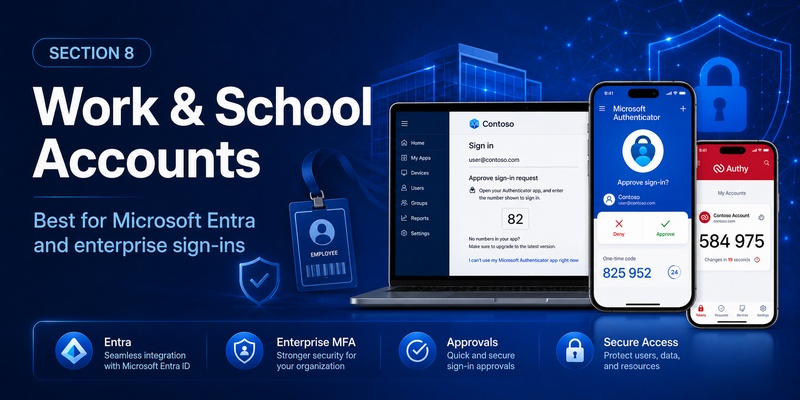
Microsoft Authenticator can be configured through Entra authentication policies for push MFA and passwordless authentication. Administrators can scope these authentication methods to users and groups.
Employees may receive sign-in notifications and approve or reject requests directly from Authenticator.
Microsoft also supports Authenticator for self-service password reset and related account-security workflows in eligible environments.
Authy may still work for ordinary TOTP
Authy can still be useful for work accounts when the application or service simply provides a standard authenticator QR code.
However, this is not equivalent to being registered as Microsoft Authenticator for an organization that specifically requires Microsoft’s push-based authentication method.
This distinction is crucial when comparing authenticator microsoft authenticator and twilio’s authy.
A company’s IT administrator may enforce particular authentication methods.
If your company specifically requires Microsoft Authenticator, installing Authy will not necessarily satisfy the requirement.
For Microsoft-focused businesses, microsoft authenticator vs authy is therefore not simply a matter of preference. Microsoft Authenticator can be part of the organization’s actual authentication infrastructure.
9. Can You Use Authy Instead of Microsoft Authenticator?
Yes for many standard TOTP accounts
The answer to can i use authy instead of microsoft authenticator depends entirely on the service you are protecting.
If the website uses a standard TOTP QR code and does not specifically require Microsoft Authenticator, Authy may be able to generate the required rotating verification code.
Microsoft itself confirms that its Authenticator can similarly work with non-Microsoft services using standard verification codes.
In this scenario, the microsoft authenticator vs authy decision is largely about interface, backup, recovery, and device preferences.
No for some Microsoft-specific authentication
You cannot assume Authy can replace every Microsoft Authenticator function.
Microsoft passwordless phone sign-in, Authenticator push notifications, and some Entra MFA configurations rely specifically on Microsoft’s authentication infrastructure.
If the setup instructions explicitly tell you to register Microsoft Authenticator rather than “an authenticator application,” follow those instructions.
This is especially important with company or school accounts.
So, can i use authy instead of microsoft authenticator?
For standard TOTP: often yes.
For Microsoft-specific push, passkey, passwordless, or organization-managed authentication: usually no.
That is one of the most important conclusions in the entire microsoft authenticator vs authy comparison.
💡 Discover Helpful Guides: Microsoft Authenticator Desktop: Complete PC & Mac Guide
10. Authy vs Google Authenticator vs Microsoft Authenticator
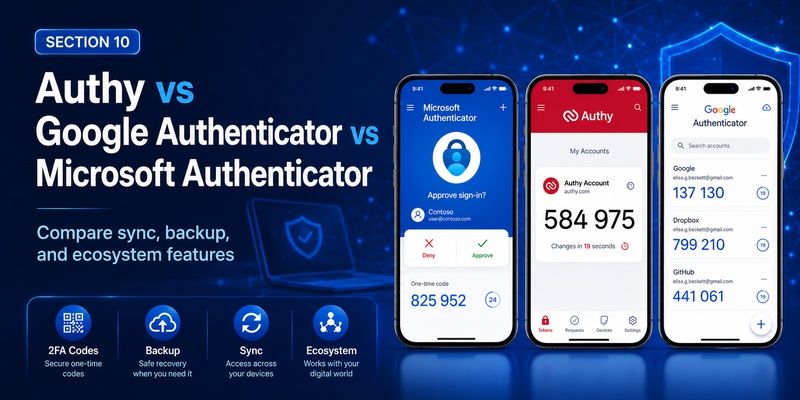
Google Authenticator has improved synchronization
The broader google authenticator vs microsoft authenticator vs authy comparison has changed substantially over time.
Google Authenticator was once primarily known as a simple local TOTP application. Today, Google allows users to synchronize Authenticator verification codes across devices by signing in with a Google Account. Google says synchronized codes are encrypted in transit and at rest.
Users can also operate Google Authenticator without linking it to a Google Account and manually transfer codes using QR codes.
This reduces some of Authy’s historical advantage in token portability.
How the three products differ
In simplified terms:
- Google Authenticator focuses strongly on straightforward TOTP with optional Google Account synchronization.
- Authy emphasizes encrypted token backups and multi-device management.
- Microsoft Authenticator combines TOTP with Microsoft’s push MFA, passwordless sign-in, and passkeys.
People searching microsoft authenticator vs google authenticator reddit or authy vs google authenticator vs microsoft authenticator reddit are usually looking for real-user opinions about convenience and reliability.
Community discussions can be useful for subjective experience, but product capabilities change frequently. For example, old discussions may predate Google Authenticator synchronization or Authy’s desktop discontinuation.
For current feature decisions, official documentation provides a more reliable baseline.
Within the narrower microsoft authenticator vs authy comparison, Microsoft has the richer Microsoft-specific authentication stack, while Authy remains highly focused on convenient TOTP management.
🗺️ Browse How-To Guides: Microsoft Authenticator: Complete Setup, Login, Backup & Troubleshooting Guide
11. 1Password vs Authy vs Microsoft Authenticator
1Password takes a different approach
The 1password vs authy vs microsoft authenticator comparison is somewhat unusual because 1Password is primarily a password manager rather than a dedicated standalone authenticator.
However, 1Password can store TOTP secrets and generate one-time verification codes for websites that support authenticator-based two-factor authentication.
Its major convenience advantage is autofill.
1Password can fill the username, password, and corresponding one-time password during compatible sign-ins.
This is faster than switching between a password manager and separate authenticator app.
Convenience versus separation
Some users prefer separating passwords and TOTP codes so that compromising one application does not immediately expose both credentials.
Others prioritize convenience and accept storing passwords and OTP secrets inside the same encrypted password-management environment.
Interestingly, 1Password specifically recommends using a different authenticator application for the two-factor code that protects the user’s 1Password account itself.
In microsoft authenticator vs authy, both applications maintain clearer separation from a traditional password vault.
Therefore, the right choice depends on whether you value integrated credential autofill or dedicated authentication.
12. Which Authenticator Should You Choose?
Choose Microsoft Authenticator if…
Microsoft Authenticator is generally the stronger choice when:
- You use Microsoft 365 heavily.
- Your organization uses Microsoft Entra.
- You want Microsoft push MFA.
- You want passwordless Microsoft sign-in.
- You want passkey support inside Authenticator.
- Your workplace specifically requires Microsoft Authenticator.
- You want standard TOTP and Microsoft authentication in one app.
Microsoft’s current platform direction clearly extends Authenticator beyond ordinary one-time passwords into passkeys and passwordless authentication.
For these users, microsoft authenticator vs authy favors Microsoft.
Choose Authy if…
Authy remains attractive when:
- Most of your accounts use ordinary TOTP.
- Encrypted token backup is a major priority.
- You want synchronized tokens on trusted mobile devices.
- You prefer a dedicated TOTP-focused workflow.
- Microsoft-specific authentication features are not important.
Remember that Authy Desktop is no longer supported, so desktop access should not be a reason to choose Authy today.
If your biggest concern in microsoft authenticator vs authy is easy token recovery and synchronization across trusted mobile devices, Authy still provides a compelling workflow.
13. Microsoft Authenticator vs Authy FAQ
Is Authy better than Microsoft Authenticator?
Neither is universally better.
In microsoft authenticator vs authy, Authy can be more convenient for users who prioritize encrypted TOTP backup and multi-device synchronization.
Microsoft Authenticator is significantly stronger when Microsoft accounts, Microsoft Entra, passwordless sign-in, push authentication, or passkeys are important.
Does Authy still have a desktop app?
No supported desktop app remains.
Twilio ended the Authy Desktop applications for Windows, macOS, and Linux on March 19, 2024.
This is important because many older authy vs microsoft authenticator reddit discussions mention desktop support as an Authy advantage.
Those comparisons are now outdated.
Does Microsoft Authenticator have a desktop app?
No.
Microsoft states that Microsoft Authenticator is not available for PC or Mac and explains that authenticator applications are designed around smartphone-based authentication for security reasons.
Therefore, desktop software is no longer a major differentiator in microsoft authenticator vs authy.
Which app has better backup?
The answer depends on what you mean by “better.”
Microsoft Authenticator provides cloud backup but imposes same-platform restoration limitations, and some Microsoft work, school, and passwordless accounts require reauthentication after restoration.
Authy provides encrypted token backups protected by a user-defined backup password. Twilio cannot recover that password if it is forgotten.
Authy therefore gives users significant control but also more recovery responsibility.
Which is better for multiple devices?
For synchronized ordinary TOTP tokens, Authy’s multi-device design remains one of its major strengths. Twilio supports trusted multi-device synchronization for Authy tokens.
Microsoft Authenticator offers backup and restoration rather than exactly the same multi-device TOTP experience.
For this category of microsoft authenticator vs authy, Authy has the clearer advantage.
Which is better for Microsoft accounts?
Microsoft Authenticator.
It can provide Microsoft-specific push verification, passwordless authentication, and passkey functionality that Authy cannot simply duplicate as a generic TOTP application.
Which is better for non-Microsoft accounts?
Both are viable.
For basic third-party TOTP codes, the authy vs microsoft authenticator difference is much smaller.
Choose based on backup preferences, device strategy, and whether you also need Microsoft-specific features.
What do Reddit comparisons usually focus on?
Searches such as microsoft authenticator vs authy reddit, microsoft authenticator vs google authenticator reddit, and authy vs microsoft authenticator reddit often reflect users looking for practical experiences involving phone migration, backup reliability, UI preferences, or multi-device convenience.
However, older discussions can contain outdated product information.
Authy Desktop’s discontinuation and newer Google Authenticator synchronization features are two examples of changes that can make historical comparisons misleading.
14. Final Verdict
The final result of microsoft authenticator vs authy depends on what kind of authentication you actually need.
For standard TOTP, both applications remain capable choices. If a website presents a normal authenticator QR code, either app may be suitable, making backup strategy and user experience the more important deciding factors.
Authy is particularly strong for users who want encrypted 2FA token backups and synchronized access across trusted mobile devices. Its backup password gives users direct control over the encryption protecting backed-up tokens, although losing that password can make recovery impossible.
Microsoft Authenticator has a broader role. Beyond TOTP codes, it supports Microsoft push MFA, passwordless authentication, and passkeys and integrates directly with Microsoft Entra.
That makes Microsoft Authenticator especially compelling for Microsoft 365 users, Windows-focused environments, students using Microsoft school accounts, and employees whose organizations rely on Microsoft Entra.
For multi-device TOTP management, Authy has an advantage.
For Microsoft integration, Microsoft Authenticator wins comfortably.
For passwordless authentication and Microsoft’s expanding passkey ecosystem, Microsoft Authenticator is also the stronger choice.
For desktop use, neither currently has an official supported desktop application: Microsoft Authenticator is not offered for PC or Mac, while Twilio ended Authy Desktop support in March 2024.
Ultimately, the best way to resolve microsoft authenticator vs authy is to identify your highest-priority requirement. If you mainly manage TOTP accounts across trusted devices, Authy remains attractive. If Microsoft accounts, corporate MFA, push verification, passwordless sign-in, or passkeys matter, Microsoft Authenticator offers the more complete ecosystem.
For many users heavily invested in Microsoft’s services, microsoft authenticator vs authy therefore ends with Microsoft Authenticator as the more capable overall choice. For users who want a focused, backup-friendly TOTP manager, Authy remains a strong alternative.
Download Authenticator App
Secure your accounts with fast, reliable two-factor authentication. Download now and protect your login in seconds.
