
Microsoft Authenticator vs Google Authenticator: Which Is Better in 2026?
Choosing microsoft authenticator vs google authenticator is no longer only about which app can display a six-digit code. Both can handle standard time-based one-time passwords, but their broader roles are now quite different.
Google Authenticator remains focused on verification codes. Google says it can generate one-time codes without internet or mobile service, synchronize codes through a Google Account, operate without a Google Account, and manually transfer codes to another device by QR code. Google also provides Privacy Screen, which requires a device PIN, pattern, or biometric before the app can be opened.
Microsoft Authenticator is broader. Along with verification codes, it supports Microsoft account and Microsoft Entra sign-in notifications, passwordless authentication, number matching, and Microsoft Entra passkeys. Microsoft also retired Authenticator password autofill in 2025, so the app is now much more clearly centered on authentication rather than password management.
That gives the comparison a useful starting point. If you mainly need a clean TOTP code generator for many websites, Google Authenticator is simpler. If Microsoft 365, Outlook, Teams, Microsoft Entra, or work/school sign-in is central to your day, Microsoft Authenticator offers functions that Google Authenticator does not try to reproduce.
Neither app is automatically safer in every scenario. Security depends on the authentication method, phone protection, recovery setup, and whether you can use phishing-resistant passkeys or security keys instead of manually typed TOTP codes.
1. Microsoft Authenticator vs Google Authenticator: Quick Verdict
For most users comparing microsoft authenticator vs google authenticator, the best choice depends on what kind of accounts they protect.
Microsoft Authenticator is stronger in a Microsoft-centric environment. Microsoft documents support for verification codes, push notifications, passwordless sign-in, and passkeys for Microsoft Entra work or school accounts.
Google Authenticator is stronger as a focused TOTP tool. Google says the app generates verification codes for sites and apps that support authenticator-based 2-Step Verification, works without internet access, and can synchronize codes across devices through a Google Account.
The decision becomes easy if you ask one question: do you mainly need verification codes, or do you also need Microsoft-specific approval and passwordless workflows?
For general TOTP use, Google Authenticator is easier to understand. For Microsoft work or school accounts, Microsoft Authenticator is usually more useful because it integrates directly with Microsoft identity services.
You can also use both. A company account can stay in Microsoft Authenticator while unrelated TOTP accounts live in Google Authenticator. The trade-off is management overhead because two apps mean two recovery workflows and two places to check during sign-in.
Download Authenticator App
Secure your accounts with fast, reliable two-factor authentication. Download now and protect your login in seconds.
2. How Microsoft Authenticator and Google Authenticator Work
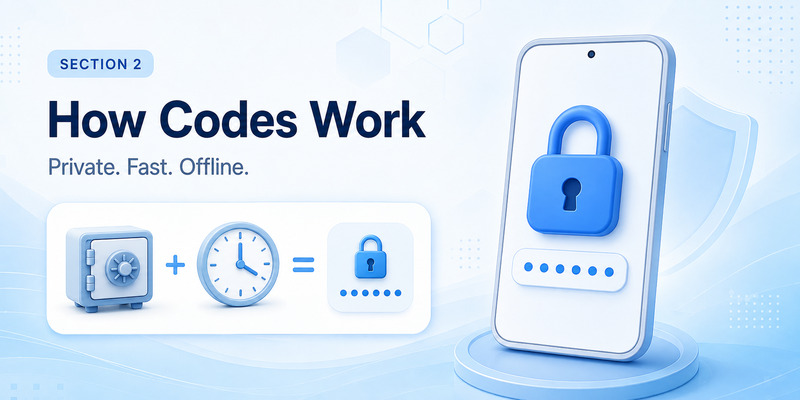
At the code-generation level, microsoft authenticator vs google authenticator are more alike than different.
Both can generate one-time codes for compatible services. Google explicitly says its app can generate verification codes without internet or cellular service. Microsoft supports OATH verification codes that users enter into a sign-in interface, along with richer Microsoft-specific methods.
A standard TOTP setup gives the authenticator and the website a shared secret during enrollment. The app then combines that secret with the current time to produce a temporary code. Because the calculation happens locally, the phone does not have to download each new code.
This means the two apps are effectively tied for ordinary TOTP generation. The difference appears after you move beyond codes.
Google Authenticator is primarily a code manager. Signing into a Google Account can synchronize the collection across devices, but the protected website still normally asks you to enter the generated code.
Microsoft Authenticator can act as an interactive sign-in application for Microsoft identities. Microsoft documents sign-in requests where the user receives a notification, sees or enters a matching number, and approves the attempt from the phone.
So the simplest way to understand microsoft authenticator vs google authenticator is this: Google Authenticator specializes in codes, while Microsoft Authenticator combines codes with Microsoft identity workflows.
💡 Discover Helpful Guides: Microsoft Authenticator Passwordless Sign-In: Complete Guide
3. Security: Which Authenticator Is Safer?
A fair security comparison of microsoft authenticator vs google authenticator must separate the application from the authentication method.
If both apps store the same standard TOTP secret, the basic risk is similar. A sophisticated phishing site can potentially trick a user into typing a valid code and relay it before it expires. Choosing one authenticator brand does not eliminate the limitations of manually entered TOTP.
The strongest Microsoft advantage appears when Microsoft Authenticator is used with Microsoft Entra passkeys. Microsoft describes Authenticator passkeys as device-bound and phishing-resistant, with biometric or device-PIN verification. Microsoft currently documents Authenticator passkeys specifically for Microsoft Entra ID.
That can make microsoft authenticator vs google authenticator favor Microsoft inside an Entra deployment, but it does not mean every Microsoft Authenticator code is stronger than every Google Authenticator code.
Both apps also offer local application protection. Google provides Privacy Screen, which can require a PIN, pattern, or biometric before the app is used. Microsoft provides App Lock, which protects verification codes, app information, settings, and approval access with the device PIN or biometric.
The practical security lesson from microsoft authenticator vs google authenticator is to protect the phone, enable the app lock feature, configure safe recovery, and use passkeys or security keys for high-value accounts when available.
4. Offline Codes and Internet Requirements
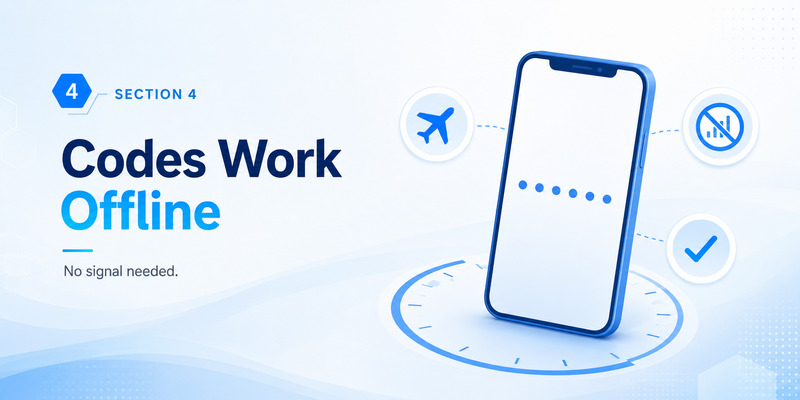
For travelers, microsoft authenticator vs google authenticator is close to a tie for standard verification codes.
Google states that Authenticator codes continue to work without internet or mobile service. Microsoft supports locally generated verification codes as well, while notification-based sign-in requires communication with the authentication service.
You can therefore open an already configured TOTP account while the phone is offline and still read its rotating code.
The difference in microsoft authenticator vs google authenticator appears with push authentication. Microsoft Authenticator can receive active sign-in requests and perform number matching for supported Microsoft accounts. Those workflows require connectivity because a request has to reach the phone and the approval has to return to the service.
Google Authenticator itself focuses on code generation. Google has other account-verification methods, but they are separate from the Authenticator code generator.
For offline use, do not decide microsoft authenticator vs google authenticator by brand. Check whether the account gives you a “use verification code” option. If it does, offline TOTP is possible. If the account requires a live push approval, connectivity is required.
🧭 Explore Guides: Microsoft Authenticator Extension: Safe Browser Guide
5. Backup, Cloud Sync, and Moving to a New Phone
Backup is one of the largest real-world differences in microsoft authenticator vs google authenticator.
Google Authenticator can synchronize codes through a Google Account. When you sign into that account in Authenticator on a new device, Google says the codes are synchronized automatically. If you prefer not to sync, you can use Authenticator without a Google Account and manually move codes between devices using QR transfer.
Microsoft Authenticator uses a more structured backup model. Microsoft says backup and restore remain within the same platform family: an iOS backup cannot be restored to Android, and an Android backup cannot be restored to iOS.
Account type also matters. Microsoft says ordinary one-time-password accounts can restore their codes, while work or school accounts back up only the account name and require the user to sign in again after restoration. Some Microsoft personal account configurations also require reauthentication after restore.
This makes microsoft authenticator vs google authenticator lean toward Google for people who frequently change devices or move between Android and iPhone.
However, easier synchronization is not automatically better for every threat model. Cloud sync improves recovery and convenience, while local-only storage reduces dependence on a synchronized account. Google gives users an explicit choice to operate without a Google Account.
In microsoft authenticator vs google authenticator, Google generally wins for straightforward cross-device TOTP continuity, while Microsoft’s workflow is more closely tied to identity type and enterprise re-registration.
6. Push Notifications, Passwordless Sign-In, and Passkeys
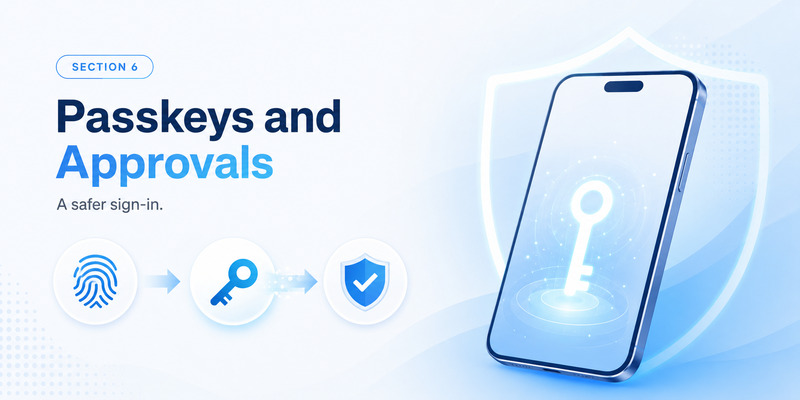
This is where microsoft authenticator vs google authenticator differ most sharply.
Microsoft Authenticator supports Microsoft sign-in notifications, number matching, verification codes, passwordless sign-in, and Microsoft Entra passkeys. Administrators can control which methods are available for work or school users.
Microsoft describes Authenticator passkeys as device-bound credentials, and its Entra documentation positions them as phishing-resistant authentication.
Google Authenticator has a narrower mission. It manages and generates authenticator verification codes. Google’s wider security ecosystem supports other sign-in methods, but Google Authenticator itself is not the equivalent of Microsoft’s Microsoft Entra push and passkey platform.
That changes the microsoft authenticator vs google authenticator recommendation for business users. If your employer asks you to approve Microsoft 365 sign-ins, match numbers, or register an Authenticator-based Entra passkey, Microsoft Authenticator is the appropriate tool.
If a website simply displays a QR code and asks for a six-digit authenticator code, either app may be appropriate.
One important 2026 detail is that Microsoft Authenticator is no longer a password manager. Microsoft retired Authenticator autofill in 2025, moved password access toward Microsoft Edge, and kept Authenticator focused on authentication and Entra passkeys.
Therefore, microsoft authenticator vs google authenticator should now be judged primarily as an authentication comparison, not as a password-management comparison.
💡 Discover Helpful Guides: Microsoft Authenticator Passwordless Sign-In: Complete Guide
7. Privacy, App Lock, and Data Protection
Privacy in microsoft authenticator vs google authenticator depends partly on the options you enable.
Google lets users synchronize Authenticator codes with a Google Account or use the application without signing into one. If a user switches to using Authenticator without an account, Google says the codes are removed from Google Account synchronization and stored on the device instead.
Google also offers Privacy Screen for local protection.
Microsoft offers App Lock. Microsoft says it protects verification codes, app information, and settings and can require the phone’s PIN or biometric whenever Authenticator is opened.
Microsoft’s FAQ also explains that minimal non-personally identifiable usage data is used for reliability and security, while diagnostic logs remain in the app until a user chooses to send feedback; those logs can contain information required for troubleshooting.
For microsoft authenticator vs google authenticator, privacy-conscious users should focus on configuration rather than branding. Secure the phone, turn on App Lock or Privacy Screen, understand whether codes are synchronized, and protect the account used for cloud recovery.
Treat either authenticator like a digital key ring. A person who can unlock it may gain access to multiple authentication codes.
8. Ease of Use for Personal and Work Accounts
For a personal collection of TOTP accounts, microsoft authenticator vs google authenticator often favors Google for simplicity.
Google Authenticator lets users scan codes, search accounts, reorder entries, synchronize through a Google Account, use multiple Google Accounts, or transfer codes manually.
Microsoft Authenticator can also store third-party TOTP accounts, but its interface has to support Microsoft personal accounts, work or school identities, notification approvals, passwordless sign-in, and Entra passkeys.
That makes microsoft authenticator vs google authenticator highly contextual. Someone protecting a few shopping, social, developer, and banking accounts may appreciate Google’s narrower focus. An employee who lives inside Microsoft 365 may find Microsoft Authenticator easier because enterprise sign-in happens in the same place.
There is no meaningful role for an Authenticator TV app in this decision. These authentication tools are designed around trusted personal mobile devices that can securely hold account secrets and approvals. A television app with a similar name should not be treated as a replacement for either official authenticator.
For everyday usability, microsoft authenticator vs google authenticator comes down to simplicity versus integration: Google is usually simpler for codes, while Microsoft is more integrated with Microsoft identity.
💡 Discover Helpful Guides: Microsoft Authenticator: Complete Setup, Login, Backup & Troubleshooting Guide
9. What Happens If You Lose Your Phone?
Phone loss is where the practical difference in microsoft authenticator vs google authenticator becomes very important.
Google recommends synchronizing Authenticator codes to a Google Account and adding other forms of 2-Step Verification so that one lost device does not create an account lockout. Google Account users can also create backup codes; each backup code works once.
If Google Authenticator is used without synchronization, manual code transfer normally relies on having the old device available. If that phone is gone, recovery depends on the protected websites’ own recovery methods.
Microsoft provides cloud backup, but recovery differs by account type. Third-party OTP codes can be restored when backed up correctly, while work or school entries normally require reauthentication. Microsoft also limits restore to the same mobile platform family.
That means microsoft authenticator vs google authenticator should be evaluated before—not after—you replace or lose a phone.
Whichever app you choose, store service-provided backup codes securely, add another strong authentication method when possible, and test recovery before wiping an old device.
For business accounts, assume that administrator involvement may be needed after device replacement. For personal accounts, verify that each critical website provides a recovery path independent of the authenticator app.
💡 Discover Helpful Guides: Microsoft Authenticator Passkeys: Setup, Login, Phone Transfer, and Troubleshooting Guide
10. Microsoft Authenticator vs Google Authenticator: Final Recommendation
The final microsoft authenticator vs google authenticator verdict is not that one app wins for everyone.
Google Authenticator is the better fit when your priority is straightforward TOTP management. It works offline for code generation, can synchronize codes through a Google Account, can operate without a Google Account, supports QR-based transfer, and provides Privacy Screen.
Microsoft Authenticator is the better fit when Microsoft identity is central to your work or personal environment. It supports verification codes while adding Microsoft sign-in notifications, number matching, passwordless sign-in, and Microsoft Entra passkeys. Its recovery tools are useful, although same-platform restore rules and work-account reauthentication make migration more structured.
From a standard-code perspective, microsoft authenticator vs google authenticator is close. Both are capable TOTP tools, both work offline for generated codes, and both offer local app-protection features.
From an ecosystem perspective, microsoft authenticator vs google authenticator is much less balanced. Google Authenticator is a streamlined verification-code manager; Microsoft Authenticator is part of a broader Microsoft identity and enterprise authentication platform.
Choose Google Authenticator if you want a simple cross-service code experience. Choose Microsoft Authenticator if Microsoft-centric MFA, notification approvals, enterprise sign-in, or Entra passkeys matter to you.
For the strongest account security, do not stop at choosing microsoft authenticator vs google authenticator. Protect the phone with a strong PIN or biometrics, enable App Lock or Privacy Screen, configure recovery methods, save backup codes safely, and use phishing-resistant passkeys or security keys whenever an important service supports them.
That is the most useful way to judge microsoft authenticator vs google authenticator in 2026: not as a brand contest, but as a choice between a streamlined TOTP manager and a broader Microsoft identity authenticator.
Download Authenticator App
Secure your accounts with fast, reliable two-factor authentication. Download now and protect your login in seconds.
