
Microsoft Authenticator vs Okta: Which Authentication Solution Is Better?
Choosing between microsoft authenticator vs okta is not simply a matter of deciding which mobile app has the cleaner interface. The two products overlap in multi-factor authentication, one-time codes, push approvals, and passwordless workflows, but they sit inside different identity ecosystems. Microsoft Authenticator is closely connected to Microsoft Entra and Microsoft account sign-in, while Okta Verify is designed to work as an authenticator inside the broader Okta identity platform. Microsoft documents support for notifications, verification codes, passkeys, passwordless sign-in, and MFA through Authenticator. Okta documents TOTP, push notifications, and Okta FastPass as verification options in Okta Verify.
For an individual user, the practical question may be which mobile authenticator is easier for everyday logins. For an IT team, the comparison is broader: policy control, device context, passwordless strategy, application integrations, account recovery, deployment effort, and how well the solution fits the identity provider already in use. That is why a useful microsoft authenticator vs okta comparison needs to examine both the mobile experience and the surrounding identity architecture.
1. microsoft authenticator vs okta: Quick Answer
The short answer is that microsoft authenticator vs okta does not have one universal winner. Microsoft Authenticator is usually the more natural choice when Microsoft Entra ID and Microsoft 365 are already central to the organization. Okta Verify is usually the more natural choice when Okta is the primary identity provider and the organization wants authentication policies, device assurance, and passwordless sign-in to operate through the Okta platform.
Microsoft Authenticator supports MFA through push notifications and verification codes, as well as passwordless and passkey-based authentication in supported Microsoft Entra scenarios. Okta Verify supports authentication codes, push notifications, and Okta FastPass, with FastPass designed for passwordless and device-aware sign-in flows.
For many companies, therefore, microsoft authenticator vs okta should be treated as an ecosystem decision rather than an isolated app decision. If Microsoft Entra controls identities, access policies, and authentication methods, Microsoft Authenticator reduces friction. If Okta controls the workforce identity layer, Okta Verify fits directly into that policy model. Organizations using both platforms may support more than one authenticator, but that can increase enrollment, recovery, help-desk, and user-training complexity.
Download Authenticator App
Secure your accounts with fast, reliable two-factor authentication. Download now and protect your login in seconds.
2. What Are Microsoft Authenticator and Okta Verify?
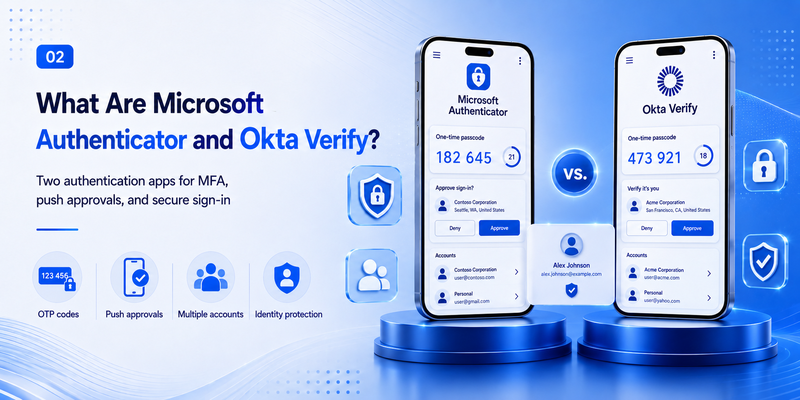
Before comparing microsoft authenticator vs okta, it helps to separate the products from the platforms behind them. Microsoft Authenticator is Microsoft’s mobile authentication application. Microsoft states that it can be used for MFA, notifications, verification codes, passkeys, and passwordless sign-in in supported Microsoft Entra configurations.
Okta Verify is Okta’s authentication application. Within Okta Identity Engine, administrators can enable verification methods including a six-digit TOTP code, push notification, and Okta FastPass. Okta also states that Okta Verify can be configured as a third-party authenticator for compatible services that use standard MFA codes.
This distinction changes the meaning of microsoft authenticator vs okta. Microsoft Authenticator is especially strong when a user is authenticating to Microsoft Entra-backed resources and Microsoft accounts. Okta Verify is especially strong when an organization uses Okta to broker access to many cloud and enterprise applications. Both can generate one-time codes, but enterprise deployments are about much more than displaying six digits on a phone.
3. Feature Comparison: Microsoft Authenticator and Okta Verify
A feature-by-feature view makes microsoft authenticator vs okta easier to understand. Both products cover the core needs of modern MFA, but their advanced capabilities are expressed through different administrative platforms.
| Area | Microsoft Authenticator | Okta Verify |
| One-time codes | Supports verification codes | Supports six-digit TOTP codes |
| Push approval | Supported for Microsoft Entra MFA | Supported through Okta Verify Push |
| Passwordless | Supports passwordless phone sign-in and passkeys in supported scenarios | Supports Okta FastPass and passwordless flows |
| Biometric/device unlock | Can use device biometrics or PIN as part of supported flows | Can require device passcode or biometric user verification |
| Enterprise policy | Managed through Microsoft Entra authentication policies | Managed through Okta Identity Engine policies |
| Third-party TOTP use | Can store compatible TOTP accounts | Can also act as a third-party authenticator for compatible sites |
Microsoft’s documentation describes Authenticator as supporting passkeys, passwordless sign-in, MFA notifications, and verification codes. Okta’s documentation lists Authentication Code, Push Notification, and Okta FastPass as Okta Verify methods and allows biometric or device-passcode user verification depending on policy.
The key point in microsoft authenticator vs okta is not that one has MFA and the other does not. Both do. The meaningful difference is where policy is defined and how the authenticator interacts with the organization’s identity provider, enrolled devices, application sign-in rules, and passwordless strategy.
💡 Discover Helpful Guides: Microsoft Authenticator for iPhone iOS: Complete Guide 2026
4. Security, MFA, and Passwordless Authentication
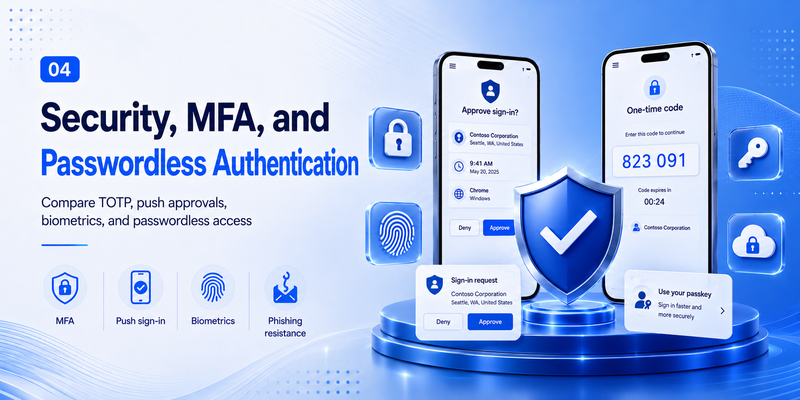
Security is often the main reason people research microsoft authenticator vs okta. Traditional TOTP codes improve security over password-only sign-in, but modern enterprise identity systems increasingly prefer stronger methods that reduce reliance on manually entered codes and make phishing harder.
Microsoft Authenticator supports passwordless sign-in and passkeys in Microsoft Entra scenarios, in addition to push MFA and OATH verification codes. Microsoft also documents number-based interaction for some passwordless or push experiences, depending on the sign-in flow and policy configuration.
Okta Verify adds Okta FastPass, which Okta describes as a passwordless capability that evaluates the authentication request and is designed to prevent authentication from being completed on a malicious site. FastPass can work across supported desktop and mobile platforms when the user has an enrolled Okta Verify account.
From a security architecture perspective, microsoft authenticator vs okta therefore becomes a question of which platform your organization trusts to evaluate users, devices, applications, and authentication context. Strong authentication is not only about the phone app. The surrounding policy engine determines when MFA is requested, which methods are allowed, whether device conditions matter, and how unusual sign-ins are handled.
Neither product eliminates user responsibility. Push-based authentication can still create problems if users approve requests they did not initiate. For that reason, organizations comparing microsoft authenticator vs okta should favor phishing-resistant or passwordless methods where practical, configure clear sign-in policies, and educate users to reject unexpected requests.
🧭 Explore Guides: Is Microsoft Authenticator Free to Use? Everything You Need to Know
5. User Experience and Daily Sign-In
From the end-user perspective, microsoft authenticator vs okta can feel very similar during a basic MFA login. The user signs in, receives a notification or is asked for a code, confirms the request, and continues. The experience becomes more distinct when passwordless authentication, device enrollment, or multiple work accounts are involved.
Microsoft Authenticator is convenient for people who already use Microsoft accounts, Microsoft 365, Teams, Azure, or Entra-protected applications. The app can combine Microsoft-specific push and passwordless experiences with ordinary verification codes for compatible accounts. Microsoft describes Authenticator as supporting multiple authentication modes inside the same app.
Okta Verify feels most integrated when the user’s company sends sign-ins through Okta. A user may receive Okta Verify Push, enter a TOTP code, or use Okta FastPass depending on the organization’s policy. Okta notes that FastPass can be used on desktops, laptops, and mobile devices after the user creates an Okta Verify account on the relevant device.
In daily use, the winner in microsoft authenticator vs okta is often the one that minimizes duplicate enrollment. Requiring workers to maintain several authentication applications for overlapping corporate systems can create confusion, especially during phone replacement, account recovery, or help-desk troubleshooting. A consistent primary identity platform generally produces a simpler experience.
6. Enterprise Administration and Ecosystem Fit
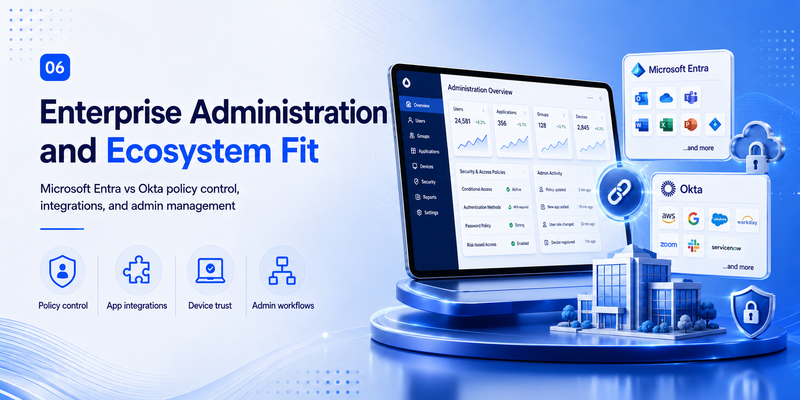
Enterprise administration is where microsoft authenticator vs okta differs most clearly. Microsoft Authenticator is an authentication method inside the Microsoft Entra ecosystem. Administrators can enable or scope Authenticator methods through Microsoft Entra authentication policy controls, including push and passwordless options.
Okta Verify is configured through Okta’s identity policies. Okta administrators can choose which verification options are available and can set user-verification requirements such as device passcode or biometric checks for relevant Okta Verify and FastPass scenarios.
That means microsoft authenticator vs okta is closely tied to the organization’s source of identity truth. A Microsoft-first environment may already have authentication methods, Microsoft 365 identities, and access controls designed around Microsoft Entra. An Okta-first environment may use Okta as the access layer across many SaaS and enterprise applications and rely on Okta policies to keep authentication behavior consistent.
A mixed environment is possible, but administrators should decide which platform owns each control. Without clear ownership, microsoft authenticator vs okta can turn into overlapping policies, repeated prompts, and complicated support procedures. The technical goal should be a coherent authentication architecture, not simply deploying every available app.
🗺️ Browse How-To Guides: Microsoft Authenticator Passwordless Sign-In: Complete Guide
7. Best Choice for Personal Use
For personal accounts, microsoft authenticator vs okta is a different comparison from enterprise use. Microsoft Authenticator can be useful as a general TOTP tool while also providing richer sign-in options for Microsoft accounts. Okta Verify can also generate codes for supported third-party services, according to Okta’s end-user documentation.
However, Okta Verify is primarily associated with organizations that use Okta, while Microsoft Authenticator is more familiar to consumers who use Microsoft accounts or Microsoft services. If a person simply needs a neutral TOTP generator with strong portability and no attachment to a corporate identity provider, a dedicated open-source alternative may also be worth considering.
For personal use, the best answer to microsoft authenticator vs okta is usually based on which accounts you actually protect. Microsoft-heavy users gain more from Microsoft Authenticator. Users who need Okta for work should generally follow their organization’s enrollment requirements rather than replacing Okta Verify with a different application without approval.
💡 Discover Helpful Guides: Microsoft Multi Factor Authentication: Complete MFA Guide
8. Microsoft authenticator vs okta for Business
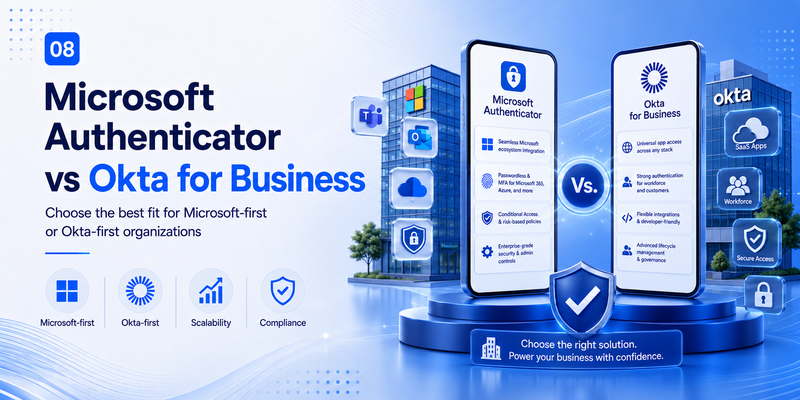
For businesses, microsoft authenticator vs okta should start with the identity platform, not the mobile download. A company already standardized on Microsoft Entra can usually deploy Microsoft Authenticator as part of its existing authentication-method strategy. A company standardized on Okta can use Okta Verify as part of its Okta sign-in and device policies.
Microsoft positions Authenticator as one of the supported authentication methods in Entra, with capabilities that include MFA notifications, verification codes, passwordless phone sign-in, and passkeys. Okta positions Okta Verify as an authenticator that can provide TOTP, push, and FastPass depending on configured options.
When evaluating microsoft authenticator vs okta for business, decision-makers should consider application coverage, identity lifecycle, endpoint strategy, recovery processes, privileged access, compliance requirements, and the skills of the IT team. The best authentication experience is one that fits the access-control system already responsible for users and applications.
Businesses should also account for change management. Switching from one authenticator to another means re-enrollment, user communications, temporary fallback methods, support documentation, and a plan for lost or replaced devices. Those operational costs can matter as much as the feature checklist in a microsoft authenticator vs okta evaluation.
9. microsoft authenticator vs duo
People researching microsoft authenticator vs okta often compare Duo as a third enterprise option. The keyword microsoft authenticator vs duo usually reflects the same underlying question: should authentication be centered on the existing identity platform or on a dedicated access-security product?
Duo Mobile supports Duo Push and can generate passcodes for authentication, including offline passcodes in supported enrollment scenarios. Duo also offers passwordless capabilities in its broader platform.
In a microsoft authenticator vs duo comparison, Microsoft Authenticator has an obvious ecosystem advantage for Entra-centric organizations, while Duo is commonly evaluated by organizations that want Duo’s access and device-oriented security model across a broad set of applications. The same principle applies to microsoft authenticator vs okta: the app itself is only one part of the decision. Policy, integrations, device signals, and administrative ownership matter more than icon design.
10. 2FAs vs microsoft authenticator
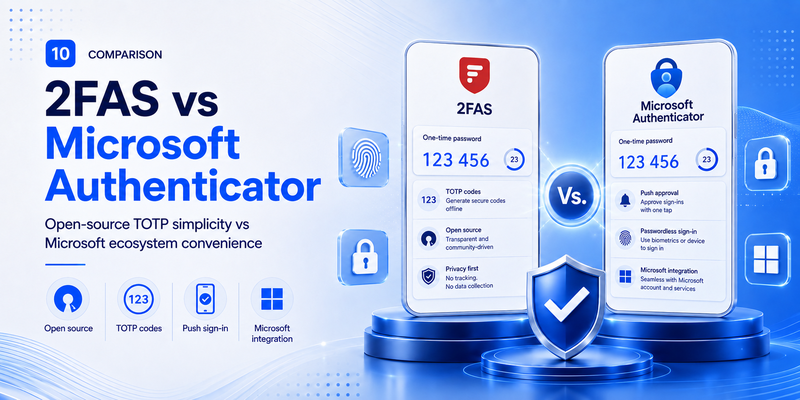
Another useful comparison is 2fas vs microsoft authenticator, especially for users who care more about TOTP portability and open-source software than enterprise push authentication. 2FAS describes its authenticator as free and open source and provides a browser extension designed to work with the mobile app for a faster browser-based 2FA workflow.
The main difference in 2fas vs microsoft authenticator is focus. 2FAS is primarily a dedicated two-factor authentication tool for storing and using tokens, while Microsoft Authenticator also participates deeply in Microsoft Entra push, passwordless, and passkey experiences. 2FAS may appeal to users who want a more provider-neutral TOTP experience; Microsoft Authenticator may be more convenient for people and organizations already invested in Microsoft identity.
This is also why microsoft authenticator vs okta should not be reduced to a generic list of code-generator features. Enterprise authenticators increasingly act as extensions of identity policy, while apps such as 2FAS can focus more narrowly on portable second-factor workflows.
🛠️ Learn with Step-by-Step Guides: Microsoft Authenticator: Complete Setup, Login, Backup & Troubleshooting Guide
11. Choosing the Right Microsoft Authenticator
Users sometimes search which microsoft authenticator app should i use because app stores contain many products with words such as authenticator, OTP, MFA, or 2FA in their names. If your organization specifically requires Microsoft Authenticator, use Microsoft’s official Microsoft Authenticator application and follow the enrollment instructions provided by your administrator.
The question which microsoft authenticator app should i use also matters when you are comparing microsoft authenticator vs okta. If your employer uses Okta and specifically asks you to enroll Okta Verify, installing Microsoft Authenticator instead may not satisfy the required push, FastPass, or device enrollment workflow. Likewise, a Microsoft Entra organization may require Microsoft Authenticator for particular passwordless or push experiences.
For ordinary third-party TOTP accounts, more than one authenticator app may technically work because TOTP is a standardized one-time-password approach. But enterprise push authentication and passwordless methods are not interchangeable in the same way. Follow the identity provider and policy your organization has actually configured.
12. Deployment and Migration Considerations
A careful microsoft authenticator vs okta migration plan should start with inventory. Identify which users are enrolled, which applications depend on the current method, which fallback factors are allowed, and whether users have multiple devices. Do not assume that moving the mobile app automatically moves the underlying identity configuration.
Next, test the intended authentication methods. Microsoft Entra administrators can scope Microsoft Authenticator methods and passwordless options through authentication policies. Okta administrators can configure Okta Verify options such as TOTP, push, and FastPass.
Then design recovery. Lost phones, new phones, damaged devices, and employee offboarding are predictable events. A microsoft authenticator vs okta deployment should define who can reset enrollment, which backup methods are acceptable, how identity is verified during recovery, and how privileged administrators are protected from weak fallback methods.
Finally, communicate clearly. Users should know which app to install, how to recognize a legitimate prompt, what to do with an unexpected approval request, and how to get help. A technically strong microsoft authenticator vs okta deployment can still fail operationally if employees are confused by multiple prompts or do not understand which system is requesting authentication.
13. Frequently Asked Questions
Is Microsoft Authenticator better than Okta Verify?
Not universally. microsoft authenticator vs okta depends on your identity environment. Microsoft Authenticator usually fits best with Microsoft Entra and Microsoft accounts, while Okta Verify usually fits best with organizations that use Okta as their identity provider. Both support MFA and modern passwordless options through their respective ecosystems.
Can Microsoft Authenticator replace Okta Verify?
Sometimes for standard TOTP accounts, but not for every enterprise workflow. microsoft authenticator vs okta becomes non-interchangeable when an organization requires Okta Verify Push, FastPass, Microsoft-specific push, passkeys, device enrollment, or another platform-controlled method. Users should follow their organization’s configured authentication requirements.
Does Okta Verify generate six-digit codes?
Yes. Okta documents TOTP as an Okta Verify option that generates a six-digit one-time passcode. That makes basic code entry similar to other authenticators, but microsoft authenticator vs okta still differs significantly once push, passwordless authentication, device context, and administrative policy are considered.
Does Microsoft Authenticator support passwordless sign-in?
Yes. Microsoft documents passwordless phone sign-in and passkeys among Authenticator capabilities for supported Microsoft Entra scenarios. This is one of the major reasons microsoft authenticator vs okta is more than a TOTP comparison.
Is Okta FastPass the same as Microsoft Authenticator passwordless sign-in?
They serve a similar goal—reducing or removing password dependence—but they are implemented inside different identity ecosystems. Okta FastPass is an Okta Verify capability managed through Okta, while Microsoft Authenticator passwordless methods are managed through Microsoft Entra. In microsoft authenticator vs okta, the surrounding platform determines enrollment, policy, and application behavior.
Which option is better for a Microsoft 365 company?
If the organization already uses Microsoft Entra as the primary identity provider, Microsoft Authenticator is usually the simpler fit because its authentication methods are integrated directly into Entra policy. Still, microsoft authenticator vs okta may favor Okta in a company that uses Okta as the central access layer even when many Microsoft 365 applications are present.
Which option is better for a company with many SaaS applications?
The answer depends on which identity provider manages those applications. Okta is often evaluated for heterogeneous SaaS environments, while Microsoft Entra also supports broad application access. The practical microsoft authenticator vs okta decision should be based on existing integrations, policy ownership, device strategy, and operational cost rather than the number of logos in a catalog.
14. Conclusion
The most useful way to evaluate microsoft authenticator vs okta is to stop thinking of them as two isolated code-generator apps. Microsoft Authenticator is an authentication method deeply integrated with Microsoft Entra and Microsoft accounts. Okta Verify is an authenticator deeply integrated with Okta’s identity platform. Both can support one-time codes, push-based verification, and passwordless experiences, but they are governed by different administrative systems.
For Microsoft-first organizations, microsoft authenticator vs okta often points toward Microsoft Authenticator because it aligns with Entra authentication policies and Microsoft passwordless capabilities. For Okta-first organizations, Okta Verify is usually the more coherent choice because Push and FastPass fit directly into Okta’s policy and device model. For individuals, the choice is more about account compatibility and whether they need enterprise push features or simply TOTP codes.
Alternatives matter too. Duo offers push, passcodes, and broader enterprise authentication capabilities, while 2FAS provides a free, open-source TOTP-focused experience with browser-extension support. The right answer is not to install every option. It is to choose the authentication method that matches the identity platform, security requirements, recovery model, and user experience you actually need.
Ultimately, microsoft authenticator vs okta is an identity-strategy decision. Start with the platform that owns your users and access policies, choose the strongest practical authentication methods it supports, minimize redundant enrollment, and make recovery as secure as the sign-in process itself.
Download Authenticator App
Secure your accounts with fast, reliable two-factor authentication. Download now and protect your login in seconds.
