
Email Authentication SPF Checks and Domain Setup Explained
Published September 18, 2026
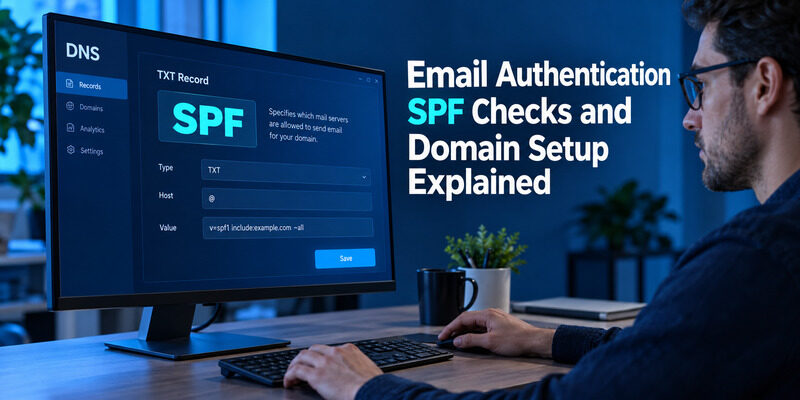
SPF checks whether a sending server is authorized to use an email envelope domain.
You configure that authorization in DNS, then receiving mail servers evaluate it when messages arrive. The domain used for this check can differ from the address readers see in the From field, which explains why an SPF pass alone does not settle every sender identity question.
This email authentication SPF guide covers the record, its relationship to DKIM and DMARC, and the evidence to inspect before changing a live domain. It is written for domain owners and administrators managing legitimate sending services. If your immediate problem is a rejected mailbox password or a missing login code, start with account access troubleshooting; those problems use different authentication mechanisms.
Understand Email Authentication SPF and Related Protocols
What the three protocols contribute
SPF authorizes sending hosts for a domain used during the SMTP exchange. DKIM adds a signature that a receiver can verify using a domain’s published public key. DMARC evaluates whether a qualifying SPF or DKIM result aligns with the visible From domain and communicates the domain owner’s handling policy.
For email authentication SPF is therefore one component of a broader configuration. It does not encrypt the message, verify every statement in its body, or establish the legal identity of the sender. A valid result answers a narrower technical question about the sending path.
| Protocol | Main input | What administrators configure |
|---|---|---|
| SPF | Sending IP and envelope domain | Authorized senders in DNS |
| DKIM | Message signature and signing domain | Public key and signing service |
| DMARC | Visible From domain and aligned results | Policy and reporting in DNS |
Why the visible sender still matters
The address shown to a recipient is the one most people use to identify a message. A message can pass SPF for a service’s own return-path domain while showing your organization’s domain in From. That is why an email authentication SPF pass needs context before you call the domain configuration complete.
An email authentication SPF result describes a route, so retain the evaluated domain whenever you record that result.
Treat email authentication protocols as complementary checks. Start with an inventory of your sending systems, then identify which domain each system uses for its envelope and signature. This inventory makes later DMARC decisions evidence-based and prevents a successful result for one service from hiding a failure in another.
💡 Discover Helpful Guides
Email Authenticator: Complete Guide to Secure Email Authentication
Inventory Every Legitimate Sending Service

Start with ordinary mail and business systems
List your mailbox provider, CRM, marketing platform, transactional email service, website forms, support desk, and any approved application that sends as your domain. Include older systems that still send invoices, monitoring alerts, or scheduled reports. A quiet monthly sender can be missed by a one-day review.
Before an email authentication SPF change, ask each service owner for its current official configuration instructions and a real sample message. Do not add an IP address merely because it appears in a forwarded message or a third-party scan.
Record domains and ownership
For each sender, record the visible From domain, envelope domain, DKIM signing domain, and who maintains the configuration. Some services let you configure a custom return path; others rely on aligned DKIM. Capture the arrangement actually used by your account rather than assuming that every provider behaves like your mailbox host.
Retire unused authorizations deliberately
Separate active senders from retired integrations. Old authorizations can remain in DNS long after a service has been disconnected. Before removing one, confirm that its scheduled tasks and dependent applications have stopped. Your email authentication SPF inventory should explain why each authorization exists, not simply reproduce a record whose history nobody remembers. Keeping an owner beside every service also makes incident response faster when a recipient reports that only one kind of message is failing.
📘 Find the Right Guide: Email Authentication Outlook: Setup and Recovery
Publish One SPF Policy for Each Relevant Domain
Find the authoritative DNS zone
Make changes where the domain’s authoritative DNS is managed. The registrar, website host, and DNS provider can be different companies. Editing a record in an inactive zone will not change what receiving servers see, even if that control panel reports a successful save.
Read the existing TXT records before creating anything. RFC 7208 specifies SPF publication and evaluation, including the rule against multiple SPF policies at the same owner name. For email authentication SPF settings, consolidate legitimate authorizations into the existing policy instead of adding one separate SPF record for every new service.
Build from provider-specific instructions
Use the exact values supplied by your legitimate sending providers. A policy commonly starts with v=spf1 and includes mechanisms that identify authorized hosts or delegate evaluation to a provider. Its final all mechanism and qualifier express how other senders should be treated within SPF evaluation.
Do not copy a sample policy into production without checking every current sender. For , a Google-only example is unsuitable for a domain that also sends through a separate CRM unless the complete design accounts for that service. Likewise, changing a qualifier from a softer result to a stricter one does not repair missing authorizations. Save the old record, document the intended change, and test the published result before declaring email authentication SPF setup complete. Keep unrelated TXT records intact; domain verification values are not duplicate SPF records merely because they use the same DNS record type.
Download Authenticator App
Secure your accounts with fast, reliable two-factor authentication. Download now and protect your login in seconds.
Keep DNS Lookups Within the SPF Limit
Count evaluation work rather than visible entries
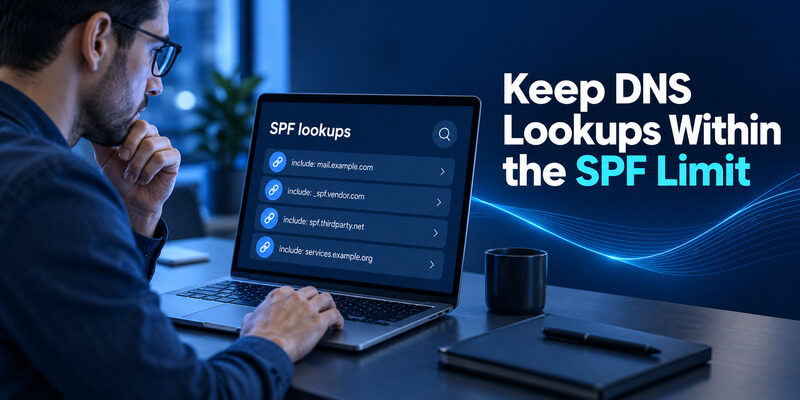
SPF has a limit on DNS-querying terms during evaluation, and nested provider includes contribute to that work. RFC 7208 defines the limit of ten for the relevant terms. Counting only the includes visible in your top-level TXT value can underestimate the actual lookup cost.
When email authentication SPF evaluation reaches a permanent error, investigate the expanded policy. A new integration may introduce a chain of includes that pushes an otherwise familiar-looking record over the limit. Use a diagnostic tool that explains the lookup path instead of reporting only a single red badge.
Reduce complexity with evidence
Remove obsolete services after confirming they no longer send. Review whether separate sending subdomains would better match the architecture and provider capabilities. A subdomain strategy can make ownership clearer, but it must be accompanied by correctly configured From, return-path, DKIM, and DMARC behavior.
Avoid casually replacing a provider’s include with a snapshot of its IP addresses. That may reduce lookups today while becoming stale when the provider changes infrastructure. If you use a managed approach to expansion or flattening, understand who refreshes it and how failures are detected. An email authentication SPF policy is operational configuration, so maintenance matters as much as initial validation. Document any dependency on an automated service and plan what happens if that service stops updating the record during a future provider change.
💡 Discover Helpful Guides: Email 2FA: Protect Your Inbox and Understand Email Codes
Read SPF Results in a Received Message
Inspect the trusted receiver’s result
Send a test through the exact service you are evaluating and inspect the message at its destination. Look for the receiving provider’s authentication details or original message view. Email header authentication results can reveal the SPF result, envelope domain, DKIM signing domain, and DMARC outcome.
Use the headers added by a trusted receiving system. A sender can insert misleading text into a message, so an arbitrary Authentication-Results line should not be treated as authoritative without understanding where it was added. Your mail provider’s own summary is usually a clearer starting point for a mailbox user.
Match the result to the route
For an email authentication SPF check, record the sending service, timestamp, evaluated domain, and result. Compare that domain with the visible From domain before assessing DMARC. A pass for an unrelated service domain may be valid SPF while providing no SPF alignment for your brand.
An email authentication SPF lookup alone cannot show how every message was sent. Conversely, one passing message does not prove every application uses the same route. Test ordinary mailbox mail, CRM messages, and website-generated mail independently. Keep a small sample set after a DNS change so you can compare before and after evidence. An email domain authentication check becomes much more useful when it names the tested route rather than presenting a domain-wide verdict based on one message.
Diagnose Failures Without Breaking Other Senders

Distinguish policy failures from errors
A fail or softfail result reflects the evaluated authorization policy. A permerror points to a permanent problem such as invalid configuration, while a temperror can involve temporary DNS trouble. Read the diagnostic details before choosing a repair. These outcomes should not all trigger the same instruction to add another include.
An email authentication SPF failure from one application can mean that its actual sending route differs from the route described in its setup guide. Confirm the account region, provider endpoint, and current product configuration. Do not assume a copied value belongs to every account offered by that company.
| Finding | Likely direction | Safe next check |
|---|---|---|
| Multiple SPF policies | DNS configuration | Consolidate authorized senders |
| Lookup limit exceeded | Nested evaluation | Review includes and old services |
| Sending IP unauthorized | Missing or changed route | Confirm provider instructions |
| Temporary DNS error | Resolver or authoritative DNS | Retest and inspect DNS health |
| SPF passes but DMARC fails | Alignment or DKIM | Compare authenticated domains |
Retest the repaired route
Change the smallest relevant setting, then send a new sample. Old messages retain their original headers and will not change after DNS is repaired. Also allow for cached DNS values when interpreting tests performed immediately after publication.
If an email authentication SPF repair helps one route but harms another, compare the previous record and the sending inventory before making a second change. A documented rollback is preferable to stacking several untested edits whose effects are difficult to separate.
A useful email authentication SPF incident note records the original result, the change, and the new result. That evidence lets another administrator understand why the record changed without reconstructing the entire incident from memory or making another speculative edit.
📘 Find the Right Guide: Email Authentication Failed Fixes for Login and Sending
Use DKIM Alongside SPF
Authenticate the message with a signature
DKIM lets a sending service sign selected message content and headers using a private key. Receivers retrieve the corresponding public key through DNS to validate that signature. The selector identifies the relevant key record, allowing a domain to maintain different signing arrangements for different services.
An email authentication DKIM configuration therefore belongs partly in the sending service and partly in DNS. Publishing a public key alone is not enough if the service never starts signing messages. Test an actual message and inspect the signing domain and result after activation.
Account for forwarding and modification
Forwarding often changes the server that connects to the final receiver, which can affect SPF. A DKIM signature may survive ordinary forwarding when the signed material is preserved, but changes to signed content can break it. This is a reason to evaluate both mechanisms rather than promising that either one survives every route.
For email authentication SPF and DKIM provide different evidence. A direct message, a forwarded message, and a mailing-list message may produce different combinations of results. Investigate the actual path before weakening a domain policy because of one forwarded example. If an intermediary changes messages, ask the mail administrator how that flow is handled. Preserve the legitimate sender’s correct configuration while assessing the forwarding behavior separately, and avoid treating a forwarded test as a complete substitute for testing direct delivery.
Add DMARC Alignment and Reporting

Connect results to the visible From domain
DMARC uses the visible From domain as its reference point. A message can pass when SPF passes with appropriate alignment or when an aligned DKIM signature passes. Both mechanisms are valuable, but DMARC does not require both to pass simultaneously for every individual message.
Google’s sender guidance describes this alignment requirement. For email authentication SPF DKIM DMARC setup, inspect the domain relationship as carefully as the pass or fail labels. Relaxed and strict alignment differ, so evaluate the published policy rather than assuming every subdomain relationship is accepted.
Observe before strengthening policy
DMARC reporting can help identify legitimate sending routes and unexpected sources. Begin with a deliberate monitoring plan, review the evidence, and address legitimate failures before moving toward stronger requested handling. A policy that requests rejection before the sending inventory is complete can disrupt business mail.
Do not treat reporting as a one-time installation checkbox. New marketing tools, acquisitions, or domain changes can alter the sender landscape. An email authentication SPF policy may remain syntactically valid while a new provider lacks aligned authentication. Assign an owner to review reports and configuration changes. Protect report destinations and avoid collecting more message detail than your organization needs. The practical objective is a maintained domain policy whose results you can explain, rather than the strongest-looking DNS string pasted from a tutorial.
Separate BIMI and Provider Verification From SPF
A sending platform may ask you to verify control of a domain before it allows that domain to be used. That ownership check can use a DNS value that is separate from SPF and DKIM. Completing it does not necessarily mean messages already pass every authentication check.
A Zoho authenticate email domain workflow, for example, should be followed using the records generated for the actual Zoho product and account. Zoho can recognize existing authentication across its products; inspect CRM status before recreating records. Preserve working records and validate the actual sending route.
BIMI concerns supported brand indicators associated with authenticated mail and has requirements beyond publishing SPF. It is not a replacement for aligned sender authentication, and a missing logo is not evidence that every message failed SPF. Check the receiving provider’s current BIMI requirements before planning a logo rollout.
Keep the project stages distinct: domain ownership, sender authorization, message signing, DMARC policy, and any supported branding. Email authentication SPF work is complete only for its own scope. It cannot certify inbox placement, ensure a logo appears everywhere, or prove that a message is harmless. Explaining these boundaries to marketing and support teams prevents a technical pass from being reported as a broader promise that the underlying protocols do not make.
💡 Discover Helpful Guides: Passwordless Email Authentication With Magic Links and Codes
Protect the People Who Can Change DNS

Sender authentication records depend on the accounts that manage them. A domain with carefully configured SPF can still be exposed if someone obtains access to the DNS console or sending platform. Protect those administrative accounts and keep ownership records current when employees or vendors change.
Use individual administrator identities where the provider supports them, and give each person only the access required for the job. Keep a recoverable record of who owns the registrar, authoritative DNS, mailbox service, and marketing tools. Otherwise, an email authentication SPF repair can be delayed simply because nobody knows which account controls the live zone.
For administrative services that offer standard authenticator enrollment, can provide the required rotating codes after you register the service’s setup key or QR code. This protects supported account sign-ins; it does not publish SPF records or validate email headers. Keep that account-protection role separate from sender authentication itself.
Before a major DNS change, save the previous values and agree on the rollback condition. Afterward, verify real sending routes and record the results. An email authentication SPF policy should be understandable to the next person maintaining it. Clear ownership, protected access, and a short change history make the configuration easier to trust than a long record with unknown includes and no explanation of which systems still need them.
Frequently Asked Questions
Does SPF authenticate the address readers see?
Not directly. SPF evaluates an envelope domain, or the relevant SMTP identity in special cases, rather than simply reading the visible From address. DMARC adds the alignment relationship to that visible domain. Inspect both the result and the evaluated domain before deciding that a branded message passes.
Can I publish separate SPF records for different providers?
No, not multiple SPF policies at the same DNS owner name. Combine legitimate authorizations into one policy for that domain and keep it within evaluation limits. Separate subdomains can have their own policies when the sending architecture is intentionally configured to use those subdomains.
Does an SPF pass guarantee inbox delivery?
No. Recipient systems also consider other authentication, reputation, content, and local policy. A pass establishes a specific authorization result for the tested route. It does not guarantee inbox placement, certify the sender’s intentions, or mean every application using the domain is configured correctly.
Should I add DKIM if SPF already passes?
Yes, when your sending service supports it. DKIM provides a separate signature-based check and can supply aligned authentication where SPF alignment is unavailable. Configure the actual signing service and DNS record together, then inspect a newly received message to confirm the expected signature is present.
Can an authenticator app fix my SPF record?
No. An authenticator generates login verification codes for accounts that support its enrollment method. SPF is configured in DNS by a domain administrator. You can use an authenticator to protect supported DNS administrator sign-ins, but editing or diagnosing the mail policy remains a separate task.
Final Thoughts
A sound email authentication SPF configuration starts with knowing who sends mail for your domain and which envelope identities those services use. Publish a single valid policy for each relevant domain, preserve unrelated DNS records, and check lookup complexity before adding another provider. These steps make the policy maintainable as well as syntactically correct.
Validate the result using messages sent through each real route. A passing test from the mailbox provider does not cover a CRM, website, or newsletter tool automatically. Compare the evaluated domain with the visible From domain and inspect DKIM and DMARC alongside SPF. Forwarding and message modification deserve their own investigation when results differ from direct delivery.
Email authentication SPF maintenance should continue whenever you add or retire a service. Keep provider instructions, ownership, and a short change history together. Use reporting to find gaps before strengthening policy, and avoid interpreting authentication as a guarantee that every message reaches the inbox or is safe to trust.
Protect the accounts that manage DNS and sending platforms with supported additional verification. Authenticator App can generate standard second-step codes for those enrolled accounts while you maintain the domain configuration through its proper administrative tools. With tested routes and clear ownership, future failures become specific questions you can investigate rather than another reason to paste an unexplained record into production.
Download Authenticator App
Secure your accounts with fast, reliable two-factor authentication. Download now and protect your login in seconds.
