
Passwordless Email Authentication With Magic Links and Codes
Published September 18, 2026 · Updated September 23, 2026
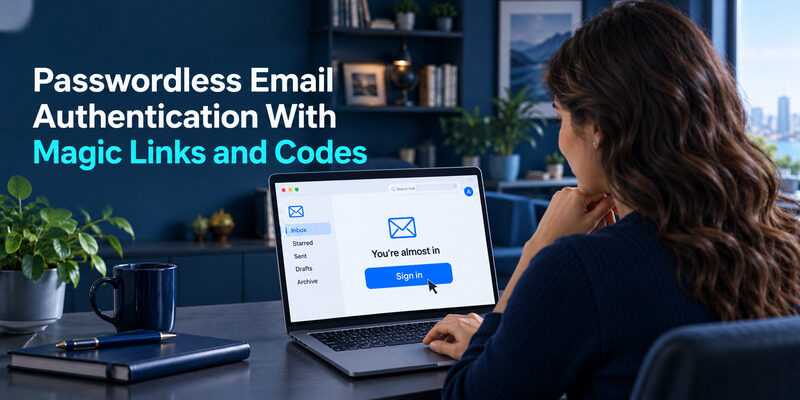
Passwordless email authentication signs you in using a link or one-time code delivered to your mailbox.
The website replaces its password check with proof that you can access the specified email address. Your mailbox becomes part of the login process, so its security, availability, and recovery options directly affect access to the connected service.
Email magic links can make occasional sign-ins convenient, but they are not automatically a second factor or a substitute for protecting the inbox. This guide explains the user journey, the different behavior of links and codes, common delivery problems, and the implementation decisions that matter when a product depends on email for authentication. It also shows when adding an authenticator or choosing a passkey addresses a different need.
What Passwordless Email Authentication Proves
Access to an address
A successful email challenge shows that someone obtained a token sent to a particular mailbox. That can support account sign-in, address verification, or recovery, depending on how the application uses the result. It does not establish the person’s legal identity or prove that the mailbox has only one reader.
Passwordless email authentication is especially sensitive to shared inboxes. If several employees can open the same mailbox, each may be able to use its login messages. A product that needs individual accountability should give people separate identities instead of treating a team address as a personal credential.
The boundaries of that proof
An address can be an alias, a forwarding destination, or a mailbox whose access is delegated. These arrangements affect who can receive a login message without changing the address displayed in the application. Review them when deciding whether an email-based sign-in is suitable for an administrative account.
The proof also applies at a particular moment. An employee can leave, a custom domain can change hands, or recovery access can be transferred later. Passwordless email authentication therefore needs lifecycle management alongside the initial login flow. For a personal service, that means keeping the registered address current. For a business application, it means removing access when someone leaves and avoiding accounts that remain tied to a former employee’s inbox. Convenience at enrollment does not remove those maintenance tasks.
💡 Discover Helpful Guides: Email Authentication Outlook: Setup and Recovery
Follow the Sign-In Journey From Request to Session
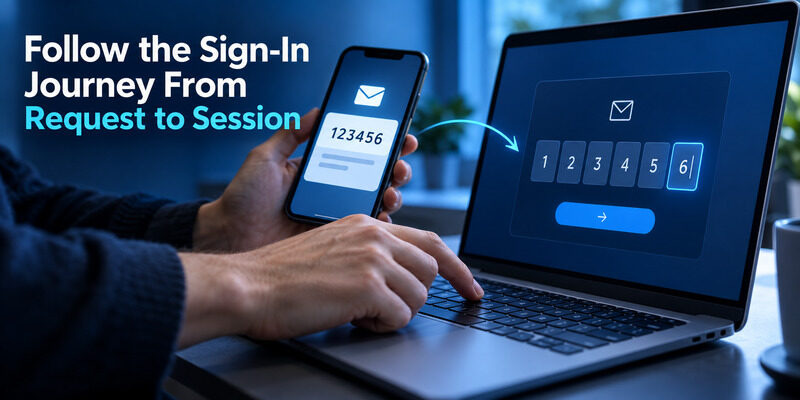
Start on the service’s genuine website or app and choose its email sign-in option. Enter the address associated with your account, then leave the request screen available while you check your mailbox. If you use several inboxes, verify the destination before requesting another message.
For email magic links, open the message associated with the current attempt and follow the link to the expected service. For a code-based flow, return to the request screen and enter the code there. Do not send the message or code to someone offering to complete the login for you.
Passwordless email authentication ends with the application creating an authenticated session after it accepts the challenge. The email itself is only a step in that process. A message marked delivered, or a link that opens a browser, does not prove the session was established successfully.
Check the account identity shown after sign-in. This matters when one browser already holds another account’s session or when an email alias points to a shared mailbox. If the result is unexpected, stop before changing account details or connecting payment information. Return to the service’s supported sign-out and sign-in process to select the intended identity. A careful first sign-in is faster than repairing activity recorded against the wrong account later.
📘 Find the Right Guide: Email 2FA: Protect Your Inbox and Understand Email Codes
Design a Short and Controlled Token Lifecycle
Issue and store the challenge
For developers, a login token should be unpredictable, purpose-specific, time-limited, and usable only under the intended conditions. OWASP’s Forgot Password Cheat Sheet describes these properties for recovery tokens; the same token-handling principles are relevant when designing an email login challenge. Use a maintained authentication service or reviewed implementation rather than inventing a token format from an address and timestamp.
Store only what the server needs to validate the challenge, and protect the database representation. Bind it to the intended account and operation. Passwordless email authentication must not accept a password-reset token as a login token simply because both arrive through email.
Consume it once and finish the session
Validation should check expiry, purpose, account association, and prior use before issuing a session. Make consumption atomic so simultaneous requests cannot redeem the same challenge twice. A logout, address change, or credential recovery event may also require invalidating related sessions according to the application’s policy.
Do not log usable token values in analytics, support screenshots, or ordinary request logs. Review where link URLs travel, including redirects and third-party page resources. Passwordless email authentication moves a temporary credential through the email and browser journey; every unnecessary copy increases the number of places that need protection. Keep operational logs focused on event identifiers and outcomes instead of the secret that grants access.
Download Authenticator App
Secure your accounts with fast, reliable two-factor authentication. Download now and protect your login in seconds.
📖 Read More Guides: Email Authentication Failed Fixes for Login and Sending
Expect Different Behavior Across Browsers and Devices
Same-browser flows
Some implementations connect a challenge to browser state created when the user requested it. Opening the message in another browser can lose that state. Auth0’s documentation describes this restriction for its Classic Login magic-link flow, but it should not be generalized to every provider or every Auth0 configuration.
If passwordless email authentication fails after a link opens an unfamiliar browser, return to the original request and follow the service’s guidance. A mail app’s embedded browser can also behave differently from the browser where you started. Avoid repeated requests until you understand which screen owns the active attempt.
Cross-device flows
Other implementations explicitly support completion on another device after an additional check. Firebase’s email-link documentation, for example, describes confirming the email address when the original local state is unavailable. That is a designed flow, not permission to remove state checks from an unrelated implementation.
Test mobile-to-desktop and desktop-to-mobile journeys separately before launching a product. Include private browsing, expired sessions, and links opened by a default mail app. Passwordless email authentication should explain a recoverable mismatch in ordinary language: return to the original browser, confirm the address, or request a new link. A generic error gives users no way to distinguish an expired token from a valid token opened in the wrong context.
📖 Read More Guides: Email Authentication SPF Checks and Domain Setup Explained
Diagnose Delivery Delays Without Creating More Confusion
Verify that mail can reach the inbox
First confirm the address, spam folder, filters, forwarding, and mailbox capacity. Send an ordinary test message from an account you control if you need to establish whether the inbox receives mail at all. An authentication service cannot complete the user’s journey if the destination silently discards its messages.
Passwordless email authentication depends on transactional delivery, so product teams should monitor submission, provider acceptance, bounces, and complaint events separately. A successful API call to a mail service is not the same event as the user receiving a usable message.
Control resend behavior
The interface should explain when users may request another message and what happens to older challenges. Some implementations invalidate previous links; others allow a limited overlap. Follow the actual product behavior instead of promising that the newest message always cancels every older one.
| User observation | Likely investigation | Helpful action |
|---|---|---|
| No email arrives | Address or delivery | Check destination and filtering |
| Several messages arrive late | Multiple requests | Use the active attempt’s instructions |
| Link opens but sign-in fails | Token or browser state | Return to the request context |
| Mailbox itself is inaccessible | Mail account recovery | Recover the inbox first |
For a passwordless email authentication incident, record when the request was made and when the message reached the mailbox. Those two timestamps help separate a slow delivery from a token that was opened too late. Keep the message identifier if support requests it, but redact the usable link.
Keep resend controls rate-limited and avoid revealing whether arbitrary addresses have accounts. Passwordless email authentication can otherwise become a tool for flooding inboxes or discovering users. Give a neutral confirmation while recording sufficient internal evidence to diagnose failures without exposing account membership publicly.
📖 Read More Guides: Google Email Two Factor Authentication Setup for Gmail
Protect the Mailbox That Controls the Login
A person who controls your inbox may be able to request new login messages from connected services. Protect the mailbox with the strongest supported sign-in method you can maintain, and keep recovery options independent of the same device. Review forwarding rules and delegated access as well as the password.
Passwordless email authentication does not remove the need to secure the email account. It changes which account deserves particular attention. A strong password on a rarely used website cannot compensate for an inbox that remains accessible on a shared computer with an unattended session.
Treat a login link as a temporary credential. Do not forward it to support, coworkers, or another address simply because opening it elsewhere is convenient. An unexpected message may mean someone entered your address, but it does not by itself prove your account was compromised. Start any investigation from the service directly.
Unlike a passkey bound to a relying party, an email link can be copied and presented through misleading contexts. Passwordless email authentication therefore needs careful destination checks and suitable controls for sensitive actions. If the service asks for additional verification before changing a payout address or administrator role, that is a separate authorization boundary. Do not assume a successful mailbox challenge should unlock every action indefinitely.
💡 Discover Helpful Guides: Google Workspace Email Authentication for Business Domains
Keep Authentication Separate From Authorization
Establish a verified session
The authentication component decides whether the email challenge was accepted and which account it represents. Session management then maintains that identity across subsequent requests. Use the provider’s supported session mechanisms and verify tokens on trusted infrastructure when a backend relies on them.
OWASP’s Session Management Cheat Sheet discusses secure session handling, including cookie protections and session lifecycle controls. These remain necessary with passwordless email authentication. Removing a password field does not make session theft or insecure cookie handling irrelevant.
Enforce permissions on the server
A signed-in user should receive only the permissions assigned to that identity. Do not grant access because a browser sends an email address that looks like an employee address, or because a client-side flag says the mailbox was verified. Validate identity and authorization through the trusted server or access-control system.
Consider an invitation to a private project. The login establishes the user, while the invitation determines whether that user may join the project. Keep those checks separate and bind the invitation to its intended recipient. Passwordless email authentication can make the entry experience simple while the backend still enforces membership, role, and resource ownership. Test these boundaries with two accounts: one authorized and one signed in but uninvited. That comparison catches mistakes a successful happy-path demonstration will miss.
🗺️ Browse How-To Guides: Passwordless Email Authentication With Magic Links and Codes
Compare Email Links Codes and Passkeys
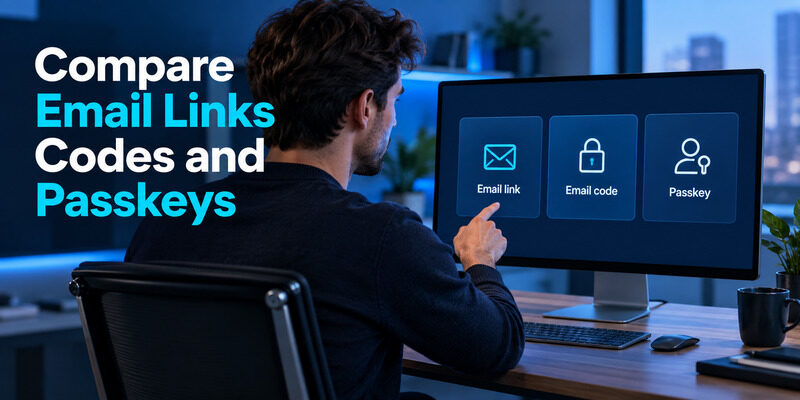
Choose a method according to the task rather than the number of clicks in a demo. Email links reduce typing but introduce browser and delivery dependencies. An that delivers codes makes the return to the original screen explicit, while still depending on mailbox access. Passkeys use a different mechanism and do not need a message to arrive for each sign-in.
| Method | Main dependency | Practical trade-off |
|---|---|---|
| Email link | Inbox and link handling | Convenient, but context can matter |
| Email code | Inbox and code entry | Clear screen handoff, extra typing |
| Passkey | Available credential and device flow | No email delivery dependency |
| Password plus authenticator | Password and enrolled code source | Separate second step to maintain |
Passwordless email authentication can suit low-frequency access where people already have a reliable inbox open. For frequent access, waiting for messages may become more frustrating than remembering a session or using a passkey. Evaluate the full journey, including recovery and shared-device use, before deciding that a shorter form is always easier.
A pilot should include people who check mail on a different device from the one they use for the application. Passwordless email authentication may look effortless in a developer’s single-browser test while creating several extra steps for those users. Observe that handoff before treating the design as finished.
For sensitive work, define the required assurance and the consequences of mailbox compromise. The choice may involve an identity provider, device controls, and additional verification rather than a simple link-versus-code preference. Passwordless email authentication is one building block in that design. It should be judged by who can obtain the challenge and what the resulting session is allowed to do.
📘 Find the Right Guide: Email Authentication SPF Checks and Domain Setup Explained
Plan for Lost Inbox Access and Address Changes
Recover through an independent route
If your inbox becomes inaccessible, a service that sends every login and recovery message to that same address can leave you stuck. Before depending on it for important accounts, inspect the supported recovery options. An existing session, another verified method, or a formal support process may help, but none should be assumed without checking.
For product teams, recovery should be designed alongside passwordless email authentication. A support agent must not change the registered address merely because someone knows the old one. Define how ownership is established and how high-risk changes are reviewed without asking people to disclose usable login tokens.
Change the address while access still works
Update the registered address before abandoning an old mailbox or leaving an organization. Follow the application’s confirmation process and verify the new destination. Keep the old account available until the change is complete and the next login succeeds.
Retain control of a custom domain
Consider all services tied to a custom domain before letting that domain expire. Receiving mail at an address is only reliable while you control its delivery. Passwordless email authentication can outlive the device on which it was first configured, but it cannot protect an account from an unmaintained destination. Keep an account inventory that lists the registered address and recovery method without storing active magic links or one-time codes in the same document.
💡 Discover Helpful Guides: Email Authentication in Zoho CRM With DKIM SPF and DMARC
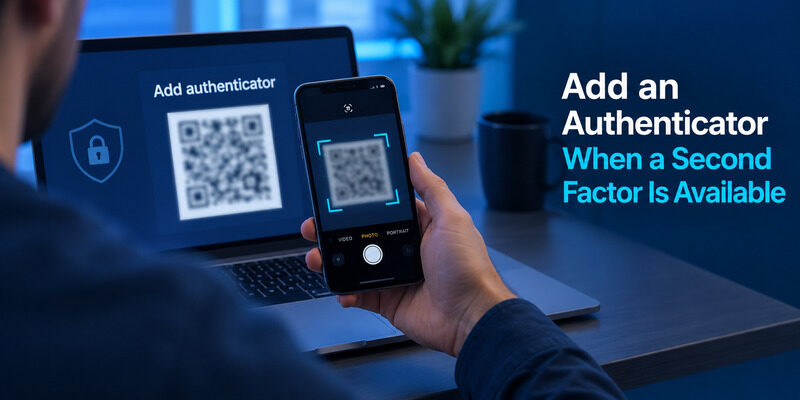
Add an Authenticator When a Second Factor Is Available
Check what the service actually supports
Passwordless does not automatically mean multifactor. A link that proves mailbox access may be the only sign-in factor used by the application. Whether additional verification is available depends on the service’s design and policy. You cannot add an arbitrary authenticator entry and expect the website to recognize its codes.
If the provider offers standard time-based code enrollment, can generate those codes after you register its QR code or setup key. That gives you a supported second-step option where the account accepts it. It does not replace the application’s email-link mechanism or repair a lost inbox by itself.
Test the combined journey
When configuring an additional method, save the provider’s recovery codes first and keep the current session open. Complete the enrollment confirmation, then test a sign-in that actually asks for the new factor. The presence of an account label inside an app is not proof that the provider enabled the method.
Passwordless email authentication combined with another method should have understandable recovery behavior. Know whether losing the phone sends you back to the inbox, a recovery code, or an administrator. Avoid a circular setup in which the only way to open the inbox requires a code stored behind that same inbox login. Independent recovery makes the additional protection practical instead of fragile.
💡 Discover Helpful Guides: How to Add Email to Authenticator App With QR or Manual Setup
Frequently Asked Questions
Is passwordless email authentication always safer than a password?
No. Its security depends on mailbox protection, token handling, session controls, and recovery. It can remove password reuse at the application, but mailbox compromise may expose connected accounts. Compare the complete system instead of judging safety by whether the form contains a password field.
Can I open a magic link on another device?
Sometimes. The service may require the original browser or may provide a cross-device confirmation flow. Read the current prompt and provider instructions. If the link fails after changing devices, return to the original request before generating several more messages or assuming your account is locked.
Are email codes the same as authenticator codes?
No. Email codes are delivered through a mailbox, while an enrolled authenticator generates codes from a shared secret. The service decides which type it accepts at a particular prompt. Typing an authenticator code into an email verification field will not complete an unrelated challenge.
Can a shared inbox support individual user accounts?
It can receive login messages, but everyone with access may be able to use them. That weakens individual accountability and complicates recovery. Use separate identities for people when permissions, audit history, or sensitive data need to remain associated with a specific employee or customer.
What should I do with an unexpected login email?
Do not use or forward its link. Open the service independently if you want to review account activity. Someone may have entered your address by mistake, so the message alone does not prove compromise. Investigate repeated unexpected requests and check mailbox security without disclosing any active challenge.
🗺️ Browse How-To Guides: How to Add Email to Microsoft Authenticator
Final Thoughts
Passwordless email authentication offers a direct sign-in route through a mailbox you already use. The experience works best when the destination is reliable, the message explains its purpose, and the service handles expiry, browser context, and recovery clearly. A missing password field is only the visible part of that system.
As a user, begin from the genuine service, check the destination address, and keep login links private. Protect your inbox and review its recovery methods before using it as the entry point to important accounts. If a link fails, distinguish delivery, expiry, and browser-state problems instead of repeatedly requesting replacements without checking the current attempt.
As a developer, design passwordless email authentication around a controlled challenge lifecycle and a securely established session. Test unauthorized resource access as carefully as successful login. Keep identity proof separate from membership and administrative permissions, and make account recovery resistant to casual address-change requests.
Where a service supports standard authenticator enrollment, Authenticator App can provide its accepted second-step codes. Configure that method through the service itself and verify the combined login journey. Choose email links, codes, passkeys, or additional factors according to the access you need to protect and the recovery you can maintain. The result should be a sign-in process people understand even when an email arrives late or their usual device is unavailable.
Download Authenticator App
Secure your accounts with fast, reliable two-factor authentication. Download now and protect your login in seconds.
