
Epic Games Authenticator: Complete 2FA Setup, Codes, QR Setup & Troubleshooting Guide
Published September 9, 2026

Epic Games Authenticator is Epic’s own built-in two-factor authentication option. It is integrated into the Epic Games App and Epic Games Store App. When you sign in, Epic Authenticator uses number matching: a login displays a number and you approve the request by choosing the matching number on your trusted mobile device.
This is different from using a conventional authenticator app such as Google Authenticator, Microsoft Authenticator, Authy, or LastPass Authenticator. Those applications generate security codes that you manually enter during login. Epic officially supports both approaches, along with email and SMS verification.
To enable Epic Games Authenticator or another 2FA method, open your Epic account’s Password and security page, find Two-Factor Authentication, select Set up, and complete the verification process. Epic recommends 2FA because it protects the account even when a password is exposed. 2FA is also required for some Epic Games Store free-game claims, sending gifts in Fortnite, and participation in Fortnite competitive events.
For most users, the key is not merely turning on 2FA. Use a strong method, keep another recovery path available, and never approve a login you did not initiate.
1. What Is Epic Games Authenticator?
Searches for epic games authenticator have become slightly confusing because Epic now supports two different app-based authentication experiences.
The first is Epic Authenticator itself.
The second is a traditional third-party TOTP authenticator.
Understanding the difference saves a lot of troubleshooting later.
Epic Authenticator is Epic’s built-in option
Epic’s current documentation states that Epic Authenticator is built into:
- The Epic Games App
- The Epic Games Store App
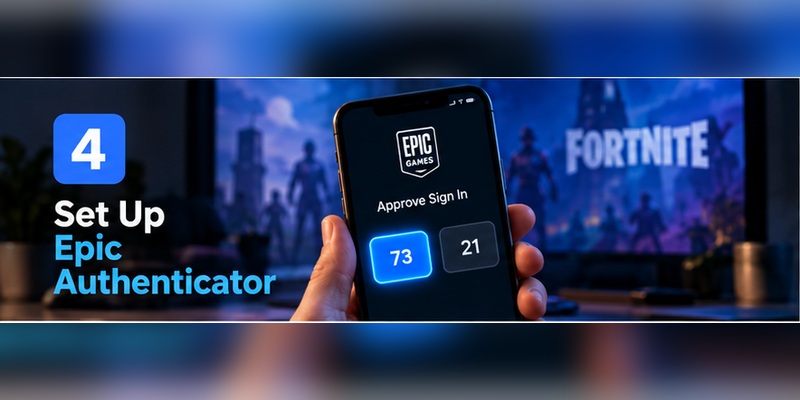
When an account login needs verification, Epic sends a number-match prompt to the application. You select the number that matches the sign-in request to approve it.
So if you search what is the epic games authenticator app, the answer is no longer simply “download Google Authenticator.”
Epic now has its own authentication feature.
On Android, Epic’s current instructions tell users to download the Epic Games Store app, sign in, open the Auth tab, and select Enable Epic Authenticator.
On iPhone, Epic documents enabling the same feature through the Epic Games App, with Epic Games Store availability varying by region.
Why does Epic use a second factor?
The basic security idea is simple.
Suppose someone learns your password.
Without another verification factor, that credential may be enough to attempt account access.
With Epic Games Authenticator, the attacker would also need to satisfy the authentication request on a trusted device.
Epic describes 2FA as an additional sign-in step designed to keep an account protected even when another person discovers the password.
That problem is not theoretical.
Verizon’s 2025 Data Breach Investigations Report analyzed more than 22,000 security incidents and 12,195 confirmed breaches. Credential abuse was an initial access vector in 22% of the breaches studied.
Those numbers cover many industries, not Epic Games specifically. They show why account providers increasingly treat password-only security as insufficient.
Download Authenticator App
Secure your accounts with fast, reliable two-factor authentication. Download now and protect your login in seconds.
2. Epic Authenticator vs a Third-Party Authenticator App
This distinction deserves its own section because many searches mix them together.
Option 1: Epic Authenticator
Epic Games Authenticator is Epic’s own implementation.
You receive a login request in Epic’s mobile application and approve it through number matching.
For example:
- You start signing in to Epic on a PC.
- Epic asks for additional verification.
- The trusted phone receives an authentication prompt.
- A number is presented during login.
- You select the matching number in Epic Authenticator.
- The sign-in is approved.
Number matching adds context to the approval instead of giving users a generic “Approve” button.
CISA ranks authenticator applications with number matching above conventional one-time-code applications in its MFA guidance. CISA notes that number matching helps reduce risks such as careless approval of authentication prompts.
Option 2: Third-party authenticator app
Epic separately supports a conventional authenticator app for epic games.
Epic currently lists examples including:
- Google Authenticator
- Microsoft Authenticator
- Authy
- LastPass Authenticator
When you choose this method, the app provides a security code that you enter into Epic during authentication.
So what authenticator app does Epic Games use?
If your question is what authenticator app does epic games use, there isn’t only one answer.
You can use:
Epic Authenticator, built into Epic’s mobile ecosystem,
or a compatible third-party authenticator such as:
Google Authenticator, Microsoft Authenticator, Authy, or LastPass Authenticator.
Which is the “official” Epic Games authenticator?
Epic Authenticator is the first-party option.
That does not mean third-party authenticators are unofficial or unsupported. Epic explicitly documents them as valid 2FA methods.
This difference matters when troubleshooting.
If someone says:
“My Epic authenticator doesn’t show a six-digit code.”
they may actually be using Epic Authenticator, which works through number matching rather than the same code-generation flow as a TOTP app.
3. How to Enable Epic Games 2FA
Epic’s current setup flow is much shorter than many outdated guides suggest.
Step 1: Sign in to the correct Epic Games account
Open your Epic Games account directly.
If you play primarily through:
- PlayStation
- Xbox
- Nintendo
- Steam
make sure you are managing the Epic account actually linked to that platform.
This is important because Epic notes that players sometimes activate 2FA on one Epic account while Fortnite is connected to another.
Step 2: Open Password and security
Open your Epic Games account settings.
Go to:
Password and security
Step 3: Find Two-Factor Authentication
Scroll to the:
Two-Factor Authentication
section.
Step 4: Choose your method
Click:
Set up
beside the authentication method you want.
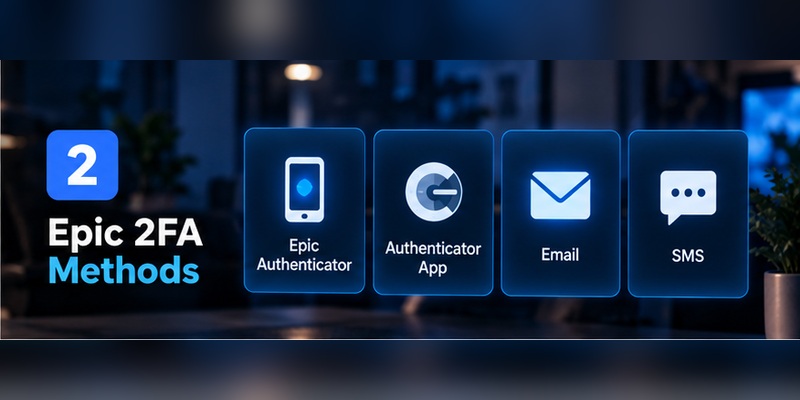
Epic currently documents four main methods:
- Epic Authenticator
- Authenticator App
- SMS
Step 5: Complete verification
Depending on your method, Epic will ask you to:
- Approve through Epic Authenticator
- Enter an authenticator-app security code
- Enter an email code
- Enter an SMS code
Once verification succeeds, Epic updates the account to show that the method is active and sends a confirmation email.
Step 6: Configure a primary method
Epic lets you enable multiple authentication methods.
If more than one is active:
- Click the three dots beside the method you prefer.
- Choose Make my primary 2FA method.
Using more than one method can improve recovery, but remember that weak fallback methods can also affect overall security.
4. How to Set Up Epic Authenticator on Your Phone
If your intent behind epic games authenticator app download is to use Epic’s first-party method, the process depends somewhat on your mobile platform.
Epic Authenticator on Android
Epic’s current Android instructions are:
- Download the Epic Games Store app from Epic’s website.
- Open it and tap Get Started.
- Complete sign-in.
- Open the Auth tab.
- Tap Enable Epic Authenticator.
- Complete verification if prompted.
- Follow the remaining on-screen steps.
Once setup finishes, the status changes to Enabled, and the Password and security page reflects the new authentication method.
Epic may also ask you to enable notifications.
That is useful because login requests can then appear promptly on the trusted device.
Epic Authenticator on iPhone
On iOS, Epic says to download the Epic Games App from the App Store and complete the built-in Epic Authenticator setup.
Epic Games Store availability on iPhone remains region-dependent, but the Epic Games App itself includes account-security features.
What happens during login?
Unlike a classic TOTP epic games authenticator app code, Epic’s first-party method uses number matching.
You are presented with a login challenge and select the corresponding number on your phone.
Do not approve a request you did not initiate.
An unexpected authentication prompt can indicate that another person is attempting to access the account.
5. How to Add Epic Games to Google or Microsoft Authenticator
Some users prefer a dedicated authentication application rather than Epic’s built-in number matching.
That is fully supported.
For how to add epic games to authenticator app, begin from Epic’s Password and security settings and choose Authenticator App as the 2FA method. Epic then guides you through connecting the application and verifying the generated security code.
Which applications does Epic list?
Epic currently names:
- Google Authenticator
- Microsoft Authenticator
- Authy
- LastPass Authenticator
You do not need a special “Fortnite Authenticator” TOTP application.
If you are asking what authenticator app does fortnite use, Fortnite authentication is tied to the same Epic Games account system.
Fortnite does not require a separate Fortnite-only authenticator.
What happens after setup?
The third-party application creates a security-code entry for your Epic account.
When Epic requests 2FA:
- Open the authenticator.
- Find your Epic account.
- Read the current code.
- Enter it into Epic.
- Complete login.
Protect the authenticator itself
Use a device lock.
Also understand whether your authenticator supports:
- Encrypted backup
- Account synchronization
- Device migration
- Export
This matters when you replace your phone.
A strong second factor becomes a recovery problem if its only copy disappears with one broken device.
6. What About the Epic Games Authenticator QR Code?
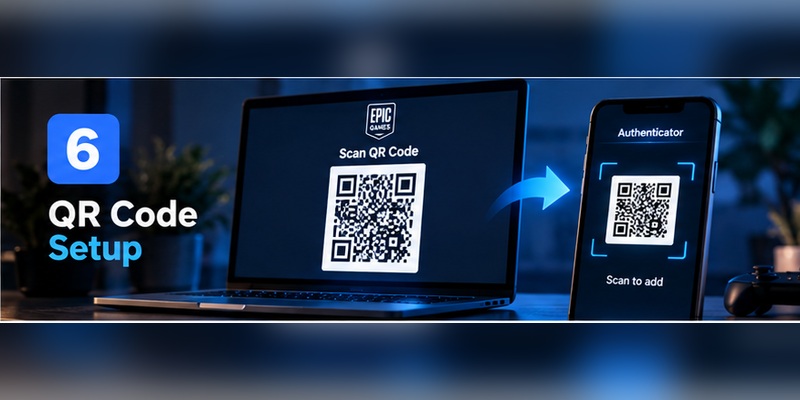
Searches for epic authenticator qr code and epic games authenticator qr code often combine two different concepts.
Epic Authenticator does not use the same workflow as a traditional TOTP app
Epic’s first-party Epic Games Authenticator is activated inside Epic’s mobile applications and uses number matching.
Epic’s current setup documentation does not describe it as a separate QR-code-scanning authenticator.
That is an important distinction.
Third-party authenticator setup is different
A traditional TOTP authenticator needs enrollment information so that it can generate the same time-based codes expected by the service.
If your Epic setup screen presents enrollment information for a third-party app, follow the instructions shown there and verify the generated code before leaving the page.
Treat any authentication enrollment secret as sensitive.
Never:
- Share screenshots
- Send setup information in Discord
- Post it on Reddit
- Upload it to public cloud storage
- Send it to “Epic Support” through an unsolicited message
Don’t confuse other Epic QR codes with 2FA
Epic also uses QR codes elsewhere, including mobile-app downloads and Fortnite physical-product verification.
Those QR codes are not automatically authentication QR codes.
For example, Epic states that QR codes on official Fortnite physical merchandise are used to verify the authenticity of the product, not to configure 2FA.
Always identify what a QR code is for before scanning it.
7. Which Epic Games 2FA Method Should You Use?
Epic supports four distinct 2FA options.
They offer different balances of convenience, recovery, and security.
Epic Authenticator
Best for: users who want an Epic-native mobile experience.
Advantages:
- Built into Epic mobile apps
- Number matching
- Simple approve/deny experience
- No manual rotating code entry
CISA considers number-matching authenticator workflows stronger than basic push approval and ranks them above conventional OTP apps in its consumer/business MFA hierarchy.
Third-party authenticator
Best for: people who already manage multiple services through one authenticator.
Advantages:
- Works without SMS
- Familiar TOTP workflow
- Separate authentication application
- Several widely used apps supported
CISA states that one-time authenticator codes provide stronger protection than text or email codes, though they remain vulnerable to real-time phishing.
Email 2FA
Epic sends the security code to the email address associated with your account.
This is convenient, but your Epic security then depends heavily on your email account.
If an attacker gains access to both:
- Your Epic password
- Your email inbox
email-based 2FA loses much of its value.
SMS
Epic sends a security code to your registered mobile number.
Some regional phone numbers are not supported. Epic says affected users may see:
“SMS to this region is not supported.”
In that situation, Epic recommends using another number or an alternative method such as an authenticator app.
Which one is strongest?
CISA’s general MFA hierarchy ranks:
Phishing-resistant authentication → number-matching authenticator → OTP authenticator → text/email
from stronger toward weaker commonly available methods.
Epic currently does not present every FIDO-style method listed in CISA’s hierarchy on the same consumer 2FA page.
Within Epic’s documented options, Epic Authenticator’s number matching and a third-party authenticator are strong practical choices.
8. Epic Games Authenticator Code Not Working: Fixes That Match the Error
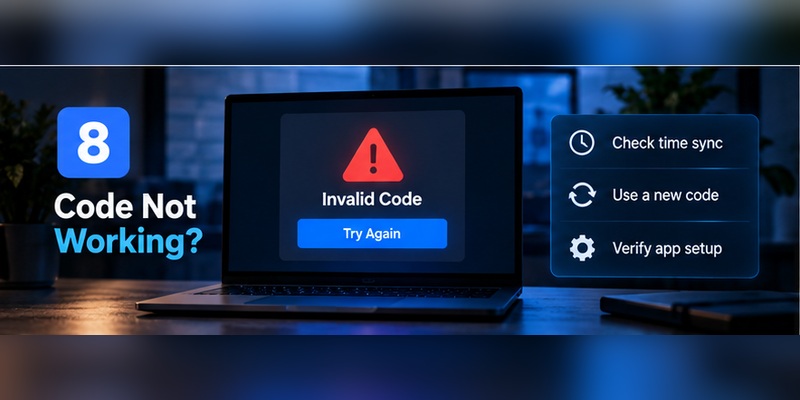
The search epic games authenticator not working can refer to several different problems.
Start by identifying which method is actually failing.
Error: “Sorry, the code you are using couldn’t be found”
Epic has a specific troubleshooting article for this error.
If the code appears correct but Epic rejects it, Epic recommends:
On a browser:
- Try another device.
- Try another browser.
- Use Incognito or Private mode.
On Epic Games Store mobile:
- Reinstall the application and try again.
Authenticator app code is wrong
If epic games two factor authentication code not working refers to Google Authenticator, Microsoft Authenticator, or another TOTP app:
Check the correct account first.
Many users have old or duplicate authentication entries.
Then:
- Make sure device time is automatic.
- Wait for a fresh code.
- Enter it promptly.
- Confirm you’re using the currently configured Epic token.
Epic Authenticator approval is not appearing
If the built-in Epic Games Authenticator does not show the login request:
- Confirm you are signed into the correct Epic account in the mobile app.
- Check internet access.
- Enable Epic notifications.
- Reopen the application.
- Verify that Epic Authenticator still shows as Enabled.
Epic specifically notes that notifications can be enabled so users know when login requests arrive.
Setup returns an internal-service error
Epic documents an error reading:
“An error occurred in our internal service. Please try again in a few minutes.”
Its recommended troubleshooting includes:
- Check Epic’s service-status page.
- Try an Incognito window.
- Try another browser or device.
- Disable VPN/hosting services temporarily.
- Try another 2FA method.
- Confirm your account country matches your current country.
Fortnite says 2FA is not active
This is often an account mismatch, not an authentication failure.
Epic says the usual reason is that 2FA was enabled on a different Epic Games account from the one used to play Fortnite.
For console players, sign in using the platform account you actually play with and confirm which Epic account is linked.
Do not keep turning 2FA on and off until you confirm the account identity first.
9. Email Verification, SMS, and Backup Access
Even if your primary method is Epic Games Authenticator, your email account remains important.
Epic Games email verification
With email-based 2FA, Epic sends a security code to the email address connected to your Epic Games account.
Epic also uses email verification in other account processes.
For example, when creating a new Epic Games account, Epic currently sends a 6-digit security code to the supplied email address.
What if your authenticator locks you out?
Epic documents an alternative login route.
At the 2FA screen:
- Select Try another way.
- Choose Email Verification.
- Receive the security code.
- Enter it into the Security code field.
- Complete login.
Epic also provides backup codes for authenticator users
Epic’s account-recovery guidance states that when authenticator-app 2FA is first enabled, users receive backup codes.
To use one:
- Select Try another way.
- Choose the backup-code option.
- Enter an 8-digit backup code.
- Sign in.
These codes are worth storing before your phone is lost.
Keep them somewhere separate from the authenticator device.
Good options include:
- A trusted password manager
- Secure encrypted storage
- A protected physical copy
A screenshot stored only on the same phone provides little recovery value if that phone disappears.
10. Lost Your Authenticator or Changed Phones?
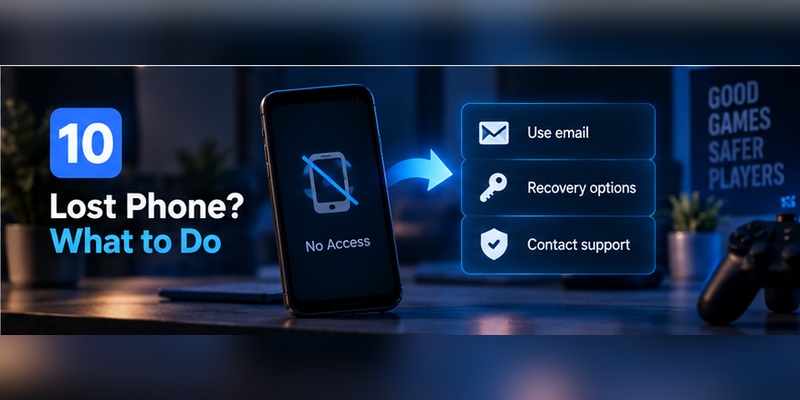
A new phone should be a planned migration, not an emergency.
If you used Epic Authenticator
Before wiping the old phone:
- Confirm access to your Epic account.
- Install/sign in to Epic’s supported mobile app on the new device.
- Check available authentication settings.
- Make sure another 2FA method works.
- Confirm email access.
If you used Google or Microsoft Authenticator
Follow the authenticator provider’s own migration or backup procedure.
The exact process differs by app.
Some authenticators synchronize encrypted credentials between devices. Others require explicit transfer.
If the old phone is already gone
At the Epic 2FA prompt, select:
Try another way
Then use:
- Email verification, or
- An available backup code.
Epic documents both as recovery paths when the original authenticator or phone number is no longer accessible.
If you changed your SMS phone number
Epic’s current recovery instructions say to:
- Sign in through another available method.
- Open Password and security.
- Remove the old SMS method.
- Select Set Up again.
- Enter the new phone number.
- Verify the SMS code.
- Enable SMS authentication.
Don’t disable security first unless necessary
If you still have account access, configure a working replacement before removing the previous method.
Add → verify → test → remove old method.
That order creates less risk than:
remove → lose access → attempt recovery.
11. How to Disable or Change Epic Games 2FA
There are legitimate reasons to search epic games disable 2fa.
You may be:
- Switching authenticator apps
- Replacing a phone
- Changing your mobile number
- Removing a compromised method
- Moving to Epic Authenticator
Epic currently documents this removal process:
- Open your account’s Password and security section.
- Find Two-Factor Authentication.
- Click the three dots beside the method.
- Choose Remove Method.
- Confirm Remove.
The removable methods listed by Epic currently include:
- Epic Authenticator
- Authentication app
- SMS
Should you disable all 2FA?
Usually, no.
If the goal is simply to switch methods, a better approach is to keep a functional authentication route active while setting up the replacement.
Epic itself strongly recommends re-enabling 2FA after recovering from a lockout.
Multiple methods can be enabled
Instead of fully disabling Epic Games Authenticator, you can enable another method and make it primary.
Use the three-dot menu beside the chosen method and select:
Make my primary 2FA method
This can provide a smoother migration between devices.
12. Why Fortnite Players Should Enable 2FA
For Fortnite players, 2FA is not only an account-security feature.
Epic requires it for several platform features.
Fortnite gifting
Epic’s current 2FA documentation states that 2FA is required to send gifts in Fortnite.
Competitive Fortnite
Epic also requires 2FA to participate in Fortnite competitive events.
Some Epic Games Store free games
2FA can also be required when claiming certain free Epic Games Store titles.
Fortnite rewards for enabling 2FA
Epic currently rewards users who secure their accounts.
Players receive the Boogie Down emote in Fortnite: Battle Royale after enabling 2FA.
Fortnite: Save the World owners additionally receive:
- 50 Armory Slots
- 10 Backpack Slots
- 1 Legendary Troll Stash Llama
If rewards do not appear immediately, Epic recommends restarting Fortnite.
If that still fails, confirm that 2FA was activated on the same Epic account used for Fortnite.
Why the account itself matters more than the reward
The emote is a useful incentive.
But the larger benefit is protecting:
- Purchased games
- Fortnite cosmetics
- Linked console identities
- Friend lists
- Account progress
- Payment-related account access
That is why Epic Games Authenticator should be viewed primarily as an account-security tool, not merely as a way to unlock Fortnite rewards.
13. Protecting Your Epic Account Beyond 2FA
2FA is important, but it cannot compensate for every bad security habit.
Use a unique password
Do not reuse your Epic password on:
- Discord
- Steam
- PlayStation
- Xbox
- Social media
- Forums
Verizon’s analysis of infostealer credential data found that, in the median case, only 49% of a user’s passwords across services were distinct.
Password reuse turns one unrelated breach into a possible Epic account problem.
Protect your email
If email is one of your Epic authentication or recovery routes, the email account needs equal or stronger protection.
Enable MFA there too.
Be careful with fake V-Bucks offers
Epic advises users not to buy V-Bucks or other content through unauthorized third-party sites and warns against V-Bucks giveaway websites.
These offers can be used to lure players into fake login pages.
Authenticator codes are not phishing-proof
CISA notes that app-generated OTP codes are stronger than SMS but still vulnerable to phishing.
An attacker can build a fake Epic login page that requests:
- Password
- Current authenticator code
If you provide all three in real time, 2FA can potentially be bypassed.
Number matching helps, but think before approving
The built-in Epic Games Authenticator uses number matching, which provides more context than a generic approval prompt.
Still, never approve a request simply because your phone shows one.
Ask:
Did I just initiate this Epic Games login?
If the answer is no, reject it.
Security is a chain
Your real Epic security is closer to:
Unique password + secure email + strong 2FA + careful recovery + phishing awareness
than simply:
2FA = secure.
14. Epic Games Authenticator FAQ
What is Epic Games Authenticator?
Epic Games Authenticator is Epic’s first-party two-factor authentication feature built into Epic’s mobile apps.
It uses number matching to approve login attempts rather than requiring the same manual rotating-code workflow used by conventional TOTP applications.
Is there an Epic Games Authenticator app?
Yes, but the terminology matters.
Epic Authenticator is integrated into the Epic Games App/Epic Games Store mobile ecosystem rather than being limited to a traditional stand-alone TOTP utility.
What authenticator does Epic Games use?
Epic supports its own Epic Authenticator and third-party authenticators.
Officially listed third-party options currently include:
- Google Authenticator
- Microsoft Authenticator
- Authy
- LastPass Authenticator
What authenticator app does Fortnite use?
Fortnite uses your Epic Games account’s authentication configuration.
There is no separate Fortnite-only authenticator requirement.
You can use Epic Authenticator or one of Epic’s supported third-party authenticator methods.
How do I enable Epic Games 2FA?
Open:
Epic Games Account → Password and security → Two-Factor Authentication → Set up
Then choose Epic Authenticator, Authenticator App, Email, or SMS and complete verification.
Is Epic Games 2FA the same as MFA?
In this context, 2FA is a form of epic games multi factor authentication because access depends on more than a password.
The terms 2FA and MFA are often used closely together, although MFA is the broader security concept.
What is an Epic Games authenticator code?
If you use a third-party authenticator, it is the temporary security code generated by the authentication application.
If you use Epic’s first-party Epic Authenticator, authentication instead centers on number matching through the mobile app.
Why isn’t my Epic Authenticator showing a code?
You may be using Epic Authenticator, which does not operate exactly like Google Authenticator.
Epic Authenticator uses number matching.
If you expected a rotating code, check whether your account’s active method is actually Authenticator App rather than Epic Authenticator.
Does Epic Authenticator use a QR code?
Epic’s current documentation describes the first-party Epic Authenticator as a feature enabled inside its mobile applications and authenticated through number matching.
It does not describe the first-party feature as a QR-code-based TOTP flow.
Do not confuse that with third-party authenticator enrollment or unrelated Epic QR codes.
Why is my Epic Games authenticator code not working?
Try:
- A fresh code
- Automatic date and time
- Confirming the correct Epic account
- Another browser/device
- Incognito mode
Epic specifically recommends another browser, another device, or Private/Incognito mode for its “code couldn’t be found” login error.
What if Epic 2FA setup shows an internal service error?
Epic recommends checking:
- Service status
- Another browser or device
- Incognito mode
- VPN/hosting services
- Another 2FA method
- Account country
What if I lost my authenticator?
At the authentication screen:
Try another way → Email Verification
or use an available 8-digit backup code.
Epic documents both recovery routes.
Does Epic provide backup codes?
Epic’s official recovery documentation states that users who enable authenticator-app 2FA receive backup codes and can use an 8-digit backup code to regain account access.
Store them securely.
Can I use email instead of an authenticator?
Yes.
Epic supports email as a 2FA method.
A security code is sent to the email address associated with your Epic Games account.
Can I use SMS?
Yes, where supported.
Epic notes that some regional phone numbers are not eligible for SMS 2FA.
Is an authenticator app safer than SMS?
Generally, yes.
CISA ranks app-generated authentication codes above SMS/email codes because SMS carries additional risks such as SIM swapping and telecom interception.
However, ordinary authenticator codes can still be phished.
Is Epic Authenticator safer than a regular authenticator app?
The methods work differently.
Epic Authenticator uses number matching, while traditional TOTP apps use manually entered one-time codes.
CISA ranks number-matching authentication strongly because it helps limit certain push-approval attacks, but your overall security still depends on the device, account recovery, and user behavior.
Why does Fortnite say 2FA isn’t enabled?
Epic says this usually means you activated 2FA on a different Epic account from the one you use to play Fortnite.
Console users should verify which Epic account is linked to their platform profile.
Do I need 2FA to gift items in Fortnite?
Yes.
Epic currently requires 2FA to send Fortnite gifts.
Do I need 2FA for Fortnite tournaments?
Epic states that 2FA is required for participation in Fortnite competitive events.
Do I get anything for enabling 2FA?
Yes.
Epic currently gives the Boogie Down emote to Fortnite: Battle Royale players who enable 2FA.
Save the World players can also receive 50 Armory Slots, 10 Backpack Slots, and one Legendary Troll Stash Llama.
How do I disable Epic Games 2FA?
Go to:
Password and security → Two-Factor Authentication → three dots beside the method → Remove Method → Remove
Epic currently allows removal of Epic Authenticator, Authentication App, Email, and SMS methods from this section.
Can I change my primary 2FA method?
Yes.
If multiple methods are enabled, click the three dots beside your preferred method and choose:
Make my primary 2FA method
Download Authenticator App
Secure your accounts with fast, reliable two-factor authentication. Download now and protect your login in seconds.
