
Riot Games Authenticator: Complete MFA Setup, QR Login, Recovery & Troubleshooting Guide
Published September 9, 2026
There is no separate official app called “Riot Games Authenticator.” Riot currently supports three main MFA routes: Riot Mobile, third-party authenticator apps such as Google Authenticator, Microsoft Authenticator, or Duo, and email verification with a six-digit code. Riot introduced two-factor authentication in 2022 and expanded it into a broader multi-factor authentication system in 2025.
If you searched riot games authenticator, the best setup for most users is to verify your Riot email first, enable MFA in Riot Account Management, then add either Riot Mobile or a supported authenticator app. Riot Mobile can approve logins and supports QR-based sign-in, while third-party authenticator apps generate temporary codes for manual entry.
The most important rule is to keep more than one recovery path. Do not rely on one phone, one email inbox, or one authentication method.
That matters because Riot accounts can contain years of progress, skins, VALORANT inventory, League collections, purchases, ranked history, and linked platform access. Riot itself describes MFA as a way to protect passwords, payment information, and in-game collections.
1. What Riot Games Authenticator Actually Means
The phrase riot games authenticator can refer to two different things.
The first is Riot Mobile, Riot’s own mobile application. It can receive authentication requests, display verification information, and support riot games qr code login.
The second is a third-party authenticator app such as:
- Google Authenticator
- Microsoft Authenticator
- Duo
Riot officially listed these apps when it expanded its security system in 2025.
Riot changed from 2FA to broader MFA
Riot originally launched riot games two factor authentication in January 2022.
The original system primarily used email-based authentication. Players could require a verification code when logging in, adding another step beyond the normal Riot password.
In April 2025, Riot announced a broader riot games multi factor authentication system.
Riot said users now had three ways to protect and back up account access:
Riot Mobile
Authenticator app
That change is important because many older guides still tell players that Riot only supports email MFA.
That is no longer accurate.
Why does Riot need another authentication factor?
A password is only one credential.
It can be exposed through:
- Phishing
- Malware
- Password reuse
- Credential stuffing
- Shared accounts
- Compromised email
- Fake Riot login pages
Verizon’s 2025 Data Breach Investigations Report found credential abuse accounted for 22% of known initial access in the analyzed breaches, while phishing represented about 16%.
Those figures are not specific to Riot Games. They show why account providers add another identity check instead of relying on a password alone.
What does MFA protect on a Riot account?
A Riot account may contain:
- League of Legends champions and skins
- VALORANT weapon skins
- TFT cosmetics
- Legends of Runeterra collections
- Riot Points or purchased content
- Linked social or console accounts
- Ranked history
- Friend lists
- Payment-related information
Riot specifically says MFA helps protect your password, payment information, and collections.
So riot games authenticator should be viewed as an account-protection tool first, not just an extra login screen.
Download Authenticator App
Secure your accounts with fast, reliable two-factor authentication. Download now and protect your login in seconds.
2. Riot Games MFA Methods: Riot Mobile, Authenticator App, or Email?
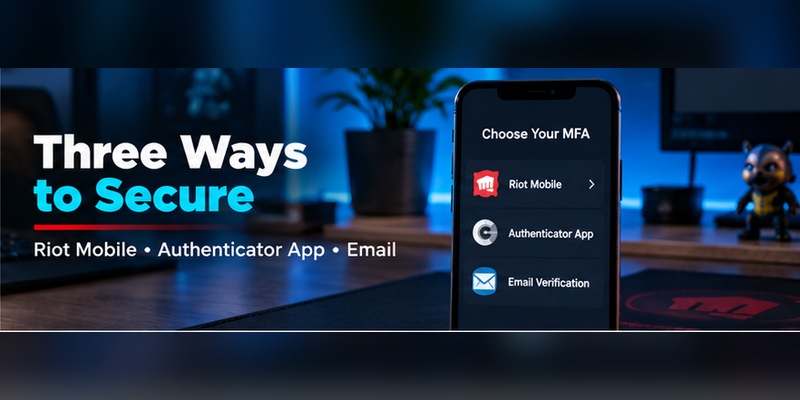
Riot’s current authentication system gives players more choice than the original 2022 implementation.
Each option works differently.
Riot Mobile
Riot Mobile is Riot’s own companion application.
Riot describes it as a preferred way to verify your identity for Riot games, and the app can receive verification information directly.
Riot also says Riot Mobile enables smoother authentication and supports future login through QR codes.
Best for:
- Frequent Riot players
- Players who want fast login
- Users who already use Riot Mobile
- Players who want QR login
Third-party authenticator app
Riot supports authenticator applications including:
Google Authenticator
Microsoft Authenticator
Duo
These applications generate a temporary code.
You enter that code when Riot asks for authentication.
This is what most people mean when they search authenticator riot games or riot games authenticator app.
Email authentication
Riot can also send a six-digit code to the verified email address attached to your account.
Email authentication is easy to use, but its security depends heavily on the email account itself.
If someone controls:
- Your Riot password
- Your email account
then email-based verification provides less separation between factors.
Which method is strongest?
CISA ranks common MFA methods from stronger to weaker approximately as:
Security key → number-matching authenticator → authenticator app with one-time codes → SMS/email codes.
Riot currently focuses on Riot Mobile, authenticator apps, and email rather than providing all of those categories.
Within Riot’s available choices, a dedicated authenticator app provides stronger separation than relying exclusively on email, while Riot Mobile offers a convenient first-party alternative.
CISA also warns that conventional authenticator codes can still be phished, even though they are stronger than text or email codes.
Should you use more than one?
Yes, where Riot allows it.
The goal is:
strong primary authentication + independent recovery path
For example:
Authenticator app + verified email
or:
Riot Mobile + verified email
is safer operationally than having no usable fallback.
3. How to Set Up an Authenticator for Riot Games
If your intent is how to set up authenticator for riot games, start from Riot’s official Account Management page rather than from inside a random third-party site.
Step 1: Verify your Riot email
Riot’s current account-security guidance says email verification is necessary for MFA.
A verified email also helps prevent unauthorized changes to your password and email address.
Before setting up riot games authenticator, make sure:
- The email address belongs to you.
- You can log into it.
- It uses a strong password.
- MFA is enabled on the email account too.
Step 2: Open Riot Account Management
Sign in to your Riot account.
Use Riot’s legitimate authentication domain rather than clicking an unexpected link in an email or message.
Riot specifically advises players to check the URL and says users should only enter Riot credentials on the legitimate Riot authentication site.
Step 3: Find Multi-Factor Authentication
Inside account management, locate the Multi-Factor Authentication section.
Depending on your current configuration, Riot may first prompt you to enable email-based MFA.
The official Riot MFA flow requires the verified email to be established before adding additional methods such as Riot Mobile.
Step 4: Choose Authenticator App
Select the authenticator-app option.
Riot currently supports apps such as:
- Google Authenticator
- Microsoft Authenticator
- Duo
Step 5: Link the authenticator
Follow the setup information displayed by Riot.
A conventional authenticator setup normally uses a QR enrollment flow or setup secret.
Use the scanning option inside your chosen authentication application.
Do not share the QR code or setup information with another person.
That information represents the secret used to generate valid authentication codes.
Step 6: Enter the verification code
The authenticator generates a temporary code.
Enter the current code on Riot’s verification screen.
If Riot accepts it, the riot games authenticator method is now linked to your account.
Step 7: Test it
Do not immediately remove another authentication method.
Test a fresh Riot login first.
Confirm that:
- The authenticator entry appears.
- The code works.
- Your email remains accessible.
- You understand your recovery path.
A 2FA method you have never tested is not yet a reliable security method.
Do you need a special Riot authenticator app?
No.
There is no separate official standalone application called “Riot Games Authenticator.”
If you want third-party TOTP-style authentication, use one of Riot’s supported authenticator applications.
If you want Riot’s own mobile authentication experience, use Riot Mobile.
That distinction prevents one of the most common misunderstandings around riot games authenticator.
4. Riot Mobile and QR Code Login Explained
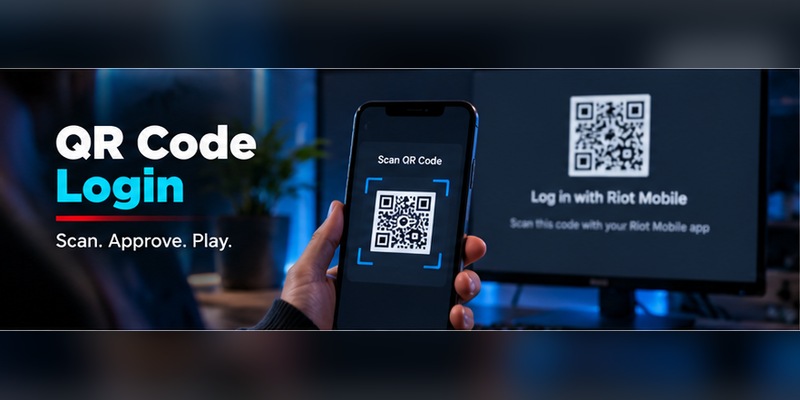
The riot games qr code keyword is closely connected to Riot Mobile rather than to a special standalone Riot authenticator.
Riot says Riot Mobile can simplify authentication and allow future logins through QR code scanning.
How Riot Mobile MFA works
The initial setup requires your Riot account and verified email.
After Riot Mobile is linked as an MFA method, authentication can happen through the mobile application rather than relying only on email.
Riot’s support documentation describes Riot Mobile as one of the primary ways to verify identity for Riot games.
Riot Mobile setup
The current official support flow includes:
- Install Riot Mobile.
- Sign in using your Riot account.
- Complete the initial email MFA check on a new device.
- Open your Riot Account Management MFA settings.
- Activate Riot Mobile.
- Scan the displayed QR code using Riot Mobile.
- Approve activation on the phone.
Riot’s official MFA support documentation describes this QR-based activation flow and notes that email MFA must be enabled before Riot Mobile authentication can be activated.
What is Riot Games QR code login?
Once Riot Mobile is connected, Riot can provide riot games qr code login.
Instead of manually entering a password and authentication code in the traditional flow, you can scan the login QR code using the trusted mobile app.
Riot announced this capability when it expanded MFA in 2025.
Is QR login automatically safe?
No QR code is safe simply because it looks official.
Only scan Riot authentication QR codes when:
- You initiated the login.
- The QR code appears on an official Riot interface.
- You know which account is being authenticated.
Do not scan a QR code someone sends through:
- Discord
- X
- Private messages
A QR code can encode many different actions.
Unexpected Riot Mobile notification?
Treat it as suspicious.
If you did not initiate a login, do not approve it.
Instead:
- Change your Riot password if needed.
- Secure your email.
- Check for suspicious account access.
- Log out of sessions you do not trust.
The authenticator only protects you when you reject unauthorized requests.
5. Riot Email Verification and Six-Digit Authentication Codes
Riot games verify email is not just an onboarding task.
It is central to account security and recovery.
Riot says verifying your email helps prevent unauthorized email and password changes and makes account recovery easier.
Why Riot requires verified email
A verified email proves that you control the address linked to the account.
Riot also requires email verification before MFA can be used.
This creates a foundation for:
- MFA activation
- Account recovery
- Password reset
- Username recovery
- Security notifications
Riot’s email authentication code
When email authentication is used, Riot sends a six-digit code.
You enter that code to confirm the login.
Can Riot ask for the code?
Do not give it to another person.
Riot’s account-security documentation says Riot staff already have the account information required to perform legitimate support work and will not need you to disclose your password.
Treat the same principle seriously for authentication credentials.
An attacker may pretend to be:
- Riot Support
- A VALORANT tournament organizer
- A League administrator
- A skin giveaway account
- A Riot employee
- A competitive team recruiter
and ask for a login or verification code.
Authentication codes belong on Riot’s login screen, not in a chat.
Secure your email too
Riot explicitly warns that email security is central to account protection.
Someone who controls your inbox may be able to submit account-reset requests for many services.
Therefore, a strong riot games authenticator setup should include MFA on your email account as well.
6. Riot Games Authenticator Not Working: Fixes by Problem
When riot games authenticator not working, do not disable MFA immediately.
First identify what is failing.
Problem 1: Authenticator code is rejected
If you’re using Google Authenticator, Microsoft Authenticator, Duo, or another supported app:
Check the device time first.
One-time authentication systems depend on accurate time.
Set:
- Date automatically
- Time automatically
- Time zone automatically
Then wait for a fresh code.
Problem 2: You have multiple Riot entries
You may have configured MFA more than once.
Your app might contain:
- Riot Games
- Riot Games 2
- VALORANT
- League
- An old Riot account
One entry may be obsolete.
Try to identify the currently configured token before deleting anything.
Problem 3: QR code will not scan
For Riot Mobile activation:
- Update Riot Mobile.
- Clean the camera lens.
- Increase monitor brightness.
- Zoom the page back to normal size.
- Try opening account management in another browser.
- Make sure the entire QR code is visible.
If the code is being scanned with a third-party authenticator app, confirm you selected the correct QR-scanning function inside the authenticator.
Problem 4: Riot Mobile does not receive authentication
Check:
- Phone internet connection
- Riot Mobile login status
- Notification permissions
- App version
- Correct Riot account
Riot Mobile must be connected to the same Riot account you are trying to authenticate.
Problem 5: Email code never arrives
Check:
- Spam
- Junk
- Promotions
- Mail filters
- Correct Riot email address
- Inbox storage
Riot’s MFA setup guidance explicitly recommends checking spam if the activation email is missing.
Problem 6: You keep getting prompted
Riot’s MFA system can be configured to remember an authentication environment for a period rather than asking on every single login.
Official support documentation notes that players can use an option that reduces repeated authentication for approximately 30 days on the remembered login.
Use that feature only on devices you trust.
Do not remember:
- Internet café PCs
- School computers
- Shared laptops
- Friend’s PCs
Problem 7: You receive codes you did not request
This can indicate someone knows your password or is attempting account access.
Change your password.
Then secure:
- Your Riot email
- Other reused passwords
- Your computer
- Your authenticator
Riot recommends scanning a PC for malware if account credentials may have been exposed.
7. Lost Your Phone? How Riot Account Recovery Works
The phrase riot games 2fa lost phone represents a recovery problem, not simply an authenticator problem.
Your options depend on which authentication methods remain available.
If email still works
If your authenticator phone is unavailable but you still control the Riot email account, use an alternative authentication route provided by Riot.
Because email remains one of Riot’s official MFA methods, maintaining access to your verified email is valuable.
If Riot Mobile was on the old phone
Do not assume installing Riot Mobile on the new phone automatically restores all trusted-device authentication.
Sign into Riot Mobile and complete any verification Riot requests.
A new device may require verification through the linked email before Riot Mobile becomes trusted again.
If your third-party authenticator was lost
Check whether the authenticator supports:
- Cloud sync
- Encrypted backup
- Account export
- Device transfer
Google Authenticator, Microsoft Authenticator, and other apps have different migration systems.
Restore the authenticator using the provider’s supported method before changing Riot settings if possible.
If you lost both phone and email
Move to riot game account recovery.
Riot’s support process may ask for ownership information to verify that you created and control the account.
Riot’s current locked-account support guidance lists examples of verification information such as:
- Valid email
- Date of birth
- Social sign-in details
- Approximate account-creation date
- City, province, or country of creation
- Transaction IDs from Riot or app-store purchases
This information helps Riot distinguish the real owner from someone attempting social-engineering recovery.
Protect transaction receipts
For players who spend money on VALORANT, League, or other Riot titles, purchase receipts can become useful account-ownership evidence.
Do not delete every transaction email automatically.
Avoid account sharing
Riot explicitly prohibits sharing or selling Riot accounts and warns that sharing makes account recovery harder.
If multiple people know:
- Account password
- Original email
- Purchase information
ownership becomes harder to establish.
Recovery priority
Use this order:
Restore authenticator → use verified email → restore Riot Mobile → use Riot account recovery
Do not create a new account prematurely if the original account contains valuable progress or purchases.
8. Protect Your Riot Account Beyond MFA
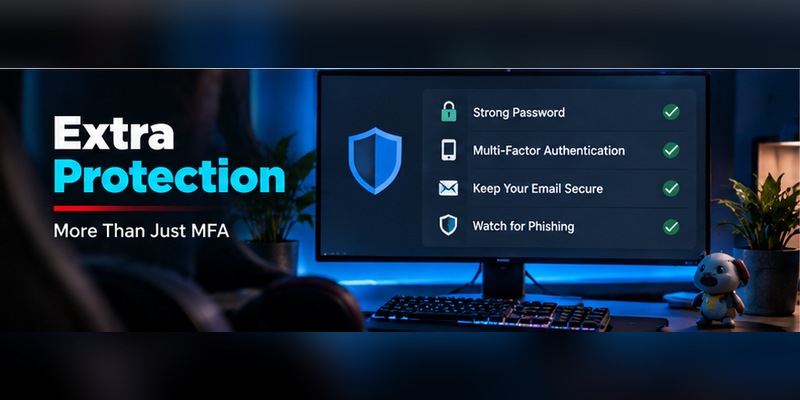
A riot games authenticator is useful, but MFA cannot protect an account from every attack.
Use a unique password
Riot recommends a long, secure password and specifically suggests avoiding easy-to-guess personal information such as names and birthdays.
A password manager can generate and store a unique Riot password.
Why unique matters
If you reuse the same password on:
- Discord
- Steam
- Epic Games
- Riot
then one unrelated data breach may expose credentials that attackers can test against other services.
The 2025 Verizon DBIR found credential abuse remained the largest known initial access category at 22%.
Watch for phishing
Riot tells users to verify the login URL and avoid entering Riot credentials into suspicious pages.
A fake Riot page may look almost identical to the real one.
It may ask for:
- Username
- Password
- Authenticator code
If you provide all three, conventional OTP-based MFA may be defeated in real time.
CISA specifically notes that authenticator codes are better than SMS/email but remain vulnerable to phishing.
Secure your computer
An authenticator cannot compensate for malware that steals:
- Session cookies
- Passwords
- Browser data
- Tokens
Riot recommends running a full malware scan with Windows Security or another trusted antivirus if account security is in doubt.
Sign out of shared devices
Riot advises players to log out on shared computers.
This is particularly important in:
- Gaming cafés
- School labs
- Esports venues
- Shared homes
A previously authenticated session can create risk even when your riot games authenticator itself is secure.
Never share the account
Account trading and sharing violate Riot’s rules.
Riot’s Terms of Service state that players cannot share, sell, transfer, or allow another person to access their login credentials.
From a security perspective, account sharing also destroys the clean separation between “authorized” and “unauthorized” login attempts.
9. Riot Authenticator Across VALORANT, League, TFT, and Console
One useful feature of Riot’s account system is that riot games multi factor authentication protects the Riot account, not just one individual game.
That means the same core Riot identity can cover several Riot services.
League of Legends
League players can use Riot MFA to protect:
- Champions
- Skins
- Ranked history
- RP purchases
- Account identity
Riot also offers an in-game reward for players who enable MFA.
In 2025, Riot listed the Taliyah “Very Cool” emote as the League reward.
VALORANT
VALORANT players benefit from protecting:
- Weapon skins
- Agents
- Competitive progress
- Account purchases
Riot’s 2025 MFA reward for VALORANT is the “Keep it Safer” Gun Buddy.
Teamfight Tactics
Riot listed 100 Treasure Tokens as the TFT MFA reward.
Legends of Runeterra
The reward listed for Legends of Runeterra is a Rare Prismatic Chest.
These rewards are secondary to the security benefit, but they show Riot actively encouraging broader MFA adoption.
What about VALORANT console?
Console does not require a separate authenticator riot games console application.
VALORANT console still relies on your Riot identity for account-related access.
The authentication protection belongs to the Riot account, not a special Xbox or PlayStation authenticator.
Your console platform account should also have its own MFA enabled.
That creates layered protection:
Console account MFA + Riot account MFA
Is Riot QR login console-specific?
No.
The riot games qr code feature is associated with Riot Mobile and Riot’s login system rather than being a special console-only authentication feature.
10. Riot Games Authenticator FAQ
Does Riot Games have an authenticator?
Yes, Riot supports authenticator-based MFA, but there is no separate official app literally named Riot Games Authenticator.
You can use Riot Mobile or a supported third-party application such as Google Authenticator, Microsoft Authenticator, or Duo.
What authenticator app does Riot Games use?
Riot currently lists:
- Google Authenticator
- Microsoft Authenticator
- Duo
as examples of third-party authenticator apps.
Does Riot have two-factor authentication?
Yes.
Riot launched riot games 2 factor authentication in January 2022 and expanded the feature into broader MFA in 2025.
What is the difference between Riot 2FA and MFA?
2FA specifically means two factors.
MFA is the broader term for using multiple authentication methods.
Riot initially called the feature 2FA and now uses Multi-Factor Authentication as it supports several methods.
How do I set up an authenticator for Riot Games?
First verify your Riot email.
Then open your Riot Account Management security settings, enable MFA, select the authenticator-app option, connect your supported app, and verify the generated code.
Riot currently supports applications including Google Authenticator, Microsoft Authenticator, and Duo.
Do I have to verify my email before setting up Riot MFA?
Yes.
Riot’s account-security guidance states that verified email is required for MFA.
Official MFA instructions also require email-based authentication before enabling Riot Mobile.
How many digits is the Riot email authentication code?
Riot’s current MFA announcement describes email authentication using a six-digit code.
Can Riot Mobile work as my authenticator?
Yes.
Riot Mobile can act as an MFA method and lets players handle verification through the application.
What is Riot Games QR code login?
Riot Mobile supports scanning a QR code for streamlined future sign-in.
Riot announced QR-based login as part of its expanded MFA system.
Why can’t Riot Mobile scan the QR code?
Try:
- Updating Riot Mobile
- Restarting the app
- Using another browser
- Increasing screen brightness
- Checking camera permissions
- Confirming the QR code is fully visible
- Checking internet access
Also make sure you are scanning the Riot Mobile activation/login QR rather than a third-party authenticator enrollment code.
Why does my authenticator code fail?
Common causes include:
- Incorrect phone time
- Expired code
- Wrong Riot account entry
- Old authenticator configuration
- Incomplete MFA enrollment
Use automatic device time and retry with a fresh code.
Does Riot MFA ask for a code every time?
Riot’s support documentation says players can choose a remembered-login option that reduces repeated verification for approximately 30 days.
Only use that feature on a private device you control.
What if I lost my Riot authenticator phone?
For riot games 2fa lost phone:
- Restore your authentication application if possible.
- Use your verified Riot email.
- Restore Riot Mobile on a new device.
- Use Riot’s account-recovery process if necessary.
Can Riot Support recover my account?
Riot Player Support can assist with account recovery, but you may need to provide ownership evidence.
Riot’s current support guidance lists information such as account creation details, date of birth, location, email, and purchase transaction IDs as possible verification information.
What if I no longer have access to my email?
Submit an account-recovery request.
Because email is a central Riot security and recovery factor, losing access can make the process more involved.
Be prepared to provide evidence that you created and own the account.
Should I use Riot Mobile or Google Authenticator?
Both are valid.
Riot Mobile is better if you want Riot-native authentication and QR login.
Google Authenticator or another supported authentication app may be better if you prefer keeping multiple services inside one dedicated authenticator.
The best option is the one you can secure and recover reliably.
Is authenticator MFA safer than email authentication?
Generally, yes.
CISA ranks one-time-code authentication apps above text/email codes, while noting that app-generated codes remain vulnerable to phishing.
Does Riot support SMS 2FA?
Riot’s 2025 MFA announcement emphasizes three current methods:
- Riot Mobile
- Authenticator application
It does not list SMS as one of the three primary MFA methods in that announcement.
Can I use Microsoft Authenticator with Riot Games?
Yes.
Riot explicitly lists Microsoft Authenticator as a supported example.
Can I use Duo?
Yes.
Duo is also listed by Riot among the supported authenticator examples.
Does Riot MFA protect all Riot games?
MFA protects your Riot account login.
That Riot identity is used across Riot services such as League of Legends, VALORANT, TFT, and other Riot products.
Does Riot reward players for enabling MFA?
Yes.
Riot’s 2025 rewards include:
- League of Legends: Taliyah “Very Cool” emote
- VALORANT: Keep it Safer Gun Buddy
- Legends of Runeterra: Rare Prismatic Chest
- Teamfight Tactics: 100 Treasure Tokens
Can someone bypass my Riot authenticator with phishing?
Potentially.
A conventional one-time authenticator code can still be stolen through a real-time phishing page.
CISA says app-generated OTP is stronger than SMS/email authentication but is still not phishing-resistant.
Always confirm you are logging in to Riot’s legitimate authentication domain.
Will Riot staff ever need my password?
Riot’s own security guidance says not to give account information to people asking for it and notes that Riot already has the information required to perform legitimate account support.
Never give your password or authenticator code to someone claiming to be support.
Final Riot MFA Checklist
Before considering riot games authenticator fully configured, make sure:
- Your Riot email is verified
- Your email account itself has MFA
- Riot MFA is enabled
- Your authenticator code works
- Riot Mobile works if you use it
- You understand Riot QR login
- You have more than one recovery path
- Your Riot password is unique
- You do not share the Riot account
- You only log in through Riot’s legitimate authentication pages
- You reject authentication attempts you did not initiate
- You know how you will recover if your phone is lost
- You keep useful purchase receipts for account-recovery evidence
- You log out of shared or public gaming PCs
The most useful thing to understand is that riot games authenticator is no longer one single authentication system.
Riot introduced email-based riot games two factor authentication in 2022. In 2025, it expanded the system into MFA with Riot Mobile, third-party authenticator apps, and email verification.
That gives players more flexibility, but it also means the best setup depends on how you play.
If you want the fastest Riot-native experience, Riot Mobile is a strong option.
If you already secure other accounts through Google Authenticator, Microsoft Authenticator, or Duo, a third-party authenticator app is practical.
Email remains important because Riot uses it for verification and recovery, but your email should not be the weakest point in your account-security chain.
The wider security data reinforces why this matters. Verizon’s 2025 DBIR found that 22% of known breach initial access involved credential abuse, while phishing represented 16%.
Passwords get stolen.
Players get phished.
Devices get lost.
A useful Riot Games Authenticator setup therefore does three things: it makes a stolen password less useful, gives you a second way back into your account, and avoids creating one device as a single point of failure.
For most players, the practical configuration is:
Verified email + Riot Mobile or a supported authenticator app + strong unique password + secure email MFA.
That gives riot games authenticator real value beyond simply satisfying another login prompt.
Download Authenticator App
Secure your accounts with fast, reliable two-factor authentication. Download now and protect your login in seconds.
