
Google Password Verification: Passwords, 2FA, Passkeys and Authenticator
Published August 11, 2026 · Updated August 20, 2026
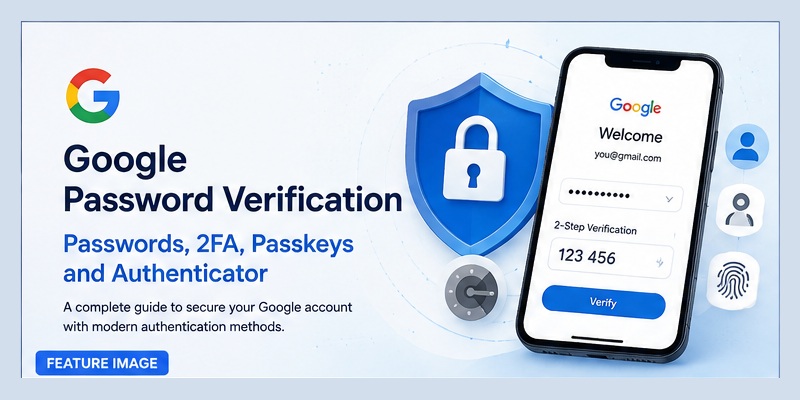
Protecting a Google account is increasingly important because one login can provide access to Gmail, Drive, Photos, Calendar, YouTube, cloud files, and many third-party services. For this reason, google password verification is no longer limited to simply checking whether a user entered the correct password.
Modern Google account security can involve passwords, two-step verification, authenticator codes, trusted devices, security keys, and passkeys. Each method serves a different purpose, and understanding how they work together can help users create a stronger login setup.
Some users are also moving toward password managers and passwordless authentication. Questions about google authenticator password, passkeys, and 1Password have therefore become increasingly common.
This guide explains google password verification, how Authenticator codes differ from passwords and passkeys, and how password managers can fit into a secure Google login strategy.
1. What Is Google Password Verification?
Google password verification is the process Google uses to confirm that a person attempting to access or modify an account is authorized to do so.
Traditionally, this means checking the password entered during login. However, account verification can involve additional security checks when Google detects a new device, unusual activity, sensitive account changes, or a login protected by two-step verification.
More Than a Password Check
A standard sign-in may begin with:
- Email address
- Password
- Additional verification when required
The third step might involve an authenticator code, a confirmation on a trusted device, a security key, or another supported authentication method.
This means google password verification is better understood as part of a larger identity verification process.
Why Google May Ask You to Verify Again
Users may sometimes be asked to confirm their password even after they are already signed in.
This can happen before sensitive activities such as changing security settings, accessing stored credentials, modifying recovery information, or enabling additional authentication methods.
The purpose of repeated google password verification is to reduce the risk that someone who temporarily gains access to an unlocked device can make major account changes without proving account ownership again.
📖 Explore Articles: Google Authenticator: Complete 2FA Setup & Security Guide
2. How Google Password Verification Works
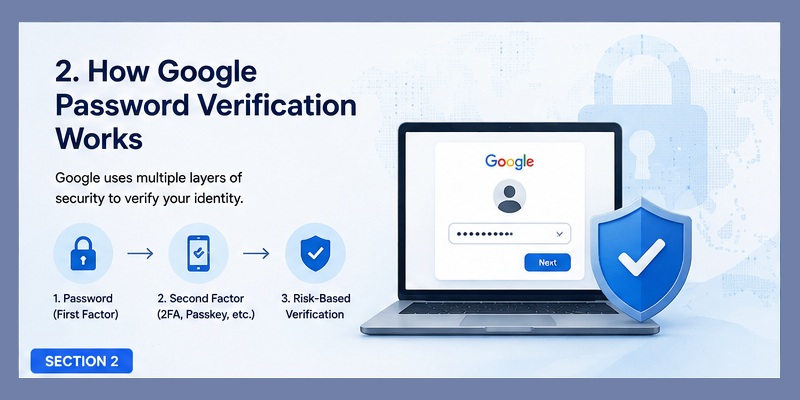
At the simplest level, google password verification compares the login credential submitted by the user with securely stored account authentication information.
However, Google account protection can include more than one layer.
First Authentication Factor
The password is traditionally the first factor.
A strong password should be unique to the Google account. Reusing the same password across multiple websites increases risk because a breach on another service could expose credentials that attackers may try against Google.
A password manager can make unique credentials easier to maintain.
Second Authentication Factor
When two-step verification is enabled, a second factor is required in addition to the password.
This might include a TOTP code generated by an Authenticator App, a hardware security key, a passkey, or another supported verification option.
As a result, google password verification can be combined with stronger authentication so that a stolen password alone does not automatically grant account access.
Risk-Based Verification
Authentication systems may also evaluate contextual signals such as whether the device is familiar or whether the login behavior appears unusual.
Users may therefore experience additional verification in some situations but not others.
This layered approach makes google password verification more flexible than a basic password-only login.
3. Google Authenticator and Password Verification
Google Authenticator is commonly used as a second authentication factor.
One source of confusion is the phrase google authenticator password. Google Authenticator does not normally replace the main Google account password.
Instead, it generates temporary authentication codes.
Does Google Authenticator Have a Password?
People searching for a password for google authenticator may expect the app to generate or store their Google account password.
That is not its primary function.
Authenticator applications typically generate time-based one-time passwords, often called TOTP codes.
During login, google password verification may occur first. After the password is accepted, Google may then ask for the current code generated by the authenticator.
Password vs Authenticator Code
A password is usually long-term and remains valid until changed.
An authenticator code is temporary and changes frequently.
For example:
Password: known only to the user and account service.
Authenticator code: generated from a securely configured authentication secret and the current time.
This difference is why using both provides stronger protection.
If an attacker steals the password, the attacker may still fail google password verification when the second authentication step is required.
📖 Explore Articles: Google OTP App: Complete Guide to OTP, TOTP, and 2FA
4. Passwordless Google Sign-In Explained
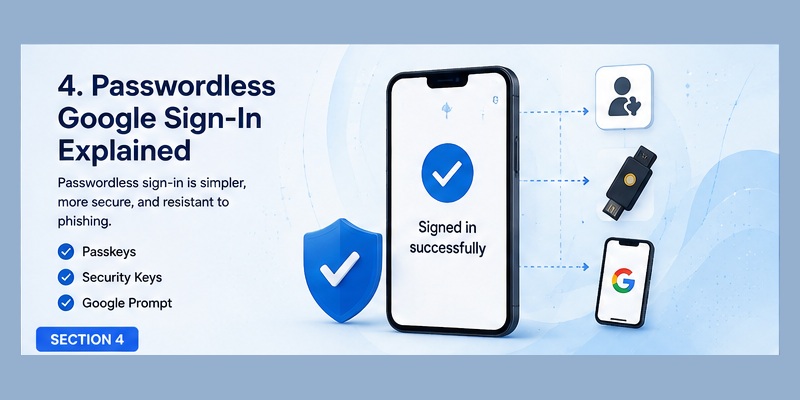
The concept of passwordless google authentication refers to signing into an account without relying on a traditional reusable password for every login.
Passkeys are an important part of this approach.
What Is Passwordless Authentication?
Instead of typing a password, users can authenticate using a trusted device and a secure credential.
Depending on the device, identity confirmation may involve:
- Fingerprint
- Face recognition
- Device PIN
- Hardware security
The credential used for authentication is cryptographically protected.
Why Passwordless Login Matters
Passwords create several problems.
They can be reused, guessed, stolen through phishing, or exposed in data breaches.
Passwordless authentication can reduce these risks.
However, google password verification may still remain relevant in account recovery, older login environments, or situations where password-based authentication continues to be enabled.
For many users, the transition toward passwordless Google access is gradual rather than immediate.
5. Google Authenticator vs Passkeys
The debate around google authenticator vs passkey is becoming more common because both technologies improve login security but operate differently.
Is Google Authenticator a Passkey?
A frequent question is is google authenticator a passkey?
No. They are separate authentication technologies.
Google Authenticator traditionally generates temporary TOTP verification codes.
A passkey is a cryptographic login credential associated with a device or secure credential manager.
Both can strengthen google password verification, but they do so in different ways.
Google Authenticator Passkey Confusion
The phrase google authenticator passkey can be misleading because an authenticator code and a passkey are not interchangeable.
With Authenticator, the user may:
- Enter a password
- Open the Authenticator app
- Read a temporary code
- Enter that code
With a passkey, the user may authenticate directly using the trusted device.
Which Is More Convenient?
Passkeys generally reduce typing.
Authenticator codes require an extra step, but they remain useful for many services that support TOTP.
In a google authenticator vs passkey comparison, passkeys can provide a more seamless and phishing-resistant sign-in experience, while Authenticator remains widely useful as a secondary authentication method across many websites.
📖 Explore Articles: Google Authenticator App Store: Download, Setup & Best App
6. Using 1Password With Google Authentication
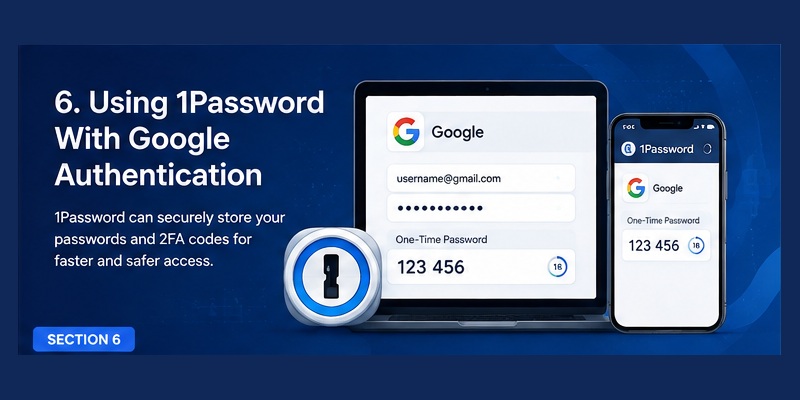
Password managers can help users organize both passwords and authentication information.
This is why searches for 1password google authenticator are common.
1Password and Google 2FA
Users researching 1password google 2fa usually want to know whether a password manager can participate in a two-factor authentication workflow.
Many password managers can store login credentials and support one-time authentication codes for compatible accounts.
This can simplify login because credentials and verification codes may be available from one secure application.
Add Google Authenticator to 1Password
The phrase add google authenticator to 1password often refers to transferring or storing the same type of TOTP setup in a password manager.
In general, this involves configuring the one-time-password secret from the account’s two-factor authentication setup.
However, users should understand the security tradeoff.
If both the password and the second-factor code are stored in the same password manager, the separation between authentication factors becomes smaller.
Convenience increases, but security architecture changes.
1Password vs Google Authenticator
In a 1password vs google authenticator comparison, the two apps have different primary purposes.
Google Authenticator focuses mainly on authentication codes.
1Password is primarily a password and credential manager that can also support additional authentication functions.
The best choice depends on whether the user values maximum separation between password and second factor or prefers centralized credential management.
Download Authenticator App
Secure your accounts with fast, reliable two-factor authentication. Download now and protect your login in seconds.
7. Moving Google Authenticator Codes to 1Password
Some users search for move 2fa from google authenticator to 1password when reorganizing their authentication setup.
This process should be handled carefully.
Do Not Delete the Existing Authenticator First
Users should avoid deleting the existing authenticator entry before confirming that the replacement authentication method works.
A safer process generally involves opening the account security settings and reconfiguring the authenticator method.
The service may display a new QR code or authentication secret.
After configuring the new authentication application, verify that the generated code works before removing the previous setup.
Verify the New Setup
With 1password 2fa google authenticator migration, the important step is testing authentication.
Log out only after confirming that:
- The new code is accepted
- Recovery methods are available
- Backup codes are safely stored
- Another trusted sign-in method exists if needed
A mistake during migration can make google password verification more difficult if the account still expects a second factor that the user no longer controls.
📖 Explore Articles: FIDO Google: Complete Guide to Secure Login and FIDO2
8. Google Workspace Passwordless Security
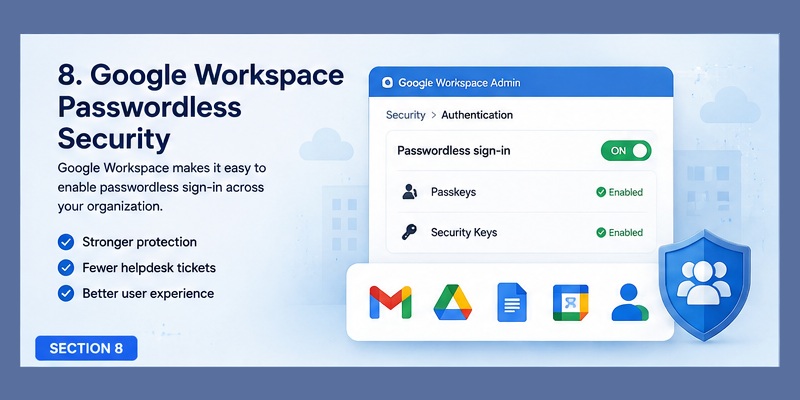
Organizations have different security requirements from individual users.
Google workspace passwordless authentication can help companies reduce their dependence on traditional passwords while improving the employee login experience.
Benefits for Businesses
Password-related support issues are common in organizations.
Employees forget passwords, reuse weak credentials, or become targets of phishing campaigns.
Passwordless authentication can reduce some of these risks by relying more heavily on cryptographic credentials and trusted devices.
Account Policies Still Matter
Even with passwordless technologies, administrators should maintain clear security policies.
These may include:
- Multi-factor authentication requirements
- Device management
- Recovery procedures
- Administrator access controls
- Employee offboarding
- Security monitoring
For organizations transitioning toward google workspace passwordless access, account recovery deserves particular attention.
A strong authentication system can still be weakened if recovery procedures allow an attacker to bypass normal security controls.
Google password verification should therefore be considered one component of a broader identity security architecture.
9. Common Google Password Verification Problems
Users may encounter several problems during google password verification.
Understanding the likely cause can make troubleshooting easier.
Correct Password Is Rejected
If the password appears correct but login fails, check whether:
- Caps Lock is enabled
- An old password was saved in the browser
- The password was recently changed
- The wrong Google account is being used
Avoid repeatedly entering random password variations because too many failed attempts may trigger additional security checks.
Authenticator Code Does Not Work
If the password works but the authenticator code fails, verify that the code belongs to the correct account.
Time-based codes depend on accurate device time.
Incorrect clock settings can cause temporary codes to differ from those expected by the server.
Lost Authenticator Device
Losing the device that contains authentication codes can make google password verification more complicated.
This is why recovery methods should be configured before they are needed.
Possible recovery options may include backup codes, trusted devices, security keys, passkeys, or other account recovery methods.
Do not rely on only one device for critical account access if the service provides secure backup options.
10. Best Practices for Google Account Security
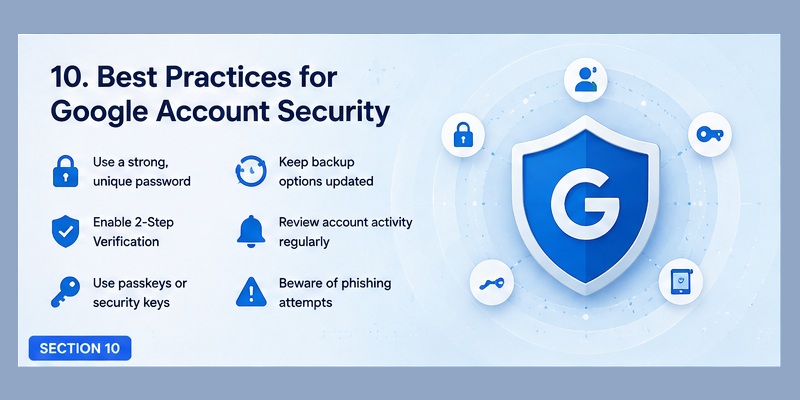
Strong google password verification works best when combined with good account security habits.
Use a Unique Password
Never reuse the Google account password on unrelated websites.
If another service suffers a data breach, password reuse can expose the Google account.
A password manager can help generate and store unique credentials.
Enable Additional Authentication
Two-step verification can protect the account even when the password has been exposed.
An Authenticator App, passkey, or security key can provide another barrier against unauthorized access.
Protect Recovery Methods
Recovery email accounts and devices should be secured carefully.
If an attacker controls the recovery method, strong google password verification can sometimes be undermined during account recovery.
Review Account Activity
Periodically review signed-in devices and security activity.
Remove old devices that are no longer used.
Unexpected login notifications should be investigated rather than ignored.
Never Share Verification Codes
Temporary codes should be treated like passwords.
A legitimate support representative should not need someone to send an authenticator code through a message or phone call.
📖 Read More Guides:
Google Account Two Step Verification: Complete Setup Guide
11. Which Authentication Method Should You Use?
There is no single authentication setup that is perfect for everyone.
The best solution depends on convenience, device availability, and the importance of the account.
Password + Authenticator
This is a familiar setup.
The user completes google password verification and then enters a temporary code.
It provides good separation when the password and authenticator are stored independently.
Password Manager With TOTP
A password manager can store both credentials and one-time codes.
This offers excellent convenience, especially for users managing many accounts.
However, users should secure the password manager itself with strong authentication.
Passkeys
Passkeys can provide a simpler login experience and stronger protection against many phishing attacks.
They reduce dependence on reusable passwords.
For users deciding between traditional codes and passkeys, the google authenticator vs passkey decision does not always require choosing only one.
Accounts can sometimes maintain multiple secure authentication and recovery methods.
12. Final Thoughts
Google password verification has evolved from a simple password check into a broader account security process involving multiple authentication technologies.
Passwords remain familiar, but modern users can strengthen their accounts with two-step verification, authenticator codes, security keys, trusted devices, password managers, and passkeys.
Google Authenticator remains useful for generating temporary verification codes. However, it should not be confused with a passkey. A passkey is a different cryptographic authentication technology designed to reduce dependence on traditional passwords.
Password managers such as 1Password can also simplify authentication by organizing passwords and, in some configurations, one-time verification codes. Users comparing 1password vs google authenticator should consider both convenience and authentication-factor separation.
Meanwhile, businesses can explore google workspace passwordless authentication as part of a broader identity and device security strategy.
Regardless of the chosen method, the strongest approach is layered security.
Use unique credentials, protect recovery methods, enable an appropriate second factor, review account activity, and never approve unexpected authentication requests.
As passkeys and passwordless authentication become more widely used, google password verification will continue to shift away from dependence on memorized passwords alone. Understanding Authenticator codes, password managers, and passkeys can help users choose a login system that is both secure and practical.
Download Authenticator App
Secure your accounts with fast, reliable two-factor authentication. Download now and protect your login in seconds.
