
Best Authenticator Apps in 2026: Top Picks Reviewed & Compared
Published August 20, 2026
Passwords are no longer enough. Data breaches, phishing scams, and SIM-swap attacks exposed millions of accounts in 2025 alone and the one thing that consistently stopped them was a simple authenticator app. But with dozens of options out there, which one is actually worth your time?
We tested 11 of the best authenticator apps in 2026, ranking them by security, ease of use, backup options, and cross-platform support. Whether you’re an everyday user, a privacy-first power user, or an IT admin securing a team of 500, there’s a pick below for you.
Quick answer: Google Authenticator is the best free option for beginners. For advanced backup and sync, go with Authy or Ente Auth. For enterprise use, Cisco Duo Mobile or NordPass Authenticator are unbeatable.
Quick Comparison: Best Authenticator Apps 2026
Here’s the full ranking at a glance. Jump to any section for our detailed review.
| # | App | Best For | Price | Backup & Sync | Works Offline |
| 1 | Google Authenticator | Simple, free 2FA | Free | Optional cloud sync | ✅ |
| 2 | NordPass Authenticator | Secure all-in-one | Free + paid | Encrypted cloud | ✅ |
| 3 | Microsoft Authenticator | Microsoft 365 users | Free | Microsoft cloud | ✅ |
| 4 | Cisco Duo Mobile | Enterprise MFA | Free + enterprise | Duo Restore | ✅ |
| 5 | Authy | Multi-device backup | Free | Encrypted cloud | ✅ |
| 6 | Bitwarden Authenticator | Open-source vault 2FA | Free + Premium | Local backup | ✅ |
| 7 | 2FAS | Open-source beginners | Free + $9.99/yr | Sync on paid plan | ✅ |
| 8 | Ente Auth | Privacy-first sync | Free + storage tiers | E2EE cloud | ✅ |
| 9 | Stratum | Android customization | Free | Local encrypted | ✅ |
| 10 | 2Stable Authenticator | Apple ecosystem | Free + in-app | iCloud sync | ✅ |
| 11 | LastPass Authenticator | LastPass teams | From $4.25/user/mo | Cloud | ✅ |
What Is an Authenticator App and Why Do You Need One?
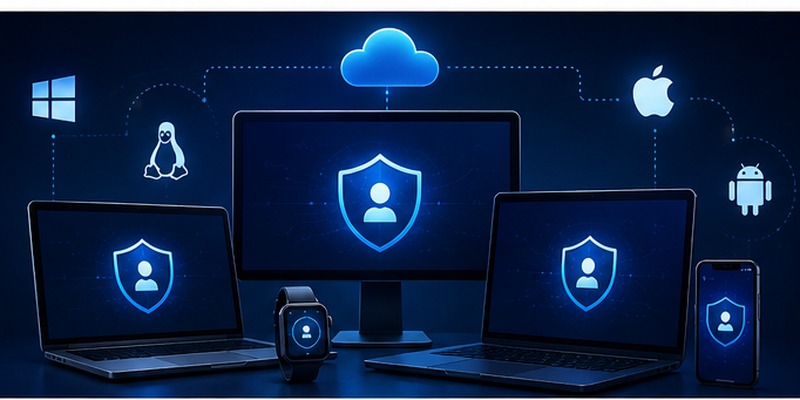
An authenticator app generates time-based one-time passwords (TOTP) — unique 6-digit codes that expire every 30 seconds. When you log into a site with 2FA enabled, you enter your password and a code from the app. Even if a hacker steals your password, they can’t get in without the live code sitting on your phone.
| Method | Interceptable? | Works Offline | Phishing-Resistant | Recommended |
| SMS / Text codes | ❌ Yes (SIM swap) | ❌ No | ❌ No | ⚠️ Weak |
| Email codes | ❌ Yes (if email hacked) | ❌ No | ❌ No | ⚠️ Weak |
| Authenticator App | ✅ No | ✅ Yes | ✅ Yes | ✅ Strong |
| Hardware key (YubiKey) | ✅ No | ✅ Yes | ✅ Yes (strongest) | ✅ Best for high-risk |
The bottom line: moving from SMS codes to an authenticator app is the single biggest security upgrade most people can make today — and it’s free.
1. Google Authenticator — Best Free Authenticator App Overall
Our rating: ⭐⭐⭐⭐½ | Price: Free | Platform: iOS, Android
Google Authenticator has been the default recommendation for years — and in 2026, it’s still the best authenticator app for anyone who just wants fast, reliable 2FA codes without any learning curve.
What makes it stand out
- Generates TOTP codes instantly, fully offline
- Zero setup — open, scan a QR code, done
- Optional Google Account cloud sync added in 2023 — codes are encrypted before upload
- Clean interface — no ads, no bloat, no upsells
Where it falls short
- Transferring codes without sync enabled is still tedious — you need to export manually
- No advanced features like custom icons, notes, or fingerprint lock (Android only)
| Criteria | Score |
| Security & encryption | ⭐⭐⭐⭐ |
| Ease of use | ⭐⭐⭐⭐⭐ |
| Backup & recovery | ⭐⭐⭐½ |
| Multi-platform | ⭐⭐⭐ |
| Free features | ⭐⭐⭐⭐⭐ |
Download Authenticator App
Secure your accounts with fast, reliable two-factor authentication. Download now and protect your login in seconds.
📘 Find the Right Guide: Download Google Authenticator App – Setup and Security Guide
2. NordPass Authenticator — Best for Built-in Secure 2FA
Our rating: ⭐⭐⭐⭐½ | Price: Free personal / from $1.79/user/mo business
NordPass Authenticator isn’t a standalone app — it lives inside the NordPass password manager. That’s actually its biggest selling point: you get password storage, autofill, and 2FA code generation all in one place, secured by XChaCha20 encryption — one of the few algorithms considered quantum-resistant.
Standout features in 2026
- Quantum-safe XChaCha20 encryption — future-proofed against emerging threats
- Business admins can enforce 2FA policies, monitor access logs, and approve account recovery
- Full encrypted cloud backup and sync (new in 2025 — previously missing)
- Works across iOS, Android, and browser extensions
✅ If your team is already on NordPass, adding 2FA costs nothing extra and cuts out the need for a separate authenticator app entirely.
| Plan | Price | Key Features |
| Personal Free | Free | Authenticator + password storage, 1 device |
| Teams | $1.79/user/mo* | Shared vaults, admin panel, 2FA enforcement |
| Business | $3.59/user/mo* | Advanced MFA, SSO, priority support |
| Enterprise | $5.39/user/mo* | Custom policies, dedicated account manager |
3. Microsoft Authenticator — Best for Microsoft 365 Users
Our rating: ⭐⭐⭐⭐ | Price: Free | Platform: iOS, Android
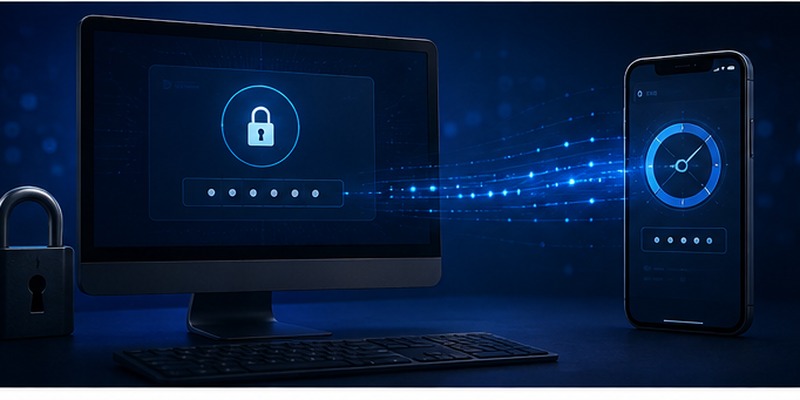
If you live in the Microsoft ecosystem — Outlook, Teams, Microsoft 365, Azure — Microsoft Authenticator makes login almost effortless. Instead of typing a 6-digit code, you get a push notification on your phone, approve it with biometrics, and you’re in.
Key strengths
- Passwordless sign-in: tap-to-approve via push notification
- Biometric lock — Face ID, fingerprint, or PIN
- Automatically sets up 2FA for Microsoft accounts with zero extra steps
- Works with 3rd-party apps like Dropbox, LinkedIn, and Salesforce
What’s new in 2026
Microsoft is rolling out a new jailbreak/root detection feature for Entra ID users — if the app detects a compromised device, work accounts are instantly disabled. This is a significant step up in enterprise security.
💡 Discover Helpful Guides: Download Microsoft Authenticator for Laptop: Safe Setup Guide
4. Cisco Duo Mobile — Best Enterprise Authenticator App
Our rating: ⭐⭐⭐⭐½ | Price: Free + enterprise tiers | Platform: iOS, Android
For IT teams managing hundreds of employees, Cisco Duo Mobile operates on a different level from consumer apps. It’s not just an authenticator — it’s a full identity security platform with device health checks, role-based policies, and multi-tenant management for MSPs.
Enterprise features that stand out
- Risk-based authentication — adjusts requirements based on device health, location, and user role
- Universal Prompt: supports 20+ languages, single-tap approval
- Duo Restore — backs up both Duo-protected and third-party OTP accounts
- Multi-tenant console — manage multiple clients from one dashboard (essential for MSPs)
💡 30-day free trial available. Best for: IT admins, MSPs, companies with compliance requirements (SOC 2, HIPAA, ISO 27001).
5. Authy — Best Authenticator App for Multi-Device Backup
Our rating: ⭐⭐⭐⭐ | Price: Free | Platform: iOS, Android, Desktop, Apple Watch
Most authenticator apps punish you for switching phones. Authy doesn’t. Its encrypted cloud backup lets you restore all your 2FA codes on a new device in minutes — and because your backup password never leaves your device, Authy itself can never access your codes.
Why it’s the best for backups
- Encrypted backups sync across phone, tablet, desktop, and Apple Watch
- Local encryption — your backup password is never uploaded to Authy’s servers
- Works offline for code generation, syncs when connected
One caveat
Recovery relies on your phone number being active. If you’ve changed numbers or your SIM is unavailable, recovery gets complicated. Always keep your backup password somewhere safe.
6. Bitwarden Authenticator — Best Open-Source Option with Vault Integration
Our rating: ⭐⭐⭐⭐ | Price: Free / Premium for integration | Platform: iOS, Android
Bitwarden Authenticator is the only app on this list that’s open-source, independently audited, AND integrates directly with a password manager. If you’re already using Bitwarden, the Premium upgrade adds an Integrated Authenticator — passwords and TOTP codes in one encrypted zero-knowledge vault.
Unique advantage: TOTP customization
Unlike other apps that assume SHA-1 with 6-digit codes, Bitwarden lets you adjust hash algorithm (SHA-1, SHA-256, SHA-512), code length, and rotation time. This matters for services like Azure, Steam Guard, or custom enterprise setups.
7. 2FAS — Best Free Open-Source Authenticator for Beginners
Our rating: ⭐⭐⭐⭐ | Price: Free / $9.99/year Unlimited | Platform: iOS, Android, Browser
2FAS hits a sweet spot: it’s open-source, ad-free, and beginner-friendly, with a browser extension that fills in your 2FA codes automatically. For anyone just getting started with two-factor authentication, it’s one of the easiest on-ramps available.
- Browser extension works on Chrome, Firefox, Safari, Brave, Edge
- Official tutorials for Binance, Twitter, Shopify, Twitch, Facebook, and more
- Free plan covers most users; Unlimited ($9.99/yr) adds sync and unlimited extensions
8. Ente Auth — Best Authenticator App for Privacy
Our rating: ⭐⭐⭐⭐½ | Price: Free + paid storage | Platform: iOS, Android, Desktop, Web
Ente Auth is what you get when you take Google Authenticator’s simplicity and add end-to-end encrypted cloud sync, open-source code, and public security audits. Every code leaves your device only in encrypted form. Even Ente’s own team can’t read your data.
Features that make it unique
- Next-code preview — see the incoming code before the current one expires
- Tags and notes — organize accounts by category, add private notes
- Secure sharing — share 2FA access with teammates without exposing your secret key
- Available on iOS, Android, Desktop, and Web — best cross-platform coverage on this list
9. Stratum (Formerly Authenticator Pro) — Best for Android
Our rating: ⭐⭐⭐⭐ | Price: Free | Platform: Android + Wear OS
Stratum is the most customizable authenticator app for Android — local-only storage, full import support from Google Authenticator, Authy, and Steam, and a Wear OS companion app. If you want complete control over your 2FA data with zero cloud dependency, Stratum is the best Android option in 2026.
- Import from Google Authenticator, Authy, Steam, and more with one-click import
- Icon packs (Aegis-style, Font Awesome, custom) — find your accounts instantly
- Wear OS support — view codes from your wrist without touching your phone
- Fully open-source, no server contact, no data collection
10. 2Stable Authenticator — Best Authenticator App for iPhone
Our rating: ⭐⭐⭐⭐ | Price: Free + in-app upgrades | Platform: iPhone, iPad, Mac, Apple Watch, Browser
If you’re all-in on Apple, 2Stable Authenticator is purpose-built for you. iCloud sync means codes appear across your iPhone, iPad, Mac, and Apple Watch within seconds. The browser extension works on Chrome, Safari, Firefox, Edge, and Brave. And the Apple Watch app puts your codes on your wrist without touching your phone.
- Lock-screen macOS widget — see codes on your Mac without unlocking
- Step-by-step guides for GitHub, TikTok, OpenAI, Instagram with annotated screenshots
- Works entirely within Apple’s encrypted ecosystem
11. LastPass Authenticator — Best for LastPass Teams
Our rating: ⭐⭐⭐½ | Price: From $4.25/user/month | Platform: iOS, Android
LastPass Authenticator makes the most sense if your organization already uses LastPass for password management. It plugs directly into the LastPass admin console, supports passwordless logins via biometrics, and lets IT enforce IP, location, and time-based access rules
| Plan | Price/user/mo | Key Features |
| Teams | $4.25 | Basic MFA, shared vaults, admin dashboard |
| Business | $7.00 | Advanced MFA, SSO, VPN integration |
| Business Max | $9.00 | Full workstation MFA, SIEM integration, compliance reporting |
How to Choose the Best Authenticator App for You
No single app wins for everyone. Here’s a quick decision guide:
| Your Situation | Best Pick |
| You want the simplest free option | Google Authenticator |
| You use Microsoft 365 / Azure at work | Microsoft Authenticator |
| You switch phones often and hate losing codes | Authy |
| Privacy is your top concern | Ente Auth |
| You want open-source with full local control (Android) | Stratum |
| You are on iPhone, iPad, Mac, and Apple Watch | 2Stable Authenticator |
| Your team uses a password manager | NordPass or LastPass Authenticator |
| You run IT for a company | Cisco Duo Mobile |
| You want password manager + 2FA in one app | Bitwarden Authenticator (Premium) |
| Youre a developer or sysadmin with custom TOTP setups | Bitwarden Authenticator |
How to Switch Authenticator Apps (Without Losing Access)
Switching authenticator apps is the step most people fear — and the one that goes wrong most often. Follow this order exactly:
- Install the new app first — before touching anything else
- List every account in your current app — you’ll be surprised how many you have
- For each account: go to its security settings → disable 2FA → re-enable it to get a fresh QR code
- Scan the new QR code with your new authenticator app
- Verify the code works → enter the 6-digit code to confirm
- Save the backup codes shown during setup — store them in a safe place
- Repeat for every account — one at a time, do not rush
- Only uninstall the old app after every account is moved and tested
Never delete your old authenticator before verifying every code in the new app. Never skip saving backup codes. Lose both and you could be locked out permanently.
Frequently Asked Questions
Is an authenticator app safer than SMS?
Yes — significantly. SMS codes are vulnerable to SIM-swap attacks, number-porting fraud, and interception. Authenticator apps generate codes directly on your device, work offline, and are tied to your hardware — not your phone number. Even Google’s own threat research team has documented cases where SMS-based 2FA was bypassed in targeted attacks. Authenticator apps close that gap.
What happens if I lose my phone?
It depends on your app. If you used Authy, NordPass, Ente Auth, or Microsoft Authenticator, you can restore all codes on a new device with your account password or backup code. For local-only apps like Stratum or early Google Authenticator setups, you’ll need the backup codes you saved during setup. If you have neither — contact each service individually for account recovery.
Can I use an authenticator app on multiple devices?
Yes, if your app supports sync (Authy, Ente Auth, NordPass, Google Authenticator with sync enabled). For local-only apps, you’d need to scan the same QR code on each device during setup. Some services only allow 2FA to be linked to one authenticator at a time — in that case, save your backup codes as a fallback.
What is TOTP and how does it work?
TOTP stands for Time-Based One-Time Password. When you scan a QR code during setup, the authenticator app receives a secret key. It combines that key with the current time using the HMAC-SHA1 algorithm to generate a 6-digit code. Both your phone and the website run the same calculation — if the codes match, you’re authenticated. The code expires after 30 seconds, making it almost impossible to reuse.
Do authenticator apps work without internet?
Yes — completely. Authenticator apps generate codes using your device’s clock and a stored secret key. No internet connection is required for code generation. Only optional cloud sync features need connectivity. This makes them far more reliable than SMS codes in low-signal areas.
Is Google Authenticator the safest option?
Google Authenticator is reliable and trusted, but not necessarily the most secure on this list. For maximum security, Bitwarden, Ente Auth, and Stratum offer full open-source transparency, while NordPass Authenticator uses quantum-resistant XChaCha20 encryption. Google Authenticator is excellent for everyday users — for high-stakes security, consider one of the above.
When should I upgrade to a hardware key?
Consider a hardware key (like YubiKey) if you: manage sensitive business data, hold cryptocurrency, are a journalist or activist in a high-risk environment, or have previously been targeted by phishing attacks. Hardware keys are phishing-resistant by design — unlike TOTP codes, they can’t be intercepted even by a convincing fake website.
Final Verdict: Which Is the Best Authenticator App in 2026?
After testing all 11 apps, here’s the truth: the best authenticator app is the one you will actually use consistently.
| Use Case | Winner | Runner-Up |
| Best overall (free) | Google Authenticator | 2FAS |
| Best for backup & recovery | Authy | Ente Auth |
| Best for privacy & open source | Ente Auth | Bitwarden Authenticator |
| Best for Microsoft users | Microsoft Authenticator | NordPass Authenticator |
| Best for enterprise / IT teams | Cisco Duo Mobile | NordPass Authenticator (Business) |
| Best for Android | Stratum | 2FAS |
| Best for iPhone / Apple users | 2Stable Authenticator | Ente Auth |
| Best all-in-one (password + 2FA) | Bitwarden Authenticator | NordPass Authenticator |
Whatever you choose, enabling 2FA today is the most important step. A free authenticator app on your phone is the difference between a secure account and an expensive, stressful breach. Don’t wait for something to go wrong — set it up now.
Download the best Authenticator App for free and secure your accounts in under 2 minutes.
Download Authenticator App
Secure your accounts with fast, reliable two-factor authentication. Download now and protect your login in seconds.
