
PingID vs Microsoft Authenticator: Choose by Identity System and Sign-In Method
Published September 24, 2026
Choose PingID for a Ping deployment or Microsoft Authenticator for Microsoft and Entra sign-in workflows. Employees should use the method their organization has approved. Pingid vs microsoft authenticator is therefore a decision about identity architecture and authentication policy before it is a comparison of mobile interfaces.
An administrator evaluating a deployment needs to examine integrations, required methods, recovery, and support ownership. An employee facing a login prompt needs to know which app to enroll and where to get help. Those are different questions, and this guide addresses both without treating the apps as interchangeable.
Start with the system controlling the login. Then identify the actual method being requested, the devices users can access, and what happens when enrollment or device replacement fails.
Are You Choosing an App or Designing a Deployment?
Your role determines how much choice you have. An employee can often manage an approved device, but cannot independently change the authentication system protecting a work application.
Employees should follow the issued enrollment route
Use the organization’s trusted instructions and install the named application from its official distribution source. If the prompt asks for PingID, scanning its pairing material into another authenticator is not a supported substitute for registration.
For employees, pingid vs microsoft authenticator often has a straightforward answer: use the application the approved sign-in flow requires. If you cannot install it, ask for an authorized alternative. Do not delete a working registration while waiting for that answer.
Administrators should define the requirements first
List the applications, identity providers, user populations, and device constraints before comparing products. Distinguish employees using managed smartphones from contractors, frontline workers, and people who cannot use a personal phone at work.
A meaningful pingid vs microsoft authenticator evaluation measures a complete sign-in service, not just an app download. Write down the required authentication strength, enrollment support, and replacement-device process before running a pilot.
 Discover Helpful Guides:
Google Authenticator vs Microsoft Authenticator: Which Is Better
Map the Existing Identity System
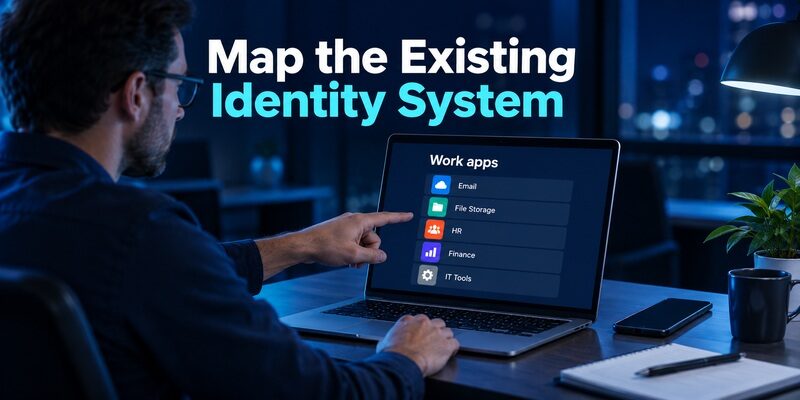
Ping’s documentation places PingID within its organizational authentication ecosystem. Microsoft’s Entra documentation describes Microsoft Authenticator methods for Microsoft-managed identities. Neither fact means an organization must use only one provider for every application.
An established Ping environment
If applications already depend on a Ping-based access architecture, evaluate how PingID fits its existing policies and supported integrations. Replacing the mobile application alone does not replace the backend decisions about which credentials are accepted.
In pingid vs microsoft authenticator, reuse of an existing architecture can reduce integration work, but only a real application inventory can establish that benefit. Check the sign-in route for each important application rather than assuming all of them share the same path.
An established Microsoft environment
For Microsoft Entra-managed workflows, Microsoft Authenticator has documented notification, code, passwordless, and supported passkey methods. The exact methods available to a user depend on configuration and supported devices.
Do not summarize that as every user receiving every feature automatically. A pingid vs microsoft authenticator deployment decision must include tenant policy, eligibility, enrollment, and the actual resource being accessed. Pilot the method you plan to require.
 Find the Right Guide: Google Authenticator vs Authy: Which 2FA App Is Better in 2026?
PingID vs Microsoft Authenticator: Compare Methods
Two mobile apps can both display numbers while using different registrations and policy checks. A useful comparison names the method rather than calling everything two-factor authentication.
| Method or requirement | PingID consideration | Microsoft Authenticator consideration |
|---|---|---|
| Managed mobile approval | Requires supported Ping registration and policy | Requires supported Microsoft registration and policy |
| One-time passcode | Available in documented PingID workflows | OATH verification codes supported |
| Passwordless access | Evaluate the specific Ping integration and policy | Documented phone sign-in and supported passkeys |
| Offline scenario | Depends on the configured offline workflow | Separate local codes from online approval requirements |
| Device replacement | Follow organization pairing and recovery policy | Follow account-type-specific restoration and re-registration |
Ping’s authentication-method overview documents mobile approvals and one-time passcodes. Microsoft Learn documents notification approval, OATH codes, passwordless phone sign-in, and device-bound passkeys in Authenticator. These sources establish capabilities, not universal availability for every organization.
When comparing pingid vs microsoft authenticator, require a precise answer to one question: which method will this user actually use for this application? That answer is more valuable than a generic feature score.
Make Enrollment Understandable for the User
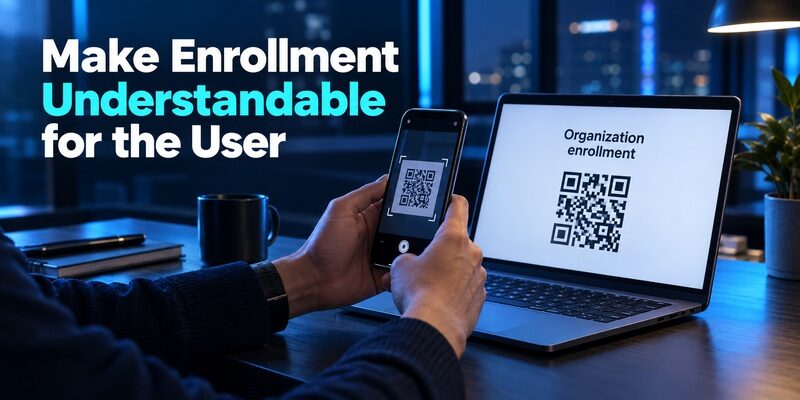
A technically valid deployment can still fail if users cannot tell which account or QR code they are registering. Clear instructions should show the expected beginning and successful end of enrollment.
Separate pairing from ordinary TOTP setup
An organization-issued pairing QR establishes a managed registration. It should not be assumed to be the same thing as a generic TOTP setup secret used by a personal website.
In pingid vs microsoft authenticator, this distinction prevents a common mistake: seeing a QR scanner in both apps and assuming either scanner completes the same job. Use the app and enrollment screen specified by the organization.
Verify the registration with a real sign-in
After setup, test the application the user actually needs, not merely whether the app displays an account name. Keep the original enrollment session open until the new method succeeds and the user knows where to find support.
Instructions should identify the relevant organization name and expected prompt. Avoid publishing real pairing material in screenshots. Demonstration images must use nonfunctional sample data so they teach the workflow without exposing a registration secret.
Examine Approval Quality and User Attention
Push approval can be convenient, but convenience must not train users to accept requests they did not initiate. Evaluate the information and confirmation steps shown in the deployed configuration.
Unexpected requests need a clear response
Tell users to reject uninitiated requests and report repeated suspicious prompts through an approved route. They should not approve merely to stop notifications. The organization should explain how to distinguish a genuine login they started from an unrelated request.
The security discussion in pingid vs microsoft authenticator should include this user behavior. A feature exists only in practice when it is enabled, understood, and used consistently.
Passwordless is not one uniform property
Microsoft documents both passwordless phone sign-in and passkeys. These are different methods, and not every passwordless experience has the same resistance to phishing. Ask for the exact protocol and applicable policy when evaluating a claim.
A fair pingid vs microsoft authenticator comparison avoids declaring one entire brand phishing-resistant. Evaluate the deployed method, supported endpoints, and fallback route. A weaker recovery path can undermine an otherwise strong primary method.
 Read More Guides: Google Authenticator vs Duo Mobile: Features, Pricing, Pros, Cons
Treat Offline Access as a Configured Use Case
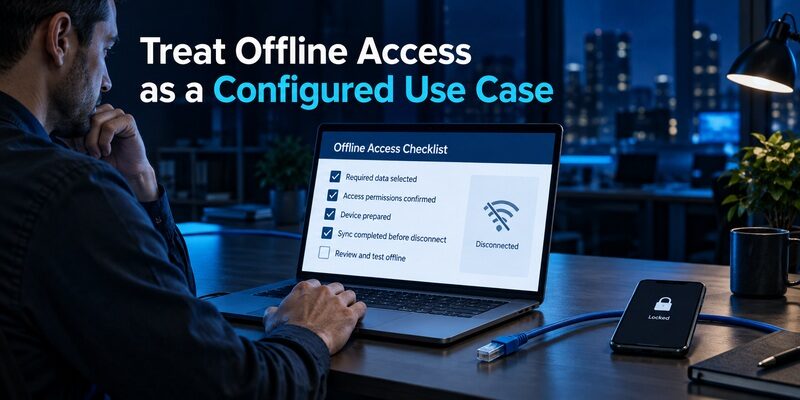
Ping’s Offline MFA documentation states that offline MFA must be configured before the relevant outage occurs. That differs from merely observing that a phone can display a one-time passcode without a connection.
Define what has lost connectivity
Is the phone offline, the workstation offline, or the identity service unreachable? Each situation may require a different supported path. A code generated locally does not automatically allow every application to authenticate without contacting its backend.
For pingid vs microsoft authenticator, use separate test cases for each outage condition. Record the expected prompt and the method that remains available. Do not combine all failures into a single works offline checkbox.
Rehearse the approved fallback
Test the relevant offline workflow on a supported device before relying on it for travel or remote work. Confirm any preparation steps and the organization’s rules about alternative methods.
If the fallback fails, preserve the error details and contact support through the approved route. Do not advise users to disable controls or install unrelated authenticators as an emergency workaround. The backend must recognize the method for it to help.
Design Device Replacement Before Rollout
A lost phone should trigger a predictable support procedure. That procedure must establish the user’s identity without trusting the unavailable device as the only proof.
Document the reactivation owner
Specify whether users can replace a device through an approved self-service flow or whether the help desk must intervene. Keep that contact information accessible without signing into the account that may be locked.
This support boundary is central to pingid vs microsoft authenticator. A familiar mobile interface cannot compensate for an unclear reactivation process. Include lost, damaged, replaced, and personally owned phones as separate pilot scenarios.
Do not confuse backup with full work access restoration
Microsoft’s restoration guidance explains that work or school account restoration may preserve an account name while still requiring sign-in and verification. A restored list therefore does not prove that approvals or all credentials are usable.
Apply the same evidence standard throughout pingid vs microsoft authenticator: test a fresh protected-application login after replacement. Retain the old device when available until the new route works, then remove the old registration using approved procedures.
Discover Helpful Guides: Proton Authenticator vs Google Authenticator: Which Is Better in 2026?
Compare Operational Cost Through a Pilot
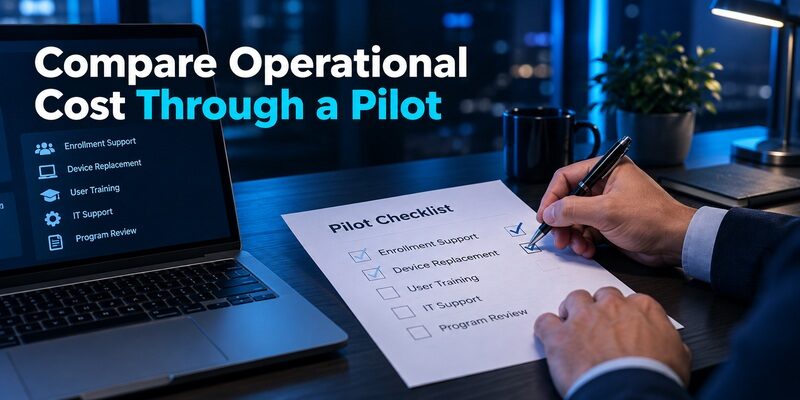
App-store download cost is not the same as the cost of delivering organizational authentication. Licensing, integration work, support, device availability, and user downtime all matter.
Do not choose from an isolated free app label. Ask the vendors or your procurement team which capabilities are covered by the organization’s actual agreement. Avoid assuming that a feature described in documentation is included in every contract or tier.
For pingid vs microsoft authenticator, build a small pilot with representative users and applications. Measure enrollment completion, time to recover a replaced phone, accessibility issues, and the number of support interventions.
Use the findings to revise instructions and policy before expanding. A method that works well for an office worker with a current smartphone may not fit a worker who cannot carry a phone on site. The pilot should expose these differences rather than average them away.
Keep Personal Codes Outside the Enterprise Decision
Employees may also need an app for independent personal accounts. That does not mean the enterprise authenticator should automatically become the default home for every private credential.
Microsoft can serve more than one account type
supports compatible third-party codes in addition to Microsoft-specific sign-in methods. Keep the distinction visible through clear labels and an account-type-specific recovery plan.
A personal website’s recovery remains that website’s responsibility. Your employer normally cannot reconstruct its authenticator secret. In pingid vs microsoft authenticator, organizational support scope should be explicit so users do not mistake convenience for recoverability.
A separate TOTP application may be appropriate
can provide a separate mobile list for compatible personal codes through QR or manual-key enrollment. This is useful when personal code management should remain independent from required workplace approvals.
It is not a replacement for an unapproved PingID or Microsoft work registration. Review the supplied for device requirements, and migrate personal accounts through their own security settings while preserving recovery access.
Discover Helpful Guides
Google Authenticator and Binance: Which Authenticator Should You Use?
Use a Decision Record Instead of a Universal Winner

A short record makes the choice reviewable when applications, contracts, or device policies change. It should describe the actual scenario, not a permanent ranking of vendors.
| Decision area | Evidence to record | Why it matters |
|---|---|---|
| Identity integration | Tested sign-in route for each critical app | Prevents unsupported substitutions |
| Authentication strength | Enabled method and allowed fallback | Makes security claims precise |
| Device coverage | Supported user and device groups | Reveals practical exclusions |
| Recovery | Verified replacement procedure | Reduces avoidable lockouts |
| Support ownership | Named team and accessible contact route | Directs incidents correctly |
For a Microsoft-centered deployment, the integrated Microsoft workflow may be the practical starting point. For an established Ping architecture, PingID may align more naturally with existing controls. In both cases, confirm the fit through a pilot.
The best pingid vs microsoft authenticator recommendation is evidence tied to your environment. If two applications use different approved systems, coexistence may be the correct result. Simplifying the number of icons is less important than preserving supported access.
Run a Support Handoff Before Expanding
A pilot should include the person who will answer the user’s call, not only the administrator who configured the system. Ask a support colleague to follow the written instructions with a test account and note every point that requires undocumented knowledge. The result can reveal gaps that a successful technical demonstration hides.
Capture useful incident details
Tell users what information helps: the affected application, approximate time, device type, visible error, and whether the failure occurs before or after the authentication prompt. Tell them not to send passwords, enrollment QR codes, or current one-time codes in the support ticket.
This is a practical differentiator in pingid vs microsoft authenticator. If one deployment fits the team’s existing diagnostic tools and ownership model, it may reduce handoffs. Confirm that benefit through the pilot instead of assuming it from the vendor name.
Establish a safe completion check
A support case is not finished merely because the user can open the mobile app. The user should complete a fresh sign-in to the affected service and know which old device registration, if any, has been retired. Document the outcome without copying sensitive material into the ticket.
For pingid vs microsoft authenticator, this closure criterion keeps app restoration, account recovery, and application access separate. It also helps the next support person understand what was actually fixed. A clear record becomes particularly valuable when the same employee uses more than one identity provider.
Schedule the support rehearsal before a large rollout or a planned device refresh. Include at least one scenario in which the old phone is available and another in which it is not. Those two cases may use different proof and reactivation steps. Having the instructions ready avoids asking users to improvise during a busy workday.
Finally, review accessibility and language needs in the actual instructions. A user who cannot easily read a code, scan a QR, or use the required device interaction needs an approved alternative path. Include that requirement in the deployment decision from the beginning, rather than treating it as an exceptional support problem after launch.
 Browse How-To Guides: YubiKey vs Microsoft Authenticator: Which Is More Secure for 2FA in 2026?
Frequently Asked Questions
Can I use Microsoft Authenticator instead of PingID at work?
Only if your organization explicitly supports that alternative for the relevant application. Installing another app does not replace the server-side registration or policy. Ask the help desk for an approved option rather than scanning managed pairing material into an unrelated code generator.
Does PingID work without internet access?
Ping documents specific offline authentication capabilities, but they depend on the scenario and prior configuration. Distinguish an offline phone from an unreachable identity service or workstation. Ask your administrator which approved fallback has been prepared and tested for your environment.
Is Microsoft Authenticator only for Microsoft accounts?
No. It can also hold compatible third-party verification-code accounts. Those entries differ from managed Microsoft approvals and passkeys. Keep account labels clear and check the appropriate backup and recovery requirements for each type rather than assuming one restoration process covers everything.
Which option is more secure?
The deployed method and its configuration determine the meaningful answer. For pingid vs microsoft authenticator, compare authentication strength, recovery controls, device protection, and user behavior. A brand-level claim cannot establish that your organization’s exact sign-in and fallback flows meet its requirements.
Can I keep both applications installed?
Yes, when different services or organizations require them. Follow each enrollment route and use the corresponding app for each prompt. Maintaining two clear, supported registrations can be more reliable than attempting to force every service into a single application.
Final Thoughts
Pingid vs microsoft authenticator should be decided through the identity system, approved authentication method, and support process. Employees should follow their organization’s enrollment instructions; administrators should test integrations, replacement devices, and fallback behavior before selecting a deployment.
Keep personal TOTP needs separate from the enterprise decision. Clear ownership, precise method definitions, and a rehearsed recovery route make the chosen setup easier to use and support than a feature-list winner without operational evidence.
Download Authenticator App
Secure your accounts with fast, reliable two-factor authentication. Download now and protect your login in seconds.
