
Email Authentication Firebase Guide to Passwords Links and Verification
Published September 22, 2026
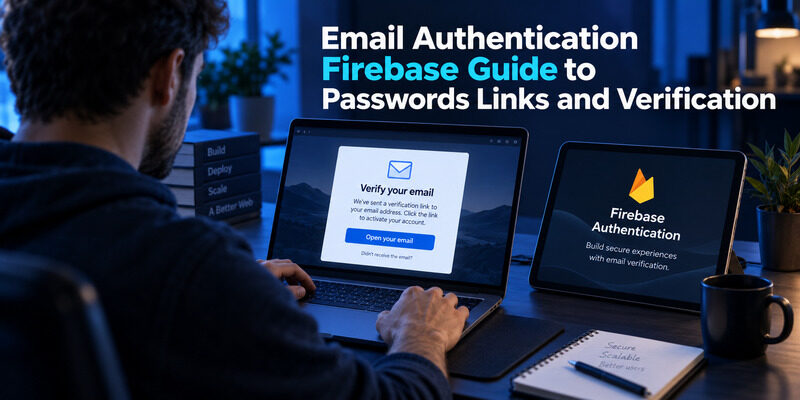
For email authentication Firebase supports password sign-in and passwordless email links. Verifying an address is separate from deciding what an authenticated user may access. Enable the appropriate provider, implement its completion flow, and enforce access rules on the server or in Firebase Security Rules.
The phrase email authentication Firebase often combines three different tasks: creating an account, proving control of its mailbox, and keeping protected data private. A working sign-in form does not automatically complete all three. The distinction becomes especially visible when a user clicks a verification message on a different device while the original browser still shows an unverified account.
This guide follows that implementation path, including stale verification state, mobile link migration, administrative changes, and testing. It also explains where a numeric email code differs from Firebase’s documented email-link flow.
Choose the Email Authentication Firebase Flow Before Coding
Separate account creation from address ownership
An email address can be the identifier for a password account without having been verified. Account creation establishes a Firebase user; a subsequent verification action establishes that the person can receive the message at that address. Your application decides which features require that additional evidence.
For an email authentication Firebase project, write this decision down before designing screens. A private draft workspace might be available immediately, while invitations or public posting wait for verification. This avoids an ambiguous state where a banner says verification is required but the corresponding API already accepts unrestricted requests.
Choose a password or a link deliberately
Firebase’s password authentication documentation describes credential-based registration and sign-in, while follows the separate link flow. Its email-link documentation describes a separate passwordless route. Choose based on the experience your application needs, including access to email on the device where the session will finish.
| User goal | Appropriate mechanism | Separate responsibility |
|---|---|---|
| Register with a password | Email and password provider | Verify address if required |
| Enter through an emailed link | Email-link sign-in | Complete and validate the link |
| Unlock a protected record | Verified identity plus authorization | Check ownership and policy |
Do not build both routes simply because both are available. Supporting multiple paths increases the number of recovery, account-linking, and error states you must test. Start with the required path, make its pending states explicit, then add alternatives only when their account behavior is understood. Email authentication Firebase work becomes easier to debug when each screen has one specific responsibility and one observable success condition.
Include a concrete acceptance example in the specification: an unverified account can save a private draft, but cannot publish it until the required verification is complete.
💡 Discover Helpful Guides: Email Authenticator: Complete Guide to Secure Email Authentication
Enable the Provider and Prepare Approved Domains

Configure the intended Firebase project
Open the Authentication settings for the project your application actually uses and enable the relevant email sign-in option. Keep development and production configuration visibly distinct. A successful test against a development project does not establish that the production provider, templates, or domains have been configured.
Record the project identifier in deployment notes and confirm it when investigating unexpected users or missing emails. Avoid logging passwords, complete action links, or credentials while collecting that evidence. The useful diagnostic fact is which environment handled the request, not the secret used to complete it.
Restrict where email actions can return
For email authentication Firebase implementations, return destinations should come from an approved configuration rather than arbitrary browser input. An attacker-controlled continuation URL can undermine an otherwise legitimate message by directing a user somewhere the application never intended.
Firebase’s email-link guide notes that projects created after April 28, 2025 do not include localhost as an authorized domain by default. Add it only where local development needs it. Production links should use your intended HTTPS destination and the appropriate action settings.
Review the verification message
Treat template editing as part of release preparation. Confirm the application name, sender identity, destination, and language with a test message. Ask a colleague to read that message without your verbal explanation: if they cannot identify the requested action, revise the copy. A trustworthy email authentication Firebase flow depends on a recognizable message as well as valid configuration. It should say whether the user is verifying an address or signing in, because those actions have different consequences.
📘 Find the Right Guide: Email Authentication Outlook: Setup and Recovery
Create Password Accounts and Send Verification Separately
Use the registration result as the starting point
For email authentication Firebase projects using the modular Web SDK, createUserWithEmailAndPassword creates the password account, while signInWithEmailAndPassword handles a returning user. Neither function name means that you should infer every business permission from successful authentication. Keep a clear distinction between a Firebase session and your application’s access policy.
A compact registration sequence can look like this, assuming auth is already initialized and input validation is handled by the calling application:
import {
createUserWithEmailAndPassword,
sendEmailVerification
} from “firebase/auth”;
export async function register(auth, email, password) {
const result = await createUserWithEmailAndPassword(
auth, email, password
);
await sendEmailVerification(result.user);
return result.user.uid;
}
Handle partial success explicitly
This example is an operation sequence, not a complete production registration form. The account can be created even if sending the verification message fails afterward. Present that state accurately and offer a controlled resend action; do not blindly retry account creation and interpret an existing-address error as a failed signup.
For email authentication Firebase development, include pending, success, and failure states for both operations. Disable duplicate submissions while a request is running, then restore an appropriate action if it fails. Avoid revealing unnecessary account details through different public responses.
Firebase’s user-management documentation explains verification messages and profile state. Use it alongside the password-authentication guide, rather than treating verification as an undocumented side effect of registration. The practical test for email authentication Firebase registration is simple: create a fresh account, stop before opening its email, and verify that the application grants only the access intended for that pending state.
💡 Discover Helpful Guides: Email 2FA: Protect Your Inbox and Understand Email Codes
Complete Passwordless Email Links on the Correct Account
Treat sending and redemption as different events
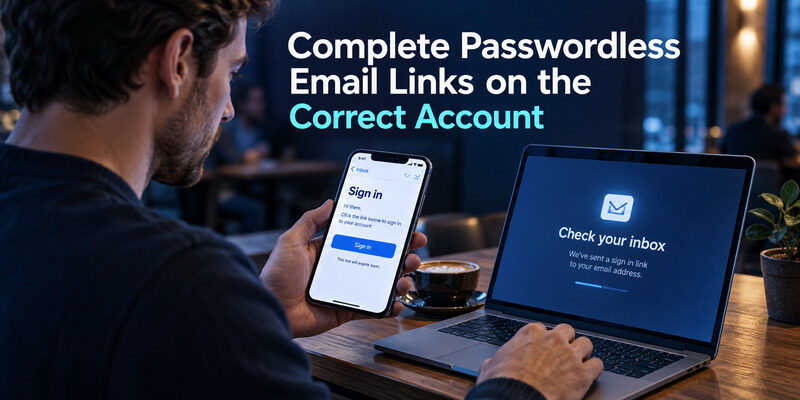
For email authentication Firebase passwordless sign-in, sending a message starts the process; it does not create a completed session in the requesting browser. Configure email-link sign-in, send the link with the appropriate action settings, and handle its arrival through the documented SDK flow.
The relevant Web SDK operations are sendSignInLinkToEmail, isSignInWithEmailLink, and signInWithEmailLink. Firebase requires the email address when completing this flow. Preserve it appropriately for a same-device return or ask the user to enter it when completing on another device. Do not trust an arbitrary email value supplied in redirect parameters as proof of the intended account.
Explain the cross-device state
A person may request the link on a laptop and open their inbox on a phone. Your interface should make the destination session clear. Avoid leaving the laptop with an endless spinner that implies it has signed in merely because someone opened the message elsewhere.
A useful email authentication Firebase acceptance test uses two browser profiles: request a link in one, then open it in the other. Check what identity and session the second profile receives, and what the first profile displays afterward. Also test an expired or already used link and a mistyped address. Give the user a clear way to request a new message without creating a loop of automatic resends. These are product states that deserve deliberate copy, not just a generic exception handler.
📘 Find the Right Guide: Email Authentication Failed Fixes for Login and Sending
Refresh Verification State Without Trusting the Interface
Reload the user after the email action
In email authentication Firebase applications, the user object already held in memory can be stale after verification happens elsewhere. A page that originally read emailVerified as false will not necessarily show a new state merely because the user has clicked a message on another device.
When the user returns, reload the current user through the SDK and reevaluate the state. If authorization depends on updated ID-token claims, obtain a refreshed token through the supported token refresh mechanism as well. Handle a missing or expired session before attempting those operations, rather than assuming currentUser is always available.
Keep client feedback separate from enforcement
Searches for firebase emailverified often lead to examples that hide a button when the flag is false. That can improve the interface, but it cannot protect the operation behind the button. A modified client can call the endpoint directly. The receiving service must still verify the identity and required claims.
A good email authentication Firebase test checks both views of the account. First, confirm that the browser changes its message after refresh. Then call the protected operation with an unverified identity and confirm rejection. Finally, verify the address, refresh the relevant state, and confirm the intended access succeeds.
Log a request identifier and a reason category when access is denied. Keep personal data and tokens out of routine logs. This gives support enough information to distinguish an outdated browser view from a real policy failure without copying a user’s credentials into a ticket.
Decide Whether Numeric Email Codes Are Actually Required
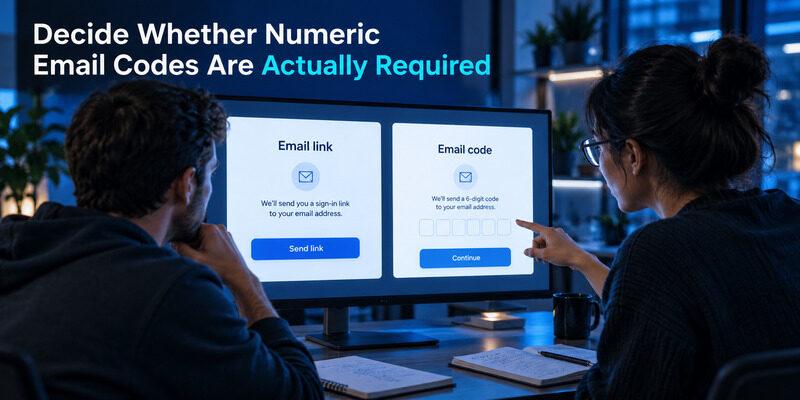
The request firebase send otp to email is different from asking for Firebase’s standard email-link sign-in. The documented email provider flows do not imply a universal built-in API that sends any six-digit email challenge you design. A numeric email-code experience needs a specifically supported service or an application backend that owns the challenge lifecycle.
Before extending email authentication Firebase with that backend, ask what the code improves. It may help users finish on a different device without transferring a link, but it adds entry errors and a verification endpoint that must resist guessing. A short code is convenient precisely because its search space is limited. Expiration alone does not adequately control repeated attempts.
If email authentication Firebase is already working with links, do not replace it merely to imitate a familiar screen. Define the cross-device requirement and test whether clearer link handling solves the problem. If codes remain necessary, specify attempt limits, resend behavior, account binding, single-use consumption, and abuse monitoring before implementation.
OWASP’s Forgot Password Cheat Sheet provides relevant principles for emailed secrets, including limited lifetime and single use. Apply those principles to your chosen design without assuming password-reset examples are a drop-in authentication service. Document which component creates the authenticated Firebase session after successful verification, and ensure that only a trusted backend can make that decision. Never let a browser declare that a code was accepted and then issue itself an authorized identity.
💡 Discover Helpful Guides: Passwordless Email Authentication With Magic Links and Codes
Update Mobile Link Handling for the Current Architecture
Audit dependencies on Dynamic Links
Firebase Dynamic Links shut down on August 25, 2025. That retirement affects older integrations that relied on the service, including historical mobile email-action implementations. It does not mean that all Firebase email authentication ceased to exist. Firebase publishes migration guidance for supported mobile email-link handling.
An email authentication Firebase maintenance review should identify the SDK versions and link configuration shipped in the actual mobile application. Updating a website alone does not update an installed app. Older releases may remain on user devices long after a newer version becomes available.
Test the installed and uninstalled paths
Use the current platform migration instructions and Firebase Hosting based configuration where specified. Avoid copying deprecated dynamicLinkDomain examples from old tutorials. Test a freshly generated message against the versions you support, including the destination reached when the mobile app is not installed.
Keep an upgrade or browser fallback message understandable. A broken deep link should not lead users to repeatedly request more messages while the underlying routing problem remains unchanged. Record whether failure occurred before the app opened, inside the action handler, or after the session was established.
This matters for email authentication Firebase releases because the message, operating system, installed application, and hosted destination all participate in the same journey. Assign an owner to that end-to-end test. A unit test of the send operation cannot establish that a real email will open the intended application and finish the correct action on a supported device.
💡 Discover Helpful Guides
Google Email Two Factor Authentication Setup for Gmail
Authorize Data With Verified Tokens and Ownership Rules
Verify identity at the receiving boundary
A custom backend for email authentication Firebase should verify Firebase ID tokens with the appropriate Admin SDK and check the claims its operation requires. Reading a user identifier supplied in JSON is not equivalent to verifying a token. Treat that identifier as untrusted input until it is tied to an authenticated request.
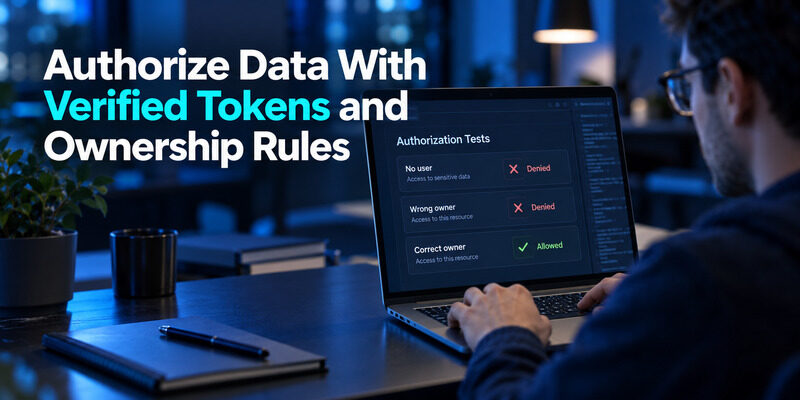
For resources protected by Firebase Security Rules, express the appropriate authentication, verification, and ownership requirements in those rules. A verified email address alone does not authorize access to another user’s document. Use stable identity and explicit record ownership, rather than granting broad access to anyone who has completed verification.
Test negative cases alongside the happy path
| Test identity | Example expected result | Reason to check |
|---|---|---|
| No authenticated user | Protected operation denied | Detect public access |
| Unverified user | Verification-gated action denied | Confirm policy enforcement |
| Verified wrong owner | Private record denied | Prevent cross-account access |
| Verified correct owner | Intended operation allowed | Confirm usable policy |
For email authentication Firebase applications, this matrix is more informative than a single successful screenshot. Run the same tests after changing a rule or backend middleware. Small changes to shared authorization code can affect several features at once.
Firebase’s token-verification and Security Rules documentation describe the relevant boundaries. Keep administrative credentials on trusted infrastructure and review how each SDK accesses data. In particular, do not assume every server-side call receives the same client-side Rules protection. The backend’s own authorization checks remain essential wherever privileged access bypasses that client boundary.
Review each operation separately, including reads, writes, and list queries. Permission to open one owned record should not accidentally imply permission to enumerate every account in the database.
📖 Explore Articles: How to Add Email to Authenticator App With QR or Manual Setup
Limit Manual Verification to Accountable Administration
The query firebase verify email manually usually refers to changing an account’s verification state through privileged administration. Firebase’s Admin SDK user-management documentation supports updating emailVerified. That capability changes stored account state; it does not itself produce evidence that the person controls the mailbox.
Reserve such changes for a documented administrative process with an independent basis for trusting the address. Record who approved the change, which account was affected, and why the ordinary verification route was unsuitable. Do not include complete credentials or sensitive supporting documents in general application logs.
An endpoint that accepts an email address and marks it verified on request defeats the ownership check. Restrict administrative operations to authorized staff or trusted workflows, and validate the intended user identity carefully. A support ticket containing a familiar display name is not sufficient on its own.
For email authentication Firebase systems, distinguish a test fixture from a production exception. Developers may create known test users in an isolated environment, but that convenience should not become a hidden production shortcut. Keep test scripts scoped to the correct project and review their credentials before running them.
After an approved correction, confirm the user-facing state and relevant tokens refresh as expected. Also investigate the original delivery or action-handler problem. Otherwise the manual fix may help one account while leaving every subsequent signup exposed to the same failure and support burden.
💡 Discover Helpful Guides: How to Add Email to Authenticator App With QR or Manual Setup
Test Recovery and Add a Second Factor Where Supported
Exercise the complete lifecycle
Use Firebase’s Authentication emulator for appropriate local testing, then run controlled production-like checks for behavior the emulator cannot prove, such as real message delivery and mobile routing. Test fresh registration, resend controls, link redemption, sign-out, returning sign-in, and the account’s intended recovery path.
For email authentication Firebase releases, keep a small set of test accounts with clearly recorded states. Avoid reusing one account for every scenario until nobody remembers whether its address was already verified. That confusion can make a missing verification step look as though it worked.
Treat MFA as a separate implementation
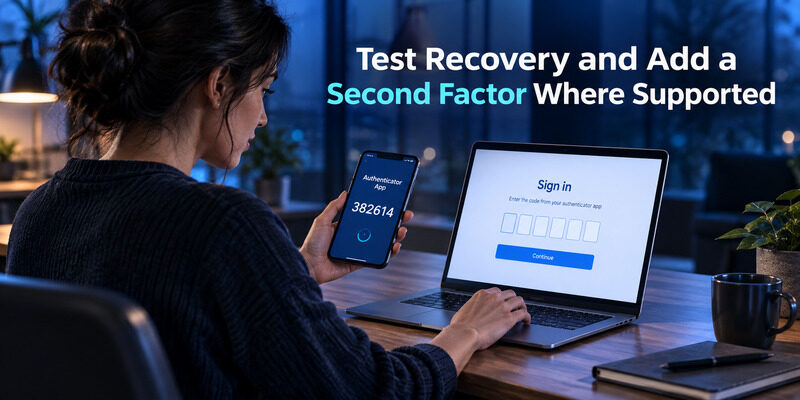
Firebase documents TOTP multi-factor authentication for Firebase Authentication with Identity Platform. The application must enable and implement the supported enrollment and sign-in flow, with its prerequisites. Installing an authenticator on a phone does not add MFA to an application that never asks for a second factor.
Where your application supports standard TOTP enrollment, can be used to generate the enrolled codes. Test enrollment confirmation and an actual subsequent sign-in before calling the feature complete. Plan how users recover when they lose the device; do not silently route every failure around the second factor.
Keep mailbox ownership and MFA distinct in support language for email authentication Firebase users. A verification email establishes access to an address, while a configured authenticator challenge adds another sign-in requirement. Explaining which step failed helps both the user and the developer choose a relevant remedy instead of changing unrelated DNS or email settings.
Frequently Asked Questions
Is email authentication Firebase the same as verifying an address?
No. Authentication creates or resumes a user session, while address verification establishes control of an email inbox. Your application must decide where verification is required and enforce that requirement at the protected resource, not only through a message in the interface.
Can Firebase send a numeric email OTP automatically?
Do not assume the standard email provider exposes an arbitrary numeric email-code flow. Firebase documents password and email-link authentication. If a numeric code is required, choose a supported implementation and define the backend verification, attempt limits, and session-creation responsibilities before building it.
Why does emailVerified still show false?
The client may still hold state from before the email action completed. Reload the user and refresh the ID token when updated claims are needed. Also confirm that the action affected the intended account and project, rather than assuming every delayed interface is merely a cache problem.
Did Dynamic Links retirement remove email sign-in?
No. The retirement affects integrations that depended on Dynamic Links. Review Firebase’s current migration guidance for the platforms and SDK versions you ship. Test both message delivery and link completion; a successfully sent email does not prove that an older installed application can finish the flow.
Can an administrator mark an account verified?
Yes, privileged administrative tooling can update verification state. That change should follow a controlled process with an independent basis for trusting the address. It should never be exposed as an unrestricted public endpoint or used to hide a widespread failure in normal verification delivery.
Final Thoughts
A reliable email authentication Firebase implementation begins with a precise choice of flow and ends with an enforced access decision. Password registration, email-link redemption, address verification, and resource authorization each need their own success condition. Combining them under one vague status makes failures harder to diagnose and permissions harder to review.
Start by tracing one fresh test account from the first form submission to a protected operation. Note which project receives the request, which message arrives, where the action completes, and when the browser receives updated state. Then repeat with an expired link, an unverified identity, and a verified user who does not own the requested record.
Before release, review mobile routing, administrative exceptions, and recovery. Those paths often receive less attention than the first successful login even though they determine whether users can return to the application safely. Assign owners for message templates and authorization rules so future changes do not leave either responsibility implicit.
Use Authenticator App when the application has implemented compatible TOTP enrollment and you want a dedicated way to generate its codes. Keep that second factor separate from email verification in both code and user instructions. The result is an email authentication Firebase flow that users can understand and developers can test at each meaningful boundary, from the first message to the final authorized action.
Download Authenticator App
Secure your accounts with fast, reliable two-factor authentication. Download now and protect your login in seconds.
