
PHP Email Authentication With SMTP and Verified Sign-In Flows
Published September 18, 2026 · Updated September 23, 2026
Use an authenticated SMTP client or a mail provider API to send email securely from PHP.
That authenticates your application’s sending connection; it does not authenticate the people signing in to your website. Email verification links, emailed login codes, and mailbox protection are separate features with different server-side requirements.
This PHP email authentication guide starts with message submission, then explains how to build verification without confusing delivery with identity. It covers a small PHPMailer configuration example, credential handling, sender-domain checks, failure diagnosis, and the limits of emailed second steps. Use the sending method supported by your provider and test with addresses you control before connecting a production workflow. A message accepted by a mail server is useful evidence, but it is not yet proof of delivery or a completed user verification.
Choose the Right PHP Email Authentication Layer
Sending email from the application
When a provider asks your application to authenticate before sending, it is checking the application’s permission to use that mail service. The credential may be an SMTP username and secret, an OAuth token, or an API credential. Your deployment must support the method required by that provider.
PHP email authentication at this layer should use a maintained library or provider SDK. Avoid assembling an SMTP protocol conversation from scratch when a supported implementation already handles transport, message formatting, and errors. The important design question is who may send through the configured account and which sender identities are permitted.
Verifying an application’s user
A verification email proves control of an address only after the recipient completes the server-validated challenge. Sending the message alone proves nothing about the person who entered the address. A login feature needs additional session handling, and authorization still determines what the signed-in identity may access.
| Layer | Credential or evidence | What it establishes |
|---|---|---|
| SMTP or mail API | Application credential | Permission to submit mail |
| SPF and DKIM | DNS policy or signature | Sender-domain authentication |
| Address verification | Redeemed email challenge | Control of the destination |
| Application login | Accepted sign-in flow | Authenticated application session |
Assign a separate success condition to each layer during implementation.
Assign a distinct failure state
Keep these layers separate in code and in error messages. A PHP email authentication failure during SMTP submission should not mark the user as unverified for the wrong reason or reveal their mailbox password. Likewise, a delivered email should not automatically grant access to a private account before its token is checked.
💡 Discover Helpful Guides: Email Authenticator: Complete Guide to Secure Email Authentication
Prepare the Mail Provider and Deployment
Collect the required connection settings
Obtain the provider’s official hostname, port, transport mode, authorization method, and permitted From address. Confirm whether the credential belongs to a mailbox, a transactional sending service, or a restricted relay. Those choices affect configuration and the scope of access if the secret is exposed.
For PHP send email with authentication, check that the hosting environment can reach the required endpoint. Some hosts restrict outbound SMTP or require a designated mail service. A timeout before authentication is not evidence that the username is wrong, so establish connectivity before rotating credentials.
Separate development and production
Use a test destination or mail capture environment while building the feature. Keep development messages away from real customer lists, and avoid placing production credentials on a developer’s public test page. Give each environment a clearly identified sender and its own configuration where the provider supports that arrangement.
A PHP email authentication deployment also needs a way to observe failures without exposing secrets. Decide where sanitized error categories, request identifiers, and delivery events will be recorded. Keep the application responsive when a provider is slow, and define whether sending is synchronous or queued. A queue improves resilience only when it has monitoring and a clear retry policy; otherwise, a successful web response can hide an authentication failure that leaves every verification email waiting indefinitely.
📘 Find the Right Guide: Email Authentication Outlook: Setup and Recovery
Configure PHPMailer for an Approved SMTP Service
Install and set the transport
PHPMailer’s official repository documents SMTP authentication and encrypted transport support, with installation through Composer. Use a supported release compatible with your runtime. The following example illustrates a provider that explicitly supports username-and-secret authentication over STARTTLS on port 587; it is not an OAuth example or a universal configuration for every mailbox provider.
Keep configuration values outside source control. Set the environment variables through your deployment’s secret and configuration system. The sender must be permitted by the provider, and the test recipient must be an address you control. This small PHP email authentication example submits one ordinary message and does not implement an email verification endpoint.
<?php
use PHPMailerPHPMailerPHPMailer;
require __DIR__ . ‘/vendor/autoload.php’;
$mail = new PHPMailer(true);
$mail->isSMTP();
$mail->Host = getenv(‘SMTP_HOST’);
$mail->SMTPAuth = true;
$mail->Username = getenv(‘SMTP_USER’);
$mail->Password = getenv(‘SMTP_SECRET’);
$mail->SMTPSecure = PHPMailer::ENCRYPTION_STARTTLS;
$mail->Port = 587;
$mail->setFrom(getenv(‘MAIL_FROM’));
$mail->addAddress(getenv(‘TEST_RECIPIENT’));
$mail->Subject = ‘SMTP connection test’;
$mail->Body = ‘This message tests the approved sending route.’;
$mail->send();
Adapt it without weakening transport checks
Validate required configuration at startup and handle exceptions through your application’s normal error boundary. Do not expose raw SMTP debugging output to visitors. If the provider requires implicit TLS, OAuth, or an API route, change the implementation to that supported method rather than disabling certificate checks or forcing a normal account password into the example.
Test the connection from the deployed environment as well as locally. Different network rules and secret injection can explain why identical code behaves differently on the server. Record the outcome without logging the SMTP secret. A PHP email authentication example becomes production-ready only after the surrounding configuration, error handling, and operational controls are implemented for the actual application.
💡 Discover Helpful Guides: Email 2FA: Protect Your Inbox and Understand Email Codes
Protect Sending Credentials and Sender Identities
Use a credential intended for the application’s sending task. A broadly privileged personal mailbox credential is a poor default when the provider offers a narrower transactional role. Store secrets using the deployment’s approved mechanism, restrict who can read them, and rotate them when exposure is suspected or an integration is retired.
PHP email authentication logs should never include complete authorization exchanges or usable tokens. Development debugging can disclose more than a short error message suggests. Check exception reporting, request tracing, and crash attachments before enabling verbose logs on a live system.
Treat user-supplied addresses and display names as untrusted input. Use the mail library’s structured address methods and validation rather than concatenating raw input into headers. For a contact form, keep the From address within the identity your service authorizes and use an appropriate Reply-To arrangement for the visitor when needed.
Do not allow an unauthenticated endpoint to send arbitrary messages to arbitrary recipients. A working PHP email authentication connection can otherwise become an abuse channel backed by your legitimate provider account. Apply application-level access checks and rate limits according to the feature. A verification endpoint should send a constrained verification message for a defined purpose, not expose a general mail-sending interface that callers can repurpose for spam or impersonation.
Verify the Sending Domain and Actual Delivery
Configure domain authentication separately
Follow the mail provider’s domain verification and signing instructions. SPF, DKIM, and DMARC are configured through the sending service and DNS; they are not enabled merely by setting SMTPAuth to true. A successful login to the SMTP server can still produce mail that fails the recipient’s domain checks.
For PHP email authentication, test the exact From address and route used by the application. If your website sends through a different provider from employee mailboxes, evaluate that provider independently. A passing Gmail message from a staff account does not validate the website’s transactional delivery route.
Distinguish acceptance from arrival
The PHP manual explicitly states that a true return from mail() means acceptance for delivery, not guaranteed arrival at the destination. Apply the same operational distinction when evaluating a library or API response: submission, provider acceptance, bounce processing, and user receipt are different events.
Send a test to a mailbox you control and inspect its received headers. Confirm the expected signing domain and aligned authentication, then check that the body and link destination are correct. A PHP email authentication workflow should record delivery failures in a way support can investigate. If a verification message is delayed, the user needs a clear resend path and the application needs evidence that distinguishes an invalid token from a message that never arrived.
📘 Find the Right Guide: Email Authentication Failed Fixes for Login and Sending
Diagnose SMTP Failures in the Order They Occur
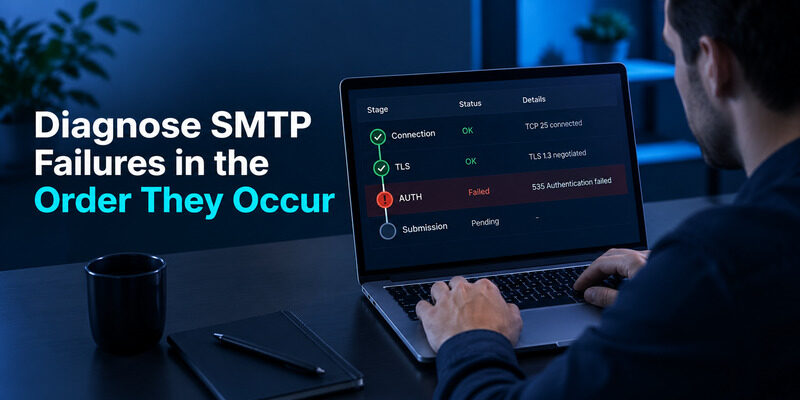
Locate the failing stage
First establish whether the application reached the server. Then check transport negotiation, authentication, sender permission, recipient acceptance, and later delivery. Each stage has different evidence. Changing the password cannot repair a blocked network port, and changing DNS will not fix an expired OAuth access token.
For a PHP email authentication incident, capture the full server response privately and report a sanitized category to the user. Avoid exposing provider internals, addresses, or credentials through a public exception page. Include a request identifier so support can find the corresponding protected log entry.
| Failure stage | Typical direction | Next check |
|---|---|---|
| Connection timeout | Network or endpoint | Host, port, outbound rules |
| TLS failure | Transport mismatch | Provider mode and certificate trust |
| AUTH rejected | Credential or policy | Secret, token, allowed method |
| Sender denied | Identity permission | Authorized From address |
| Accepted then bounced | Delivery policy | Bounce and domain authentication |
Retry only when the failure is suitable
Use bounded retries for transient failures and stop automatic retries when the configuration or credential is clearly invalid. Repeatedly submitting the same request cannot repair a permanent authorization error and may trigger provider limits.
A controlled PHP email authentication test should change one variable at a time. Keep the recipient and message content fixed while checking a connection repair, then test the real verification template after transport succeeds. That sequence makes an improvement attributable to a specific change rather than a bundle of guesses.
Track message identity across retries so an uncertain response does not cause uncontrolled duplicate messages. PHP email authentication recovery should preserve enough state to explain whether a challenge was issued once, resent deliberately, or retried after a network interruption. Users should receive a coherent current attempt rather than a flood of unrelated codes.
💡 Discover Helpful Guides: Passwordless Email Authentication With Magic Links and Codes
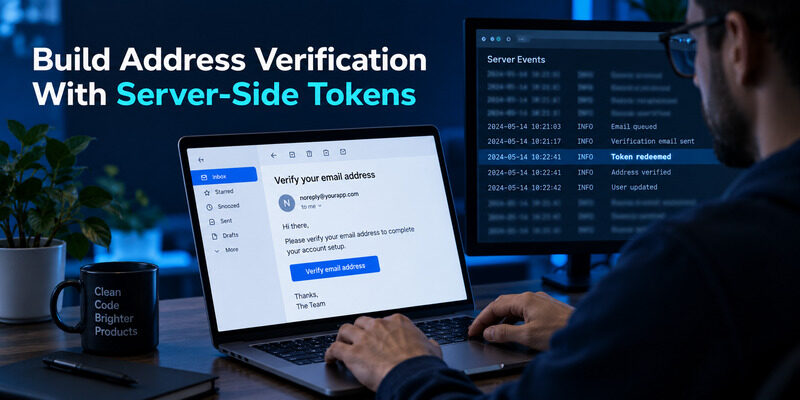
Build Address Verification With Server-Side Tokens
Issue a purpose-bound challenge
Generate an unpredictable token using a cryptographically secure source. PHP’s random_bytes function provides random bytes suitable for this kind of secret generation; encode them safely for the chosen transport. Store a protected representation with the intended user, address, purpose, expiry, and unused status.
The verification URL should use your fixed trusted HTTPS origin. Do not derive it from an unchecked incoming Host header or an arbitrary return URL supplied by the caller. PHP email authentication needs a controlled destination so the application does not send valid secrets into an attacker-chosen redirect chain.
Redeem and update atomically
When the user follows the link, validate the token and its associated state on the server. Mark the intended address verified only after successful validation, and consume the challenge so it cannot be reused. Ensure concurrent requests cannot redeem the same token twice.
A PHP email authentication verification flow should also define what happens if the user changes the address before redeeming an old link. Bind verification to the address that was challenged, not merely to a user identifier that now points to a different address. Avoid logging the usable link, and provide a controlled resend option for expired challenges. For sensitive changes, require appropriate reauthentication and notify the affected account according to your policy. A database flag should reflect a validated event, not a browser’s unsupported assertion that verification occurred.
Decide Whether Email Codes Meet Your Sign-In Needs
Avoid treating every email challenge as MFA
PHP 2 factor authentication email can describe a password followed by an emailed code, but its assurance depends on the independence and protection of the mailbox. is not automatically two factors. Review the threat model and applicable requirements before describing either design as equivalent to a separate authenticator or a passkey.
OWASP’s Multifactor Authentication Cheat Sheet discusses the trade-offs of email-based verification and recovery. PHP email authentication should therefore explain what the second step proves and how an attacker with mailbox access could use it. Account recovery can undermine a stronger login method if it silently falls back to a weaker route.
Implement code controls and alternatives
If your application uses emailed numeric codes, generate them securely, enforce a short appropriate lifetime, limit attempts, and bind them to the intended challenge. A small numeric space needs online guessing controls. Store and validate codes using a design that accounts for that limited space; hashing alone does not replace rate limiting or protected server state.
Where your application implements standard authenticator enrollment, can generate the user’s accepted time-based codes after enrollment. The PHP backend must still validate those codes and maintain recovery controls using a reviewed library or identity provider. Installing the app alone does not add MFA to your application. Keep the distinction between generating codes and enforcing the account’s verification policy clear in the product flow.
💡 Discover Helpful Guides: Google Email Two Factor Authentication Setup for Gmail
Translate the Architecture to Python and Django
Python send email with authentication involves the same connection stages as PHP: reach the provider, establish the required transport, authenticate, submit, and observe delivery. Python’s official smtplib documentation describes SMTP client methods, but choosing that library does not decide the provider’s required OAuth or credential policy for you.
Do not copy a Python example’s hostname, credentials, and transport into PHP merely because both use SMTP. Preserve the provider-specific requirements while using each language’s maintained tools. PHP email authentication concepts transfer across languages more reliably than snippets that embed obsolete account settings.
Django’s email documentation describes mail backends and sending configuration. Email authentication in Django can still mean either configuring that transport or verifying application users. The framework’s ability to send a message does not automatically implement address verification, passwordless login, or an additional factor.
When comparing a Django implementation with PHP email authentication, trace the same evidence: what authorizes sending, how the token is generated, where it is stored, how it is redeemed, and which session or account state changes afterward. Keep an explicit boundary between mail delivery and user identity. That makes a migration easier to review and prevents a new framework from appearing to solve security requirements that still need to be implemented in the surrounding application.
📖 Explore Articles: How to Add Email to Authenticator App With QR or Manual Setup
Final Thoughts
PHP email authentication starts with a provider-approved sending method and a maintained implementation. Configure the actual hostname, transport, credential type, and permitted sender, then test the route from the deployed environment. Preserve certificate validation and keep credentials out of source code, public errors, and ordinary logs.
After submission works, verify domain authentication and observe delivery separately. SPF, DKIM, and DMARC do not arise from a successful SMTP login, and a positive send result does not prove that the recipient received the message. Useful operational evidence follows the message from the application through the provider to the destination.
For user verification, PHP email authentication needs a securely generated challenge, protected server state, expiry, attempt controls, and atomic consumption. Keep verification bound to the exact address and purpose. A browser flag or a delivered email cannot replace that server-side decision, and authentication must remain separate from resource authorization.
If the application needs an additional factor, evaluate the actual assurance of email codes and provide a recovery design that fits the risk. Authenticator App can supply standard codes for users whose accounts your backend properly enrolls and validates. Treat the SMTP example as a starting point for a configured sending route, then implement and test the surrounding application behavior before using it for real sign-ins or sensitive account changes.
Download Authenticator App
Secure your accounts with fast, reliable two-factor authentication. Download now and protect your login in seconds.
