
What Is Google Authenticator? How It Works, Codes, Setup, and Security
Published August 8, 2026 · Updated August 14, 2026
Google Authenticator is one of the most familiar tools used for two-step verification, yet many users install it without fully understanding what happens behind the six-digit code on the screen. If you are asking what is google authenticator, the simplest answer is that it is an app that creates temporary verification codes for compatible websites and services. Those codes act as an additional sign-in factor after your password, helping an account verify that the person signing in also has access to the authenticator setup.
Understanding what is google authenticator matters because the app is not a password manager, it does not approve every login automatically, and it does not need a mobile signal to generate standard time-based codes. It is best understood as a code generator that stores account-specific authentication secrets and uses them with the current time to produce short-lived one-time passwords. This approach is widely known as TOTP, or time-based one-time password authentication.
This guide explains what is google authenticator, how the verification codes are created, how setup works, what happens when you change phones, how synchronization works, and where Google Authenticator fits alongside SMS, passkeys, security keys, and other authentication methods. By the end, you should be able to answer not only what is google authenticator but also when it is useful and how to use it with a sensible recovery plan.
1. What Is Google Authenticator and What Is It Used For?
A direct answer to what is google authenticator is that it is a mobile authenticator app from Google that generates one-time verification codes for accounts that support authenticator-app two-step verification. After you connect an account to the app, Google Authenticator can display a temporary code that the website checks during sign-in. The code is separate from your normal password, so a stolen password alone may not be enough to complete the login.
People sometimes search google authenticator what is it because the app can look surprisingly simple. There is no inbox, no password vault, and usually no conversation with the website after setup. Instead, the app holds the information needed to calculate a code locally. The website has corresponding setup information, allowing both sides to independently calculate and compare the expected code for the current time window.
📖 Explore Articles: Google Authenticator: Complete 2FA Setup & Security Guide
Google Authenticator is a second factor, not a replacement password
When someone asks what is google authenticator app, the important distinction is that the app normally participates after the first sign-in factor. In a classic login flow, you first enter your username and password. The service then asks for a verification code. You open Google Authenticator, read the current code for that account, and enter it on the website.
That means what is google authenticator is really a question about multi-factor authentication. The password is something you know. The authenticator setup is tied to something you have access to. Requiring both can reduce the risk of an attacker signing in with only a leaked or reused password.
Why users choose an authenticator app
For many people, what is google authenticator becomes relevant when a service offers several second-step options. Authenticator codes can be useful because they do not depend on a text message arriving and can usually be generated even when the phone is offline. They can also keep authentication separate from the phone number used for SMS.
However, an authenticator app is only one security tool. Some services support passkeys, security keys, device prompts, or other stronger and more phishing-resistant methods. The best setup depends on the account, the supported options, and how carefully you manage recovery.
Download Authenticator App
Secure your accounts with fast, reliable two-factor authentication. Download now and protect your login in seconds.
2. How Does Google Authenticator Work?
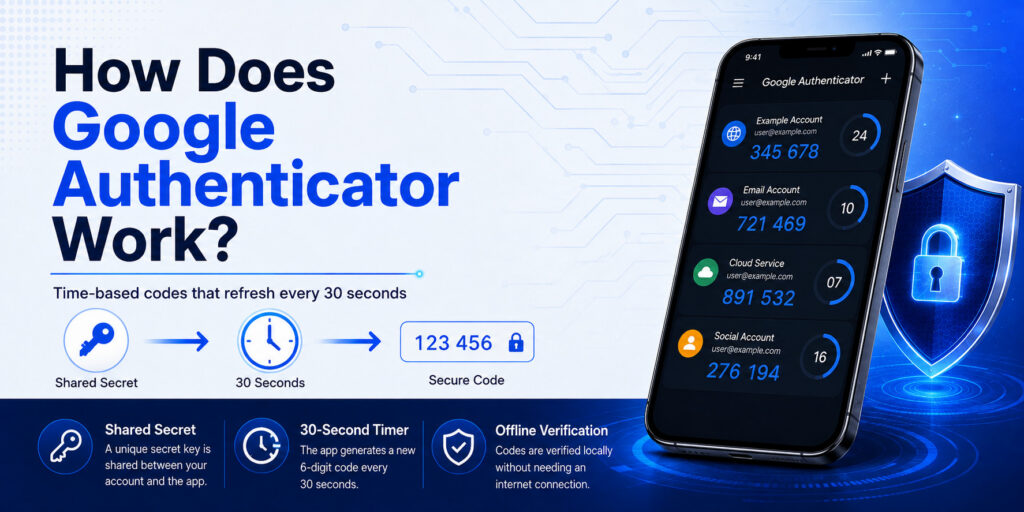
If the question is how does google authenticator work, the key idea is shared secret plus time. During setup, the service gives the authenticator app a secret value, commonly encoded inside a QR code. The app stores the information needed for that account. The service also keeps the information required to verify future codes. Both sides then use a time-based algorithm to calculate the temporary one-time password.
This explains what is google authenticator without treating the app like a message-delivery service. Standard authenticator codes are calculated rather than sent. When your phone shows a code, the website does not need to send that exact number to the phone first. The app and service independently arrive at the matching value for the current time period.
Why the six-digit code keeps changing
A common question is what is google authenticator and how does it work when the phone is offline. The answer is that time-based codes are designed to change on a repeating schedule. Because the secret was shared during setup, the phone can calculate the current code locally. The website calculates what the valid code should be for the same period and compares your entry.
So, google authenticator how does it work without Wi-Fi? The code generation itself can continue without an internet connection or mobile service. Google specifically states that Authenticator can generate verification codes without internet connectivity or mobile service. You still need connectivity to sign in to an online website, of course, but the code calculation is not dependent on receiving a live SMS.
This also answers what is google authenticator for travelers or users with weak cellular coverage: it can provide a second-step code even when a text message might not arrive. The practical advantage is reliability, provided the account has already been set up and the phone time is correct.
Why phone time matters
Another part of what is google authenticator is the relationship between time and code validity. Because the common TOTP model is time-based, a device clock that is significantly wrong can cause a service to reject a code. In current Google Authenticator versions, Google notes that the older time-correction setting is no longer available in version 7.0; the app uses the operating system’s time setting.
If codes repeatedly fail, checking that the phone automatically sets date and time is a sensible troubleshooting step. It is also worth confirming that you are entering the code for the correct account, especially if several entries have similar names.
📖 Read More Guides: Google Authenticator 2FA: Complete Guide to Two-Step Verification
3. What Is a Google Authenticator Code?
If you are asking what is google authenticator code, it is a short-lived one-time verification code generated for a specific account that you previously linked to the app. The visible code is not your password, and it is not the permanent setup secret. It is a temporary result created from the stored account information and the current time.
That distinction helps clarify what is google authenticator because users sometimes save screenshots of a displayed code or assume the same number will work later. A normal time-based authenticator code expires quickly. When the next time window begins, the app displays a new value and the old one stops being the expected current code.
The code is temporary, but the setup secret is important
The temporary nature of the displayed code does not mean the authenticator setup can be treated casually. What is google authenticator protecting? It is protecting the second factor by relying on access to the configured authenticator data. If someone obtains enough information to recreate the authenticator setup, they may be able to generate future codes.
Why a correct-looking code can still be rejected
When people understand what is google authenticator but still see an “invalid code” message, the cause is often practical rather than mysterious. You may be looking at the wrong account entry, the code may have just changed, the phone clock may be inaccurate, or the service may have been reconfigured with a new authenticator secret.
If you recently disabled and re-enabled two-step verification, the old entry in the app may no longer match the website. Removing that old entry and setting up the new QR code carefully can solve the mismatch, but only do this after confirming that you have another way to access the account.
4. How to Set Up Google Authenticator Step by Step
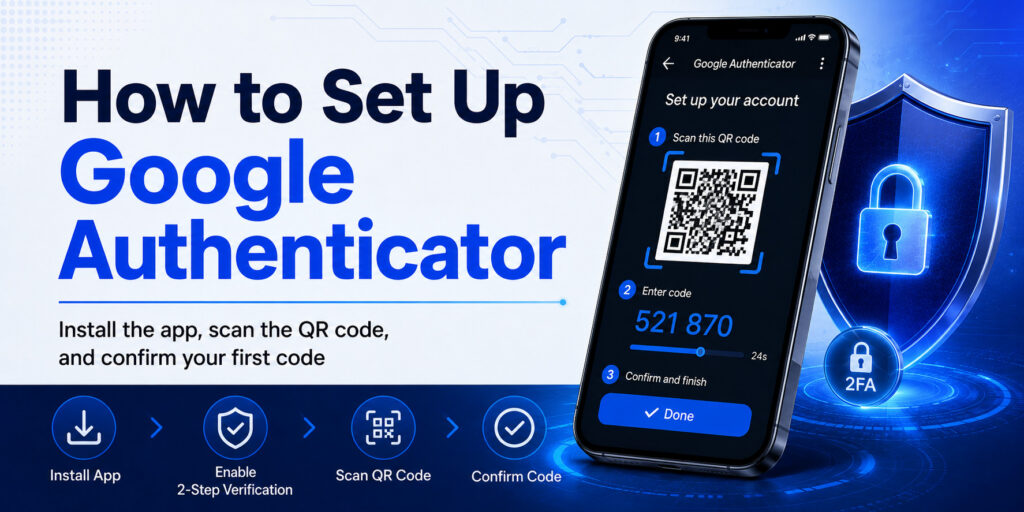
For users who search what is google authenticator immediately before setup, the most important rule is to begin from the security settings of the account you want to protect. Do not scan random QR codes from tutorials, screenshots, emails, or social posts. The correct QR code should be generated by the service while you are signed in to your own account and enabling its authenticator option.
Step 1: Install the official app
Download Google Authenticator from the official app store for your device and check the publisher information before installing. This keeps the setup process focused on the legitimate app rather than a similarly named copy.
Step 2: Enable two-step verification on the account
Open the website or service you want to protect. Find its Security, Sign-in, Two-Step Verification, 2FA, or Multi-Factor Authentication settings. Choose the option for an authenticator app if it is available. This is where what is google authenticator becomes practical: the service creates the enrollment information that connects its verification system to your app.
Step 3: Scan the QR code or enter the setup key
Open Google Authenticator and add a new account. Scan the QR code shown by the service, or use the manual setup option when provided. The account should then appear in the app with a changing code.
Keep the setup screen private. If you are working on a shared computer or presenting your screen, avoid exposing the QR code to other people.
Step 4: Confirm the first code
Enter the current code from the app back into the service. Successful confirmation proves that the authenticator and service are calculating compatible values. Once this succeeds, the account can begin requiring the authenticator code during sign-in.
This is the practical answer to what is google authenticator in a normal login flow: the app supplies a temporary second-step code after the service recognizes your password or another first factor.
Step 5: Set up recovery before signing out
Do not stop at the first successful code. Review the account’s recovery choices. Google Accounts, for example, can provide backup codes for two-step verification. Google describes these as one-time codes you can use if your normal second step is unavailable.
Store recovery information somewhere safe and separate from the phone. Understanding what is google authenticator also means understanding that losing the device can become an account-access problem if you have no backup sign-in method.
📖 Explore Articles:
Google MFA App: Complete Guide to Secure Multi-Factor Authentication
5. Google Authenticator Sync, Backup, and Phone Transfer
Older explanations of what is google authenticator sometimes describe it as purely device-bound, but current versions include optional synchronization through a Google Account. Google says Authenticator codes can be synchronized across devices simply by signing in to your Google Account within the app, and that synchronized Authenticator codes are encrypted in transit and at rest across Google’s products.
Using Google Authenticator without sync
What is google authenticator like if you do not want cloud synchronization? Google still supports use without a Google Account. In that mode, codes stay on the device and are not available on your other devices through account sync.
Manually transferring codes to a new phone
Google also supports manual transfer. If you use what is google authenticator without a Google Account, you can export Authenticator codes from the old device and scan the generated transfer QR code with the new device. This method requires access to the old phone.
A transfer QR code should be treated as highly sensitive because it is specifically designed to move authenticator entries. Do not save it in an unsecured photo library or share it with another person.
Recovery is broader than app synchronization
Even if sync or transfer works perfectly, account recovery should not depend on a single mechanism. What is google authenticator good at? It is good at generating verification codes. It is not the only recovery plan you should have.
For important accounts, review backup codes, recovery contacts, alternate verified methods, passkeys, or security keys when the service supports them. The goal is to avoid having the authenticator phone become the only path back into the account.
Download Authenticator App
Secure your accounts with fast, reliable two-factor authentication. Download now and protect your login in seconds.
6. Google Authenticator vs SMS, Passkeys, and Security Keys
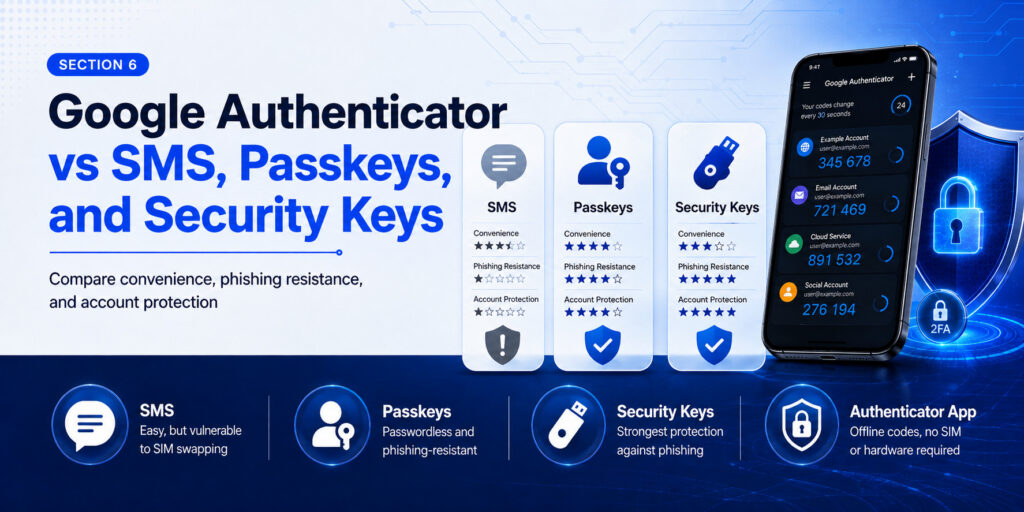
Asking what is google authenticator often leads to a second question: is it the best way to secure an account? There is no single answer for every service. Authenticator apps are useful, but modern authentication offers several choices with different tradeoffs.
Google Authenticator vs SMS codes
Compared with SMS, what is google authenticator offering? It removes the requirement to receive a text message for each standard TOTP code and can generate codes offline. It also keeps the second factor from being directly tied to message delivery at your phone number.
Google Authenticator vs passkeys
Passkeys use a different authentication model and are designed to resist phishing more effectively than manually entered one-time codes. Google has increasingly promoted passkeys for Google Account sign-in and has reported broad adoption of passkeys compared with legacy code-based methods.
So what is google authenticator useful for in a passkey world? It remains valuable for many services that support TOTP, for users who need interoperable app-generated codes, and as one available second-step option. But when a trusted service offers a well-implemented passkey or hardware security key, it can be worth considering that stronger phishing-resistant method.
Google Authenticator vs security keys
A physical security key can provide strong phishing-resistant authentication for supported accounts. The tradeoff is that users must keep the key available and manage a backup. Google Authenticator is easier to deploy on a phone and is supported by many services using standard authenticator codes.
The right choice is often not “one method forever.” Understanding what is google authenticator helps you decide where an authenticator app is sufficient and where a higher-value account deserves a stronger method plus a robust recovery plan.
7. Common Google Authenticator Problems and How to Fix Them
Even after you understand what is google authenticator, setup mistakes can cause frustrating sign-in failures. The safest troubleshooting approach is to avoid deleting anything until you confirm another access method.
The code says invalid or incorrect
First, confirm that you selected the correct account entry. Then wait for a fresh code and try again. Check the phone’s date and time settings and make sure automatic time is enabled if available. Current Google Authenticator relies on the operating system time setting.
If the service recently changed its two-step verification configuration, the saved authenticator entry may be based on an older setup secret. In that situation, use a working recovery method to sign in and re-enroll the authenticator instead of repeatedly guessing.
You lost the old phone
This is the situation that makes recovery planning part of the answer to what is google authenticator. If your codes were synchronized to your Google Account, signing in to Authenticator on a new device may restore synchronized entries. If you were using device-only mode, you may need another account recovery method because manual transfer requires the old device.
For a Google Account, backup codes can be used when the normal second step is unavailable, provided you created and stored them beforehand. Each Google backup code is intended for one-time use.
You changed phones but still have the old phone
If you still control both devices, use Google Account synchronization or the manual transfer process described in Google’s official instructions. Verify that the entries work on the new device before wiping the old phone.
You see duplicate entries
Duplicate entries can appear after repeated setup, transfer, or re-enrollment. Before deleting a duplicate, identify which entry currently matches the service. Rename entries temporarily if needed so you can distinguish them. The principle behind what is google authenticator is simple, but each entry can represent a different underlying setup secret, so identical labels do not guarantee identical codes.
8. Frequently Asked Questions About Google Authenticator
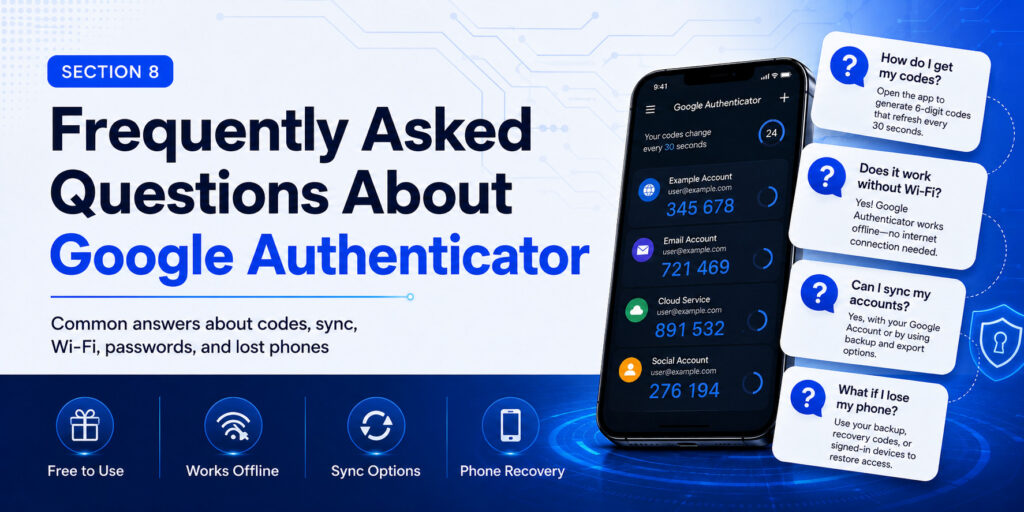
Is Google Authenticator free?
Google Authenticator is offered by Google as an authenticator app for generating verification codes. When evaluating what is google authenticator, remember that the cost of the app is separate from whether a particular website supports authenticator-app two-step verification.
Can Google Authenticator work without Wi-Fi?
Yes. Google says Authenticator can generate verification codes without an internet connection or mobile service. That is one of the most practical parts of what is google authenticator for users who travel or have unreliable cellular coverage.
Can Google Authenticator sync between devices?
Yes, when you sign in to a Google Account within Google Authenticator, supported versions can synchronize verification codes across devices. Google says those synchronized Authenticator codes are encrypted in transit and at rest.
Can I use Google Authenticator without a Google Account?
Yes. Google provides a “Use without an account” option. In that mode, codes remain on the device rather than being available on other devices through Google Account sync. This is an important part of what is google authenticator because the app supports both synchronized and device-only use.
What happens if I lose my phone?
The answer depends on how you configured the app and the account. Synced codes may be available after signing in on another device, while device-only setups may require backup codes or another recovery method. This is why every explanation of what is google authenticator should include recovery planning.
Does Google Authenticator replace my password?
Usually no. It is commonly used as an additional verification step. The service may ask for your password and then a temporary authenticator code. Some modern accounts also support passwordless sign-in with passkeys, which is a separate authentication method.
9. Is Google Authenticator Right for You?
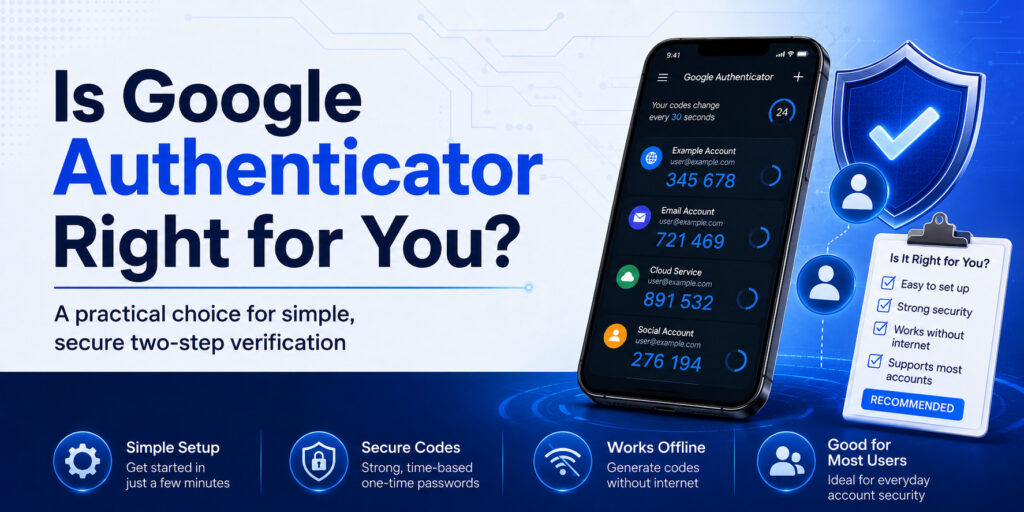
For most users asking what is google authenticator, the app is a practical way to add authenticator-based two-step verification to compatible accounts. It is especially useful when you want codes that do not depend on SMS delivery and when the services you use support standard authenticator-app setup.
Current Google Authenticator also offers more flexibility than older versions because users can choose Google Account synchronization or use the app without an account. Manual transfer remains available for device-only users who still have access to the old phone.
The larger lesson behind what is google authenticator is that account security should not rely on one code, one device, or one recovery method. Use the authenticator carefully, protect the phone, keep setup data private, establish recovery options before you need them, and consider phishing-resistant passkeys or security keys for accounts that support them.
If someone asks what is google authenticator in one sentence, a clear answer is this: Google Authenticator is an app that generates temporary verification codes for compatible accounts as part of two-step verification, with options for offline code generation, Google Account synchronization, and manual transfer. Understanding what is google authenticator and how it fits into a broader security plan makes the app much easier to use safely.
Download Authenticator App
Secure your accounts with fast, reliable two-factor authentication. Download now and protect your login in seconds.
