
Authenticator App Download APK: Safe Android Download and Installation Guide
If you are searching for an authenticator app download apk, the safest option is to download the application from Google Play whenever possible. If you specifically need an APK because Google Play is unavailable, your device is not supported by the store, or you need to sideload the application, download the APK only from the developer’s official website or another source explicitly linked by the developer.
Avoid random APK download sites, modified versions, cracked APKs, and files sent through messages or unfamiliar websites. An authenticator stores or manages sensitive two-factor authentication secrets, so installing a tampered APK can put multiple accounts at risk.
This guide explains how to complete an authenticator app download apk, install it correctly on Android, check the file before opening it, troubleshoot common installation problems, and keep the application updated safely.
1. Authenticator App Download APK: Quick Answer
An APK, or Android Package Kit, is an installation file used to distribute Android applications.
If you need an authenticator app download apk, follow this basic order:
- Check whether the app is available on Google Play.
- If you need an APK, visit the developer’s official website.
- Confirm that the download is provided or endorsed by the developer.
- Download the correct APK for your Android device.
- Allow installation from the browser or file manager you used.
- Open the APK and select Install.
- Disable unnecessary sideloading permissions afterward.
- Set up your 2FA accounts and save recovery codes.
Google recommends installing Android apps through Google Play, although Android also allows apps from other sources. Google Play Protect can scan applications and warn about potentially harmful software.
Because an authenticator app may hold secrets that generate login codes, APK source verification is particularly important.
Download Authenticator App
Secure your accounts with fast, reliable two-factor authentication. Download now and protect your login in seconds.
2. What Is an Authenticator App APK?

Before starting an authenticator app download apk, it helps to understand what you are downloading.
An APK is the package Android uses to install an application. It contains the code, resources, configuration files, and other components required for the app to run.
When you install an application through Google Play, the installation process is mostly handled automatically. When you download an APK manually, you are sideloading the application instead.
Sideloading can be useful when:
- Google Play is unavailable on a device.
- An official developer distributes its app directly.
- You use an Android device without standard Google services.
- A legitimate application is not available in your region.
- You need a specific officially distributed version.
However, an authenticator app download apk should not be treated like downloading an ordinary wallpaper or game. Authentication applications can store TOTP secrets used to generate two-factor authentication codes.
A malicious copy could theoretically access sensitive information or trick you into entering account details. That is why the source matters as much as the APK itself.
Android requires APKs to be cryptographically signed before they can be installed. Android uses app-signing keys to help ensure that updates correspond to the previously installed application.
🗺️ Browse How-To Guides: TOTP Authenticator App Guide 2026: How to Use & Compare the Best Options
3. Where to Download an Authenticator App APK Safely
The most important question about an authenticator app download apk is not how to click the Download button. It is where the APK comes from.
Use Google Play first
If the application is available on Google Play and works with your device, installing it there is normally the simplest option.
Google Play provides automatic installation, app updates, compatibility checks, and security protections. Google also recommends getting Android applications from Google Play when possible.
Use the developer’s official website
If you specifically need an authenticator app download apk, check the app developer’s official website.
Look for sections such as:
- Download
- Android
- Releases
- APK
- GitHub
- Documentation
If the developer links directly to an APK or an official release repository, that is much more reliable than searching the file name on random download websites.
Be careful with third-party APK websites
Searching Google for an authenticator app download apk may return many third-party APK repositories.
Some may redistribute legitimate applications, but you are adding another party between you and the original developer.
Avoid APK files described as:
- MOD APK
- Premium unlocked
- Pro cracked
- Modified version
- Unlimited
- Patched
- No ads mod
There is usually no legitimate reason to install a modified authenticator.
If the APK source cannot clearly explain where the file originated, skip it.
💡 Discover Helpful Guides: Authenticator App Code: How to Get Verification Codes and Fix Common Problems
4. How to Download Authenticator App APK on Android
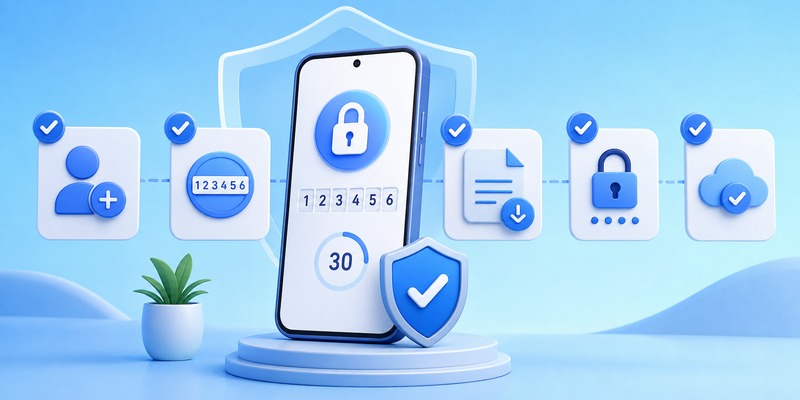
The exact menus can vary between Android manufacturers, but the download process is generally straightforward.
Step 1: Identify the app you want
Before searching for an authenticator app download apk, confirm the exact developer and application name.
Fake applications sometimes use names or icons that resemble legitimate security products.
Check:
- Developer name
- Official domain
- Application name
- Package information when available
- Official documentation
Step 2: Visit the official download source
Use your Android browser to open the developer’s official website.
Navigate to its Android download page and look for an APK option.
If the developer only links to Google Play and does not provide an APK, do not assume that a file hosted elsewhere is official.
Step 3: Download the APK
Tap the APK download button.
Android or your browser may display a warning because APK files can install software. Confirm the download only when you are confident that you are using the legitimate source.
Wait until your authenticator app download apk finishes before opening the file.
Step 4: Locate the downloaded file
You can normally find the APK in:
Files > Downloads
or through your browser’s Downloads section.
Do not rename, modify, or extract the APK unless the developer specifically tells you to do so.
💡 Discover Helpful Guides: Facebook Authentication App: Setup, Login Codes, and Recovery Guide
5. How to Install Authenticator App APK Step by Step
Once the authenticator app download apk is complete, Android needs permission to install the file.
Modern Android versions generally manage sideloading permissions per source. This means you may allow your browser or file manager to install an APK without granting every application the same permission.
Step 1: Open the downloaded APK
Open Downloads and tap the APK file.
If installation from that source is blocked, Android will direct you to the relevant permission page.
Step 2: Allow installation from the source
Depending on your Android version, look for an option similar to:
Settings > Apps > Special app access > Install unknown apps
Choose the browser or file manager containing the downloaded APK.
Enable:
Allow from this source
Menu wording can differ between Samsung, Google Pixel, Xiaomi, OnePlus, and other manufacturers.
Step 3: Install the APK
Return to the downloaded file.
Tap the APK again and select Install.
Wait for Android to finish installation.
Step 4: Open the application
After installation, select Open or find the application icon in your app drawer.
Your authenticator app download apk process is now complete.
Step 5: Review sideloading permissions
If you do not frequently install APK files, consider turning off Allow from this source again.
Leaving unnecessary installation permissions enabled increases the chance that another downloaded file could be installed accidentally.
📘 Find the Right Guide: Is Authenticator App Safe? A Complete Security Breakdown for 2026
6. How to Check an APK Before Installing It
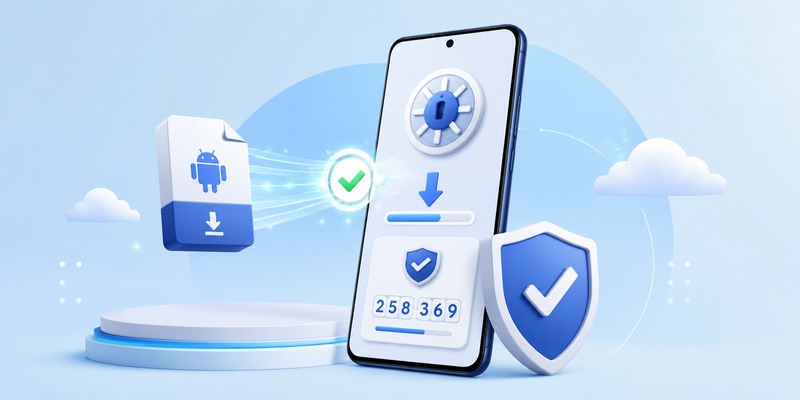
For an authenticator app download apk, file verification should be part of the installation process.
Confirm the download domain
Check the address bar before downloading.
A convincing-looking page does not necessarily belong to the real developer. Look carefully for misspelled domains, unusual extensions, extra words, or suspicious redirects.
Check the developer’s documentation
If the developer publishes download instructions, compare them with the page you are using.
If the official documentation says the app is distributed only through Google Play, be suspicious of websites claiming to provide an “official APK.”
Check version information
Look for:
- Version number
- Release date
- Android compatibility
- Release notes
A very old authenticator app download apk may lack recent security fixes.
Keep Play Protect enabled
Google Play Protect checks apps from Google Play and can also help detect potentially harmful applications on Android devices.
Do not disable security protections simply because an APK website tells you to do so.
Understand APK signatures
Android applications must be digitally signed. The signing key helps Android determine whether future updates belong to the same application developer or signing identity.
If an update APK suddenly cannot update your existing installation because of a signature mismatch, do not immediately uninstall the original app. First confirm that you downloaded the correct official package.
📘 Find the Right Guide: Which Authenticator App Is Best? The Best 2FA Apps Compared for 2026
7. Why Authenticator App APK Won’t Install
An authenticator app download apk can complete successfully while installation still fails.
Here are the most common reasons.
“App not installed”
This error can occur when:
- The APK is corrupted.
- The file is incomplete.
- The APK is incompatible with your Android version.
- An existing app uses a different signing key.
- There is insufficient storage.
- The APK package conflicts with an existing installation.
Delete the downloaded file and download a fresh copy from the official source before trying again.
Installation from this source is blocked
Your browser or file manager may not have permission to install APKs.
Open Android settings and review the Install unknown apps permission for the application that opened the file.
Do not grant this permission to applications that do not need it.
APK is incompatible with your phone
A developer may publish builds for different Android versions or processor architectures.
If your authenticator app download apk page lists multiple files, follow the developer’s instructions rather than selecting one randomly.
Google Play says the app is incompatible
Google Play may hide an application when the developer has marked your device as incompatible.
Installing an APK does not guarantee that an incompatible application will work correctly. Authentication apps must function reliably, so avoid forcing an unsupported version onto an unsuitable device.
Signature conflict
Android uses application signatures to validate updates. If an APK was signed differently from the existing application, Android may refuse the update.
A signature conflict can be a warning that you downloaded a different or modified package.
📘 Find the Right Guide: Authenticator App Download: The Complete Guide to Getting Set Up Safely (2026)
8. How to Update an Authenticator App Installed by APK

One disadvantage of an authenticator app download apk is that updates may not be as automatic as Google Play updates.
If you installed an APK directly, check how the developer distributes future versions.
Some applications provide:
- Built-in update notifications
- Official release pages
- GitHub releases
- Direct APK updates
- Google Play migration options
Do not repeatedly search the web for “latest APK” and install whichever result appears first.
Return to the same verified official source.
Before updating, also make sure your 2FA accounts have recovery methods. An authentication application is not the place to experiment with unverified software versions.
If the new APK refuses to install over the previous version, verify its signing source before deleting anything.
Uninstalling the current app without a valid backup could remove locally stored authentication data.
9. Is It Safe to Download an Authenticator App APK?
A legitimate authenticator app download apk can be safe when it comes directly from the developer and you verify the source carefully.
The risk increases when the APK comes from an unofficial distributor.
Google recommends installing apps from verified developers and warns that malicious or fraudulent applications can be distributed outside trusted channels.
Android is also expanding developer-verification requirements. Google currently states that regional enforcement on certified Android devices is scheduled to begin on September 30, 2026, in Brazil, Indonesia, Singapore, and Thailand, with broader expansion later. Sideloading will remain possible, but verified-developer requirements can affect the installation flow.
For an authentication tool, a simple rule works well:
Official source + original APK + current version = preferred sideloading approach.
Avoid unofficial modifications even if they promise extra features.
💡 Discover Helpful Guides: Authenticator App New Phone: How to Transfer It the Right Way
10. What to Do After Installing the APK
Finishing an authenticator app download apk is only the beginning. You still need to configure two-factor authentication correctly.
Protect the application
If supported, enable:
- Biometric lock
- PIN protection
- Screen lock requirement
- Encrypted backup
Add your first account
Open the security settings of the website you want to protect.
Choose an option such as:
Two-Factor Authentication > Authentication App
The website will normally display a QR code.
Open your authentication application and scan the QR code.
A six-digit code should appear and change periodically.
Save recovery codes
This step is essential.
After enabling 2FA, many services provide recovery or backup codes. Store them somewhere secure and separate from your phone.
If your device is lost, these codes may be the easiest way to regain access.
Test everything before deleting an old app
If the authenticator app download apk is part of a migration from another application, do not immediately uninstall your old authenticator.
Test the new setup first.
Log out of an account, sign in again, and verify that the new application generates a valid code.
Only remove the previous setup after all important accounts have been confirmed.
11. FAQs About Authenticator App Download APK
Where can I get a safe authenticator app download APK?
The safest authenticator app download apk source is the developer’s official website or official release repository. If the application is available on Google Play, using Google Play is generally preferable because installation and updates are managed through the store.
Can I install an authenticator APK without Google Play?
Yes. Android supports sideloading, so an authenticator app download apk can be installed without Google Play when Android permits installation from the selected source.
However, use only a trusted APK provided by the legitimate developer.
Why does Android warn me before installing an APK?
Android treats sideloaded software differently from applications installed through Google Play because APKs can originate from many sources.
The warning does not automatically mean your authenticator app download apk is malicious. It means you should verify the source before continuing.
Should I download a MOD authenticator APK?
No.
A modified authenticator app download apk introduces unnecessary risk. Authentication applications handle sensitive 2FA information, so use the original release from the legitimate developer.
Can I update an APK without losing my authentication codes?
Usually, a legitimate update signed by the same developer can update an existing installation without deleting its data. However, backup your accounts or recovery information before making major changes.
If Android reports a signature conflict during an authenticator app download apk update, verify the file source rather than uninstalling your current application immediately.
12. Final Thoughts
An authenticator app download apk is useful when you need to install a two-factor authentication application outside Google Play, but the download source should always be your first security check.
Whenever possible, use Google Play. If sideloading is necessary, download the APK directly from the developer’s official website or verified release channel, confirm that you have the correct version, keep Android security protections enabled, and avoid modified APKs.
After the authenticator app download apk is installed, protect the application with your device lock, save account recovery codes, configure backup options carefully, and test your authentication codes before removing an older installation.
The APK installation process itself takes only a few steps. The important part is making sure that the file controlling access to your 2FA codes is authentic, current, and obtained from a source you trust.
Download Authenticator App
Secure your accounts with fast, reliable two-factor authentication. Download now and protect your login in seconds.
